Our colleagues at PandaLabs have detected a new strain of ransomware: Trj/RansomCrypt.B. Known as CTB-Locker, what is different about this example is that if you pay, you can access all the locked files.
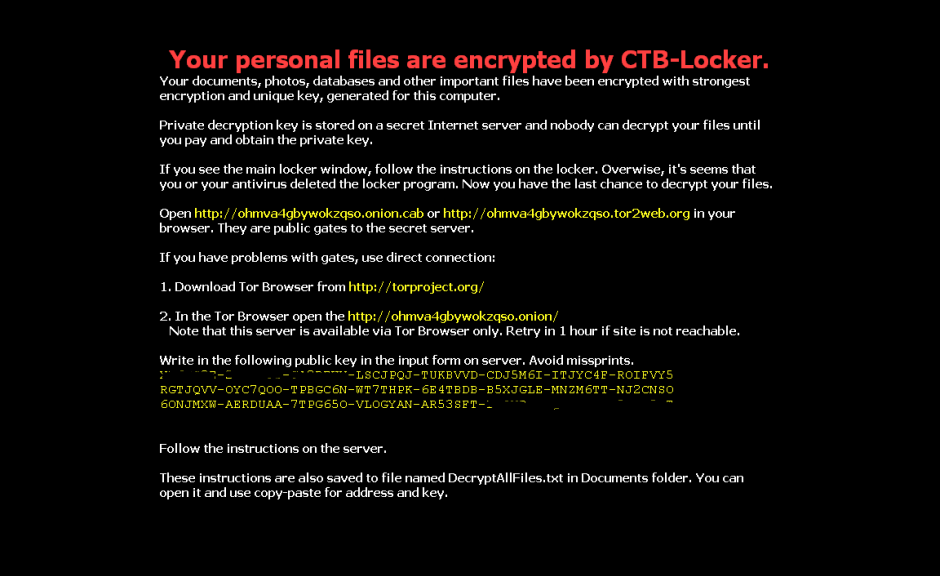
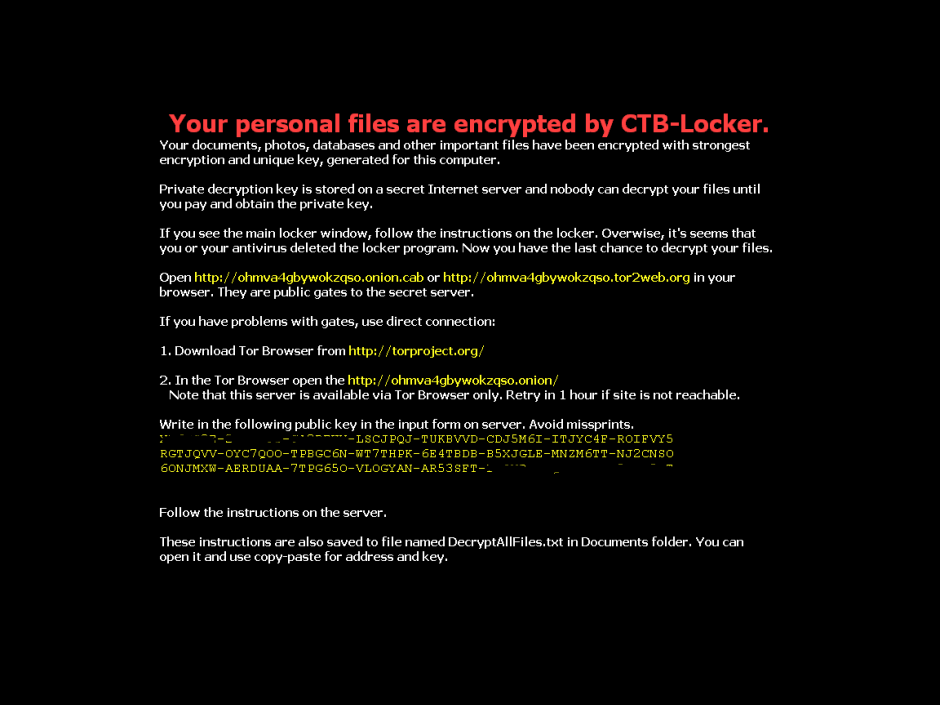
This type of malware normally reaches users via email, convincing the user that it’s a legitimate message and getting them to run the file. When run, the malware encrypts image files and documents on the victim’s computer and changes the desktop wallpaper for the following image. It also creates a text file with the same information.
However, if you have any of our Internet security software, you can rest assured, as Panda Security detects and blocks this threat.
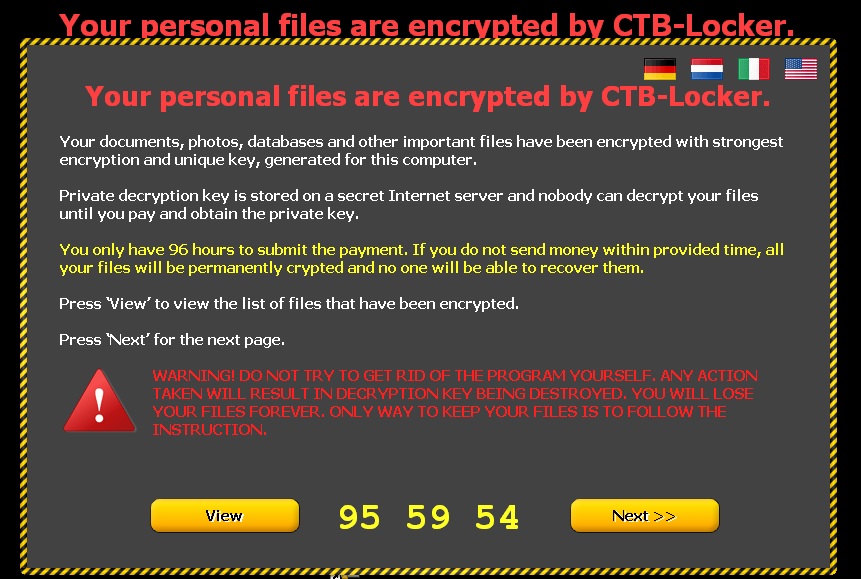
The following screen then appears, demanding a ransom before the specified time. If the ransom is not paid in time, the amount of money demanded increases.
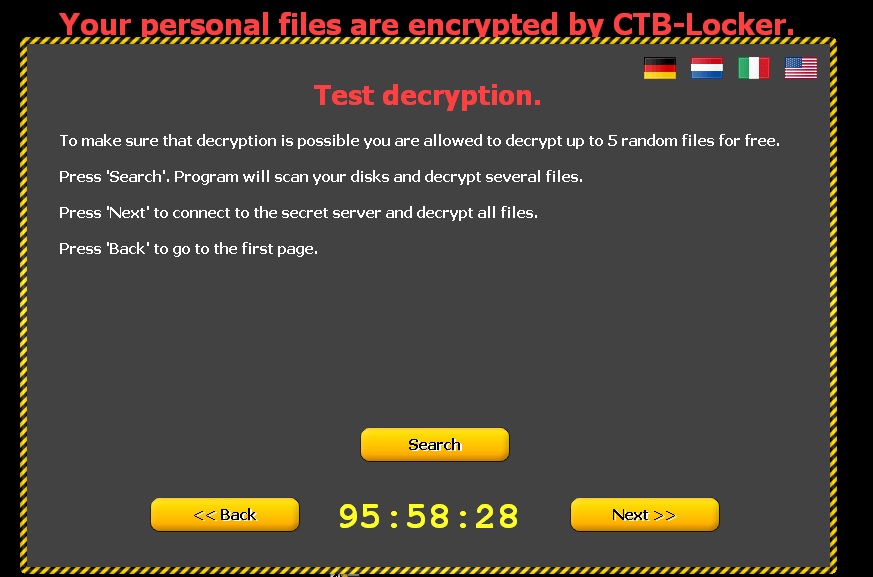
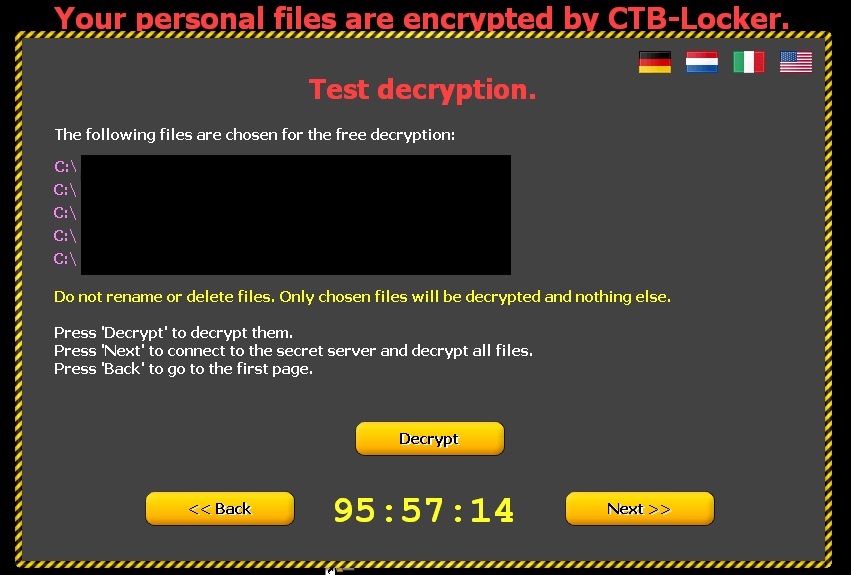
Clicking ‘Next’ leads to the following window informing victims that if they pay, the files will be unlocked. To demonstrate that this is true, five documents are released.
How to recognize CTB-Locker?
- This malware comes in an email with an attachment. This is either a Word file with a .doc or .rtf extension, or a compressed file (.zip) containing a .scr file.
- Some variants, in addition to encrypting files on the computer, also steal the address book to identify new potential victims. Worse still, they fake the address of the sender so the message may appear to have been sent from a known contact.
- You can see some examples of these emails here.
How to avoid Ransomware?
- Keep your operating system up-to-dateto prevent security flaws.
Make sure you have antivirus software installed and up-to-date.
- Don’t open emails or files from unknown sources.
- Don’t browse suspect web pagesor those with unverified content.
The post A new strain of ransomware is on the loose! Watch out! appeared first on MediaCenter Panda Security.