6 tips for safe Web browsing

protected computer

Today, February 10, is Safer Internet Day. Therefore, we want to share with you some tips for safer browsing.

Most of the time, when you browse the Internet, shop online or simply check your bank accounts, all you need is a little common sense and these guidelines to keep all of your devices free from viruses and threats. 

6 tips for safe Web browsing


1. Shop online with caution

When shopping online make sure that the site’s URL is the same as the website you think you are browsing and that the address starts with HTTPS. Do not forget to check the privacy policy.

2. Keep your antivirus updated

Android, Windows, Mac… When browsing the Internet it is essential that your device is secure and updated. There is specialized malware for each of them and therefore, it is vital to have an antivirus software to protect your identity online and that of your family.

3. Use a known Wi-Fi network

It is very convenient to connect to networks in bars, shopping malls or stores but bear in mind that they are not usually very secure. The data packets transmitted over public connections can easily be intercepted by hackers or cyber-criminals.

4. Keep an eye on your inbox

When you receive an email from an unknown sender, do not click on the links or attachments. Similarly, do not respond to these emails providing personal data or login details for different accounts.

5. Talk to your children

Children use smartphones and tablets just as easily as adults and this is good, provided that they know what they should not do. Above all, it is very important for adults to supervise their online activity.

6. Look after the ‘Internet of Things’

There are many Internet-connected home appliances: televisions, microwaves, security systems… The best thing you can do is keep the operating system updated.

And remember that you should put these tips into practice every day of the year, not just today. :)

The post 6 tips for safe Web browsing appeared first on MediaCenter Panda Security.

Internet of Things still not taking privacy seriously

It seems that companies developing the connected devices that make up the Internet of Things are in a constant race to release new technologies while potentially compromising on privacy.

It emerged this week that certain models of Samsung’s smart TVs are able to record conversations while voice recognition is active.

Samsung’s Terms and Conditions read:

“Samsung may collect and your device may capture voice commands and associated texts so that we can provide you with Voice Recognition features and evaluate and improve the features.”

“Please be aware that if your spoken words include personal or other sensitive information, that information will be among the data captured and transmitted to a third party.”

So while voice recordings will only be made while the feature is active, the Terms and Conditions do state that:

“If you do not enable Voice Recognition… while Samsung will not collect your spoken word, Samsung may still collect associated texts and other usage data so that we can evaluate the performance of the feature and improve it.”

I have blogged and spoken on privacy and the Internet of Things several times and it is disappointing to find that privacy and security are still not part of the design process for most consumer IoT devices.

First, in 2013 I highlighted the amount of data that is being generated by each and every user of connected devices, often without their knowledge or understanding.

Then, in 2014 I revealed how voice activated technology could be used to manipulate devices into executing unauthorized commands such as sending emails, or controlling a smart TV.

Video

How Voice Activated devices can be hacked


Here we have the two issues combined into one

  • End users are likely unaware that their data is being collected while using the voice command feature. Likewise they don’t understand that this data is used and shared.
  • The dangers of voice activated technology and how they can be used in potentially harmful ways. If you entered sensitive data such as a password via voice recognition, it may seem safe. Voice command records can be stored and stolen just like written files.


Users may not understand that while Samsung’s privacy policy contemplates the use of active voice commands, voice activation features can be used both actively and passively, meaning that devices can be constantly recording sound and identifying activation commands.

There is, as such, a potential for privacy issues here.

It’s about time that manufacturers of smart devices started taking the privacy and security of its users seriously. Only a few weeks ago a wireless baby monitor was hijacked and the attacker communicated directly with the nanny through the device.

After CES 2015, I commented that privacy should be at the very heart of the Internet of Things, a sentiment echoed by the FTC and its Chairwoman Edith Ramirez in their report on the Internet of Things.

Hopefully, it will not be too long before the public and electronics producers realize that going online should not mean surrendering your privacy.

Making the web a more positive place this Safer Internet Day

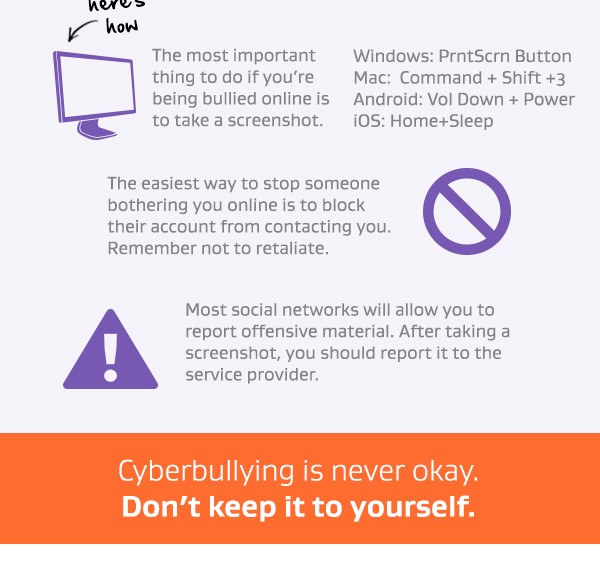
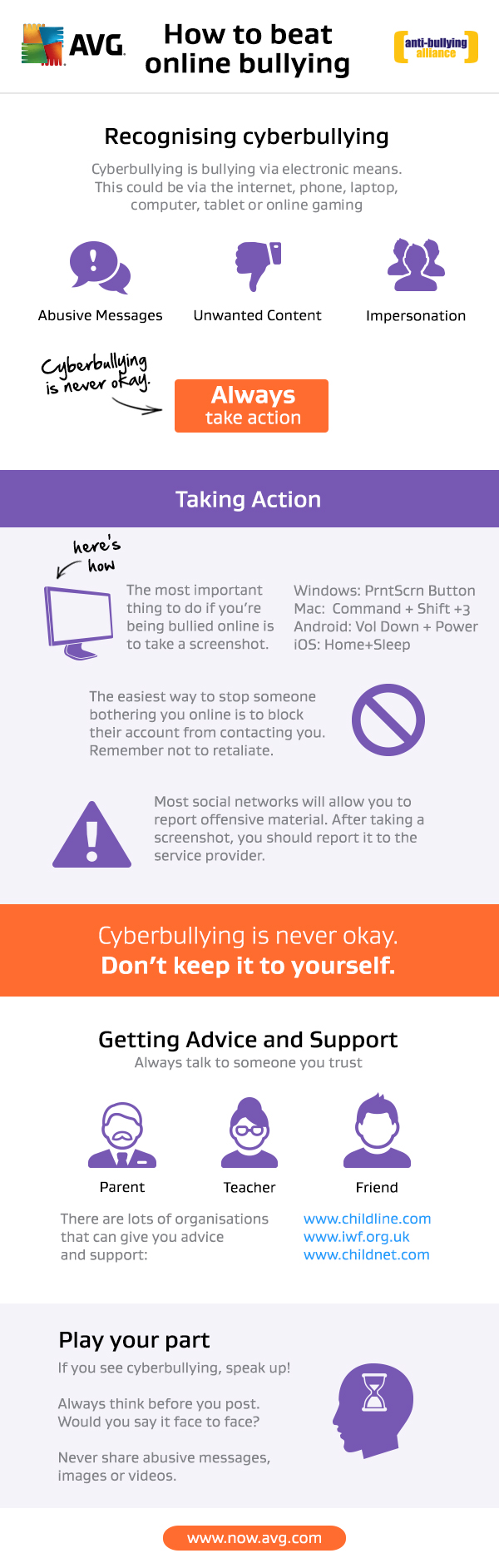
This blog has been written by the Anti-Bullying Alliance, a part of The Children’s Bureau charity in the UK. To celebrate Safer Internet Day 2015, AVG has teamed up with the Anti-Bullying Alliance to create a graphic designed to help anyone who may be experiencing cyberbullying.


It seems like a lifetime ago but many of us at the Anti-Bullying Alliance can still remember a pre-Internet world. There were few computers and certainly no smartphones.

Once you left the house you had to print a map of where you were going and hope that the person you arranged to meet would actually turn up.

Fortunately, now we have the Internet and it’s infinite different uses. Looking around, it is hard to find a part of our day to day lives that hasn’t been touched by the world wide web.

However, as is so often the case, with great power comes great responsibility. The Internet gives us an incredible window into the world but it’s up to each of us that we use the net responsibly.

The Anti-Bullying Alliance is all about working to make the Internet a safe and positive place to be. But with recent stories in the press about antisocial behaviour on social media sites it’s no wonder parents and schools are concerned about keeping young people safe from cyberbullying.

Cyberbullying is a significant issue facing young people today, and according to Safer Internet Day research in 2013, as many as 41% of 7–11 year olds knew someone who had been cyberbullied

That’s why we’ve created some tips in the infographic below with AVG to support Safer Internet Day 2015.

Don’t forget that the biggest impact we can have to reduce cyberbullying is to model kindness and respect both online and off – stay safe, fun and connected.

You can follow the Anti-Bullying Alliance on Twitter @ABAonline


Safer Internet Day Cyberbullying Graphic


Attack of the QR codes

Give it a try with your mobile!
Don’t worry, no barcode on this blog post is malicious

Scary attack underway!

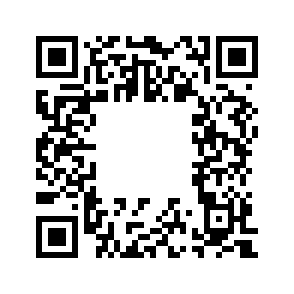
This image is a Quick Response code.

You’ve probably seen one before, as it’s often used to store website addresses to be scanned from a mobile, so that no one has to type the whole address manually.

The obvious risk with QR codes is that they can lead you to a malicious address, for infection or phishing – make sure your scanning app lets you confirm the URL!

the “secret”

However, this QR code hides a secret: it actually contains another barcode (of a different type), inside the QR code. It could be malicious. Not all applications will see it, but some will: very sneaky!

a QR code with an inner barcode

This is the… Attack of the QR codes !!!
(~ scary music playing ~)

How is it possible?

Barcodes use Error Correction, so that even if they are torn or badly printed, the information can be recovered. Even if you overwrite a part of the picture, it may still be valid:

a QR code with an overwritten center

a QR code with an overwritten center


So, in the middle, you can put another kind of barcode, that might still be readable, and will not necessarily be clearly visible to you:

a DataMatrix barcode

a DataMatrix barcode

So, be really careful, and really double-check before scanning, and then validating!

A bit more knowledge

  • to learn: the Wikipedia page has many technical details, nicely explained.
  • to experiment: an online generator, and an online decoder
  • to explore: an impressive halftone QR codes generation technic (the image is IN the barcode, not over the barcode)
    the Avira logo IN a QR code
  • the original paper presenting this QR code attack, with detailed experiments
    "QR Inception" academic paper

The most important part

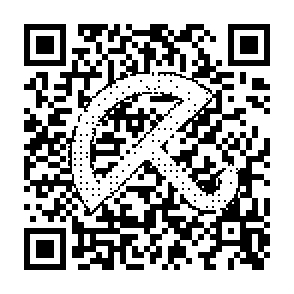
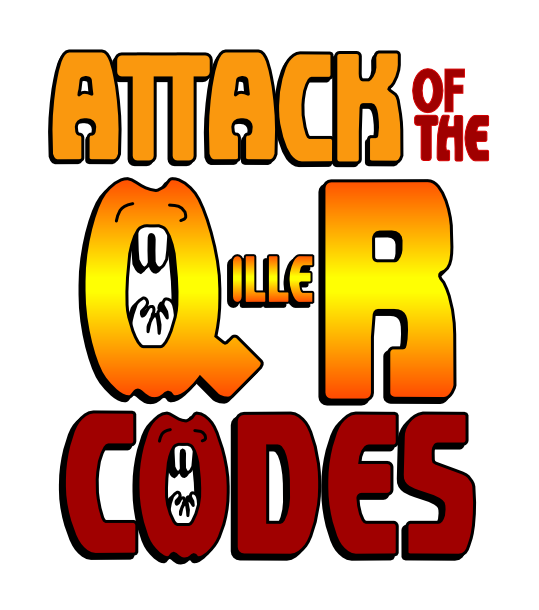
In 2015, every security risk needs a logo, so here it is:

(let's see how many people say that there is a typo)

Attack of the Q(ille)R codes

The post Attack of the QR codes appeared first on Avira Blog.

MDVSA-2015:039: glibc

A vulnerability has been discovered and corrected in glibc:

Heap-based buffer overflow in the __nss_hostname_digits_dots
function in glibc 2.2, and other 2.x versions before 2.18, allows
context-dependent attackers to execute arbitrary code via vectors
related to the (1) gethostbyname or (2) gethostbyname2 function,
aka GHOST. (CVE-2015-0235)

The updated packages have been patched to correct this issue.