Resolved Bugs
1213377 – CVE-2015-1868 pdns: Label decompression bug in PowerDNS can cause crashes on specific platforms
1214703 – CVE-2015-1868 pdns: Label decompression bug in PowerDNS can cause crashes on specific platforms [fedora-all]<br
– CVE-2015-1868
External References:
https://doc.powerdns.com/md/security/powerdns-advisory-2015-01/
Monthly Archives: April 2015
Second Crypto Bug in Networking Library Could Affect 25,000 Apps
A few weeks after the developers of the AFNetworking library that’s popular among iOS and OS X app developers patched a serious bug in the library that enabled man-in-the-middle attacks, another, similar flaw has surfaced. The new vulnerability is related to how the AFNetworking library handles domain name validation for certificates. As it turns out, the library […]
Tesla Twitter Account And Website Hijacked, Elon Musk Pwned
Location Is Your Most Critical Data, And Everyone's Watching
Researchers Plan To Demo A Wireless Car Hack This Summer
Obama's Emails Were Read By Russian Hackers, Say US Officials
Troubleshooting GTA V
On launch day I spent hours trying to get GTA V to run on my gaming machine which was an absolute time-consuming nightmare.
To spare you the trouble, here are some of the steps that led to GTA V finally working on my machine:
RockStar Social Club
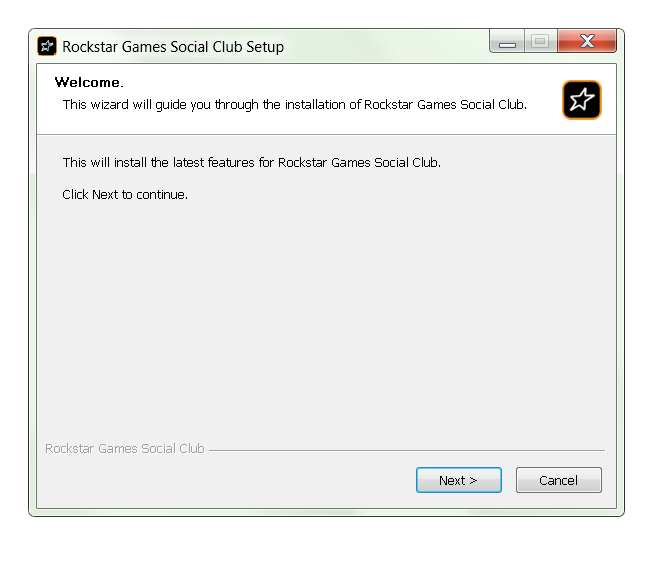
Download Rockstar Social Club from this page here. This is the application that actually launches GTA V and checks for an online connection and your system requirements. Having the latest version or even uninstalling and reinstalling it could help.
Updating Windows System File
The one tip that solved the problem for me was downloading an updated Windows system file that’s responsible for the controller input (it was either that or unplugging the Game controller, which I obviously didn’t want to do.)
To do that, go to this page and download the file “Xinput1_3.dll” by clicking on “Download ZIP-FILE”. Chose the “18.944.0” file or the “32bit9.18.944.0” (if you have an older 32-bit system). Extract the file. Next, open up the folder C:WindowsSysWow64 and look for a file called “Xinput1_3.dll” and rename it to “Xinput1_3_backup.dll”. Copy the file you just downloaded here.
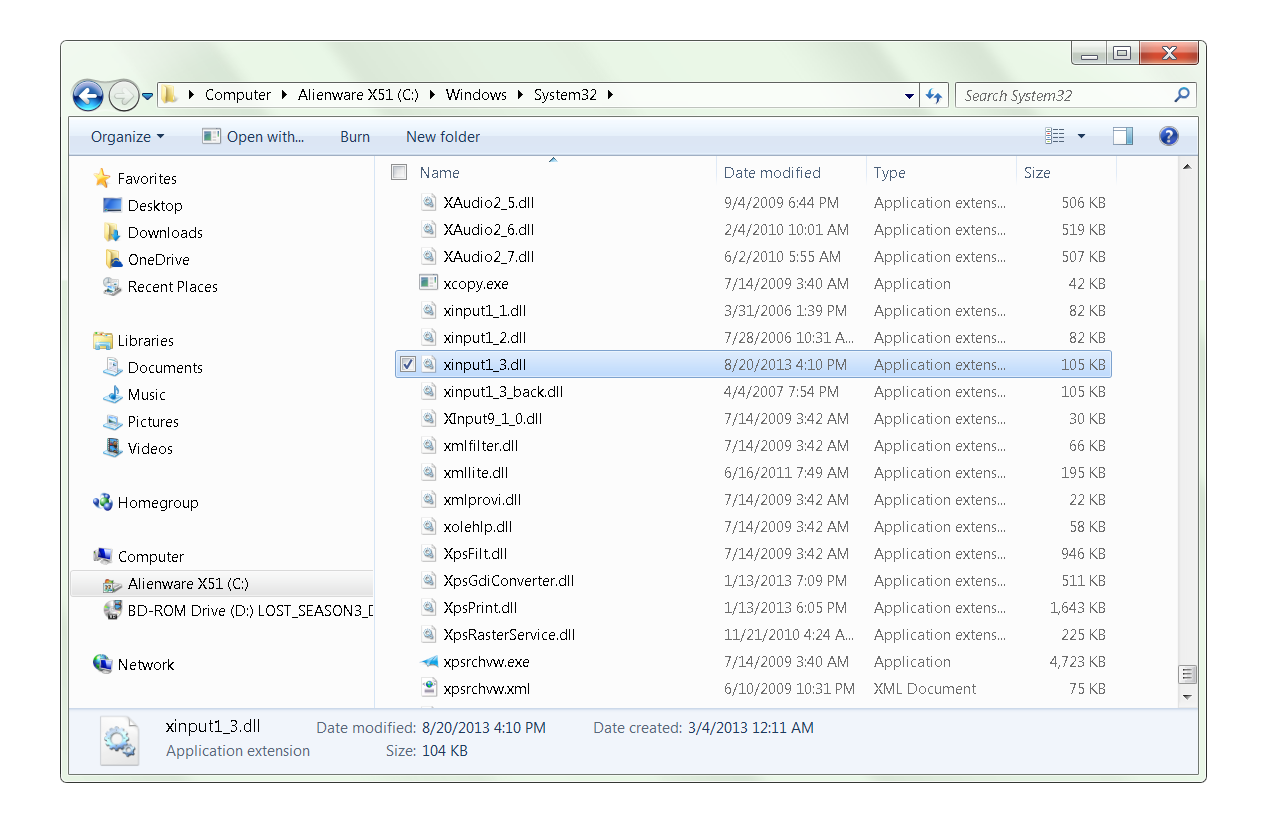
Repeat the same step for the “C:WindowsSystem32” folder. Reboot your PC! This has helped a lot of users on the Steam community forums – including me.
Validate the Game Cache:
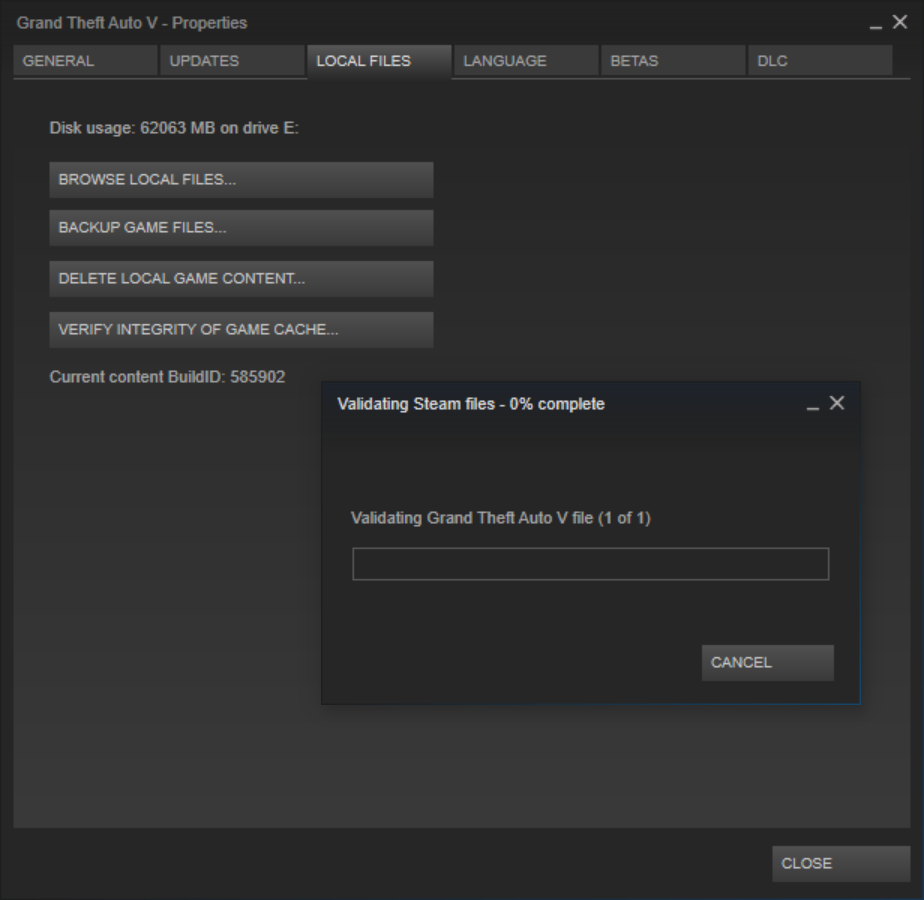
If you’ve preordered GTA V it’s possible that the encryption on launch day didn’t work for you, so it may be best to try to validate all of the 60 GB files in GTA in Steam. To do so, open Steam and right-click on “Grand Theft Auto 5”. Select Properties and go to “Local Files”. From here, click on “Verify Integrity of Game Cache”:
Delete the GTA V game cache:
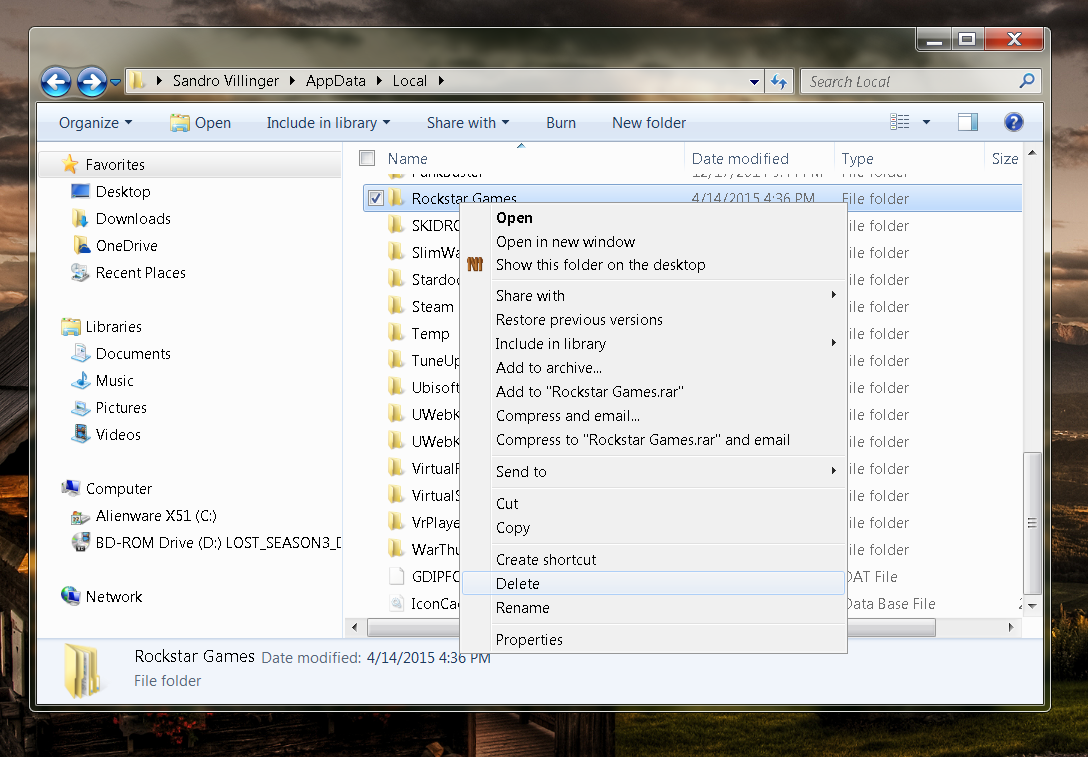
Upon installation, GTA V creates temporary files and settings that you can simply reset which may help you solve some of the launch problems. Simply hit the “WINDOWS” key on your keyboard and “R” at the same time and type in %appdata%. Click on “AppData” in your navigation bar at the top of the Windows Explorer and go to “Local”. Delete the entire “Rockstar Games” folder.
Create a new Administrative user account:
Rockstar admitted that GTA V doesn’t work if your user account name consists of some unusual characters. Basically everything except numbers and regular letters work. Simply renaming your account doesn’t do the trick, so you actually have to create a new administrator account that you need to switch to before starting GTA. Rockstar is working on a fix. You’ll find the appropriate options in your “Control Panel” under “Add of Remove Accounts”.
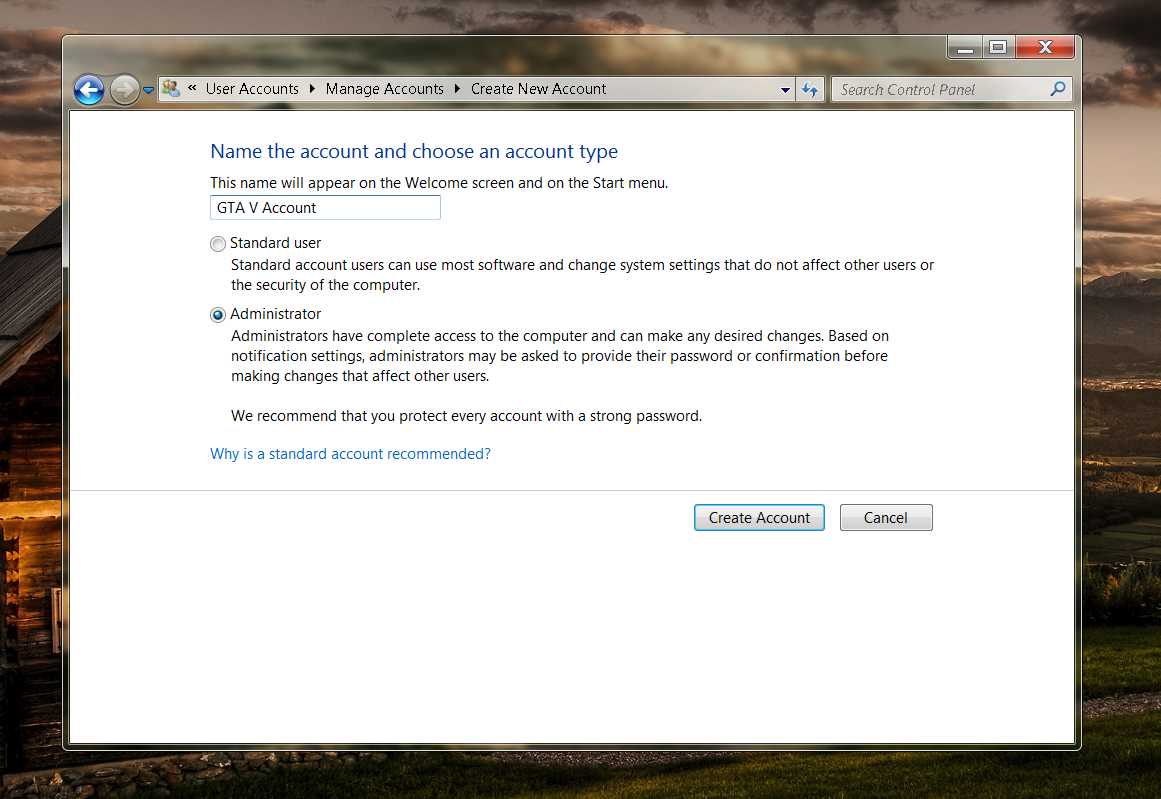
Disable any integrated graphics chip:
Some laptops and Desktop-PCs have both an integrated (weaker) graphics chip to save power/battery life and a more powerful discrete graphics. In my example, my desktop PCs mainboard has an Intel HD graphics chipset and a dedicated GeForce GTX 970. In such instances, you should go to Device Manager, Display Adapters and right-click on any graphics chip that’s not NVIDIA or AMD. Select Disable:
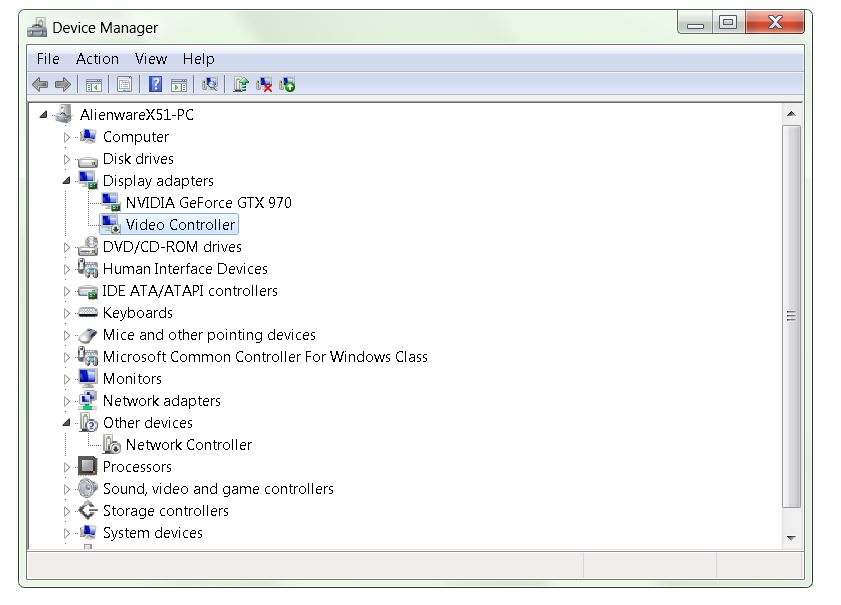
In some instances, it helped some users to disable their main graphics chip before launching GTA V and then re-enabling it right at the very moment the game launches.
Here’s a video that shows you at which point you’d need to disable and enable the chip:
Video
Disabling Internal Graphics Chips
Run GTA V as an administrator:
Open up the following folder on Steam “C:Program Files (x86)SteamSteamAppscommonGrand Theft Auto V” or “C:Program Files (x86)Rockstar GamesGrand Theft Auto V”, right click on “PlayGTAV.exe” and select “Run As Administrator”.
Now that you are up and running with GTA V, check out my Ultimate Performance Guide to help you make the most out of the experience!


[ MDVSA-2015:211 ] glusterfs
-----BEGIN PGP SIGNED MESSAGE-----
Hash: SHA1

 _______________________________________________________________________

 Mandriva Linux Security Advisory                         MDVSA-2015:211
 http://www.mandriva.com/en/support/security/
 _______________________________________________________________________

 Package : glusterfs
 Date    : April 27, 2015
 Affected: Business Server 2.0
 _______________________________________________________________________

 Problem Description:

 Updated glusterfs packages fix security vulnerability:

 glusterfs was vulnerable to a fragment header infinite loop denial
 of service attack (CVE-2014-3619).

 Also, the glusterfsd SysV init script was failing to properly start
 the service.  This was fixed by replacing it with systemd unit files
 for the service that work properly (mga#14049).
 _______________________________________________________________________

 References:

 http://cve.mitre.org/cgi-bin/cvename.cgi?name=CVE-2014-3619
 http://advisories.mageia.org/MGA
Siemens Patches Ghost Flaw Simatic Product
Siemens has released an update for some of its ICS products that are affected but the glibc Ghost vulnerability that was disclosed in January. The vulnerability affected both the Siemens Sinumerik and Simatic HMI Basic applications, which are used in a variety of industrial situations. “The affected products, SINUMERIK, SIMATIC HMI Basic, and Ruggedcom, are used as an […]
Mobile apps: The privacy insanity
Security expert Troy Hunt took a look at three apps (one of them being the Paypal one) and the results are shocking: While they were all way too invasive most of the tested apps had serious security issues as well.
When it comes to your privacy especially Paypal seems to want far more information from you than necessary. Hunt took the time to point out the extra personal requests on his blog:
- BSSID: This is the unique device ID of my home router which is the same as the MAC address. Google got themselves into hot water for siphoning this up via their mapping vehicles a little while back because that one unique ID ties back to my precise device.
- Device model and name: You could argue that comparable information is sent via your browser courtesy of the user agent, but that would only apply to the model and not the name of the device which is explicitly not passed in requests. This is private – it’s my device name.
- Internal IP address: The internal address assigned to my iPhone via the router when it associated to the network. This can give a sense of how many devices are on the network.
- Location: There’s my lat and long again and for all the same reasons I don’t really want to share it with Aussie Farmers, I also don’t really want to share it with PayPal.
- SSID: We’re talking about the name of my internal network here. I name mine in a non-identifying fashion because frankly, I want to keep it somewhat private and that’s from those in my immediate vicinity, let alone those on the other side of the world.
- Storage space: Ok, so it’s a 128GB iPhone, do they really need to know that? Back to the user agent comparison, this is not the sort of stuff that’s typically “leaked” by generic requests to the web because it’s an internal metric of no external consequence.”
In addition to that the security of two of the tested apps was so bad that he concluded: “Perhaps I should just stick to the browser that doesn’t leak this class of data yet one would assume is still sufficiently secure.”
Do you want to find out more? Then take a look at the whole in-depth article.
The post Mobile apps: The privacy insanity appeared first on Avira Blog.