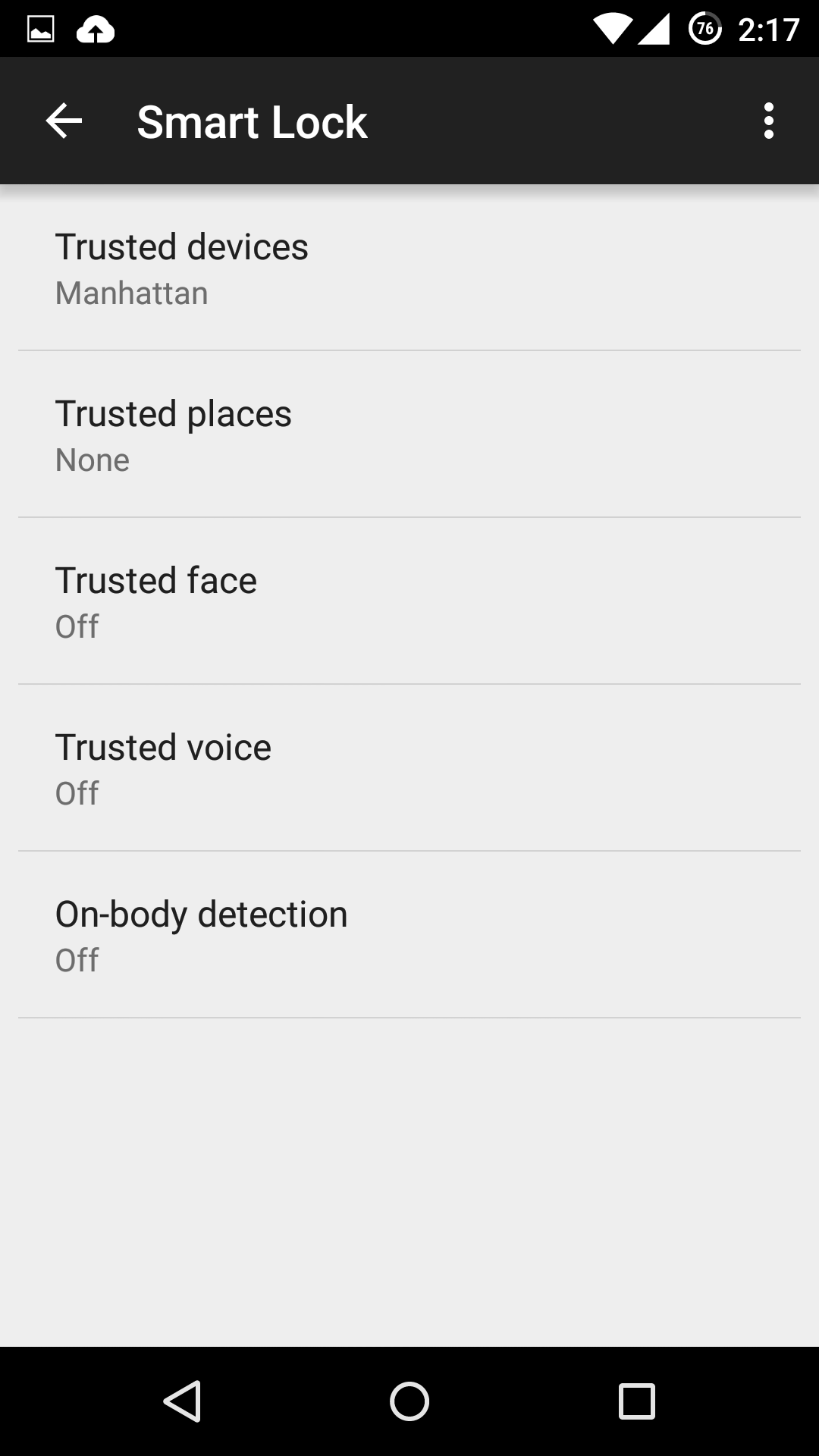
If you’re one of the lucky few to be running a phone or tablet with Android Lollipop (5.0 or above), you might be tempted to use one of its new Smart Lock security features. These features bypass your lock screen when certain conditions are met.
Here, we examine the various kinds of Smart Locks Lollipop offers, where they fail, and how reliable they are.
Trusted devices
Trusted devices is perhaps the safest of the new smart lock features. It works by confirming your identity with “something you have”; in this case a bluetooth device or NFC trigger. When your devices pair, your lock screen will be removed. The feature seems to have been designed with smartwatches in mind, but any bluetooth device like car or wireless headset will work.
This is particularly secure, as bypassing this lock would require both your devices be stolen at the same time. The other workaround includes spoofing the MAC address (or identity) of your bluetooth device, which is a difficult and highly unlikely process.
Trusted places
Trusted places creates geofences around specific areas you designate as “safe”. Usingbuilt-in GPS, WiFi scanning, and other location services, your device can determine whether you are inside the area and disable your phone’s lock screen. When the phone leaves the area, it automatically locks up again.
This feature can be particularly useful and safe if you designate your home as a safe zone, especially if you’re home is in an isolated area. However, we wouldn’t recommend setting any location you do not fully control as safe. Any passerby in the “safe zone” could potentially pick up your phone and use it. Furthermore, the feature isn’t as precise as it could be: the diameter of the “safe zone” can be up to 80 meters wide (nearly 90 yards or 262 feet).
Trusted face
Trusted face essentially confirms your identity by looking at you, using your device’s front facing camera to recognize your face. Because of that, hardware can be a limiting factor in this method’s reliability: a poor front-facing camera can quickly become a liability.
While the system is smart enough not to get fooled by a static photo of your portrait, it still requires you to “teach it” to recognize your face in several different lighting conditions or wearing various accessories.The more you do this, the more reliable it becomes, but it can require more “teaching” than most users would feel comfortable providing. Essentially, every time your phone doesn’t unlock is an opportunity to teach it.
Oh, and you can give up on getting this to work in low lighting conditions.
We leave it to you to determine the likelihood that a look-a-like will snatch your phone. Just don’t use this feature if you have an evil identical twin.
Trusted voice
Trusted voice relies on vocal recognition to confirm your identity. It works particularly well if you are a consistent user of Android’s voice activated features, since those learn to recognize your speaking patterns to better interpret your queries. If you do not use them often, you may find the reliability of this method to be somewhat limiting.
A secondary annoyance is that it relies on triggering the Google Launcher’s signature “Ok, Google” to unlock your screen, which will then wait for a search query or command. Unless you are a heavy user of the Launcher or Google Now, we don’t recommend this.
On-body detection
This is easily the least secure of the methods revealed so far, and we strongly recommend you do not use it. On-body detection relies on your phone’s internal accelerometers and gyroscopes to determine if you are carrying your phone. Unlock it once, and it will stay unlocked while in your hands or pocket. Put it down on a table, and it will lock immediately.
While this may seem to make sense and greatly simplify your life, it’s also a godsend to any pickpocket or straight-out thief that would snatch the phone out of your hands. So long as the phone is in movement, it doesn’t care who unlocked it. With over 3 million smartphones stolen every year in the US alone, and 2000 a day in the UK, we really cannot recommend this method.
How to turn the Smart Lock features on
If you decide you still want to use one or more of these securityfeatures, you’ll need to turn them on first, and Google has not made that easy.
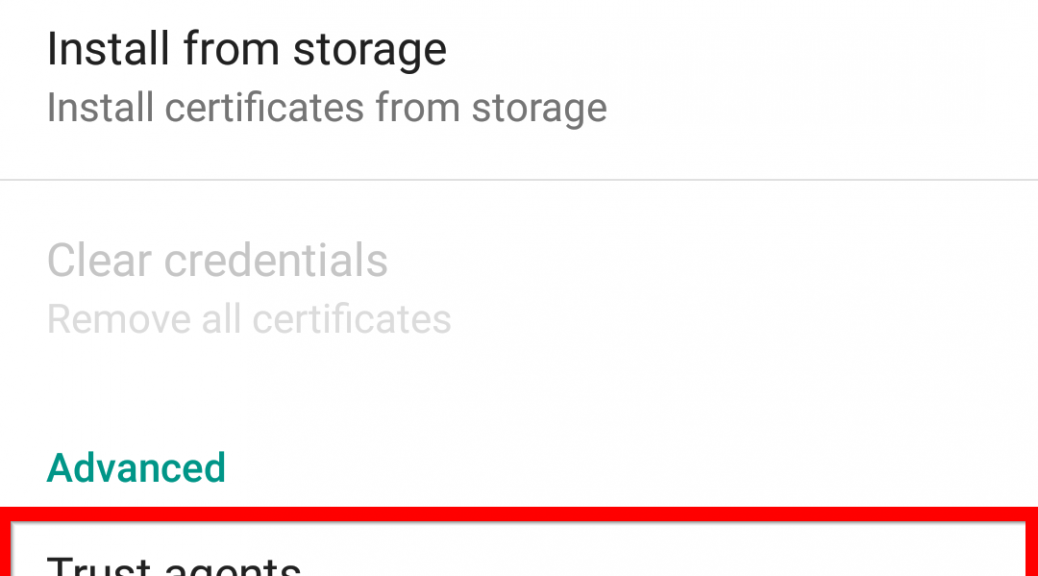
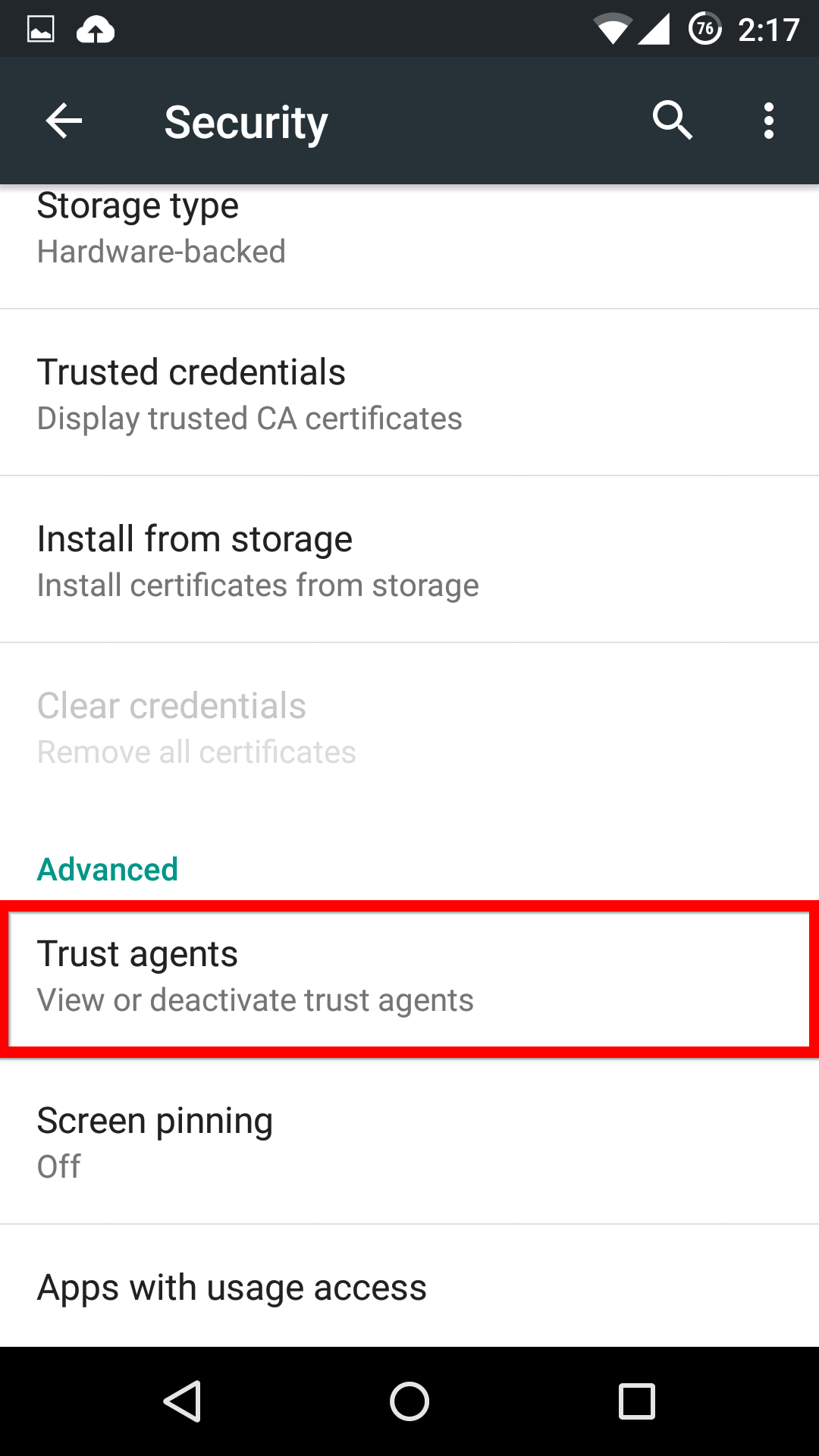
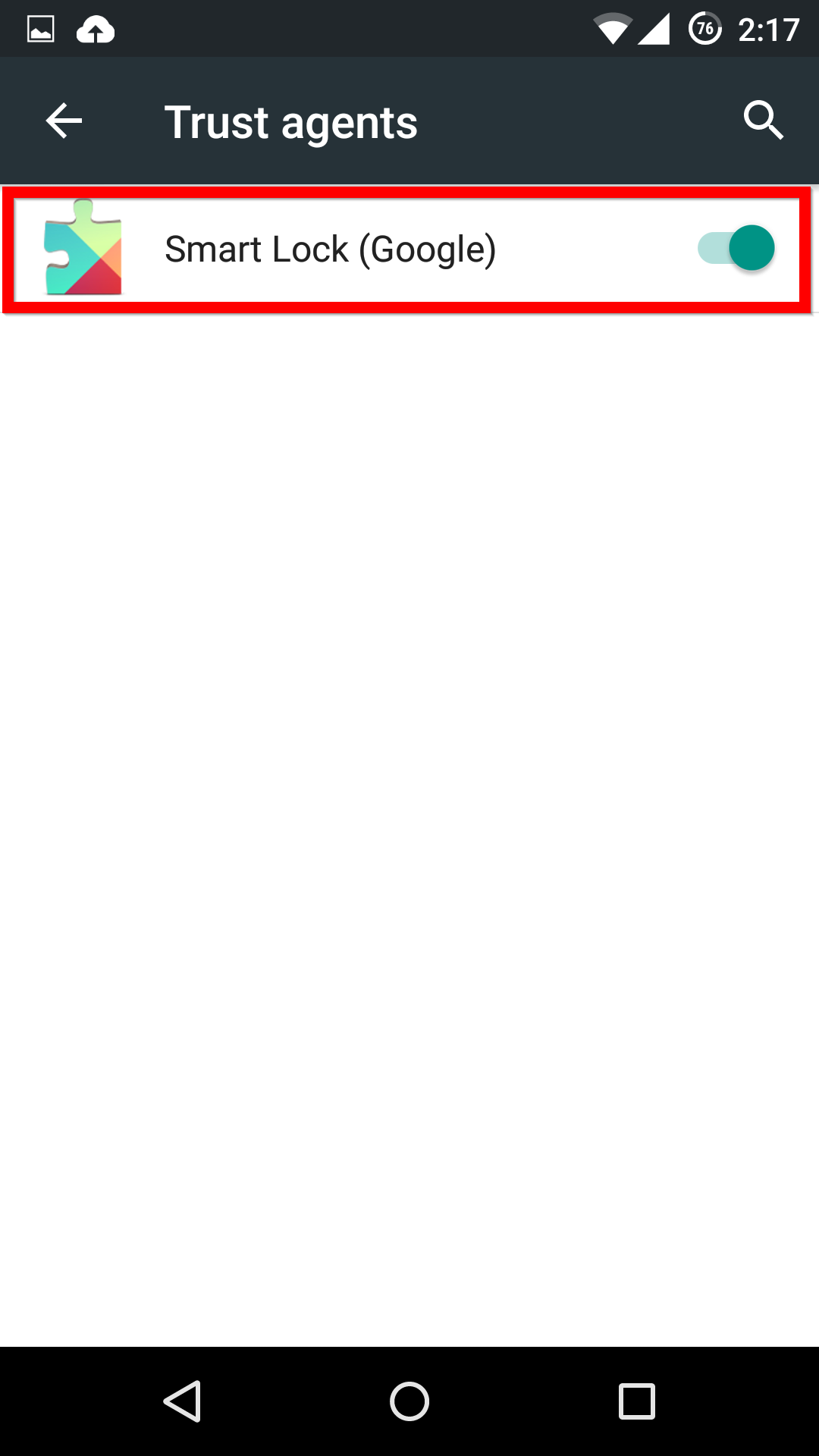
First, in the Settings menu, you’ll need to scroll down to Advanced and select Trust agents. Inside this menu, you’ll need to activate the Smart Lock option.
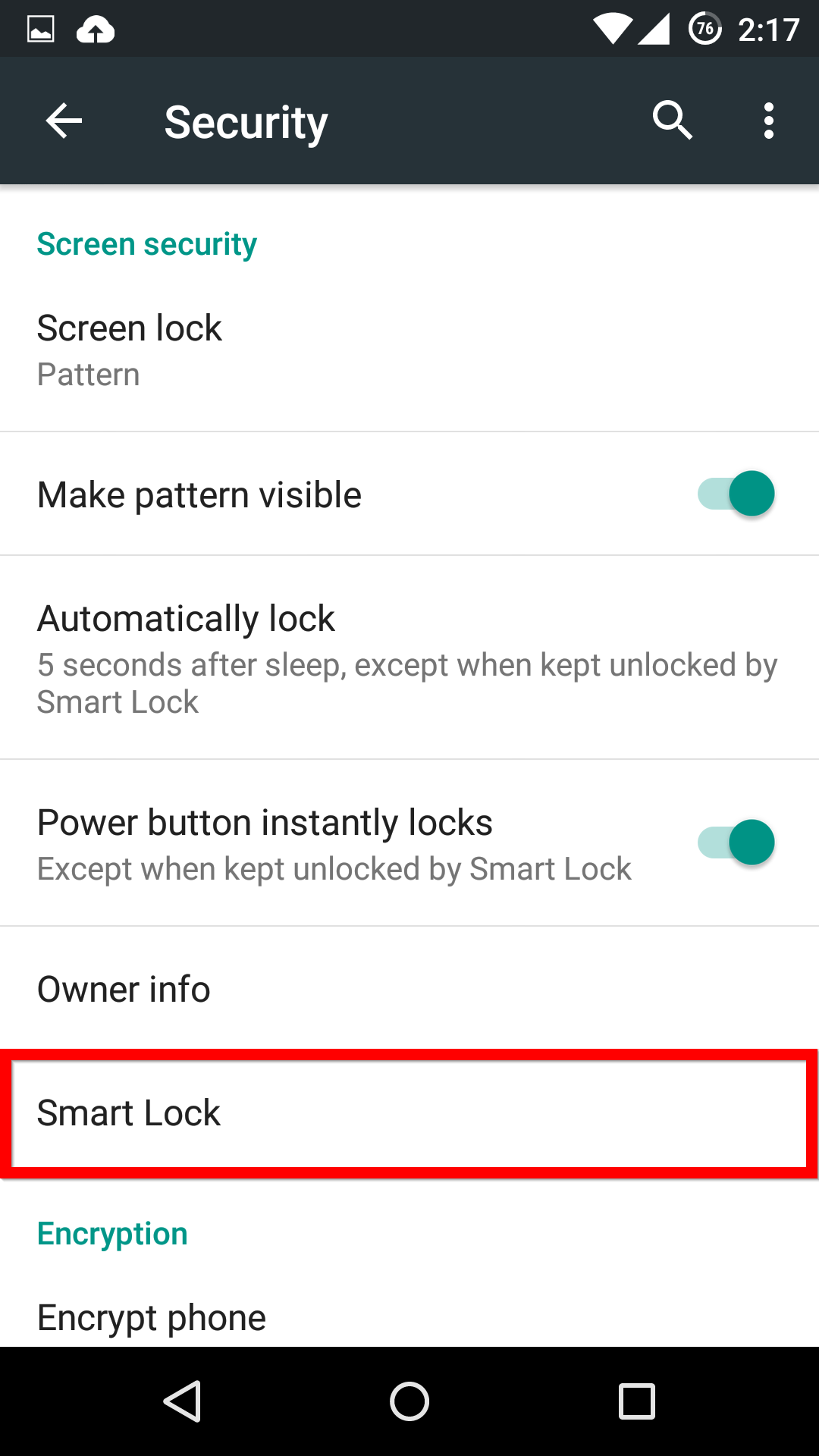
Now, when you head back into the main Security menu, you’ll be able to find the Smart Lock menu, and activate whichever features you want.
If you see one of these features missing, make sure that you’re Google Services app is up-to-date.