CentOS Errata and Bugfix Advisory 2015:1118

Upstream details at : https://rhn.redhat.com/errata/RHBA-2015-1118.html

The following updated files have been uploaded and are currently
syncing to the mirrors: ( sha256sum Filename )

x86_64:
a43c43e90f1d6d6e7e62716b46237e07f4b70515ba2e44c5cec9b109616d8bdb  yum-langpacks-0.4.2-4.el7.noarch.rpm

Source:
0bf105122ead2617ec833981f370e39c1ad7b3b44b604eb61d21aa0490aa42b3  yum-langpacks-0.4.2-4.el7.src.rpm
Monthly Archives: June 2015
CellPipe 7130 Cross Site Request Forgery
CellPipe 7130 router version 1.0.0.20h.HOL suffers from a cross site request forgery vulnerability.
CEBA-2015:1119 CentOS 6 dmidecode BugFix Update
CentOS Errata and Bugfix Advisory 2015:1119

Upstream details at : https://rhn.redhat.com/errata/RHBA-2015-1119.html

The following updated files have been uploaded and are currently
syncing to the mirrors: ( sha256sum Filename )

i386:
57b7fdb152e4d62f1b59a5b8cc686eb98cbbf6ad60ed6cd381420cecc1f76c6a  dmidecode-2.12-5.el6_6.1.i686.rpm

x86_64:
a26f59a4ffb6bf6a9e981f3446098a60d53e049e0df3884dfa62e9daf4688bb1  dmidecode-2.12-5.el6_6.1.x86_64.rpm

Source:
aff9d3521aaf40f14444cd949eebd07e377d3be0d071205acbb25c3172d2970c  dmidecode-2.12-5.el6_6.1.src.rpm
EMC Unified Infrastructure Manager/Provisioning (UIM/P) Authentication Bypass
EMC UIM/P version 4.1 contains an authentication bypass vulnerability that could potentially be exploited by malicious users to compromise the affected system.
Google rolls out a new password manager
Unveiled at its 2015 I/O developer conference, Google has begun to roll out a new security feature to all Chrome browsers and virtually all Android devices: the Smart Lock Password manager.
From now on, any website login details that you save in your desktop Chrome browser will be accessible via any Android device signed in with your Google account. So, if you’ve saved your login details for, say, Facebook or Netflix, you will be automatically signed in when accessing them from the Chrome browser on your Android device, and vice-versa.
In addition, if you were to install the Facebook or Netflix apps on your phone, they will also be able to automatically retrieve your login details from your Google account and sign you in.
The last feature requires individual app developers to include the newly released API codes from Google, but it’s a relatively simple matter, so we expect to see this feature rolling out across a variety of apps soon.
How to feel about Google managing your passwords for you is for you to decide. If you’re already saving these accounts in your Chrome browser, chances are you will enjoy this feature. However, you’re now putting more of your eggs in the same basket, so make sure that your main Google Account is locked down with strong passwords and two factor authentication.
So given our recent post about the fragmented nature of Android update deployments, when can you expect this feature? Well, for the last few years, Google has been using the Google Play Services app to get around this roadblock and send out major system updates to Android users, regardless of brand or make (but that’s a story for another time).
Any device running Android 2.3 or above will be receiving the update to Google Play Services 7.5 and be able to use the feature.
How to turn on or off Smart Locks Passwords
Interested in using the feature, or just want to make sure it’s turned off and Google isn’t vacuuming up all your passwords?
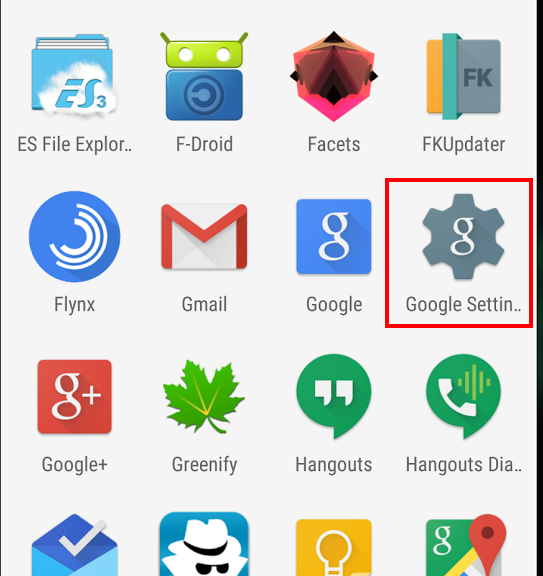
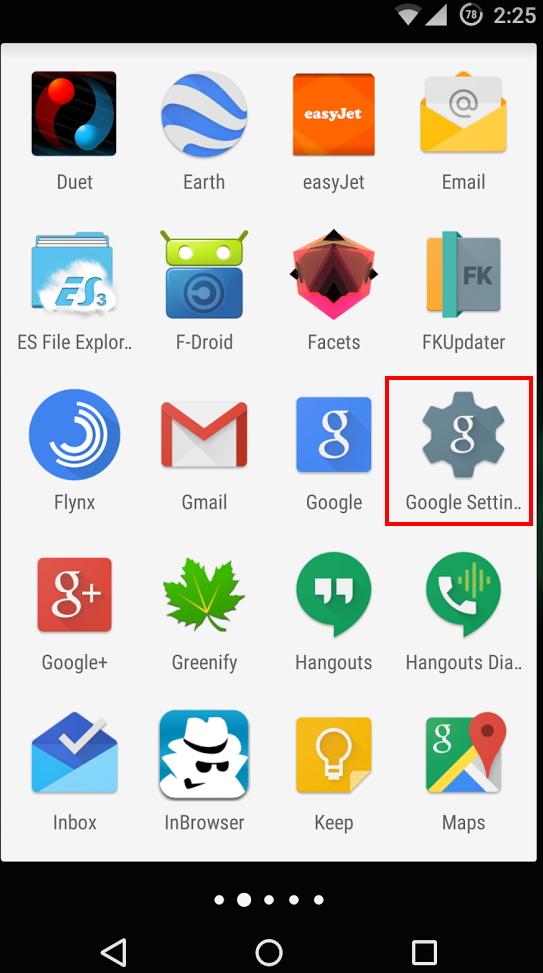
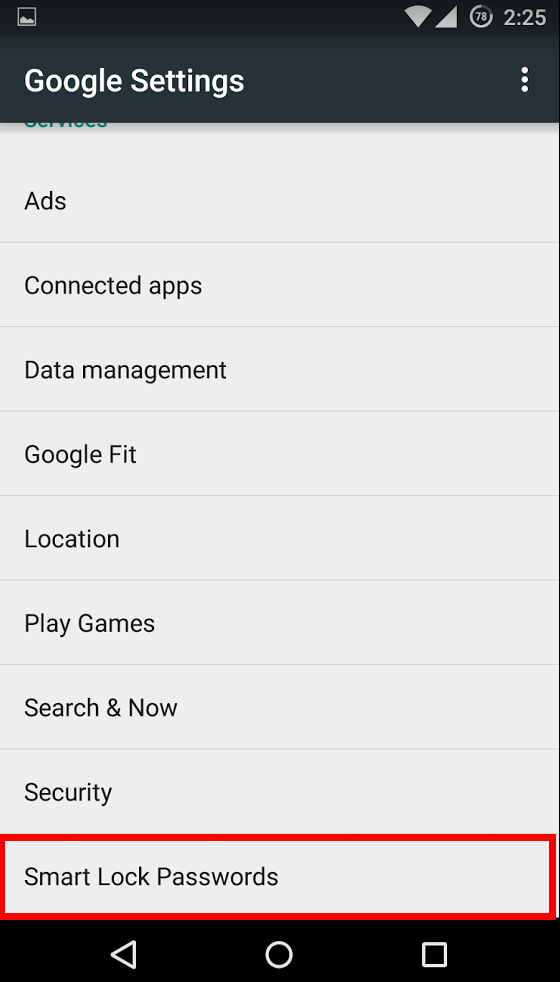
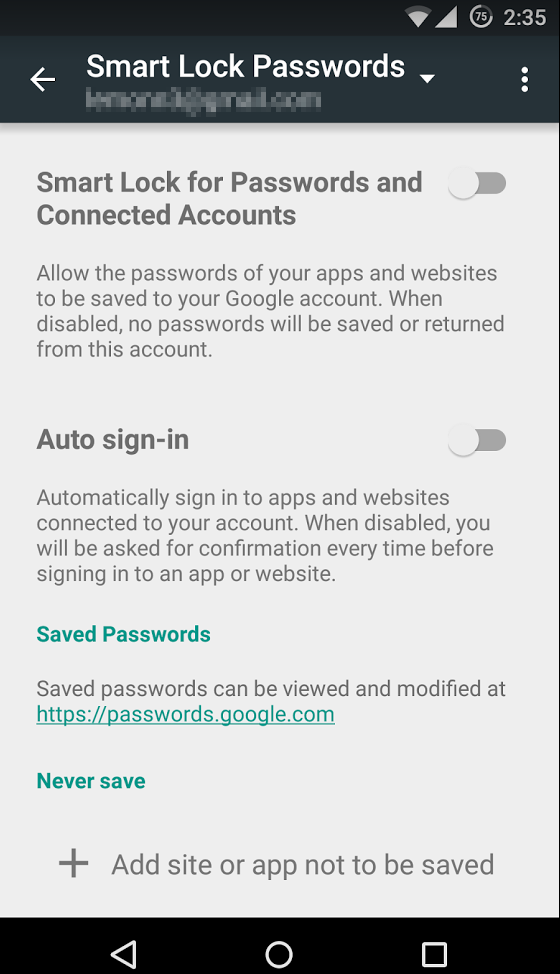
In your Android device, open the Google Settings app. This where all the details concerning your Google Account reside. You’ll find the Smart Locks setting at the bottom of the main menu in the Google Settings app. From there, you can select to turn on or off the password manager, allow auto-sign ins, and add exceptions to certain sites or applications.
From your Chrome Browser, you won’t find the Smart Locks name per say, but you will find where to manage the passwords saved in your browser. Just click on the menu in the top right corner of the browser, and select settings.

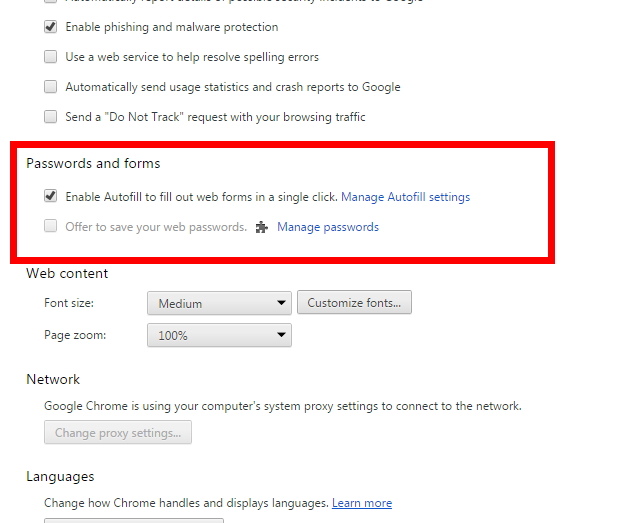
At the bottom of the settings page click on “Show advanced settings”. From there, you can scroll down to “Passwords and forms”. Any passwords you’ve saved can be found here.
If you feel the convenience isn’t worth the privacy tradeoff, you can delete them and also set the browser to no longer automatically sign you into websites. Just keep in mind: you will regularly be asked if you want Chrome to save your logins when you sign in to websites. Remember to say “no” and “Never ask for this website again”.
As always, stay safe out there.


Need help fixing the iOS text message bug causing iPhone crashing/reboot?
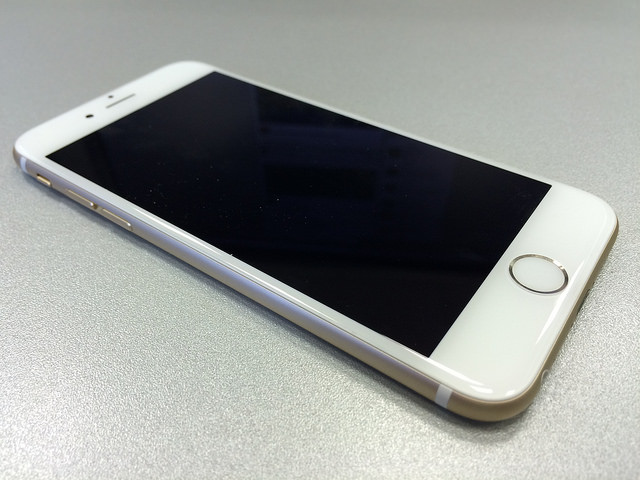
Something as simple as an SMS has threaten Apple and its iPhones. A security flaw has been found in Cupertino’s Smartphone, it is one of those text messages which gives the user a nasty surprise: when you receive it, your iPhone reboots.
The SMS that causes the device’s failure is not an ordinary text message. Therefore, it is virtually impossible that users receive this SMS by accident. The bug is a text string with symbols and Arabic characters in a specific sequence, which causes iMessage to collapse and the iPhone to reboot.
Just like you have seen in the video, it is not necessary that the user access the messaging application. As soon as you receive it, the device reboots. If that wasn’t enough, once the iPhone is back on, it is not possible to access the messaging application to eliminate the malicious conversation: it is blocked.
In addition, the SMS has not only highlighted the existence of a vulnerability in iPhones, but it also caused iPads, Macs and even the brand-new Apple Watch to crash too.
The company has already announced that they are aware of the vulnerability and that they will solve it through a future iOS update.
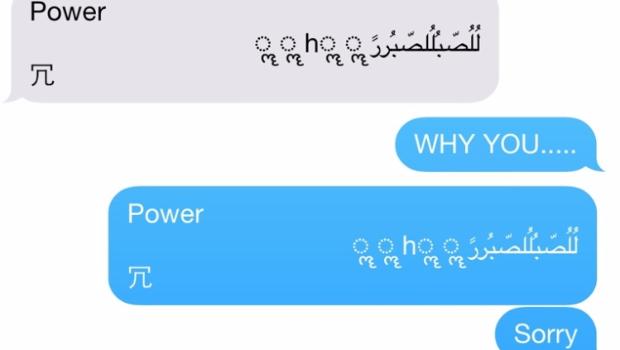
Are we still in danger?
Meanwhile, the controversial SMS continues to cause chaos on Apple devices. Putting an end to its effects is not easy, but fortunately, there are some fixes available to re-open the Messages app:
- Ask the person who sent you the malicious SMS to send you another text message so the conversation continues, cancelling the effects of the first. Once received a second message, the user can access the conversation list and eliminate it.
- Ask Siri. This is the solution proposed by Apple, but this time you will be the one paying for the SMS as you will be the one sending it. After receiving the damn message and seeing how the device reboots, the user could ask Siri to “read unread messages”. Siri won’t be able to read the SMS and will ask you if you want to reply. In that moment, you will be able to dictate a message to Siri, so the last strand of the conversation is not the one that causes the system’s failure. This way you will be able to access the conversations lists and delete the thread.
- Send a picture via the Photos app, which will allow you to access the message history and then delete the conversation, at last.
All this taking into account that the character strand that causes the failure in the system is not a usual message. If you receive it, it is because your prankster friend or someone else wants to give you a hard time. So, until Apple launches the next iOS update we will need these tricks to fix this problem.
The post Need help fixing the iOS text message bug causing iPhone crashing/reboot? appeared first on MediaCenter Panda Security.
Amazon Transparency Report Shows Few Requests For User Data
Amazon has released its first transparency report, and for a company as large as Amazon, there is surprisingly little in the way of detail or explanation in the report. The company reported that it received 813 subpoenas, 25 search warrants, and 0-249 national security requests. Of the 813 subpoenas Amazon received in the first five […]
CEEA-2015:1096 CentOS 6 hpsa Enhancement Update
CentOS Errata and Enhancement Advisory 2015:1096

Upstream details at : https://rhn.redhat.com/errata/RHEA-2015-1096.html

The following updated files have been uploaded and are currently
syncing to the mirrors: ( sha256sum Filename )

i386:
03437a2173e20eb8ce8778d09c8a07c50b1003bfda56a96faffcfe67cd83ea24  kmod-hpsa-3.4.4_1_RH4-1.el6_5.i686.rpm

x86_64:
c21189a54b69cfc15015b03f19994cca4f8637509d08642714dc3b10aac9cc00  kmod-hpsa-3.4.4_1_RH4-1.el6_5.x86_64.rpm

Source:
7c03f2214cdeee373156433b0df87918bc41faaab692d63a88d45aa972f41098  hpsa-3.4.4_1_RH4-1.el6_5.src.rpm
BlackCat CMS 1.1.1 Arbitrary File Download
BlackCat CMS version 1.1.1 suffers from an arbitrary file download vulnerability.
Password security firm LastPass compromised
Popular online password vault provider LastPass has warned users to update their master account passwords after their network was hacked.
The post Password security firm LastPass compromised appeared first on We Live Security.
