Resolved Bugs
1246225 – CVE-2015-3245 CVE-2015-3246 libuser: various flaws [fedora-all]
1233043 – CVE-2015-3245 libuser does not filter newline characters in the GECOS field
1233052 – CVE-2015-3246 libuser: Security flaw in handling /etc/passwd file<br
Security fix for CVE-2015-3245, CVE-2015-3246
Monthly Archives: July 2015
Fedora 21 Security Update: openssh-6.6.1p1-15.fc21
Resolved Bugs
1247203 – openssh: scp can send arbitrary control characters / escape sequences to the terminal
1247204 – openssh: scp can send arbitrary control characters / escape sequences to the terminal [fedora-all]<br
Handle terminal control characters in scp progressmeter (#1247204) — Security fix
Commerce Commonwealth (CBA) – Moderately Critical – Insufficient Verification of API Data – SA-CONTRIB-2015-136
- Advisory ID: DRUPAL-SA-CONTRIB-2015-136
- Project: Commerce Commonwealth (CBA) (third-party module)
- Version: 7.x
- Date: 2015-August-05
- Security risk: 12/25 ( Moderately Critical) AC:Complex/A:None/CI:None/II:Some/E:Theoretical/TD:All
- Vulnerability: Multiple vulnerabilities
Description
This module enables you to pay for items on Drupal Commerce, using Commerce Commonwealth payment gateway.
The module doesn’t sufficiently validate the payment under certain specific scenarios. A malicious user can modify the urls used in gateway interaction with Commbank to make a failed payment appear to be a successful payment.
CVE identifier(s) issued
- A CVE identifier will be requested, and added upon issuance, in accordance with Drupal Security Team processes.
Versions affected
- Commerce Commonwealth (CBA) 7.x-1.x versions prior to 7.x-1.5.
Drupal core is not affected. If you do not use the contributed Commerce Commonwealth (CBA) module, there is nothing you need to do.
Solution
Install the latest version:
- If you use the Commerce Commonwealth (CBA) module for Drupal 7.x, upgrade to Commerce Commonwealth (CBA) 7.x-1.5
Also see the Commerce Commonwealth (CBA) project page.
Reported by
- Greg Knaddison of the Drupal Security Team
- Michael Kandelaars
- John Avery
Fixed by
- John Avery the module maintainer
- Michael Kandelaars
- Greg Knaddison of the Drupal Security Team
Coordinated by
- Greg Knaddison of the Drupal Security Team
Contact and More Information
The Drupal security team can be reached at security at drupal.org or via the contact form at https://www.drupal.org/contact.
Learn more about the Drupal Security team and their policies, writing secure code for Drupal, and securing your site.
Follow the Drupal Security Team on Twitter at https://twitter.com/drupalsecurity
Drupal version:
phpFileManager 0.9.8 Cross Site Request Forgery
phpFileManager version 0.9.8 suffers from a cross site request forgery vulnerability that can result in a backdoor shell being uploaded.
New Chrome Extension Helps Combat Keyboard Biometric Profiling
A new Chrome extension called KeyboardPrivacy injects delays into typing patterns, thwarting attempts to build biometric profiles of users for authentication.
Yahoo Touts Success of Bug Bounty Program
Yahoo established its formal bug bounty program nearly two years ago, and the company has paid out more than $1 million in rewards to researchers in that time. But security officials say the value the program has provided to the company has been just as great. Although Yahoo was among the latter wave of major […]
WordPress Chief Editor 3.6.1 Cross Site Scripting
WordPress Chief Editor plugin version 3.6.1 suffers from a cross site scripting vulnerability.

Big Brother(s) Could be Watching You Thanks to Stagefright Â
Earlier this week, security researchers unveiled a vulnerability that is believed to be the worst Android vulnerability yet discovered. The “Stagefright” bug exposes nearly 1 billion Android devices to malware. The vulnerability was found in “Stagefright”, an Android media library. Hackers can gain access to a device by exploiting the vulnerability and can then access contacts and other data, including photos and videos, and can access the device’s microphone and camera, and thus spy on you by recording sound and taking photos.
All devices running Android versions Froyo 2.2 to Lollipop 5.1.1 are affected, which are used by approximately 95% of all Android devices.
The scary part is that hackers only need your phone number to infect you. The malware is delivered via a multimedia message sent to any messenger app that can process MPEG4 video format – like an Android device’s native messaging app, Google Hangouts and WhatsApp. As these Android messaging apps auto-retrieve videos or audio content, the malicious code is executed without the user even doing anything – the vulnerability does not require the victim to open the message or to click on a link. This is unique, as mobile malware usually requires some action to be taken to infect the device. The malware could also be spread via link, which could be sent via email or shared on social networks, for example. This would, however, require user interaction, as the video would not load without the user opening a link. This exploit is extremely dangerous, because if abused via MMS, victims are not required to take any action and there are neither apparent nor visible effects. The attacker can execute the code and remove any signs that the device has been compromised, before victims are even aware that their device has been compromised.
A cybercriminal’s and dictator’s dream
Cybercriminals can take advantage of the vulnerability to collectively spy on millions of people – and even execute further malicious code. Repressive governments could abuse the bug to spy on their own people and enemies. The vulnerability, however, could also be used for non-political spying. Hackers can easily spy on people they know, like their spouse or neighbour – all they need to know is their victim’s phone number. Hackers can also steal personal information and use it to blackmail millions of people, or use the data for identity theft. The possible consequences of this vulnerability need to be taken seriously.
Fixes are urgently needed
Now comprehensive fixes need to be provided by the phone’s manufacturers in an over-the-air (OTA) firmware update for Android versions 2.2 and up. Unfortunately, updates for Android devices have historically taken a long time to reach users. Hopefully, manufacturers will respond quicker in this case. On a positive note, Google has already responded. HTC told Time “Google informed HTC of the issue and provided the necessary patches, which HTC began rolling into projects in early July. All projects going forward contain the required fix.”
In the meantime, what can you do to protect yourself?
We recommend users disable “auto retrieve MMS” within their default messaging app’s settings, as a precautionary measure for the moment. We have put together step-by-step instructions on how you can disable auto retrieve for MMS in various Android messaging apps:
Messages App:
Step 1: Open the Messages app and click on the three dots in the upper right hand corner 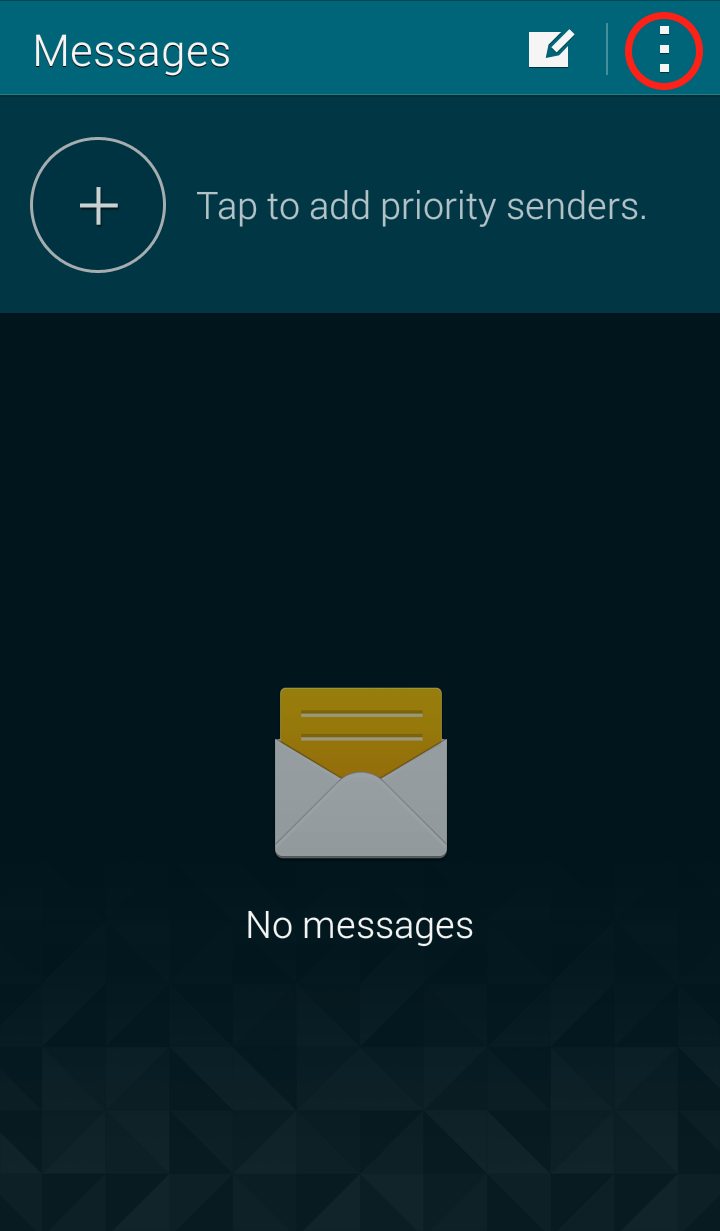 Step 2: Click on “Settings” in the dropdown menu
 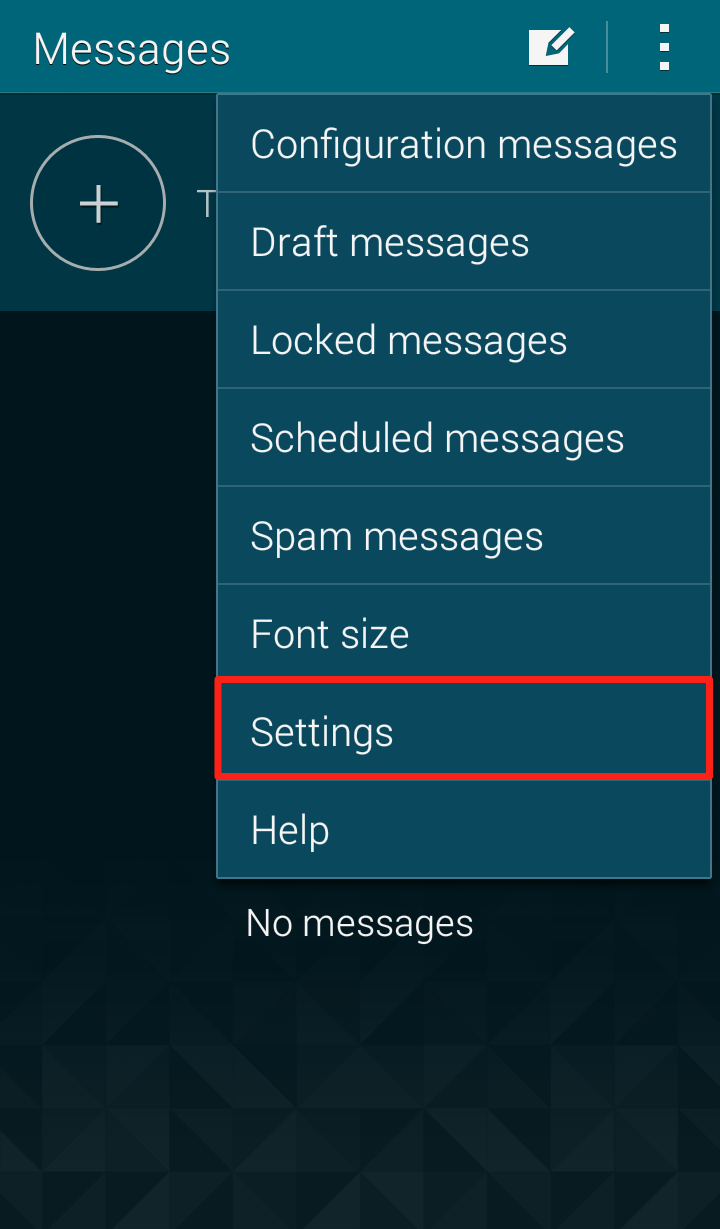 Step 3: Click on “Multimedia messages”
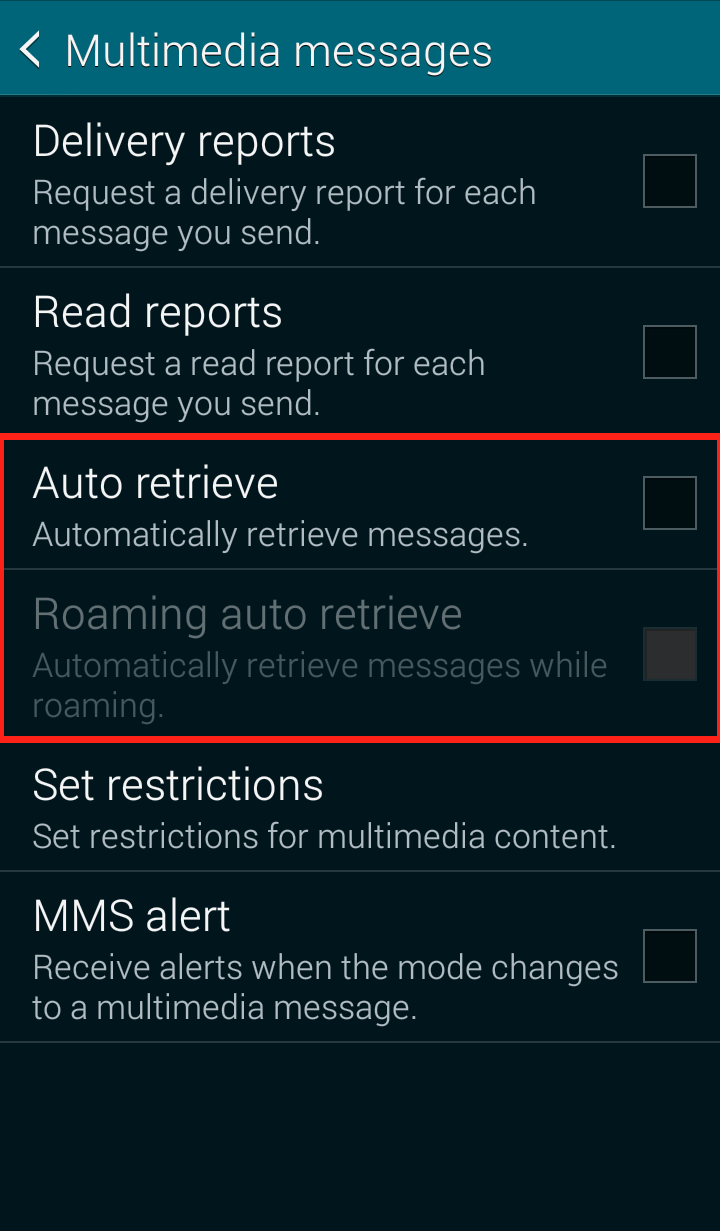
 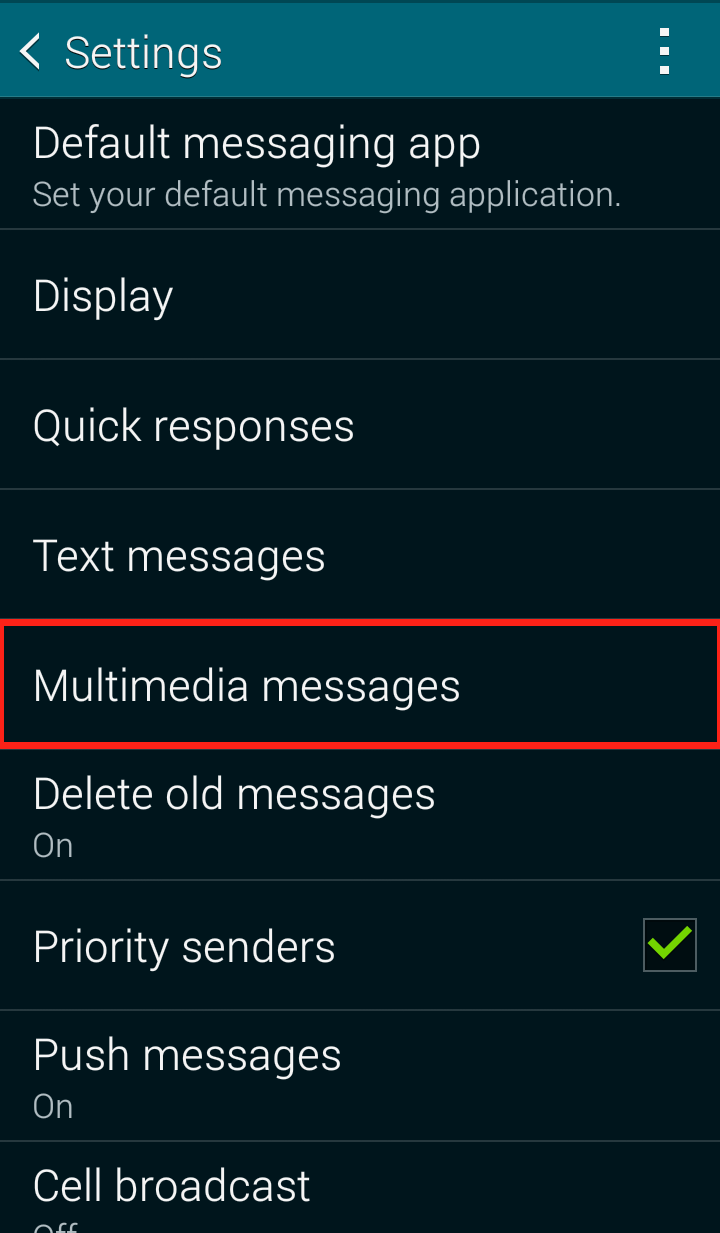 Step 4: Uncheck “Auto retrieve”
 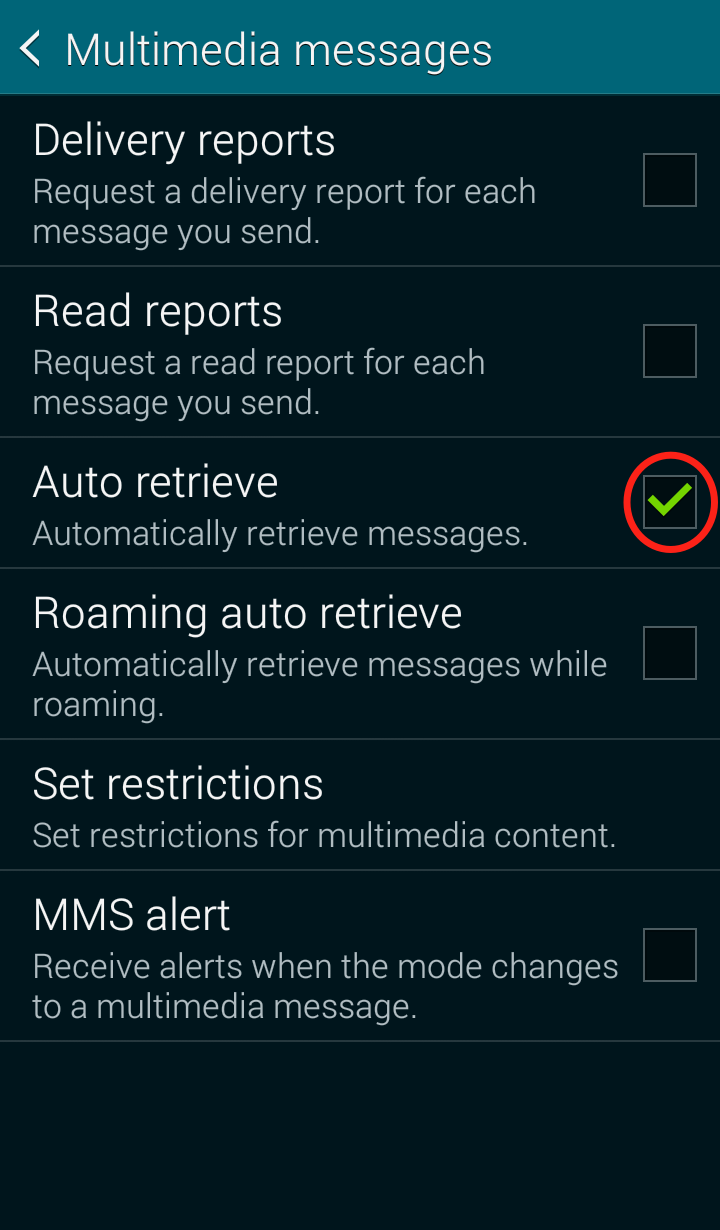 Your Messages “Multimedia messages” settings should now look like this:
 Google Hangout
Step 1: Open the Google Hangout app and click on the three lines in the upper left corner 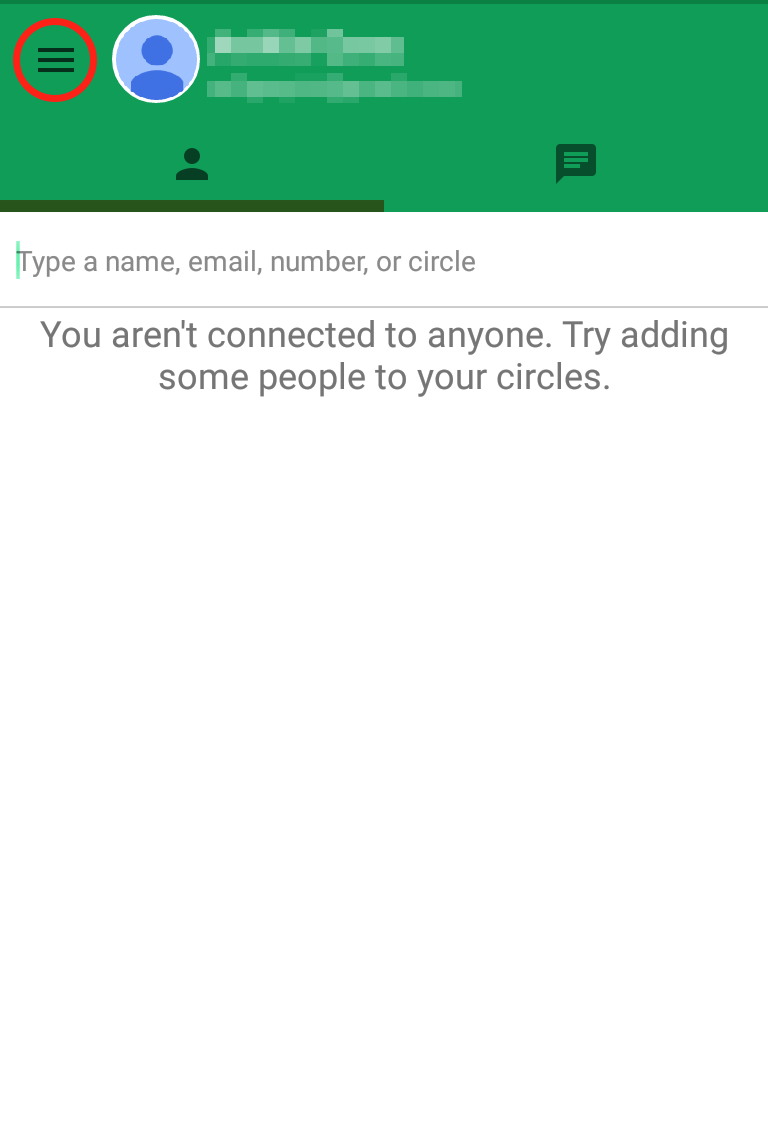 Step 2: Click on “Settings”
 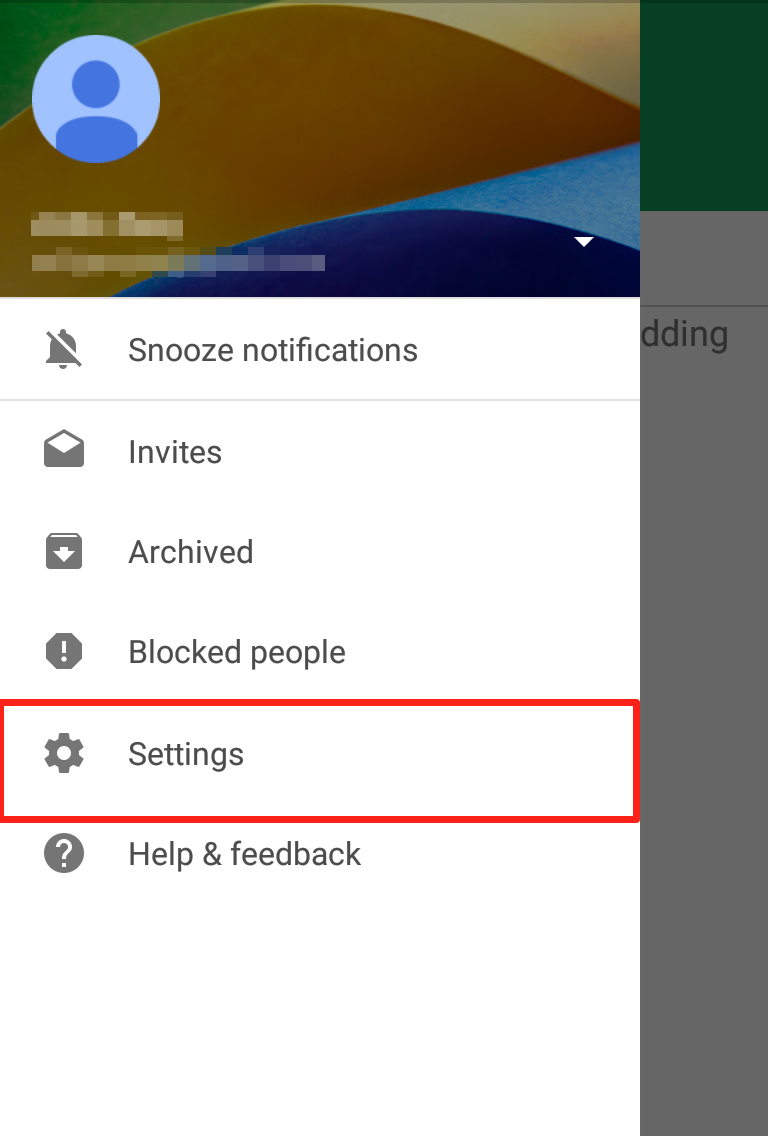 Step 3: Click on “SMS”
 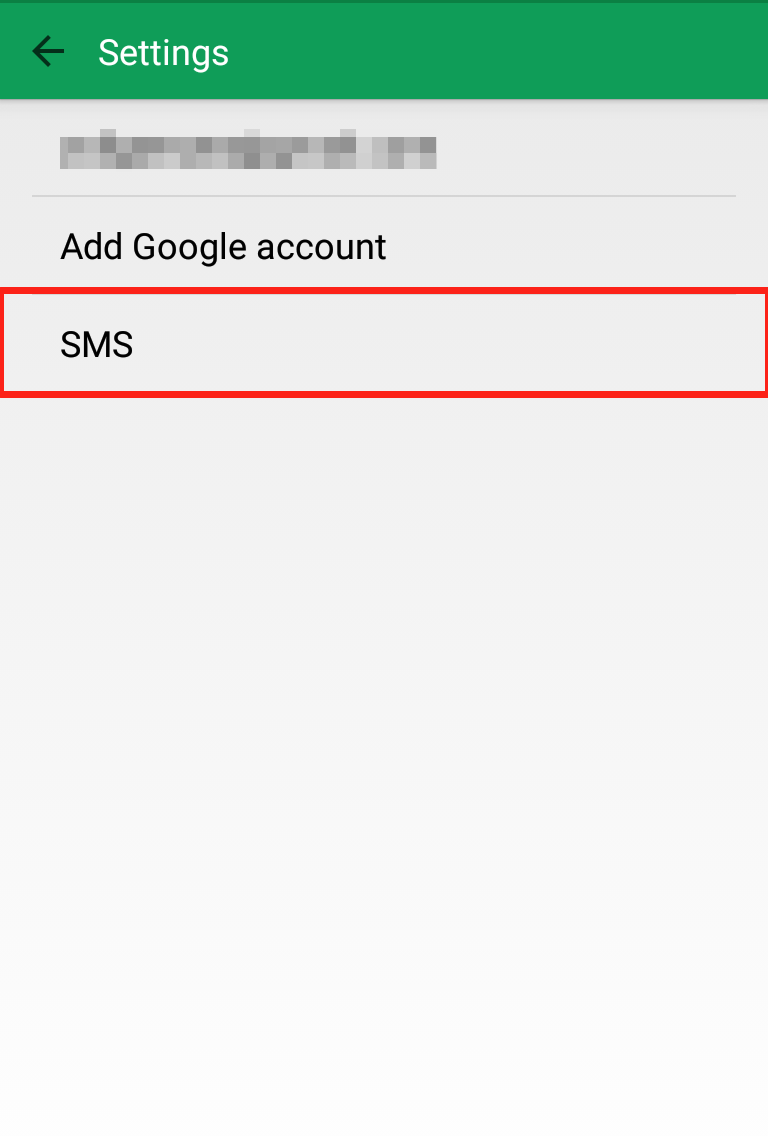 Step 4: Scroll down to “Advanced” and uncheck “Auto retrieve MMS”
 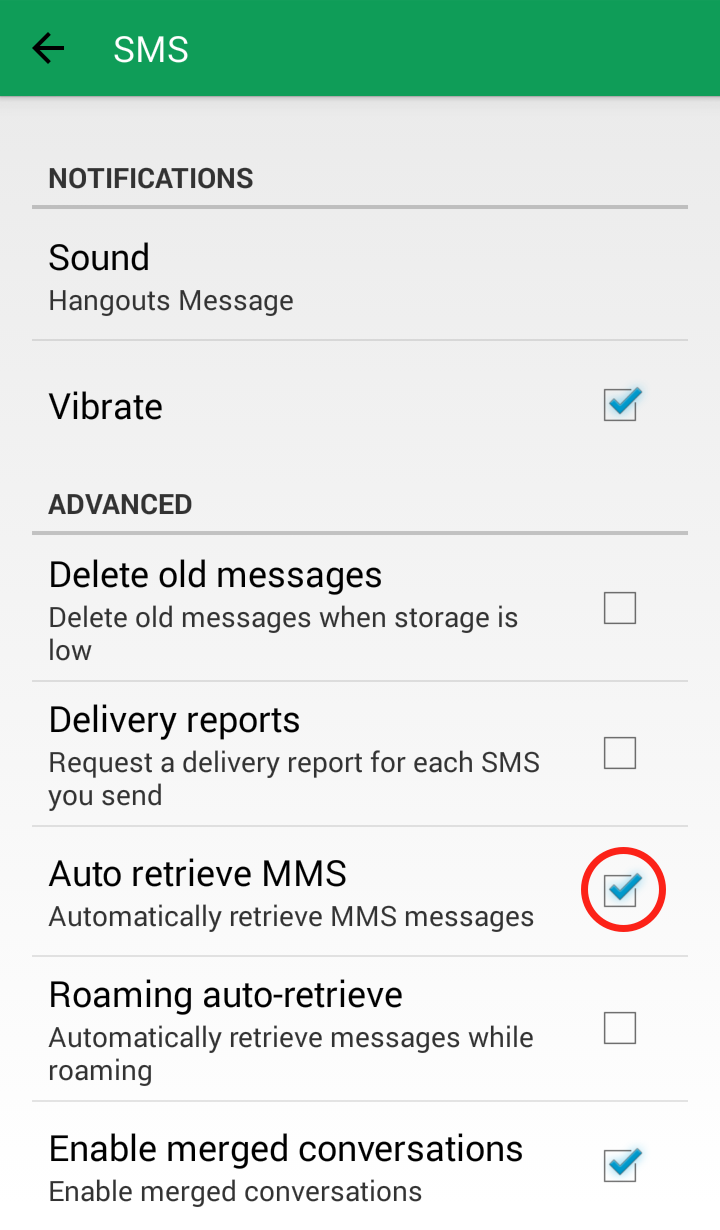 Your Google Hangout “SMS” settings should now look like this: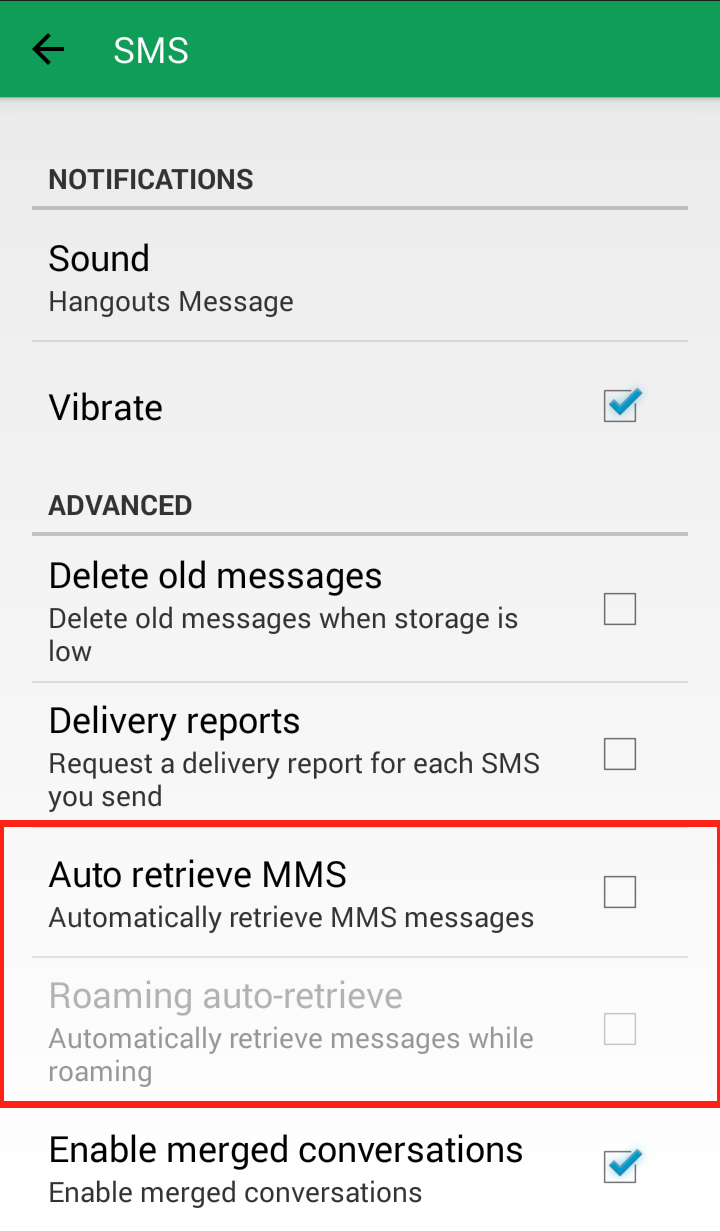
Messenger App:
Step 1: Open the Messenger app and click on the three dots in the upper right hand corner 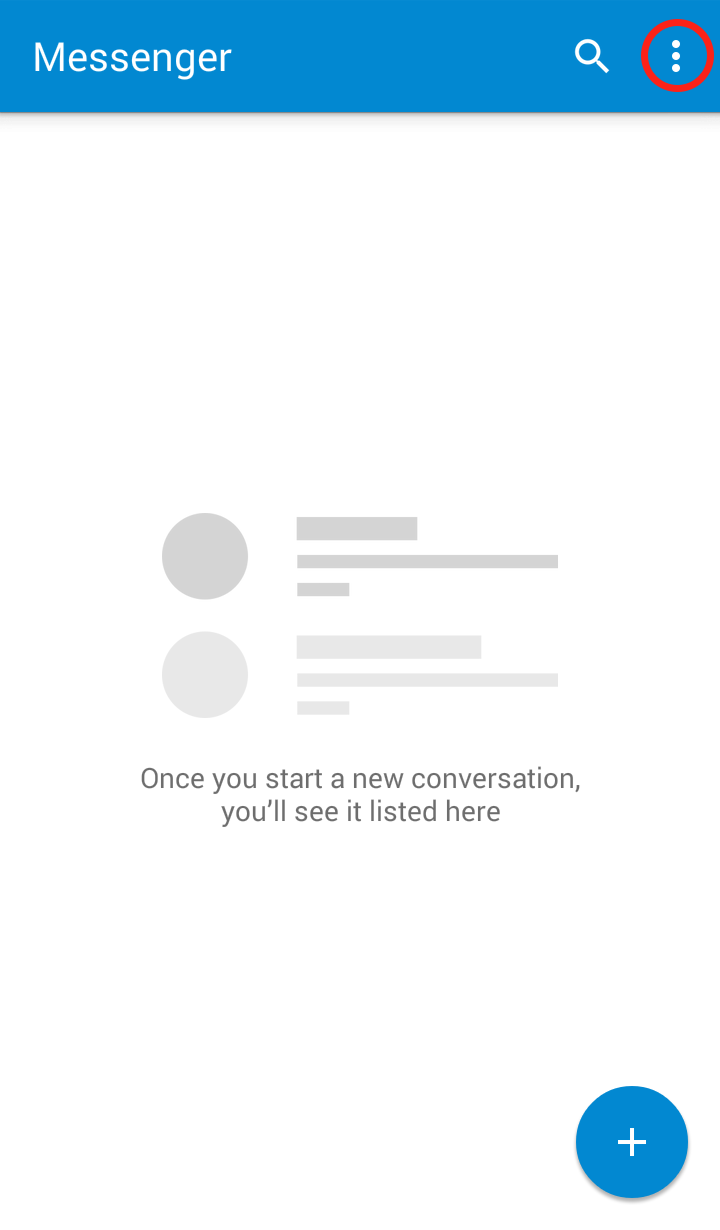 Step 2: Click on “Settings” in the dropdown menu
 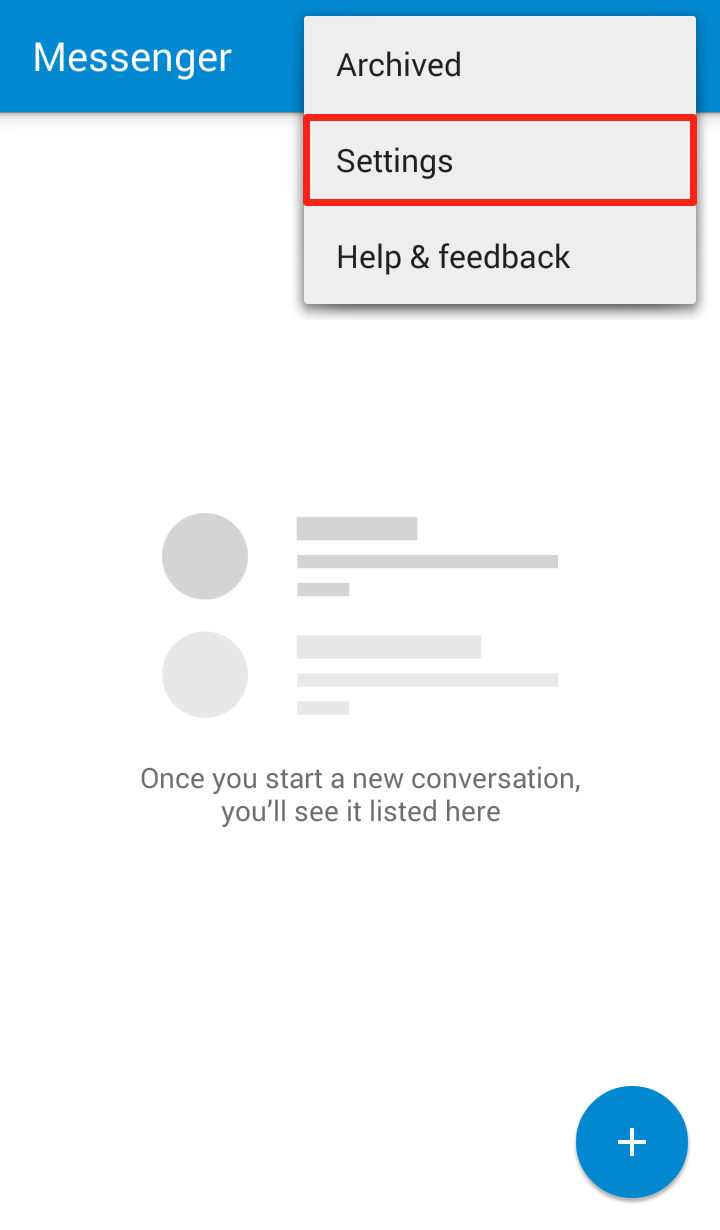 Step 3: Click on “Advanced”
 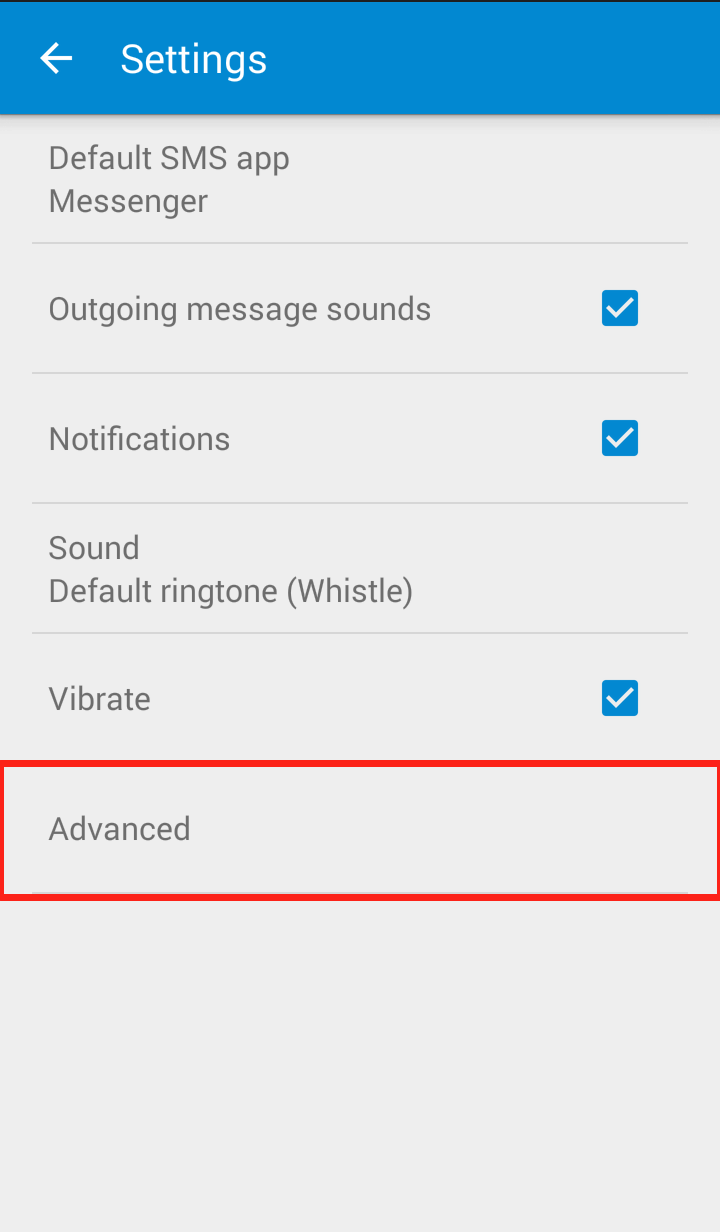 Step 4: Uncheck “Auto retrieve”
 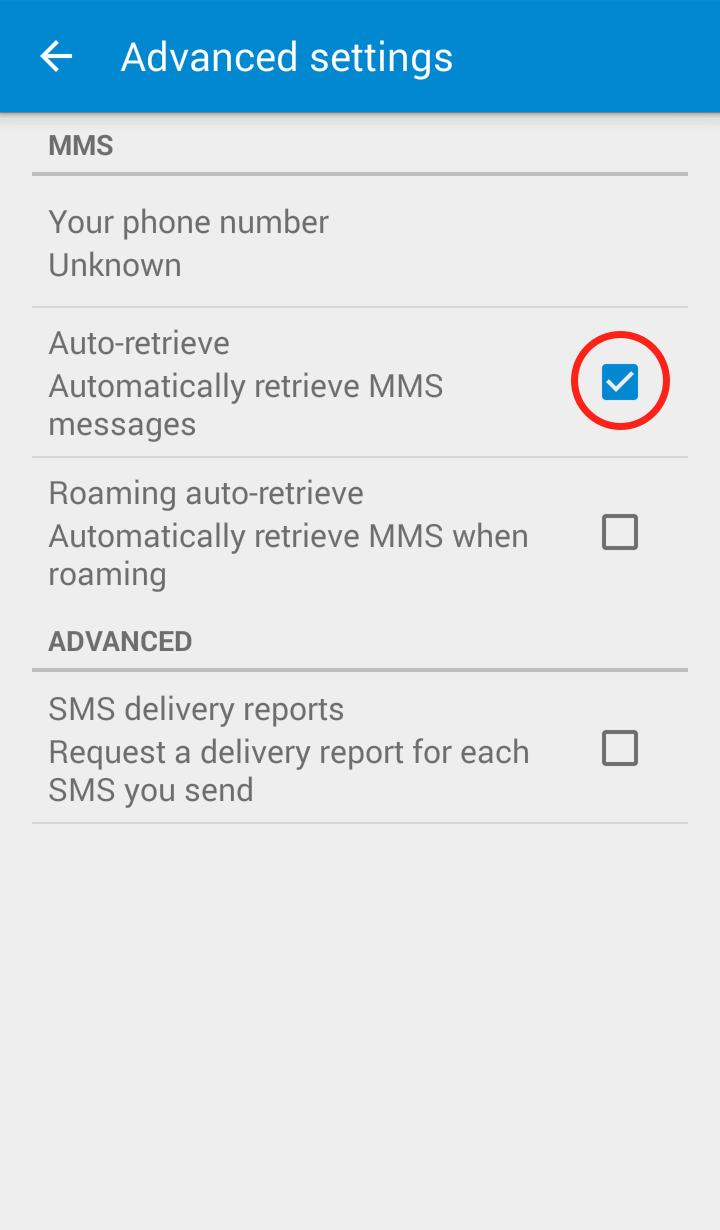 Your Messenger “Advanced Settings” should now look like this: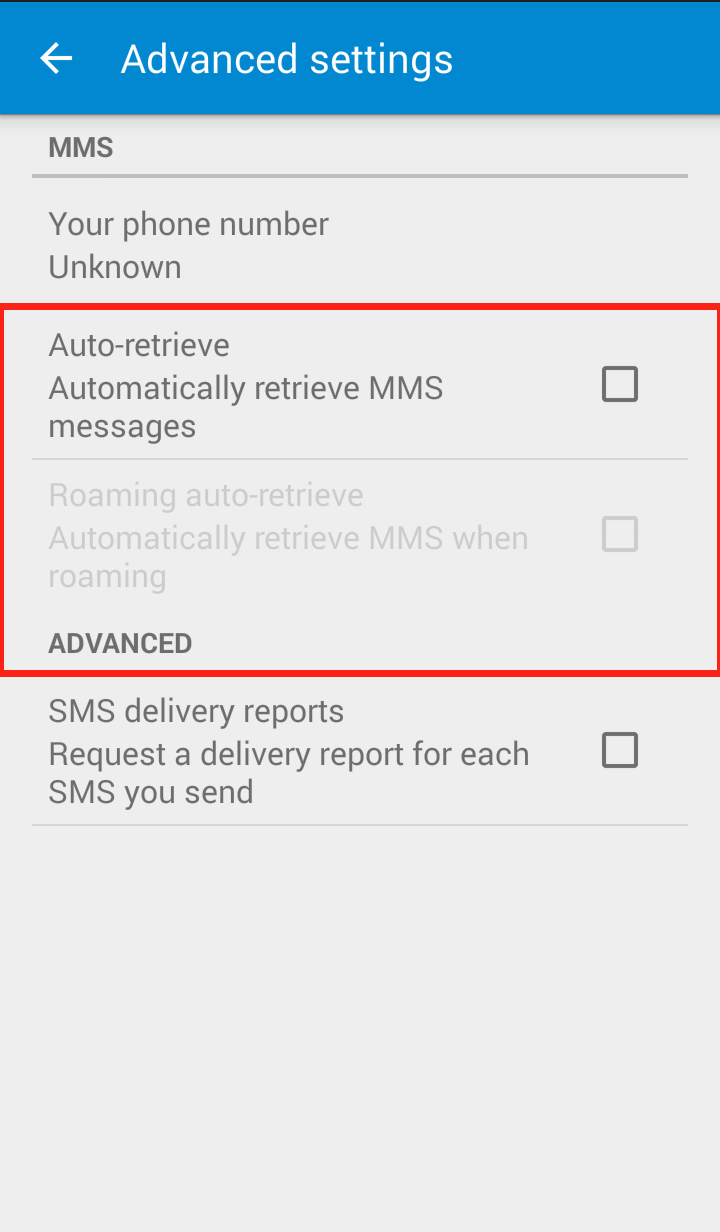
Messenger:
Step 1: Open the Messaging app and click on the three dots in the lower right hand corner 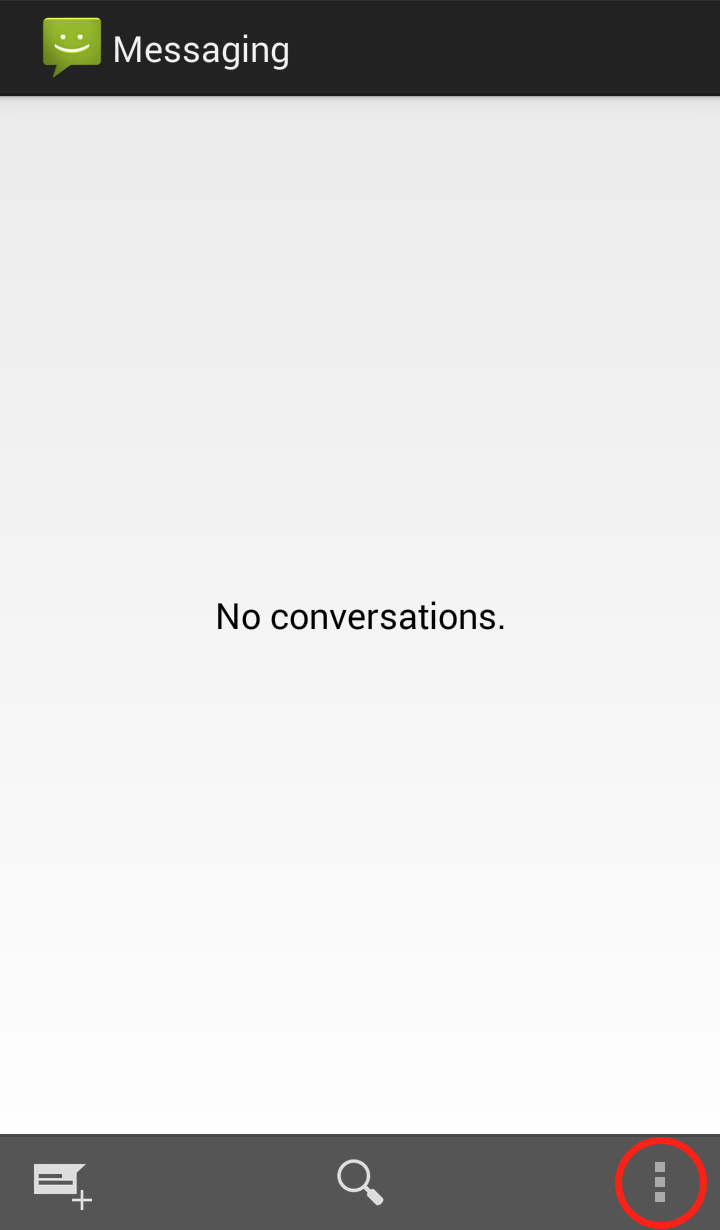 Step 2: Click on “Settings”
 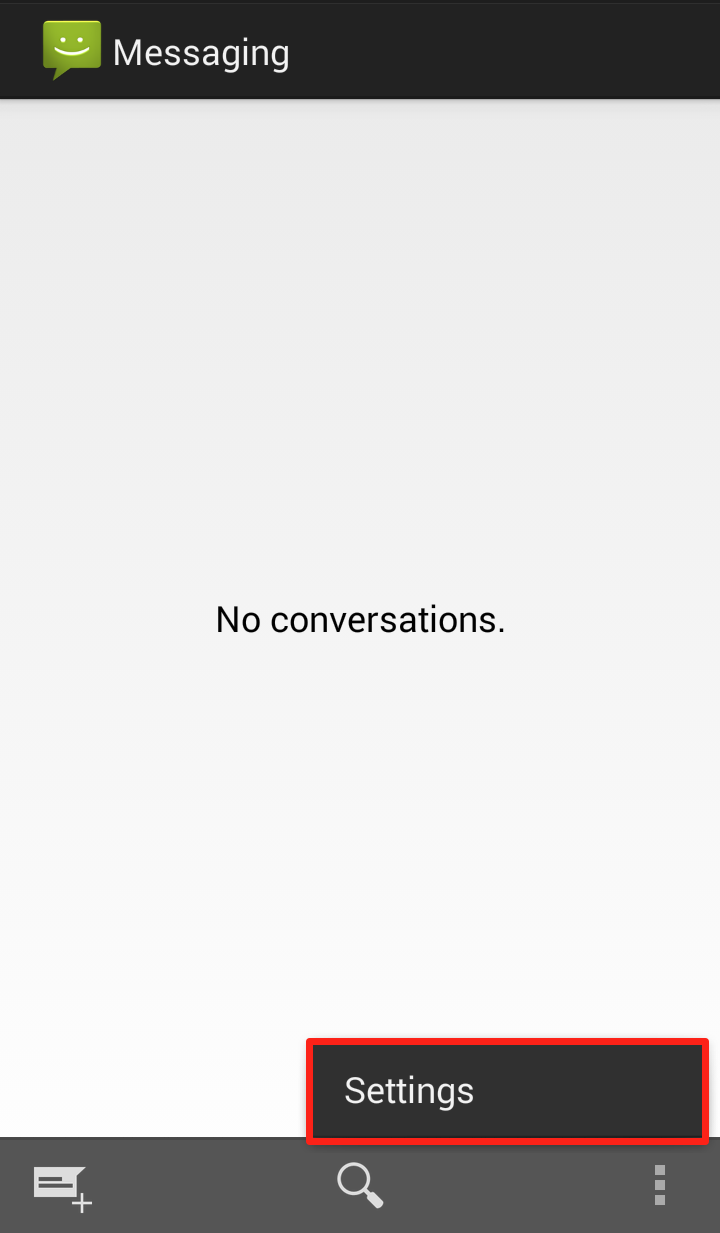 Step 3: Scroll down to “Multimedia (MMS) messages” and uncheck “Auto retrieve MMS”
 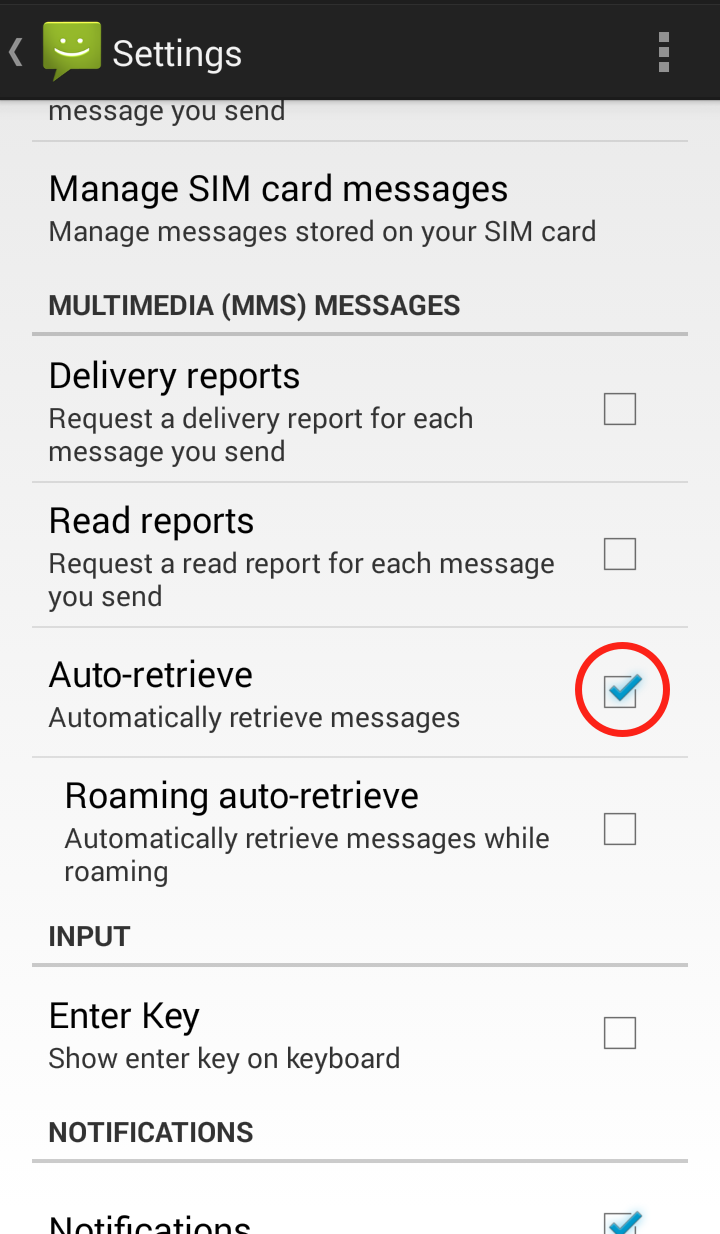 Your Messaging “Settings” should now look like this: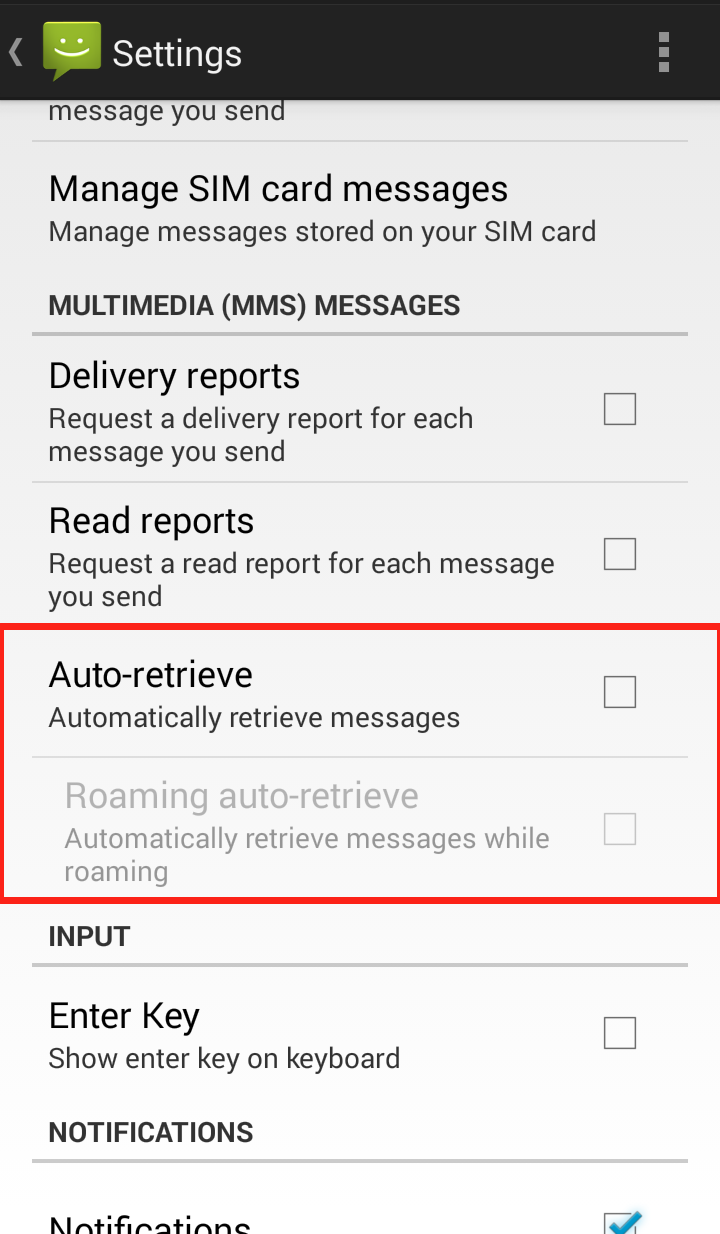
Step 1: Open WhatsApp and click on the three dots in the upper right hand corner 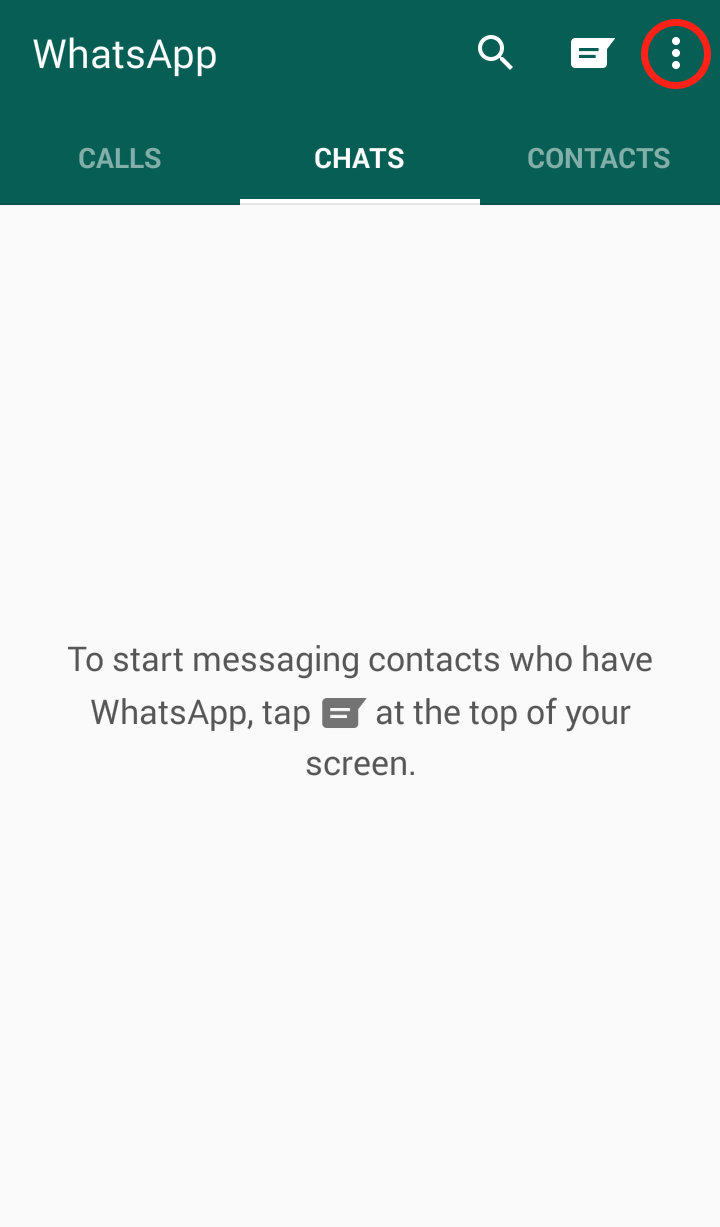 Step 2: Click on “Settings”
 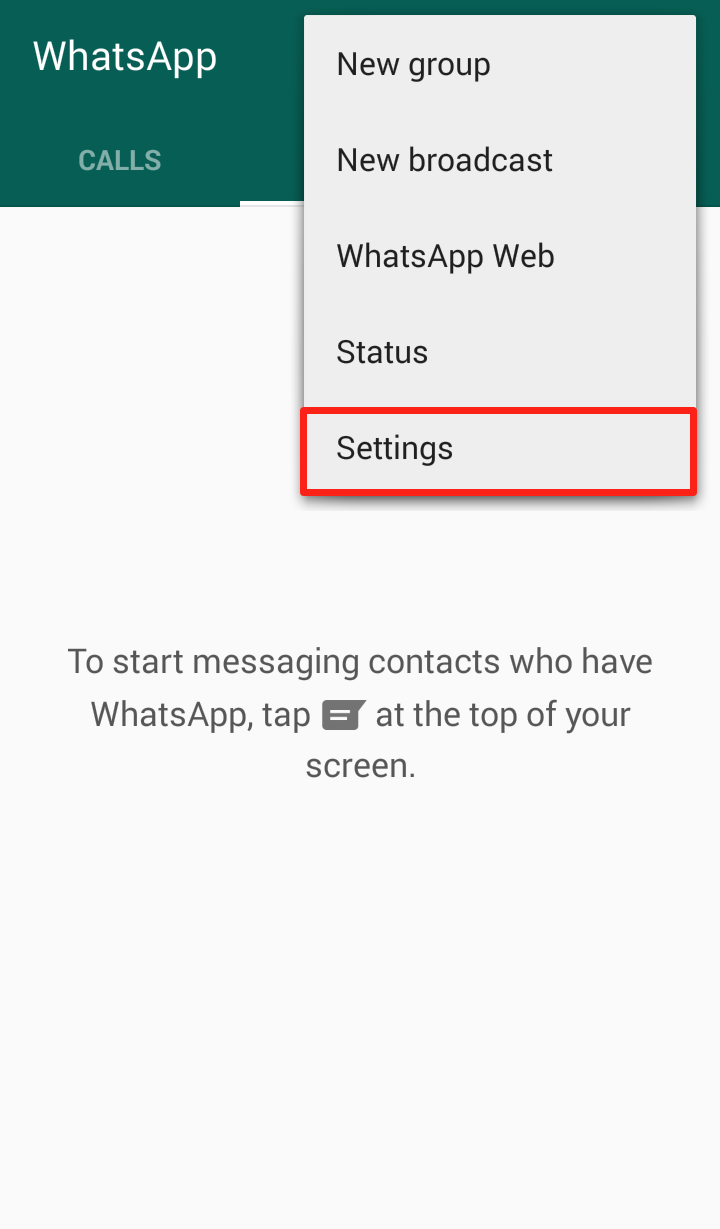 Step 3: Click on “Chat Settings”
 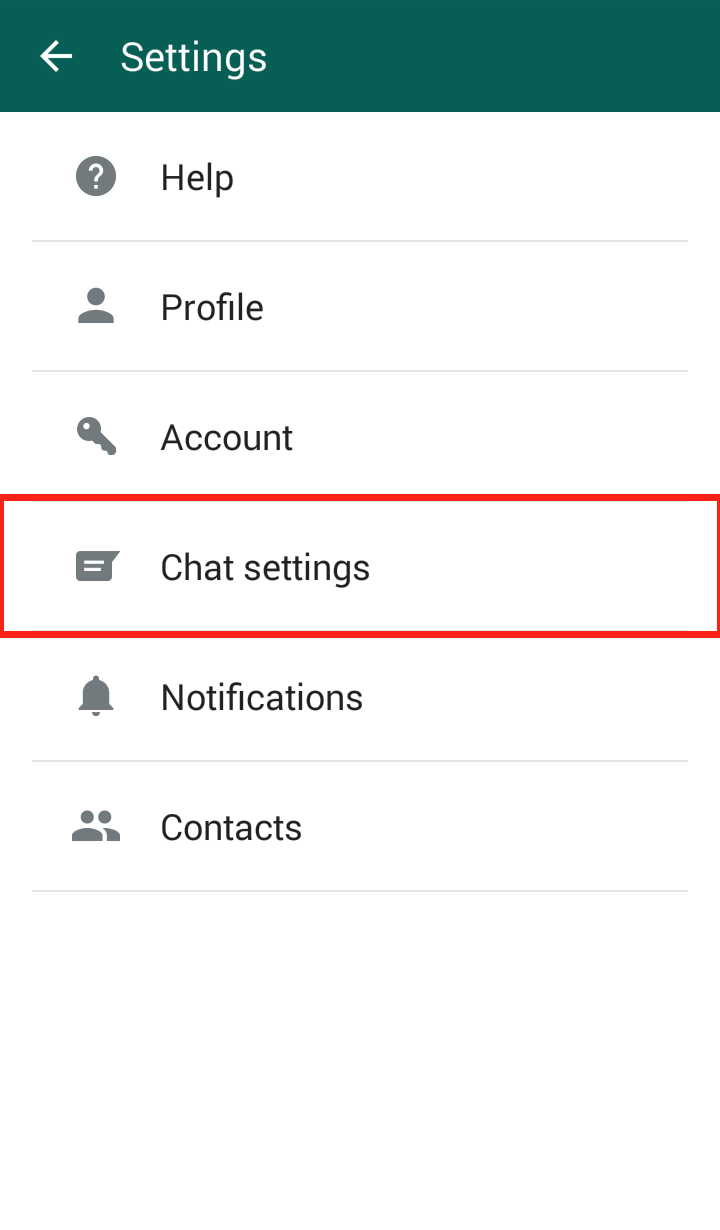 Step 4: Click “Media auto-download”
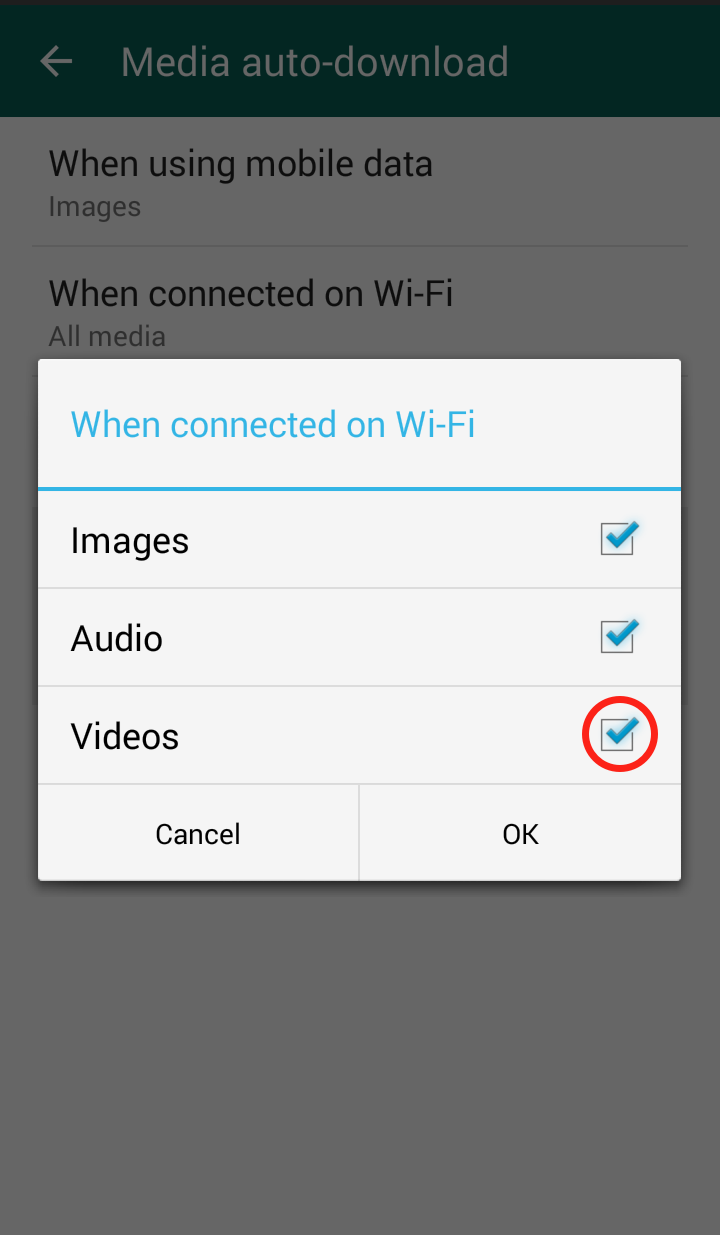
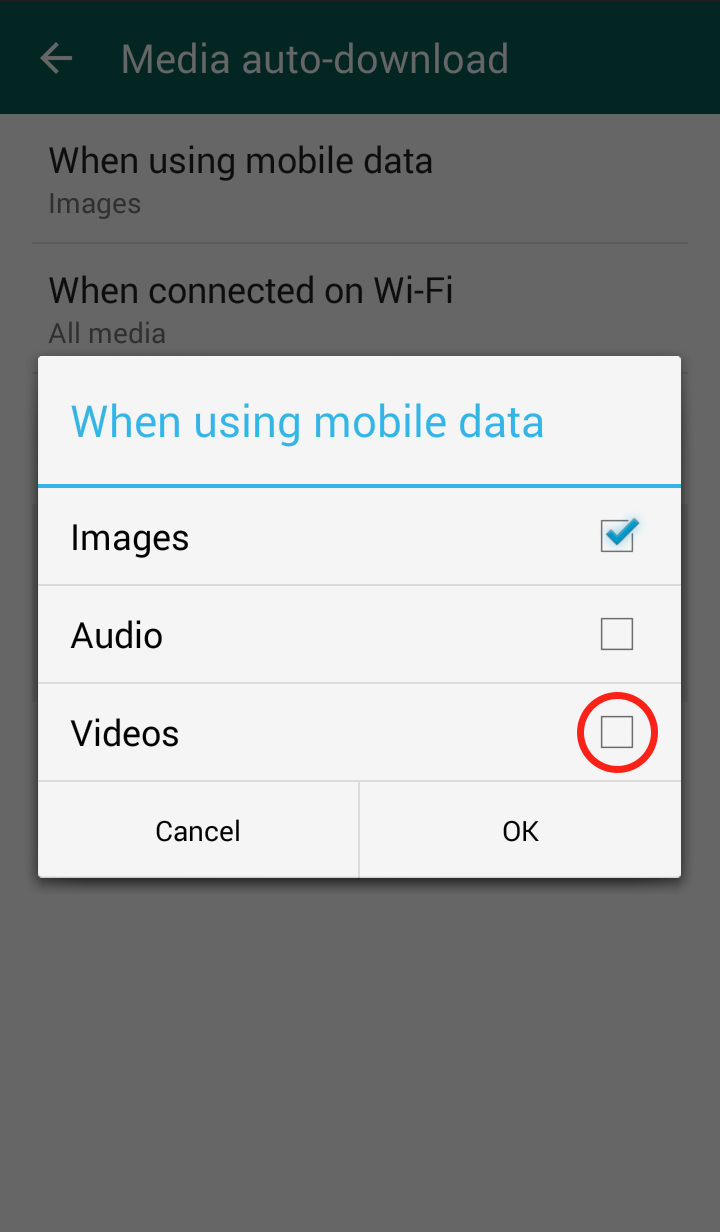
 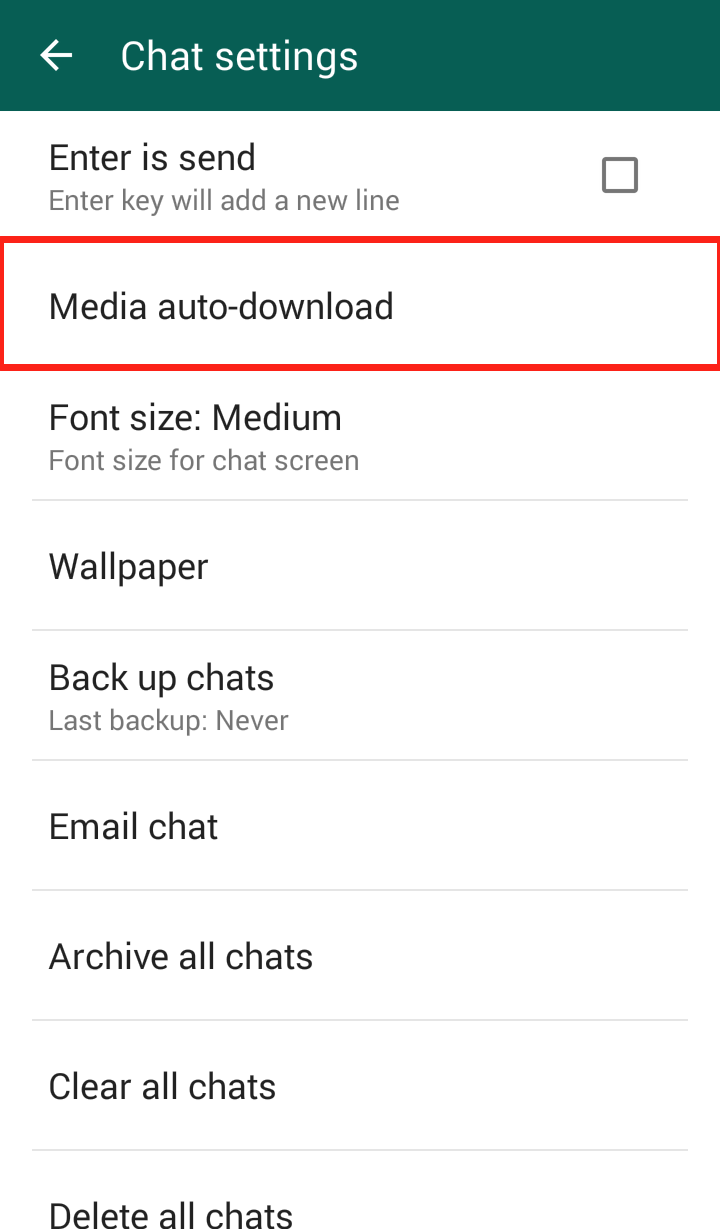 Step 5: Click “When using mobile data” and/or “When connected on Wi-Fi”
 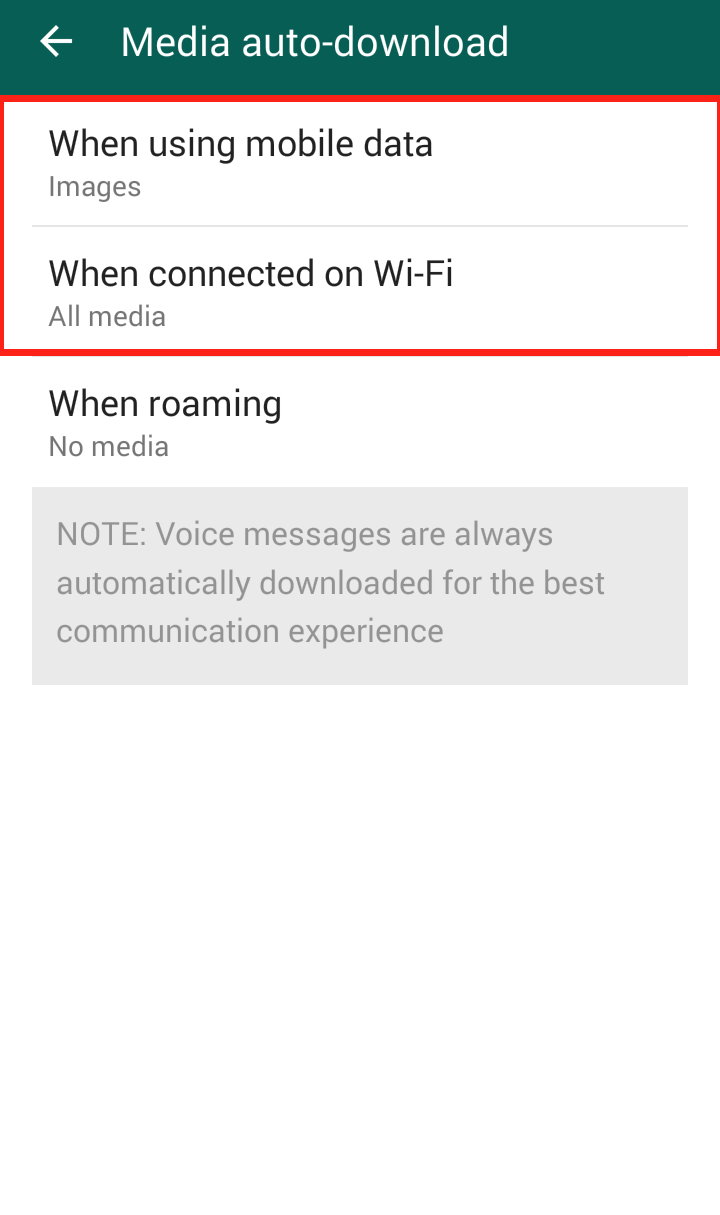 Step 6: The “When connected on Wi-Fi” settings are automatically set to download videos, so it is important to uncheck the checkmark
  Step 7: The “When connected on mobile data” settings are NOT automatically set to download videos, but in case you did enable it, you should disable it
  Your WhatsApp “Media auto-download” should now look like this: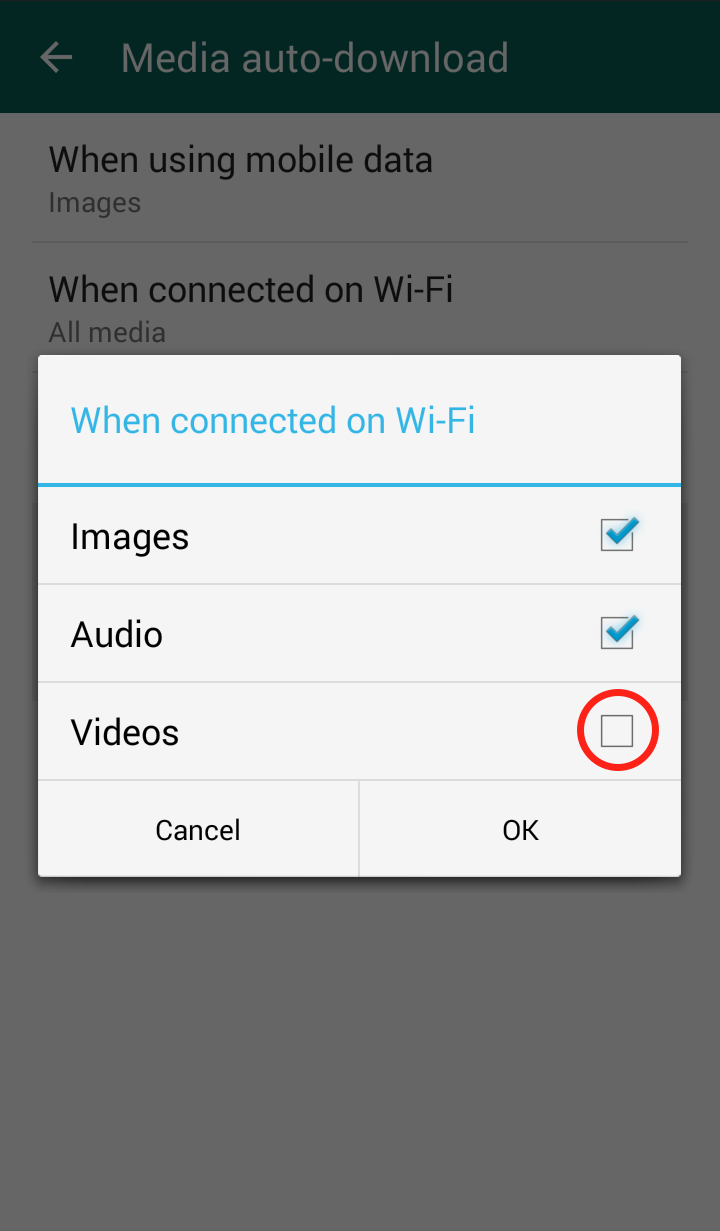

CVE-2015-2977 (yoyaku)
Webservice-DIC yoyaku_v41 allows remote attackers to create arbitrary files, and consequently execute arbitrary code, via unspecified vectors.
CVE-2015-2978 (yoyaku)
Webservice-DIC yoyaku_v41 allows remote attackers to bypass authentication and complete a conference-room reservation via unspecified vectors, as demonstrated by an “unintentional reservation.”