Hacked Car Is Driven Into Ditch

Why? Because cars are now definitely hackable. It has been proven. By driving a Chrysler Jeep Cherokee in a ditch. Let me tell you guys: It didn’t end well for the car!

What basically happened is this: Two security researchers, Charlie Miller and Chris Valasek, were asked by WIRED writer Andy Greenberg to hack his car.

“I WAS DRIVING 70 mph on the edge of downtown St. Louis when the exploit began to take hold.

Though I hadn’t touched the dashboard, the vents in the Jeep Cherokee started blasting cold air at the maximum setting, chilling the sweat on my back through the in-seat climate control system. Next the radio switched to the local hip hop station and began blaring Skee-lo at full volume. I spun the control knob left and hit the power button, to no avail. Then the windshield wipers turned on, and wiper fluid blurred the glass,” he describes the experience.

But that was merely the beginning. After Greenberg entered the highway the two hackers cut the transmission. Yes, you’ve hear right. The results? The accelerator stopped working. The car got slower and slower. Cars were honking and driving by.  But “the most disturbing maneuver came when they cut the Jeep’s brakes, leaving me frantically pumping the pedal as the 2-ton SUV slid uncontrollably into a ditch.”

Are you not sure whether to believe the tale or not? Then just take a look at his expercience yourself:

But how can something like that even happen? The issue apparently lies in a wireless service called Uconnect which connects these cars to the Sprint cellphone network. Uconnectis featured in hundreds of thousands of Fiat Chrysler cars, SUVs, and trucks. It not only controls the vehicle’s entertainment and navigation systems but also, enables phone calls, and offers a Wi-Fi hot spot! The researchers only had to find a vulnerability – which they did – to access and control the car’s system. Anyone who knows the IP address can gain access to it.

Luckily Chrysler released a patch – so make sure to apply it ASAP if you own one of the vulnerable cars. But while it fixes the described issue, how many others remain unfound, exploitable and dangerous?

The post Hacked Car Is Driven Into Ditch appeared first on Avira Blog.

Windows 10 security features consumers can look forward to

Windows 10 will be launching in T-minus seven days and will be offered for free within its first year of availability to Windows 7 and 8 users. Not only will the beloved Start button be back in Windows 10, but Windows 10 will also include a personal assistant, Cortana. What’s more, the new operating system will introduce many promising security features and a new browser.
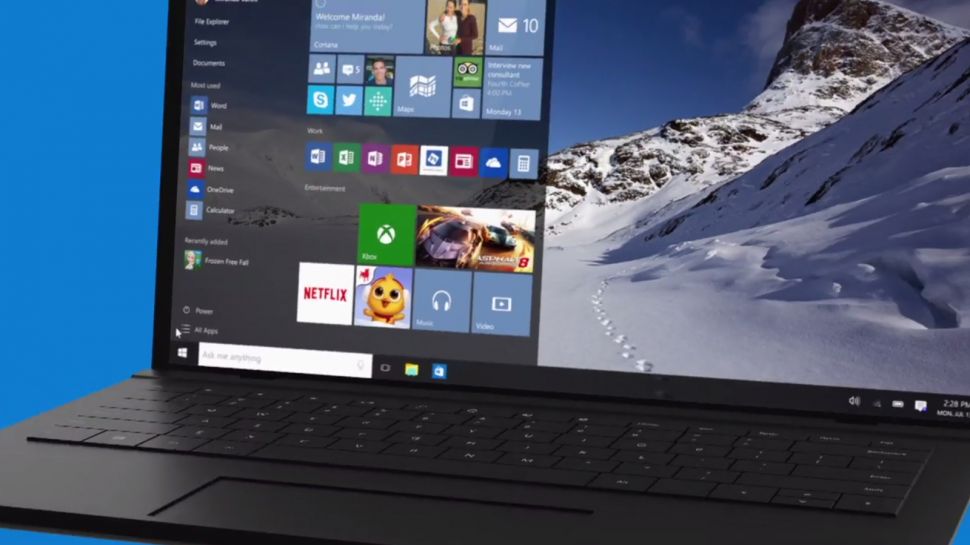
Image: TechRadar

Image: TechRadar

Hello there, Windows Hello and Passport!

Windows Hello is biometric authentication that either scans your face, iris or fingerprint to access your Windows 10 device – very secret agent-like security! By doing so, Windows Hello eliminates the chance of hackers stealing your password to access your device, simply because you will no longer have a password to begin with!

Windows Passport also eliminates the use of passwords to access your online accounts. For now, Microsoft will work with the Azure Active Directory and has joined the FIDO alliance to subsequently support password replacement for other consumer, financial and security services. Windows will verify that you are truly the one using your device through a PIN or via Windows Hello, and then it will authenticate Windows Passport so you can log in to websites and services without ever using a password. Combined use of Windows Hello and Windows Passport would mean that a hacker would not only have to physically steal your device, but also kidnap you to access your accounts.

You will, of course, need hardware that is capable of infrared scanning your face or iris, or that has a built-in fingerprint reader to use Windows Hello. Microsoft has already confirmed that all OEM systems with Intel® RealSense™ 3D Camera (F200) will support Windows Hello’s facial unlock features.

Bye-bye Patch Tuesday

Microsoft usually issues security patches on the second Tuesday of every month, which can leave users vulnerable until Patch Tuesday comes around. In Windows 10, Microsoft will regularly issue security patches and users will be forced to accept every update, meaning they will be immediately protected from zero-day bugs.

Forcing updates is a good move. It’s the same as with an antivirus – everyone wants to have an up-to-date database to protect their system as much as possible. – Jiri Sejtko, Director of Virus Lab Operations

More app developer security support

AMSI – Antimalware Scan Interface will help protect users from script-based malware by offering an interface standard that allows apps and services to integrate with antivirus programs on Windows 10 devices. App developers can have their application call the AMSI interface for additional scanning and analytical services. The interface will look for potentially malicious content such as obfuscation and evasion techniques used on Windows’ built-in scripting hosts. Antivirus vendors can implement support for AMSI so that their engine can gain deeper insight into the data that applications consider potentially malicious. Avast will be implementing AMSI in the near future.

Edge, the edgy new browser in town

Microsoft’s Internet Explorer doesn’t have the best reputation, which is probably why Microsoft is introducing the new Edge browser in Windows 10. Edge was created from the same core as Internet Explorer by removing many of the old outdated features that were kept for compatibility reasons, including support for binary extensions like Active X and Browser Helper Objects. Basically, Edge will not support any browser extensions in its initial release, but will add a Javascript/HTML model similar to that of Mozilla, Google, Apple and Opera later on to offer browser extensions. Flash will be built into the Edge browser as well as PDF rendering. Additionally, Edge will be deployed as a Universal Windows App, so users can update Edge from the Windows App Store rather than via Windows updates, and it will run in a sandbox, meaning it will have little to no access to the system and other apps running on your device.

Not supporting any extensions and running Edge inside Windows’ sandbox is very good from a security standpoint. Browser extensions can not only distract users, but they can slow down the browsing experience and can create a huge security risk if abused, as they can see everything you do within the browser, including on encrypted sites. – Lukas Rypacek, Director of Desktop Platform

Avast is already compatible with Windows 10

Avast has been compatible with Windows 10 since March.

No major changes were needed to make Avast compatible with Windows 10; we had to slightly change some components to make everything work as it should, but no changes were needed in terms of behavior and communication. What we are now doing is migrating users to the latest version of Avast to ensure a smooth Windows 10 upgrade. – Martin Zima, Senior Product Manager

Are you looking forward to Windows 10 and will you be upgrading? Let us know in the comments section :)

Follow Avast on Facebook where we keep you updated on cybersecurity news every day.

Creators of Dubsmash 2 Android Malware Strike Again

Malware Writers Can’t Keep Their Hands Off Porn

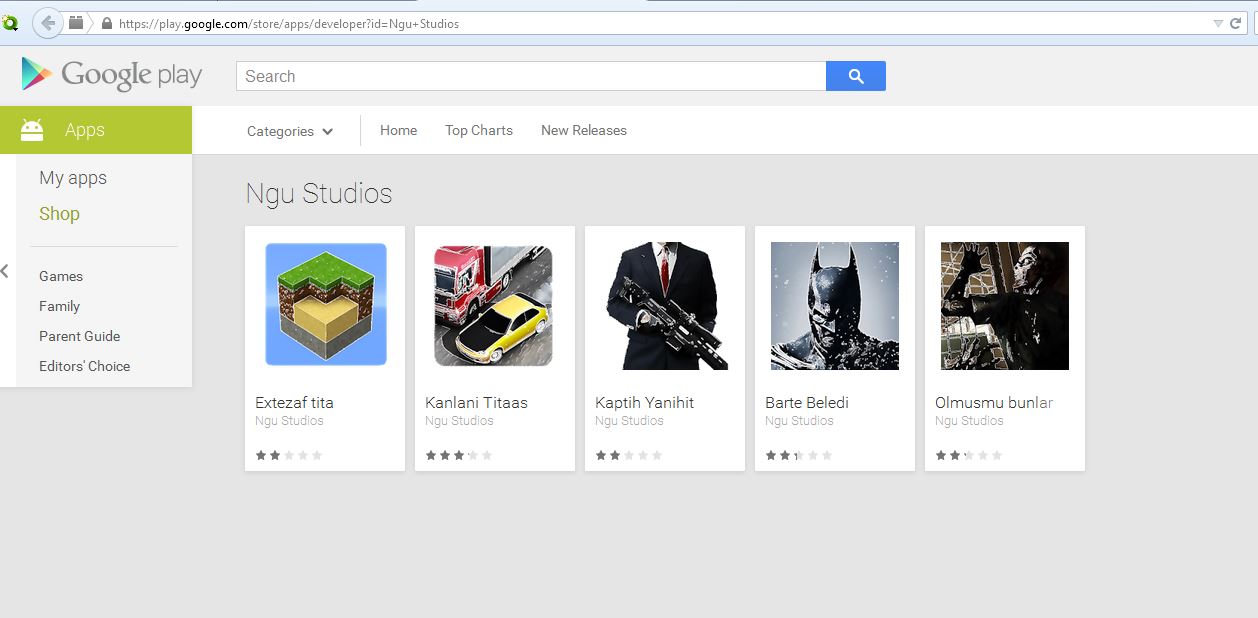
In April, we reported on a porn clicker app that slipped into Google Play posing as the popular Dubsmash app. It seems that this malware has mutated and once again had a short-lived career on Google Play, this time hidden in various “gaming” apps.

For your viewing pleasure

The original form of this porn clicker ran completely hidden in the background, meaning victims did not even notice that anything was happening. This time, however, the authors made the porn a bit more visible to their victims.

The new mutation appeared on Google Play on July 14th and was included in five games, each of which was downloaded by 5,000-10,000 users. Fortunately, Google reacted quickly and has already taken down the games from the Play Store.

The selection of "gaming" apps affected by Clicker-AR malware on the Google Play Store.

The selection of “gaming” apps affected by Clicker-AR malware on the Google Play Store.

Once the app was downloaded, it did not really seem to do anything significant when opened by the user. However, once the unsuspecting victim opened his/her browser or other apps, the app began to run in the background and redirect the user to porn sites. Users may not have necessarily understood where these porn redirects were coming from, since it was only possible to stop them from happening once the app was killed.

May I?

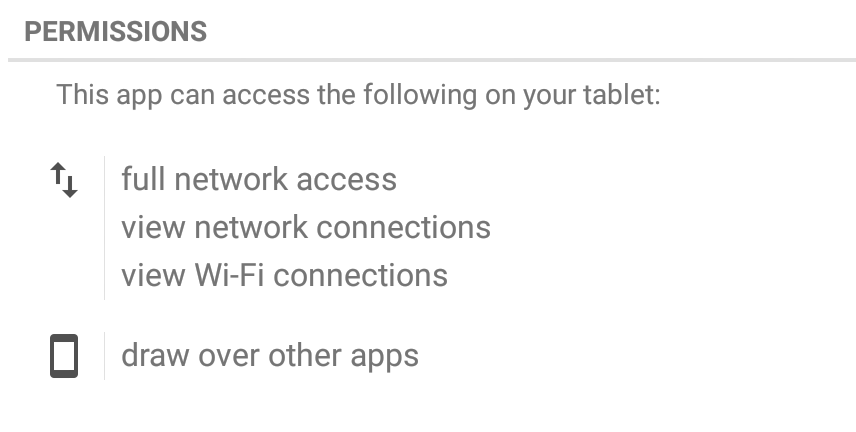
This new mutation, which Avast detects as Clicker-AR, requested one important permission that played a vital role in helping the app do its job. The app requested permission to “draw over other apps”, meaning it could interfere with the interface of any application or change what victims saw in other applications. This helped the malware put its adult content in the forefront of users’ screens.

Let’s play “Clue”

We did not immediately realize that the group behind Clicker-AR was comprised of the same folks  from Turkey behind the fake Dubsmash app. Then, our colleague Nikolaos Chrysaidos dug a bit deeper and was able to connect some clues to figure out who was behind this piece of malware. He noticed that the fake Dubsmash app and the new apps shared the same decryption base64 code for the porn links. We then noticed that they shared the same function with the same name “bilgiVer”, which means “give information” in Turkish. Finally, the old and new apps used the same DNS from Turkey. Not only did they have a server in Turkey, but they also now made use of an additional server in the U.S. – it seems they made some investments using their financial gain from April!

Bye bye, porn!

As mentioned above, these malicious apps have already been removed from Google Play and Avast detects the malware as Clicker-AR. The following games are infected with Clicker-AR: Extezaf tita, Kanlani Titaas, Kapith Yanihit, Barte Beledi, and Olmusmi bunlar. If you have any of these apps installed on your device, we suggest you remove them (unless you, um, enjoy them) and make sure you have an antivirus app, like Avast Mobile Security, installed to protect yourself from mobile malware.

Follow Avast on Twitter where we keep you updated on cybersecurity news every day.