SEC Consult SA-20150716-0 :: Permanent Cross-Site Scripting in Oracle Application Express
Monthly Archives: July 2015
Bugtraq: Novell GroupWise 2014 WebAccess vulnerable to XSS attacks
Novell GroupWise 2014 WebAccess vulnerable to XSS attacks
Bugtraq: Oracle E-Business Suite Servlet URL Redirection Vulnerability
Oracle E-Business Suite Servlet URL Redirection Vulnerability
Why Adaptive Defense 360?
A few days ago we published an interview on why Adaptive Defense was the solution against ransomware like Cryptolocker. Now, however, I’d like to go into further details on why Adaptive Defense 360 isn’t just the present and future for just Panda, but rather for the entire cyber security industry.
Adaptive Defense 360 is the only solution available on the market that offers the full protection of a traditional antivirus, white listing, and protection against advanced threats all in one. In fact, it combines all of the capabilities of two product categories in one – EPP (Endpoint Protection Platform) and EDR (Endpoint Detection and Response).
So, how can we make it stand out, in a way that shows Adaptive Defense to be a unique and essential option, to other products on the market?
Differences between Adaptive Defense 360 and a traditional antivirus
- An antivirus lacks proactive detection and doesn’t classify all of the applications. Instead, it just classifies those which it has previously listed as malware while Adaptive Defense classifies all running applications, be they goodware or malware, known or unknown.
- An antivirus means a certain level of work for the administrator – management of the quarantine, dealing with false positives, etc. On the other hand, Adaptive Defense is a managed service and these types of tasks are taken care of automatically by Panda.
- An antivirus doesn’t offer traceability for the actions taken by a malware, meaning that it doesn’t give any forensic details about the attack. Adaptive Defense, however, offers detailed feedback on every action taken by a threat.
Differences between Adaptive Defense 360 and white listing
- The main inconvenience of managing by white listing has always been the amount of time required to look after it. This is time that could be better used by the administrator. With Adaptive Defense this inconvenience is removed and Panda looks after the management of the task.
- What’s more, the deployment of these services is extremely complex. With Adaptive Defense it’s more akin to child’s play, thanks to it being a cloud based service with one agent in every endpoint.
- Above all, a white list doesn’t protect vulnerable applications, or applications that suddenly begin acting strangely. This is something which Adaptive Defense detects and blocks.
Differences between Adaptive Defense 360 and an Advanced Threat Defense (ATD) such as FireEye, PaloAlto, SourceFire, etc)
- An ATD solution doesn’t cover all of the possible vectors of infection, but rather only threats that enter via the internet. This leaves you vulnerable to attacks via the USB port, for example. This doesn’t happen with Adaptive Defense as, due to being at the endpoint, it detects all attacks no matter where they come from.
- ATDs monitor threats by sandboxing, which means they do it in controlled settings. This allows a threat to behave in different ways to a normal situation making it harder to catch – Panda Adaptive Defense 360 monitors the endpoint in real-time, meaning that no threat can escape its analysis.
- ATDs don’t avoid or block attacks, which is one of their main limitations. Adaptive Defense, however, is capable of automatically detecting and blocking any threat that is found at the endpoint.
- Finally, if an ATD finds a threat it needs either a third party solution or a manual intervention to correct it. With Adaptive Defense 360 this is all taken care of automatically and immediately.
When all is said and done, we can see that Adaptive Defense 360 is way ahead of other options available on the market. It excels not only against traditional threats but also with vulnerable applications and advanced threats.
Adaptive Defense 360 continuously analyzes the system’s activity so as to determine how to classify every process being carried out as goodware or malware, without leaving room for doubt, and closes the circle of detection with the solution built in.
Do you want more information?
Paula Quirós. CMO Panda Security
The post Why Adaptive Defense 360? appeared first on MediaCenter Panda Security.
Kaspersky Lab Marketing Executive Honored in 2015 American Business Awards
Avira’s Secure Browser: Plans and Tactics (Part 2)
The goal with the browser is to create an easy-to-use, secure and privacy respecting browser. These are the more advanced tactics we will be using:
Our Cloud DBs
Adding cloud features to file scanning was a large success. The detection quality of malicious files went straight up. Short:
On the client there is a behaviour detection kind of pre-selection. If a file is suspicious the cloud server is asked if the file is already known
If unknown:
- An upload is requested
- The file is uploaded to the server
- There we have several detection modules that cannot be deployed on the customers PCs (an AI with a large database, sandboxes for behavior classification, etc. ). They scan and classify the file
- The database is updated
- The results are sent back, you are protected
We built incredible databases covering malicious files during the last years. We should have something similar for the browser and use our large knowledge base and server side classification tools for web threats as well.
It should look something like that:
- The browser detects something strange (“behavior detection”), this is called pre-selection
- It asks the backend database if this is already known
- If not: relevant data (URL, file, …) is uploaded for inspection
- Our server based tool (and our analysts) will classify the upload and update our databases
- The result is sent back directly (within milliseconds. Yes, the tools are that fast. We will try to improve our analysts
 )
) - You are protected
- We are improving our “evil parts of the internet” map.
To get there we will have to improve the signal-to-noise ratio. We are only interested in malicious pages. If the pre-selection in the browser is too aggressive and sends non-malicious pages to us, it‘s a waste of CPU cycles and bandwidth. With millions of users as a factor, even minor slips will be expensive and annoying for everyone involved.
We will also remove private data before sending it (we are not interested in user data. We are spying on malware). Personal data is actually toxic for us. Servers get hacked, databases stolen, companies gag-ordered. Not having that kind of data on our servers protects us as well as you. I mean just think of it: Some web pages have the user name in the URL (*/facepalm*). I do not think we can automatically detect and remove that trace of data though. But maybe we could shame the web pages into fixing it …*/think*
The parts in the source that collect the data and prepare them for sending are Open Source. Here I am asking you to NOT trust us and review the code! 
I hope we find a simple solution to display the data being sent to us before sending. The only problem is that it could have a negative impact on your browsing experience. Having a modal dialog when you expect a page to load …
One option could be to at least offer a global configuration to switch cloud requests off (always, in incognito mode only, never) and show you in logs what got sent.
Advertising
We are selling libraries and databases covering malicious files and web pages.
You want your own AV? Or protection technology in your Tetris game to make it unique? Just contact our SI department and make a deal.
Other companies have thousands of web-crawlers simulating user behavior to identify malware.
Millions of real Avira users are our scouts and sensors.
Some branding
We need some branding. That would include Avira specific changes in the browser (names, logos, some other texts). But also links. This is not only relevant for brand-awareness but also to keep our users away from Chrome/Chromium support to avoid confusion (“Which Chrome version do you have ?” … listens … “we never released that, can you please click on “about and tell me the version number” … listen … “WTF?!?” => Confusion) and direct them to our support – who actually CAN help.
Hardening
We will always improve the build process. There are compiler switches for features called Position Independent Executable (PIE), Fortify Source, etc. that we should enable on compilation (many are already enabled). Most time here will be spent on ensuring that they do not get disabled by accident, are enabled on all platforms, and do not slow down the browser. This task can start simple and suddenly spawn nasty side effects. This is why we need TestingTestingTesting.
TestingTestingTesting
Google added the Hotwords feature to Chromium and Chrome. It’s a nice feature. But it switches on the microphone and “spies” on the user (this is a convenience feature many users want). For our secure and privacy respecting browser this crossed a line though. This is the reason why we will have to verify that no “surprise !!!”-Extensions get installed by default. One more task for our testers that add verification tasks to the browser to handle our specific requirements. Keep in mind: Chrome and Chromium already have very good unit-tests and other automated test cases. We just need some extra paranoia. That’s the job for our testers in the team.
More transparency
We will write blog posts covering all the features. The attacks they block, their weaknesses, what we did and will be doing to improve them. We will offer you a guided tour Down the Rabbit Hole. Go with us as far as you dare.
TL;DR:
There is so much we can do to improve the browser; without touching the core.
We reached the bottom of this specific Rabbit Hole.
Thorsten Sick
#content .entry-content
.bq{width:100%;border:1px
solid #dde5ed;margin-top:0px;margin-bottom:25px}#content .entry-content
.quest{margin:0px;font-weight:bold;font-size:16px;text-shadow:0px 1px 0px #f8fafb;padding:6px
11px;background:#eaeff5;border-top:1px solid #f4f7fa;border-bottom:1px solid #dde5ed}#content .entry-content
.text{line-height:19px;margin:0px;padding:10px;font-size:14px;background:#f8fafd;color:#758fa3}#content .entry-content .text
p{line-height:19px;background:#f8fafd;font-size:14px;color:#758fa3}
The post Avira’s Secure Browser: Plans and Tactics (Part 2) appeared first on Avira Blog.
Samy Kamkar’s ProxyGambit Picks Up for Defunct ProxyHam
Hardware hacker Samy Kamkar has developed an anonymization device called ProxyGambit that improves upon ProxyHam, the device that was supposed to be unveiled at DEF CON.
App developers still need to win the trust of older generations
It is, perhaps, natural to think about apps as a young person’s playground.
Though much research shows that 50+ are one of the fastest growing markets for mobile devices, there is a dearth of mobile apps for our generation.
This may soon change as the number of apps offering real value to the 50+ age group continues to grow. This was underscored by news from the recent AARP 50+ Live Pitch event, held in May in Miami Beach. Entrepreneurs were more focused than ever on mobile apps to help 50+ generations.
Not surprisingly, a key focus in mobile app development for Seniors was health. Nearly half of the 15 products presented at the AARP 50+ Live pitch were in the mobile health category.
In terms of physical health, most of us are aware there are a large array of mobile health apps that can help all of us (regardless of age) track our health – ranging from Fitbits to apps with more serious medical applications.
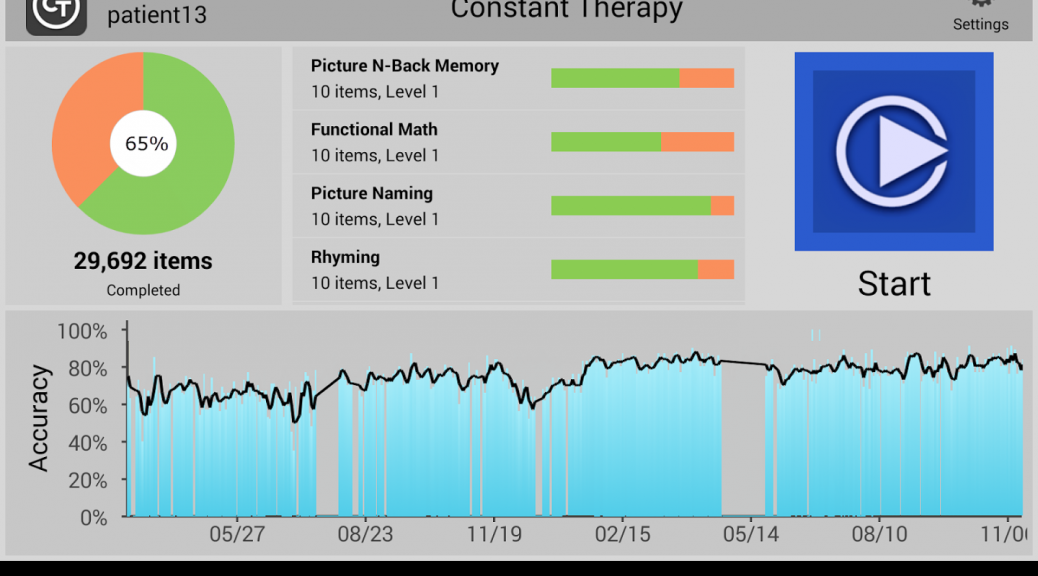
There is a growing number of apps are out there that can help Seniors stay mentally sharp. In fact, the winner of the audience award at the AARP 50+ Live Pitch entrepreneurs’ event was Constant Therapy, a brain game app for those suffering from strokes or dementia.
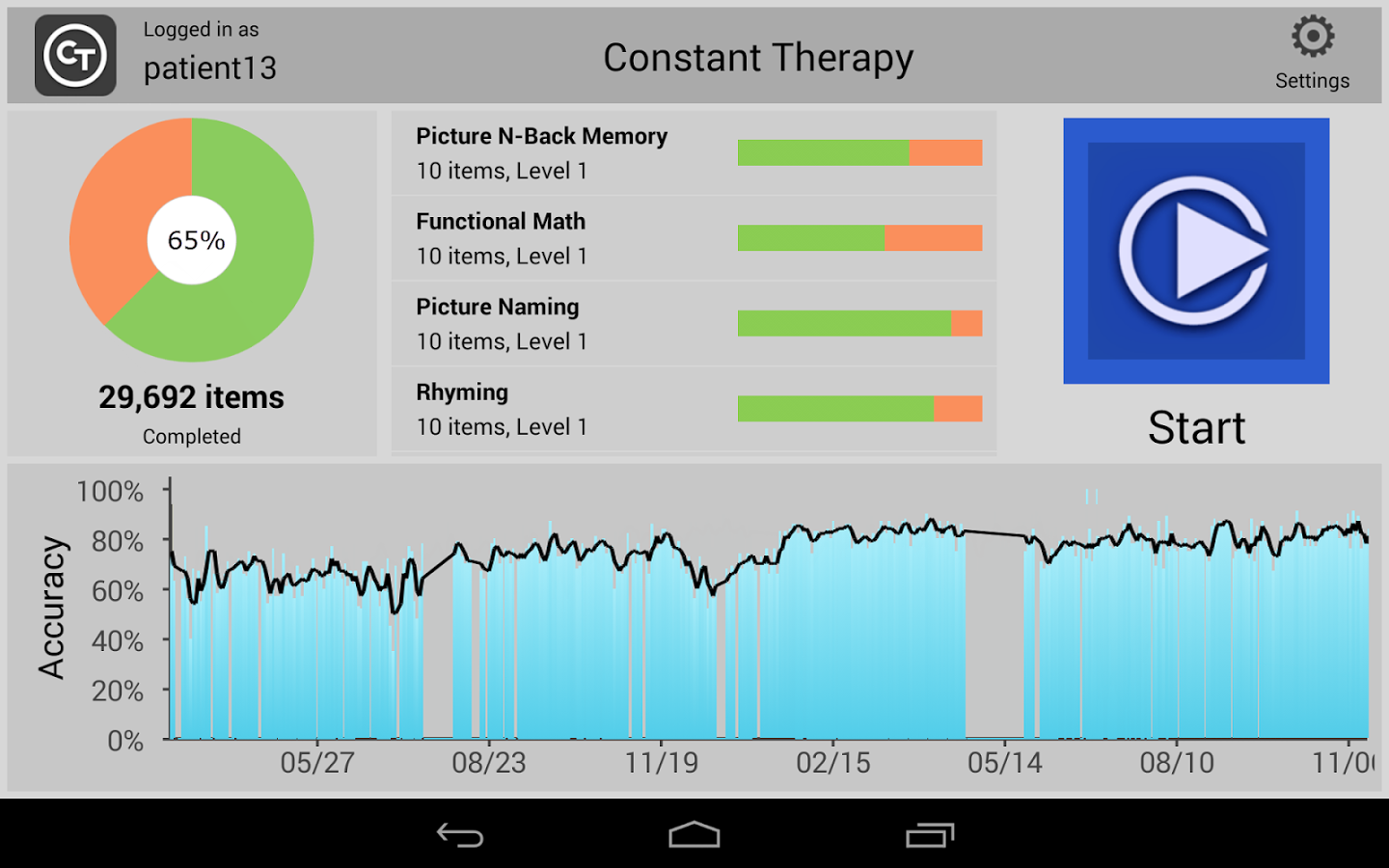
Most people have heard of apps like Lumosity that train your memory and attention with games, but this new class of apps like Constant Therapy and clevermind are aimed to help at those who have already begun experiencing medical problems.
Independent living is another important area that apps can add real value to seniors. I recently ran across Seniorly, a product of a San Francisco startup, which allows seniors to find affordable and like-minded independent or assisted living housing, when people aren’t able to live by themselves anymore.
(I also think this start-up is admirable because it was started by two Millennials, and it’s a great sign that the younger generation has its eye on our market. After all, all of us are aging, and it’s nice to know that there will be apps to help us along the way!)
Seniors don’t download as many apps
All of this positivity and development is fantastic but there’s a major hurdle that the app industry needs to overcome – seniors are less likely to download apps than others.
There are many reasons for this, but research (including ours) points to concerns about privacy and security, as being chief among them.
Our own recent AVG surveys show that 50+ generations have concerns about
- Security of data and files (70%)
- Keeping data private (48%)

In general, our AVG research also found nearly 50% of consumers surveyed say a lack of trust limits the amount of apps they download. More than one-in-seven mobile media users are uncomfortable sharing personal data, such as location or contact details…
Is it little wonder that Seniors are concerned? We’ve all seen the rise in security breaches in the news in the past year (impacting major brands we use like Target and Sony to name a few), where millions of people’s credit card info has been put risk… But this is particularly troubling with healthcare info breaches such as those experienced Anthem and several BlueCross providers. Healthcare data is among our most sensitive information.
As I noted in my recent AVG blog on the topic, IT security has to be a priority for all businesses, but particularly when it comes healthcare, where the stakes are so high and the impact has the potential to go well beyond financial!


Mr. Robot Review: da3m0ns.mp4
This week’s episode was a little confusing for me – and I’m not only referring to the trippy dream Elliot has while going through his drug withdrawals.
Operation Meltdown
It seems I wasn’t the only one who had questions about the hacks in this week’s episode; Forbes published an interview they did with Michael Bazzell, Mr. Robot’s technical consultant and cyber crime expert explaining the hack attack on E Corp that Elliot comes up with at the beginning of the show.
In the article, Michael Bazzell explains how Elliot plans on destroying E Corp’s data storage facility, using Raspberry Pi. Sounds like a very yummy method – too bad there’s an “e” missing at the end of “pi”! Michael explains that Raspberry Pi is a very small computer that can be accessed via the Internet through its built-in cellular chip. Using this, Elliot wants to control the facility’s climate control system to overheat it, thus melting E Corp’s tape-based back up.
While Forbes focused on the more complex hacks that targeted large corporations like E Corp and Allsafe, I was intrigued by the two physical hacks in the show.

via USA Networks
Beep Beep
The first “IRL” hack is when two members of FSociety hack a minivan – keep in mind that FSociety does everything in their power to not leave a trail, so they need a stolen car to get to E Corp’s data facility center in order to prevent being caught.
The FSociety guys casually sit on a sidewalk and wait for someone to park and lock their car. Using what looked like an old radio to me but is more likely a transmitter, they were able to send a command to unlock the car – politely thanking “mom” for giving them the opportunity to steal her car. Once inside the car, they connect the car to their laptop using a cable and ran the code to get the car started.
I asked my colleague, senior malware analyst Jaromir Horejsi, what he thought of the hack:
All they needed was the cable and specialized control software for cars. This software can access data from sensors in the car and it can control the car’s behavior. With that, they just had to connect everything together and select their desired actions. – Jaromir Horejsi
FREEZE…Your car keys?
This method of hacking a car seemed a little old school, given that there are now so many cars on the road that are keyless and start with a push of a button. Nick Bilton, technology writer and Disruptions columnist for The New York Times, recently had his car hacked and stolen and he wrote an interesting column about his experience.
Nick describes how he was standing in his kitchen and watched as two teenagers stole his Toyota Prius. Prii and many other modern cars are keyless and require the fob key to be within a certain range to start. Nick did more research into how it was so easy for the teens to steal his car right in front of his home and found that there are various gadgets on the market that can unlock BMWs, Toyotas and many other keyless cars. These gadgets are radio transmitters that either use brute force to cycle through car key fob codes or simply amplify the distance the car searches for a key fob, as was done in Nick’s case.
The solution Nick found to this problem? Putting his key fob into his freezer, which acts as a Faraday Cage that blocks external electric fields.
Do Not Disturb
En route to E Corp’s data storage facility, Elliot vomits due to his withdrawal symptoms and the FSociety team has to make a stop for him to recuperate. They stop at a hotel and plug a small device into the room’s key card lock port. Within the blink of an eye they have entered the room and made themselves at home.
This made me ask myself: Can someone really enter a hotel room that easily? (I also thought it was rather convenient that they just happen to have this device with them, but I won’t get into that here ;)).
I did some research online and found out that it is very possible to hack one’s way into a hotel room and that this was proven back in 2012 by Cody Brocious. You can find his paper describing how he hacked the Onity HT lock system for hotels here.
However, we are now in year 2015 and times are changing! Now, many major hotel chains, like Hilton and Starwood, are using NFC and Bluetooth keys combined with mobile apps in place of key cards and physical keys.
The security of any application and system depends on its design and proper implementation. Vulnerabilities cannot be avoided. However, it depends on whether these vulnerabilities are exploitable or not. If exploitable, it depends on who discovers them first – the good or the bad guys. If discovered, it also depends on how quickly they are mitigated. Customers should not be discouraged from using new technology. Conversely, the more people use new technologies, the higher the chance is that potential problems are discovered and fixed — the same goes for mobile apps that work as hotel room keys. –Jaromir Horejsi, senior malware analyst at Avast
Let us know what you think of this week’s Mr. Robot episode in the comments below and make sure to follow us on Twitter and Facebook for security news updates!
Follow Avast on Facebook, Twitter, YouTube, and Google+ where we keep you updated on cybersecurity news every day.

RHBA-2015:1239-1: jboss-ec2-eap bug fix and enhancement update
Red Hat Enterprise Linux: An updated jboss-ec2-eap package that fixes several bugs and adds various
enhancements is now available for Red Hat JBoss Enterprise Application Platform
6.4.2 on Red Hat Enterprise Linux 6.