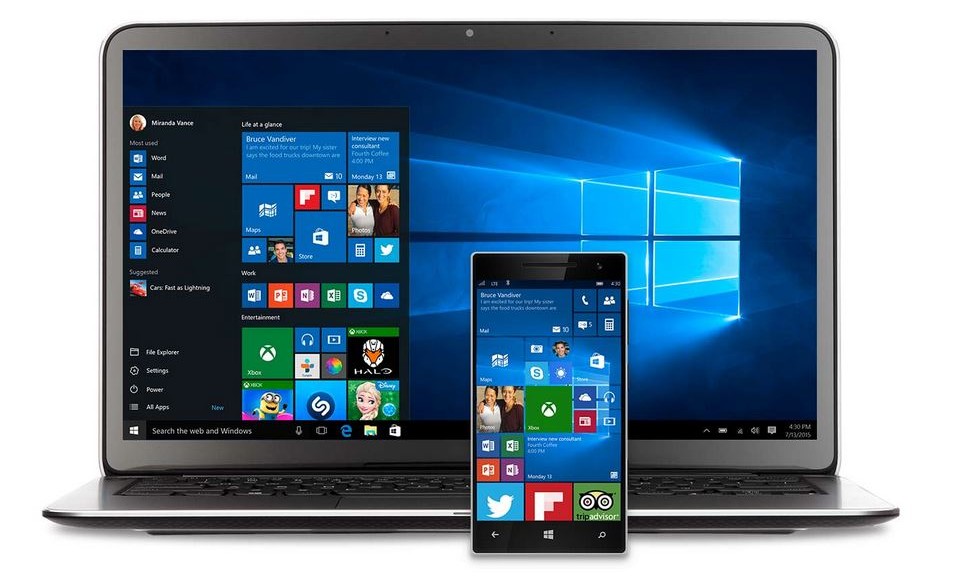
Windows 10 Service Agreement upsetting privacy watchdogs

Targeted advertisements based on your search history, location tracking, Wi-Fi sharing, torrent style updates – features that share too much are getting privacy watchdogs in a tizzy.
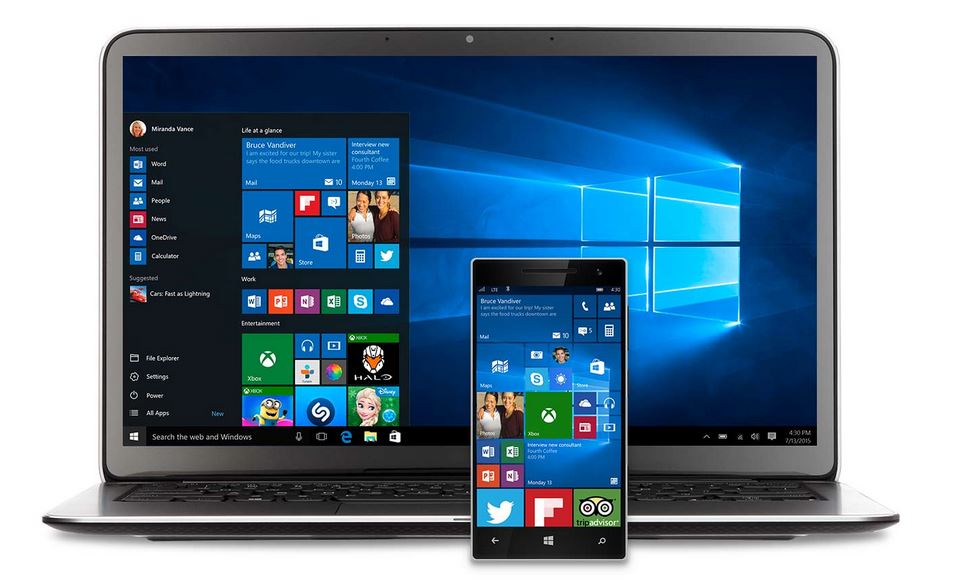
 

Windows 10

image via Microsoft

Reviewers and consumers alike are happy about the new Windows 10, but now that there has been time to read through the 45-page long consolidation of Service Agreements into one central agreement (which also covers Bing, Outlook, and Xbox Live) some data protection advocates are taking issue with certain features. The European Digital Rights (EDRi) organization summarized that “Microsoft basically grants itself very broad rights to collect everything you do, say and write with and on your devices in order to sell more targeted advertising or to sell your data to third parties.”

Sharing your business to keep yourself organized

Anyone remember this assistant?

Anyone remember this assistant?

One of the useful but controversial features in Windows 10 is a personal digital assistant called Cortana, similar to Apple’s Siri (and light years away from Clippit, Windows 95 office assistant!) Cortana can set reminders, recognize your natural voice, use information from Bing to answer questions, and of course save all that information in order to provide personalized search results, which basically means you are being profiled so targeted ads can be presented to you (Facebook and Google does that too). Cortana can be disabled and you can opt out of personalized ads.

Sharing your Wi-Fi with trusted friends

Wi-Fi Sense is a feature of Windows 10 that lets you give access to your Wi-Fi network to your friends without sharing your password. It’s designed to make it easier to use a friend’s or business’s wireless network. You and your friend must enable Wi-Fi Sense (Outlook and Skype contacts are authenticated by default, but you must allow your Facebook friends access) and you must choose which network to share.

It is actually safer than it sounds, because your friends can use your internet without getting access to your personal files and folders. Wi-Fi Sense maintains the encryption of your network so hackers or freeloaders cannot use it – or at least that’s the way it should work. If history repeats itself, and we know it does, then hackers will eventually find a way around that. You can disable and block Wi-Fi Sense.

Sharing (or is it stealing?!) your bandwidth

In order to prevent hacking and viruses, Windows 10 automatically downloads and installs security patches and updates using a torrent- style peer-to-peer delivery system called Windows Update Delivery Optimization (WUDO). Instead of having to handle huge update files, each person distributes a small portion of the files across multiple computers, thereby making the update download quicker. The feature is enabled by default in the Home and Pro edition.

All that sharing sounds good, but the way it works may be inconvenient for those who have limited bandwidth or those who think of it as stealing rather than sharing. You can disable Windows Update Delivery Optimization.

Sharing your data with the law

One particular excerpt from the privacy policy states that Microsoft can “access, disclose and preserve personal data, including your content (such as the content of your emails, other private communications or files in private folders), when we have a good faith belief that doing so is necessary to protect our customers or enforce the terms governing the use of the services.”

What this means is that Microsoft can share information if required by law or in response to law enforcement or other government agency requests. This does not seem too different from the way Google or other companies handle civil and law enforcement requests for user data.

Read the Microsoft Service Agreement and Privacy Statement.


Follow Avast on Facebook, Twitter, YouTube, and Google+ where we keep you updated on cybersecurity news every day.

San Jose Library Takes a Leading Role in Privacy Literacy

Online child safety issues are only getting more crucial as the average age for children online keeps dipping lower and lower.  In many ways this is a good thing: There are great educational possibilities and it connects young minds to a bigger, wider world. But we know there are many pitfalls.

As my colleague Tony Anscombe recently noted during the Child Internet Safety Summit 2015, all too often people don’t think about digital safety in the same terms as the overall safety of our kids – or begin their education about it as soon as we would, say, street safety. But the best time to start teaching children about Internet safety, literally, is as soon as you let them start using it.

In that vein, I was excited to hear about an online project developed by the Public Library in San Jose California that is designed to help people of all ages understand privacy issues: The Privacy Literacy project. The program is developing online tools that will help people understand digital privacy and make more informed decisions about their online activities.

What better place for families to learn and find tools about digital safety than your local library?

The program was awarded a $35,000 grant earlier this year by the prestigious Knight Foundation and it began prototype testing of its new privacy tool in June.

In an ingenious move, the San Jose library partnered with game developers at San Jose State University’s Game Development Club to create its working prototype.

The result of the collaboration between the gamers and the library is a simple video-game that might remind you (if you’re of a certain age) of Pac-Man. Users follow multiple levels and collect tools as they learn more about privacy and negotiating the online world. The prototype was featured this last June at the American Library Association’s annual conference, held in San Francisco.

“Security, privacy – it’s a scary topic for a lot of people,” project lead Erin Berman told San Jose’s Metro newspaper. “So what I wanted to do was create a way to make it fun.”

As we all know, a tool that makes this process fun is bound to have a greater chance of success!

I should mention that this tool would certainly not be limited to children. For example, many older people without digital access of their own increasingly use tablets and laptops at libraries (just look around at your local library sometime). And many of these people are applying for jobs or aid through these digital devices, often sharing sensitive information. This is a great way to educate these groups at literally the point of entry.

In everything we do, from our products to our Smart User program in support of the Clinton Global Initiative to our Magda and Mo series for children and the many articles we provide for families, AVG advocates online safety. And we applaud all efforts that help educate users about digital security. It is especially encouraging to see libraries become engaged in privacy literacy given their background and relationships to the community.

7 tips for picking the right back to school device

When I was young, I remember watching episodes of Dr. Who and Star Trek and marveling at the flat screen monitors, tablets and wireless connectivity they portrayed.

I recently watched one of the original Star Trek movies and noticed how dated the technology looked. It seems that not only has technology delivered what was the vision of film makers but surpassed it. Our kids are growing up in a world that I never dreamed would be a reality.

The interesting part of this is that this hyper-connected is entirely normal for them. We as adults view it as connected, digital, devices and make it sound like a special part of life but to our kids it’s just life.

I often see questions such as ‘what age do I give my child a smartphone?’ Realistically, there can be no wrong answer as every child matures differently and every parent has differing views and boundaries. There are indicators though that should allow us to make a reasonable decision on the right age for children to have smartphones. Generally, they look at responsibility, respect and maturity. Giving a phone to a child is a big responsibility for both the parent and child, after all the actions of the child are the responsibility of the parent.

There are obviously lots of reasons for a child to have a smartphone, but also lots of reasons for them not to. It’s important that we encourage our kids to spend more time outside, play with their friends, learn social skills and interact directly with other people will stand them in good stead for adult life. A consideration on how the device fits in to school life and will it hinder and or enable learning needs to be a part of the decision, again something that differs for every child.

My son had access to a flip phone from the age of 10. This was a family device and then at 13 he was then allowed a full smartphone on the grounds that it was a privilege and not a right. At 15, he is now a young man and the dynamic and guidance become very different. Just yesterday, we had a chat about disabling ‘auto retrieve’ to mitigate the risk of the StageFright vulnerability.

Another frequent question at this time of year is what laptop or tablet should I be buying to enable learning at school, here are some key questions that might help aid the decision process on this.


Key considerations for back to school tech purchases

What is the purpose of the device?

Is it for productivity or for consumption? If you think about how we use the devices in our lives tablets are typically used to browse, watch and consume content where a laptop is used to create and produce, while there is some crossover this is a reasonable question to start the process of which is better.

School equipment

Does the school provide any equipment as learning aids? Knowing which devices kids have access to at school might help you decide to buy a device that the school does not already use.

Device specifics

Different devices have different uses. Tablets can be great for apps while laptops are of course great for browsing the web and certain types of gaming.

There is then the question of device choice, size of laptop or tablet, this one is personal and engaging your child on this is a good idea. After all, they will be the user of the device.

Insurance

One top tip our own AVG IT department gave me when I purchased a laptop for my device was that I should buy the accidental damage insurance offered as kids drop or damage stuff in ways we don’t. This advice proved extremely useful and has saved me money!

Responsible Use

Okay, so you’ve decided on the right device and appropriate age, but the job isn’t done yet. Just like crossing the road, it’s up to us as parents to show our kids how to use the web responsibly and respect others when they communicate Remember that kids are not fully developed from a maturity perspective and they need our guidance (despite the fact that as teenagers think they know everything.)

School policy

Read the schools policy on Internet use and communication and enforce the same principles out of school, with the right education and guidance your kids might amaze you on their ability to behave in a mature way.

If in doubt, discuss

If necessary, then monitoring what they do may help you understand and guide them better, I personally find just talking to them about what they are up to works well and is much less intrusive. I know my parents never knew everything I got up to when I was a child so having a little freedom, unless its abused, is a positive growing up experience.


Make sure your kids understand one core principal – ‘if you wouldn’t say it offline then don’t say it online’


Compass Rose – Critical – Cross Site Scripting (XSS) – SA-CONTRIB-2015-138

Description

Compass Rose module provides a type of CCK field that allows to represent the most common orientations (North, North-East, East, South-East, South, South-West, West and North-West).

The module was embedding a JavaScript library from an external source that was not reliable, thereby exposing the site to a Cross Site Scripting (XSS) vulnerability.

CVE identifier(s) issued

  • A CVE identifier will be requested, and added upon issuance, in accordance with Drupal Security Team processes.

Versions affected

  • Compass Rose 6.x-1.x versions prior to 6.x-1.1.

Drupal core is not affected. If you do not use the contributed Compass Rose module, there is nothing you need to do.

Solution

Install the latest version:

Also see the Compass Rose project page.

Reported by

Fixed by

Coordinated by

Contact and More Information

The Drupal security team can be reached at security at drupal.org or via the contact form at https://www.drupal.org/contact.

Learn more about the Drupal Security team and their policies, writing secure code for Drupal, and securing your site.

Follow the Drupal Security Team on Twitter at https://twitter.com/drupalsecurity

Drupal version: 

Quick Edit – Moderately Critical – Cross Site Scripting (XSS) – SA-CONTRIB-2015-137

Description

This module enables you to in-place edit entities’ fields.

The module doesn’t sufficiently filter entity titles under the scenario where the user starts in-place editing an entity. The module also doesn’t sufficiently filter node titles under the scenario where a node is displayed (albeit only on pages that are not the node page, so e.g. Views listings).

This vulnerability is mitigated by the fact that an attacker must have a role with the permission to create or edit node entities (e.g. page, article …).

CVE identifier(s) issued

  • A CVE identifier will be requested, and added upon issuance, in accordance with Drupal Security Team processes.

Versions affected

  • Quick Edit 7.x-1.x versions prior to 7.x-1.2.

Drupal core is not affected. If you do not use the contributed Quick Edit module, there is nothing you need to do.

Solution

Install the latest version:

Also see the Quick Edit project page.

Reported by

Fixed by

Coordinated by

Contact and More Information

The Drupal security team can be reached at security at drupal.org or via the contact form at https://www.drupal.org/contact.

Learn more about the Drupal Security team and their policies, writing secure code for Drupal, and securing your site.

Follow the Drupal Security Team on Twitter at https://twitter.com/drupalsecurity

Drupal version: 

RHSA-2015:1546-1: Important: node.js security update

Red Hat Enterprise Linux: Updated node.js packages that fix one security issue are now available for
Red Hat OpenShift Enterprise 2.0.

Red Hat Product Security has rated this update as having Important security
impact. A Common Vulnerability Scoring System (CVSS) base score, which
gives a detailed severity rating, is available from the CVE link in the
References section.
CVE-2014-3566

RHSA-2015:1545-1: Important: node.js security update

Red Hat Enterprise Linux: Updated node.js packages that fix one security issue are now available for
Red Hat OpenShift Enterprise 2.1.

Red Hat Product Security has rated this update as having Important security
impact. A Common Vulnerability Scoring System (CVSS) base score, which
gives a detailed severity rating, is available from the CVE link in the
References section.
CVE-2014-3566

RHSA-2015:1544-1: Important: java-1.5.0-ibm security update

Red Hat Enterprise Linux: Updated java-1.5.0-ibm packages that fix several security issues are now
available for Red Hat Enterprise Linux 5 and 6 Supplementary.

Red Hat Product Security has rated this update as having Important security
impact. Common Vulnerability Scoring System (CVSS) base scores, which give
detailed severity ratings, are available for each vulnerability from the
CVE links in the References section.
CVE-2015-1931, CVE-2015-2590, CVE-2015-2601, CVE-2015-2621, CVE-2015-2632, CVE-2015-2637, CVE-2015-2638, CVE-2015-2664, CVE-2015-4000, CVE-2015-4731, CVE-2015-4732, CVE-2015-4733, CVE-2015-4748, CVE-2015-4749, CVE-2015-4760