Category Archives: Avast

Avast

Free software and services your start-up can use

Get your small business up and running with free software.

Getting a new business off the ground is not an easy task and can be quite costly, but there are a lot of free software and services available online that your new or small business can use as an alternative to paid-for products.

Here is a list (in alphabetical order, so no favorites ;-) ) of some you will find useful:

Avast for BusinessAvast for Business – cloud-managed security

Avast not only provides consumers with free security, but we also provide small and medium sized businesses with free cloud-managed protection. Avast for Business is easy to install and can be managed from anywhere and at anytime.

Facebook Page – alternative to building your own website   
If you’re a restaurant owner or a small boutique you could also, either in addition to or instead of hosting your own website, create a Facebook page for your business. You won’t be able to sell items online, but you can add your business’ address and directions, opening hours, a description of your business and post images and status updates to inform your customers of new items on your menu or of new items available for sale in your store.

Fundera_LogoFundera – loans for your business
Fundera is a free service that offers you loan options and lets you choose the one best suited for your small business. All you need to do is fill out a short questionnaire and then you are presented with loan products, lenders and rates and can apply to the lenders that fit you best with only one application.

Hootsuite – social media manager
Using social media is a great way to get the word out about your budding business, and a social media manager is, therefore, very helpful to keep track of your sites and their effectiveness. Hootsuite offers a free starter package where you can add three social media platforms, get basic analytics reports and schedule posts.

weeblyJimdo and Weebly – (subdomain) website hosting
Jimdo and Weebly are both web hosting services that offer free starter packages when you create a website using their subdomain. With Jimdo’s free package you get 500MB of storage space, one password-protected area and mobile versions of your site. Weebly offers unlimited pages and a drag and drop builder. Both services offer the possibility to sell up to five items for free in case you want to use your site for ecommerce. Checkout services are also included for free.

Opeopenchart 1nCart – shopping cart solution

OpenCart is a free and open source shopping cart solution. All you need to do is install OpenCart, select your theme, add your products and you are ready to start selling your products on your website!

OpeopenofficenOffice – office suite

Apache OpenOffice is a great alternative to Microsoft’s Office Suite. OpenOffice is an open source office suite that includes essentials like a Word processor, spreadsheet, multimedia, graphics, database and math software. Best of all, OpenOffice is license-free and can be installed on as many computers as your business needs!

Orange HRM – human resource management software
Orange HRM is a free and open source software for human resource management. It is a full-featured HR management system offering various modules such as system administration, personnel information management, and recruitment.

Producteev – task manager
Producteev is a task manager that offers unlimited users, projects and tasks in its free version so you can ensure that you and your team stay on top of the most important to-dos to get your business up and running!

Suite CRM – customer relationship management
Suite CRM is free, open source software for customer relationship management. It’s based on Sugar CRM and comparable to Salesforce. It gives you a full overview, including products, quotes, contracts, projects, reporting, teams, workflow and much more.

wave-media-logoWave – accounting tools
Wave offers cloud-based invoicing, accounting, payroll and payments for free for businesses with 9 people or less. They finance their services by connecting small business owners with vendors of products and services that offer discounts to Wave users.

Nearly all of the above mentioned products also offer premium services your business can take advantage of as it grows. For now, we wish your business the best of luck and hope this list of free software helps your business. :-)

Weekend wrap-up: Cybersecurity news from Avast

Here’s your wrap up of security and privacy related news from the first half of July.

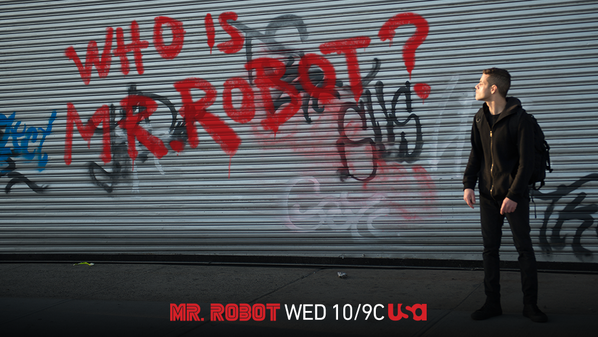
Mr Robot TV shows about hackersWe are very excited to announce the debut of a new series of videos called Avast Hack Chat. Every week we invite a security expert to talk us through the hacks on Mr. Robot, USA Network’s summertime hit TV show. We also talk about current news, technology in pop culture, and tips that you can use in your everyday life to keep your devices and data secure. Please subscribe to Avast Hack Chat on YouTube to see all of our videos.

 

Read our reviews of the hacks

Pilot episode 1: Are the hacks on Mr. Robot real?

Episode 1.1: Mr. Robot Review: Ones and Zer0s

Episode 1.2: Mr. Robot Review: d3bug.mkv

Episode 1.3: Mr. Robot Review: da3m0ns.mp4

Episode 1.4: Mr. Robot Review: 3xpl0its.wmv

It’s too bad that hacking is not just for TV and movies. Even trusted websites can fall victim to cybercrooks. Online shopping just got a little more risky when the largest e-commerce platform was hacked in order to spy on customers and steal credit card data.

Government agencies, businesses, and individuals need to stay on alert for ransomware. That’s the malware that locks up your files and demands that you pay money to provide the key. Cryptowall recently joined forces with a click fraud botnet to infect individuals and businesses. Our blog explains how to stay safe against infection.

Critical zero-day flaws were discovered in the Adobe Flash Player, Oracle’s Java, and Microsoft’s Internet Explorer. Patches for each have been released. In addition to these patches, Microsoft released a rare emergency “out-of-band” Windows security patch. Make sure that you apply these patches so your machines are running the most secure versions of software.

icon-browser-cleanupNow for some good news. Avast Browser Cleanup removes those unwanted browser add-ons. You know the ones. They take up space on your browser, change your search engine, and even your home page. Avast Browser Cleanup has removed more than 650 million unwanted add-ons and extensions from our users’ browsers in the past two years. You can get it for free in all Avast products or download it as a standalone version.

Avast for Business protects a private school for free

Schools and businesses around the USA are also happy. Two schools; one in Ohio and one in Arizona have recently adopted Avast for Business software to protect their entire network for free. And one lone IT administrator is now able to efficiently manage 500 computers because of Avast for Business’s cloud-based web console.

BYOD, or bring your own device, is a common practice at many businesses around the world. CEO Vince Steckler announced the acquisition of Remotium, a leader in virtual enterprise mobility. Their technology provides enterprises with secure access to business-critical applications from anywhere and from any mobile or desktop device.
SecureLine VPNStudents wanting to know how they did on their AP test installed Avast SecureLine VPN so they could see the scores right away. We have extended the 7-day free trial for an additional 30 days for all these clever kids. We hope you will keep your devices safe while using unsecured Wi-Fi around your new college campus this fall.


Follow Avast on FacebookTwitterYouTube, and Google+ where we keep you updated on cybersecurity news every day.

Malware that Just Won’t Give Up on Google Play

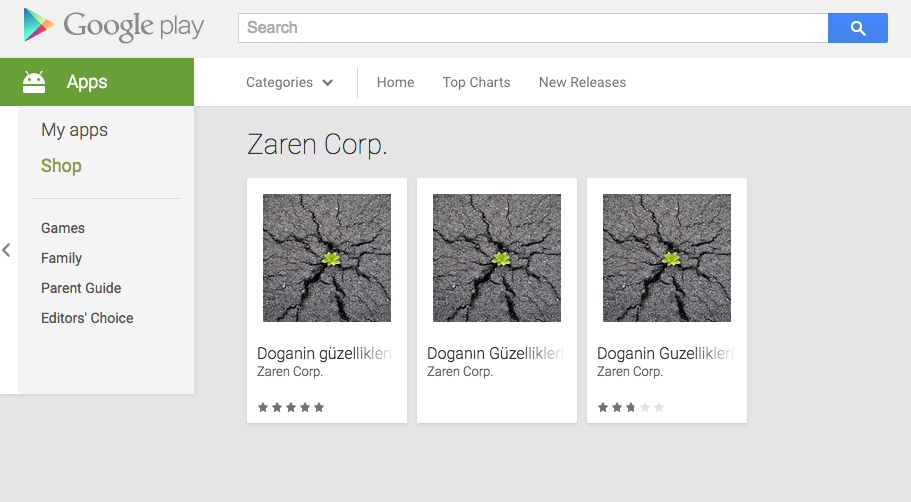
A team of malware authors is playing a cat and mouse game with Google. The game goes like this: they upload their malware, Google Play quickly takes it down, they upload a new mutation and Google takes it down. Current status of the game: the malware is back on Google Play. So far, the malicious apps have infected hundreds of thousands of innocent victims.

In April, we discovered porn clicker malware on Google Play posing as the popular Dubsmash app.

Mutant malware

Two days ago, we reported that a mutation of the porn clicker malware, created by a Turkish group of malware authors, made its way back onto Google Play, but have since been removed from the Play Store.

Once the apps were downloaded they did not do anything significant when opened by the user, they just showed a static image. However, once the unsuspecting victim opened his/her browser or other apps, the app began to run in the background and redirect the user to porn sites. Users may not have necessarily understood where these porn redirects were coming from, since it was only possible to stop them from happening once the app waskilled. Fellow security researchers at Eset reported that more apps with this mutation were on Google Play earlier this week. Eset also reported that the original form of the malware was uploaded to Google Play multiple times in May. Our findings combined with that from Eset, prove that these malware authors are extremely persistent and determined to make Google Play a permanent residency for their malware.

I’ll be back…

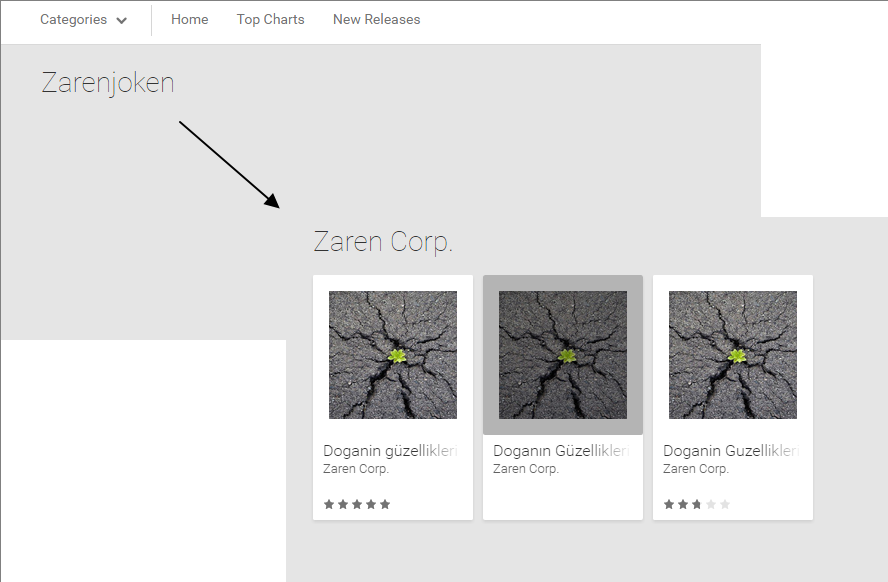
… is what the authors of this malware must have said when Google removed their apps from the Play Store earlier this week. And sure enough, their malware is back on Google Play. The malware, which Avast detects as Clicker-AR, is in the following three apps: Doganin Güzellikleri, Doganin Güzellikleri 2, Doganin Güzellikleri 3. The name translates to “Nature’s Beauties”. Avast has reported the apps to Google.

Mobile Malware Clicker-AR

What can you do?

Google has a lot on its plate. It has to maintain the most popular mobile operating system in the world, along with an app store with around 1.5 million apps.

That is where security providers, like Avast, jump in. You don’t expect Windows to completely protect you from malware, so just as you would install antivirus on your PC as an extra layer of protection, it is vital you install antivirus on your mobile device. More and more people are using mobile devices and storing a plethora of valuable information on them. This large target pool, combined with the valuable data, naturally makes mobile devices an attractive target for cybercriminals and they are determined to come for you.

Be vigilant

In addition to having antivirus installed on your phone, make sure you do the following:

    1. Pay attention to app permissions. If an app requests permissions that you think it does not need to function properly, then something is probably not right with the app
    2. Check out the app’s reviews. If other users write bad reviews about the app, that is a sign that the app may not be something you want to download.

You can download Avast Mobile Security for free from the Google Play Store.

Hashes:

d8adb784d08a951ebacf2491442cf90d21c20192085e44d1cd22e2b6bdd4ef5f
2a14b4d190303610879a01fb6be85d577a2404dfb22ab42ca80027f3b11f1a6f
d05dcddecc2f93a17b13aa6cca587a15c4d82fe34fdb5e3acf97ddaaefb61941

*It seems as though “Zaren” may be sensing we are all onto him and has therefore changed his developer account name…

Clicker-Ar mobile malware


Can hackers get under the hood of your car?

Driving under the influence of alcohol or texting while driving is still a bigger risk to your safety on the road, but the hacking experiments conducted on technology-heavy cars might be an indicator of break-downs to come.

Security researchers have proven that modern cars can be hacked.

Security researchers have proven that modern cars can be hacked.

Two security engineers proved that a car is not just a transportation device to get from point A to point B, but a vulnerable combination of individual software systems that can be hacked.

Back in 2013, Charlie Miller and Chris Valasek hacked a 2010 Ford Escape and a Toyota Prius. The two researchers demonstrated the ability to send commands from their laptop that did things like jerk the steering wheel, give false readings on the speedometer and odometer, sound the horn continuously, and slam on the brakes while going down the road.

They have done it again, this time with a 2014 Jeep Grand Cherokee.

When the hackers first did their experiment, they hardwired their MacBook directly into the vehicle. This year, they’ve gone wireless, breaking into a few of the 50 vulnerable attack points available to them.

Wired reporter Andy Greenberg acted as Miller and Valasek’s crash test dummy, as he did in the original demonstration. As he was driving the Jeep Cherokee at 70 mph down the interstate, the two hackers sat miles away in Miller’s basement and bombarded Greenberg with multiple attention diverting events at once. The air conditioner blasted cold air, the radio station changed and played at full volume, the windshield wipers came on and blinded his view with wiper fluid.

But it wasn’t only distracting annoyances that the hackers threw at Greenberg. The scary part started when they remotely cut the transmission. Remember, at the time he was driving down the interstate at 70 mph. The Jeep quickly lost speed and slowed to a snail-like crawl. On a busy interstate with zooming cars and an 18-wheeler closing in, you can imagine the fright that Greenberg felt.

Cybersecurity in the auto industry

At the Center for Automotive Research conference this year, it was acknowledged that almost every automaker in the U.S. has a connected “telematics” service, like GM’s OnStar, Ford SYNC, Chrysler’s Uconnect, and BMW Assist. The panelists said that these services are the first point of attack for hackers, and can be used as a springboard to gain access to the owner’s personal data. Because connected vehicles include easy access to smartphone and onboard apps, the driver’s credit cards, bank accounts, or other financial information could be accessed through the cloud. It’s also possible to access location data, vehicle locator, travel direction, and cell phone number.

The security risks presented by Miller and Valasek in 2013 got the attention of U.S. Senators Edward Markey and Richard Blumenthal. This past Tuesday they introduced legislation that would establish federal standards to secure our cars and protect drivers privacy.

 Do drivers need to worry about their vehicle getting hacked?

Drivers don’t need to get worried yet. Besides thieves opening car doors with wireless hacks as we described in Mr. Robot Review: da3m0ns.mp4, only one malicious car hacking attack has been documented. In February 2010, a disgruntled employee hacked a fleet with more than 100 cars in Austin, Texas. He infiltrated their web-based vehicle-immobilization systems and essentially “bricked” their vehicles and caused the horns to blast uncontrollably.

How to protect your car from being hacked

  • Think of your vehicle not as a simple car anymore, but a sophisticated device like your mobile phone. Familiarize yourself with the new electronic control units. These days that includes the lighting system, the engine and transmission, steering and braking, vehicle access system, and airbags.
  • Apply updates and patches when your car manufacturer issues them. For example, Chrysler just notified owners of vehicles with the Uconnect feature that a software update is available.
  • If you use services like OnStar, GM’s auto security & information service, don’t leave your documents or password in the car for a thief to find.
  • If you use your car as a Wi-Fi hotspot, use a strong password to protect it.

Follow Avast on FacebookTwitterYouTube, and Google+ where we keep you updated on cybersecurity news every day.


How one IT guy gained control of 500 devices with Avast for Business

The rule of thumb for managing devices is one IT Administrator for every 100 computers or devices. Five hundred is difficult to manage for an entire IT department, let alone one IT Administrator. But, Gary Myers is up to the task.

The Avast team caught up with Myers recently to see what he thinks about the new Avast for Business product. “They say you should have one person for every 100 devices so it’s definitely a challenge.”

Gary explained how he chose new Avast for Business as his security solution. “I’ve been using Avast for a long, long time, so when I saw that there was a new business product, I knew I should give it a try.” Myers says that Avast is a step above the rest and he switched to Avast for Business because he wanted the new features of the cloud-based product.

Avast for Business web console

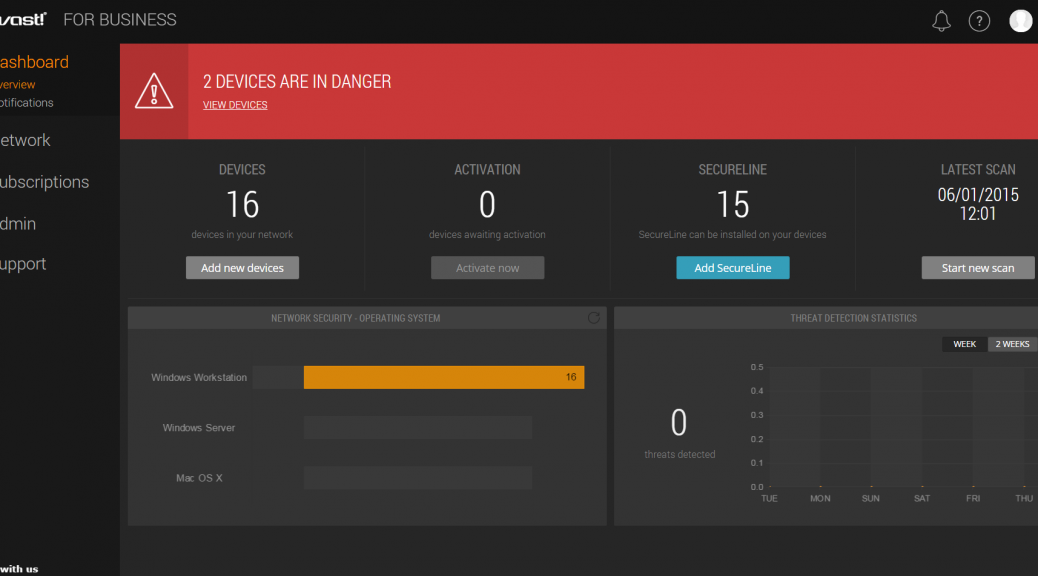
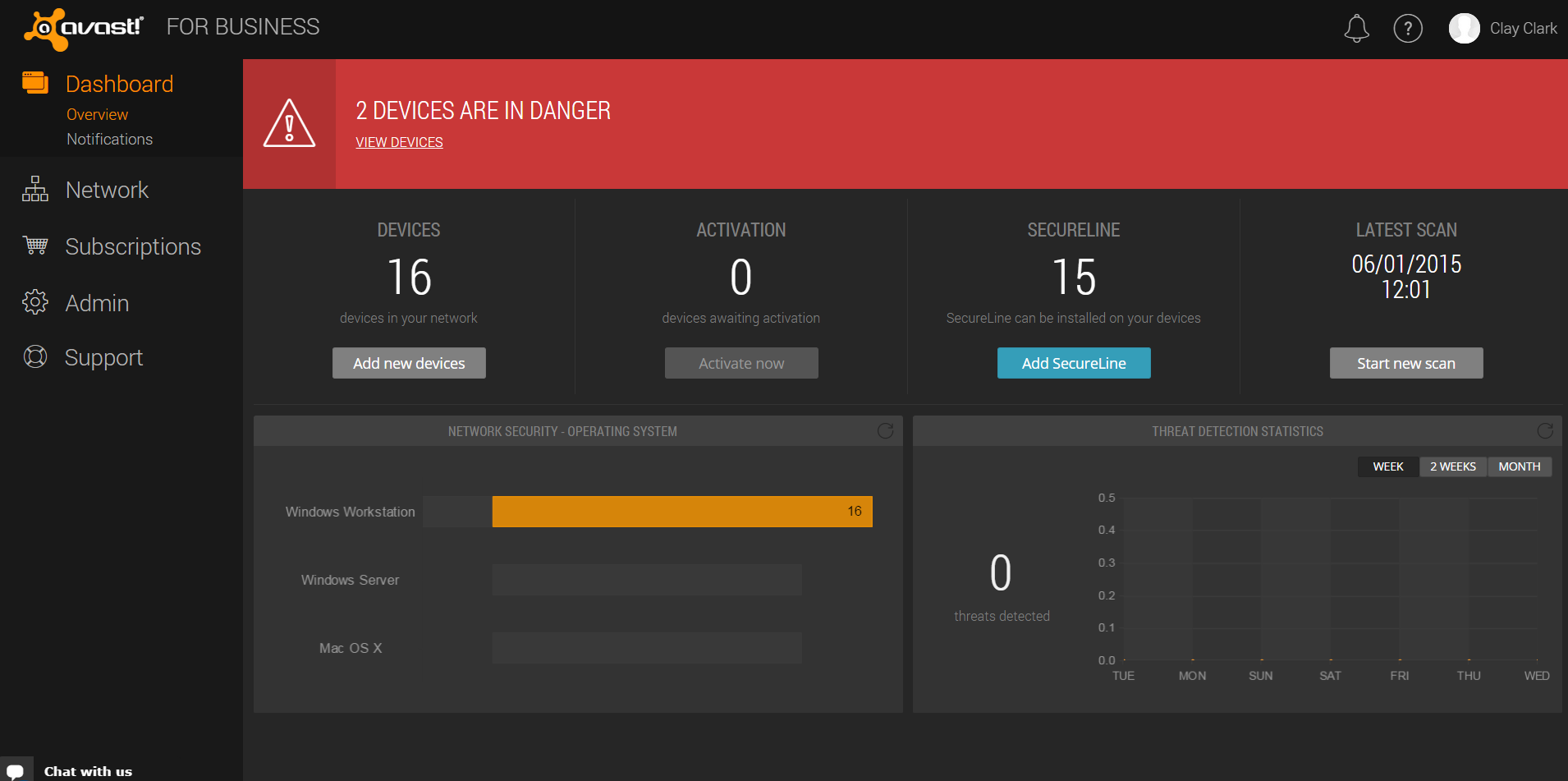
Our easy-to-use Web console lets you see and manage devices, reports, and alerts from anywhere.

Myers said the upside of the new cloud-managed antivirus is obvious. “I’m seeing advantages with the software being cloud-based. The web-console allows me to see everything I need to see at once and everything is up-to-date.”

Streamed updates and the cloud-managed console certainly make life easier for an IT administrator that manages as many devices as Myers.

Budget is often a huge factor when IT professionals purchase antivirus software but for Myers, the free product “works, and it’s low overhead.”

Avast for Business is completely free forever – which makes it the ultimate cost-cutting, money saver.

Sign up for Avast for Business and save money and time for your company.


Mr. Robot Review: 3xpl0its.wmv

The major theme of this week’s Mr. Robot episode revolved around vulnerabilities. As much as we sometimes try to deny it, we all have weaknesses. Cybercriminals, being the intelligent people they are, unfortunately often use their smarts for evil. They know that it is human nature to have weaknesses since no one is perfect, and they exploit these weaknesses using a tactic called social engineering.

“People make the best exploits”

Whether directly or indirectly, humans and the software they create can be exploited via their weaknesses and vulnerabilities.

FSociety penetrates Steel Mountain, E Corp’s data security center, by exploiting human weaknesses. We first see this happen when Elliot exploits Bill Harper, a sales associate at Steel Mountain, by dismantling his self-worth and telling him that no one in his life really cares about him. Elliot then requests to speak to someone who matters and Bill, disheartened and humiliated, calls his supervisor.

To FSociety’s surprise, Trudy comes instead of Wendy, the supervisor they were expecting and were prepared to utilize to get into the next level of Steel Mountain. This slightly throws off FSociety for a few seconds, but they make a quick comeback by doing a bit of online research. They learn that Trudy’s weakness is her husband and use a Linux distribution called Kali to send her a text message appearing to be sent from her husband saying that he is in the hospital. I researched more about this tool and found out that when using it, it is possible for anyone to spoof SMS and make messages appear as if they are from a number the recipient knows — a trick that is also employed in fraud emails.

The interesting thing about this, though, is they say they do not have Trudy’s number, just her husband’s number. Yet, they type her number into the program to send the message.

via USA Network - Mr. Robot airs on USA Network Wednesdays at 10/9 central

via USA Network – Mr. Robot airs on USA Network Wednesdays at 10/9 central

How cybercriminals use social engineering

I sat down with my colleague, Mobile Malware Analyst Nikolaos Chrysaidos, to discuss social engineering and how it can affect people just like you and me.

Stefanie: First off, what is social engineering?

Nikolaos: Social engineering is a combination of psychological techniques that cybercriminals use to trick people into giving up sensitive information or performing certain actions, such as downloading malware. Social engineering essentially exploits people’s weaknesses and as Elliot said in this episode, “People make the best exploits”. No one is perfect and not everyone always has the best judgment, which makes social engineering such a successful tactic. Social engineering is not successful because people are not intelligent enough; it is successful because cybercriminals specifically target and exploit people’s weaknesses.

Stefanie: We saw FSociety socially engineer their way into Steel Mountain, but what are some examples of social engineering that target consumers?

Nikolaos: Generally, social engineering tactics targeted at consumers either trick the victim into thinking they have won a prize, create fear by implying that something is wrong, or that the victim absolutely needs something. This can happen in the form of spearphishing attacks, in which hackers send messages pretending to be a trusted entity or friend of the victim. These messages include call-to-actions that, for example, prompt the victim to update their banking information, tell them there is an important attachment that they need to open which is really malware, or that they have won a prize and need to provide information to retrieve it. Social engineering can also use apps or advertising to trick people into doing certain things.

We often see in the mobile space that hackers scare victims into downloading fake antivirus apps by telling them that their device has a virus on it. In reality, the app steals private data from the device or holds files on the device for ransom, like Simplocker did.

Another way hackers trick users into downloading malware or into giving up personal information, is via malicious advertising. These ads often tell you, for example, that you do not have the latest version of Flash and should download it. They also tend to offer adult services, such as porn, live webcam chats or even mail-order brides. Once clicked on, these malicious ads can download malware onto your device.

Stefanie: Wow! Seems like people really need to be careful! What is some advice you can give to avoid becoming a victim of social engineering?

Nikolaos: Always double check emails from your bank to make sure they are legitimate. Banks should never email you asking to enter sensitive information via a link or send vital information as an email attachment. The same goes for emails from friends that contain links or attachments, if they seem fishy or off, call your friend and ask if the email really came from them before you take any actions.

As for mobile apps, make sure you only download apps from official app stores, like Google Play. If you do choose to download from a third-party store, make sure you have an antivirus solution installed and running. If an app asks you for permissions that don’t make sense to the app’s functions or if the app wants you to alter your security settings, then something is wrong and you should not download the app. You should be similarly cautious with advertisements offering you video players or adult content.

To maximize your protection against threats, you should have antivirus software installed on your PC and mobile device. In case you accidentally fall prey to a social engineering trick, antiviruses will catch malicious programs and websites before they can cause damage.

Never use Wikipedia as a trusted source

This was drilled into my head by my professors in college. Now, I am not saying Wikipedia is bad — there is a sea full of valuable information on Wikipedia, but the site can be edited by nearly anyone. Apparently people even try to delete entire pages –ahem, Donald Trump. You can’t always trust what you read on Wikipedia, despite the editors’ best efforts to keep the pages factual. FSociety, of course, knows how easily a Wikipedia page can be manipulated and abuses Mobley’s extensive Wikipedia editing history to edit Sam Sepiol’s Wiki page. Elliot tells Bill Harper, a sales associate at Steel Mountain, that he is Sam Sepiol, a young billionaire who co-founded tech startup Bleetz and that Bill should look him up. Bill searches for Sam Sepiol and reads his Wikipedia page, where Elliot’s picture is uploaded and thus Elliot is granted a tour of Steel Mountain.

Be aware of how much you share with the Internet

This week’s Ashley Madison data breach is, hopefully, a major wake up call for a lot of people. This breach should teach everyone that the minute you put your personal information online, it’sout of your hands and could be up for grabs. In this week’s episode, Fernando realizes this when he learns he was busted, because he put his business on social media. He did use codes to cipher his communications, but apparently the codes he used were too obvious and easily crackable. Clearly, Fernando should be looking to hire a new adviser and fire his “aspirational little brother”.

You should use caution when uploading your business onto social media. FSociety discovered the weaknesses of multiple people just by Google searching them and checking out their blogs, Twitter and Facebook profiles. This can be done by anyone, so make sure to examine your social media accounts’ settings and set everything to private. Also, be sure to think twice before you upload content or sign up for services online. Think about how these choices may affect you in the future, who can see them and if you really want the world to see it.

What did you think of this week’s Mr. Robot episode? Make sure you follow Avast on Twitter and check out our Hack Chat channel on YouTube to keep up with future Mr. Robot discussions!

Microsoft releases emergency Windows patch after discovery of critical security flaw

With the release of their newest operating system just days away, now is not the most convenient time for Microsoft to be facing and dealing with security bugs. However, two thirds of all 1.5 billion PCs operated by Windows across the globe were recently left vulnerable due to a security flaw found in nearly every version of Windows, including Windows 10 Insider Preview.

If you use Windows, the time to update is now!

If you use Windows, the time to update is now!

The flaw (MS15-078) lies within the Windows Adobe Type Manager Library and can be exploited by cybercriminals to hijack PCs and/or infect them with malware. Users can be attacked when they visit untrusted websites that contain malicious embedded OpenType fonts. Microsoft explains more about the threat in a security bulletin advisory:

An attacker who successfully exploited this vulnerability could take complete control of the affected system. An attacker could then install programs; view, change, or delete data; or create new accounts with full user rights.

There are multiple ways an attacker could exploit this vulnerability, such as by convincing a user to open a specially crafted document, or by convincing a user to visit an untrusted webpage that contains embedded OpenType fonts. The update addresses the vulnerability by correcting how the Windows Adobe Type Manager Library handles OpenType fonts.

The flaw has been classified as critical, which is Microsoft’s highest measured level of threat. Anyone running Windows Vista, Windows 7, Windows 8 and 8.1, Server 2008, Server 2012 and Windows RT are affected by the flaw. Microsoft’s online Security TechCenter includes a full list of affected software and additional vulnerability information.

How to ensure your safety

Taking into consideration that this is a critical security threat that potentially puts your whole system at risk, it only makes sense to install the Windows patch as quickly as possible. The majority of customers have automatic updating enabled and won’t need to take any action because the update will be downloaded and installed automatically. Customers who have not enabled automatic updating, or who install updates manually, can use the links in the Affected Software section to download and install the update. This article walks users through two different methods of obtaining and installing the security udpate. Both methods require a restart after the patch has been applied.

Avast Software Updater can lend a helping hand in ensuring that your software stays updated to the latest version. To find it, simply open your Avast user interface. Click Scan on the left side, then choose Scan for outdated software. You can then decide how to proceed.


Follow Avast on FacebookTwitterYouTube, and Google+ where we keep you updated on cybersecurity news every day.

5 steps to secure your Facebook account login

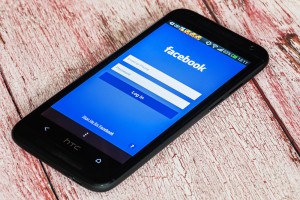
Facebook on mobile phone

Secure your Facebook account against unwanted guests

Social networks have become an integrated part of our lives. Facebook is not just a simple communication channel anymore but an important source of daily news, information about brands, as well as a selling platform. Thanks to mobile apps, we access it everywhere and anytime we want. As active consumers we should take even better care of our security while using the service.

How to set up a secure login for your Facebook account

1. Set up double verification, or so called Login Approvals to achieve your desired security level during the login process. Every time you  login into your account, Facebook will send you a newly generated code via SMS to enter to finish login process. Login approval will allow you to better control who can access your account.  Detailed instructions how to set it up can be found here.

2. Select so-called  trusted contacts. This should be three or four people, who can be contacted by Facebook, in case access to your account is blocked. The selected person will be given an access code, which should be passed to you, so you can restore your account credentials. Therefore choose trusted contacts carefully, so you can easily get in touch in case it’s needed. In order to choose trusted contacts go to Settings -> Security and select friends. If you want to learn more about this setting go here.

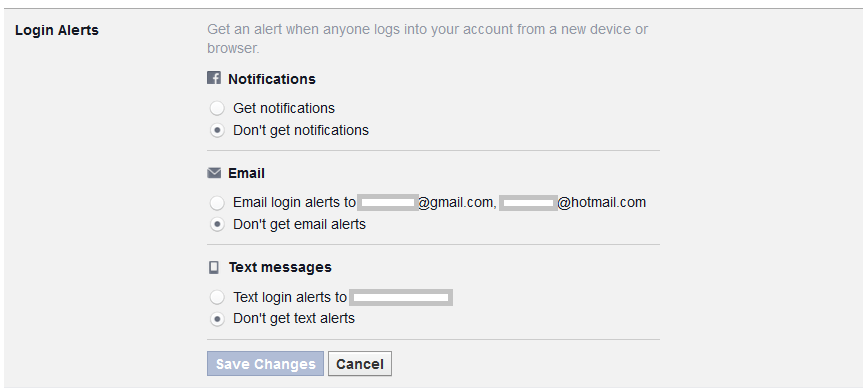
3. Set up Login alerts, to be notified in case Facebook spots a suspicious login attempt to your account; for example from an unknown computer or smartphone. A login alert will be delivered to you as a text message, email, or Facebook notification. You decide which format is the most suitable for you. In case you suspect that someone tried to break into your account, Facebook will help you to reset your password and set up a new one. Just as other safety settings you will find login alerts in the Security section. Detailed instructions can be found here.

Facebook login alerts

4. Protect yourself from Phishing and Spam. Cybercrooks try to take over your personal data and login, by creating URLs which look just like Facebook. Please bear in mind that the social network will never send you an email, requesting your credentials or any other personal or financial data. In case you receive such an email, redirecting you to a webpage deceptively resembling Facebook, never ever submit your data. Learn more about Phishing on Facebook here.

On the other hand, if your friends spam you with suspicious messages, or simply bother you with invitations to the “farm games”, it’s possible that they became victims of a malicious app. It can post on their behalf without their knowledge and spread malware further. You can report it to the social network by clicking on the arrow symbol in the right top corner next to the message. Read more in Spams on Facebook section.

5. Last but not least, secure your Facebook mobile app. If, like other millions of Facebook users, you access the social network on mobile, you should consider installing an application that will block the access to Facebook. This is handy in case your mobile is lost or for simply preventing your friends from joking around and posting something on your behalf, while you leave your smartphone unattended.

Avast Mobile Security protects your Facebook and other social networks or banking apps with a security code for free. Download it for free from Google Store

Stay tuned for more social media security and privacy tips!

Follow Avast on Facebook where we keep you updated on cybersecurity news every day.

Windows 10 security features consumers can look forward to

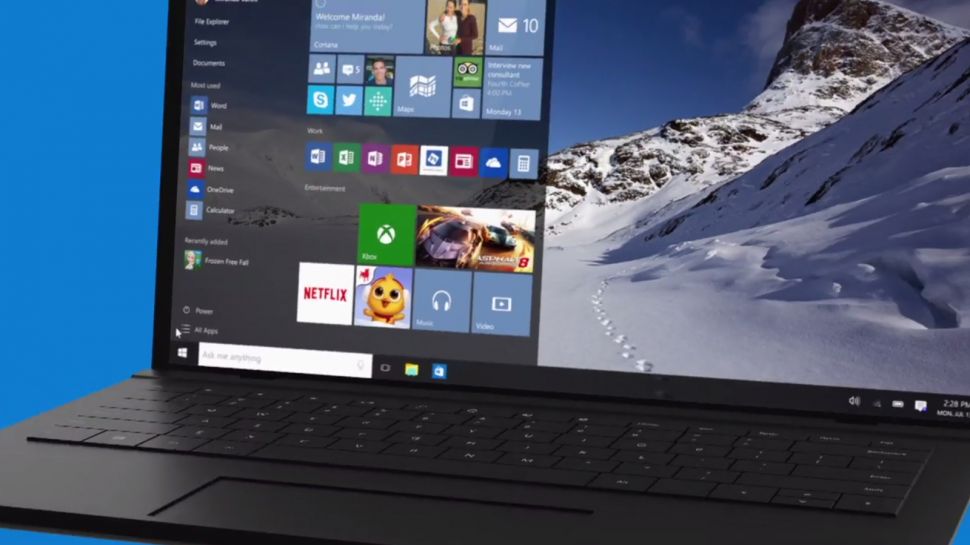
Windows 10 will be launching in T-minus seven days and will be offered for free within its first year of availability to Windows 7 and 8 users. Not only will the beloved Start button be back in Windows 10, but Windows 10 will also include a personal assistant, Cortana. What’s more, the new operating system will introduce many promising security features and a new browser.

Image: TechRadar

Image: TechRadar

Hello there, Windows Hello and Passport!

Windows Hello is biometric authentication that either scans your face, iris or fingerprint to access your Windows 10 device – very secret agent-like security! By doing so, Windows Hello eliminates the chance of hackers stealing your password to access your device, simply because you will no longer have a password to begin with!

Windows Passport also eliminates the use of passwords to access your online accounts. For now, Microsoft will work with the Azure Active Directory and has joined the FIDO alliance to subsequently support password replacement for other consumer, financial and security services. Windows will verify that you are truly the one using your device through a PIN or via Windows Hello, and then it will authenticate Windows Passport so you can log in to websites and services without ever using a password. Combined use of Windows Hello and Windows Passport would mean that a hacker would not only have to physically steal your device, but also kidnap you to access your accounts.

You will, of course, need hardware that is capable of infrared scanning your face or iris, or that has a built-in fingerprint reader to use Windows Hello. Microsoft has already confirmed that all OEM systems with Intel® RealSense™ 3D Camera (F200) will support Windows Hello’s facial unlock features.

Bye-bye Patch Tuesday

Microsoft usually issues security patches on the second Tuesday of every month, which can leave users vulnerable until Patch Tuesday comes around. In Windows 10, Microsoft will regularly issue security patches and users will be forced to accept every update, meaning they will be immediately protected from zero-day bugs.

Forcing updates is a good move. It’s the same as with an antivirus – everyone wants to have an up-to-date database to protect their system as much as possible. – Jiri Sejtko, Director of Virus Lab Operations

More app developer security support

AMSI – Antimalware Scan Interface will help protect users from script-based malware by offering an interface standard that allows apps and services to integrate with antivirus programs on Windows 10 devices. App developers can have their application call the AMSI interface for additional scanning and analytical services. The interface will look for potentially malicious content such as obfuscation and evasion techniques used on Windows’ built-in scripting hosts. Antivirus vendors can implement support for AMSI so that their engine can gain deeper insight into the data that applications consider potentially malicious. Avast will be implementing AMSI in the near future.

Edge, the edgy new browser in town

Microsoft’s Internet Explorer doesn’t have the best reputation, which is probably why Microsoft is introducing the new Edge browser in Windows 10. Edge was created from the same core as Internet Explorer by removing many of the old outdated features that were kept for compatibility reasons, including support for binary extensions like Active X and Browser Helper Objects. Basically, Edge will not support any browser extensions in its initial release, but will add a Javascript/HTML model similar to that of Mozilla, Google, Apple and Opera later on to offer browser extensions. Flash will be built into the Edge browser as well as PDF rendering. Additionally, Edge will be deployed as a Universal Windows App, so users can update Edge from the Windows App Store rather than via Windows updates, and it will run in a sandbox, meaning it will have little to no access to the system and other apps running on your device.

Not supporting any extensions and running Edge inside Windows’ sandbox is very good from a security standpoint. Browser extensions can not only distract users, but they can slow down the browsing experience and can create a huge security risk if abused, as they can see everything you do within the browser, including on encrypted sites. – Lukas Rypacek, Director of Desktop Platform

Avast is already compatible with Windows 10

Avast has been compatible with Windows 10 since March.

No major changes were needed to make Avast compatible with Windows 10; we had to slightly change some components to make everything work as it should, but no changes were needed in terms of behavior and communication. What we are now doing is migrating users to the latest version of Avast to ensure a smooth Windows 10 upgrade. – Martin Zima, Senior Product Manager

Are you looking forward to Windows 10 and will you be upgrading? Let us know in the comments section :)

Follow Avast on Facebook where we keep you updated on cybersecurity news every day.

Creators of Dubsmash 2 Android Malware Strike Again

Malware Writers Can’t Keep Their Hands Off Porn

In April, we reported on a porn clicker app that slipped into Google Play posing as the popular Dubsmash app. It seems that this malware has mutated and once again had a short-lived career on Google Play, this time hidden in various “gaming” apps.

For your viewing pleasure

The original form of this porn clicker ran completely hidden in the background, meaning victims did not even notice that anything was happening. This time, however, the authors made the porn a bit more visible to their victims.

The new mutation appeared on Google Play on July 14th and was included in five games, each of which was downloaded by 5,000-10,000 users. Fortunately, Google reacted quickly and has already taken down the games from the Play Store.

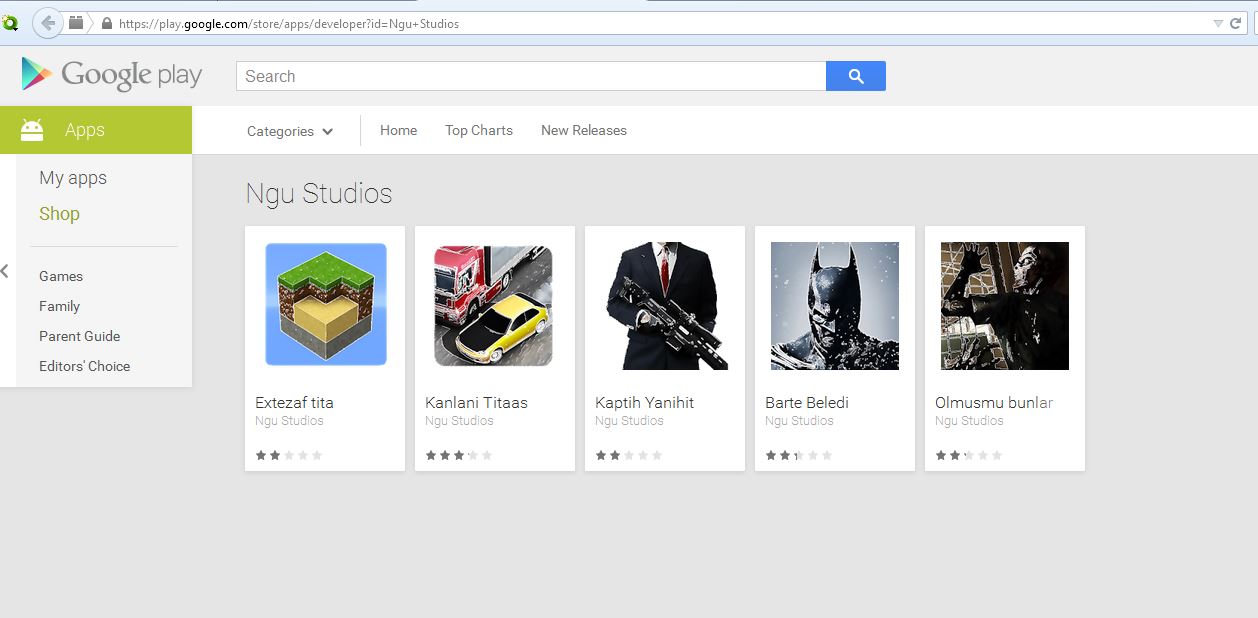
The selection of "gaming" apps affected by Clicker-AR malware on the Google Play Store.

The selection of “gaming” apps affected by Clicker-AR malware on the Google Play Store.

Once the app was downloaded, it did not really seem to do anything significant when opened by the user. However, once the unsuspecting victim opened his/her browser or other apps, the app began to run in the background and redirect the user to porn sites. Users may not have necessarily understood where these porn redirects were coming from, since it was only possible to stop them from happening once the app was killed.

May I?

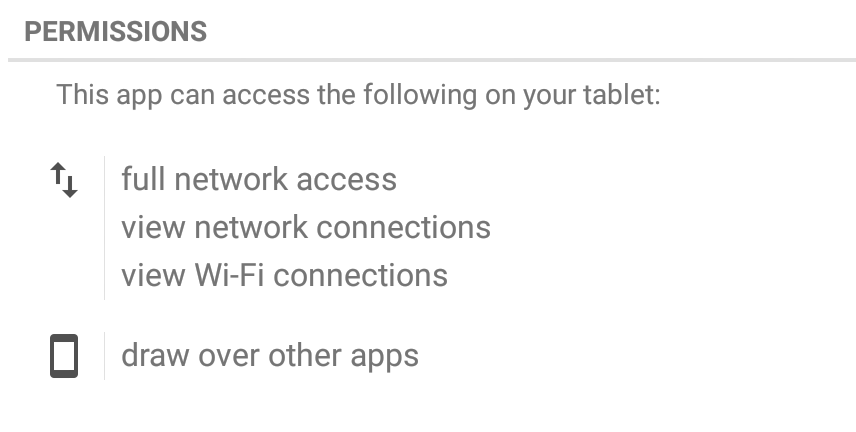
This new mutation, which Avast detects as Clicker-AR, requested one important permission that played a vital role in helping the app do its job. The app requested permission to “draw over other apps”, meaning it could interfere with the interface of any application or change what victims saw in other applications. This helped the malware put its adult content in the forefront of users’ screens.

Let’s play “Clue”

We did not immediately realize that the group behind Clicker-AR was comprised of the same folks  from Turkey behind the fake Dubsmash app. Then, our colleague Nikolaos Chrysaidos dug a bit deeper and was able to connect some clues to figure out who was behind this piece of malware. He noticed that the fake Dubsmash app and the new apps shared the same decryption base64 code for the porn links. We then noticed that they shared the same function with the same name “bilgiVer”, which means “give information” in Turkish. Finally, the old and new apps used the same DNS from Turkey. Not only did they have a server in Turkey, but they also now made use of an additional server in the U.S. – it seems they made some investments using their financial gain from April!

Bye bye, porn!

As mentioned above, these malicious apps have already been removed from Google Play and Avast detects the malware as Clicker-AR. The following games are infected with Clicker-AR: Extezaf tita, Kanlani Titaas, Kapith Yanihit, Barte Beledi, and Olmusmi bunlar. If you have any of these apps installed on your device, we suggest you remove them (unless you, um, enjoy them) and make sure you have an antivirus app, like Avast Mobile Security, installed to protect yourself from mobile malware.

Follow Avast on Twitter where we keep you updated on cybersecurity news every day.