Category Archives: Avast

Avast

Looking back at WWDC 2015

1

Apple’s Worldwide Developers Conference kicked off June 8 at San Francisco’s Moscone West.

Earlier this month, I was lucky enough to attend Apple’s Worldwide Developers Conference (WWDC) in San Francisco, where mobile developers from far and wide came together to learn about the future of iOS and OS X systems. Along with being the first time I was able to participate in this sought-after conference, it was also my first time visiting San Francisco.

Once you get past its glitz and the glamour, the majority of the event revolves around waiting in a series of queues — the day before the actual event began, the line for the event’s keynote lectures had formed around an entire city block. Although I wasn’t one of the first people to camp out there, I did arrive around 5:30 a.m. on Monday to stake out my spot. While the masses of people at WWDC can be a bit overwhelming, there really isn’t a better place to meet thousands of like-minded developers with whom one can strike up an interesting conversation discussing the ins and outs of of iOS development.

This year, Apple hosted 5,000 developers from 70 different countries, the vast majority of whom were present at WWDC for the first time. The WWDC Scholarship Program awarded 350 scholarships to recipients, the youngest of whom was Kiera Cawley, a 12-year-old app developer who has been coding since the age of nine. Apple CEO Tim Cook made a guest appearance at the conference’s special orientation session, mingling with the recipients and even taking selfies with some of them.

2

WWDC 2015

OS X EL CAPITAN — what a name! At first, I thought it had to be another joke from Craig Federighi, but I was wrong. A noteworthy new feature in El Capitan is the split view mode, which allows us to work on two apps simultaneously. Apple claims that there has been a 1.4x time increase in app launch times and 2x improvement in app switching speeds. In general, Apple has been quite busy and has made huge improvements for developers. The most exciting news is that Apple will be making Swift open source later this year — a big step forward for the developer community.

The recent release of iOS 9 makes the entire system smarter and more secure. Now, users can run two apps at once on an iPad, side by side in split view (the same feature present in OS X). This will be challenging for developers who still don’t prefer Auto Layout. For the rest of us, though, it works quite well. It’s also possible to make activities and documents within your app searchable using Spotlight or to include special links on your site that launch your app at a specific view. And yes, it’s still necessary to support iPhone 4s on iOS 9. However, it should be more optimized now more than ever before.

Jennifer Bailey announced release of Apple Pay in the UK next month. This was a bad piece of news for the developer sitting right next to me. He was working as a freelancer for a company that provides mobile payments in the UK via iOS. “My company is screwed and I should start looking for a new job,” he said in response to Bailey’s announcement. Apple Pay’s imminent launch is, unfortunately, not the best update for people whose jobs revolve around mobile payments.

During the rest of the week, Apple featured 100 sessions and labs, and over 1000 Apple engineers were present and ready to give me advice. UI Design Lab was the most popular workshop at the conference, and you could count on the fact that there’d be a huge line every day. After trying to get into the session every morning, I was finally able to make an appointment on Friday. In the end, it was worth the wait. :)

All in all, WWDC was a great opportunity to meet an impressive collection of talented developers and to discuss the vast amount of progress Apple has been making within the mobile sphere. See you next year, Apple!


Hola, Hola VPN users, you may have been part of a botnet!

VPN service Hola, which has millions of users, recently came under fire for not being as up front with their users as they should have been. In the past weeks it has been revealed that Hola does the following:

  • allows Hola users to use each others’ bandwidth
  • sells their users’ bandwidth to their sister company Luminati (which recently helped facilitate a botnet attack)
  • and, according to Vectra research, Hola can install and run code and additional software on their users’ devices without their users’ knowledge.

If you are an Hola user or if you know someone who uses Hola, please make sure you/they are aware of this.

The service, which can be downloaded either as an app or as a browser extension, is a peer-to-peer network that allows people to use other Hola users’ bandwidth to anonymize their browsing activities and to circumvent geo-restricted content.

Hola_logo_blackWhat many users did not realize is that they were essentially exit nodes and other Hola users could use their bandwidth to carry out illegal activity, like accessing child pornography.

Additionally, Hola sells its users’ bandwidth to its sister company, Luminati. Prior to the end of May, Hola did not mention Luminati on its website. Luminati’s premium service, which was originally advertised as being an anonymization network, uses Hola’s users as nodes to redirect traffic through. Hola’s connection to Luminati was exposed after a Luminati client launched a DDOS attack on 8chan, using Hola’s network (users) as a botnet.

Researchers at Vectra, a security company that identifies cyber attacks, dug a little deeper and discovered that Hola can also download and install additional software without the user’s knowledge and can install and run code without the user’s knowledge as well. Furthermore, Vectra found that Hola contains a built in console, “zconsole”. Zconsole allows direct human interaction with an Hola node even when Hola is not being actively used by a user. With access to the console an attacker could, as Vectra points out, “accomplish almost anything” and launch a large and targeted attack.

What we can learn from this

There is one main lesson people should learn from the Hola situation: research the products you download and use.

What many people may not have been aware of in this situation was how their  bandwidth could be abused by fellow Hola users and how much control Hola had. A VPN helps you to anonymize all of your browsing activities – and to access content in geo-restricted regions by redirecting it through other servers. This can, for example, be useful if you travel or live abroad and want to access content from your home country.

What you should research before choosing a VPN service

Before deciding which VPN service to use, research the VPN provider and make sure the provider you choose is trustworthy. Find out what methods they use. If they use servers to redirect traffic through, make sure you know who owns the servers, what they do with the data that flows through the servers and whether or not they keep your data or sell it to third parties.

Avast for example, offers free antivirus, but our Avast SecureLine VPN is a premium service. We charge for our VPN services, because we pay extra to own and maintain servers around the world to redirect traffic through. We do not log the data that flows via our VPN services.

Know how much control your VPN service really has Hola is available as an app and browser extension and as mentioned above, Vectra found that Hola is able to do a lot more than just redirect your traffic. Hola can download and run additional code through your browser, without your knowledge. Of course a VPN service is always going to have access to your personal data (otherwise it wouldn’t work). However, even if they don’t provide a VPN feature, browser extensions have immense control over your browser that most users may not be fully aware of.

 “Browser extensions can see everything you see in your browser, as well as everything you type in your browser, including passwords. Untrustworthy browser extension vendors can easily misuse this data and it is therefore extremely important that users be careful when choosing which browser extensions to install. On top of that, browser extensions can also manipulate search results and slow down your browser.”  Thomas Salomon, head of Browser Cleanup product development at Avast.

What you should do before downloading a browser extension

When deciding on whether or not you should download a browser extension, you should also first make sure the extension comes from a reliable and trusted source, read both professional and user reviews about the extension and read the extensions terms and conditions before downloading it.

What you should do if you have a bad extension installed on your browser If you are worried that you may have malicious extensions (they are often added when installing an otherwise legitimate program without you even noticing) installed on your browser or have an extension that is difficult to remove, you should run Avast Browser Cleanup. Avast Browser Cleanup is a tool that removes malicious and poorly rated add-ons and restores your browser to its initial and clean state. Avast Browser Cleanup is included in Avast and is now also available as a stand-alone product.

Keeping your browsing safe

Our browsing information is extremely valuable: we bank online, keep in touch with our loved ones via email and social media, search for everything under the sun on the Internet. Piece all this information together and you have someone’s complete identity, not something you want to hand over to just anyone.

VPNs and browser extensions, like Hola, become dangerous the minute they abuse their power, without openly informing their users of what they are doing. It is therefore vital that you are aware of what software you have installed on your computer and what extensions you have installed on your browser to keep your private information private.

You’re as secure as your apps’ developers allow them to be

We rely on our apps. Every day, we use our favorites to check the news, the weather forecast for our upcoming holidays, and to communicate with our beloved ones. Some apps, especially system apps, are continuously used regardless of other apps that are in use. Keyboard is one of them.

Recently, a dangerous vulnerability was discovered in the most popular keyboard, SwiftKey. The app always checks for language updates, but this process is not performed in a secure way. If you’re connected to an open or public Wi-Fi network, your phone is under risk of a very common –and dangerous –attack: the man-in-the-middle. MITM compromises your connection, allowing a third party to eavesdrop on your Internet activity. This includes the passwords you’re entering using the very same keyboard, your financial information—everything.

Your security depends on the use of a VPN. You probably already know what a VPN is and how it works. If not, you can find a lot of information in our blog. Like our product Avast SecureLine, a VPN creates an encrypted tunnel for inbound and outbound data of your Internet connection, blocking any possibility of a man-in-the-middle attack.

Unfortunately, the story does not end here. If you use SwiftKey while connected to an insecure Wi-Fi network, the attacker can also download malware into your phone or tablet. This is where Avast Mobile Security & Antivirus (AMS) comes into play. Some users think that we don’t need a security product in our phones. They might also think that antivirus companies exaggerate the need for security apps just to sell their products. Not only does AMS scan the installation process of apps, but it also checks the Internet sites you’re visiting and malicious behavior of any file in your device.

via: Droid Life

via: Droid Life

There is another need for a security program. When Google updates its app permission scheme in Lollipop, we’re alerted of a possible abuse of the scheme if an app requires more permissions under the “Other”category. However, in the next Android version M, apps will not ask permission for Internet connection (as you may think that any app requires Internet connection, right)?

If you have a Samsung S4, S5 or S6, running the stock operational system still poses as a risk —currently, the vulnerability has still yet to be resolved by SwitfKey nor Samsung. On the brighter side, you’re in luck if you use SwiftKey from Google Play (as an user app, not a system one) as it does not suffer from this issue.

You’re as secure as your apps’developers allow them to be. As shown in this case, even the most useful, popular app can contain vulnerabilities that could be abused without making use of proper protection when connecting to open Wi-Fi networks and having an up-to-date security app running in your Android..

iCloud celebrity photo hack: What’s fappening?!

Via: Huffington Post

Just about a year after a plethora of celebrities’ nude photos were leaked online, two homes in south Chicago have been raided and investigators have named one of the suspected hackers. As this controversial story and investigation continues to unfold, Avast researchers have come up with a few speculations regarding the origin and motivation behind the initial hack. We’ve discussed the case with one of Avast’s security researchers, Filip Chytry, who has put in his two cents about the situation:

GR: Why might have Apple not flagged or investigated an IP address’ 572 iCloud logins and attempted password resets?

FC: “Putting it simply, Apple just doesn’t have security implemented on this level. Even though they might sound large to us, attempting to track this number of logins and attempts to reset passwords is similar to discovering a needle in a haystack when it comes to Apple’s ecosystem. To give you a better idea of what I mean, a group of users who are connecting via a VPN and using the same server will appear under a single IP address. On the other hand, it’s quite common these days for companies to implement an automatic system which is capable of detecting any source(s) of traffic. It could be an automatic system which is able to learn from daily traffic and, using gathered data, detect if there is an anomaly present (such as the one in this case). Another key factor relevant in this attack is the timeframe over which it took place. If the hackers had accessed the various accounts over a much shorter period of time, such as a few hours, it would have undoubtedly been a huge red flag for Apple.”

GR: Couldn’t it be that a neighbor or another person in a remote location could have used the two PCs as a bot to execute the hack, similar to what’s discussed in the Tweets published within this Fusion article? Could it be that someone took control of the two PCs or the routers they’re connected to and used them to perform the hack?

FC: “Although DNS hijacking could very well be the culprit here, the extended period of time over which the hacks occurred makes this possibility less likely. It’s my theory that the suspected hacker(s) could have accessed the login details of a certain database that was uploaded by other users on a warez forum. They could have then used these login details to execute the iCloud logins using a script.”

There are a handful of coincidental components present in this investigation, leaving many questions unanswered in terms of finding the true path that led to the celebrities’ photos getting leaked. To many of us, the main thing that seems fishy about the malicious attack is the fact that the potential hackers didn’t make use of an IP-masking or anonymizing tool, making them come across as rookies within the hacker world. Since the cybercriminals behind this case didn’t appear to be clever enough to anonymize themselves, it’s even possible that they had ulterior motive for performing the hack in the first place – perhaps to be noticed and/or admired by other individuals or businesses. Based off of the current facts, we’re highly interested in seeing which direction this malicious attack’s investigation will take next.

How to stay safe when using public Wi-Fi hotspots

Many of the Wi-Fi hotspots you use in your hometown and when you travel have major security flaws making it easy for hackers to see your browsing activity, searches, passwords, videos, emails, and other personal information. It’s a public Wi-Fi connection, meaning that you are sharing the network with lots of strangers. Those strangers can easily watch what you’re doing or steal a username and password to one of your accounts while you sip your latte.

An easy and affordable way to maintain your security whenever you use free Wi-Fi is to use a virtual private network (VPN). It sounds techie, but Avast has made it simple.

A VPN service, like our SecureLine VPN, routes all the data you’re sending and receiving through a private, secure network, even though you’re on a public one. That way, SecureLine makes you 100% anonymous while protecting your activity.

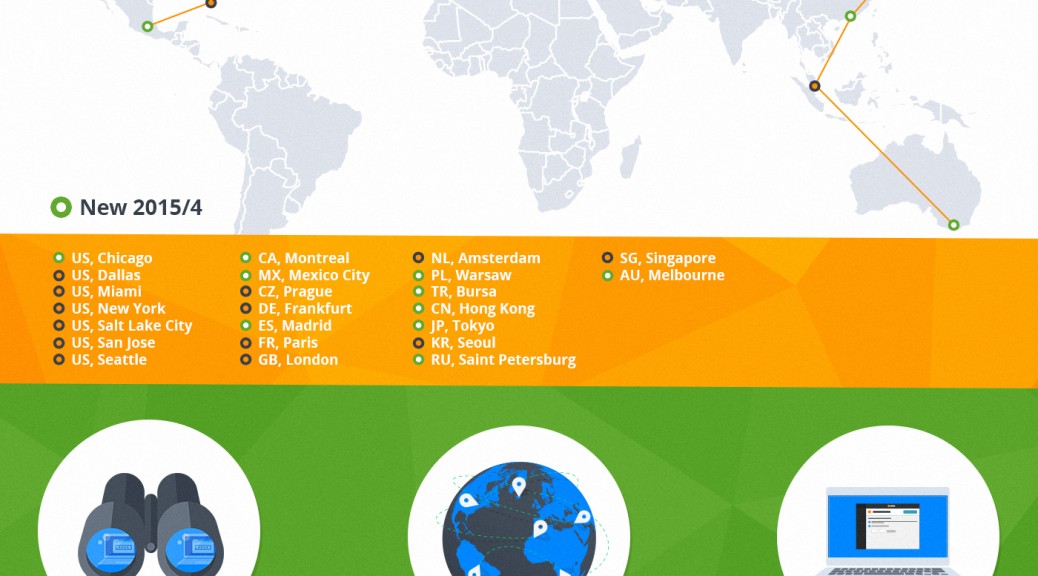
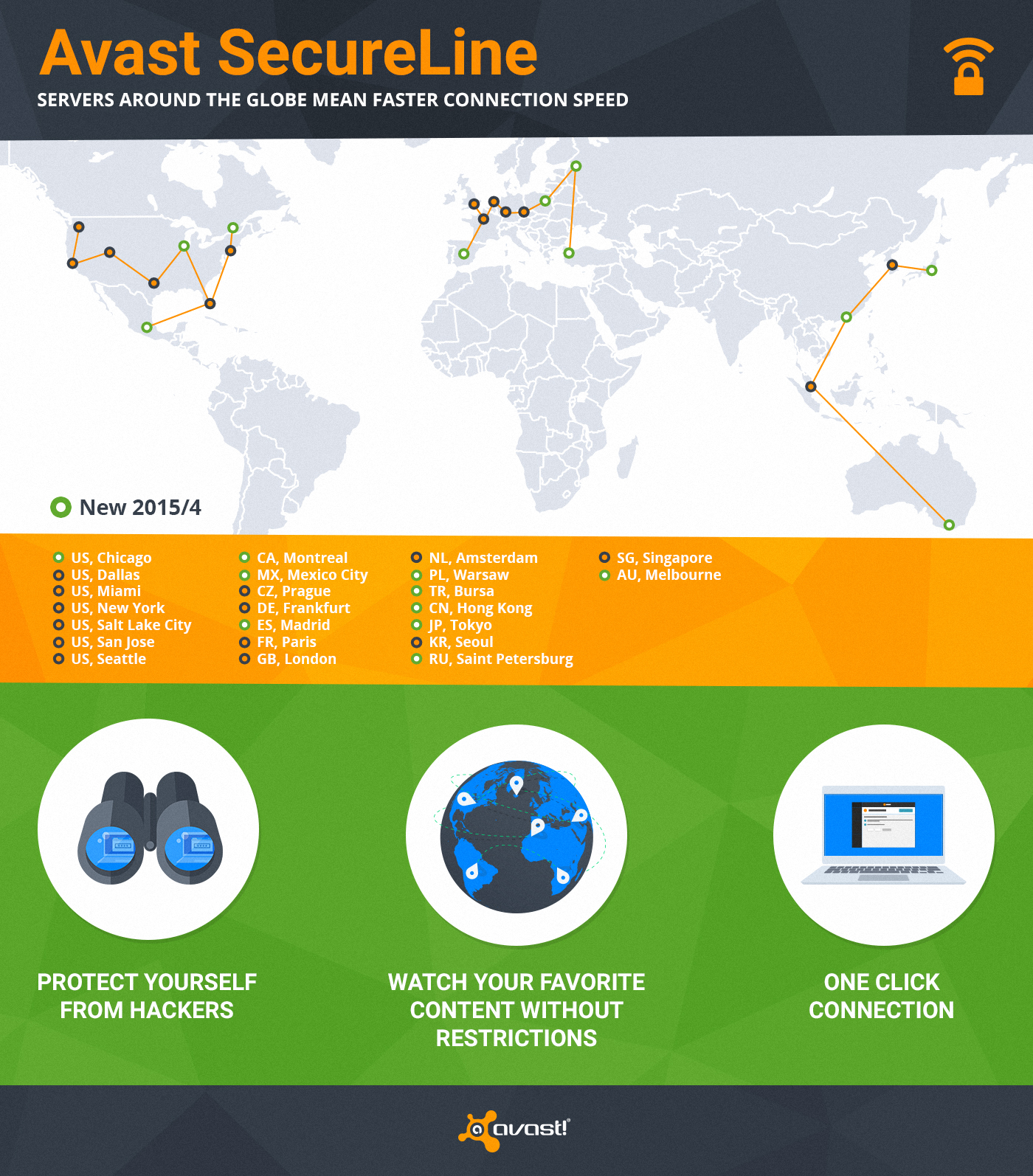
Avast SecureLine VPN has servers worldwide

We have servers all over the world so you can connect to our virtual locations anytime you don’t want anyone to monitor or log your Internet activity. We just expanded SecureLine with an additional 10 servers to ensure you have a faster connection speed.

One of the great bonuses of SecureLine is that it allows you to visit local websites restricted to visitors from abroad. With SecureLine connected to a local server, you can watch your favorite shows or listen to streaming radio in another country. That’s because SecureLine makes it look like you’re connected from the right location to access the content. (You know those countries that have blocked Facebook, YouTube, and Twitter? A VPN is how people can still connect.)

When you connect SecureLine on your PC, Mac, or Android phone, here’s what you can expect.

1) Privacy protection – hides your Internet activity anywhere on the web

2) Bypassing geo-restricted content, so you can watch your favorite content

3) You are anonymous – we don’t log what users do when connected through SecureLine

4) Ease of use – only one click and you are connected to one of 24 servers worldwide

How to use SecureLine VPN

SecureLine VPN is part of Avast Antivirus. Simply open your Avast user interface, choose the Tools option in the left menu, then click the SecureLine VPN button. Licenses for Windows, Android, and iOS versions of Avast SecureLine VPN are separate.

Supports: Windows,  iOS 7.0 or later, Android 4.0 and up

Servers: North America – Chicago, Dallas, Miami, New York, Salt Lake City, San Jose, Seattle, Montreal, Mexico City; Europe – Prague, Frankfurt, Madrid, Paris, London, Amsterdam, Warsaw, Bursa, Saint Petersburg; Asia/Oceania – Hong Kong, Tokyo, Seoul, Singapore, Melbourne

Teenagers charged with cybercrimes

Forget about shoplifting or painting graffiti on the wall at midnight. Opportunistic teens are turning to cybercrime to get their kicks these days.

teenage hacker

Teenage hackers range from pranksters to international kingpins.

A 14-year old boy in Florida was recently arrested and charged with a felony offense for unauthorized access against a computer system. The 8th grader said he was playing a prank on his teacher when he used the teacher’s administrative password to log onto a school computer and changed its desktop background to an image of two men kissing. The password was the teacher’s last name, and the prankster said he figured it out by watching the teacher type it in.

Across the country in California, two high school students were arrested for allegedly hacking into the school’s website and changing grades for about 120 students. It’s another case of “unauthorized access” and the school is working with the Cyber Crimes Bureau of the Los Angeles Sheriff’s Department to investigate.

Those two “cybercrimes” can’t compare to the one out of New Zealand. Police have detained an 18-year old they call the kingpin of an international cybercrime network. Together with other young adults in New Zealand, the US and elsewhere, he is accused of running a botnet comprised of 1.3 million hacked computers and skimming millions of dollars from victims’ bank accounts. The teen likely will be charged with having unauthorized access to computers and possessing computer hacking tools — charges that carry a maximum sentence of 10 years in prison.

Why are teens attracted to cybercrime?

One reason may be that it’s fun. Hackers were asked in a survey why they do it, and more than half said it provided them with a thrill. They also think they won’t get caught. Eighty-six percent of them aren’t worried about getting discovered or ever facing the consequences of their actions.

Others just want to prove their skills. Remember when the Australian teenager hacked Twitter because he was bored? That was back in 2009. When asked by The Independent why he did it, his response was, “To see if it could be done.”

The big rewards and rock-star status can be tempting. Rolling Stone did a story on a South Beach (Miami) 20-something year old hacker who had a glitzy, drug-fueled lifestyle while presiding over an international cybercrime ring that stole over 170 million credit and debit card numbers, estimated at $200 million.

Keep yourself safe online

It doesn’t really matter if it’s a bored teenager down the street or an underground cybercrime ring operating out of bunkers in a far away foreign land, you still need to take basic precautions to keep yourself and your data safe.

1. Make sure you have up-to-date antivirus protection with a firewall.

2. Keep your software and operating system up-to-date.

3. Be cautious of clicking on links in unfamiliar emails. Don’t provide personal information online, such as your password, financial information, or social security number, unless you are absolutely sure of where you are adn who you are dealing with.

4. Use strong passwords, and don’t use the same one for Facebook that you use for your bank. This blog has plenty of tips on how to create unique passwords and remember them too.

5. Learn what to do if something goes wrong. Find out who the appropriate authorities are in your area by contacting your Internet Service Provider or the Internet Crime Complaint Center.

TGIF: Wrap-up May 6 – June 5

We have had a busy month with multiple announcements important to Avast customers and company-watchers. Here’s the quick rundown in case you missed it.

Avast SecureMe protects Apple watch

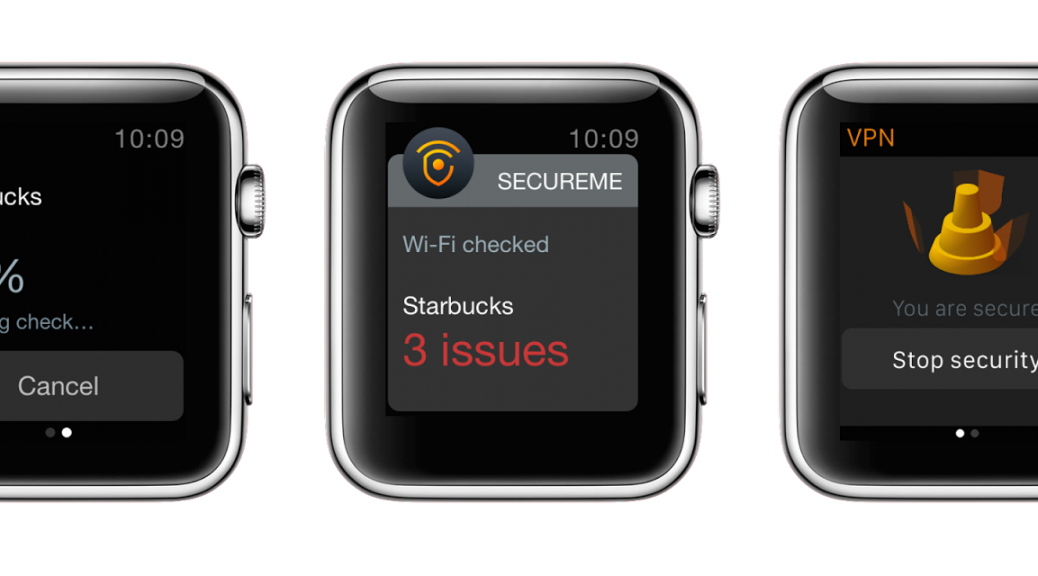
Avast SecureMe will launch in the next month or so to protect the new Apple Watch, as well as iPhones and iPads, when connected to unsecured Wi-Fi. That’s sure to make Apple gadget freaks happy. Read Avast SecureMe Protects Apple Watch Wi-Fi Users.

Image via TechRadar

Image via TechRadar

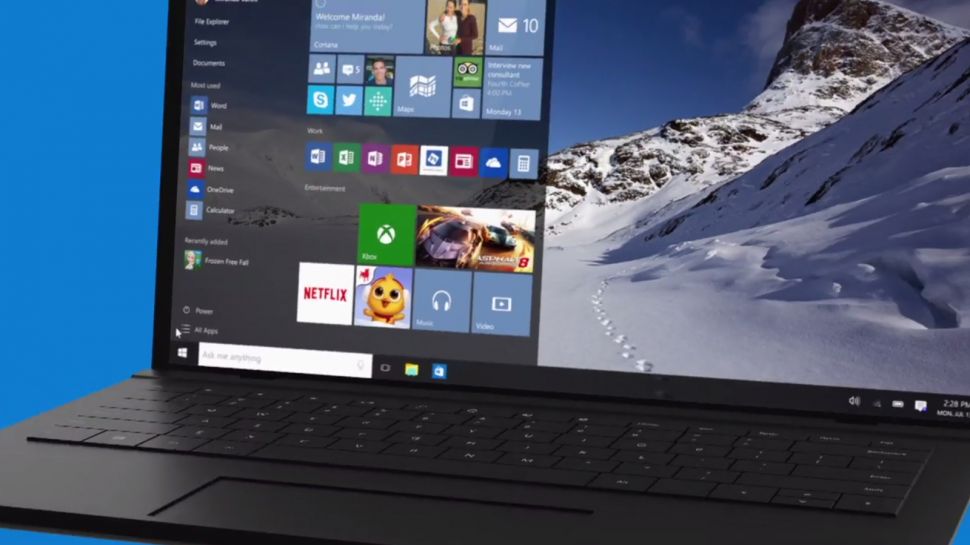
Windows 10 is scheduled to launch in July, and Avast is ready. Avast version V2015 R2 and newer are already compatible with Windows 10. Read Latest versions of Avast compatible with Windows 10.

New version of Avast has superior detection than older versions Avast customers who are using older versions of our Avast antivirus products cannot upgrade to Windows 10, but more importantly they will no longer receive product upgrades or enhancements. We recommend that everyone upgrade to the latest version to benefit from better detection rates and new features. Read Support for older Avast versions will end.

ASUS partners with Avast The new Android powered tablets by ASUS come preloaded with Avast Mobile Security, so you are protected right out of the box. Read New ASUS ZenPad to come with Avast Mobile Security.

Avast announces the opening of our new Charlotte, N.C. office.Want a career with Avast? A new Avast Software office has opened in Charlotte, North Carolina to bring the new free Avast for Business to the U.S. market and beyond. Read The Tar Heel State welcomes Avast Software.
Check out the Avast blog for other news and how-to articles that provide useful information about security, privacy, and Avast products. Have a great weekend! :-)

Avast SecureMe Protects Apple Watch Wi-Fi Users

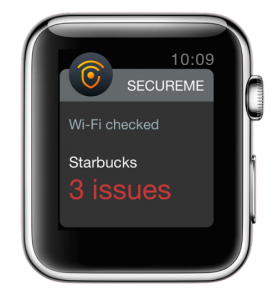
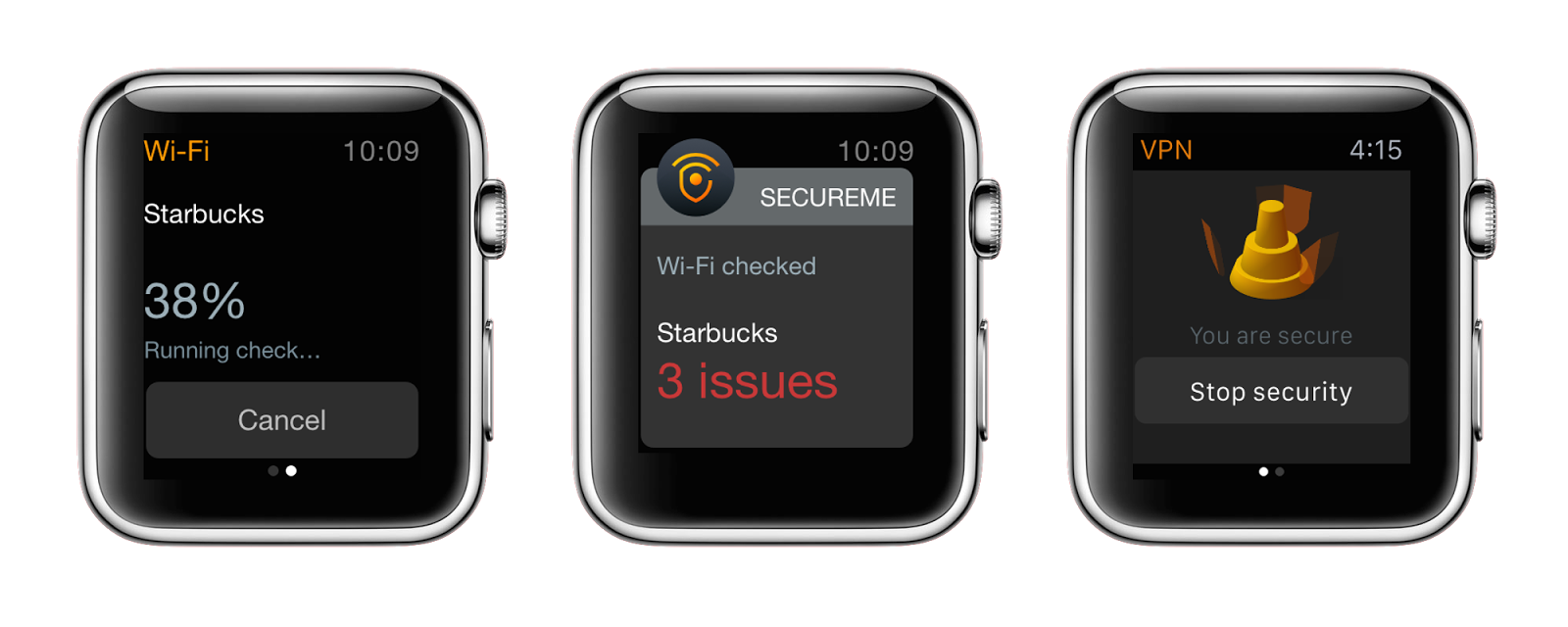
For all of the Apple Watch fans, I’m excited to announce that Avast SecureMe will be available for the device soon. We will launch Avast SecureMe for iOS this summer and will then also expand its functionality for Apple Watch. We designed the app specifically for unsecured Wi-Fi networks, which are a low-hanging fruit for hackers looking to spy on people’s browsing activities and to re-route users to fake sites that collect logins, PINs and other personal information. A ubiquitous presence in cafes, hotels and airports, an alarming number of public Wi-Fi routers are poorly configured. In a study conducted in New York, Chicago and San Francisco, our researchers found out that more than half of routers aren’t set up in a secure way.

Avast SecureMe protects Apple Watch

To protect users from losing valuable personal information, Avast SecureMe performs the following operations:

  • Quick glance to see if router security is enabled
  • Notifications if the router is unsecured
  • Establish a secure connection in unprotected Wi-Fis

If the iPhone or iPad the Apple Watch is connected to enters a suspect network, Avast SecureMe notifies the user and engages its VPN to secure user connections for online tasks like email, banking, and engaging on social networks. In fact, Avast SecureMe automatically connects to the secure VPN when it detects a user connecting to public Wi-Fi, making all transferred data invisible to prying eyes. Users can disable the protection for Wi-Fi connections they trust, like their home network.

Avast SecureMe will be available for iPhones and iPads, and is extendable for use on Apple Watches.

Sixty serious security flaws found in home routers

Scan your router with Avast's Home Network Security scanner.

Scan your router with Avast’s Home Network Security scanner.

Your router is one of the weakest links in your security, and researchers have proven once more that your home router puts you at risk.

Sixty security flaws have been identified in 22 router models that are distributed around the world, mostly by ISPs to their customers. These flaws could allow hackers to break into the device, change the password, and install and execute malicious scripts that change DNS servers to those the attacker wants. They do this so they can send your traffic through servers they control and direct you unwittingly to malicious sites or load malicious code on your machine when you visit a legitimate site.

Other flaws include allowing the hackers to read and write information on USB storage devices attached to the affected routers and reboot the devices.

The research report describes how the attackers can get in – through a backdoor with a universal password that is used by the ISP’s technical support staff to help troubleshoot for their customers over the phone. This second default administrator access is hidden from the router owner.

Which routers did the researchers test?

The researchers tested the following models: Amper Xavi 7968, 7968+ and ASL-26555; Astoria ARV7510; Belkin F5D7632-4; cLinksys WRT54GL; Comtrend WAP-5813n, CT-5365, AR-5387un and 536+; D-Link DSL-2750B and DIR-600; Huawei HG553 and HG556a; ; Netgear CG3100D; Observa Telecom AW4062, RTA01N, Home Station BHS-RTA and VH4032N; Sagem LiveBox Pro 2 SP and Fast 1201 and Zyxel P 660HW-B1A.

Since the researchers are based in Madrid, their interest was mainly in Spanish ISPs and the routers they distribute, but routers like Linksys, D-Link and Belkin are distributed in the U.S. and other countries.

What can you do to protect yourself?

Avast has a feature built into our antivirus products called Home Network Security (HNS), which scans for misconfigured Wi-Fi networks, exposes weak or default Wi-Fi passwords, vulnerable routers, compromised Internet connections, and enabled, but not protected, IPv6. It also lists all devices on the network so you can make sure only your known devices are connected. Avast is the only security company to offer a tool to help you secure this neglected area.

How to scan your home router with Home Network Security scanner

Open the Avast user interface, click Scan from the menu on the left, then choose Scan for network threats. Avast will take a look at your router and report back any issues. In most cases, if there is an issue to be addressed, then it will direct you to your router manufacturer’s website.

Latest versions of Avast compatible with Windows 10

Image via TechRadar

The future of Windows is just around the corner. (Image via TechRadar)

Earlier this week, Microsoft confirmed that the Windows 10 official launch date will be on July 29 and will be available as a free upgrade to Windows 7 and Windows 8.1 users (for one year). This latest OS will be available to pre-order in the upcoming weeks when it launches in 190 different markets across the globe. In anticipation of Microsoft’s exciting new OS, this Techradar article takes a brief look at the operating system’s past:

With Windows 8 and today Windows 8.1, Microsoft tried – not entirely successfully – to deliver an operating system (OS) that could handle the needs of not only number-crunching workstations and high-end gaming rigs, but touch-controlled systems from all-in-one PCs for the family and thin-and-light notebooks down to slender tablets.

Now, Windows 10 has emerged as an operating system optimized for PCs, tablets and phones in unique ways – a truly innovative move from Microsoft’s side. Its big reveal is now quickly approaching, and tech enthusiasts everywhere are curious to see how this OS will measure up.

Will Avast be compatible with Windows 10?

In short, ensuring that Avast is compatible with Windows 10 is quite simple. Avast version V2015 R2 and newer are already compatible with Windows 10. Users who currently have V2015 R2 or newer installed and plan to update from Windows 7 or 8 to Windows 10 will automatically have Avast transferred to Windows 10 at the same time.

For users currently using older versions of Avast, we highly suggest updating your Avast product prior to updating to Windows 10 to ensure an easy, hassle-free transition.