As with What’s app messages now can be encrypted on the Facebook messenger, too. But how does it work exactly?
The post How to: Encrypt your messages in Facebook Messenger appeared first on Avira Blog.
Antivirus Vendors
As with What’s app messages now can be encrypted on the Facebook messenger, too. But how does it work exactly?
The post How to: Encrypt your messages in Facebook Messenger appeared first on Avira Blog.
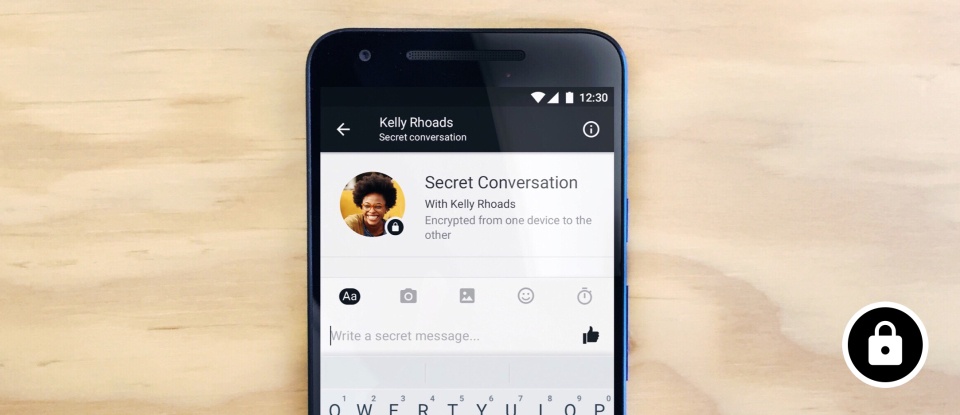
Secret Conversations available on mobile devices Source FB newsroom


On any given day, employees at your company click a multitude of links and many of them come from unknown sources. But clicking these mysterious URLs endangers more than your security, it can also threaten your business.
Curiosity can cost you. The sole purpose of these links is to transfer malware onto your system. What’s worse is that, as demonstrated in a recent study, the majority of internet users click these unknown links.
Zinaida Benenson, a professor from the University of Erlangen-Núremberg, and her team of investigators sent 1,700 students messages (from both Facebook and email) containing a shortened link in order to access a photo album. To do this they created fake accounts and profiles to see if the students trusted and clicked the unknown sources.
But, of course, a photo album did not appear when the link was clicked. Luckily for the study’s participants, there was only an error page that allowed for the investigators to count how many of them clicked the bait. The study’s results speak for themselves: 56% of those that received the link via email and 38% via Facebook clicked the links.
More than half of internet users click links without thinking.
Later on all of the study’s participants received a questionnaire. Once again, one of the conclusions drawn from the study was the most surprising: The number of those who clicked the unknown links totaled 78%. Why? For most participants, curiosity was to blame.
It is extremely important that employees are aware of the risks when clicking a link from an unknown source: this mistake can endanger all of the private data stored on company systems, including information stored in the Cloud.
However, if you see that curiosity takes flight, the best advice you can adopt is to begin using a solid protection service such as Panda Solutions for Companies, the only way to protect ourselves against these type of cyberattacks.
The post Links that endanger your cyber-security appeared first on Panda Security Mediacenter.
Brian Krebs’ website appears be to be holding up, following what has been described as “one of the biggest web attacks ever seen”.
The post Krebs’ website remains online following massive DDoS attack appeared first on WeLiveSecurity.

Pippa Middleton is the latest in a long line of celebrities to have her online accounts broken into by criminals, and private photographs stolen.
Have you properly secured your iCloud account?
The post What Pippa Middleton can teach us about iCloud security appeared first on WeLiveSecurity.

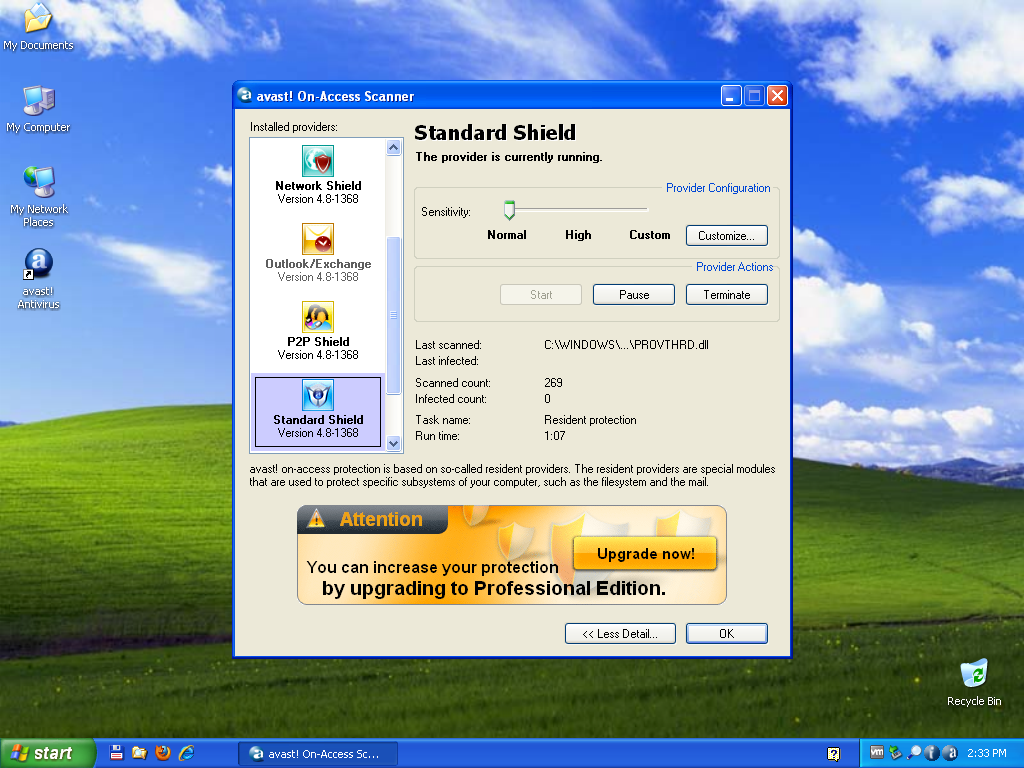
Taking a trip down memory lane with Avast version 4.8.


Keep calm and pick up the phone with Avast Call Blocker.
For many iOS users, spam calls have slowly but steadily become a regular and bothersome part of life. Although users can label specified numbers as spam on their device, this is time-consuming and quickly gets old. Many call blocking apps require access to users’ contact lists, which isn’t ideal, as private contacts shouldn’t need to be seen by companies in order to provide protection.

IoT security matters more than ever, explains ESET’s Cameron Camp, as the technology, which offers us so much, is vulnerable to attack from cybercriminals.
The post DDoS robots for the masses: IoT security comes of age appeared first on WeLiveSecurity.

USBee is a form of “air gap attack”. It uses a USB device to transmit the information the attacker wants to steal at frequencies between 240 and 480Mhz.
The post USBee: how to spy on an isolated system with a USB appeared first on WeLiveSecurity.


The fleet of computers in your business may be protected but that does not mean that your corporate information is safe. Beyond tablets, there are a number of devices such as mobile phones and smart watches that have joined the list of gadgets that every enterprise must control and protect to prevent IT risks. Every office contains a number of vulnerable devices that can pose a danger to confidential data.
Although we do not usually pay attention to webcams, they pose a danger to corporate privacy and security—even the founder and CEO of Facebook, Mark Zuckerberg, shared a photo on the social media site where we can see that the laptop’s camera is covered for security purposes.
Covering webcams at your office when they aren’t being used could help keep your corporate information private. An example of this occurred two years ago when it was discovered that a Russian website issued a direct signal to more than 70,000 private webcams that were hacked.
However, there is more work to be done than just covering webcams. Every office has routers that are not generally given the proper attention. Without the proper security measures (like simply changing the standard password that comes with your computer), a router can easily be taken advantage of by cybercriminals. They can easily take over your bandwidth and build a network of malicious bots, or worse, link it with a DDoS attack on another website.
There’s more. Corporate printers can be one of the biggest cybersecurity problems in your corporate environment. Every document that is sent out to print has to travel through a network that can be attacked. It is worrisome to think what could happen to this private information on the way to the printer. As you can see, the security of these devices are just as important as any other computer in the office.
Any device with USB storage in the office could put the entire corporate structure at risk. Malware on pen drives can be transmitted using USB ports on computers or can be used as a storage device to steal information.
As you can see, beyond covering webcams and changing router passwords, it is important to have reliable anti-malware protection for your business, devices and networks in your workplace.
The post Webcams, Routers and Other Risks to your IT Security appeared first on Panda Security Mediacenter.