Category Archives: Panda Security

Panda Security

Do and Dont’s of Cybersecurity for your business

cybersecurity business


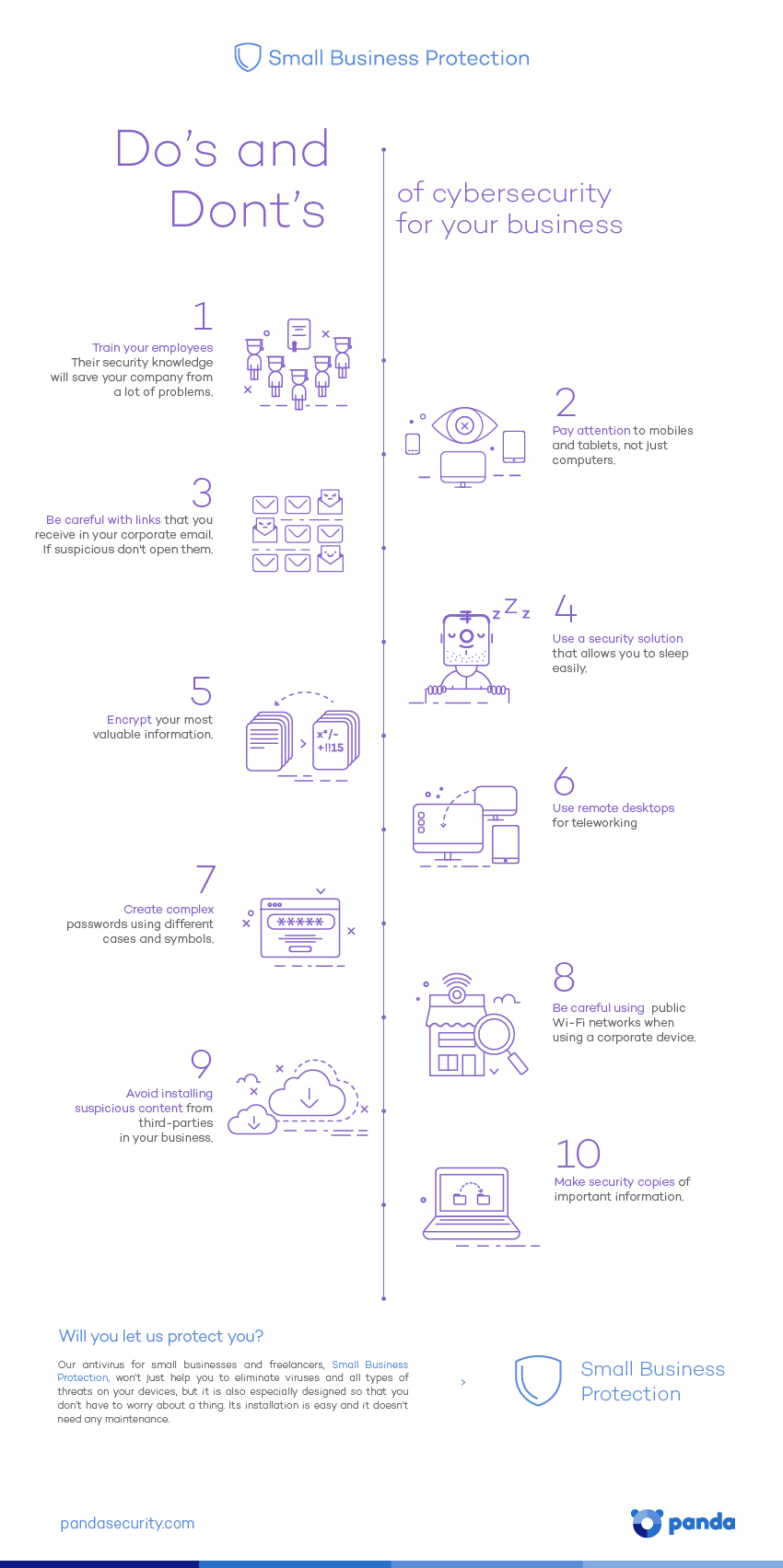
Do’s and Don’ts of cybersecurity for your business

  • Train your employees. Their security knowledge will save your company from a lot of problems.
  • Pay attention to mobiles and tablets, not just computers.
  • Be careful with links that you receive to your corporate mail – don’t open them.
  • Use a security solution that allows you to sleep easily.
  • Encrypt your most valuable information.
  • Use remote desktops for teleworking.
  • Avoid installing suspicious content from third-parties in your business.
  • Create complex passwords using different cases and symbols.
  • Make security copies of important information.
  • Keep an eye on public Wi-Fi networks when using a corporate device.

If you want to share this infographic, here you have the code:

The post Do and Dont’s of Cybersecurity for your business appeared first on MediaCenter Panda Security.

Will it be safe to use a selfie instead of your password to pay with your credit card?

selfie

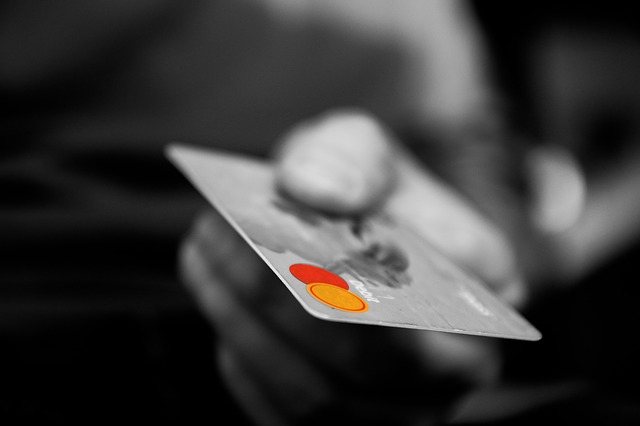
Get ready for this: Soon, selfies will not only be a good way to record the passing of time upon your face everywhere you go. As physical features are unique of each person, they will also be used as credit card passwords. At least that’s what credit card firm MasterCard thinks.

The company announced at the Mobile World Congress tech show in Barcelona that it will soon be accepting selfies as an alternative to passwords for online payments. The service will be available next summer in the USA, Canada and several European countries such as Italy, France, Netherlands, UK and Spain.

In order to use it, customers will only have to download an app to their computer, tablet or smartphone. Then, they will only have to look at the camera or use the device’s fingerprint reader (if available). However (at least for the moment), customers will still have to provide their credit card details. It’s if additional authentication is required that they will be  able to use the aforementioned feature.

With this new strategy, MasterCard aims to protect customers from fake online transactions made with users’ stolen passwords, as well as providing a more convenient system to users. In fact, the company says that 92 percent of the people who have tested the new system prefer it to traditional passwords.

credit card

Despite all the fuss, this is not the first time that this technology is put forward. E-commerce giant Alibaba announced some months ago that it would use facial recognition technologies for online payments.

Even though biometric security experts have already heralded that iris-scanning, facial recognition, fingerprints and even voice recognition will be the future, MasterCard’s initiative has re-opened the debate of whether selfies can be a safe replacement for passwords.

In fact, some experts have started wondering how information will be protected to prevent cyber-crooks from easily obtaining a user’s fingerprints or facial photograph if a transaction is made via careless use of a public Wi-Fi network.

These cyber-security experts claim that the system should incorporate several security layers to prevent potential theft of users’ facial photographs. After all, online payments make a very attractive target for cyber-criminals.

A few months ago, a group of experts from the Technical University of Berlin demonstrated that it is possible to extract the PIN of any smartphone using the owner’s selfie.  To do that, they read the passcode reflected on a user’s eyes as he typed it on his OPPO N1 phone. An attacker simply has to take control of a device’s front camera to carry out this rudimentary attack. Could a criminal take control of a user’s device to take a selfie photo and make online payments with the password they saw written on the victim’s face?

MasterCard insists its security mechanisms should be able to detect suspicious behavior. For example, users will be required to blink for the app to demonstrate it is a live image and not a photo or a previously-filmed video. The system maps out a picture of the user’s face, converting it to code and transmitting it securely over the Internet to MasterCard. The firm promises that this information remains safe on its servers, and the company won’t be able to reconstruct  the user’s face.

MasterCard has explained that the new service will only be used  for the moment in certain contexts where additional authentication is required. Additionally, this technology will also help identify the user’s location and the place where the goods are being shipped to, other indicators of a fake online transaction.

In a few months, security experts will be able to tell whether MasterCard’s system is sufficiently safe, or if in this case the cure is worse than the disease. Meanwhile, the company will continue to investigate into iris, voice and even electrocardiogram recognition as biometric alternatives to passwords.

The post Will it be safe to use a selfie instead of your password to pay with your credit card? appeared first on MediaCenter Panda Security.

A single infected smartphone could cost your business thousands of euros

smartphones

A few months ago, Apple devices were the victim of a large-scale cyber-attack, the largest in the company’s history. The company had to withdraw more than 50 iPhone, iPad and Mac apps from the App Store as they installed malicious software that allowed criminals to control users’ devices remotely and steal personal information.

So you see, not even the company with the half eaten apple logo, which boasts about the security measures applied to their technologies, is free from falling into cyber-criminals’ traps.  Smartphone attacks pose a great risk to device security and data privacy, and this is even worse in work environments.

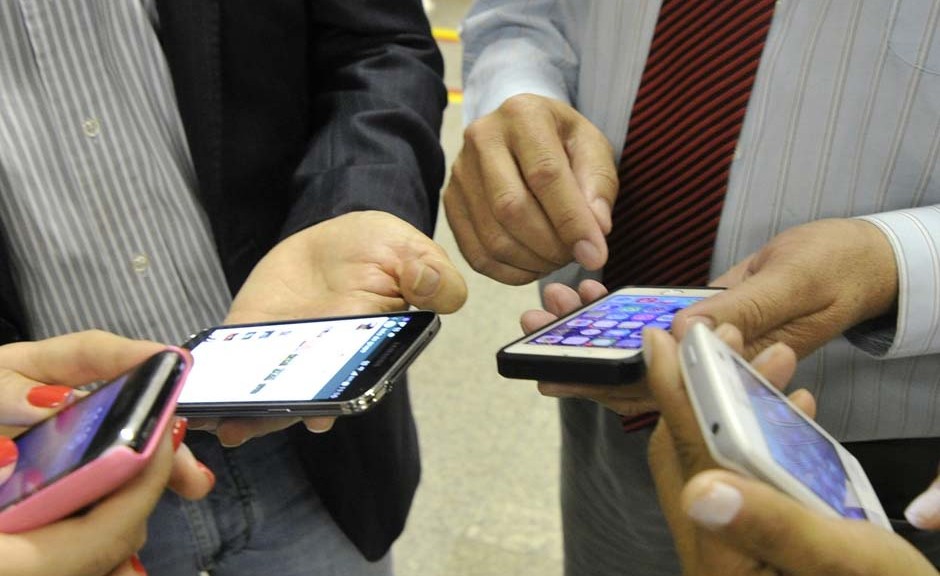
According to a recent report from renowned research institute Ponemon, the number of employees using personal devices to access corporate data has increased 43 percent over the last few years, and 56 percent of corporate data is available for access from a smartphone.

The consequences of this situation can be translated into economic figures. A single infected smartphone can cost a company over €8,0000 on average, and the estimated global figure for all cyber-attacks over an entire year can reach €15 million.

meeting

Researchers interviewed 588 IT professionals from companies in the Forbes Global 2000 list (a list of the word’s biggest public companies) to know their opinion about mobile security. 67 percent of respondents believed it was very likely that their company had already suffered data leakage, as employees could access sensitive and confidential corporate data from their smartphones.

However, there are still more reasons for concern.

When asked about what data could be accessed by employees, most of the interviewees showed little knowledge.  Workers could access far more information than IT security heads thought, including workers’ personal data, confidential documents and customer information.

Luckily, there is also good news. According to the report, 16 percent of a company’s budget is invested in mobile security, a percentage that is expected to reach 37 percent.

Additionally, more than half of the companies that took part in the study had some type of system in place to manage the data accessible to employees through their smartphones, as well as security measures such as lists of malicious apps, authentication systems and platforms to manage user access and accounts.

Researches don’t believe that going back to the past or banning the use of personal devices for work purposes are effective measures, as working in the cloud and virtual environments is increasingly common. That’s why they suggest that the solution should be to set clear limits to the information that can be accessed from personal devices, and educating employees about the risk of such practices and the available tools to neutralize them, such as those provided by Panda Security.

The post A single infected smartphone could cost your business thousands of euros appeared first on MediaCenter Panda Security.

Panda Security presents the Security Guide for Small Businesses and Freelancers

security guide

We could give you a lot of reasons to elaborate this guide, but we think that one should be enough: 91% of small businesses and freelancers
suffer daily IT attacks.

Yes, every day nearly 100% of small businesses or freelancers suffer some type of cyberattack that compromises the security of their
businesses, data, and income.

Do you still think that it isn’t necessary to protect your business on the Internet?

Take a look and we are sure that you will change your mind…

Download

The post Panda Security presents the Security Guide for Small Businesses and Freelancers appeared first on MediaCenter Panda Security.

Locky malware report

The main objective of the Locky malware is to encrypt certain system files and network drives to coerce the affected user into paying a ransom to recover them. It renames all encrypted document as hash.locky files.

Systems are infected via an email attachment. When the user opens the attached Word document, they enable a malicious macro that runs a script to download Locky’s binary file.
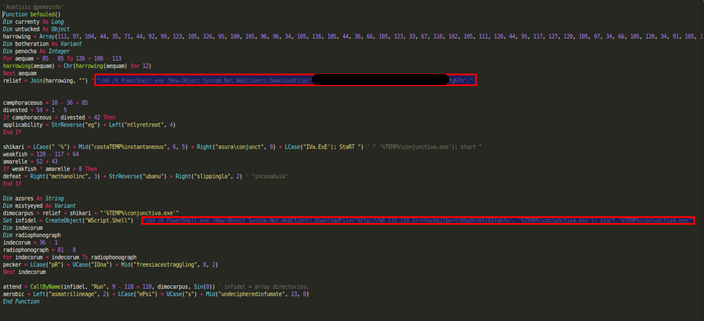
macro code

Macro code that runs the script


The script communicates with a server to download the malicious file to the %TEMP% folder and run it.
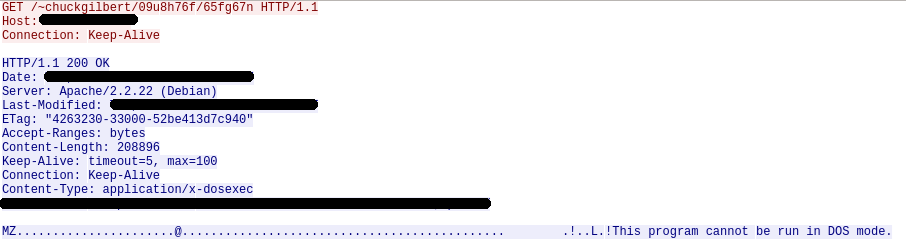
locky

Trace used to download Locky to the target computer


Once run, Locky generates a unique machine ID using the operating system’s GUID. Then, it creates the following registry key with the generated value:  HKEY_CURRENT_USERSoftwareLockyid. Additionally, it communicates with a C&C server to get the public key it uses to encrypt the system files with the RSA-2048 and AES-128 algorithms, and stores it in the following registry key: HKEY_CURRENT_USERSoftwareLockypubkey.

Locky downloads a .TXT file with the instructions for paying the ransom, saves it to the registry (HKEY_CURRENT_USERSoftwareLockypaytext), and creates a file named __Locky_recover_instructions.txt in every folder which contains an encrypted file. Then, when it is done encrypting the hard disk, it uses the ShellExecuteA API function to open the .TXT file.

Locky checks every file on the system, targeting those files whose extension coincides with the list of extensions included in its code. Those files are encrypted with AES encryption and renamed as hash.locky files.

List of extensions targeted by Locky

.m4u, .m3u, .mid, .wma, .flv, .3g2, .mkv, .3gp, .mp4, .mov, .avi, .asf, .mpeg, .vob, .mpg, .wmv, .fla, .swf, .wav, .mp3, .qcow2, .vdi, .vmdk, .vmx, .gpg, .aes, .ARC, .PAQ, .tar.bz2, .tbk, .bak, .tar, .tgz, .rar, .zip, .djv, .djvu, .svg, .bmp, .png, .gif, .raw, .cgm, .jpeg, .jpg, .tif, .tiff, .NEF, .psd, .cmd, .bat, .class, .jar, .java, .asp, .brd, .sch, .dch, .dip, .vbs, .asm, .pas, .cpp, .php, .ldf, .mdf, .ibd, .MYI, .MYD, .frm, .odb, .dbf, .mdb, .sql, .SQLITEDB, .SQLITE3, .asc, .lay6, .lay, .ms11 (Security copy), .ms11, .sldm, .sldx, .ppsm, .ppsx, .ppam, .docb, .mml, .sxm, .otg, .odg, .uop, .potx, .potm, .pptx, .pptm, .std, .sxd, .pot, .pps, .sti, .sxi, .otp, .odp, .wb2, .123, .wks, .wk1, .xltx, .xltm, .xlsx, .xlsm, .xlsb, .slk, .xlw, .xlt, .xlm, .xlc, .dif, .stc, .sxc, .ots, .ods, .hwp, .602, .dotm, .dotx, .docm, .docx, .DOT, .3dm, .max, .3ds, .xml, .txt, .CSV, .uot, .RTF, .pdf, .XLS, .PPT, .stw, .sxw, .ott, .odt, .DOC, .pem, .p12, .csr, .crt, .key

Finally, the malware uses the vssadmin command to disable the system’s shadow copy service, preventing users from recovering the backup copies created by the operating system. Then, it attempts to delete the .EXE file to remove any traces of its presence on the computer.

Although this variant doesn’t take any actions to ensure it becomes persistent on the system, other versions do add the following registry key:

HKEY_CURRENT_USER SoftwareMicrosoftWindowsCurrentVersionRun “Locky” = “%TEMP%[name].exe”

The post Locky malware report appeared first on MediaCenter Panda Security.
The first keyless car is on the way (with security in the hands of a smartphone)

keyless car

First we had keys that could remotely unlock the car door at the push of a button, an almost universal feature today. Then came keyless car systems, where you don’t even need to take the key out of your pocket as it communicates remotely with the car to open doors and start the engine with the push of a button on the dashboard. Most companies now offer this technology, though normally available in top of the range cars or at a price as an added extra.

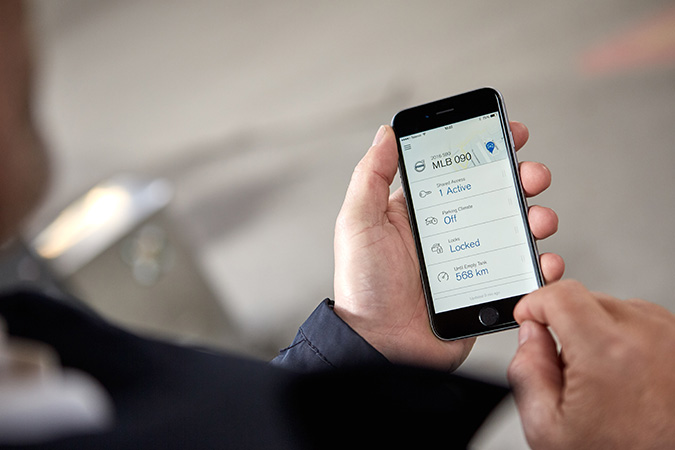
So what will be next? It’s not hard to guess: keyless cars that can be opened and started using an app on a smartphone. At the Mobile World Congress in Barcelona, Volvo announced that it will be launching the first line of such vehicles in 2017, although trials will start this year through the company’s Sunfleet car-sharing firm based at Gothenburg airport (Sweden).

app car

Other similar projects do exist (Tesla vehicles, for example, can be opened with an app if the owner loses the key), though this is the first that has a projected launch date and which intends to dispense entirely with physical keys.

As demonstrated at the event in Spain, and in the company’s promotional videos, the Volvo digital key app will be available for the three leading operating systems (Android, iOS and Windows Phone), and, thanks to Bluetooth technology,  will provide all the same functions as remote or physical keys: opening or closing doors, starting the engine, etc..

In terms of convenience, the advantages of a vehicle that can be opened and started from a phone are more than apparent. The device itself will end up functioning more as a keyring than a key, allowing you to control more than one car, with highly useful applications for hire cars, families with several cars, or anyone who might occasionally borrow a friend’s car.

That said, whenever technological advances hand greater control over to our phones, the question of security becomes a subject for debate. The million-dollar question is what you might imagine: will keyless cars be easier or more difficult to steal?

We don’t have to go too far to find the answer. Today, smart keys are raising similar questions (as did remote keys, which have been with us since the 90s, in their day). Both the police and independent researchers have been warning for several years about the growing use of IT tools to steal cars with such systems.

Unfortunately, there are various ways of attacking keyless cars: devices designed to exploit vulnerabilities and impersonate the remote, signal boosters that enable the key to open the car from a much greater distance, signal blockers that prevent the owner from locking the car… And that’s not to mention the alarming number of people who confess to not switching off the car before leaving it.

In light of all these factors, handing the control over opening and starting our vehicles to a smartphone might appear just to aggravate the problem, yet we should consider the words of the experts: “By far the most common way of a car being stolen is still from thieves breaking into homes and stealing keys. The keys are still the weakest link in a car security chain. If someone has your keys, they have your car.”

Perhaps an app is not such a bad idea.

The post The first keyless car is on the way (with security in the hands of a smartphone) appeared first on MediaCenter Panda Security.
10 things we learnt from viruses of the past

malware museum

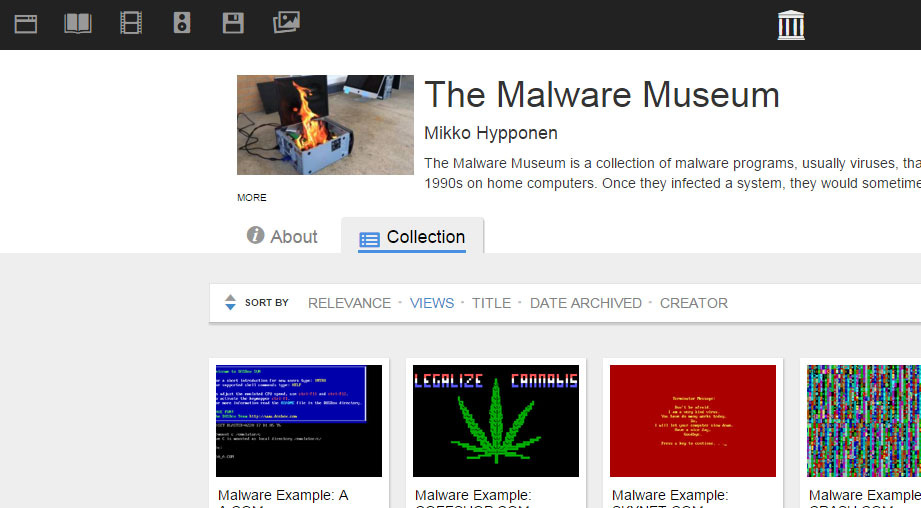
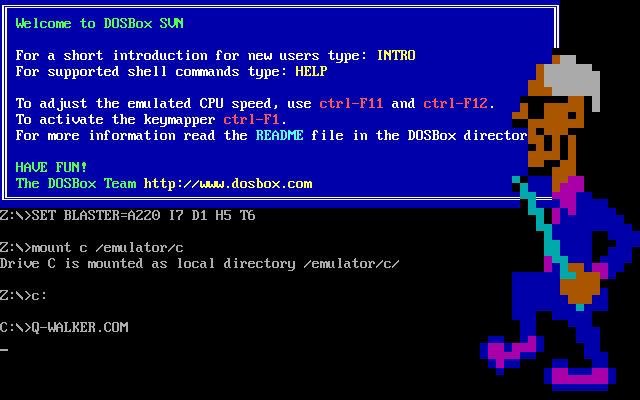
A very special museum has just opened its doors, albeit virtual ones. The gallery is online and its works aren’t paintings, nor sculptures, nor antiques: they are pieces of malware that during the 80s and 90s attacked the now defunct operating system MS-DOS (remember that?!).

The collection is hosted on the pages of the Internet Archive, the largest online library, and allows us to travel back in time to an era in which viruses were a new thing. As always, looking back on the past can help us learn in the present, even when it comes to IT security, as it helps us to see errors, solutions, and even tricks that we can apply to our present work.

Before stepping foot back in time, let’s reassure ourselves – the malware in this museum has been disabled by experts and can’t cause any harm now! Enjoy the journey without any fears over adverse effects.

So, here are things that we have learnt from the Malware Museum:

Viruses have existed for a long time…

It seems obvious, but younger people often forget how long different technology, and the associated risks and threats, have been around for. Malware has been infecting personal computers for the past 30 years, ever since the pioneering Brain for MS-DOS was developed by two Pakistani brothers. Of course, back then the objective of the malware was quite different.

… but shady business is a lot more recent.

Cybercrime mafias who today reap the benefits of data theft and computer kidnapping didn’t exist back then. The creators of viruses were introverted types who did it as a hobby or for fun, without the aim of a financial gain.

dosbox


Malware wasn’t always so bad…

This is because money wasn’t at stake. By not looking for a profit with their creations, but rather personal satisfaction or infamy, the viruses were a lot less damaging for their victims. This, of course, doesn’t mean that they weren’t an annoyance all the same!

… but they were still pretty destructive

In fact, a lot of the malicious programs from the 80s and 90s that we can see in the Malware Museum left the infected computer unusable. They deleted the hard drive, placed a screen that was impossible to exit from, made working a nightmare… every annoyance possible. They may have had more innocent intentions, but they were still malware all the same.

It was easier to know if you were infected

Now the main objective for attackers is to go unnoticed by the victim, with it being a success for cyber-attackers if you don’t realize that there is a malware on your computer. However, in the past, the goal was to be as obvious as possible. Alarming sounds, bright colors, crazy animations… if you were a victim, it was impossible not to know about it. Nowadays it’s a totally different story.

Hackers were very creative…

In the effort to be noticed, many malware developers went full-on arty with their creations. In fact, many of the viruses that we can find in the museum could easily be used as screensavers.

bce

… they also had a sense of humor

Overall, it seemed to be a game for them, and sometimes it literally was. One of the most unusual programs turned the victims’ computers into casinos. The victim had five chances to recover the information on the hard drive by playing a slot machine – if luck wasn’t on your side, you had a visit to a service technician waiting for you.

Viruses were a form of activism

Some malware developers used their works to defend causes in what we could consider a form of “hacktivism”. In this museum we can see, among other things, calls for a more equal world (praiseworthy, were it not a virus) or for the legalization of marijuana. There are even examples of fervent patriotism.

Famous films were a goldmine

If there is one thing which hasn’t changed over the years it has to be the old trick of taking advantage of big events (such as the release of a famous film) to make a larger number of victims download malware without knowing it. Recently, cybercriminals have used the release of Star Wars: The Force Awakens, but in the past there was already a virus that referenced the famous intergalactic saga. In the museum we can also find a malicious program that paid homage to The Lord of the Rings.

FOTO 3

The most important lesson: an antivirus has always been necessary

And it always will be. While there are viruses, users can only be safe if a good antivirus is there to protect them. Paradoxically, one of the malwares that we can see in the Internet Archive collection reminds us of this. So, there you have it – nearly all of the lessons that we must apply to the present have come from the past, you just need to know how to look for them.

The post 10 things we learnt from viruses of the past appeared first on MediaCenter Panda Security.
Knowing how many calories you’ve consumed is great, but be careful with fitness bracelets

smartwatches

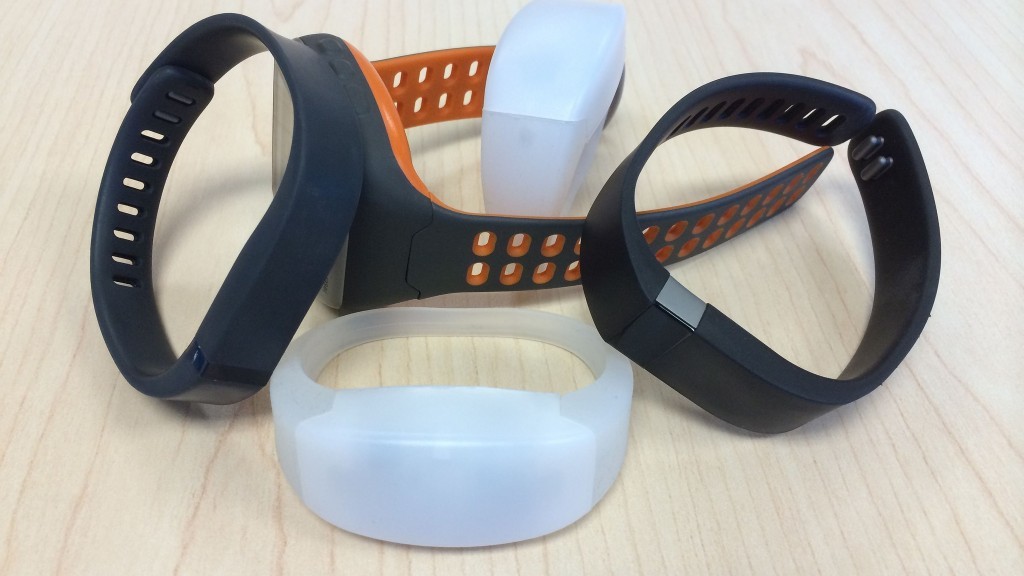
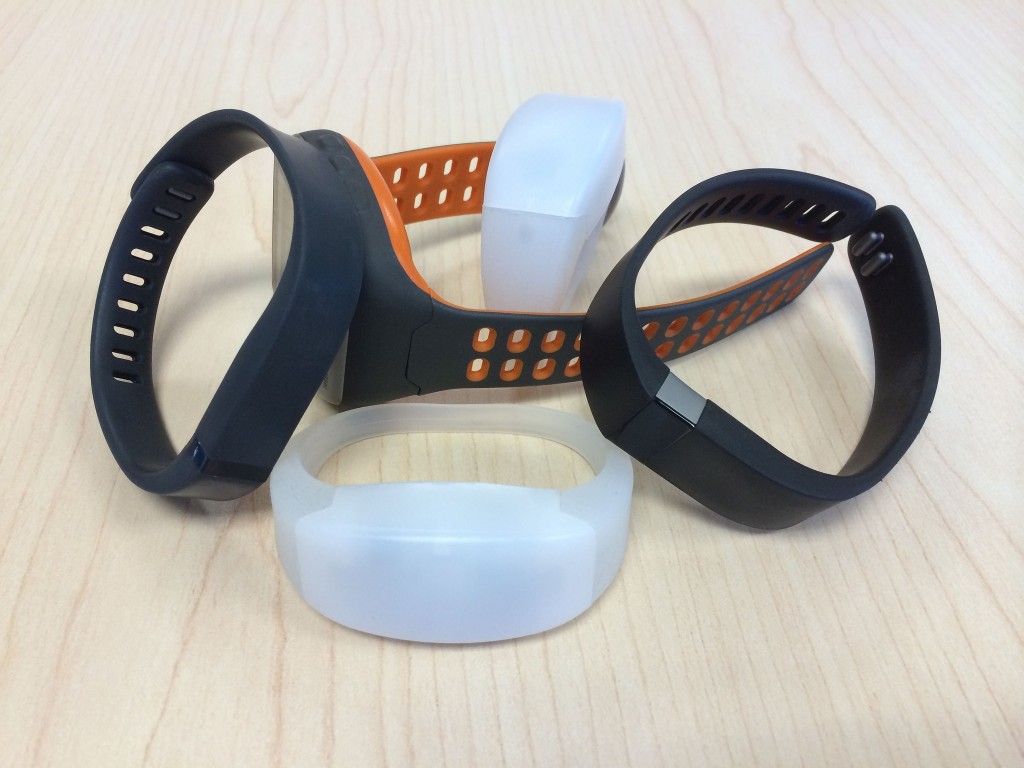
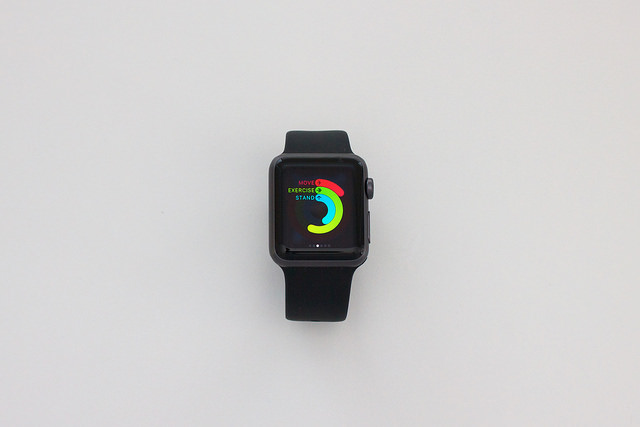
Thanks to their inbuilt sensors, bracelets and other wearables have become the perfect tool for monitoring our fitness and wellbeing – they inform us of our sporting progression and of how many calories we are burning at the gym. However, the growth in sales of these devices has also lead to a growth in the number of experts that warn of the risks that come associated with them in terms of data security.

The latest ones to raise concerns is a group of investigators at the IEEE Center for Secure Design in the United States, which has recently released a report about some of these threats.

The main risks, according to these experts, are based on the development of the device: those designed with less precision and care don’t usually include the necessary security specifications to protect the data that they collect. Their popularity, combined with the large quantity of information that they store, has made them a prime target for cybercriminals.

running

For the analysis, they have focused on the bracelets made for physical activity that measure variables such as vital signs. They also come with movement sensors such as accelerometers and they connect to the Internet to send the data to a centralized server.

The investigators claim that the attacks are directed at the software systems that control the flow of information between the device and the server. The same happens with other types of connected devices, such as smartphones or computers, which means that these vulnerabilities are taken advantage of quite often.

One of the methods that the criminals can use to access the user information is with an SQL injection. This technique means taking advantage of a security lapse to insert a malicious code in one of the IT applications that controls the database server.

Other known options are phishing and a technique which transmits unauthorized orders to a server, such as an information request. There is also the flooding of the buffer or the excess of data in an area of the hard drive, which would allow for the program that manages the storage to be modified.

smartwatch

Also, cybercriminals can carry out denial of service attacks via a fraudulent firmware update. The action leaves the device unusable, without battery, and blocks users from their accounts. It could also, therefore, affect other elements associated with the wearable, such as a telephone or computer.

The report highlights health data as delicate information that could be falsified or stolen by cybercriminals. Its authors affirm that more security measures are needed to guarantee that this information isn’t shared with other parties, even if the user publishes this information on social media.

The vulnerabilities of trackers could allow a cybercriminal to not only access the data of its owner, but also to launch attacks on a website and server of others.

With all of these risks in mind, the experts advise that, more than focusing on patching up the holes and vulnerabilities, it is necessary that we review the design process of wearables and analyze the whole ecosystem of software that surrounds them – from computers, to smartphones, and even data servers.

The post Knowing how many calories you’ve consumed is great, but be careful with fitness bracelets appeared first on MediaCenter Panda Security.
Safer selfies on the way as Instagram plans two-step verification

instagram

More than 400 million selfie lovers can breathe a sigh of relief – Instagram, the social network phenomenon, has revealed that the two-step verification process is soon to be unveiled on its platform.

This means that Instagram accounts will now be better protected by a log-in procedure which should make things harder for cyber-attackers trying to access accounts without permission. With the new two-step procedure, an email address and password will no longer be enough to enter; the user will also need to have the smartphone that the account is linked to.

Facebook, which owns Instagram, already offers the new log-in option, and now the photo platform will boast it, too. Every person that has an account on Instagram can now link it to a telephone number, ensuring an extra layer of security.

So, every time that someone (even the account owner) tries to access the account from a new device, the social media platform will send a code to this telephone number. Without this code it will be impossible to access the account.

instagram filters

This new feature will be rolled out progressively, so soon all users that are worried about their security will be able to enter their telephone number and avoid cyber-attackers accessing their accounts and eliminating photos or using the account for malicious means.

Caution on Instagram

This new security measures comes not long after the platform put its own users’ privacy at risk. When it introduced a new feature, the ability to manage various accounts from the same device, there were serious security issues unearthed.

A bug meant that some users could see notifications belonging to other accounts that shared the device. This highlighted that having the same Instagram account synchronized on different devices meant that different users could see messages, notifications, and even like other photos.

instagram message

Despite this flaw being fixed, what is certain is that internet users must always take care when sharing information and should be aware of their privacy online.

Thus, the two-step verification process on Instagram is a step forward in terms of security and should protect users the same way as Facebook, Microsoft, and Google already do. Even though new verification techniques are being worked on (such as the ones created by a group of investigators at the ETH Information Security Institute in Zurich), at the moment the best way is to use our personal telephone numbers.

However, it’s just as important to have a two-step verification as it is have secure passwords: they should be long, contain numbers; different cases; symbols, and should be different for each account. To be able to manage the large number of passwords needed today, it’s best to have a password manager just like the one offered by Panda via its different protection packs, which allows you to be in control of different passwords at the click of a button.

The post Safer selfies on the way as Instagram plans two-step verification appeared first on MediaCenter Panda Security.
Panda Security launches its Practical Security Guide for avoiding cyberextortion in businesses

avoiding cyberextortion

Security in large companies is one of the most important factors in avoiding extortion on the corporate network by cybercriminals.

This is why Panda Security has launched its Practical Security Guide for avoiding cyberextortion, in which it states that Spanish companies are the ones that suffer the highest rate of data theft in Europe. It also states that in the coming year, Spain will become the European country with the highest rate of cyberattacks. 

Ciberextortion: a limitless threat

In recent years, the massive growth in cyberattacks has led to companies devoting more time and resources to combatting the problem, and finding a security solution that guarantees greater control of their files.

The majority of attacks that use this type of extortion have different origins: 39% come from insecure or fraudulent websites, 23% from programs downloaded from the Internet, and 19% come from infected emails or attached documents.

The cyberextortion process starts by blackmailing the victim so as they pay up, thus avoiding the kidnapping of their files. Once the user agree, the payment is completed with Bitcoins. Later, the victim receives an email with the code to decrypt the data, although many times payment doesn’t guarantee that the company won’t become a victim again in the future. 

Type of malware: How do they affect the companies?

Businesses are considered the main target of this type of malware, as its aim is to cause as much damage as possible:

  • Ramsonware, the most common are Cryptolocker, Cryptowall, and CoinVault, which target the integrity of the file stored on the PC
  • APT (Advanced Persistent Threat) is a system that manages and controls the security of the computer from inside
  • Exploit takes advantage of a security flaw in communication protocols between computers
  • Phising, creates a false URL to steal bank details and identity
  • Trojan, installs different applications that allow hackers to control the computer
  • Worm, is able to infect all computers

Panda Security’s 5 tips for avoiding cyberextortion

  1. Advise your users: keep them up to date with the risks that are associated with not having a good security solution
  2. Set out rules for online use at work: assign a series of rules that control the reputation of websites that access is granted to.
  3. Design a solution to your needs: make sure you have the right solution for your business, and keep it updated.
  4. Establish protocols: control installation and running of software. Also, examine what applications have been installed periodically.
  5. Always update: set out an update policy and block certain applications on your computers.

DOWNLOAD CYBEREXTORTION GUIDE

The post Panda Security launches its Practical Security Guide for avoiding cyberextortion in businesses appeared first on MediaCenter Panda Security.