Category Archives: Panda Security

Panda Security

All it takes is a laser pen to confuse the so-called “smart car”

smartcar

Besides radars, cameras, or a GPS system, Google decided that its driverless car would also have a powerful eye mounted on top of the vehicle which is capable of 360 degree vision. LIDAR (Light Detection and Ranging), the aforementioned eye, is capable of measuring distances thanks to a laser light which creates a 3D map of all that surrounds the vehicle.

Despite this technology allowing the car to hit the roads, driverless, without committing any of the errors that befall human drivers, the manufacturers of these autonomous cars aren’t claiming victory just yet as the LIDAR sensors aren’t fully bulletproof. Jonathan Petit, a security expert, has demonstrated their vulnerabilities by showing that they could be easily tricked by external sources.

The investigator managed to fool the sensor by using a laser pen and a pulse generator, which he also claims could be swapped for a Raspberry Pi or an Arduino. So, to trick a smart car, all you need to do is spend around 60 dollars (about 53 euro).

With this system, potential attackers could make the car believe that there is a wall, a person, or another car beside it, obliging it to reduce its speed. They could also send it false signals leading the car to stop itself completely for fear of crashing with these non-existent objects.

While the radars operate on private frequencies, which makes the less vulnerable, Petit was easily able to record and imitate the laser pulses emitted by the LIDAR system. He was able to make various copies of the false obstacles and even move them, thus confusing the sensor and making it believe that the illusion was real from distances of 20 to 350 meters.

google car

Petit will present the details of his investigation at the upcoming Black Hat Europe conference, which takes place in Amsterdam in November. For the moment, however, all that he has revealed is that one of the main selling points of these cars is vulnerable.

Google’s driverless car uses the LIDAR technology of a company called Velodyne, which is based in Silicon Valley and has developed a device capable of storing more than a million pieces of data per second, allowing the car to continue its journey without incident.

This invention doesn’t come cheap, though. Each unit costs 85,000 dollars (around 75,000 euro) and this investigation shows that a high price doesn’t necessarily mean high security protection – even the most expensive ones are at risk.

Although attacks are limited to a specific device for the time being, this expert argues that all manufacturers should keep security in mind and take necessary steps to avoid any dangers on the roads. “If a self-driving car has poor inputs, it will make poor driving decisions,” claims Petit.

The problem could be resolved with a stronger detection system: “A strong system that does misbehavior detection could cross-check with other data and filter out those that aren’t plausible. But I don’t think carmakers have done it yet. This might be a good wake-up call for them.”

It’s not just Google that has tested out these LIDAR systems – the likes of Mercedes, Lexus, and Audi have also tried out prototypes on their cars, which means they also need to keep in mind any potential security risks if they want their driverless cars to become the next step in automobiles.

The post All it takes is a laser pen to confuse the so-called “smart car” appeared first on MediaCenter Panda Security.


The main information security certifications for businesses

security certifications

Just being aware of all the headlines is enough to realize that new threats and vulnerabilities in the field of information security are constantly emerging. As a result, it is essential for a company to be able to rely as much on the preparation of their security professionals as it is their IT governance strategy.

That means there is just one question – what is the best way for both professionals to obtain the adequate training (which makes them more employable), and for businesses to do the same with protocols and security procedures (demonstrating a sense of security to their customers)?

The correct solutions would be the security certifications which allow for a combinations of minimal requirements, a standardized language, and a common, professional code of ethics.

If we as both professionals and leaders within an organization decide to take up a course in IT security management, it is recommended that we opt for certifications given by international and independent organizations.

With this in mind, here are some of the most relevant certifications available:

CISA / CISM

CISA and CISM are the two main accreditations issued by ISACA (Information Systems Audit and Control Association), an international association that has been sponsoring certificates and methodologies since 1967, and is currently made up of more than 95,000 members.

CISA (Certified Information Systems Manager) is newer than CISA, and offers accreditation in the knowledge and experience of IT security management.

What defines CISM are the basic standards of competence and professional development that an IT security director should possess in order to lead or design an IT security program.

CISSP

The Certified Information Systems Security Professional (CISSP) awarded by the ISC is one of the most valued certificates in the sector. Organizations such as the NSA or the United States Department of Defense use it as a reference.

The certificate is also known as being “a mile wide and an inch deep”—indicating the wide breadth of knowledge (a mile wide) that the exam covers and that many questions don’t go into nitty-gritty details of the concepts (only an inch deep).

COBIT

COBIT 5 (the latest version tested) is defined as being a reference point used by governments and for IT management in businesses. It is managed by the ISACA in conjunction with the IT Governance Institute.

COBIT is deigned to adapt itself to businesses of all sizes (including SMEs), different business models, and corporate cultures. Its standards are applied to fields such as information security, risk management, or decision making regards cloud computing.

ITIL

ITIL (IT Infrastructure Library) can be described as a reference of good practice and recommendations for the administration of IT services, with a focus on the administration of processes. The entity that manages this certificate is the OGC (Office of Government Commerce) in the UK.

While COBITS works on the management and standardization of the organization, ITIL centers itself on the processes – COBIT defines the what, and ITIL the how.

ISO / ISEC 27000

The standard that is published by the ISO (International Organization for Standardization) and by the IEC (International Electro-technical Commission) to act as a reference point for a group of standards that provide a framework of IT security management to be used by any type of organization (be they non-profit, public or private, big or small).

As opposed to the other certificates which are aimed at individuals, this one is directed more towards businesses.

The post The main information security certifications for businesses appeared first on MediaCenter Panda Security.

Pay with Bitcoins to save a hacked phone? It’s a scam!

bitcoins

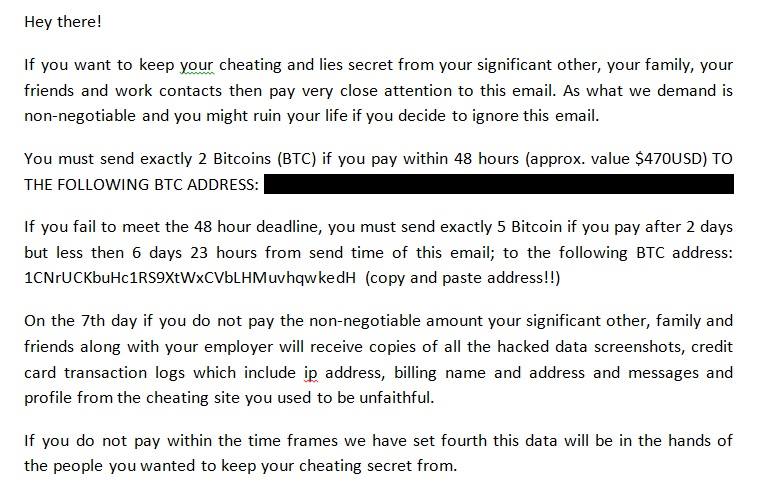
The Telematics Crime department of Spain’s Guardia Civil has warned of a new type of fraud which affects mobiles. This new operation consists of cybercriminals saying that they have taken control of your device and threatening to reveal private information to your contacts.

They do it via an email similar to this one:

hacking mobile

In this email they give you 48 hours to transfer two Bitcoins (a virtual currency that has a real value) which will increase to five Bitcoins if you don’t pay before the 48 hour limit. By the seventh day, if you haven’t completed the transfer, your private information will be made public.

However, according to the Guardia Civil, this is nothing more than a scam and you should be wary of falling for the trap. Be warned!

The post Pay with Bitcoins to save a hacked phone? It’s a scam! appeared first on MediaCenter Panda Security.
Google takes the fight to Ransomware

mobile malware

It’s becoming more and more common for malicious applications on Android to use this old form of attack. Just like their famous predecessors that went after computers (do you remember the terrible Police virus?), ransomware “kidnaps” the cellphone and demands that the owner pay a “ransom” in order to unblock the device.

It is one of the most worrying threats to mobile users as it renders the device unusable until the fee is paid and is sometimes difficult to eliminate completely. Google is aware of this issue and has finally decided to face it head on.

Its latest operating system, Android 6.0 Marshmallow, which is already available on selected terminals, makes things more difficult for cybercriminals to hijack your phone. This is thanks to the company’s experts designing a new operating system to manage the permissions asked by different applications.

Until now, the user accepted all of the permission requests at once when they installed the apps (quite often without even reading them). Due to this, seemingly inoffensive apps such as a simple flashlight were able to access features that were nowhere near related to their purpose.

Not all were dangerous though, and for the most part they were only trying to fine tune their advertising. However, this arbitrary allowing of permissions by users opened the door to malware and it is one which Google is now trying to close again.

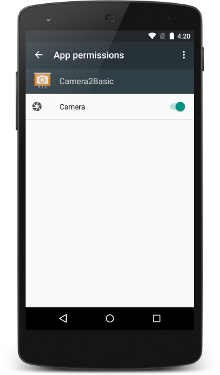
The majority of malicious apps that follow this tactic take advantage of the permission process to open alert window (SYSTEM_ALERT_WINDOW) when the terminal is blocked. Some also open an alert window which is impossible to close while others open an error message which remains on the screen.

permission mobile

In any case, the new manner of managing permission with Android 6.0 Marshmallow will make it a lot more difficult for cybercriminals to block their victim’s phone. A chat wants to access your phone? You’ll need to give it permission. An app wants to see your GPS? It can’t do it without your permission.

Now it seems that the security has been ramped up for permissions that are high risk, such as the case of SYSTEMS_ALERT_WINDOW. In this case, the user will have to manually access their settings within the app if they want to give it the green light – this isn’t something to take lightly, like in the past.

Maybe cybercriminals will think up another way to trick us into granting them permission, but this time they’ll have to think of how to do it without raising any suspicions. To keep those cyberattackers at bay, update your Android operating system as soon as possible. From then on, your best allies will be your common sense and a good security solution.

The post Google takes the fight to Ransomware appeared first on MediaCenter Panda Security.

How the Internet of Things will change cybersecurity as we know it


iot

Analysts have been saying for a long time that the Internet of Things (IoT) is about to become a fundamental element in the transformation of businesses – its impact will end up influencing all social and industrial sectors. Recently, the technology consultancy Gartner placed this technology as one to watch (along with machine learning), and estimated that it would reach its full potential within 5 to 10 years.

IoT and the challenges of an imminent roll-out

However, according to this company it won’t be long before we can see how the Internet of Things will begin to generate visible changes – a study presented this month by the Gartner team predicts a transformation in the world of cybersecurity within the next two years, thanks to the Internet of Things. Therefore, by the end of 2017 more than 20% of businesses will be using security services dedicated to protecting businesses initiatives, and that use devices and services based on the Internet of Things.

Likewise, Gartner also predicts that IT and security strategies will need to be redefined as a consequence of adopting this new technology, along with the 26,000 thousand new devices that come with it. This, obviously, will massively increase the number and reach of technological vulnerabilities.

With the massive implementation of the IoT, intelligent gadgets will lose importance against the rise of omnipresent sensors (and the huge amount of information that they generate). In short, the lines between the physical and the digital will become blurred and BITS will act as the engine that allows devices connected to the IoT to change the state of its environment, including their own.

internet of things

Gartner gives a few examples of this – a sensor that detects a temperature that is too low in a room will raise it automatically, or another that readjusts the dosage of medication for a patient in their hospital bed according to their medical records. This is without even mentioning the potential for IoT to change the way we drive on our highways (or, even better, how we stop doing it altogether).

The main challenge for the Internet of Things will be security

Businesses that adopt the IoT (the demand driven by providers and customers will ensure that they do) should increase their connectivity and readjust their maintenance policies. In any case, the main challenge will still be in the security systems. The Internet of Things is set to redraw the lines of responsibilities for the enterprise – security policies will have to be open to different profiles of employees and updating protocols, the same as what happened with the introduction of BYOD or cloud computing, but on a much larger scale, and with a far more visible impact.

“Ultimately, the requirements for securing the IoT will be complex, forcing CISOs to use a blend of approaches from mobile and cloud architectures, combined with industrial control, automation and physical security,” says Ganesh Ramamoorthy, Vice President of Gartner.

“However CISOs will find that, even though there may be complexity that is introduced by the scale of the IoT use case, the core principles of data, application, network, systems and hardware security are still applicable.”

The post How the Internet of Things will change cybersecurity as we know it appeared first on MediaCenter Panda Security.
Has the dislike button finally arrived to Facebook? Of course not, don’t be fooled!

It’s been a few weeks since Mark Zuckerberg revealed that Facebook was working on incorporating the much awaited dislike button into its website, finally allowing users to give the thumbs down to posts that they don’t like.

As expected, some scheming cybercriminals have taken it upon themselves to introduce the dislike option ahead of the official Facebook launch. However, you’re not going to like what you get if you download it.

What’s most likely to happen if you download this fake dislike option is that you will pass all control of your account to the cybercriminals and, even worse, they could install malware on your computer rendering it unusable.

How can we find this supposed dislike button on our profiles? There are a few versions:

dislike

dislike facebook

dislike button

So, now you know that if you find anything like this on your profile that you should ignore it. Also, don’t share these fraudulent pages on your timeline!

The post Has the dislike button finally arrived to Facebook? Of course not, don’t be fooled! appeared first on MediaCenter Panda Security.

Keeping tabs on your employees in a multi-device environment

connected devices

The traditional desktop computer is no longer the only device we use to get work done. For the past few years workers have increasingly begun to use their own smartphones and tablets for work. According to a study carried out by Tech Pro Research, 74% of businesses allow, or are planning to allow, their employees to bring their own devices to the office.

Despite the benefits to companies, such as being able to communicate easier with the employee when they aren’t at their workstation, security remains a priority and with the culture of BYOD (Bring Your Own Device), it’s important to keep on top of it.

The variety of devices used in the workplace, and the resulting loss of control held by the business, means that cybercriminals are able to take advantage of the many vulnerabilities in mobile devices to access the company’s network.

The National Cybersecurity Institute of Spain, the INCIBE, has advised businesses of the dangers that they face when adopting a BYOD culture and have therefore suggested some measures to avoid such threats.

So, instead of asking your employees to remove their work email from their mobile devices, the best thing you can do is follow the tips given by the INCIBE which will better protect your employees’ devices and guarantee the confidentiality of your company’s information.

  • Assign someone to be in charge of managing the devices

You need to give the responsibility to a member of the IT department to make it easier to control. If you company is small, you can contract an external service or one on the cloud.

  • Give support to all platforms possible

    The IT department of the business has to guarantee technical support for all devices used by employees so as they can work in a safe an effective manner.

smartphone

  • Educate about security

The first people who need to be aware of the vulnerabilities of their devices are the workers. Therefore, INCIBE recommends training them so that they know not to visit certain websites and that they are conscious of the risks involved with installing applications.

  • Keep on top of updates and avoid localization

Updating all of the applications and operating systems on the devices is a basic necessity – old versions of Android are exposed to a whole host of vulnerabilities. Deactivating the GPS is another tip that you should pass on to your employees, so as to avoid someone being able to localize them.

  • Keep your information secure

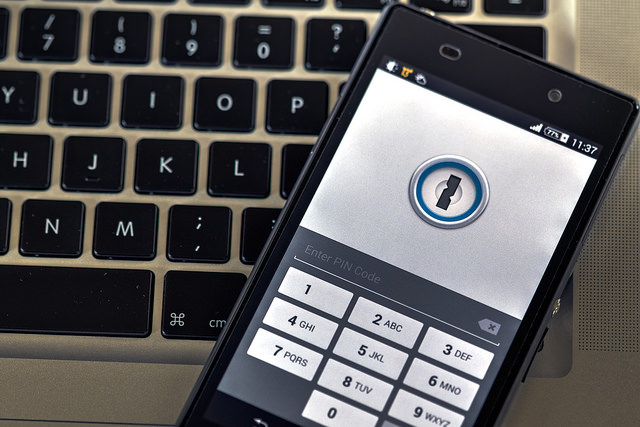
If an employee accesses relevant documents from their mobile device, it’s possible to add an extra password or encrypt the device so as to stop cybercriminals from getting their hands on the information.

  • Control access to highly confidential information

Give out ID cards (PIVs) and restrict access to confidential information to only those who need it for their daily work.

  • BYOD isn’t suitable for all businesses

In some networks, such as industrial control systems, it isn’t advisable for employees to use their own devices.

  • Be careful with external devices

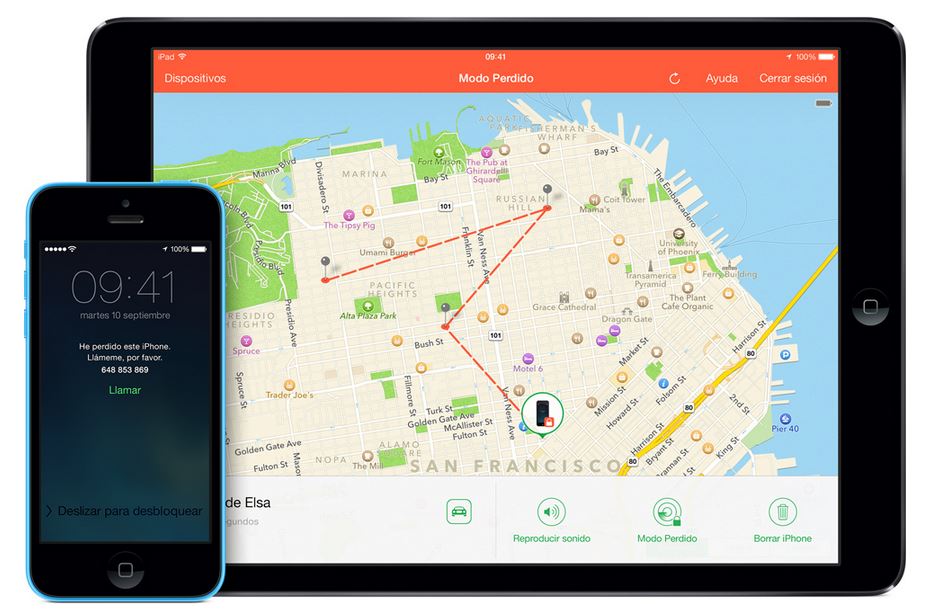
Our mobiles leave traces and things such as Find My iPhone or Android’s administrator options help us to find them easily. We can also use these tools to control which devices are accessing our network and stop our information from being spied on from outside parties.

The post Keeping tabs on your employees in a multi-device environment appeared first on MediaCenter Panda Security.

5 security measures that experts follow (and so should you!)

security

When you’re watching a movie and you see the typical computer screen filled with green coding (you know the type, rows of 1s and 0s) you might get the impression that IT experts are magicians that work wonders with a mouse and a keyboard. Theirs is a difficult professions, but they are also humans that suffer from the same human errors and doubts as the rest of us.

At Google they are well aware of this and for this reason they have carried out an investigation that tries to shed light on the security measures that IT professionals follow, and that for the rest of us seem impossible to imitate.

The conclusion they reached leaves us all in a bad light – what seems difficult really isn’t that complex at all. The majority of the steps taken by IT professionals to protect themselves from digital threats are based on pure common sense and are easy enough for the average use to put into practice.

The people behind the study compared the precautions taken by experts and those taken by regular users and discovered that the latter are skipping some of the basic steps. Here are the main ones.

5 security measures that experts follow (and so should you!)

1. Always stay updated

Make sure you have the latest version of software installed on your operating system and the programs that you use. This is the same for both computers and mobile devices. The manufacturers usually correct vulnerabilities as soon as they realize them, so it’s up to you to make sure you install the latest version. You can always allow for automatic updates if you want to.

secure keyboard

2. Strong and unique passwords

Although passwords are on the verge of extinction, they are still the main way to protect your devices. You should make sure to follow these basic guidelines for choosing passwords which include a different one for each service, ones that are hard to guess, and ones that contain a mix of letters, numbers, and symbols.

3. Two steps are always better than one

If you choose a secure password, you’re on the right path, but that still isn’t enough. The experts recommend activating the two-step verification process whenever possible (in Gmail or Facebook, for example). This way, if anyone tries to access your account then the service will ask for a code which is only sent to your mobile. This should be out of bounds for a cybercriminal.

private connection

4. Surf carefully online

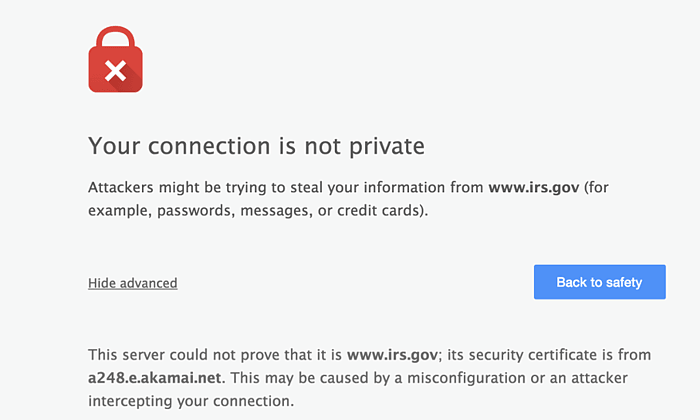
There are very few things that can’t be found on the Internet. Every day you can find something new while surfing online, but you need to be careful where you click. Not all websites are safe and some hide nasty surprises. If your browser says that something’s not right, then pay attention to its warning. Unless it’s a website that is totally secure, a warning that the website isn’t following correct security protocol should be enough for.

5. An antivirus is essential

Although some doubt its effectiveness, what’s certain is that an antivirus software with firewall is the best barrier against attacks. Surfing the web without an updated or reliable protection is an unnecessary risk that the experts at Google aren’t prepared to take. So why do some users continue putting themselves at risk?

If some of these measures don’t form part of your routine, then you should adopt them immediately. Not only because the experts consider them common sense, but because, above all, they are very easy to adopt and can save you a lot of problems.

The post 5 security measures that experts follow (and so should you!) appeared first on MediaCenter Panda Security.

Santiago Mayoralas, Panda Security’s new Chief Financial Officer

Panda Security is proud to announce the appointment of Santiago Mayoralas as Chief Financial Officer for the company. In his new post, Santiago will be responsible for managing financial matters for Panda Security, which currently has a presence in more than 80 countries.

Santiago Mayoralas has a degree in Business Administration and Management from the Autonomous University of Madrid and a Master in Financial Management from the IE Business School. He also has extensive experience in technology companies, both engineering and consulting, where he has performed various functions within their finance departments.

Santiago Mayoralas

Before joining Panda Security, Santiago Mayoralas headed the finance department of Prosegur in Colombia. He has also held various financial roles in companies like Altran, Alten and KPN Spain.

“The incorporation of Santiago certainly makes us stronger and better. The talent and the value that he has demonstrated throughout his career assures us of his ability to lead and manage us in tackling the present and future challenges that face our project, “says Diego Navarrete, CEO of Panda Security.

“Being part of a company with over 25 years of renowned excellence like Panda, which is technologically cutting-edge and that has a clear commitment to the Cloud, Big Data, mobility and the Internet of Things is certainly very exciting. Contributing to their future success is a professional challenge that I face with enthusiasm,” said Santiago Mayoralas.

You can download the photo here.

The post Santiago Mayoralas, Panda Security’s new Chief Financial Officer appeared first on MediaCenter Panda Security.

Security for iOS 9

ios 9

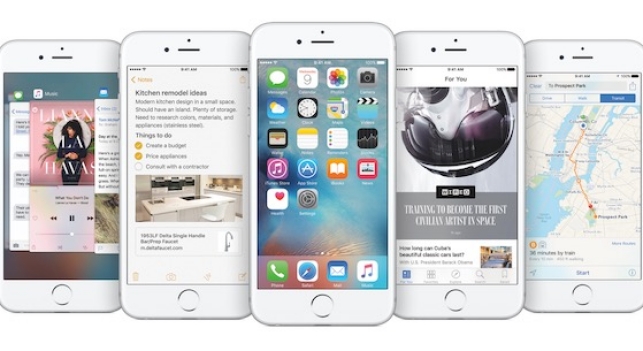
IOS 9, the Apple’s new operating system is here and along with it comes a mission on its behalf – to slowly rehabilitate the brand image that has been under scrutiny in recent months.

Beyond doubts over the amount of space that the new system occupies and how long the batteries will last, Apple’s integrity is at play following the Celebgate scandal that saw many well-known stars have their private photos, some nude, leaked thanks to a weakness in the security of the iCloud. As if that weren’t enough, there have been problems with the security measures in place for the Apple Watch.

With this serving as a backdrop, the company has just launched its new mobile operating system, one which sees security being prioritized above all else – an access code which features more digits and a two-step verification process.

The latter is more important than ever when it comes to keeping stored information safe. With this new process it is impossible, even if someone got hold of your passwords, to access your Apple ID account as it would be necessary to have a second password – one which only the user has hold of.

These new measures join other security measures that were already in place on Apple’s devices such as Touch ID, which allows you to unblock the iPhone by using fingertip technology, and the encryption of iMessages.

Security for iOS 9

Besides these security measures, any user who has a device starting with iPhone 4 up to the brand new iPhone 6, can take advantage of iOS 9 and, if they like, can also opt for these extra measures to ensure their phones and privacy are kept under wraps.

  • Find my iPhone: What Android allows its users to do, Apple allows theirs to do, too. With this tool it’s possible to know where the phone is and even delete anything stored on it.

lost iphone

  • Block access to Siri from a blocked screen: Apple’s virtual assistant is useful, but sometime she can put your security at risk. In some cases it’s possible to get past the blocked screen and interact with Siri. To avoid this, you can deactivate this option and save yourself any hassle.
  • Be careful with autocomplete: Just like on any other device, the autocomplete tool is useful yet dangerous. It allows you to forget passwords and users but allows anyone to access your accounts or device. It’s better to remove this option.
  • Secure passwords: Again, even though you have the two-step verification process, the best way to keep yourself protected is to have a secure password. Keep these tips in mind when you’re selecting a new password (and change it often!).
  • Automatic updates: Enjoying the latest automatic updates from Apple is essential to be able to take advantage of all the new security measures. An updated device is a safe device!

The post Security for iOS 9 appeared first on MediaCenter Panda Security.