
Category Archives: Panda Security

Panda Security

Facebook shields your messages: even the notification email will be encrypted

key closing door

If we were not aware of the eyes that watch over us on the Internet, Edward Snowden confirmed two years ago that American authorities monitor all our conversations. The former contractor at the NSA revealed that agents of the intelligence services roam freely in our private inboxes.

Then, many technology companies reassured their users and took some actions, but there are still things to do in order to ensure the total security of the conversations. One of the companies that seems ready to settle any suspicion about a possible intrusion is Facebook. According to the latest undertaken actions, everything points to the fact Mark Zuckerberg’s team wants to make it even more difficult for those who intend to snoop around others people’s conversations.

All the users’ connections with Facebook’s servers, including sent and received messages, are already transmitted via secure HTTPS protocol. As if this isn’t enough, the social network has also launched a Tor network service for the reassurance of their most demanding users with respect to privacy.

However, besides the connections that users establish through the service itself, there are other communications which are made via Facebook indirectly, via email. They are the notifications that you receive, for example, when a friend sends you a direct message (unless you have disabled this service).

Since the safety of these messages was not so assured, Facebook has announced that, from now on, all users – if they so decide – may receive them protected by the popular encryption Pretty Good Privacy (PGP). PGP hides the emails from potential intruders with a code system based on a public one (which the sender must have) and a private one (which only the receiver has).

mark zuckerberg

The Setup process is simple:

  • Access your profile
  • Click on the ‘Information‘ section
  • Go to ‘Basic and contact information’. From now on you can also introduce here your PGP public code (if you don’t know what it is or how to get it, the best thing you can do is to read a tutorial), which will be displayed in your profile, available to anyone who wants to send you an encrypted email.

Below the panel you will see a box on which you will have to click if you want all the notifications that Facebook sends you, from now on, also to incorporate this security layer.

like facebook

So whenever the encryption is used, it is very important to remember the code you established to protect your email with PGP. If one day you forget it, you won’t be able to read the notifications from Facebook, and you could lose your account on the social network.

How could you reach this far? Imagine that you had to use, for any reason, the typical Facebook password recovery email: the email would arrive encrypted, and you would only be able to read it and restore the ‘password’ if you can decode it. If you have forgotten our PGP private code in addition to your Facebook password, then you have a problem.

But don’t worry: it gets worse for the cybercriminal who tries to assault your account using the password recovery procedure. This trick will never be useful again. If he doesn’t have the PGP private code which decodes the emails that you receive, he would not be able to restore the password, even if he has access to the Facebook’s mail, because it will be encrypted.

It is a great security measure, without a doubt, which Facebook has just implemented. Now we will just have to wait to see if Zuckerberg’s network is an exception or other social networks decide to make a commitment to the safety of their users.

The post Facebook shields your messages: even the notification email will be encrypted appeared first on MediaCenter Panda Security.


Try our Beta and win 600€ on Amazon!

2016 beta contest

We launched the beta for our Panda Security 2016 range!

And we will like to ask you for your help! We will love if you could use it, have a look around and give us some feedback! We will appreciate your ideas, comments, and suggestions on what you liked best and, especially, what could be improved.

For a chance to win a 600€ Amazon Gift Card!

How to enter this giveaway? Through our channels in Facebook, Twitter (using the hashtag #PandaBeta), Google+ or by leaving a comment on this article.

Panda Security 2016 Beta Contest

What do you have to do? Download our beta and give us your opinion.

Dates: from June 15 to July 6.

How? Through our official channels.

banner en

The post Try our Beta and win 600€ on Amazon! appeared first on MediaCenter Panda Security.

How to act after a cyber-attack

broken padlock

We hear it every day, experts are always talking about it: preventing cyber-attacks is very complicated, almost impossible, so what organizations should work on is on perfecting the process to follow once they have suffered an attack to regain control as soon as possible, disinfect computers, assess damage and take the appropriate actions. The way an organization acts in a situation like this is key. A quick reaction, efficient, makes a difference and, without a doubt, it reduces the negative effects in the long-term.

Here are the main steps to follow to address this complicated task, which companies like Sony Pictures Entertainment or Home Depot, are some of the most notorious cases, and survive a cyber-attack successfully.

1. Implement a response plan.

Once an attack has been discovered, the first thing to do always should be launching an incident proper response plan, which should be set in advance. So, if your company still doesn’t have one, you should start working on its definition as soon as possible.

Why is it important to have a plan? Because the response will be quicker. These plans should define who in the company has to act and how, which other sections (suppliers, partners) must be involved, the way each department must act, what technologies are needed to respond to the attack and even, how to determine its extent, which company’s information has been compromised or stolen, etc.

The plan implementation involves, firstly, containing the attack, if is still taking place, to avoid it from affecting more systems or devices and cleaning the already infected ones. If necessary, we must stop the systems to ensure that they are perfectly clean. Then analyzing where has occurred the data breach and how, what security measures were in place (encryption, etc.) and did not work and, finally, proceed to the total recovery of the data and systems. In addition, is advisable to monitor these more persistent, especially in the moments and days after the incident to ensure they don’t get infected again.

2. Coordinating the team that will face the cyberattack.

As mentioned in the above response plan, it should be specified who will be in charge of facing the cyberattack. Now, set to work all those professionals together. Of course, not only IT profiles and related to the security of the information are involved. Also will the organization’s team of public relations and communication, the responsible for human resources, the area of ​​business and management directors and the legal department. Among all they must provide an efficient and coordinated response not only towards their own employees but also towards their customers, suppliers and, of course, the public opinion.

3. Contacting with third parties.

The team responsible of responding to the cyberattack should also contact their usual IT and security suppliers and others who can help the team in this case, and report the incident to the national authorities and security forces.

lens

It is also necessary to meet with the company’s legal offices and with external experts to evaluate the possible implications regarding suppliers, customers, shareholders… taking into account, the way of communicating this type of incident may vary depending on the sector and the critical nature of the affected data. For example, if the breach has occurred in the financial or health sectors the communications must be very agile, as there is set already protection regulations which affect these sectors in particular. In this regard, it is important to document the extent of the attack, when it started and when it ended, which information was compromised or stolen, etc.

4. Transparency and communication.

These two requirements are essential after a security incident. Silence only creates uncertainty and mistrust and can have extremely negative effects on the company’s image. Communication with employees, customers and partners must be constant after a cyberattack. They have to know the extent of the incident and if they have to take some actions (for example, changing the passwords to access the service, as indicated Evernote after the suffered attack) and even in cases when emails or other employees’ information was accessed (see the Sony Pictures case) or customers, there are experts who suggest psychological help might be good.

In addition to communicating these issues through the several channels that are relevant (not only email but also by telephone, etc.), if the cyber-attack is powerful a call center may be established to provide information and what are the next steps for the affected individuals. It is even necessary to address a strategy to monitor the social media to analyze how the cyberattack is affecting the company’s image and also answer through this channel showing transparency to build trust.

5. Learn the lesson.

No company wants to experience this type of situation, but if it has been affected by an incident of this magnitude, the best is to look on the bright side, take note and learn the lesson. Every cloud has a silver lining and from an experience like this a company should learn the lesson, apply best practices to avoid a similar situation in the future or improve the reaction capacity if it happens again.

The post How to act after a cyber-attack appeared first on MediaCenter Panda Security.

Apple Watch: nothing prevents thieves from resetting the password and using a stolen one (even for shopping)

apple watch

It is one of the longest awaited gadgets in recent times and is set to become one of the technological gadgets of the year, but it has already given rise to the first scare: Apple Watch is vulnerable.

Apple’s smart watch, which has been on the market for just over a month, has given a hint to the public of its security flaws: security gaps which can end up being expensive for this wearable first buyers.

Apple Watch lacks an Activation Lock feature

On the one hand, Apple’s watch may become an object of desire for thieves, something the iPhone tried to prevent with certain security measures. The smart watch lacks of an ‘Activation Lock’ feature, which was created to dissuade criminals from illegally obtaining one of the company’s devices.

This feature first appeared with iOS7, and makes that the only way of disabling the ‘Find my iPhone’ option –which allows the user knowing where his device exactly is- is with the user’s Apple ID and password. In other words, unless the thief has your username and password, he won’t be able to disable the option that will allow you to find your stolen iPhone.

However, the smart watch doesn’t have the ‘Activation Lock’ feature. In addition, resetting the device and erasing all data- password included- is simple, even without having the PIN code which protects the watch, as you can see in the following video:

Shopping at your expense

A second vulnerability of the Apple Watch may work out to be even more expensive for the pioneers who have already bought it.

Thanks to its sensors the device detects when it is placed on a user’s wrist. While it is being worn it doesn’t require a password to unlock it, to enable its owner to access the screen and to make payments with Apple Pay.

If we take the watch off our wrist, Apple Watch will ask you to re-enter the password, so that, if it gets stolen, your data is safe, especially your financial one.

However, the watch’s sensors have a delay of about a second to re-enable the PIN code and, in addition, they don’t detect whether the watch is on the wrist or on any other body part, so some crafty thieves can take the watch off of a wearer’s wrist and then quickly cover the sensors with his fingers to keep the watch from locking.

Here the thief was not only able to access the information stored in your Apple Watch, but also to make purchases with your Apple Pay account.

So, the cracks in the security of the so long awaited Apple Watch are starting to undermine the fame of the device that Apple fans wanted to have on their wrists. The fact that with some tattoos the sensors of the Apple’s Watch don’t work is just a mere anecdote, now the security of its users is at stake.

The post Apple Watch: nothing prevents thieves from resetting the password and using a stolen one (even for shopping) appeared first on MediaCenter Panda Security.
Be careful when restoring your Android! WhatsApp and Facebook logins may survive and end up in the wrong hands

android

You are rarely separate from the device which is with you day and night. Sending it to the technical service because it has been giving you problems for the last few weeks, giving it away because you want to buy the next model or giving it a second life by recycling it or donating it through the numerous web pages are some of the many situations in which you will have to say goodbye to your phone, temporally or forever.

This is when you should think about the amount of private information your smartphone stores, so the best thing to do is to erase every single detail of your life and leave no trace suggesting that this mobile phone used to be yours.

You should not only erase your photos, but preferably you should restore your Android’s original settings, with the original data so that your memories are eliminated from your mobile phone, before you send it to the technical service, to someone else or to a recycling service. You just have to do a backup first and then reset your phone selecting the option for reestablishing the original data which you can access from the settings option.

A simple way for the millions of Android users around the world (in 2014 alone more than one billion devices with this operating system were sold) to make sure their phone is like it was on the first day. Or so we thought until now…

Two researchers from Cambridge University, Laurent Simon and Ross Anderson, have just published a study which shows that our data remains in the phone even if we have restored the original settings. These experts estimate that between 500 and 630 million Android devices in the planet are not able to erase completely the data stored in their internal disks and SD cards, which poses without a doubt a threat to their owners’ privacy.

To conduct the research, they tested 21 devices from five different manufacturers (Samsung, HTC, LG, Motorola and Google) with different versions of the Android operating system, in particular from the 2.3 to the 4.3, and they were able to recover most of the data stored on these supposedly empty devices.

change passwords

Contacts, pictures, videos, texts, emails and even Facebook or WhatsApp logins were some of the data the researchers were able to recover. In fact, the study shows that the data could be easily reestablished even when the owners had activated the full restoration of the disk.

In 80% of the cases the researchers managed to access the users’ private information and Google services like Gmail and Calendar. The study suggests that it could be the responsibility of the manufacturers, who might not have included the software drivers necessary to clean the non-volatile memory of the phone. Of course, it is still not known what Google and the electronic brands involved will do to fix the problem.

So, if you are thinking of separating yourself from your phone soon and don’t want anyone else to recover the information it contains, you have two options: accept this and think that no cybercriminal will be interested in the details of your virtual life (bad idea) or partly destroy the phone and recycle it part by part (not very advisable, either). It will almost be better to wait for it to be fixed.

The post Be careful when restoring your Android! WhatsApp and Facebook logins may survive and end up in the wrong hands appeared first on MediaCenter Panda Security.

Panda Security Launches Adaptive Defense; Industry-First Solution for Endpoint Security Offering Automated Prevention, Detection and Remediation of Advanced Malware

Panda Security today announced the launch of Panda Adaptive Defense, a cloud-based solution that ensures endpoint protection against Advanced Persistent Threats (APTs), the ransomware trojan CryptoLocker, and targeted attacks in enterprise environments. Adaptive Defense offers a disruptive approach compared to traditional blacklist-, whitelist- and sandbox-based approaches. Adaptive Defense also detected the recently publicized “Phantom Menace” that was reported by PandaLabs.

Advanced Persistent Threats are next generation malware that use sophisticated strategies, such as multiple simultaneous attacks over an extended period of time with the primary objectives of industrial espionage or data theft. Traditional antivirus solutions are not capable of detecting these types of attacks, nor of disinfecting the computers that become compromised. Adaptive Defense, however, delivers an industry-first security model based on automated monitoring, investigation and classification of the behavior and nature of every application. This provides robust and complete protection, only allowing legitimate applications (goodware) to run.

Additionally, Adaptive Defense’s remediation services and ability to incorporate into the customer’s existing security infrastructure provides a complete enterprise solution against all types of malware.

“No other security developer provides the full classification or attestation of all processes, making Adaptive Defense a significant innovation in this field, and the ideal solution for companies looking to fill the gap of existing approaches”, said Josu Franco, Vice President of Corporate Development at Panda Security. “Panda has leveraged its storied 25-year history in the security industry to bring this kind of innovation to the security market, and now offers a solution to address the increasingly insidious malware environment companies are facing”.

Full Classification of All Processes

Adaptive Defense automatically and continuously classifies all running processes using a combination of local intelligence, big data in the cloud and Panda Labs Research. This approach enables:

  • Automatic blocking of any processes identified as malware (prevention).
  • Automatic identification of abnormal behavior of a process (detection).
  • Forensic information for investigation when needed (response)..
  • Automatic disinfection of identified malware when possible (remediation)

Security professionals responsible for enterprises around the world can view the status of hundreds, even thousands of endpoints in real-time, as well as manage all settings from a single Web console.

Panda Security will be showcasing Adaptive Defense at the Gartner Security & Risk Management Summit, Booth 1127 for which Panda is a Silver Sponsor, in National Harbor, MD from June 8 – 11, 2015.

The post Panda Security Launches Adaptive Defense; Industry-First Solution for Endpoint Security Offering Automated Prevention, Detection and Remediation of Advanced Malware appeared first on MediaCenter Panda Security.

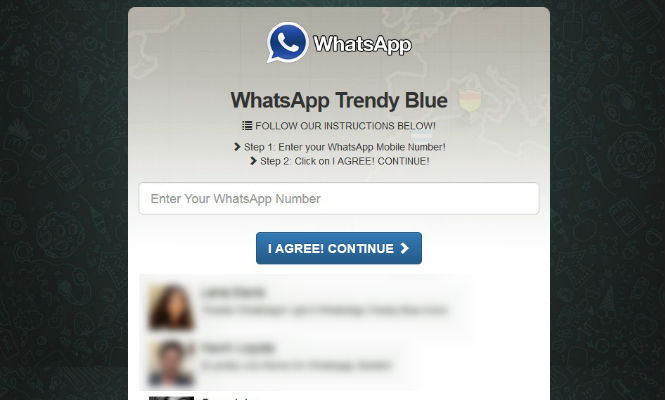
WhatsApp Trendy Blue, the program which signs you up to a premium rate. Watch out!

One more, there have been so many, we’ve lost track! WhatsApp Trendy Blue is the last hoax to deceive the users of this instant messaging application.

whatsapp trendy blue

WhatsApp Trendy Blue, the new “version” that promises new options to customize the users’ WhatsApp. In fact, it is only subscribing the user to a premium rate service, which it is not exactly cheap.

From Movistar, a Spanish telephone company, they warn that for the program to work, it asks the user to invite at least 10 contacts, who will receive a message recommending them to sign up for this fraudulent website.

So please, don’t fall for these traps, only trust the versions offered by the official stores!

The post WhatsApp Trendy Blue, the program which signs you up to a premium rate. Watch out! appeared first on MediaCenter Panda Security.

“What is your mother’s name?” Google dismantles one of the most popular security measure

computer

What is your mother’s name? And your favorite color? We don’t want to interrogate you, these are the security questions we have to answer in order to recover our password or as an extra step during the identification process.

If we have forgotten our password, after failing all attempts to entering it correctly, the platform asks us one of the questions we chose during the registration process. We know how difficult it is to choose a secure password, different from the last, change it from time to time and, actually, remember it, how can such a simple question protect our account?

A team of researchers from Google have set out to determine whether or not this security strategy really fulfills its mission. To do so, they have analyzed hundreds of millions of questions and secret answers. They have summarized their findings in an article in the twenty-second World Wide Web international conference’s publication.

In short, the authors found that secret questions are not reliable enough, so they don’t serve as the only mechanism to recover the account’s passwords. Although some of the answers are safe and easy to remember, these two characteristics don’t generally coincide. When the answer is so complex that it serves as real protection, memory fails.

confused person

On the other hand, the easiest options are usually related to some aspect of our daily life or even of public domain. The main mistake is found here, they can be deduced with the appropriate analysis tools and a little patience.

This way an attacker could figure them out considering a limited set of possibilities. Let’s say, for example, the most common surnames in a country, the most popular dishes, or simply the most common colors (to determine your favorite).

Google’s research provides some significant figures regarding that matter. A ciberattacker would have a 19.7% chance to find out the answer to an English-speaking user to the question “What is your favorite food?” The most common answer is “pizza”. In case of the Spaniards, with 10 attempts there is a 21% chance of guessing right his father’s second name.

We also have news for those who fake their answers to prevent anyone from guessing it. In the study, 37% of people intentionally answer incorrectly questions like “What is your phone number?” Nevertheless, this strategy could backfire, because most end up choosing the same false answers, making it easier for the criminals.

So what is the solution? Choosing a more complicated question? The authors of this study don’t advise it, because the numbers show that we forget them quite easily. Most of those who chose one of the theoretically safer questions didn’t remember their answer.

In particular, only 55% recalled their first phone number, 22% remembered their library card code and an even fewer (9%) their frequent flier number.

Incorporating two or more questions is not a good idea, because, according to the experts at Google, this would complicate the recovery of the account. If users cannot remember one, hardly they would even more.

The only solution is to use other authentication methods, such as access codes sent via text message to your cell phone (two-step verification) or an alternative email address. The authors of this research describe these two methods as “safer” and ensure that they offer a better user experience.

The post “What is your mother’s name?” Google dismantles one of the most popular security measure appeared first on MediaCenter Panda Security.
How to protect your SIM card when it is the key to your WhatsApp

whatsapp app

Finally you have your new smartphone in your hands. Whether it is a Nexus, an iPhone or a BQ we are sure that one of the first things you do is download WhatsApp. You are so focused on setting up the app that you haven’t stopped to think about the implications of your WhatsApp identification being carried out by your SIM card.

In social networks you create a new profile with a user number and a password, but in the instant messaging service par excellence (it already exceeds 700 million users) you identify yourself exclusively with your cell phone number. Once you have connected your number to WhatsApp, the app is associated with the terminal, whether or not the SIM card is inside.

Our phone number is also a way of identifying us in other services we use daily, such as email. Gmail allows you to add a phone number to your account in order to protect it and to ensure that if someone intercepts it or you forget your password you can get it back. Google’s support web page explains that associating your phone number is safer than an alternative email or a security question, because your phone number is something you have physically thanks to your SIM card.

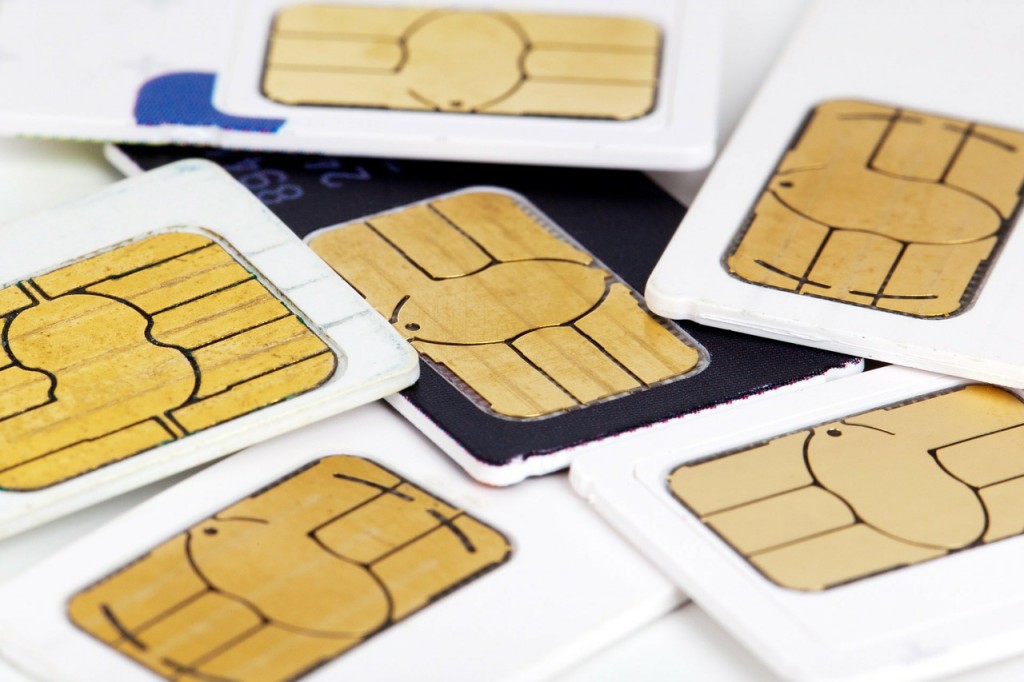
Your phone’s security starts on that card. That’s why security experts recommend taking preventive measures to avoid anyone from spying on your WhatsApp conversations if your SIM card gets duplicated or someone takes it temporarily.

pin cards

How to protect your SIM card when it is the key to your WhatsApp

  • Keep your PIN and PUK code in a safe place: some people have the bad habit of writing them on a piece of paper and putting that paper in their wallets. If you leave your personal belongings unattended for a few minutes, someone might put your SIM in his phone, enter the PIN to which he has had access before and then spy on your conversations indefinitely. If this person is careful to leave everything exactly as it was you will never realize what has happened.
  • Another possibility is that someone clones your SIM and impersonates you. Although in current SIM cards the process is quite difficult, if you are one of those who has cut his card to adapt it to the new terminals there are ways to carry out attacks and clone the information that your card contains.
  • The third method (and most likely) is that a cyber-attacker will keep the information in your card, it is called the ‘SIM Swapping Attack’. The SIM Swap is the process through which a user can transfer a phone number to another company. A cybercriminal can perform a phishing attack or identity theft which will allow him to know the transfer information, keeping all the SIM’s information. This type of attack has been long used for accessing bank accounts: the offender manages to replace your phone number and starts getting all notifications and calls from your bank, including those in which the bank sends you confidential information about your account, for example, to verify a transaction.
  • If you lose your phone or it gets stolen and you have a WhatsApp account associated, we recommend you to associate your number to another telephone as soon as possible so that if the stolen terminal asks for a verification test the offender cannot complete it. To prevent anyone from reading your conversations if the phone falls into their hands, you can deactivate your account here. You will only have to send an email to the support team that will deactivate the account for a period of 30 days, after which you can decide whether to reactivate it or eliminate it altogether. Of course, it may take several days for WhatsApp to process your request and disable your user account, a time during which your account will be unprotected.

So, now you know that your SIM card can be a potential source of interest for real and virtual criminals, that’s why is not enough to keep making sure your phone is in your pocket: you also have to start making sure that the card inside is as secure as possible.

The post How to protect your SIM card when it is the key to your WhatsApp appeared first on MediaCenter Panda Security.

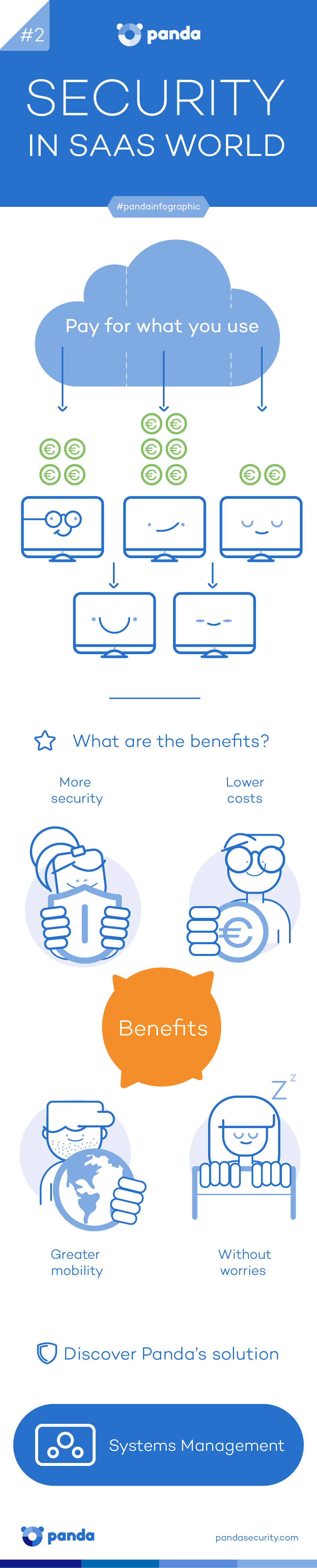
Security in SaaS World

If you are a business owner, probably one of the things you wonder is how to monitor all your devices?

Well, with Systems Management you can manage and maintain them easily and affordably, whether they are in the office or on remote.

Systems management allows you to optimize your IT infrastructure’s performance by automating its management and its centralized control.

Plus, you will be able to resolve your users’ incidents accessing their computers and devices remotely and in a non-intrusive way, wherever they are.

Try our IT management software and technical support!

saas security

If you want to share this infographic, here you have the code!

The post Security in SaaS World appeared first on MediaCenter Panda Security.