The good performance and the excellence of Panda Security has been recognized by ICSA (International Computer Security Association) because of having received quality certifications on their products for the last 15 years.
Panda Security received the 15 year ICSA Labs’ Excellence in Information Security Testing (EIST) Awards which recognizes Panda’s “outstanding achievements” maintaining the quality certification of their products during these 15 years.
Stephen Gaus, ICSA Labs Business Development gave the award to Luis Corrons, Technical Director of Panda Labs during the RSA 2015 Conference in San Francisco.
This distinction recognizes the resources, dedication and efforts invested by Panda Security to maintain this certification. Also highlights the “willingness to persevere the quality” of their products to benefit their customers and the security universe.
A single denial-of-service attack (DDoS) can make medium and large companies loose tens or hundreds of thousands of euros, according to most studies published in recent months.
As we have mentioned before, this kind of attacks consist on saturating the servers that store the files of a platform or web service. As a result, the access to the servers is suspended with the resulting interruption in the exchange of information.
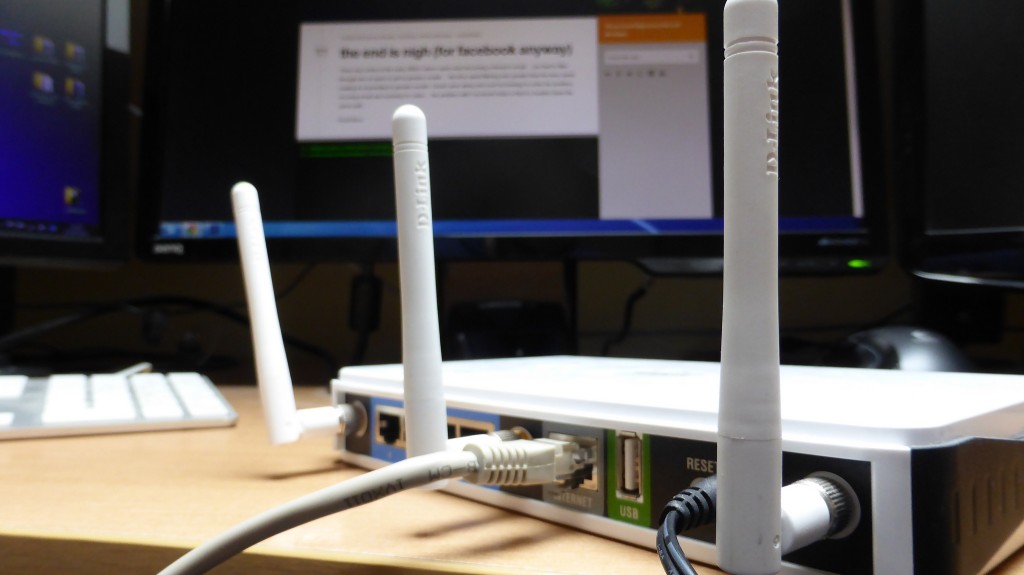
Cybercriminals used tools or malware installed in one or several computers to perpetrate their crimes so far, but now they have expanded their horizons. Recently, Chinese researchers have found that criminals can launch DDoS through printers, webcams or even routers.
Asian experts have analyzed one of the greatest denial-of-service attacks that has ever happened. It took place in December 2014 and paralyzed the online gaming services of Sony and Microsoft for several days.
According to this investigation, the 30% of the devices accessing the servers until they were blocked were connected to the network. Cybercriminals had taken over the routers using a malware that attacked devices with weak passwords or security holes.
However, now is not even necessary to install any malware. Experts have identified an increasing technique that controls these devices based on the SSDP communication protocol, a channel mainly used by these peripherals to communicate with computers.
The SSDP is designed to send information, feature that the attackers use as leverage. If many printers send information repeatedly to the server where the web page is hosted, the outcome is likely to be a DDoS which will make the site crash.
Since this technique is so simple, it has a huge potential to be spread. It is easier to control these devices than a computer, and the amount of routers, printers and other office devices an attacker might use increases the efficiency of the attack.
Furthermore, the possibilities grow with the arrival of the Internet of Things in companies and homes. Smart TVs, thermostats and even cars are open doors for cybercriminals.
Although is difficult to avoid DDoS, it is possible (and we advise you should) to monitor the passwords to connect any device to the network. At least, we will be able to discourage cybercriminals from attacking.
When you visit a webpage, your computer actually accesses the server where the files displayed on your screen are located. If you enter a password on this site, it will also go to the server, where it will be stored. Companies use secure protocols, like the popular OpenSSL, which encrypt communications of computers connected to the network.
So when in April 2014 a serious vulnerability in the software package of OpenSSL was published, companies all around the world held their breath. Since 2012, the open source SSL protocol version was not complying with its protection duty.
The ultimate responsible for the finding was Google’s engineer Neel Mehta, who found it after thoroughly reviewing the tool’s open source code. Mehta along with team members of Codenomicon gave CVE-2014-0160 a simplest name: Heartbleed. With a logo of a bleeding heart to expose the severity of the fault.
The vulnerability allowed cybercriminals to access users information (passwords, bank accounts, and other sensitive information) stored on the Internet servers using OpenSSL.
The news kept on edge thousands of companies that used this system to encrypt communications in their webpages or between internal servers. Even ‘routers’ use the SSL system. One of the affected organizations was the Community Health System (CHS) in the United States: compromising the data of 4.5 million patients until the authorities fixed the error.
Fortunately, as with any other security breach, a fix was found. OpenSSL team developed a software update which made it disappear. Professionals had only to follow a few steps to safeguard their communications again.
However, a recent report carried out by a group of security experts revealed that 74% of the largest companies in the world are still at risk. The reason being that those companies have not yet gotten rid of the malware. In addition to installing the new version (1.0.1g or higher) they had to cancel and change the encryption keys and the library certificates. This process requires some computer skills and, in many cases, contact with the digital certificates’ suppliers. Something many of them left half done.
Although some experts doubted the test results, the fact is that Heartbleed is not a regular ‘bug’. When vulnerabilities affect only one program they can be quickly fixed but during its two years of life the OpenSSL breach infected 66% of the active pages on the Internet, according to Netcraft. Even Yahoo! or Flickr were affected and had to fix the problem.
The cryptographic library is one of the companies most used software, from an online shop to a simple user identification on a corporate platform. OpenSSL is often used to protect mail servers, chats and virtual private networks.
Internet users couldn’t do anything about it, just trust that the people responsible for their most visited websites had solved the security breach. Companies did have homework to do in order to solve the problem. We just hope that, at least, the report results make the stragglers get down to work.
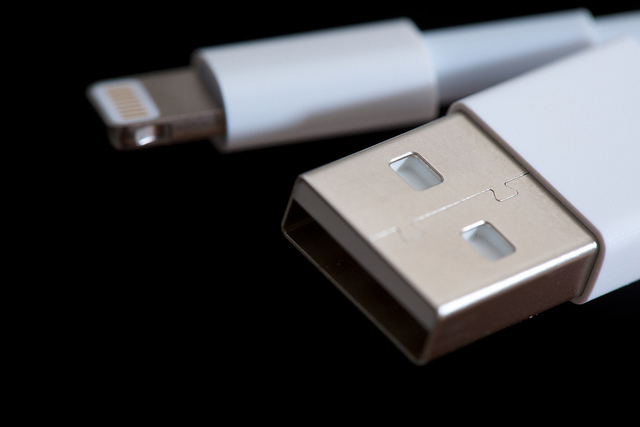
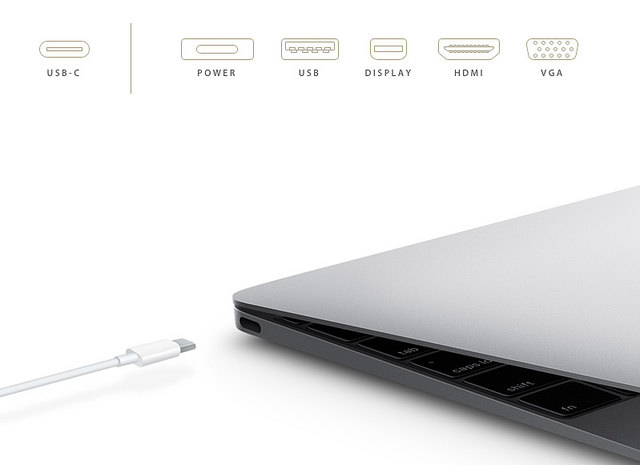
Wouldn’t it be nice not having to turn around several times your USB before connecting it to the computer? You won’t remember that feeling, very soon. The new connector Type-C USB, better known as reversible USB, is the answer to your problems, with the same number of pins or connectors in both sides. It will allow you to transfer data much faster as video signals or electric energy, with a similar size of a micro USB.
It is predicted that this new connector will be the standard in the future and maybe someday we will be able to charge all our devices with it. This specification, announced a couple of months ago by the USB Implementers Forum (USB-IF), is already been included in some laptops. Apple’s new MacBook integrates a USB-C port which allows you to charge your phone and to connect it with conventional devices, though you will have to buy a separate adapter.
Google has followed up and will include two new USB-C ports in their new ultra-thin laptop, the Chroomebook Pixel. The incorporation of these ports will be the trend to follow in the next months.
But it’s not all good news here: the new USB-C brings serious safety issues. After all it is based on the standard USB so it is vulnerable to ‘firmware’ attacks and other kinds of attacks that would affect the device in which the USB is connected to.
None of these issues are new, probably your USB drive has been infected more than once after connecting it to different computers. However, if we consider that the purpose of this new USB is to create a universal connector we will be facing more and more sophisticated attacks, which will be more difficult to avoid, so the port will become a malware loophole.
BadUSB vulnerability
One of the biggest concerns is the recent discovered BadUSB vulnerability, which lives in the firmware and modifies it, allowing the connected mobile device to become an attack vector.
“The additional openness and flexibility of USB Type-C comes with more attack surface,” says Karsten Nohl, one of the researchers who first discovered this type of attacks. “No solution for BadUSB is in sight even with this new standard.” USB is an open standard built on backwards compatibility and easy third-party access, which implies a serious security problem and which is not even near to fix it.
In practical terms, this means MacBook and Chromebook Pixel users are exposed to what we call a “borrowed charged attack”. Although new chargers don’t have the necessary firmware to carry the BasUSB malware, it would be very easy to infect a device and spread it within the compatible gadgets. After all, who doesn’t share almost daily a USB cable with another person?
Although Apple includes an authentication chip in all their power cords to verify that the firmware has not been changed, the port remains vulnerable to older devices.
If you have already decided to buy the latest MacBook or the new Chromebook, the best thing you can do to protect it, is to avoid connecting it to a device or charger you haven’t purchased. Despite all the benefits these reversible USB ports have, like high speed and efficiency, security must be improved to enjoy all the advantages of USB-C on laptops.
As much as you look for it you can’t find it. It is not on the table where you usually put it, it is not charging… you start fearing, where is it? Has someone stolen it? Have you lost it? Relax, now Google has the answer to your questions!
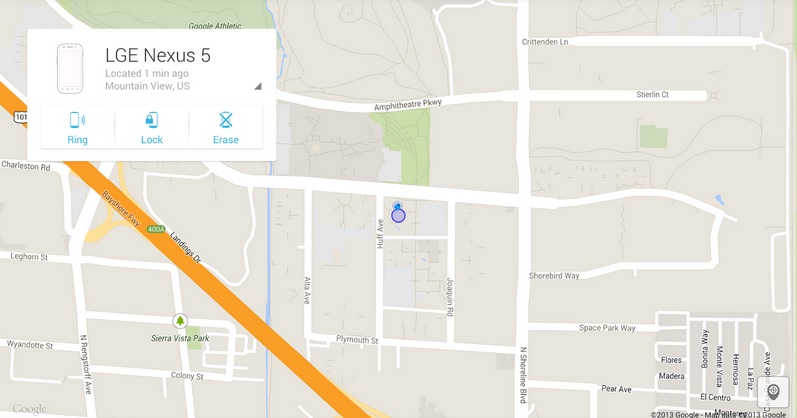
A simple search in Google is enough to know where your smartphone is (1m give or take). Avoid uncomfortable situations thanks to the new tool provided by Google, ‘Find my phone’.
If you want Google to find your Android device you will have to set it into English. For now this tool is only available in this language.
Then you just have to type these three magic words ‘Find my phone’. Google will give you a map with the location of your phone with an accuracy which may vary a few meters, as the service warns.
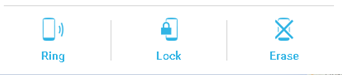
In addition, Google goes a step further and offers several features that users can use depending on their Android device’s location. If you are close to it but still can’t find it, the tools allows you to making it ring, even if it is in silence.
However, if Google pinpoints your smartphone far away from you (because you’ve lost it or it has been stolen), you can use the “Block” option which will block the device and restore all the passwords, or the “Delete” option to delete all the data stored in your device.
These are the same features as the ones in ‘Android Device Manager’. The main innovation of ‘Find my phone’ is that you can know the location of your ‘smartphone’ through Google that now more than ever, has the answers to everything.
In addition to knowing where is your phone these kind of tools can be also used for parental control, allowing parents to know the location of their children thanks to the location of their ‘smartphone’.
To locate your phone with Google’s tracker ‘Find my phone’ or Android Device Manager ‘app’, the Android phone must be on and with the GPS activated. Or connected to a mobile or WiFi network that allow Google to pinpoint, more or less, the location of your phone.
Locate your phone with Panda Mobile Security
If you lose your phone or it gets stolen you can retrieve it with Panda’s Mobile Security geolocation system and anti-theft, our antivirus for Android.
You will be able to track and visualize on a map your Tablet or phone, also block and delete all your data remotely. Prevents others from accessing your most sensitive information.
Almost every day, we hear news about cybercriminals leaking confidential information, cyber-attacks to the media, massive cases of phishing or WhatsApp scams.
That’s why for the first time risks from cyber-attacks are part of the TOP 10 Global Risks, ranked ninth according to Aon Risk Solutions, Aon plc global division of risks management.
The participants in this survey pointed out that brand damaging and maintaining the company’s reputation is what organizations fear the most. The online risks’ “increasing importance” is linked to the consequences a company may face when its sensitive information has been compromised.
This survey confirms what the Global Risks Report 2015, elaborated by the WEF, had already reported, including cyber-attacks within the most pressing dangers of the future. Stating that companies should consider cyber security as priority.
This is confirmed by experts and data. If PandaLabs described the year 2014 as the year of massive cyber-attacks, we are sure we will see an increase of this types of threats during this year and the ones to come. That’s why if you want to protect your company’s servers and endpoints try our solutions for business and you will sleep a little more soundly at night.
We have many times talked about Fusion as a solution which protects, manages and offers remote support to all the IT infrastructure in your organization.
But what if we talked about public institutions or Governments? Here you have two Case Studies about how Fusion worked in these types of organizations in Bjuy and Mullsjö, Sweden.
This is how Fusion protects Government Bodies – Case Studies
Probably when you were reading about the privacy policy on Facebook or Twitter, you skipped the part of ‘how to protect yourself from cyber attackers’. Each time you download a new application you agree to its terms and conditions, and we are sure that you don’t stop to read them and never worry about how the applications manage your sensitive information.
Social networks strive to inform you on how they protect your information and what can you do to contribute to this task. That’s why they offer the information in the most understandable possible way.
Facebook the most complete
Facebook just had its guide to security redesigned and in the ‘How to Keep Your Account Secure’ section offers new recommendations on how to prevent cyber-attacks through interactive graphics. And to assure everyone can read these tips, they are available in 40 languages and you can share them on your profile.
The recommendations “focus on the tools we make available to help you secure your account, the steps we take to keep your information secure, and the ways you can recognize and avoid attempts to compromise your information” explained Melissa Luu-Van, product manager at Facebook. Van-Luu added in the same post that already millions of people have read the new privacy settings launched last November.
Click on ‘help’ if you think your account might have been taken over by someone else, explain you that you have to log out if you are not using your habitual computer or inform you that you can report suspicious profiles and posts are some of the features included in the new security collection.
The guide also warns you of the possibility of a phishing attack. Facebook will never send you an email asking for your password, so if you ever receive an ‘email’ requesting this information could come from a cyber-attacker who created a fake web site to steal your information.
LinkedIn the less organized
Facebook isn’t the only social network which has improved its security information recently. LinkedIn has also a new ‘Security Blog’ with helpful guidelines. “We’ll use this site to share some of our security research, whitepapers on how we handle data and the security features and diligence we’ve built into our products. If you are responsible for information security at an enterprise that uses LinkedIn’s products” says Cory Scott, LinkedIn’s Information Security Director.
This professional network explains how your information is used and protected. For example, inform that they can hire third party companies to provide their services with limited access to your information. In addition its support center offers advice on how to better protect your account: changing your password regularly, check the privacy settings or activate the two-step verification to prevent phishing attacks, that many users have suffered in the last few months. Nevertheless, this information is less organized than in Facebook, so you will have to dive deeper to find what you want.
Twitter the one that offers personal tips
Twitter also wants to show you its way of protecting your information. If you are interested to know more details, in their help center there is a wide security and protection section, you can access it from the tab of ‘help and support’ in your profile.
Here you can find out some tips on how to maintain secure account (similar to other social networks), or how to inform Twitter if you find your account has been violated. The company pays special attention to cyberbullying and includes custom security tips for teens, parents and teachers.
What about Google?
But not only social networks detail their security policy; google has been doing it for a while. A complete manual is included in the web ‘How to stay safe and secure online’ where explains how to prevent cyber-attacks protecting your passwords, checking your Gmail’s settings or verifying the emails’ sender if you think it might be a scam.
You can also dig through all the security and privacy tools offered, like two-step verification or who to browse through Chrome without your computer recording it in your browsing history.
So, if you ever wonder how the services you trust every day protect your information against cyber-attacks now you have no excuse, the answer is here!
Passwords are the unfinished business of Internet users. We have all had the same problem. After carefully picking the perfect password with capital letters, numbers, special characters and which is finally long enough, we have to sing up for another service. Whether it is to open bank account, a new profile on Instagram or to access our telephone bills via the Web we have to remember yet another password.
Although some platforms help us with this task by sending us a password to enable us to enter the account and which can be modified later, we end up learning it by heart instead of changing it.
That email with our password is then forgotten and ends up at the bottom of our inbox.
We already warned you when more than five million Gmail passwords were leaked on a file and security experts have demonstrated with various safety studies that this is an upward trend. If we look back to that forgotten email among other hundreds, you can figure out that its very existence poses a risk, because its content is at the mercy of the cybercriminals who are always ready to steal the information.
If you, like most people, suffer from ‘digital Diogenes syndrome’ it will be difficult to rescue all those emails with sensitive information and to prevent their theft. And to remember all the online services you have signed up for and for which you have kept the original password.
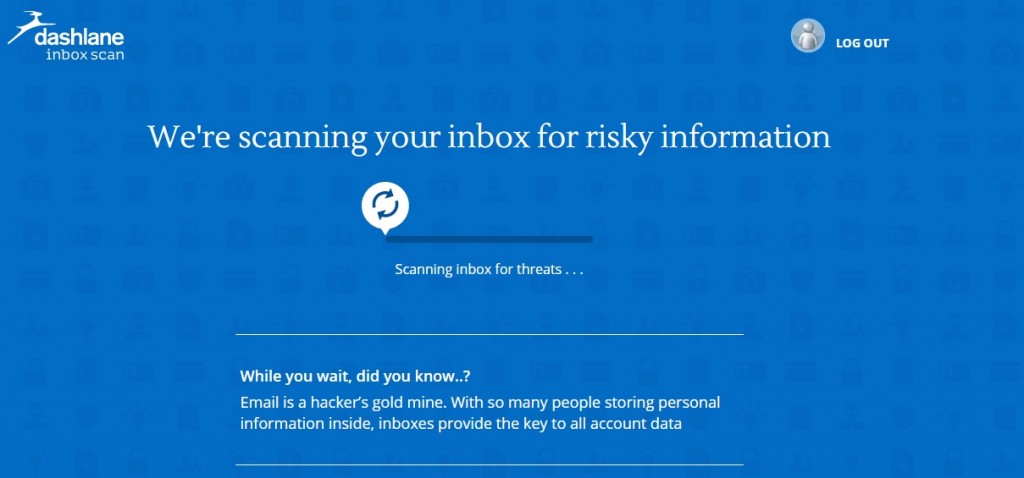
Whatever the case we recommend a useful and simple option called Scan Inbox. A tool which detects forgotten private information in your inbox and deletes it permanently. You don’t even have to download the service. It is available ‘online’.
The program works in Gmail, Hotmail, Yahoo or AOL and searches for and locates sensitive information such as automated emails with passwords or bank account numbers which you think are secure.
To use this tool you only have to indicate your mail server and it will automatically access and scan your email. Dashlane, the company owning the service, ensures that this intrusion is temporary and no personal information is stored.
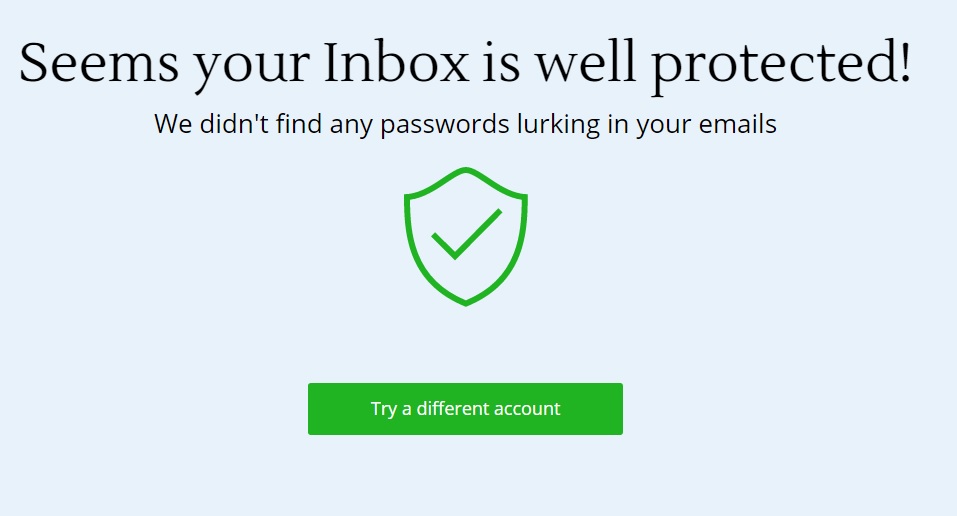
Once the analysis is executed and completed, Inbox Scan gives you a full report on the inbox’s ‘health’ with regard to security. The report includes details like the number of passwords and the number of new accounts created, those which might have been affected by a security breach and which passwords have been reused.
All the information is presented in a visual way: a lower bar indicates the time and above it a series of bubbles arranged chronologically. Each of these represents one of the accounts you have created. The bigger the bubble the more important it is, and the color red indicates whether this tool has found a password associated with the account in question.
If the display is not enough for you and you wish to study the report in depth you can download it in PDF. From there on, you just have to change the compromised passwords and delete all the sensitive emails.
An alternative for you to store your passwords safely
If you wish to have all your passwords stored in one place, you can use the password manager of our antivirus software Panda Global Protection.
If you use this you will only have to remember one master password to access all your Web services. In this way, you will never forget another password again!