Tag Archives: featured1

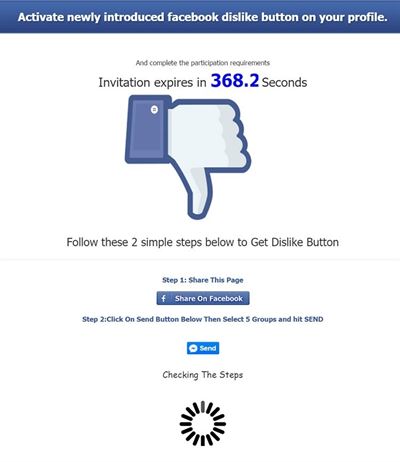
Has the dislike button finally arrived to Facebook? Of course not, don’t be fooled!

It’s been a few weeks since Mark Zuckerberg revealed that Facebook was working on incorporating the much awaited dislike button into its website, finally allowing users to give the thumbs down to posts that they don’t like.

As expected, some scheming cybercriminals have taken it upon themselves to introduce the dislike option ahead of the official Facebook launch. However, you’re not going to like what you get if you download it.

What’s most likely to happen if you download this fake dislike option is that you will pass all control of your account to the cybercriminals and, even worse, they could install malware on your computer rendering it unusable.

How can we find this supposed dislike button on our profiles? There are a few versions:

dislike

dislike facebook

dislike button

So, now you know that if you find anything like this on your profile that you should ignore it. Also, don’t share these fraudulent pages on your timeline!

The post Has the dislike button finally arrived to Facebook? Of course not, don’t be fooled! appeared first on MediaCenter Panda Security.

Why independent testing is good for Avast Antivirus

avtest_certified_homeuser_2015-08

Avast Free Antivirus just received another AV-Test certification for its stellar protection against real-world threats, performance in daily use, and usability.


Yay! It’s like collecting another trophy for the display case or another blue ribbon to hang on the wall, but what does it really mean? How is this type of testing useful for you, our customers?

Ondrej Vlcek, Avast’s Chief Operations Officer explains,

Because of the overwhelming growth of malware targeting consumers and businesses, labs like AV-Test Institute have become an invaluable independent source of data to Avast. Their research has influenced our engineers to expand their knowledge of malware, revolutionize diagnostic and detection methods, and facilitate strategies to get real-time updates to hundreds of millions of people who put their trust in our antivirus products.”

Here’s a little background on the testing lab.

AV-Test Institute is an independent lab designed specifically for testing and researching malware. Located in Magdeburg, Germany, they inhabit 1200m² (12,900 ft²) of space with 3 server rooms and a variety of main and secondary laboratories.

Safety protocols

AVTest labs networks

image via www.av-test.org

Just like a specialized facility that deals with infectious agents, AV-Test has set up safety protocols to avoid accidental infections. The hazardous material they store includes 330 million pieces of malicious test data collected over the past 15 years. Every day, they collect another 390,000 new samples of malware.

Thirty specialists work in three labs with more than 100 workstations connected to three physically separate networks: Red for all the test malware with no internet access, Yellow has limited internet access for malware testing, and Green has full internet access so they can download and update programs.

Test Procedures

Every two months, antivirus products are run through a series of tests using a pre-determined configuration that mimics that of the real world. The AV-Test lab looks at three areas: Protection, Performance, and Usability.

In the August 2015 round,  22 products were run through grueling tests. The products can earn a maximum of six points in each of the three test categories for a total of 18 points.

For example, in the Protection category, Avast Free Antivirus had to recognize over 330 zero-day malware attacks, which means they are new, still unknown threats. In the second phase, the objective was to recognize and defend against just under 45,000 known malware threats from the AV-Test reference sets. The average results for the July and August test were 98% detection for zero-day. Avast Free Antivirus scored 99% and 100%, for an average of 99.5%. Avast Free Antivirus identified 100% of widespread and prevalent malware in the second phase. We improved our overall score over the previous test by a half a percentage point, which makes a difference in the real world.

Certification

The award of an AV-TEST CERTIFIED seal of approval is evidence that Avast Free Antivirus has achieved the level of performance and protection defined by the AV-Test labs.

Tests like these, and the ones by Austrian lab AV-Comparatives, are not only for security geeks, but useful for our customers. Even if you never read over the results, you can be guaranteed that we take them seriously and strive to use the information to create the best products we can to protect your home and business PCs, Macs, and Android smartphones and tablets.


Follow Avast on FacebookTwitterYouTube, and Google+ where we keep you updated on cybersecurity news every day.

Keeping tabs on your employees in a multi-device environment

connected devices

The traditional desktop computer is no longer the only device we use to get work done. For the past few years workers have increasingly begun to use their own smartphones and tablets for work. According to a study carried out by Tech Pro Research, 74% of businesses allow, or are planning to allow, their employees to bring their own devices to the office.

Despite the benefits to companies, such as being able to communicate easier with the employee when they aren’t at their workstation, security remains a priority and with the culture of BYOD (Bring Your Own Device), it’s important to keep on top of it.

The variety of devices used in the workplace, and the resulting loss of control held by the business, means that cybercriminals are able to take advantage of the many vulnerabilities in mobile devices to access the company’s network.

The National Cybersecurity Institute of Spain, the INCIBE, has advised businesses of the dangers that they face when adopting a BYOD culture and have therefore suggested some measures to avoid such threats.

So, instead of asking your employees to remove their work email from their mobile devices, the best thing you can do is follow the tips given by the INCIBE which will better protect your employees’ devices and guarantee the confidentiality of your company’s information.

  • Assign someone to be in charge of managing the devices

You need to give the responsibility to a member of the IT department to make it easier to control. If you company is small, you can contract an external service or one on the cloud.

  • Give support to all platforms possible

    The IT department of the business has to guarantee technical support for all devices used by employees so as they can work in a safe an effective manner.

smartphone

  • Educate about security

The first people who need to be aware of the vulnerabilities of their devices are the workers. Therefore, INCIBE recommends training them so that they know not to visit certain websites and that they are conscious of the risks involved with installing applications.

  • Keep on top of updates and avoid localization

Updating all of the applications and operating systems on the devices is a basic necessity – old versions of Android are exposed to a whole host of vulnerabilities. Deactivating the GPS is another tip that you should pass on to your employees, so as to avoid someone being able to localize them.

  • Keep your information secure

If an employee accesses relevant documents from their mobile device, it’s possible to add an extra password or encrypt the device so as to stop cybercriminals from getting their hands on the information.

  • Control access to highly confidential information

Give out ID cards (PIVs) and restrict access to confidential information to only those who need it for their daily work.

  • BYOD isn’t suitable for all businesses

In some networks, such as industrial control systems, it isn’t advisable for employees to use their own devices.

  • Be careful with external devices

Our mobiles leave traces and things such as Find My iPhone or Android’s administrator options help us to find them easily. We can also use these tools to control which devices are accessing our network and stop our information from being spied on from outside parties.

The post Keeping tabs on your employees in a multi-device environment appeared first on MediaCenter Panda Security.

Cybersecurity tips for business travelers

business trip - working late

Sensitive business data is at risk when you travel. Take precautions to protect it.

Cybersecurity is not limited to your office or home. Nowadays, many of us use the same devices for work and personal business, so when traveling we need to be extra diligent to protect our devices and the data we have on them. If you use common sense and a bit of Avast technology, all your devices – laptops, smartphones, and tablets, can remain secure wherever you are.

Here are a few things you can do before you go and while you’re on-the-road:

1. Install antivirus protection. Your first and best line of defense on your PC or Android device is antivirus protection. Install it and make sure it is up-to-date.

2. Keep your operating system and software up-to-date. Hackers take advantage of software with security holes that have not been plugged, so take time regularly to make sure that your software and apps have patches and updates applied.

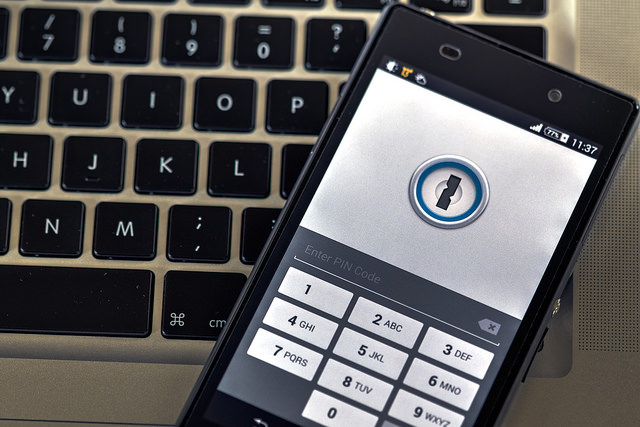
3. Lock down your device. Make it a habit to lock your PC and phone with a PIN, password, or even a fingerprint. Avast Mobile Security even allows you to password-protect your apps. Before you travel, make sure your critical apps, like access to your bank, are protected.

4. Turn off auto-connect. If you have your phone set to automatically detect and connect to available wireless networks, then turn it off. It’s much better to choose yourself. The new Avast W-Fi Finder can help you find secure Wi-Fi hotspots. Look for it to be released soon.

5. Avoid unencrypted Wi-Fi networks. Free Wi-Fi hotspots sure are nice, but they are not worth the risk to your personal data. They are unsecured and can give cybercrooks access to your internet-enabled devices. The safest way to use free Wi-Fi, even that supplied by your hotel, is to connect via a virtual private network, otherwise known as a VPN. The name sounds complicated, but with Avast SecureLine VPN, it is as easy as pushing a button.

6. Use smart passwords. Using a password like 1234 or password is not a smart thing to do at any time. But discovering that your account was hacked when you are traveling can ruin your trip. Plan ahead and manage your passwords in an intelligent way. There are plenty of memory tricks you can use to create unique passwords or you can let a password manager take care of the heavy lifting for you. Look for a new Avast password manager coming soon.

7. Think before you overshare. There are differing opinions about oversharing your location on social networks. Some say that broadcasting to the world that you are away invites a burglar into your home. Others say that broadcasting your whereabouts with regular updates is security in and of itself, because your friends and family know where you are in case something happens. And it could protect your contacts from the “I was arrested in Niagara Falls and need you to send bail money via Western Union” scam. Talk with your family and decide how you want to handle that.

8. Guard your devices. Thieves often target travelers. Don’t let yourself get so distracted that you lose track of your devices. Install Avast Anti-Theft before you leave. One of its useful features is called Geofencing. This allows you to set a perimeter, say around a table at an airport cafe, and if your mobile phone leaves that perimeter, an alarm will sound. If you discover any time that your smartphone or tablet has been stolen, Avast Anti-theft lets you control your cell phone remotely. You can locate and track your lost phone, remotely lock or wipe the memory, and even activate a customizable siren or alarm.

The best thing about all these tools is that they are free (or in the case of SecureLine, a free trial), so the next time you start packing for your business trip, make sure that your devices are ready to go too.


Follow Avast on FacebookTwitterYouTube, and Google+ where we keep you updated on cybersecurity news every day.

5 security measures that experts follow (and so should you!)

security

When you’re watching a movie and you see the typical computer screen filled with green coding (you know the type, rows of 1s and 0s) you might get the impression that IT experts are magicians that work wonders with a mouse and a keyboard. Theirs is a difficult professions, but they are also humans that suffer from the same human errors and doubts as the rest of us.

At Google they are well aware of this and for this reason they have carried out an investigation that tries to shed light on the security measures that IT professionals follow, and that for the rest of us seem impossible to imitate.

The conclusion they reached leaves us all in a bad light – what seems difficult really isn’t that complex at all. The majority of the steps taken by IT professionals to protect themselves from digital threats are based on pure common sense and are easy enough for the average use to put into practice.

The people behind the study compared the precautions taken by experts and those taken by regular users and discovered that the latter are skipping some of the basic steps. Here are the main ones.

5 security measures that experts follow (and so should you!)

1. Always stay updated

Make sure you have the latest version of software installed on your operating system and the programs that you use. This is the same for both computers and mobile devices. The manufacturers usually correct vulnerabilities as soon as they realize them, so it’s up to you to make sure you install the latest version. You can always allow for automatic updates if you want to.

secure keyboard

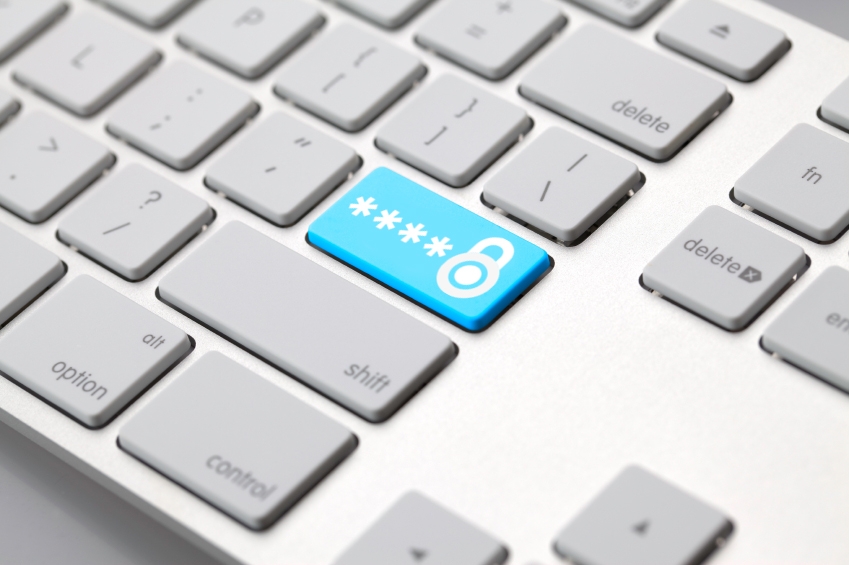
2. Strong and unique passwords

Although passwords are on the verge of extinction, they are still the main way to protect your devices. You should make sure to follow these basic guidelines for choosing passwords which include a different one for each service, ones that are hard to guess, and ones that contain a mix of letters, numbers, and symbols.

3. Two steps are always better than one

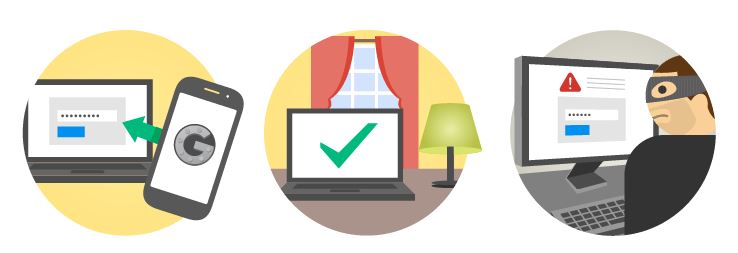
If you choose a secure password, you’re on the right path, but that still isn’t enough. The experts recommend activating the two-step verification process whenever possible (in Gmail or Facebook, for example). This way, if anyone tries to access your account then the service will ask for a code which is only sent to your mobile. This should be out of bounds for a cybercriminal.

private connection

4. Surf carefully online

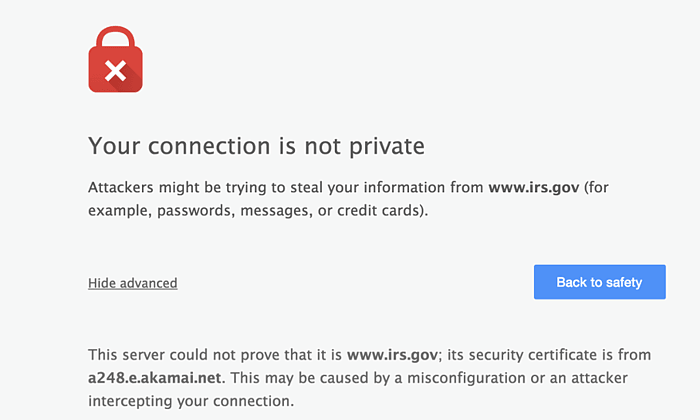
There are very few things that can’t be found on the Internet. Every day you can find something new while surfing online, but you need to be careful where you click. Not all websites are safe and some hide nasty surprises. If your browser says that something’s not right, then pay attention to its warning. Unless it’s a website that is totally secure, a warning that the website isn’t following correct security protocol should be enough for.

5. An antivirus is essential

Although some doubt its effectiveness, what’s certain is that an antivirus software with firewall is the best barrier against attacks. Surfing the web without an updated or reliable protection is an unnecessary risk that the experts at Google aren’t prepared to take. So why do some users continue putting themselves at risk?

If some of these measures don’t form part of your routine, then you should adopt them immediately. Not only because the experts consider them common sense, but because, above all, they are very easy to adopt and can save you a lot of problems.

The post 5 security measures that experts follow (and so should you!) appeared first on MediaCenter Panda Security.

Santiago Mayoralas, Panda Security’s new Chief Financial Officer

Panda Security is proud to announce the appointment of Santiago Mayoralas as Chief Financial Officer for the company. In his new post, Santiago will be responsible for managing financial matters for Panda Security, which currently has a presence in more than 80 countries.

Santiago Mayoralas has a degree in Business Administration and Management from the Autonomous University of Madrid and a Master in Financial Management from the IE Business School. He also has extensive experience in technology companies, both engineering and consulting, where he has performed various functions within their finance departments.

Santiago Mayoralas

Before joining Panda Security, Santiago Mayoralas headed the finance department of Prosegur in Colombia. He has also held various financial roles in companies like Altran, Alten and KPN Spain.

“The incorporation of Santiago certainly makes us stronger and better. The talent and the value that he has demonstrated throughout his career assures us of his ability to lead and manage us in tackling the present and future challenges that face our project, “says Diego Navarrete, CEO of Panda Security.

“Being part of a company with over 25 years of renowned excellence like Panda, which is technologically cutting-edge and that has a clear commitment to the Cloud, Big Data, mobility and the Internet of Things is certainly very exciting. Contributing to their future success is a professional challenge that I face with enthusiasm,” said Santiago Mayoralas.

You can download the photo here.

The post Santiago Mayoralas, Panda Security’s new Chief Financial Officer appeared first on MediaCenter Panda Security.

Making technology simpler: Thanks to my mother

Some days ago we wrote about scams targeting senior citizens. This group is at risk because generally speaking, they have less computer education than younger people who have grown up in the digital world. I recommended the reading to my mother, thinking she will benefit from it. She thanked me, but said that there were “some things” she did not understand.

Learning to surf internet

Friends and family can help senior citizens enjoy a safe online experience

In the Avast blog we do our best to write in simple terms. However, we know much more about security and, quite frequently, explains things in technical writing. So, I’ve take some time to write what will be useful for your mother (and mine). What about recommending her to read this?

Computer and mobile security essentials for senior citizens

  • Ask for help from one you trust. Don’t be ashamed to ask for help. Remember there are a lot of people that love to help and share knowledge. Start with your family and friends. If you and your friend both have Avast installed, it’s possible for them to remotely access your computer.  If they don’t have spare time or knowledge, then try the Avast Community Forum. With sections in several languages, you’ll find friendly people that could guide you with security technology. Find us there!
  • Install and keep your security software updated. Avast makes everything simple for you. All the “difficult tasks” have been automated: Protection against viruses and malware, blocking spam, preventing fraud and hacker intrusions, automatic updates of your software.
  • Scan and protect your network. That “complex” device with lights blinking that gets you on the internet is called a “router”. Do you know that it could be the weaker part of your network? Avast can scan your home network and make sure it’s secure. Our next Avast version will give you much more control of an online pain: Passwords. Keep them updated and strong!
  • In your Android mobile devices, use an easy and comprehensive security app. Avast apps bring a lot of protective features that give peace of mind, like analyzing malicious app (maybe the ones with intrusive ads, right?). With our family of apps, you can clean temporary files, keep your battery in good shape, and stay safe when using free Wi-Fi connections. Also, to stay safe, use only known app stores like Google Play and Amazon.
  • Common sense! Do not open unsolicited emails, ever! Don’t trust strange messages about promises of a better computer, prizes, and special offers. Keep your attention always on: Do not install unknown software, and do not accept extra offers during installation of trusted programs. If you have any suspicions, ask others or in Avast Community Forum.

What do you think? Did I write enough for your mother to understand? If so, I accomplished my goal.

Special thanks for my mother (for the inspiration and love). And a special thanks to the guys that share all their time and effort to make the internet a better place and for teaching me to write with such pleasure: The volunteers on the Avast Community Forum.


Follow Avast on FacebookTwitterYouTube, and Google+ where we keep you updated on cybersecurity news every day.

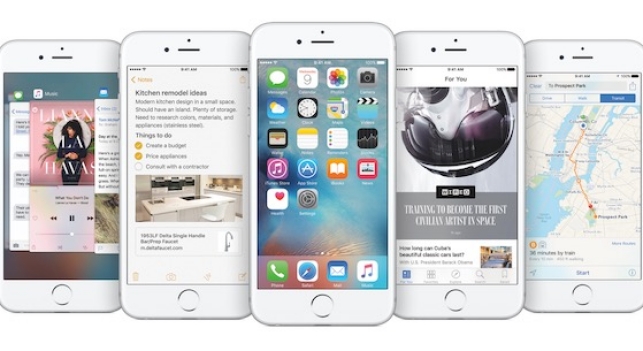
Security for iOS 9

ios 9

IOS 9, the Apple’s new operating system is here and along with it comes a mission on its behalf – to slowly rehabilitate the brand image that has been under scrutiny in recent months.

Beyond doubts over the amount of space that the new system occupies and how long the batteries will last, Apple’s integrity is at play following the Celebgate scandal that saw many well-known stars have their private photos, some nude, leaked thanks to a weakness in the security of the iCloud. As if that weren’t enough, there have been problems with the security measures in place for the Apple Watch.

With this serving as a backdrop, the company has just launched its new mobile operating system, one which sees security being prioritized above all else – an access code which features more digits and a two-step verification process.

The latter is more important than ever when it comes to keeping stored information safe. With this new process it is impossible, even if someone got hold of your passwords, to access your Apple ID account as it would be necessary to have a second password – one which only the user has hold of.

These new measures join other security measures that were already in place on Apple’s devices such as Touch ID, which allows you to unblock the iPhone by using fingertip technology, and the encryption of iMessages.

Security for iOS 9

Besides these security measures, any user who has a device starting with iPhone 4 up to the brand new iPhone 6, can take advantage of iOS 9 and, if they like, can also opt for these extra measures to ensure their phones and privacy are kept under wraps.

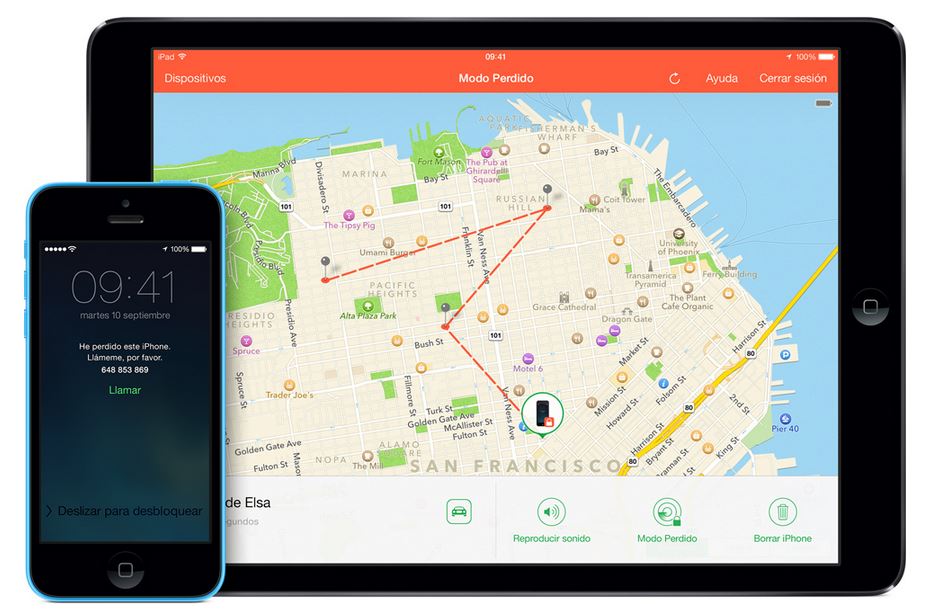
  • Find my iPhone: What Android allows its users to do, Apple allows theirs to do, too. With this tool it’s possible to know where the phone is and even delete anything stored on it.

lost iphone

  • Block access to Siri from a blocked screen: Apple’s virtual assistant is useful, but sometime she can put your security at risk. In some cases it’s possible to get past the blocked screen and interact with Siri. To avoid this, you can deactivate this option and save yourself any hassle.
  • Be careful with autocomplete: Just like on any other device, the autocomplete tool is useful yet dangerous. It allows you to forget passwords and users but allows anyone to access your accounts or device. It’s better to remove this option.
  • Secure passwords: Again, even though you have the two-step verification process, the best way to keep yourself protected is to have a secure password. Keep these tips in mind when you’re selecting a new password (and change it often!).
  • Automatic updates: Enjoying the latest automatic updates from Apple is essential to be able to take advantage of all the new security measures. An updated device is a safe device!

The post Security for iOS 9 appeared first on MediaCenter Panda Security.

If Google sends you an SMS warning you that someone has accessed your account… be careful!

Gmail

With the Smartphone revolution and the wide choice of free messaging services available, receiving an SMS is definitely an unusual occurrence. Instead of being a way for friends and family to communicate, it has now become the preferred way for businesses to get in contact with you. However, you need to be vigilant of exactly what it is that these messages are trying to tell you as it could put your security at risk.

As was uncovered in a recent report published by the University of Toronto, SMS messages are being used by a group of cybercriminals to rob Gmail account passwords with the aim of accessing the victim’s account.

This attack doesn’t just avoid the two-step verification process offered by Google as a security measure, but also manages to work in a way that the victim won’t suspect a thing.

verificacion

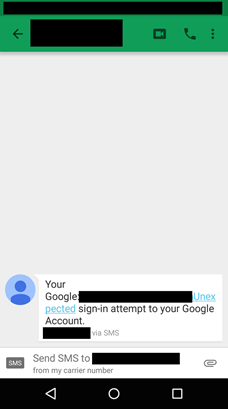
It all starts with an SMS being sent to the victim’s mobile. It appears to be from Google advising the user that someone has tried to access their email account.

SMS

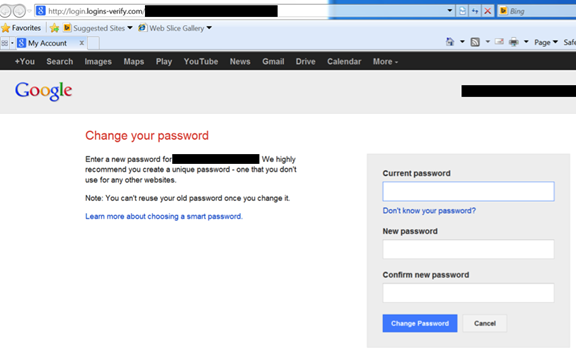
The purpose of this message is to alarm the victim. Ten minutes later the victim will then receive an email which appears to be from Google warning them of an “unexpected login”. The email contains a link that, supposedly, will lead the victim to a website where they can change the password in order to reinforce the safety of their account. However, this couldn’t be further from the truth.

What really happens is that the user is brought to a phishing tool which permits the cybercriminal to obtain their password. What’s more, this false webpage will ask for the user’s verification code which is sent to the user’s mobile phone by SMS.

phishing

This way, in just two steps, they are able to steal your Gmail information and bypass the two-step verification process that Google has in place.

However, this isn’t the only attack that the investigators uncovered. Cybercriminals are also trying to steal password information by a phishing system which begins with what seems to be a phone call pertaining to a business proposal.

This is of course a trick and the false proposal was sent to the victim’s email account via a link that is held in a Google Drive document. Of course, to access this document the user must enter their Google password which allows the cybercriminals to get a hold of this private information.

So far what is known about these attacks is that they have originated from a group of cybercriminals based in Iran that have gone after political dissidents in their country. However, all Gmail users should take precautions and be alert to any possible scam, as anybody could become a victim of identity fraud.

To help protect yourself, and to be safe against any form of password theft, we recommend that you always create secure passwords and change them frequently.

The post If Google sends you an SMS warning you that someone has accessed your account… be careful! appeared first on MediaCenter Panda Security.

Got an aging parent? Tell them about the Grandparent scam

Scammers rob elderly victims of an estimated $3 Billion per year.

A scam that has been around since at least 2008 is still active and targeting elderly folks. Seventy-four year old Avast evangelist, Bob Gostischa, who knows a thing or two about scams, security, and privacy, received a call just yesterday from a scam artist attempting to steal money. “If it happened to me, I’m sure it’s going to also happen to others,” said Gostischa.

Male Family Members

Scammers target elderly people “because they’re more gullible.”

Here’s the basic premise:

Someone either calls or emails pretending to be your grandchild. The typical story is that they have been wrongfully arrested and need bail money wired right away. Another variation says they are traveling and have been mugged or even in an accident and badly injured. After going through this frantic sob story, and if they sense that their victim is falling for it, the scammer asks for money to be wired through services such as Western Union and MoneyGram.

After the phone call ended, Bob sent us a transcript so we could share it with Avast Blog readers. “I consider myself lucky because the first instinct was wow, how can I help her…?,” he said.  “I guess we all really need to be very vigilant at all times.”

Caller: Hello Grandpa, this is your granddaughter. I have laryngitis so I don’t sound like myself

Bob: You certainly don’t. Which granddaughter?

Caller: What do you mean?

Bob: Well, I have several. Caller: Your oldest.

Bob: Oh, OK (Suspicious because she should have said her name.) Is everything OK?

Caller: No.

Bob: What’s the matter?

Caller: I was visiting a friend in Niagara Falls and on my way home, I was involved in a car accident.

Bob: Are you OK?

Caller: Yes, everyone is fine.

Bob: And the car?

Caller: The car is fine. This woman came out of nowhere, and I hit her but she’s OK.

Bob: Thank God.

Caller: Yes, but when the cops came, they asked if I was drinking. I told them no but, because I’m taking medicine for my laryngitis, I failed the breathalyzer and spent the night in Jail.

Bob: Did they assign you an attorney?

Caller Yes, but I need bail money. Can you send me $500.00 via Western Union?

Bob:  That’s going to really be hard. We just had some medical bills so things are pretty tight.

Caller: Please Grandpa, can’t you put it on your credit card?

Bob: Sorry, they are all maxed out.

Caller Please Grandpa, I don’t want to stay in jail.

Bob: Sorry sweetie, but I really can’t and don’t have any money I can send.

Caller: click…. she hung up.

“In my case, my oldest granddaughter doesn’t drive and she also wouldn’t be in Niagara Falls,” said Gostischa.  “It’s very easy to fall for a scam like this because all of us want to help family – especially our grandchildren.”

Last year, CBS News interviewed a former scammer who worked this game. He said that on a good day he could make $10,000 from the grandparent scam. “We target people over the age of 65, mainly, because they’re more gullible,” the former scammer said. “They’re at home. They’re more accessible. Once you get them emotionally involved, then they’ll do anything for you, basically.”

How to protect yourself from the Grandparent Scam

The FBI’s Internet Crime Complaint Center (IC3) has these suggestions:

  • Resist the pressure to act quickly.
  • Try to contact your grandchild or another family member to determine whether or not the call is legitimate.
  • Never wire money based on a request made over the phone or in an e-mail…especially overseas. Wiring money is like giving cash—once you send it, you can’t get it back.

What to do if you have been a victim

  • Contact your local authorities or state consumer protection agency if you think you’ve been victimized.
  • File a complaint with IC3, which may refer the case to federal, state, local or international law enforcement or regulatory agencies for possible investigation, or The Federal Trade Commission. You can also call the FTC at 1-877-382-4357 to report a complaint.

Follow Avast on Facebook, Twitter, YouTube, and Google+ where we keep you updated on cybersecurity news every day.