Tag Archives: featured1

67% of apps for infants are gathering and storing private information


girl tablet

The debate over the convenience of getting a mobile device for your children, or the age at which they should have one, is nothing new. Society seems to have accepted that kids now carry smartphone sin their pockets and the apps that come with them are a lifesaver for parents who are looking for ways to keep their young ones occupied for a short period of time.

However, not all is as it seems when it comes to apps and webpages for infants. Nearly half of them arouse suspicion regarding the information that they require and how they use it, especially concerning sharing it with third-parties.

Because of this, the data protection agencies of 29 different countries around the world (USA and the EU included) have completed an investigation known as the Global privacy Enforcement Network (GPEN), whose mission is to fight for the privacy of citizens on an international level by analyzing the laws that protect them and various ways in which their privacy could be compromised.

41% of the apps and websites analyzed (nearly 1,500 in total) alarmed the investigators in one way or another. More than 61% of the apps saved the user’s information (names, addresses, etc.) and half of the apps shared this information with third-parties (public sector businesses, for example).

Some go even further and offer the underage user to enter their telephone number (22% of those analyzed) and 23% allow them to share videos or phones. Adam Stevens, a member of the British regulating service, describes these results as “worrying” and states that “The attitude shown by a number of these websites and apps suggested little regard for how anyone’s personal information should be handled, let alone that of children

According to the investigation, 31% of these apps don’t have limits which can control the collection of user information, especially for under age users, which is alarming considering that “many organizations whose sites/apps were clearly popular with children simply claimed in their privacy notices that they were not intended for children, and then implemented no further controls to protect against the collection of personal data from the children who would inevitably access the app or site”.

boy tablet

Only 24% of the websites and applications analyzed promoted the involvement of parents in the activities that their children were taking part in. What’s more worrying is that 71% of the apps made it very difficult for the parent to eliminate any information that had previously been entered by the young user.

On the other end of the scale, the investigators discovered some tools that help put in place certain controls and allow for safe use, including parental control, predefined user avatars (which removes the temptation to upload names or photos), warnings that appears when an underage user tries to enter private information, and chat rooms that monitor the language being used.

This isn’t the first time we have seen a debate about the online privacy of minors. Apps related to toys are also under the spotlight and the Federal Trade Commission of the USA, one of the members of the GPEN, drew attention in 2012 to the fact that apps for infants collected information and shared it with third-parties.

More recently, Apple and Google had to pay out millions of dollars to this organization after allowing underage users to carry out purchases in their online stores over a period of years, all without requiring parental consent.

It is becoming more and more important to be vigilant of what your kids are downloading and what they are doing when they enter into these apps. You can start by taking a look at these security recommendations which will help you ensure that there are no nasty surprises later down the line.

The post 67% of apps for infants are gathering and storing private information appeared first on MediaCenter Panda Security.


Avast team at Webexpo conference

This past weekend, Prague hosted hundreds of web professionals at the Webexpo conferenceAvast Software was a proud general sponsor of this event.

Avast Webexpo booth

Avast was one of the sponsors of Webexpo

Attendees could meet our team at the Avast booth, try Avast technologies, and chat with our colleagues. They could also learn first hand how it is to work for the Best Czech Employer of 2013!

Those who attended the lectures could also learn from the Avast experts. It was the second time that Michal Augustýn, Avast’s Lead Software Developer was invited to a podium at Webexpo. Michal, who has worked at Avast for more than 7 years, designs and develops internal systems for Avast Virus Lab. He and his colleagues are the ones directly responsible for the security of our users. He talked about continuous development and improvement of Avast Backend infrastructures that allows us to send up-to-date virus signatures to protect millions of Avast users.

Another speaker representing Avast was Alena Varkočková. Alena proves that there are also geeky girls (YAY!) and that to be a great Senior Software developer at Avast Software, you don’t have to be a guy! In fact, Avast employs around 20% of women. Alena talked about a big project she was involved in: Developing the infrastructure to communicate with Avast users via in-product messaging. Thanks to their work, our users see pop-ups informing about program updates, monthly virus reports, or new threat alerts.

A third developer represented Avast Software on Webexpo’s podium – Marek Beneš. Marek, who has been with us for over 5 years, talked about the importance of monitoring your work from the developer perspective. He and his colleague Alena are responsible for development and continous releases of the virus signatures, delivered to the Avast users. They are making sure that  you, Avast users, receive the best up-to-date protection.

An exciting event for the attendees of the Webexpo conference was the opportunity to ask questions to the co-founder of Avast Software, Mr. Eduard Kučera. Avast Software is considered to be the first Czech Startup and it became the most successful Czech IT company, with offices in Prague and seven other locations, to serve security products to more than 230 million users all over the world. Mr. Kučera said that the keys to our success were releasing a free version of the Avast product, great reception among its users who keep recommending Avast, and basically good luck.

Alena, Michal, and Marek  are excellent world-class specialists in their fields. If you want to learn from the best follow Michal, Alena, Marek, and Avast Developers on Twitter: @AugiCZ, @alenkacz, @bblcz @avast_dev. If you want to join the Avast team and work for a great IT company, check out our available positions.

Webexpo 2015
Presenting at Webexpo
Presenting at Webexpo 2
Avast sponsored Webexpo
Eduard Kucera founder of Avast
Exploring at the Avast booth
IMG_6817
Avast dev jobs
Would you to work for Avast


Follow Avast on FacebookTwitterYouTube, and Google+ where we keep you updated on cybersecurity news every day.

Android or iOS: which operating system is the most secure for mobiles?

ios android

Following the recent XcodeGhost attack on the Apple Store in China, the eternal debate has reignited: iOS or Android? This is the dilemma that you face when it comes to choosing which mobile device to purchase and it goes far beyond just preferences regarding the camera or types of apps that are available to download. Whichever of the two that you choose could spell the difference between keeping your confidential information, and that of your company and employees, out of the cybercriminals’ grasp.

To make your decision a little easier, we’ve analyzed the main strengths and weaknesses of both operating systems in terms of security. Of course, neither of the pair is perfect, but each one has an area where they excel compared to the other.

Pros and cons of iOS

Among the advantages of Apple’s operating system, you have the fact that it is a closed system and, therefore, automatically secure (well, as much as it can be). Apple has control over the job done by the app developers and the app store has special mechanisms to verify the tools, their origin, and features.

Furthermore, with iOS 8 all information saved in the calendar, contacts, notes and reminders are protected by encryption.

However, let’s not get too carried away as no system is perfect and as we’ve seen in recent days, the Apple system isn’t immune to an attack. There have been a few scenarios in which we have seen the existence of vulnerabilities in the iOS system and attacks on the Apple user ID.

Pros and cons of Android

Android, for its part, offers more freedom to app developers. A lot of them use the programming language C++, which is a more complex one than previous versions, and is therefore more difficult for cybercriminals to modify.

However, when they use Java in sensitive fragments of code within the apps, the tide turns in the favor of the cybercriminals as this is easier to manipulate, allowing them to insert their own malicious codes with relative ease.

In contrast with Apple, purchases of Android apps is a little less secure. There is less attention paid on the part of Android to the tools used and, once installed, there operating system doesn’t alert you to anything suspicious.

android ios

However, there are some good points – Android allows the use of HCE (Host Card Emulation) when making purchases from your smartphone. It works via an app that is offered by banks and is able to be downloaded directly to the phone. When you complete a purchase on the cloud, the tool sends the user information via the safety measures installed in the NFC chips on the device.

Finally, you won’t find the biggest weakness in the system by analyzing sophisticated technology. The real advantage that cybercriminals have when it comes to spreading malware through Android is that there is such a high number of users – if they want to spread malware, why not spread it by the most popular system?

A recurring strategy used by attackers is to make themselves the administrator of the device, which allows them total control of the phones. The real owner of the phone is helpless and can’t change these settings nor delete the application.

Given the widespread use of Android, the best way to protect your privacy depends on the phone’s manufacturer. No matter if you have an iOS or an Android, the an eye on its security is yourself. Do this by using secure passwords which you change often and keep a watchful eye on apps that you download.

The post Android or iOS: which operating system is the most secure for mobiles? appeared first on MediaCenter Panda Security.

Apple removes malicious apps from App Store

Apple slow internet

image via TechInsider

While the rest of us were soaking up the last of the season’s sunshine, Apple researchers spent the weekend removing hundreds of malicious apps for iPhone and iPad from the iOS App Store.

The recent exploit on Apple has shown us that even Apple’s system can be compromised quite easily,” said Avast security researcher Filip Chytry. “While this time nothing significant happened, it is a reminder that having everything under an Apple system could potentially make a system vulnerable.”

The malware seems to have been focused on Chinese users. Chinese media reported more than 300 apps including the popular instant messaging service WeChat, Uber-like taxi hailing program Didi Kuaidi, banks, airlines, and a popular music service were infected.

The malicious software programs got by Apple’s strict review process in an ingenious way. Hackers targeted legitimate app developers by uploading a fake version of Xcode, Apple’s development software used to create apps for iOS and OS X, to a Chinese server. It’s a large file, and reportedly quite slow to download from Apple’s U.S. servers, so to save time, unwitting Chinese developers bypassed the U.S. server and got their development tools from the faster Chinese server. Once their apps were completed, the malicious code traveled Trojan-horse style to the App Store.

“If hackers are able to exploit one entry point, they are able to attack all of the other iOS devices – and the fact that Apple doesn’t have a big variety of products makes it easier,” said Chytry.

Apps built using the counterfeit tool could allow the attackers to steal personal data, but there have been no reports of data theft from this attack.

“Regarding this specific vulnerability, consumers shouldn’t worry too much, as sandboxing is a regular part of the iOS system,” said Chytry.

A sandbox is a set of fine-grained controls that limit the app’s access to files, preferences, network resources, hardware, etc.

“As part of the sandboxing process, the system installs each app in its own sandbox directory, which acts as the home for the app and its data. So malware authors cannot easily access sensitive data within other apps,” said Chytry.

In a statement Apple said, “To protect our customers, we’ve removed the apps from the App Store that we know have been created with this counterfeit software and we are working with the developers to make sure they’re using the proper version of Xcode to rebuild their apps.”


Follow Avast on FacebookTwitterYouTube, and Google+ where we keep you updated on cybersecurity news every day.

XcodeGhost: What it Is and How to Avoid it. The Sheen Comes off Apple’s Invincibility

apple malware

In what is a timely reminder that even the largest, and seemingly controlled, companies can face a cyberattack, Apple revealed that its Chinese App Store had been attacked by malware.

In what is thought to be the first attack on Apple’s App Store, the infection consisted of malicious code placed into iPad and iPhone apps that are popular in China. The hackers created a counterfeit version of Apple’s software for building iOS apps, which they then convinced developers to download. Once the apps were made and downloaded, the attackers were able to steal data about users and send it to servers they control.

The malware, known as XcodeGhost, could also allow the attackers to send fake notifications to users which could result in unsuspecting victims revealing valuable information. Cybersecurity firm Palo Alto Networks also states that is possible for the attackers to see log in information and other actions carried out on the device.

“In China – and in other places around the world – sometimes network speeds are very slow when downloading large files from Apple’s servers,” explained Palo Alto Networks. “As the standard Xcode installer is nearly three gigabytes, some Chinese developers choose to download the package from other sources.

Some of the apps that were affected by the attack include some that are available for purchase in App Stores outside of China, such as thee business card scanner CamCard.

“We’ve removed the apps from the App Store that we know have been created with this counterfeit software,” said Apple spokeswoman Christine Monaghan. “We are working with the developers to make sure they’re using the proper version of Xcode to rebuild their apps”.

How to avoid XcodeGhost

  • Having the operating system updated.
  • Only download applications from the official store. Of course, in this case the infected apps were in the Apple store, but they have been swiftly eliminated.
  • Use common sense – it’s one of the best ways to protect yourself
  • Also, connect your iPhone or iPod to your Mac and scan it for malware with our antivirus for Mac

The post XcodeGhost: What it Is and How to Avoid it. The Sheen Comes off Apple’s Invincibility appeared first on MediaCenter Panda Security.

Trouble accessing Skype? The company has advised its users of a problem with its service across the globe

skype scam

Have you been unable to log onto Skype today? Don’t worry, you’re not the only one!

The company has informed its users that if they try to connect via the desktop application that they will appear “offline” and that their contacts won’t be able to communicate with them.

Skype recommends using the chat service available on its website which is functioning without any problems, and assure us that they are working to resolve the problem as quickly as possible.

The post Trouble accessing Skype? The company has advised its users of a problem with its service across the globe appeared first on MediaCenter Panda Security.

Panda Security launches Adaptive Defense 360, the first advanced security service with blocking and disinfection capabilities

Today, with more than 230,000 new malware samples daily and ever more sophisticated infection techniques, businesses are facing increased threats that put their confidential information at risk and leave them in compromising situations. For this reason, Panda Security presents Adaptive Defense 360, which covers all that a traditional antivirus can’t.

Adaptive Defense 360 combines two of Panda Security’s star solutions in one console:

  • Panda Endpoint Protection Plus is our EPP (Endpoint Protection Platform) solution and comes with all of the features of a traditional protection: antivirus, antimalware, personal firewall, web and mail filtering, and device management.
  • Panda Adaptive Defense, our EDR (Endpoint Protection & Response) solution, adds detection and automated response, continuous monitoring, and real-time forensic analysis, which results in the complete strengthening and securing of the endpoint.

So, the new solution combines all the advantages of a traditional antivirus – prevention and blocking of attacks, and remediation of infections – with advanced protection and full traceability, meaning we get to analyze 100 % of the running applications.

The new solution provides an endpoint detection service that is able to accurately classify each of the organization’s applications so that it only runs what is legal. This is precisely what differentiates Adaptive Defense 360 from conventional antiviruses.

Another advantage of being on the endpoint is that Adaptive Defense 360 detects threats in a real environment regardless of source, including USB. This is something which does not happen with most ATD (Advanced Threat Detection) solutions, as they only locate threats that enter the network and virtualized environments.

The functions in the Endpoint of Panda Adaptive Defense 360 are based on three principles:

  1. Continuous monitoring of applications and servers of the company.
  2. Automatic classification using Machine Learning techniques in Panda’s Big Data platform.
  3. Analysis and manual classification, by PandaLabs’ technicians, of applications that are automatically unclassified to know the behavior of what is running.

With this kind of protection and response in the Endpoint, you achieve a complete solution to fight against malware as well as prevent it.

“Adaptive Defense 360 is well above other solutions on the market that tackle traditional threats, vulnerable applications or advanced threats. The key is continuously analyzing all computer activity to classify each process as goodware and malware and, to complete the detection cycle, Adaptive Defense 360 includes integrated remediation”, explains Juan Santesmases, VP Product Management & Business Development at Panda Security.

Protection for outdated systems

The lack of updates on systems is a gateway for malware in companies. Adaptive Defense 360 includes a section against vulnerabilities that uses contextual and behavioral rules so that companies can work in a safe environment even if they don’t have the systems up to date.

Real-time information

Adaptive Defense 360 allows visual monitoring of what is triggering malware within the company. It not only locates where it is housed in the company network, but also reports the actions being carried out such as the creation of files and the destination of communications.

In a similar way, it provides continuous information of the network’s status. It sends immediate alerts when a malware enters the network and of the actions being undertaken to address it.

100% Managed

Adaptive Defense 360 allows companies to avoid having to invest resources in technical staff to manage quarantines, suspicious files, and reinstallation or disinfection of infected computers.

360 Adaptive Defense automatically classifies all applications using Machine Learning techniques in Big Data environments, all under constant supervision of PandaLabs’ specialized technicians who manage the entire process.

The post Panda Security launches Adaptive Defense 360, the first advanced security service with blocking and disinfection capabilities appeared first on MediaCenter Panda Security.

4 common errors that businesses make after a data breach

open padlock

A few months ago on this blog we raised the basic points that you should think about when confronted with a cyberattack. Unfortunately the general reaction of some companies is very different to this – here we present to you some of the worst reactions to a cyberattack:

Not reacting as quickly as expected (TRICARE)

TRICARE Management Activity is the name of the company that in October 2011 managed the healthcare of millions of members of the United States Department of Defense and military personnel. When it found out that five million of its users had their information compromised, TRICARE waited two weeks before making it public, with the excuse that it “didn’t want to cause an alarm” among its customers.

After this the company was the subject of intense criticism. What generates trust between customers is knowing about the situation quickly and that something is being done to resolve it. Stalling or delaying the announcement only serves to make the situation worse and can remove all trust that was there.

Not telling the whole story (Sony)

In April 2012, two years before Sony suffered its biggest security breach, the Japanese company was involved in another leak. In this case the credit card details of hundreds of thousands of Playstation Network users were involved. Sony reacted quickly but announced that it only affected 77,000 users. So, just when the situation appeared to be under control, it was revealed that there were a further 25,000 users affected but that they hadn’t been detected during the initial investigation.

This damaged Sony’s image and gave the impression that the company “didn’t know what it was doing”, leading to the suspicion that at any moment more negative information could arise relating to the leak. Just like in the previous case, a failed attempt at putting customers at ease had the opposite effect. For Sony, it would have been better to err on the side of caution and state that not all of the information was yet available.

Fail to implement a coherent strategy (Sony)

When, after Sony’s big leak in 2014, The Guardians of Peace (the North Korean group of hackers responsible for the attack) announced a new line of retaliations if the movie The Interview was released and shown in cinemas, the multinational decided not to release the movie.

security breach

As its security expert Bruce Schneier explained in his blog: “Pulling The Interview was exactly the wrong thing to do, as there was no credible threat and it just emboldens the hackers. But it’s the kind of response you get when you don’t have a plan. Sony’s reaction has all the markings of a company without any sort of coherent plan. Near as I can tell, every Sony executive is in full panic mode.”

A total panic is exactly what drove them to commit a host of errors. Before this public display of weakness, Sony had flaunted a totally different, and equally unwarranted, attitude towards the press. In fact, the studio opted to hire a well-known lawyer that threatened those who spoke about the leak. This is a terrible way of “shooting the messenger”.

Not having real solutions in place to fight the issues (Target)

In December 2013, after Target suffered a data theft what involved the credit card and other information belonging to over 40,000 customers, this company committed various errors – delay in informing the customers of what had happened and failed to give the correct information from the start. What’s more, Target committed an even bigger error by not having a solution to the problem.

On the one hand, it tried to win over its customers (not just those affected by the leak) by offering a free security service which consumer organizations attack for “giving a false sense of security”, as it wasn’t useful for eliminating the risk of fraud that could come from a data leak.

Furthermore, its decision making wasn’t much better when it came to solving internal issues that caused the initial leak. It’s important to point out that Target had all of the protocols and systems in place to avoid a security breach… it’s simply that its employees weren’t trained to deal with the alerts – they ignored them because they were unaware of the protocol.

Target decided, however, to react in a most bizarre way by firing the company’s CIO and announcing the creation of two new roles that dealt with security (Chief Information Security Officer and Chief Compliance Officer). The three roles remained vacant for six months following the leak.

The post 4 common errors that businesses make after a data breach appeared first on MediaCenter Panda Security.

As Adobe Flash gets phased out, we certainly won’t be pining after it

flash mobiles

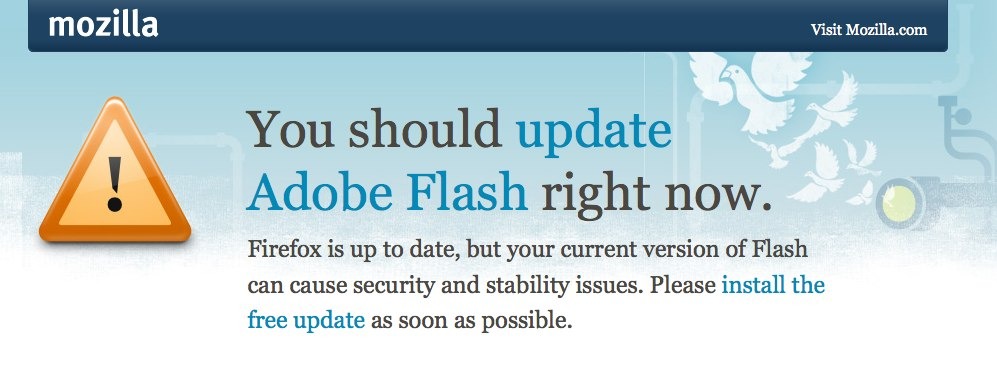
This September 1 didn’t just bring with it the usual back-to-school (or work!) rush that we see every year, but also the ushering in of a hotly anticipated move from Google. Just last June, the company announced that its web browser, Chrome, would begin blocking the web content that used Adobe Flash technology. Basically, this means that animated ads and video players are a thing of the past.

This is what seems to be the final nail in the coffin for the much-maligned software which Steve Jobs criticized in 2010, when he chose not to allow it on Apple’s iPhones. It’s now been more than five years since the co-founder of Apple predicted that the boom of smartphones and tablets would take place without the need for Flash: “New open standards created in the mobile era, such as HTML5, will win on mobile devices (and PCs too)”.

His prediction about Adobe has been correct, although HTML5 is still fighting against apps for dominance on mobile devices. It’s been a long time since Flash posed a problem for mobile devices, as both Android and iOS blocked it a long time ago, and not its days are numbered on computers.

adoble update

In June, despite being a temporary measure that last only a few days due to a weakness in the program, Mozilla also blocked Flash. Now that Google has placed itself at the head of the pack, perhaps its competition in the browser market will enter into battle, and for good reason, too.

Flash has become the main cause of malware that can be installed on a laptop. The number of holes registered in Flash in 2014 by the National Vulnerability Database (NVD), reached 76, of which 65 were high-risk and 11 medium-risk. This means that, apart from web browsers themselves, Adobe has become the main entrance point for cybercriminals.

Because of this, Google decided to stop using it by default for YouTube and opted for HTML5 instead, following others similar actions taken by Netflix and Vimeo.

Adobe’s problems don’t end there, however, as Amazon also decided to prohibit ads in Flash format on its platforms, and Facebook’s Head of Security demanded to know “when will Adobe die”.

So, it destroys the battery of your laptop, makes pages load slowly, and above all, has a long history of allowing cybercriminals to run riot on your computer. When all is said and done, there won’t be many who miss it when it’s gone.

The post As Adobe Flash gets phased out, we certainly won’t be pining after it appeared first on MediaCenter Panda Security.

AirDrop vulnerability is an easy avenue for hackers to exploit Apple devices

Do you own an Apple device? A vulnerability discovered within AirDrop could pose as a risk to your files. (Photo via aayush.me)

Do you own an Apple device? A recent vulnerability discovered within AirDrop could pose as a risk to your files. (Photo via aayush.me)

Recently, an alarming vulnerability has cropped up on iOS devices. This security loophole allows an attacker to overwrite arbitrary files on a targeted device and, when used in combination with other procedures, install a signed app that devices will trust without presenting a warning notification to users.

In a recent article published on Threatpost, it’s noted that the vulnerability is located in a library that lies within both iOS and OS X. In this case, the library in question is AirDrop, the tool featured on Apple devices that allows users to directly send files to fellow Apple device quickly and effortlessly. The problem lies within the fact that Airdrop doesn’t use a sandboxing mechanism in the same way that many other iOS applications do. When making use of a sandbox, every application has its own container for files that it can’t get beyond the so-called “walls“ of.

AirDrop gives users to the choice to accept file transfers either from only their own contacts or anyone who sends them a request to send files. In the case that a user can receive files from anyone, it’s quite easy for an attacker to exploit their device on their locked iOS device. What’s more, the attacker can even make the attack without the user agreeing to accept a file transferred using AirDrop.

Directory traversal attacks make the exploitation of this vulnerability possible

Mark Dowd, the security researcher who discovered the vulnerability, has been able to repeatedly and reliably exploit the security flaw. The vulnerability allows the attacker to execute a directory traversal attack, in which the attacker attempts to access files that are not intended to be accessed. Thus, the attackers are capable of writing files to any location they choose on the file system.

Since sandboxing rules weren’t being strictly enforced on AirDrop, Dowd was able to read/write hidden system resources in combination with his own directory traversal attack. In doing so, he was able to upload his own application into the system and make it appear as trusted.

This bug has been reported to Apple, but a full patch has not yet been released for the recently-launched iOS 9. Therefore, if you’re the owner of one or more Apple devices, make sure that your AirDrop sharing options are set to private and that you’re only able to receive files from your contact list.


Follow Avast on FacebookTwitterYouTube, and Google+ where we keep you updated on cybersecurity news every day.