Tag Archives: featured1

Security in Windows 10: an app guardian, biometrics and the end of passwords

windows 10

The date approaches. The next version of Microsoft’s operating system will be released on July 29 as a free upgrade for all users of Windows 7 and 8/8.1. Although, the corporate sector will have to wait a little longer: Windows Enterprise next edition will come later, but it will also be available through 2015.

The ‘back-to-school’ campaign and its traditional increase of computers sales, is the setting chosen by Redmond to deploy their new and expected product, a software that four million users have already tried in its ‘beta’ phase thanks to the Windows Insider Program. It is an unfinished product, with many details to sand, but it already allows to outline the general lines of the new operating system.

Beyond Cortana’s integration (the virtual assistant from Microsoft that gives Apple’s well-known Siri a run for his money) or the debut of Edge (the successor of the illustrious browser Internet Explorer), some new features of Windows 10 are especially interesting when it comes to security.

On the one hand, what we have already told you: Windows virtual store will include Android and Apple apps, which must exceed strict controls in order to add them to the Windows ecosystem. On the other hand, the catalogue of protection measures increases. These are the three most relevant:

Device Guard

It is responsible for monitoring the applications access to Microsoft. Basically, it will stop all programs that are not signed by their creators and Windows Store, and will only allow to run those which prove to be trusted.

“To help protect users from malware, when an app is executed, Windows makes a determination on whether that app is trustworthy, and notifies the user if it is not”, explained Chris Hallum, Microsoft security expert.

In addition, this decision making will take place in isolation, in a different environment, so that the machine will be protected from malicious applications even if an attacker has managed to compromise the rest or other part of the system.

windows desktop

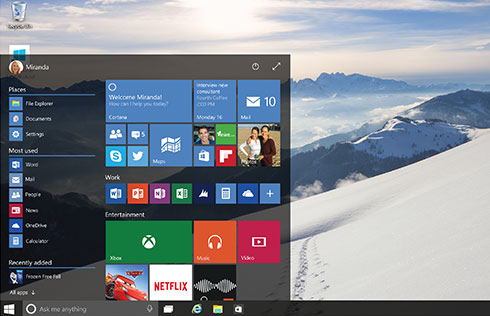
Windows Hello

That biometrics is the identification’s future, it is something that already everyone is aware of, and Microsoft is not going to be an exception. While Google announced that its upcoming mobile operating system, Android M, will be compatible with iris and fingerprint readers, the company ran by Satya Nadella is preparing Windows next version to welcome these authentication systems.

We will have to say goodbye to passwords, of course, but only if the manufacturers get their act together. So, home users and employees of a company will be able to prove their identity thanks to biometrics and computers will have to incorporate scanners capable of reading this information. At the moment, all machines equipped with Intel RealSense 3D camera will be compatible with facial recognition, which allows the user to start the system without introducing any key or to unlock Passport without a PIN, among other things.
windows

Passport

This is the second nail that Windows 10 has hammered in the coffin of old passwords. First, you must unlock it, proving that the person using the device is in fact the owner thanks to a PIN or to the above mentioned biometric information collected by Windows Hello. Then, Microsoft’s digital passport will allow you to navigate inside and outside the operating system without having to enter a ‘password’ every time you go through customs.

Applications, social networking, e-commerce sites… Almost everything that today asks you for a password, tomorrow will know you’re the one who wants to enter… and not an impostor with ill intentions. Thanks to this new security measure.

The post Security in Windows 10: an app guardian, biometrics and the end of passwords appeared first on MediaCenter Panda Security.
You’re as secure as your apps’ developers allow them to be

We rely on our apps. Every day, we use our favorites to check the news, the weather forecast for our upcoming holidays, and to communicate with our beloved ones. Some apps, especially system apps, are continuously used regardless of other apps that are in use. Keyboard is one of them.

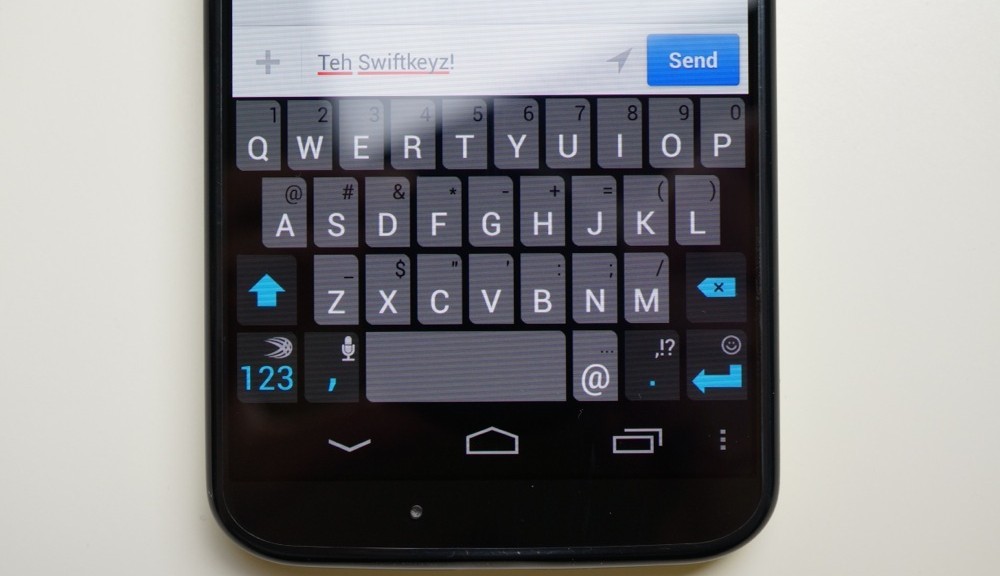
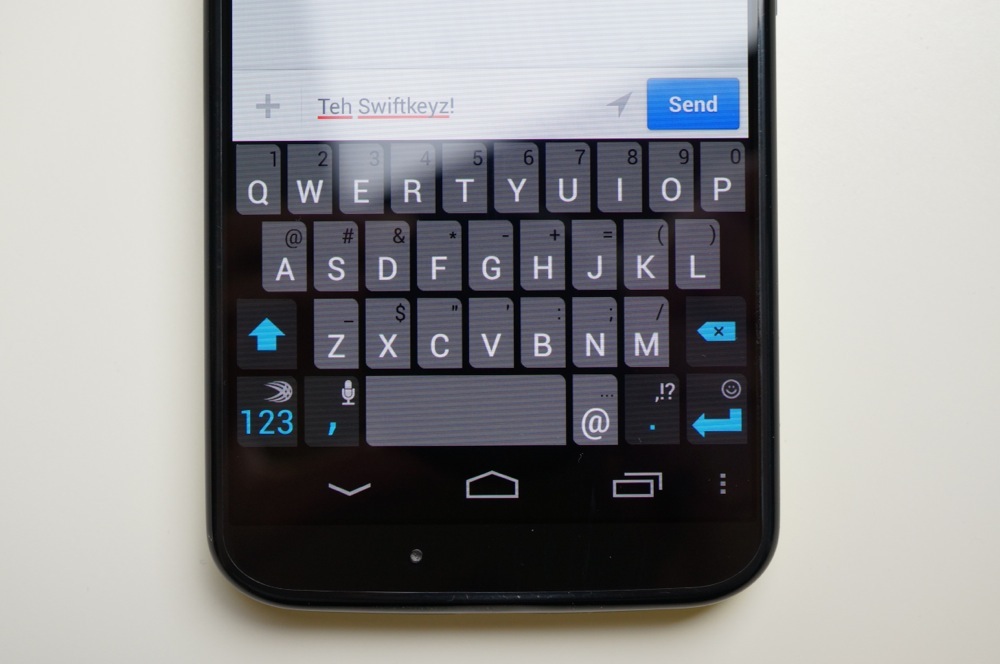
Recently, a dangerous vulnerability was discovered in the most popular keyboard, SwiftKey. The app always checks for language updates, but this process is not performed in a secure way. If you’re connected to an open or public Wi-Fi network, your phone is under risk of a very common –and dangerous –attack: the man-in-the-middle. MITM compromises your connection, allowing a third party to eavesdrop on your Internet activity. This includes the passwords you’re entering using the very same keyboard, your financial information—everything.

Your security depends on the use of a VPN. You probably already know what a VPN is and how it works. If not, you can find a lot of information in our blog. Like our product Avast SecureLine, a VPN creates an encrypted tunnel for inbound and outbound data of your Internet connection, blocking any possibility of a man-in-the-middle attack.

Unfortunately, the story does not end here. If you use SwiftKey while connected to an insecure Wi-Fi network, the attacker can also download malware into your phone or tablet. This is where Avast Mobile Security & Antivirus (AMS) comes into play. Some users think that we don’t need a security product in our phones. They might also think that antivirus companies exaggerate the need for security apps just to sell their products. Not only does AMS scan the installation process of apps, but it also checks the Internet sites you’re visiting and malicious behavior of any file in your device.

via: Droid Life

via: Droid Life

There is another need for a security program. When Google updates its app permission scheme in Lollipop, we’re alerted of a possible abuse of the scheme if an app requires more permissions under the “Other”category. However, in the next Android version M, apps will not ask permission for Internet connection (as you may think that any app requires Internet connection, right)?

If you have a Samsung S4, S5 or S6, running the stock operational system still poses as a risk —currently, the vulnerability has still yet to be resolved by SwitfKey nor Samsung. On the brighter side, you’re in luck if you use SwiftKey from Google Play (as an user app, not a system one) as it does not suffer from this issue.

You’re as secure as your apps’developers allow them to be. As shown in this case, even the most useful, popular app can contain vulnerabilities that could be abused without making use of proper protection when connecting to open Wi-Fi networks and having an up-to-date security app running in your Android..

iCloud celebrity photo hack: What’s fappening?!

Via: Huffington Post

Just about a year after a plethora of celebrities’ nude photos were leaked online, two homes in south Chicago have been raided and investigators have named one of the suspected hackers. As this controversial story and investigation continues to unfold, Avast researchers have come up with a few speculations regarding the origin and motivation behind the initial hack. We’ve discussed the case with one of Avast’s security researchers, Filip Chytry, who has put in his two cents about the situation:

GR: Why might have Apple not flagged or investigated an IP address’ 572 iCloud logins and attempted password resets?

FC: “Putting it simply, Apple just doesn’t have security implemented on this level. Even though they might sound large to us, attempting to track this number of logins and attempts to reset passwords is similar to discovering a needle in a haystack when it comes to Apple’s ecosystem. To give you a better idea of what I mean, a group of users who are connecting via a VPN and using the same server will appear under a single IP address. On the other hand, it’s quite common these days for companies to implement an automatic system which is capable of detecting any source(s) of traffic. It could be an automatic system which is able to learn from daily traffic and, using gathered data, detect if there is an anomaly present (such as the one in this case). Another key factor relevant in this attack is the timeframe over which it took place. If the hackers had accessed the various accounts over a much shorter period of time, such as a few hours, it would have undoubtedly been a huge red flag for Apple.”

GR: Couldn’t it be that a neighbor or another person in a remote location could have used the two PCs as a bot to execute the hack, similar to what’s discussed in the Tweets published within this Fusion article? Could it be that someone took control of the two PCs or the routers they’re connected to and used them to perform the hack?

FC: “Although DNS hijacking could very well be the culprit here, the extended period of time over which the hacks occurred makes this possibility less likely. It’s my theory that the suspected hacker(s) could have accessed the login details of a certain database that was uploaded by other users on a warez forum. They could have then used these login details to execute the iCloud logins using a script.”

There are a handful of coincidental components present in this investigation, leaving many questions unanswered in terms of finding the true path that led to the celebrities’ photos getting leaked. To many of us, the main thing that seems fishy about the malicious attack is the fact that the potential hackers didn’t make use of an IP-masking or anonymizing tool, making them come across as rookies within the hacker world. Since the cybercriminals behind this case didn’t appear to be clever enough to anonymize themselves, it’s even possible that they had ulterior motive for performing the hack in the first place – perhaps to be noticed and/or admired by other individuals or businesses. Based off of the current facts, we’re highly interested in seeing which direction this malicious attack’s investigation will take next.

The cost of cybercrime is multiplying

The damaging effects of cybercrime are bound not only to a matter of bad image and corporate reputation, but they also cause significant economic losses to companies and individuals who suffer from this type of incident. In fact, this figure is increasing, according to a report recently released by the information technology consultant Juniper Research, which puts the accent on the increasing professionalization of hacktivism and cyber crooks in general, and on the fact that the financial targets that the evil-doers are set in the digital world are increasingly ambitious.

dinero cibercrimen

In particular, in this study “The Future of Cybercrime & Security: Financial & Corporate Threats & Mitigation” the analysts estimated at $ 2.1 trillion the cost of data breaches globally by 2019, no more and no less than four times more than what is estimated it will cost this year 2015. The increasing digitization of the end users and companies’ assets is one of the elements that is causing being attacked has an increasingly greater economic cost.

More attacks but where?

Interestingly, according to the report, although more and more threats occur through mobile devices (the platform Android, owned by Google, is the most widespread on the market and is in this sense the most attacked. Cyber-attacks are also expected through the so called Internet of things, a concept which refers to the large number of objects connected to the network in the near future (from cars to appliances and many sensors, etc.), it is true that the vast majority of security breaches will occur in existing IT and network infrastructures.

As James Moar an analyst at Juniper Research explained: “Currently, we aren’t seeing much dangerous mobile or IoT malware because it’s not profitable”. According to the expert the kind of threats we will see on these devices will be the popular ransomware, a technique that locks down the victims’ devices until they pay a ransom to recover their systems and information.

Even so, we should emphasize that other consulting firms such as IDC consider that we must be vigilant with regard to security breaches produced through the Internet of Things. A recent study by the analysis firm pointed out that, in 2016, nine of every ten technological networks will have suffered a security breach relating precisely to the connected objects.

In terms of the geographical location where the security breaches will take place as predicted by the experts from Juniper, North America is the area coming off worse; in fact, it will suffer 60% of the incidents expected to occur this year 2015. Facing the coming years it will go, however, giving way to other countries which are beginning to emerge with greater wealth and digitization of their societies and economies, and which will also begin to suffer more security attacks of this type.

Another fact to keep in mind: the consultant firm predicts that the average cost of a data breach in 2020 will be over $ 150 million since there will be more and more connected business infrastructure. According to the Spanish National Cryptologic Centre (CCN) 2013 data, cybercrime moves in the world about $ 575.000 million, i.e. an average country’s GDP and more than what drug trafficking produces across the globe. In Spain, according to the same source, around 200.000 incidents occur daily although most of them with a very low intensity.

Cybercrime actors and hacktivists go pro

Another of the highlights of the report is that, according to Juniper, cybercrime is becoming more and more professional. Moreover, already last year the first cybercrime products appeared on the market (yes, software for creating malware). A trend in recent years was that hackers only penetrated the computer systems for the recognition of having accomplished their computer deed, but now they have given way to real cyber-criminals and extortionists.

On the other hand, hacktivists, i.e. those individuals who use illegal or legally ambiguous digital tools to achieve political goals or of another type (web site defacement, redirecting, denial of service attacks, data theft, web site parodies, virtual solutions, virtual sabotages, software development, etc.) will act less during the coming years, according to the consultant, but they will be more significant and better organized through social networks.

The post The cost of cybercrime is multiplying appeared first on MediaCenter Panda Security.

Need help fixing the iOS text message bug causing iPhone crashing/reboot?

iphone

Something as simple as an SMS has threaten Apple and its iPhones. A security flaw has been found in Cupertino’s Smartphone, it is one of those text messages which gives the user a nasty surprise: when you receive it, your iPhone reboots.

The SMS that causes the device’s failure is not an ordinary text message. Therefore, it is virtually impossible that users receive this SMS by accident. The bug is a text string with symbols and Arabic characters in a specific sequence, which causes iMessage to collapse and the iPhone to reboot.

Just like you have seen in the video, it is not necessary that the user access the messaging application. As soon as you receive it, the device reboots. If that wasn’t enough, once the iPhone is back on, it is not possible to access the messaging application to eliminate the malicious conversation: it is blocked.

In addition, the SMS has not only highlighted the existence of a vulnerability in iPhones, but it also caused iPads, Macs and even the brand-new Apple Watch to crash too.

The company has already announced that they are aware of the vulnerability and that they will solve it through a future iOS update.

sms iphone

Are we still in danger?

Meanwhile, the controversial SMS continues to cause chaos on Apple devices. Putting an end to its effects is not easy, but fortunately, there are some fixes available to re-open the Messages app:

  • Ask the person who sent you the malicious SMS to send you another text message so the conversation continues, cancelling the effects of the first. Once received a second message, the user can access the conversation list and eliminate it.
  • Ask Siri. This is the solution proposed by Apple, but this time you will be the one paying for the SMS as you will be the one sending it. After receiving the damn message and seeing how the device reboots, the user could ask Siri to “read unread messages”. Siri won’t be able to read the SMS and will ask you if you want to reply. In that moment, you will be able to dictate a message to Siri, so the last strand of the conversation is not the one that causes the system’s failure. This way you will be able to access the conversations lists and delete the thread.
  • Send a picture via the Photos app, which will allow you to access the message history and then delete the conversation, at last.

All this taking into account that the character strand that causes the failure in the system is not a usual message. If you receive it, it is because your prankster friend or someone else wants to give you a hard time. So, until Apple launches the next iOS update we will need these tricks to fix this problem.

The post Need help fixing the iOS text message bug causing iPhone crashing/reboot? appeared first on MediaCenter Panda Security.

Facebook shields your messages: even the notification email will be encrypted

key closing door

If we were not aware of the eyes that watch over us on the Internet, Edward Snowden confirmed two years ago that American authorities monitor all our conversations. The former contractor at the NSA revealed that agents of the intelligence services roam freely in our private inboxes.

Then, many technology companies reassured their users and took some actions, but there are still things to do in order to ensure the total security of the conversations. One of the companies that seems ready to settle any suspicion about a possible intrusion is Facebook. According to the latest undertaken actions, everything points to the fact Mark Zuckerberg’s team wants to make it even more difficult for those who intend to snoop around others people’s conversations.

All the users’ connections with Facebook’s servers, including sent and received messages, are already transmitted via secure HTTPS protocol. As if this isn’t enough, the social network has also launched a Tor network service for the reassurance of their most demanding users with respect to privacy.

However, besides the connections that users establish through the service itself, there are other communications which are made via Facebook indirectly, via email. They are the notifications that you receive, for example, when a friend sends you a direct message (unless you have disabled this service).

Since the safety of these messages was not so assured, Facebook has announced that, from now on, all users – if they so decide – may receive them protected by the popular encryption Pretty Good Privacy (PGP). PGP hides the emails from potential intruders with a code system based on a public one (which the sender must have) and a private one (which only the receiver has).

mark zuckerberg

The Setup process is simple:

  • Access your profile
  • Click on the ‘Information‘ section
  • Go to ‘Basic and contact information’. From now on you can also introduce here your PGP public code (if you don’t know what it is or how to get it, the best thing you can do is to read a tutorial), which will be displayed in your profile, available to anyone who wants to send you an encrypted email.

Below the panel you will see a box on which you will have to click if you want all the notifications that Facebook sends you, from now on, also to incorporate this security layer.

like facebook

So whenever the encryption is used, it is very important to remember the code you established to protect your email with PGP. If one day you forget it, you won’t be able to read the notifications from Facebook, and you could lose your account on the social network.

How could you reach this far? Imagine that you had to use, for any reason, the typical Facebook password recovery email: the email would arrive encrypted, and you would only be able to read it and restore the ‘password’ if you can decode it. If you have forgotten our PGP private code in addition to your Facebook password, then you have a problem.

But don’t worry: it gets worse for the cybercriminal who tries to assault your account using the password recovery procedure. This trick will never be useful again. If he doesn’t have the PGP private code which decodes the emails that you receive, he would not be able to restore the password, even if he has access to the Facebook’s mail, because it will be encrypted.

It is a great security measure, without a doubt, which Facebook has just implemented. Now we will just have to wait to see if Zuckerberg’s network is an exception or other social networks decide to make a commitment to the safety of their users.

The post Facebook shields your messages: even the notification email will be encrypted appeared first on MediaCenter Panda Security.

Try our Beta and win 600€ on Amazon!

2016 beta contest

We launched the beta for our Panda Security 2016 range!

And we will like to ask you for your help! We will love if you could use it, have a look around and give us some feedback! We will appreciate your ideas, comments, and suggestions on what you liked best and, especially, what could be improved.

For a chance to win a 600€ Amazon Gift Card!

How to enter this giveaway? Through our channels in Facebook, Twitter (using the hashtag #PandaBeta), Google+ or by leaving a comment on this article.

Panda Security 2016 Beta Contest

What do you have to do? Download our beta and give us your opinion.

Dates: from June 15 to July 6.

How? Through our official channels.

banner en

The post Try our Beta and win 600€ on Amazon! appeared first on MediaCenter Panda Security.

How to stay safe when using public Wi-Fi hotspots

Many of the Wi-Fi hotspots you use in your hometown and when you travel have major security flaws making it easy for hackers to see your browsing activity, searches, passwords, videos, emails, and other personal information. It’s a public Wi-Fi connection, meaning that you are sharing the network with lots of strangers. Those strangers can easily watch what you’re doing or steal a username and password to one of your accounts while you sip your latte.

An easy and affordable way to maintain your security whenever you use free Wi-Fi is to use a virtual private network (VPN). It sounds techie, but Avast has made it simple.

A VPN service, like our SecureLine VPN, routes all the data you’re sending and receiving through a private, secure network, even though you’re on a public one. That way, SecureLine makes you 100% anonymous while protecting your activity.

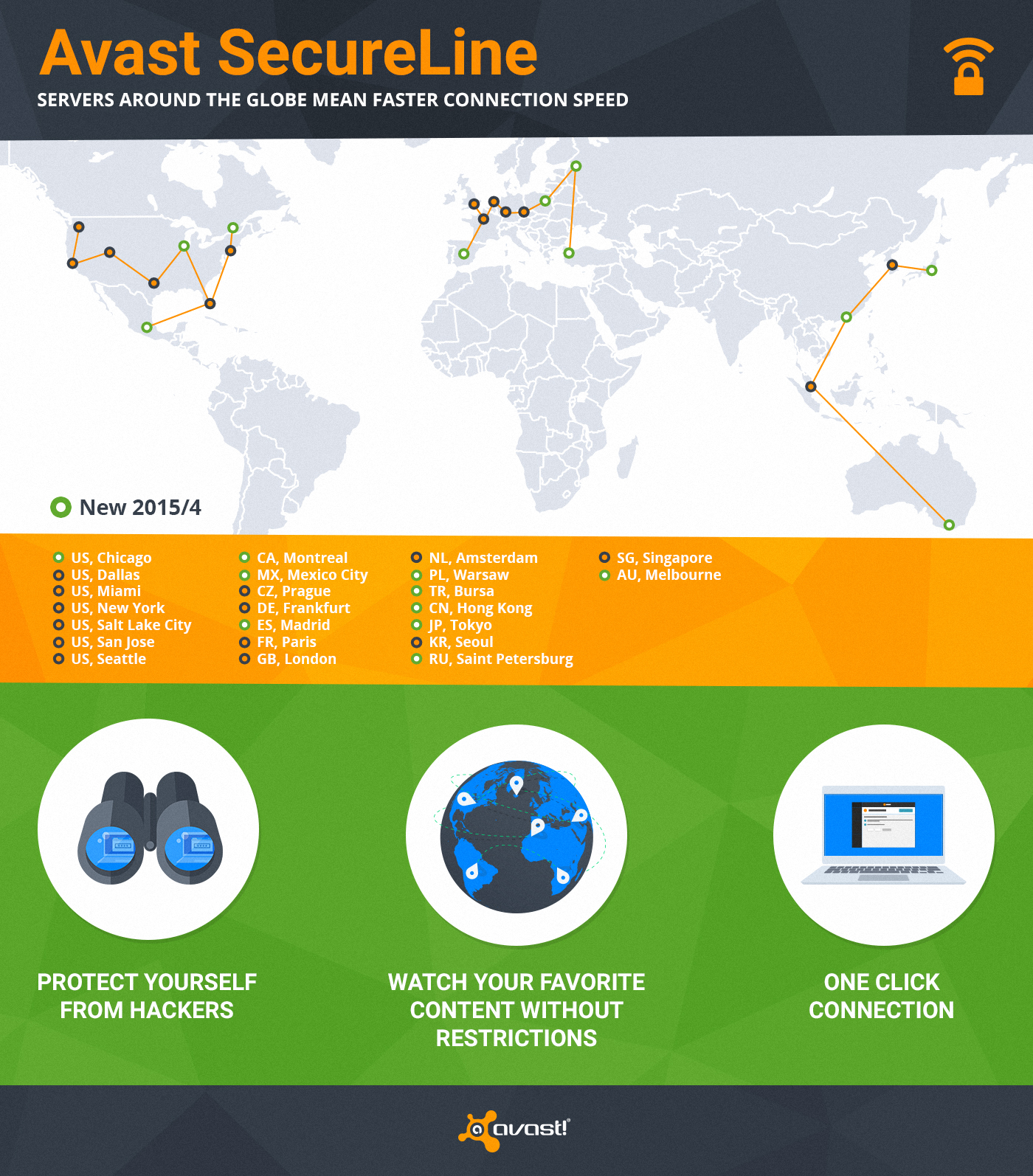
Avast SecureLine VPN has servers worldwide

We have servers all over the world so you can connect to our virtual locations anytime you don’t want anyone to monitor or log your Internet activity. We just expanded SecureLine with an additional 10 servers to ensure you have a faster connection speed.

One of the great bonuses of SecureLine is that it allows you to visit local websites restricted to visitors from abroad. With SecureLine connected to a local server, you can watch your favorite shows or listen to streaming radio in another country. That’s because SecureLine makes it look like you’re connected from the right location to access the content. (You know those countries that have blocked Facebook, YouTube, and Twitter? A VPN is how people can still connect.)

When you connect SecureLine on your PC, Mac, or Android phone, here’s what you can expect.

1) Privacy protection – hides your Internet activity anywhere on the web

2) Bypassing geo-restricted content, so you can watch your favorite content

3) You are anonymous – we don’t log what users do when connected through SecureLine

4) Ease of use – only one click and you are connected to one of 24 servers worldwide

How to use SecureLine VPN

SecureLine VPN is part of Avast Antivirus. Simply open your Avast user interface, choose the Tools option in the left menu, then click the SecureLine VPN button. Licenses for Windows, Android, and iOS versions of Avast SecureLine VPN are separate.

Supports: Windows,  iOS 7.0 or later, Android 4.0 and up

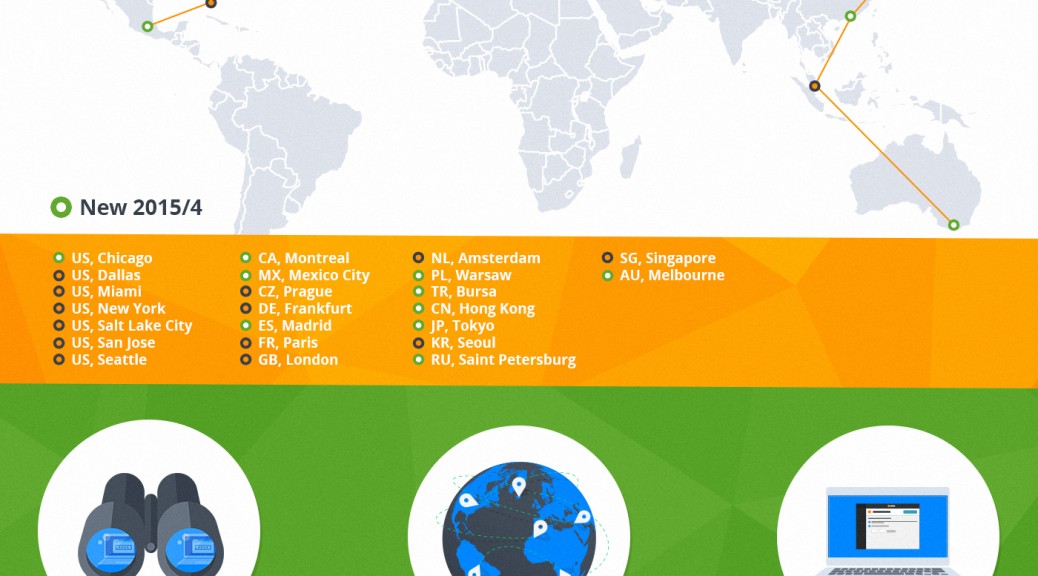
Servers: North America – Chicago, Dallas, Miami, New York, Salt Lake City, San Jose, Seattle, Montreal, Mexico City; Europe – Prague, Frankfurt, Madrid, Paris, London, Amsterdam, Warsaw, Bursa, Saint Petersburg; Asia/Oceania – Hong Kong, Tokyo, Seoul, Singapore, Melbourne

How to act after a cyber-attack

broken padlock

We hear it every day, experts are always talking about it: preventing cyber-attacks is very complicated, almost impossible, so what organizations should work on is on perfecting the process to follow once they have suffered an attack to regain control as soon as possible, disinfect computers, assess damage and take the appropriate actions. The way an organization acts in a situation like this is key. A quick reaction, efficient, makes a difference and, without a doubt, it reduces the negative effects in the long-term.

Here are the main steps to follow to address this complicated task, which companies like Sony Pictures Entertainment or Home Depot, are some of the most notorious cases, and survive a cyber-attack successfully.

1. Implement a response plan.

Once an attack has been discovered, the first thing to do always should be launching an incident proper response plan, which should be set in advance. So, if your company still doesn’t have one, you should start working on its definition as soon as possible.

Why is it important to have a plan? Because the response will be quicker. These plans should define who in the company has to act and how, which other sections (suppliers, partners) must be involved, the way each department must act, what technologies are needed to respond to the attack and even, how to determine its extent, which company’s information has been compromised or stolen, etc.

The plan implementation involves, firstly, containing the attack, if is still taking place, to avoid it from affecting more systems or devices and cleaning the already infected ones. If necessary, we must stop the systems to ensure that they are perfectly clean. Then analyzing where has occurred the data breach and how, what security measures were in place (encryption, etc.) and did not work and, finally, proceed to the total recovery of the data and systems. In addition, is advisable to monitor these more persistent, especially in the moments and days after the incident to ensure they don’t get infected again.

2. Coordinating the team that will face the cyberattack.

As mentioned in the above response plan, it should be specified who will be in charge of facing the cyberattack. Now, set to work all those professionals together. Of course, not only IT profiles and related to the security of the information are involved. Also will the organization’s team of public relations and communication, the responsible for human resources, the area of ​​business and management directors and the legal department. Among all they must provide an efficient and coordinated response not only towards their own employees but also towards their customers, suppliers and, of course, the public opinion.

3. Contacting with third parties.

The team responsible of responding to the cyberattack should also contact their usual IT and security suppliers and others who can help the team in this case, and report the incident to the national authorities and security forces.

lens

It is also necessary to meet with the company’s legal offices and with external experts to evaluate the possible implications regarding suppliers, customers, shareholders… taking into account, the way of communicating this type of incident may vary depending on the sector and the critical nature of the affected data. For example, if the breach has occurred in the financial or health sectors the communications must be very agile, as there is set already protection regulations which affect these sectors in particular. In this regard, it is important to document the extent of the attack, when it started and when it ended, which information was compromised or stolen, etc.

4. Transparency and communication.

These two requirements are essential after a security incident. Silence only creates uncertainty and mistrust and can have extremely negative effects on the company’s image. Communication with employees, customers and partners must be constant after a cyberattack. They have to know the extent of the incident and if they have to take some actions (for example, changing the passwords to access the service, as indicated Evernote after the suffered attack) and even in cases when emails or other employees’ information was accessed (see the Sony Pictures case) or customers, there are experts who suggest psychological help might be good.

In addition to communicating these issues through the several channels that are relevant (not only email but also by telephone, etc.), if the cyber-attack is powerful a call center may be established to provide information and what are the next steps for the affected individuals. It is even necessary to address a strategy to monitor the social media to analyze how the cyberattack is affecting the company’s image and also answer through this channel showing transparency to build trust.

5. Learn the lesson.

No company wants to experience this type of situation, but if it has been affected by an incident of this magnitude, the best is to look on the bright side, take note and learn the lesson. Every cloud has a silver lining and from an experience like this a company should learn the lesson, apply best practices to avoid a similar situation in the future or improve the reaction capacity if it happens again.

The post How to act after a cyber-attack appeared first on MediaCenter Panda Security.

Apple Watch: nothing prevents thieves from resetting the password and using a stolen one (even for shopping)

apple watch

It is one of the longest awaited gadgets in recent times and is set to become one of the technological gadgets of the year, but it has already given rise to the first scare: Apple Watch is vulnerable.

Apple’s smart watch, which has been on the market for just over a month, has given a hint to the public of its security flaws: security gaps which can end up being expensive for this wearable first buyers.

Apple Watch lacks an Activation Lock feature

On the one hand, Apple’s watch may become an object of desire for thieves, something the iPhone tried to prevent with certain security measures. The smart watch lacks of an ‘Activation Lock’ feature, which was created to dissuade criminals from illegally obtaining one of the company’s devices.

This feature first appeared with iOS7, and makes that the only way of disabling the ‘Find my iPhone’ option –which allows the user knowing where his device exactly is- is with the user’s Apple ID and password. In other words, unless the thief has your username and password, he won’t be able to disable the option that will allow you to find your stolen iPhone.

However, the smart watch doesn’t have the ‘Activation Lock’ feature. In addition, resetting the device and erasing all data- password included- is simple, even without having the PIN code which protects the watch, as you can see in the following video:

Shopping at your expense

A second vulnerability of the Apple Watch may work out to be even more expensive for the pioneers who have already bought it.

Thanks to its sensors the device detects when it is placed on a user’s wrist. While it is being worn it doesn’t require a password to unlock it, to enable its owner to access the screen and to make payments with Apple Pay.

If we take the watch off our wrist, Apple Watch will ask you to re-enter the password, so that, if it gets stolen, your data is safe, especially your financial one.

However, the watch’s sensors have a delay of about a second to re-enable the PIN code and, in addition, they don’t detect whether the watch is on the wrist or on any other body part, so some crafty thieves can take the watch off of a wearer’s wrist and then quickly cover the sensors with his fingers to keep the watch from locking.

Here the thief was not only able to access the information stored in your Apple Watch, but also to make purchases with your Apple Pay account.

So, the cracks in the security of the so long awaited Apple Watch are starting to undermine the fame of the device that Apple fans wanted to have on their wrists. The fact that with some tattoos the sensors of the Apple’s Watch don’t work is just a mere anecdote, now the security of its users is at stake.

The post Apple Watch: nothing prevents thieves from resetting the password and using a stolen one (even for shopping) appeared first on MediaCenter Panda Security.