With Tuesday’s release of Firefox 40, Mozilla has begun the process of requiring all add-ons for the browser to be signed. The company announced the forthcoming change in February, and Firefox 40 is the first version to warn users about unsigned add-ons. The goal for the change in policy is to protect users from malicious extensions […]
Tag Archives: google

Understanding tech companies’ privacy policies and their effect on users

Tech companies’ privacy policies have the ability to help or hinder users.
When was the last time you sat down and read through the entirety of a tech company’s privacy policy, even if you visit the site every day?
In an article recently published by TIME in collaboration with the Center for Plain Language, a selection of the world’s leading and regularly visited tech websites were ranked in a list in relation to their privacy policies. In short, they rated the companies based on the manner in which they communicated with the public while walking them through their privacy policies. In this case, it wasn’t the actual data that these companies collect from current and potential new users that was being analyzed. Instead, this study looked at the way in which that information is brought to the attention of these users.
When picking apart a company’s policy, it’s important to think about how users can actually benefit from taking the time to read it. While that may sound obvious, we’ve all come across our fair share of unfortunate company pages (such as T&Cs, FAQs, or even About Us sections) that add up to a bunch of unintelligible language that we ultimately digest as gibberish. Regarding the level of clarity in a company’s policy, TIME writes:
Does the policy, for instance, make it easy for people to limit the ways in which the company collects their personal information? Or are instructions about opting out obscured in the policy’s hinterlands with no hyperlinks?
In addition to Google, within the list are three social media platforms that many of us use on a regular (if not daily) basis: Facebook, LinkedIn and Twitter. When taking a closer look at these four websites’ policies, it becomes clear that they approach the issue of individuals’ privacy and personal information in very different ways:
1. Google: Unsurprisingly, Google does a great job of spelling out their policies using language that users can easily understand – hence, it came in first place in this study. The Center for Plain Language concluded that by reading through Google’s privacy policy, users’ trust in the company can actually increase. Impressive, considering that most people’s trust in Google is already considerably high to begin with.
2. Facebook: While certain policies simply acknowledge that they store and analyze user information, Facebook’s “What kinds of information” section takes it a step further, breaking down each kind of interaction users have while using the site and clearly explaining which information is collected and stored while those interactions are being executed.
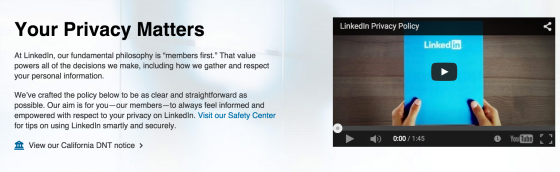
Photo via TIME
3. LinkedIn: Coming in at number three on the Center’s list, LinkedIn is an example of a company with a privacy policy that is mediocre in its clarity and messaging. However, LinkedIn does claim to have crafted “the policy to be as clear and straightforward as possible”, so the company’s third place rating could be a bit of subjective judgement call.
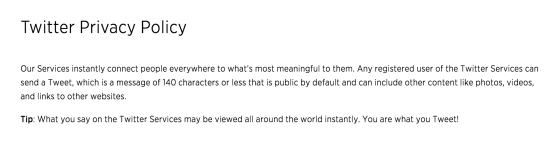
Photo via TIME
4. Twitter: Jump down to the second to last place on the list, and that’s where you’ll find Twitter. In a series of long and hard-to-read paragraphs, users are left wondering what it was that they just read when trying to pick apart Twitter’s privacy policy. This social media channel is a good example of what not to write when attempting to be transparent with audience members.
This study goes to show that it’s not only privacy policies that are crucial – it’s also important to pay attention to the way in which these policies are written and shared with users. Users should always be able to feel that they understand how and why their personal information is stored, analyzed, and/or shared on websites that they frequently use. Read the full report from the Center for Plain Language for a complete privacy policy analysis.
Follow Avast on Facebook, Twitter, YouTube, and Google+ where we keep you updated on cybersecurity news every day.

Twitter Adds Email Privacy Data to Transparency Report
The number of information requests Twitter is receiving from the United States government is increasing steadily, having risen roughly 50 percent in the first six months of this year compared to the last six months of 2014. In its latest transparency report, Twitter said that it received 2,436 information requests from the U.S. government from […]
New report explains gulf between security experts and non-experts
Security experts and non security experts take very different attitudes to staying safe online, according to new research.
The post New report explains gulf between security experts and non-experts appeared first on We Live Security.

Google Patches 43 Bugs in Chrome
A new version of Google Chrome is available, and it contains patches for 43 security vulnerabilities, many of them in the high-risk category. Two of the more serious vulnerabilities fixed in Chrome 44 are a pair of universal cross-site scripting bugs. One of the flaws is in blink, the Web layout engine in Chrome. The […]
Google to Expand Use of Safe Browsing to Stop Unwanted Software
Google is expanding the use of its Safe Browsing mechanism to warn users about a broader variety of unwanted software, in addition to the warnings they see regarding phishing pages, malware, and other threats. Safe Browsing is the service that Google uses to help protect Chrome users from malicious software and sites. The service defends […]
Undo Send: a Gift to Email and the Workplace
The Internet, email and mobile devices are the most essential connectors in today’s workplace. Between meeting alerts, necessary attachments, and up-to-date correspondence, most of us depend heavily on email in our work-a-day world.
And most of us also have sent embarrassing or regrettable emails: whether in the heat of the moment, when tired, or with an inadvertent ‘Reply All’ – or even, in some cases, hitting send to the wrong person entirely.
These days, when we’re all on tablets and smartphones we’re even more apt to make a mistake with our emails, when writing on the go or “trying” to multitask…and the email autocorrect kicks in. You probably have your own favorite funny and cringing email mistakes due to the ‘helpful’ autocorrect feature in email.
Humor aside, misplaced or poorly worded emails are a major issue for the workplace. One study by an enterprise email provider in 2013, found that 64% of people blamed unintended email for causing anger or confusion in the workplace; 43% found that this communication tool also was the most likely (above phones, IM, and text, for example) to cause resentment between senders and receivers.
Just this past month, Google officially launched its “Undo Send” feature for users of its Gmail accounts. The delete-that-email feature had been available for the past year in beta, housed in its Google Labs section.
If you tried Undo Send via Gmail Labs, your Undo Send setting now will be on by default.
Otherwise, you will find that you can easily enable the Undo Send feature in your Gmail settings. You can even set your system to have up to thirty seconds to review your message before you send. For details, go here.
For many years, users of Microsoft Exchange Server-based email systems have had the opportunity to recall and replace their emails. But most home and personal email users, and many small business accounts do not use Microsoft Exchange. And, in order, to recall your message, the recipient of the e-mail message that you want to recall also must be using an Exchange account. You can’t recall a message sent to an outside email system, such as someone’s POP3 e-mail account.
There are an estimated 900 million Gmail users, and almost 25% say they use the service during work hours. Some estimates place the number of mid-sized business users of Gmail at 60%. You can do the math and see that the new Undo Send feature of Gmail will be a valuable tool to the workplace.
Unsend? I’m all for it! But, of course, we should all still review our emails before we hit send…


How to set up your smartphone killswitch
With over 3 million smartphones stolen annually in the USA, and more than 300 each day on the streets of London, smartphone theft is sadly now an everyday occurrence.
These days, losing a smartphone means costs us so much more than the device itself. Our personal information, messages, emails, contacts and social networking profiles are all at stake. When you add banking and shopping apps, the financial costs can also escalate.
One of the most effective defenses against stealing and misusing your device and data is a killswitch functionality with reports suggesting killswitches can halve the number of smartphone thefts. It is so effective, that starting on July 1 2015, the state of California has ruled that all new smartphones must be shipped with killswitch functionality.
Once activated, a killswitch prevents a smartphone from being used or reprogrammed through a factory reset, making it very difficult for phone thieves to sell-on a working device.
The good news is that both Google and Apple rolled integrated killswitches for their smartphones in 2014, meaning that most smartphone users have access to basic level of protection.
Working with Qualcomm, AVG is developing a much more robust solution that is integrated directly into the hardware making it resistant to any number of attacks including factory resets or a SIM swap.
How to activate kill switch on Android
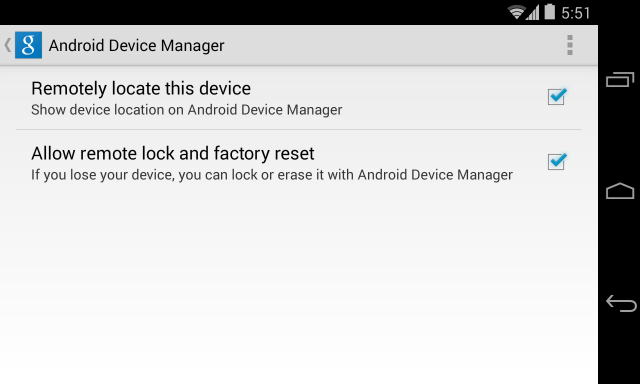
Step One: Set up remote access
- Go to Google Settings > Android Device Manager
- Grant permission to both ‘Remotely locate this device’ and ‘Allow remote lock and factory reset’
Step Two:
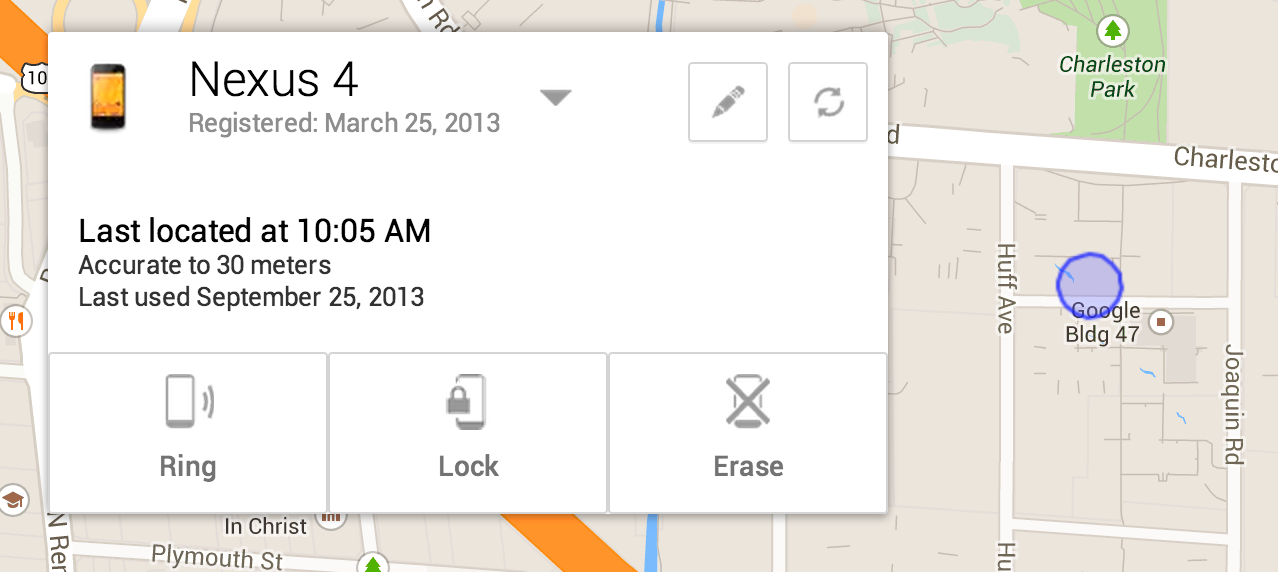
If your device is lost or stolen, go to any web enable device, log into Google and access the Android Device Manager Panel.
You will now see your device location on a map and have options to ring, lock and erase.
How to activate kill switch on iOS.
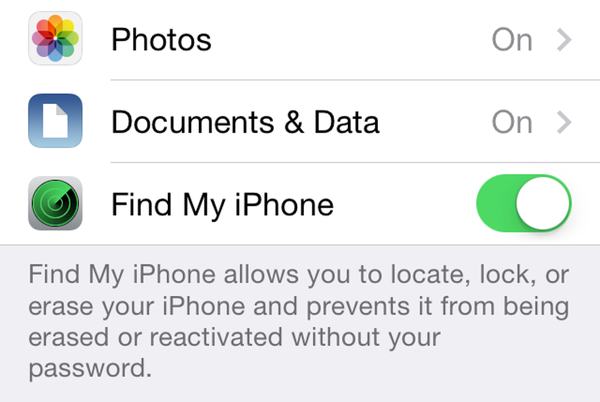
Step One: Enable Find My iPhone
- Go to Settings>iCloud
- Sign in with your Apple ID
- Enable Find My iPhone
Step Two: Enabling Lost Mode
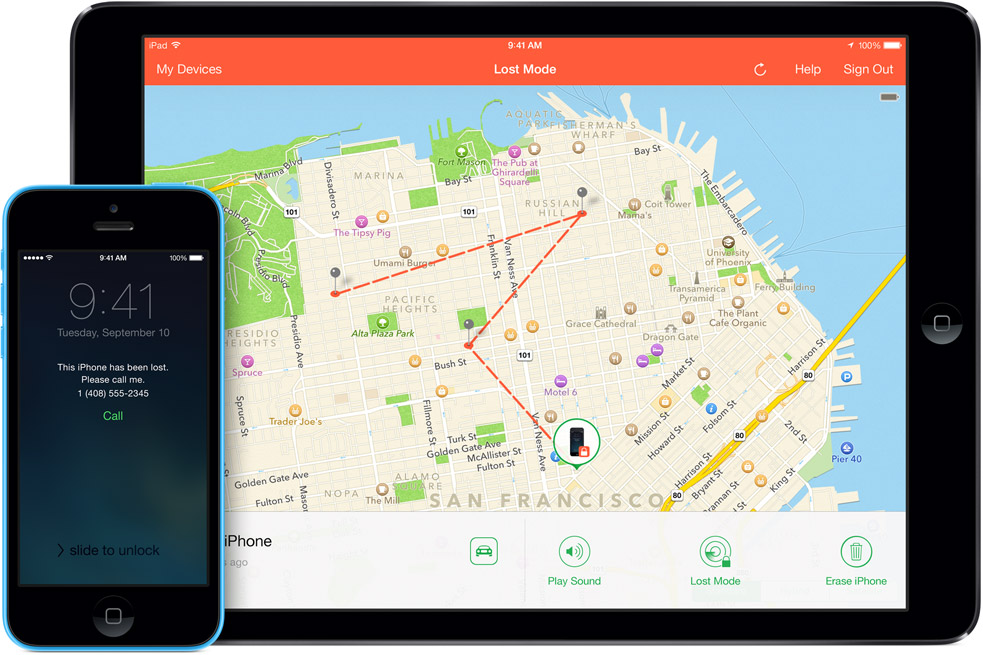
If you believe your device is lost or stolen you can activate the killswitch known as “Lost Mode”.
To do this, go to icloud.com/find from a Mac or PC, or alternatively you can use the Find My iPhone iOS app from another device.
This will bring up the Lost Mode dashboard which should pinpoint where your device is on a map and also give you the option to make it ring, lock it down or erase the data.
There is an option to customise the lock with a contact number for the safe return of your device. If you retrieve the device, you can safely return it to normal using your Apple ID login.


Cyber UL Could Become Reality Under Leadership of Hacker Mudge
UPDATE–One of the longstanding problems in security–and the software industry in general–is the lack of any universally acknowledged authority on quality and reliability. But the industry moved one step closer to making such a clearinghouse a reality this week when Peiter Zatko, a longtime researcher and hacker better known as Mudge in security circles, announced […]
Facebook Hires Ex-Yahoo CISO Alex Stamos
Facebook has hired away the top security executive at Yahoo, Alex Stamos, to become the company’s new CSO. Stamos said Wednesday that he is joining Facebook because he believes the company is in the best position to address some of the large security challenges facing users and companies right now. “There is no company in […]