Tag Archives: Internet Security

Your Online Purchases Could be in Danger Thanks to a Breach in Magento’s Security

To the usual misgivings of many Internet users, who are still suspicious about buying over the Internet, we now have to add certain security problems that have damaged the image of e-commerce.

The latest worrying episode has affected the popular management software, Magento – a group of attackers has taken advantage of a crack in its security, broken into the database and stolen personal information related to its users.
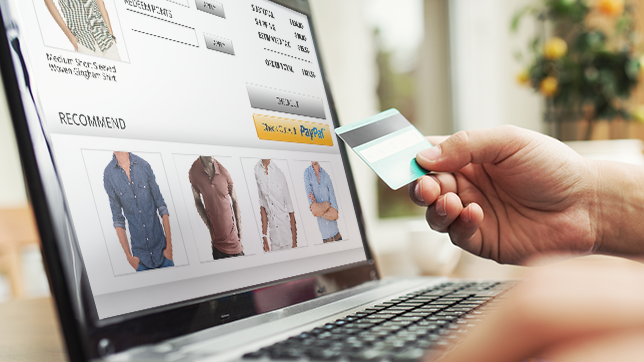
buy online safely

Over 100,000 stores worldwide use this tool, among those at risk are eBay (which owns the company), Nike Running and Lenovo. The researchers found that the cybercriminals infected the most sensitive part of the system with a malware – one designed to collect payment data.

The most worrying thing is that the victims didn’t even notice what had happened until they checked movements in their personal accounts. It was then that they realized that someone had stolen their money.

Last April a similar security gap was detected in this online retailer. Then, just as the company learned about this problem, Magento gave its customers a security fix that offset any possible leakage of information.

Far from wanting to make you fear shopping online, cases like this are used to point out the risks we face, and offer some tips to avoid, as much as possible, becoming the victim of a cyberattack when using an e-commerce platform.

6 tips to avoid security breaches in your online shopping

  1. One of the first steps you can take is to make all your online purchases through a payment service. There are many experts who claim that tools such as PayPal, with the incorporated security tools and encryption technology, can shield you from harm. In addition, it is advisable to link the account to a credit card in order to enjoy the protection measures implemented by the banks in their online payment process.
  2. Speaking of credit cards, one of the recommendations from the experts is to only use one card for your online purchases. So, if anything happens you will know which one to cancel to stop cybercriminals from emptying your account. We also recommend checking your balance often to discover any unauthorized movement before it’s too late.
padlock

  1. Another good idea in these cases is to keep, either printed or on the computer, a receipt of each purchase you make through the Internet. That way, if some day you have the misfortune of suffering information theft, you will be able to show those documents to prove the payments you made and those made by an intruder without your consent.
  2. On the other hand, a situation that you should avoid at all costs is to make purchases while using public WiFi. As a general rule, they are not safe – someone with evil intentions and the necessary knowledge could intercept the data from your computer and obtain your passwords or your credit card information. If you must access a public WiFi network, be sure to use a virtual private network (VPN).
  3. Finally, changing the passwords that you use in different online shops every so often could save you from any possible headaches.

The post Your Online Purchases Could be in Danger Thanks to a Breach in Magento’s Security appeared first on MediaCenter Panda Security.
Companies’ business continuity plans must improve

disaster

Disasters and security incidents happen. It is a fact. The problem is that organizations are still planning a response to these situations with little time, despite the fact that most of them have been forced to use a disaster recovery plan in the past 24 months. This is shown in a study by Gartner carried out in several countries highlighting this aspect (how these business continuity plans are managed and how the information security is safeguarded, what is their IT budget to accelerate the service restoration, etc.), which shows some of the most common disaster recovery management mistakes and discusses the key points to avoid them.

Short-sighted companies

In the report, made after interviewing more than 900 companies from six countries (United States, Canada, United Kingdom, Germany, India and Brazil), the consulting firm reveals that 75% of companies surveyed plan business continuity strategy just seven days in advance or even less. A striking fact that is striking when 86% of institutions claim to have had to implement a disaster recovery plan (which includes the recovery of the business, a crisis or incident management, the management of disaster recovery from the IT point of view, the availability of third parties or suppliers etc.) in the past 24 months.

Moreover, according to another report, this time made by Swiss Re, a company in the insurance sector, the number of natural and man-made disasters has increased exponentially in the last 40 years. While between 1970 and 1985 there were less than 100 disasters per year on average, between 1986 and 2013 there were 150, 2005 being by far the worst year (with more than 250 incidents that year).

Lack of capacity to determine their plans’ effectiveness

Another error detected by Gartner is the inability of most organizations to establish whether or not the business continuity plan they have defined is effective. Only 35% of the surveyed organizations surveyed dealt with exercises to test the effectiveness of their plan, just 30% used metrics for this purpose and 27% used score cards. At least half rely on audit reports, a practice somewhat weaker than the previous options, says Gartner.

incident management

Recovery Time and budget

As for the recovery time from a disaster, it is also generally high. Seventy six percent of the participants in the survey claimed that their business and their company’s systems are operational in 24 hours. Only 35% indicated that they are able to fix their systems in less than four hours.

The report also showed which sectors are more willing to increase their IT budget to improve their response to disasters. These are the health sector (this is what 71% of the respondents in this segment of the survey believe), communications (63%), transport (56%), banking (54%), and retail (52%). Contrary to these only 36% of the utilities and public sectors interviewees expect to increase the amount for this area in 2015. Furthermore, 9% of the respondents of these last two sectors believe that the IT budget for disaster recovery will be reduced this year.

Monitoring and management tools

Interestingly, as the study denotes, companies that have a greater degree of maturity in managing business continuity plans used software that facilitates this aspect and others such as monitoring certain parameters, from risk management to analysis of the incidents’ impact on the business and the disaster recovery plan management process. In general, 50% of the consulted organizations have acquired some of these tools in the past 12 months. Also gaining ‘market points’, are early warning systems of natural disasters (used by 32% of the companies), climate (24%), geopolitical (23%) and other aspects that may cause disruption of the business.

Extra effort to reduce the applications’ unplanned downtimes

A remarkable and positive aspect of the report is the growing number of IT managers who are starting projects in order to reduce (if not eliminate) the unplanned downtime of applications. According to Gartner, 40% of falls occur due to failures in the application (bugs, performance problems, or changes that cause problems); 50% are due to errors in operations, 20% are due to the hardware (problems on servers, networks…), operating systems, environmental factors (related to overheating, for example) and disasters.

“Statistics show the importance of establishing and maintaining a program focused on reducing, if not minimizing, the duration of unexpected downtimes and its impact on operations”, says the study along these lines.

Recommendations

Finally, from Gartner, they provide some advice to organizations who want to improve their business continuity plans and their disaster recovery policy.

  • Define a longer-term program, at least three years.
  • Use this program to know the largest time frame an organization can support when there has been a disaster or other incident involving a business interruption.
  • Check what insurance is held by the company in the event of a situation like this and act accordingly.
  • Analyze the use of tools that allow monitoring and managing business continuity plans to help standardize the strategy and to provide real time analytics and an x-ray of the operational area that allows managers to make better decisions during a crisis, incident or disaster.

The post Companies’ business continuity plans must improve appeared first on MediaCenter Panda Security.
Public WiFi networks. Are they safe?

free wifi

Airports, hotels… On vacation we also spend the whole day connected to the Internet. WhatsApp has in many countries become an essential tool for personal communication. We all want to be able to check Facebook, post photos on Instagram, tweet something we’ve seen, and answer work emails from wherever we  are… and it’s possible. We mostly do all these things from a smartphone, or perhaps from tablets or (increasingly less) from laptops.

It is quite common to scan for and connect to public WiFi networks which aren’t password-protected and let you connect to the Internet cheaply and simply. In fact, a typical selling-point of many restaurant chains nowadays is that they offer free WiFi connections to customers, and in many places there are public WiFi hotspots provided by local councils.

Even though the price of mobile data connections has dropped considerably (largely thanks to competition and technological advances), and connection speeds continue to increase (GPRS, 3G, HDSPA, 4G…), most users, if they can, still try to avoid using mobile data. The reason is simple: many of the mobile data rates on offer include a limit on data download volume, and once this threshold is exceeded, either the connection speed drops or the charges increase. Moreover, not everywhere has good mobile data coverage, and that directly affects the connection speed. And that’s not to mention the question of data roaming when traveling to other countries, where prices are very often completely prohibitive.

It’s obvious that most of us at one time or another will try to connect to a public WiFi network. Is it safe? What are the risks? Can anyone spy on data sent from my device? Can I get infected if the network is malicious? These are some of the questions that we’ll answer below.

When you connect to the Internet from home or from your office, you know who is responsible for the network and which people can connect to it.  However, on a public network, anyone can be connected, and you have no idea of their intentions. One of the first questions that arises concerns the level of security on any Web page that requires you to enter your login credentials.

wifi airport

How to connect safely to a public WiFi network

Could someone connect to the same network and spy on data communications?

Yes, anyone connected to the network could capture the data traffic sent from your device, and there are simple, free apps available for this purpose.

Does this mean that someone could steal my Facebook username and password?

No. Fortunately, Facebook, along with many other social networks, webmail services, online stores, etc. have secure Web pages. You connect to them via SSL, which you can see on your browser (depending on which one you use) when the padlock icon is displayed next to the page address. This means that all the data sent to this page is encrypted, so even if it is captured by a third-party, it cannot be read.

What about other websites? Could someone see which pages I’m visiting, or access the data I enter on unencrypted site?

Yes. It’s very simple to capture this information, and anyone could see what pages you connect to, what you write on a forum or any other type of unencrypted page.

So as long as the Web page is secure, I’m alright, aren’t I?

Yes, but it must really be secure. Capturing network traffic is just one type of possible attack. If the hotspot has been deliberately set up by an attacker, they could, for example, alter the settings of the WiFi router to take you to the page they want. Imagine you enter www.facebook.com in your browser, yet the page you see is not really Facebook but a copy, so when you enter your username and password you are giving it directly to the attacker. Or, worse still, the page you are taken to contains an exploit which infects your device without you realizing. In any event, the fake page won’t be secure, which should help you detect that it is not the real site.

But is this still the case if I know that the WiFi hotspot is reliable, such as in a shop or restaurant?

Yes. although it is obviously safer, no one can guarantee that the router hasn’t been compromised, or that the DNS configuration hasn’t been changed, which would enable an attack like the one described above where you’re directed to a fake page. In fact in 2014, security holes have been discovered in popular routers which allow them to be hacked so an attacker could easily change the configuration.

This is chaos! Is there any way of protecting myself against these attacks?

Yes. One good way is to use a VPN (Virtual Private Network) service. This ensures all data traffic from your device is encrypted. It doesn’t matter whether the site is secure or not, everything is encrypted. When you are connected to the VPN, the router’s DNS settings are not used in any event, so you’re protected from the types of attack described above.

And what about password-protected WiFi networks? Is there the same risk?

This in effect ensures that only people who know the password can connect to the same WiFi access point, nothing else. In a way, you could say that this reduces risks by reducing the number of people who can connect, although the same kind of attacks can still occur in the same way as on an open network without password protection.

Does this apply to all types of devices or just to computers?

To all kinds: computers, tablets, smartphones or any other device with which you can connect to a network.

And so what about WhatsApp? Can anyone see my chats or the photos and videos that I send?

No. Fortunately that information is now encrypted. Previously it wasn’t, and in fact, an app was developed that allowed you to see people’s chats if you were connected to the same network. This is no longer possible, although there is a way someone could find out your phone number if you are connected to WhatsApp on the same network as them, but that’s the most they can do.

The post Public WiFi networks. Are they safe? appeared first on MediaCenter Panda Security.

Passwords using emojis. Are they safer?

With SMS we saw how the language evolved in order to save characters, now the way we express ourselves through mobile devices has experienced a new transformation. With the arrival of instant messaging apps, with WhatsApp on top, there are people who are able to communicate exclusively with emoticons.

keyboard emojis

Humans move freely between images. This is why, we could not miss the innovation that would set aside the numbers and characters of our language to create new passwords based on illustrations. But these are not just any scribbles, these are precisely those emojis that are revolutionizing the way in which we express ourselves.

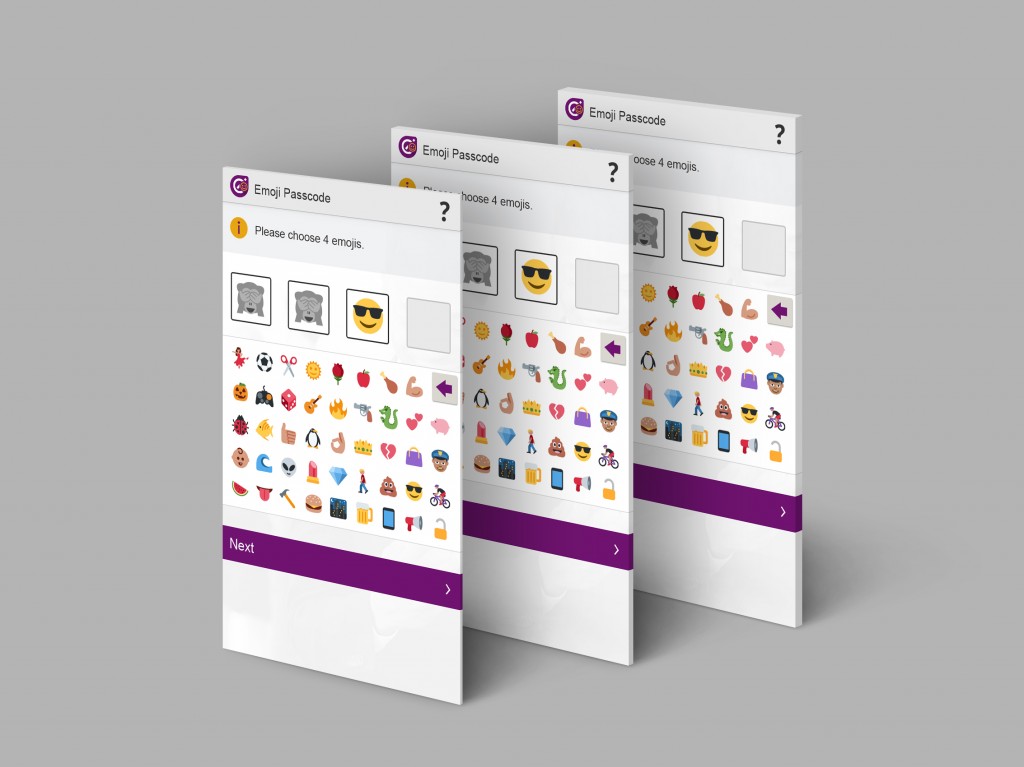
The company Intelligence Environment has developed the first password in which they don’t alternate numbers and letters, but emoticons. “Our research shows 64% of ‘millennials’ regularly communicate only using emojis” said David Webber, Manager Director of the company. “So we decided to reinvent the passcode for a new generation by developing the world’s first emoji security technology”.

In order to replace the passwords that we usually use to access applications and services via the Internet, this British developer has created a system in which the sequence of expressions, hand universal gestures and so many other visual realities make things more difficult for those trying to access what they shouldn’t.

The creators of this new way of composing passcodes claim that this system, as well as being more comfortable for the user, increases the security of passwords, since there are many more combinations based on emoticons. “There are 480 times more permutations using emojis over traditional four digit passcodes” says Webber.

Users will be able to choose from 44 emoticons, which are available on all operating systems. According to the British company’s estimates, these emojis can give up to 3,498,308 million unique permutations. In case of only using combinations with numbers from 0 to 9, as we do today for example with our credit card PIN, options are reduced to only 7,290 permutations.

This way we can create stories which are easier to remember and take advantage of one of the main benefits of this new access codes system. Rather than monotonous successions of letters and numbers which we repeat in several services to prevent our memory from playing us a dirty trick, with Emoji Passcode we will be able to create different passwords for different platforms.

emojis passwords

According to a study conducted by Intelligence Environment in United Kingdom, one third of the over 1,300 people who took part in a survey claimed to have forgotten the PIN for their credit cards recently. Therefore, this British company’s managers intend to implement their new creation, first of all, in the services offered by banks via the Internet.

Tony Buzan took part in the creation of this Emoji Passcode. He is a British memory expert memory who pointed out that this new method of passwords “plays to humans’ ability to remember pictures”. Something which as this educational consultant claims, “It is anchored in our evolutionary history. We remember more information when it’s in pictorial form”.

If within a few months we come across this new password method, we will possibly fail on our first attempts. However, as time goes by, remembering or forgetting our passwords will depend on the same factors as it does today: mainly, that our memory wants or not to play us a dirty trick.

The post Passwords using emojis. Are they safer? appeared first on MediaCenter Panda Security.

45% of ex-employees continue to have access to confidential corporate data

With the current situation experienced by the labor market, it is essential for companies to take steps in order to maintain their security in face of the movements which may occur in their workforces.

Employees looking for a change of scene, suppliers who do not pay on time, debts impossible to pay off that force companies to go out of business. There are numerous reasons that may cause changes between the team members and companies should control what information is taken by those who are leaving and how much may be known by those arriving.

computers offices

It seems that many companies don’t pay too much attention to this matter. There are few organizations that take the necessary precautions to prevent workers from taking with them information which belongs to the company or the passwords to access it. According to a study carried out by Osterman Research, 89% of the ex-employees keep the login and the password which gave them access to at least one of their former company’s services.

Of all the participants in the survey, 45% acknowledged that they continued to have access to sensitive or very sensitive confidential information and up to 49% claimed they had accessed some service after leaving the company. Therefore, organizations need to implement mechanisms and strategies that allow them to safeguard the privacy of their information from any changes in their workforce.

The most important thing is to take action before the employees leave. A basic requirement to avoid problems in the long term is to know all the accounts to which employees have access and, in addition, to register the credentials with which they can login to one service or another.

Without going any further, it would suffice to implement a single sign-on platform. A portal from which employees could access all the tools necessary to do their job, using their corporate email as user id. This way, if for any reason the employment relationship comes to an end, the organization will only have to delete that employee’s email to prevent the company’s information from falling into the hands of someone not related to the company.

In the event that the company has forgotten or discarded this first step, they will be able to establish a procedure which must be followed by the employees when they leave their jobs. In some cases security measures as simple as making sure ex-employees return  the tools provided for their work, such as a computer, a smartphone or the card giving access to the office.

This is as far as the physical world is concerned. In terms of digital tools, companies must not forget to close any access their former employees might have to their corporate accounts. In addition, they must prevent them from entering, in any way, the services, applications and any other channels used by the company to enable its workers to operate as a team.

man working

We must take into account a detail in this whole process: during the time a worker is part of the team and has the company’s trust, his actions cannot be controlled. That’s why, as the study of Intermedia exposed, 68% of the employees that took part in the survey claimed to have kept corporate information in one or another personal account in the cloud.

Employees who needed to check documents outside the office stored them in Dropbox, Google Drive or OneDrive. According to Michael Osterman, president of Osterman Research, “if an employee stores sensitive or confidential data in personal Dropbox or Google Drive accounts, then this data is potentially accessible by outsiders the day he or she becomes an ‘ex-employee’”.

For that reason, another recommendation is that organizations which can see their privacy compromised due to changes in their workforce should implement or hire their own cloud storage service. In this way, the company will always have access to that data and will prevent the employee who uploaded this information from accessing it if he leaves the team.

Furthermore, the management of the company should encourage employees to save the information there rather than leaving it on their computers, just in case on the last day, if they decide to erase everything they have stored, some sensitive information could disappear forever. In case they decide to act in this way, the company must also incorporate regular audits to check that everything goes as planned and all data is safe.

Following these recommendations, many companies could save themselves some headaches. With these guidelines they will not only prevent ex-employers from taking something that doesn’t belong to them, but also prevent the digital ghosts of people who one day worked for the company from continuing to swarm through those platforms and services to which one day they had access, sniffing around matters which no longer concern them.

The post 45% of ex-employees continue to have access to confidential corporate data appeared first on MediaCenter Panda Security.

Apple reinforces security with iOS 9 and OS X El Capitan

Apple

Moscone Center in San Francisco (California), the same convention center where Google or Intel hold their events, welcomed around 5,000 developers between June 8th and 12th. All attended Apple’s annual Worldwide Developers Conference (WWDC).

Cupertino’s company officials revealed some of the features of the brand’s new operating systems, which are already available in their beta version. IPhones and iPads will update to iOS 9 and Mac computers to OS X 10.11 El Capitan, named after a vertical rock formation in Yosemite National Park (California).

In addition to the changes aimed to improve the user experience, in both new versions many of the innovations have to do with security. An aspect in which Apple has insisted over the past years.

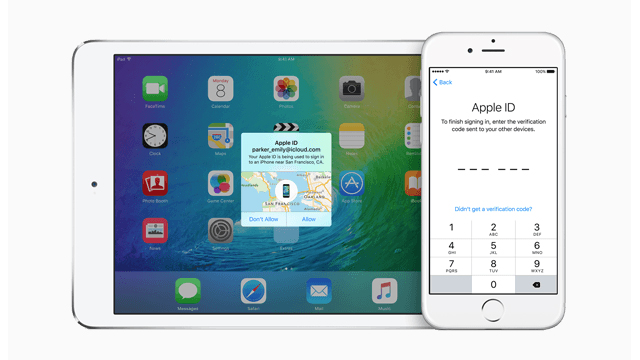
One of the most obvious changes affect passwords. To increase the level of protection, the devices running iOS 9 after the update will require six digits passwords, instead of the standard four-digit one. However, you will be able to choose from several options: you can use a custom alphanumeric code, a custom numeric code or, as it was so far, a four-digit numeric code.

Apple ID

For those who decide to join the new format, this new passcode will make it more difficult for cybercriminals who want to take control over your phone or tablet. It allows over a million different combinations, significantly more than the 10,000 allowed by the current authentication method.

On the other hand, developers will have the best tools to guarantee the security of applications in their hands. With them, they will be able to connect their apps to the Internet via virtual private networks (VPN), a technology that allows a device to send and receive data in a public network with, in theory, as much security as if it was private.

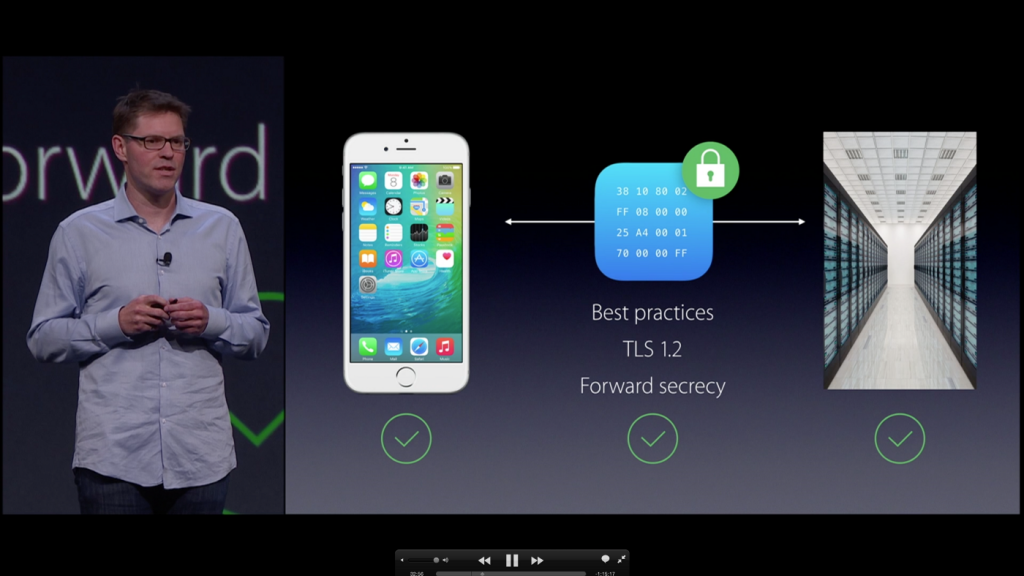
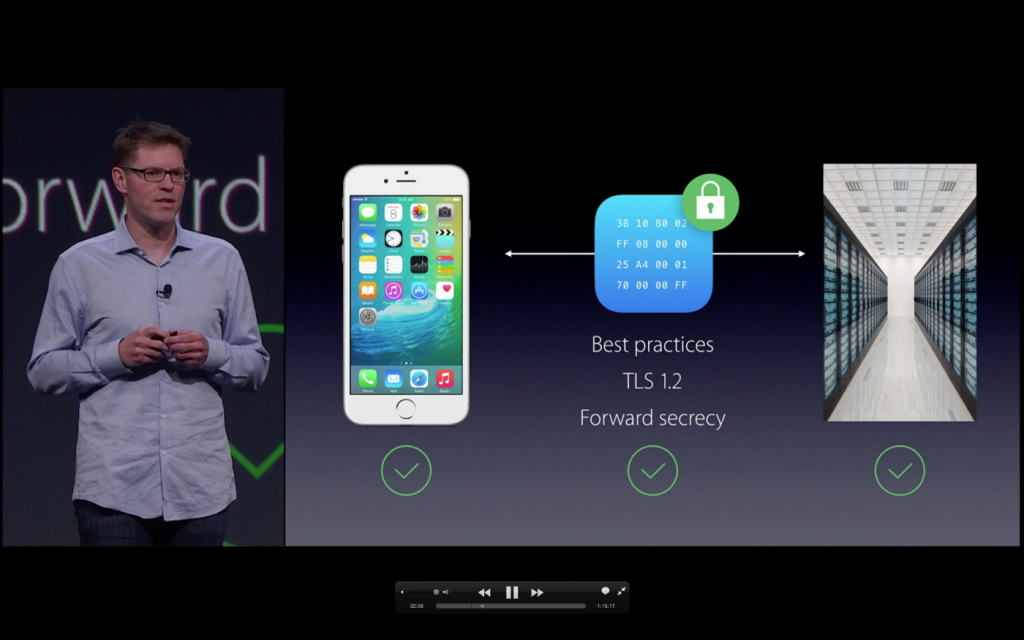
Another important innovation is related to the Secure Socket Layer (SSL), which includes the protocols that encrypt communications over the internet. iOS 9 allows users to configure their system so that all internet connections made by their applications use HTTPS, a secure data transfer protocol.

In addition, Cupertino’s team ensure that the protocols will be updated constantly to avoid security vulnerabilities.

Safari has also improved its security measures. On the one hand, the extensions will have a certificate from Apple. Developers can distribute extensions with their own signature, but the apps will not be updated by themselves.

On the other hand, this new version includes extensions to block content (‘Content Blocking Safari extensions’), a way of preventing the execution of cookies, pop-ups, automated videos and other web content.

Despite the rumors for iOS 9 that suggested it would be ‘rootless’, which means it would not be possible to gain access to root directories, this feature does not exist in the beta versions. It is true that Apple has changed the administrators’ privileges in OS X El Capitan, so they cannot modify any of the options of the critical system files. The measure prevents the installation of some types of malware, and its persistence. There are also those who think that it will serve, rather than to protect the security, to avoid that users apply the dreaded ‘jailbreak’ to Apple’s devices.

The post Apple reinforces security with iOS 9 and OS X El Capitan appeared first on MediaCenter Panda Security.

Security in Windows 10: an app guardian, biometrics and the end of passwords

windows 10

The date approaches. The next version of Microsoft’s operating system will be released on July 29 as a free upgrade for all users of Windows 7 and 8/8.1. Although, the corporate sector will have to wait a little longer: Windows Enterprise next edition will come later, but it will also be available through 2015.

The ‘back-to-school’ campaign and its traditional increase of computers sales, is the setting chosen by Redmond to deploy their new and expected product, a software that four million users have already tried in its ‘beta’ phase thanks to the Windows Insider Program. It is an unfinished product, with many details to sand, but it already allows to outline the general lines of the new operating system.

Beyond Cortana’s integration (the virtual assistant from Microsoft that gives Apple’s well-known Siri a run for his money) or the debut of Edge (the successor of the illustrious browser Internet Explorer), some new features of Windows 10 are especially interesting when it comes to security.

On the one hand, what we have already told you: Windows virtual store will include Android and Apple apps, which must exceed strict controls in order to add them to the Windows ecosystem. On the other hand, the catalogue of protection measures increases. These are the three most relevant:

Device Guard

It is responsible for monitoring the applications access to Microsoft. Basically, it will stop all programs that are not signed by their creators and Windows Store, and will only allow to run those which prove to be trusted.

“To help protect users from malware, when an app is executed, Windows makes a determination on whether that app is trustworthy, and notifies the user if it is not”, explained Chris Hallum, Microsoft security expert.

In addition, this decision making will take place in isolation, in a different environment, so that the machine will be protected from malicious applications even if an attacker has managed to compromise the rest or other part of the system.

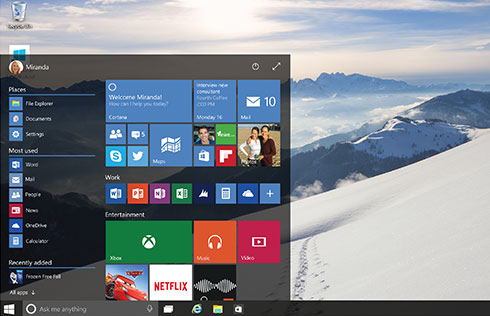
windows desktop

Windows Hello

That biometrics is the identification’s future, it is something that already everyone is aware of, and Microsoft is not going to be an exception. While Google announced that its upcoming mobile operating system, Android M, will be compatible with iris and fingerprint readers, the company ran by Satya Nadella is preparing Windows next version to welcome these authentication systems.

We will have to say goodbye to passwords, of course, but only if the manufacturers get their act together. So, home users and employees of a company will be able to prove their identity thanks to biometrics and computers will have to incorporate scanners capable of reading this information. At the moment, all machines equipped with Intel RealSense 3D camera will be compatible with facial recognition, which allows the user to start the system without introducing any key or to unlock Passport without a PIN, among other things.

windows

Passport

This is the second nail that Windows 10 has hammered in the coffin of old passwords. First, you must unlock it, proving that the person using the device is in fact the owner thanks to a PIN or to the above mentioned biometric information collected by Windows Hello. Then, Microsoft’s digital passport will allow you to navigate inside and outside the operating system without having to enter a ‘password’ every time you go through customs.

Applications, social networking, e-commerce sites… Almost everything that today asks you for a password, tomorrow will know you’re the one who wants to enter… and not an impostor with ill intentions. Thanks to this new security measure.

The post Security in Windows 10: an app guardian, biometrics and the end of passwords appeared first on MediaCenter Panda Security.
How to act after a cyber-attack

broken padlock

We hear it every day, experts are always talking about it: preventing cyber-attacks is very complicated, almost impossible, so what organizations should work on is on perfecting the process to follow once they have suffered an attack to regain control as soon as possible, disinfect computers, assess damage and take the appropriate actions. The way an organization acts in a situation like this is key. A quick reaction, efficient, makes a difference and, without a doubt, it reduces the negative effects in the long-term.

Here are the main steps to follow to address this complicated task, which companies like Sony Pictures Entertainment or Home Depot, are some of the most notorious cases, and survive a cyber-attack successfully.

1. Implement a response plan.

Once an attack has been discovered, the first thing to do always should be launching an incident proper response plan, which should be set in advance. So, if your company still doesn’t have one, you should start working on its definition as soon as possible.

Why is it important to have a plan? Because the response will be quicker. These plans should define who in the company has to act and how, which other sections (suppliers, partners) must be involved, the way each department must act, what technologies are needed to respond to the attack and even, how to determine its extent, which company’s information has been compromised or stolen, etc.

The plan implementation involves, firstly, containing the attack, if is still taking place, to avoid it from affecting more systems or devices and cleaning the already infected ones. If necessary, we must stop the systems to ensure that they are perfectly clean. Then analyzing where has occurred the data breach and how, what security measures were in place (encryption, etc.) and did not work and, finally, proceed to the total recovery of the data and systems. In addition, is advisable to monitor these more persistent, especially in the moments and days after the incident to ensure they don’t get infected again.

2. Coordinating the team that will face the cyberattack.

As mentioned in the above response plan, it should be specified who will be in charge of facing the cyberattack. Now, set to work all those professionals together. Of course, not only IT profiles and related to the security of the information are involved. Also will the organization’s team of public relations and communication, the responsible for human resources, the area of ​​business and management directors and the legal department. Among all they must provide an efficient and coordinated response not only towards their own employees but also towards their customers, suppliers and, of course, the public opinion.

3. Contacting with third parties.

The team responsible of responding to the cyberattack should also contact their usual IT and security suppliers and others who can help the team in this case, and report the incident to the national authorities and security forces.

lens

It is also necessary to meet with the company’s legal offices and with external experts to evaluate the possible implications regarding suppliers, customers, shareholders… taking into account, the way of communicating this type of incident may vary depending on the sector and the critical nature of the affected data. For example, if the breach has occurred in the financial or health sectors the communications must be very agile, as there is set already protection regulations which affect these sectors in particular. In this regard, it is important to document the extent of the attack, when it started and when it ended, which information was compromised or stolen, etc.

4. Transparency and communication.

These two requirements are essential after a security incident. Silence only creates uncertainty and mistrust and can have extremely negative effects on the company’s image. Communication with employees, customers and partners must be constant after a cyberattack. They have to know the extent of the incident and if they have to take some actions (for example, changing the passwords to access the service, as indicated Evernote after the suffered attack) and even in cases when emails or other employees’ information was accessed (see the Sony Pictures case) or customers, there are experts who suggest psychological help might be good.

In addition to communicating these issues through the several channels that are relevant (not only email but also by telephone, etc.), if the cyber-attack is powerful a call center may be established to provide information and what are the next steps for the affected individuals. It is even necessary to address a strategy to monitor the social media to analyze how the cyberattack is affecting the company’s image and also answer through this channel showing transparency to build trust.

5. Learn the lesson.

No company wants to experience this type of situation, but if it has been affected by an incident of this magnitude, the best is to look on the bright side, take note and learn the lesson. Every cloud has a silver lining and from an experience like this a company should learn the lesson, apply best practices to avoid a similar situation in the future or improve the reaction capacity if it happens again.

The post How to act after a cyber-attack appeared first on MediaCenter Panda Security.

“What is your mother’s name?” Google dismantles one of the most popular security measure

computer

What is your mother’s name? And your favorite color? We don’t want to interrogate you, these are the security questions we have to answer in order to recover our password or as an extra step during the identification process.

If we have forgotten our password, after failing all attempts to entering it correctly, the platform asks us one of the questions we chose during the registration process. We know how difficult it is to choose a secure password, different from the last, change it from time to time and, actually, remember it, how can such a simple question protect our account?

A team of researchers from Google have set out to determine whether or not this security strategy really fulfills its mission. To do so, they have analyzed hundreds of millions of questions and secret answers. They have summarized their findings in an article in the twenty-second World Wide Web international conference’s publication.

In short, the authors found that secret questions are not reliable enough, so they don’t serve as the only mechanism to recover the account’s passwords. Although some of the answers are safe and easy to remember, these two characteristics don’t generally coincide. When the answer is so complex that it serves as real protection, memory fails.

confused person

On the other hand, the easiest options are usually related to some aspect of our daily life or even of public domain. The main mistake is found here, they can be deduced with the appropriate analysis tools and a little patience.

This way an attacker could figure them out considering a limited set of possibilities. Let’s say, for example, the most common surnames in a country, the most popular dishes, or simply the most common colors (to determine your favorite).

Google’s research provides some significant figures regarding that matter. A ciberattacker would have a 19.7% chance to find out the answer to an English-speaking user to the question “What is your favorite food?” The most common answer is “pizza”. In case of the Spaniards, with 10 attempts there is a 21% chance of guessing right his father’s second name.

We also have news for those who fake their answers to prevent anyone from guessing it. In the study, 37% of people intentionally answer incorrectly questions like “What is your phone number?” Nevertheless, this strategy could backfire, because most end up choosing the same false answers, making it easier for the criminals.

So what is the solution? Choosing a more complicated question? The authors of this study don’t advise it, because the numbers show that we forget them quite easily. Most of those who chose one of the theoretically safer questions didn’t remember their answer.

In particular, only 55% recalled their first phone number, 22% remembered their library card code and an even fewer (9%) their frequent flier number.

Incorporating two or more questions is not a good idea, because, according to the experts at Google, this would complicate the recovery of the account. If users cannot remember one, hardly they would even more.

The only solution is to use other authentication methods, such as access codes sent via text message to your cell phone (two-step verification) or an alternative email address. The authors of this research describe these two methods as “safer” and ensure that they offer a better user experience.

The post “What is your mother’s name?” Google dismantles one of the most popular security measure appeared first on MediaCenter Panda Security.