
Tag Archives: Internet Security

Social Engineering techniques – What they are and How businesses can avoid them

thief computer

Although it may be tempting to imagine hackers as being shy and socially inept types, whose only human interaction is via their computers, this is an assumption which rarely corresponds to the reality. In fact, in some cases, the social capabilities of hackers have worked greatly in their favor as a method of intrusion.

This technique is called social engineering and consists of tricking and manipulating the victim into committing a human error so as to compromise the security of IT systems.

Social psychology as a method of intrusion

This form of intrusion doesn’t rely on vulnerabilities in the IT system, but rather a social interaction (online, by telephone, or face-to-face) between the attacker and the weak link in the IT security chain – the user. The most successful social engineering techniques are based on the charisma and problem solving capabilities of the hacker, and almost always a deep knowledge of human psychology, of our irrational impulses, and of our feelings of trust, curiosity, attraction, and fear.

For example, the hacker will try to pass itself off as another person (such as a security personnel or a technician) or will pretend to have a role authority so as to coax confidential information from the victim. All of this is done without the victim realizing for one moment they are being duped.

worried woman computer

Kevin Mitnick, one of the most notorious hackers in the 1990s, now works as a digital security consultor and says that social engineering is usually based on four fundamental principles:

  1. “We all want to help”
  2. “The first reaction is to trust in the other person”
  3. “We don’t like to say no”
  4. “Everyone likes to be praised”

An example is that of Chris Nickerson, the founder of Lares, an American security consultancy firm that used social engineering techniques to test the levels of security in businesses by means of “red team tests”. Armed with only information available to the public on the internet and a technician’s shirt from a known tele-operator, Nickerson tries (and usually succeeds) to access the company’s offices and manipulate the workstations in front of all the employees.

Brief classification of techniques

  • Passive – based on observation and behavior analysis, with the aim of reconstructing their daily routine, to create an approximate psychological profile, etc.
  • Non-present – based on requests for information via email or over the phone.
  • Present but not aggressive – this includes actions such as spying on someone’s house or looking for personal documents in the trash.
  • Aggressive and present – Psychological pressure and identity theft.

social engineering

How do I stop my employees from becoming victims?

In their 2003 book, Hacking Linux Exposed, B. Hatch and J. Lee suggested adopting the following attitudes and they are still relevant today:

  • “Train the users” – given that this type of attack is always launched against a person, the best way to avoid it is to ensure that all of your employees are aware of what to look out for when it comes to social engineering tactics.
  • “Be paranoid” – the authors recommend “cultivating a healthy paranoia”, as it is normal that the hackers will be wary of using someone who doesn’t seem to trust them. “They look for the easiest objective”, they added.
  • “Ask them everything” – it’s advisable to always ask the person you are dealing with why it is that they need the information that they request. “The majority of social engineering attacks fail by asking the attacker questions”.
  • “Always check their sources” – if we are suspicious of a request sent my email, we should verify it by calling the person by telephone. If we speak face-to-face with someone we don’t know, we should demand to see some form of ID.
  • “Learn to say no” – when a hacker is applying social engineering tactics, it is normal that he or she does it by straying from the norms of the business or tries to get the victim to do it. Keeping within the set rules is a good form of defense in these cases.
  • Also recommended is that the business has a good EDR platform (to detect and protect against threats) such as Adaptive Defense 360.

This means that if a user falls for a trap and clicks on a link to download an infected application, it is blocked immediately. It will also inform, in real time, to the company’s security team so that they can act as soon as possible.

The post Social Engineering techniques – What they are and How businesses can avoid them appeared first on MediaCenter Panda Security.
Is there for a future for traditional text passwords?

“It doesn’t matter how complex or unique they are, your passwords can no longer protect you” (Matt Honan, Wired)

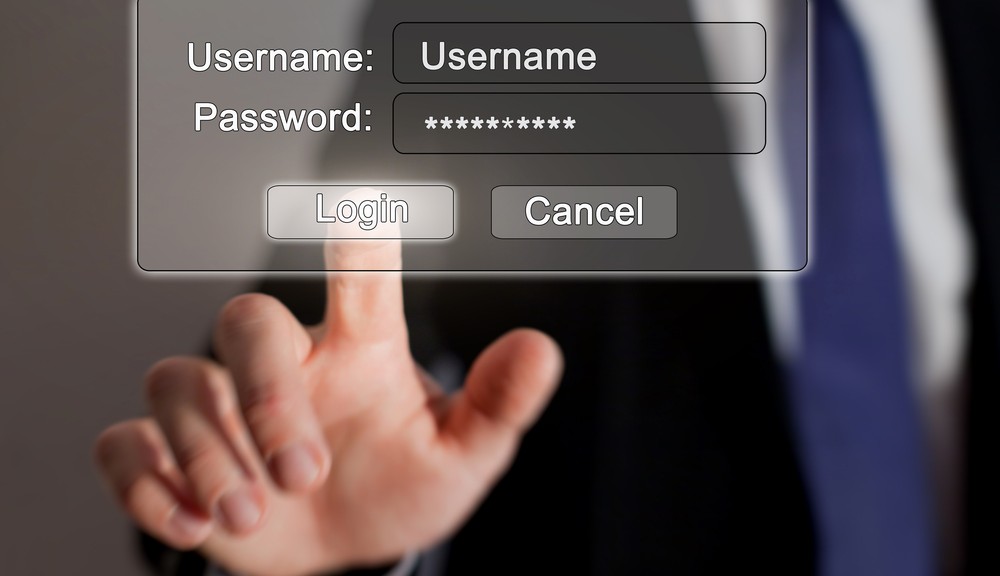
It is relatively easy to find a text password that current industry standards classify as safe: a score of characters that is a mix of numbers, letters and symbols may in a relatively incomprehensible pattern should suffice. We can also go one step further and opt for a random password generator.

That, however, means losing sight of the way we use the passwords: it will be safe enough not to be decipherable, but also complex enough to be easily forgotten, which could impede us from accessing everyday information of both personal and professional importance.

username and password

Not to mention that they can still be stolen or intercepted in various ways and this is the accumulation of problems which a few non-technology companies and financial institutions have generated.  They have long been experimenting with new alternatives for user authentication and all are based on the use of three main factors:

  • Knowledge: Elements that only the user knows. Text passwords or PINs are the main example, although not the only ones.
  • Possession: Elements that only the user has, like chips with inbuilt NFC.
  • Inherence: Elements that are unique to the user, such as a biometry of the face, retinas, fingerprints, or even brainwaves.

passwords, inherence, retina

Last January, Visa Europe published a study in which it affirmed that “the Generation Z is ready to replace passwords with biometry”. In fact, three out of every four young people between the ages of 16 and 24 agree that they feel more comfortable resorting to biometry, and a similar figure considered it a “faster and easier” option to current passwords. Finally, half of those that were surveyed predicted the end of traditional passwords by the year 2020.

Changing characters for emojis

The company Intelligents Environments recently presented, just as we did previously on this blog, its unusual idea for replacing PINs – passwords of emojis or emoticons. Although it may seem a rather silly idea, there are a few factors to consider when it comes to replacing the traditional PIN – like symbols, they are much easier to remember and more user-friendly, and what’s more, the huge variety of emoticons available means that there are up to 3,498,308 million different combinations (compared to just 7,290 currently available). The negatives include the time we would lose scrolling to insert the symbols.

passwords, emoticonos

Facial biometry via selfies

Not long ago, Mastercard carried out an experiment with a group of 500 customers by using an application that allowed the users to identify themselves by using a selfie when shopping online. The app analyzed the photo by using facial recognition technology and the compared it with a second image of the card holder which was located on Mastercard’s database (all this, they say, transmitting the data so that the company will not be able to reconstruct the user’s face). The matching of features in both images is what gives the green light for the transaction to be completed.

Speaking to CNN, MasterCard executive Ajay Bhalla said his company wants to “identify people for what they are, not what they remember […] we have to remember too many passwords, and that creates problems for both consumers and companies”. Bhalla is convinced that the new selfie generation will have no problem in adopting this system.

A step further: brainwaves

Just a few weeks ago, a group of researchers at Binghamton University (New York) published a study that raised a new theory – that the brain waves produced when the human brain reacts before certain words could be used in future as a substitute for passwords, since each person has a particular and distinct reaction to the same terms. Subsequently, attempts to ‘train’ a computer system to recognize each user based on their brain signal resulted in a success rate of 94 %.

This authentication system, which combines factors of recognition (the buzz word here) and inherent (the distinctive pattern of brain waves), would come to solve the problems of validating the biometrics: “If the fingerprint of a user is usurped,” says researcher Sarah Laszlo, “the victim cannot create a new one because they still have the same finger. However, in the unlikely event that it were a brain footprint copied, the user could easily start it again“.

The Abacus Project, the multifactor proposal by Google

In the recent Google I/O 2015, the company from Mountain View submitted its own proposal to ensure the security of mobile devices – a software capable of combining biometrics and the detection of patterns of use (pressure, speed, speech and typing, location) to identify whether or not the person using the device is the regular user or not. The good news is that the only hardware that this system requires is already integrated in the latest generation of smartphones.

The post Is there for a future for traditional text passwords? appeared first on MediaCenter Panda Security.

It’s possible to access Dropbox and Google Drive accounts without needing user passwords

security, cloud

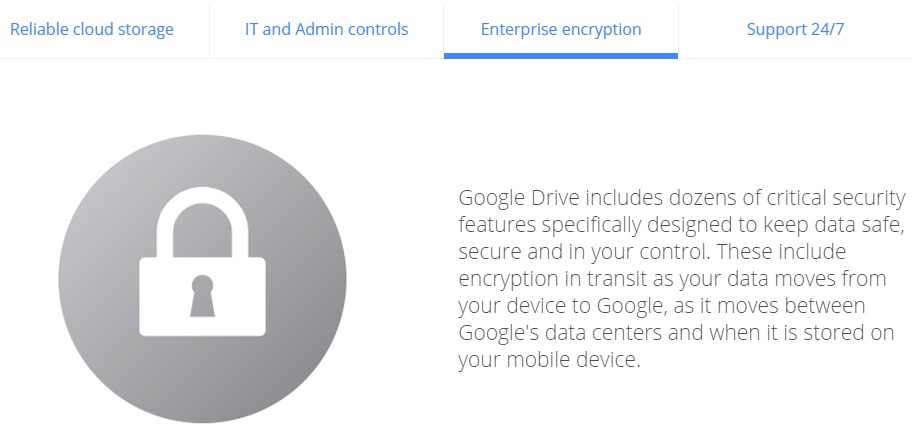
As the number of connected devices increases, so too does the use of platforms which allow us to synchronize them all and access our files from any location. Saving documents on the cloud is especially useful in the corporate world, where all of the team is able to access and modify information without the need to send emails or use external memory systems.

As we have already mentioned on various occasions, despite being useful and efficient, the cloud system isn’t completely risk free. During this year’s BlackHat USA, an event that draws together security experts from all around the world, there was a new revelation relating to cloud security.

The group on question discovered a new type of attack called the Man in the Cloud (a variation on the classic Man in the Middle), which allows cybercriminals to access synchronized file services.

dropbox

By doing this, they can reconfigure platforms such as Dropbox, Google Drive or Microsoft’s OneDrive and turn them into tools for stealing information. One of the most dangerous and worrying aspects of this is that the criminals don’t need to have the passwords in order to access the information.

In an effort to speed up the process, a lot of the most popular applications don’t ask users for their login details every time. Instead of this authentication, it relies on an identification key or a token, which is saved in a file or register.

The problem is that even when the key is encrypted, cybercriminals are able to eliminate the encryption. To make matters worse, some platforms such as Dropbox don’t renew the code even when the user changes the password. That means that to steal information, the attacker only has to install the identifier on its own system.

google drive

One of the experts who uncovered this attack has developed a test to manipulate the encryption of the keys. It consists of a malware that the victim downloads from a link included in an email or when they access an infected webpage.

Once inside, besides stealing documents and confidential information, the attackers can manipulate the files, encrypting them so that the users are unable to access them. They are also able to install a back door on the device which allows them even more control over it.

To avoid these types of attacks, the best thing to do is use storage and synchronization tools such as Panda Cloud Drive, which is included in the Gold Protection version of our security solutions.

The post It’s possible to access Dropbox and Google Drive accounts without needing user passwords appeared first on MediaCenter Panda Security.

The most sought-after professional profiles in the information security sector

security jobs

Direct attacks, identity and information theft of all sorts (especially social engineering), persistent advanced threats… the risks associated with information security are continually multiplying in a world which is increasingly more digital, mobile, and multi-device based. With this backdrop it is no surprise that cybersecurity experts are in high demand along with professionals in other sectors such as information analysis, big data technology, and data scientists.

So, which are the most desired profiles in security departments? Which training do these professionals need to have and how much are they paid? To get the answers to all of these questions, and to help security experts and the businesses which are looking for them have a realistic idea of how they fit into the marketplace, we have consulted two HR experts with specific experience in the IT sector. Sára Álvarez, Spring Professional manager at Adecco, is in no doubt – engineers and security technicians, as well as auditors specialized in this area and even pre-sales engineers, are the most sought-after roles in security departments.

María Mosquera, executive manager at Michael Page Technology, adds that Logic Security Managers, IT Security Technicians and Experts, Security Managers, Ethical Hacking Experts, and CISOs (“this is generally a position attained after a promotion from another management role”) are the job profiles that are in demand. They are particularly sought-after by consultancy firms “where there are parts of the business solely dedicated to information security”. The role of CISO, she says, “is generally reserved for larger companies”.

Professionals that are requested more and more

“In recent years we have identified a clear need for these profiles in different customers in different sectors. It is a reality that security is increasingly important in companies because everything is already in the network,” states Alvarez. “In 2014, especially, we saw that the focus of the security companies completely changed. Whereas before these profiles were sought out as needed, nowadays they fill their departments with expert, permanent staff in in order to prevent data leaks and other threats. The demand for security professionals almost doubled last year compared to 2013”.

jobs security

Mosquera agrees with Adecco’s spokeswoman about the growing relevance that security has taken in all organizations, which she says typically have a specific department or work with external consultants specialized in the field. “Hence the demand for relevant specialists to simulate Ethical Hacking security attacks and be ready to counter them,” she added.

Necessary training

Regarding the training demand for these profiles, it is diverse but always related, obviously, to the world of information technology. “Normally these roles have an extensive background in systems and, over time, have been specializing in security,” said Alvarez, although Mosquera says that besides being IT graduates, many professionals in the field of security are telecommunication engineers.

Of course, both agree on the importance of these experts having a series of certifications: “The most important are those such from ISACA, such as CISA, CISSP, and CISM, others like CEH, CRISC, and SIEM. They should also know how to handle tools with ad hoc security solutions at companies like Panda Security, Palo Alto Networks, Bluecoat Systems, Symantec, etc.,”, explains the spokeswoman from Michael Page Technology.

While the more technical positions require more practical training on certain products, they majority related to the management or security strategy, for example, the auditor, which should develop contingency plans and data protection, need more certifications linked to such development plans, with knowledge of the existing data protection rules (in Spain the LOPD), and the advising on information systems, etc.”, reveals Álvarez.

So, how much are they paid?

And now the big question – what is the salary for profiles related to information security? “The positions from technician to manager and expert, often range between €45,000 and €65,000 gross per year, depending on whether the position is for a consultancy or end company. In consulting, the categories above manager can reach €75,000. For the position of CISO, the salary range depends on the size of the department and consequently of the organization, but may be around between €80,000 and €120,000 gross,” reveals Mosquera.

Alvarez is more conservative regarding the salaries. “The lowest profile, the technician, can start from €30,000 gross per year, but if the professional has certifications, speaks English and relevant experience, the salary may be higher, from €35,000 to €37,000. Security engineers earn between €35,000 and €45,000 euros gross per year, the architects, who are the most powerful on a technical level, earn between €40,000 and €52,000, auditors start out with a salary of €42,000 and security managers start with €50,000″. The Adecco spokewoman also highlights a role that is on the rise in the security sector, that of presale management, whose salary is between €35,000 and €46,000 gross per year.

The trend in salaries of these experts, of course, is increasing. Keep in mind that many times it is not easy to find these profiles and, above all, retain them in companies that literally raffle the best. Therefore, another trend that is beginning to prevail in many companies is addressing HR policies aimed at retaining these profiles by other incentives such as training, and social benefits, etc.

The post The most sought-after professional profiles in the information security sector appeared first on MediaCenter Panda Security.

Six challenges for the Chief Information Security Officer

CISO

The increasingly complex landscape that society’s mass digitization has established, driven by mobility and permanent connectivity, coupled with the new risks and threats that are proliferating in the market – which are becoming more and more sophisticated-, has created new challenges for the Chief Information Security Officer (CISO). Let’s see what they are here.

  1. The technological scenario is diversifying… and becoming more complicated

Although it may seem hard to believe, but not long ago people exclusively used personal computers and networks highly controlled by the IT manager in a way that, just by protecting the organization’s perimeter, the company was safe from possible attacks. But the technology landscape today is very different and systems on the premises (both personal and located at the company) have given way, on many occasions, to systems based on the supply model, known as cloud computing.

On the other hand, data is no longer generated and stored only in the data center but, mostly on mobile devices which proliferate amongst employees and which, on many occasions, are not even provided by the company, but are personal (although they are also used for work purposes without the access control applications used previously). Even the corporate network’s intelligence has jumped from the data center to the professionals’ devices. Furthermore, the network today is starting to provide connection to the most varied devices, and increasingly will be taking into account the trend towards the so-called Internet of Things.

mobility

This scenario requires CISOs to have a new approach which responds to these new models (cloud) and practices (the famous BYOD or the use of personal devices in the work environment). It is essential they have very specific policies in this respect and, above all, they should inform their employees about them, explaining what action should be taken to avoid risking their company’s information. It is also essential to protect the mobile device from the data center with the new software tools (many of which are delivered as a service or cloud model), and those which manage mobile devices, provided by the security suppliers, whilst not forgetting to shield the internal network and corporate assets.

In addition, with regards to the adoption of the cloud, it is necessary to agree with the cloud providers which security controls must be applied and, of course, only upload assets and core systems to the cloud if the safety standards are the highest and comply with the relevant regulations of data protection, etc.

  1. Threats are getting more dangerous

The second but no less important challenge for CISOs is the change in the type of attacks and threats that has occurred in recent times. Cyberattacks that were conceived by hackers in the past to overcome an IT barrier have given way to persistent and targeted threats by groups of crooks whose purpose is information theft, espionage, or economic profit.

Chief Information Security Officers should be aware of this new reality and know that, although it is difficult to avoid the attacks, it is possible to mitigate its effect if they react quickly and they are ready. Experts recommend adopting a security approach based on methodology and betting on standards already recognized in the industry as CoBit or ISO 27000, and frequently conducting audits to see the degree of preparation when facing an incident of this type.

Improving risk management is possible, thanks to the constant monitoring of increasingly sophisticated threats that occur on computers and on the net. There are many tools already available on the market and their implementation and deployment (many work in service mode) is simple.

  1. Budgets still tight

Recent years have been characterized by a fall, or at least an important adjustment in IT budgets still suffered by many companies, even though the economic situation is beginning to improve. Fortunately the senior management of all kinds of companies is increasingly aware that spending on information security is absolutely necessary. So while it is a challenge to justify expenditure in the IT area, the truth is that for security managers this task is easier, especially after some notorious attacks produced in the industry like the one suffered by Sony Pictures, amongst others.

Proof of this is that the expense on security has continued to increase exponentially in recent times (even in times of crisis) and, according to Gartner, it will reach 76 billion dollars globally this year 2015, which is to say that it will increase more than 8% compared to the year before. The growing adoption of the previously mentioned mobility and cloud computing technologies, as well as social networks, will promote the use of new technologies and security services of up to the year 2016, according to the consultant.

  1. Scarcity of qualified personnel

The human resources related to information security are scarce and have a high cost, a reality which is another great challenge to the person in charge of this area. More problematic, however, is to be able to retain these professionals in a market where companies all bid for them. What can be done? It won’t hurt if the CISO, among his other roles, takes the time to promote talent and development promotion programs for employees in his area which wouldn’t only involve an economic consideration but would also bring benefits that go beyond that (flexible working environment, high level of training, etc.) in order to keep these so coveted and, at the same time, necessary employees.

talent

  1. Awareness and alignment with the business

Not only must the Chief Information Officer (CIO) be aligned with the business but also the Chief Information Security Officer. So that, beyond having solid knowledge in the field of communications and information technology and how to ensure security in applications and systems, the CIO will need to know how to guide your company to enter new markets, embrace new technologies and geographic areas in such a way that the business risks are mitigated as much as possible.

Having the ability to establish bridges between the business team and the systems engineers and application developers will also be a more than necessary task for the new Chief Information Officers.

  1. Make security invisible for the user

As is the case of IT in general, it is necessary to work to make the information security invisible and transparent for the organization and its users (employees, partners, suppliers, customers). The work involved behind the scenes (linking security with the business information) is hard but necessary.

The post Six challenges for the Chief Information Security Officer appeared first on MediaCenter Panda Security.

10 careless errors that we keep making in IT security

computer frightened

You have read and reread numerous lists with tips on how to browse online safely, make online purchases, avoid your most intimate photos ending up online, stopping cybercriminals from ruining your vacation, or how to enjoy your favorite games without risking your privacy…

You’ve heard the same basic precautions time and again, but you keep ignoring almost all of them. It could be down to laziness or recklessness, or simply just forgetting them. This, however, could have dire consequences for your online security.

This is why we wanted to bring together, in a single list, the most basic security measures you should remember and stick to!

1. Opening any attachment that you receive by email

If you receive an email from a suspicious source or you don’t have a good feeling about it, don’t open the attachment. As we’ve said on numerous occasions, documents that look inoffensive (such as a Word document, for example) could be hiding malware and even a simple photo could prove to be dangerous.

2. Clicking on shortened links without thinking

If you use Twitter then you’ll know what we’re talking about – these links, which are becoming increasingly more common, are spread using sites such as bit.ly, the famous ow.ly from Hootsuite or goo.gl by Google. Usually, they lead you to nothing dangerous such as a blog or an online diary, but some links aren’t as inoffensive as they seem. If you want to assure yourself that the links are safe, take a look at these tips.

3. Using public Wi-Fi without taking precautions

There have been many articles written that warn us about the dangers of using public connections such as the ones that we find in cafes, hotels, airports or libraries. Even a 7-year old girl, without any technological know-how, is capable of spying on your online communications. To keep safe, don’t share confidential information (passwords, bank details, etc) and, if you can, use a virtual private network (VPN) and only access pages that use safety protocol (you’ll know it by the http in the address bar).

wifi

4. Ignoring security updates

If your operating system tells you that you need to install or update something, you should pay attention and do it. A lot of times it consists of measures to cover up weaknesses that have been recently detected that cybercriminals could use to their advantage. The same goes for your cellphone; always use the latest version of Android or iOS available and keep aware of what apps you have installed.

5. Using the same passwords on different accounts

Even though it’s the easiest way to remember them all, it’s a really bad idea, because if someone gets hold of your password then they have free rein on all of your accounts. Also, any attack on a company’s database (which is also becoming more common) can wind up with your credentials being sold on the black market. When a cybercriminal gets his hands on them, he’ll be able to access every protected account. To avoid this, activate the two-step verification tool such as the ones for Gmail or Facebook.

6. Thinking that an antivirus isn’t important

A good antivirus software is the best barrier you can put between your computer and cybercriminals. New vulnerabilities, different ways of compromising your private information, and ways to raid your bank account are discovered every day. Only security experts at specialized firms are aware of antivirus updates necessary for when a threat emerges. By the way, if you have a Mac, it’s also necessary to have an antivirus. The idea that Apple products don’t have viruses is a myth.

7. Thinking that backing up files is a waste of time

Making a backup of your files is much easier than it sounds, but if you get lazy just thinking about it then remember that you have many tools at your disposal that handle everything. The Panda security solutions, without going any further, allow you to program backups to save your files in the cloud and retrieve them quickly and easily.

Backup

8. Not paying attention to your browser when it says the connection isn’t secure

When we surf the net, we tend to act on autopilot and ignore any warnings that we come across. If Chrome says that a web is not safe, we ignore the warning. If Firefox asks for confirmation before downloading a file, we give our approval without thinking. Science says that we have become accustomed to these messages so that we no longer notice them. For you sake, pay attention! Neither Mozilla nor Google show these messages to annoy you.

9. Giving out information on social media

This is especially true for when we go on vacation and share all the details on Facebook or Twitter, but also when we reveal our location without thinking about who could use it for malicious purposes. Sometimes we forget, but all the information we publish on social networks is capable of ending up in the wrong hands.

10. Downloading applications from anywhere

The malware designed for mobile devices is booming and one of its main pathways are the dangerous downloads outside of Google Play and the Apple Store. The official stores have certain security measures to prevent spread malware and you can read reviews from other users before deciding to install an app, in case there was something suspicious. Conversely, if you download from an unofficial page and install it on your own, the likelihood of it containing malware is higher.

The post 10 careless errors that we keep making in IT security appeared first on MediaCenter Panda Security.

How to turn a pen drive into a security key for your Google account

keys

Due to the increasing prevalence of cyber-attacks resulting in massive data leaks, it is of utmost importance that we keep our profiles under lock and key so as to avoid becoming another victim.

We have already commented on this on more than one occasion – enabling a two-step verification for all services that we use (Gmail, Facebook, etc) is a basic security measure that we should not overlook. It requires a bit more effort than simply entering a password, yes, but the protection it offers you is worth it.

The confirmation might be a code that arrives by SMS to your mobile phone, an automatic call in which a robot reads the code, an email that you receive within the associated service, or a notification in the app. The bottom line is that it makes it harder for the attacker to access your account as they won’t have the code available.

However, the techniques thought up to circumvent the two-step verification have become more sophisticated. Cybercriminals can create webpages almost identical to the official pages of Google or Facebook, for example, which will demand the verification code sent to your mobile phone. This way, if they manage to fool you, they can access your account without needing to have the device which contains the code.

pen

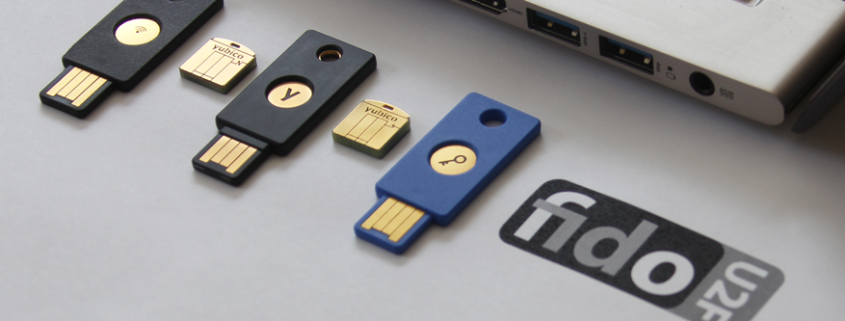
The answer to all this has arrived in the form of a pen drive. Lead by Google, FIDO Alliance is developing a technology (U2F Security Key) that makes it imperative that you have the gadget in order to access the account.

This gadget is a USB device that can be purchased for under 6 euros through Amazon. Google accounts are also now supported if you access it through the Chrome browser. It’s simple – you enter your username and password in Gmail, as usual, but instead of a code that’s sent to your phone, you need to insert the pen drive into the port on your computer – and click on the button which says add – to complete the second step of the identification process.

A would-be attack, who isn’t in possession of the device, will be denied access. It won’t be of any use to them to try to trick you, because there isn’t any code that you need to enter. The key, whose function is based on cryptographics, takes care of it all.

pendrive

Although it’s not the first time that a USB has been suggested as a second verification mechanism, the U2F technology is the only one so far that has the backing of an internet giant like Google. The seal of approval from the search engine set the ball rolling for this tool, which is now an open standard controlled by the FIDO Alliance, a working group which also includes multinationals like Microsoft and Samsung.

In fact, it’s not only your Google account which can benefit from this security measure. Using the Chrome browser, any company can adopt this key to protect its intranet, email manager or any other corporate application.

The main drawback of the U2F protocol is that by relying on a USB port and the Chrome browser, it is unsuitable for use on mobile devices – the solution, however, is on the way. Yubico has produced similar devices which offer the same service without the need to insert a pen drive, but rather by NFC (near field communication), which is the same technology used by major mobile payment platforms (Apple Pay, Android Pay, and Samsung Pay).

The post How to turn a pen drive into a security key for your Google account appeared first on MediaCenter Panda Security.
Smart cars – are they a danger to your safety?

cars

Imagine that you’re cruising along at 112 kilometers per hour, confident in the stability and security of your brand new Jeep Cherokee. Suddenly, you begin to notice that the air conditioning has come on by itself. Next of all the music is increasing in volume and the windscreen wipers have taken on a life of their own. Finally, the engine cuts out.

This is what happened to Andy Greenberg, a journalist for Wired. Luckily for him though, two experts in computer security, Charlie Miller and Chris Valasek, had already warned him that this could happen.

From a distance of 15 kilometers, the two investigators were able to control the vehicle by taking advantage of a vulnerability in the navigation and entertainment system, Uconnect. Chrysler chose to cover over the problem with a blocker that the client had to download, but eventually they admitted that they had to recall up to 1.4 million vehicles.

The Internet of Things has come down heavily on the automotive industry. According to a report by Gartner, more than 150 million cars will be connected by 2020. However, the security of their systems is still a pending issue.

This isn’t the first time that these investigators have called on the manufacturers to pull up their socks. They have spent three years studying how to hack smart cars and have passed on their concerns to the lawmakers.

US Senators Richard Blumenthal and Ed Markey hope that a new law will establish a series of standards of protection to ensure the safety and privacy of the information of these vehicles. Markey commissioned a report which concluded that, with this technology, there are new vulnerabilities that could be exploited by cybercriminals. The study also said that most car manufacturers surveyed were not aware of potential security breaches in their vehicles.

Valasek and Miller are not the only ones studying the errors in these smart cars. Security expert Samy Kamkar will present the details of a new attack on the OnStar system for smart cars at the DefCon security conference. This new attack can locate the vehicle, unlock and even start the engine, all from a mobile phone app called Remote Link.

Kamkar has shown that with a cheap homemade device (it only cost him $100, about €91), it is possible to intercept the information being sent to the smartphone to locate, unlock and start the engine.

car

A few months ago we learned that a 14 year old was able to hack a smart car and wirelessly activate the wipers, the locking system and the lights, all with a homemade circuit.

“The safety of these cars is virtually nonexistent, it is at the same level of protection as the desktop computers that we had in the 80s. The basic requirements of authentication, confidentiality and integrity are not strong,” warned Andry Rakotonirainy, a researcher at the Accident Research Centre and Highway Safety at the Queensland University of Technology. According to this expert, while the technology continues to advance, so does the risk associated with it.

According to forecasts by Gartner, within five years we could all be driving a smart car, while Google reckons we’ll be occupying the passenger seat, as it expects to start selling its famous autonomous cars that year. The FBI has already warned, in an internal report, of the danger that cybercriminals can pose to the safety of autonomous cars by making them ignore traffic lights and speed limits, or to even schedule car bombs.

Despite the advantages of our cars being connected to the Internet, such as allowing us to publish on social networks or to listen to internet radio, this wireless connection has opened up a new range of vulnerabilities. We better hope that car manufacturers begin to consider security from the current design of smart cars and future autonomous cars to prevent any cybercriminal from locating our vehicle and making a fool of us by, hopefully, just messing with our windscreen wipers.

The post Smart cars – are they a danger to your safety? appeared first on MediaCenter Panda Security.

Your company should be in the cloud, but monitor who you trust with its security

information, cloud

Do you know where your corporate information on the cloud actually is? Although most companies already store a great part of their files on the internet (making them available from anywhere and without taking space up on office computers), not all are aware of the data’s journey, where it ends up or how it is protected.

As the number and variety of activities carried out on the network increase, from many aspects of the relationship with the customers to accounts and economic transactions, the consequences of a cyber-attack or a leakage are increased.

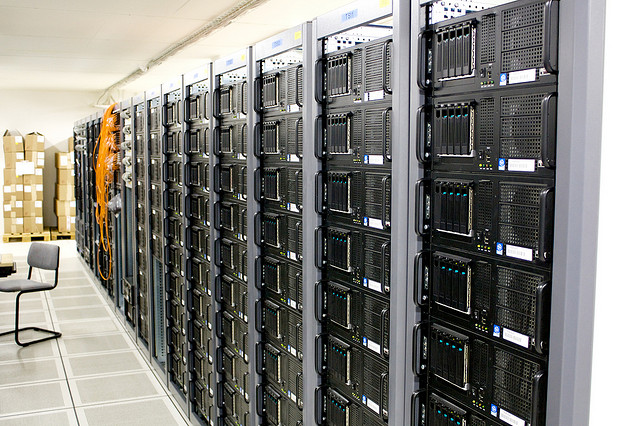
Normally, it is an outside company that provides the service – maintains the servers that store the documents by placing them in the shared folder. While they are on their property, the responsibility of the management of sensitive information falls on your own company. To avoid a malware brewing within your systems or that the data ends up being leaked because of a security flaw, the first step is to take certain precautionary measures.

company, service

A good starting point is the creation of a corporate policy to establish a clear strategy. Information is accessible from many kinds of devices (mobile phones, tablets, PCs), both own and third party ones, so the best way of monitoring it is by knowing what it is being shared and with whom.

That is why it is important to classify the different types of documents according to their confidentiality and the levels of privacy they require, and determine how they will be stored in line with these principles.

An example is the Information Security Forum Standard of Good Practice, which is already being used by many corporations globally. The document brings together the main threats and risks, their evolution, and refers to the organizations’ needs to know how to respond to cybercrime, hacktivism activities’ or even espionage.

The information’s nature is also key to choosing the most suitable cloud storage service provider. Not all implement the same security measures. In addition, these companies have access to the files that you deposit in their servers. For this reason, it is advisable to be selective and make sure that they will be able to provide the level of protection required.

servers, store, documents

Another factor to consider is the updating and renewal of the infrastructure provided, as well as the software to manage information flows, since it can affect your own data. Knowing how often it changes and making sure that the contract ensures the confidentiality, integrity and accessibility of the files is crucial.

The level of caution should be enhanced when documents are of special value for the business and the company’s income. For example, in the case of patents or other type of creations with intellectual property rights.

And, finally, what happens if you want to delete all data from their servers? Make sure that you can truly destroy the information, and not only from your computer screens. If privacy concerns us individually, should we not be even more careful with corporate documents?

The post Your company should be in the cloud, but monitor who you trust with its security appeared first on MediaCenter Panda Security.

Why Adaptive Defense 360?

AD-360

A few days ago we published an interview on why Adaptive Defense was the solution against ransomware like Cryptolocker. Now, however, I’d like to go into further details on why Adaptive Defense 360 isn’t just the present and future for just Panda, but rather for the entire cyber security industry.

Adaptive Defense 360 is the only solution available on the market that offers the full protection of a traditional antivirus, white listing, and protection against advanced threats all in one. In fact, it combines all of the capabilities of two product categories in one – EPP (Endpoint Protection Platform) and EDR (Endpoint Detection and Response).

So, how can we make it stand out, in a way that shows Adaptive Defense to be a unique and essential option, to other products on the market?

Differences between Adaptive Defense 360 and a traditional antivirus

  1. An antivirus lacks proactive detection and doesn’t classify all of the applications. Instead, it just classifies those which it has previously listed as malware while Adaptive Defense classifies all running applications, be they goodware or malware, known or unknown.
  2. An antivirus means a certain level of work for the administrator – management of the quarantine, dealing with false positives, etc. On the other hand, Adaptive Defense is a managed service and these types of tasks are taken care of automatically by Panda.
  3. An antivirus doesn’t offer traceability for the actions taken by a malware, meaning that it doesn’t give any forensic details about the attack. Adaptive Defense, however, offers detailed feedback on every action taken by a threat.

Differences between Adaptive Defense 360 and white listing

  1. The main inconvenience of managing by white listing has always been the amount of time required to look after it. This is time that could be better used by the administrator. With Adaptive Defense this inconvenience is removed and Panda looks after the management of the task.
  2. What’s more, the deployment of these services is extremely complex. With Adaptive Defense it’s more akin to child’s play, thanks to it being a cloud based service with one agent in every endpoint.
  3. Above all, a white list doesn’t protect vulnerable applications, or applications that suddenly begin acting strangely. This is something which Adaptive Defense detects and blocks.

Differences between Adaptive Defense 360 and an Advanced Threat Defense (ATD) such as FireEye, PaloAlto, SourceFire, etc)

  1. An ATD solution doesn’t cover all of the possible vectors of infection, but rather only threats that enter via the internet. This leaves you vulnerable to attacks via the USB port, for example. This doesn’t happen with Adaptive Defense as, due to being at the endpoint, it detects all attacks no matter where they come from.
  2. ATDs monitor threats by sandboxing, which means they do it in controlled settings. This allows a threat to behave in different ways to a normal situation making it harder to catch – Panda Adaptive Defense 360 monitors the endpoint in real-time, meaning that no threat can escape its analysis.
  3. ATDs don’t avoid or block attacks, which is one of their main limitations. Adaptive Defense, however, is capable of automatically detecting and blocking any threat that is found at the endpoint.
  4. Finally, if an ATD finds a threat it needs either a third party solution or a manual intervention to correct it. With Adaptive Defense 360 this is all taken care of automatically and immediately.

When all is said and done, we can see that Adaptive Defense 360 is way ahead of other options available on the market. It excels not only against traditional threats but also with vulnerable applications and advanced threats.

Adaptive Defense 360 continuously analyzes the system’s activity so as to determine how to classify every process being carried out as goodware or malware, without leaving room for doubt, and closes the circle of detection with the solution built in.

Do you want more information?

TRY ADAPTIVE DEFENSE


Paula Quirós. CMO Panda Security

The post Why Adaptive Defense 360? appeared first on MediaCenter Panda Security.