Facebook has announced a new feature of its Messenger product, which allows friends to send payments directly to each other, reports Tech Crunch.
The post Facebook announces peer-to-peer payments between friends appeared first on We Live Security.
Facebook has announced a new feature of its Messenger product, which allows friends to send payments directly to each other, reports Tech Crunch.
The post Facebook announces peer-to-peer payments between friends appeared first on We Live Security.
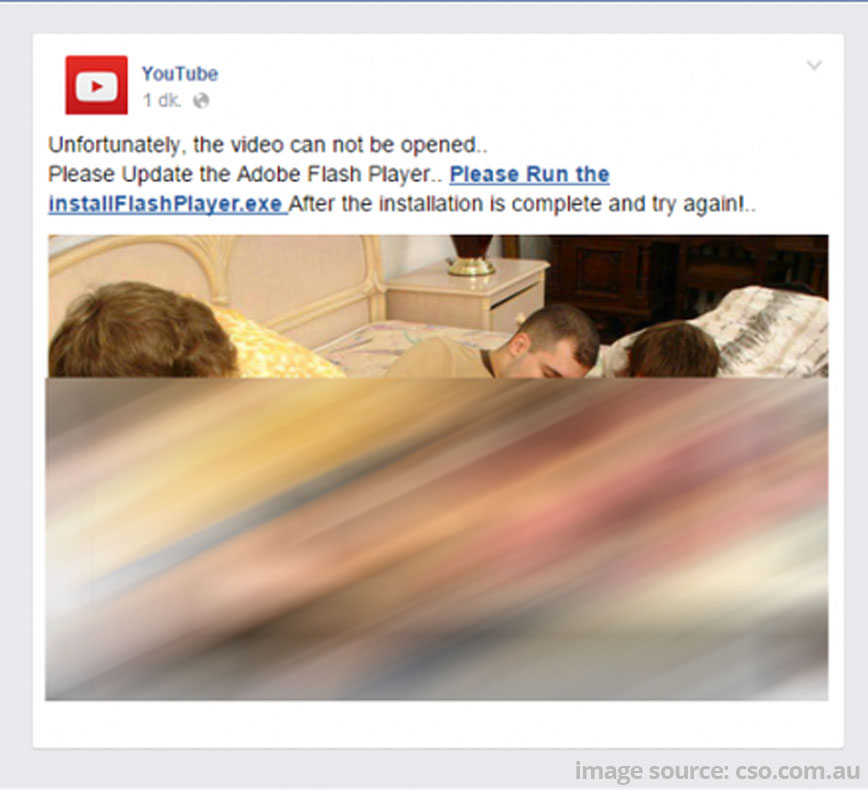
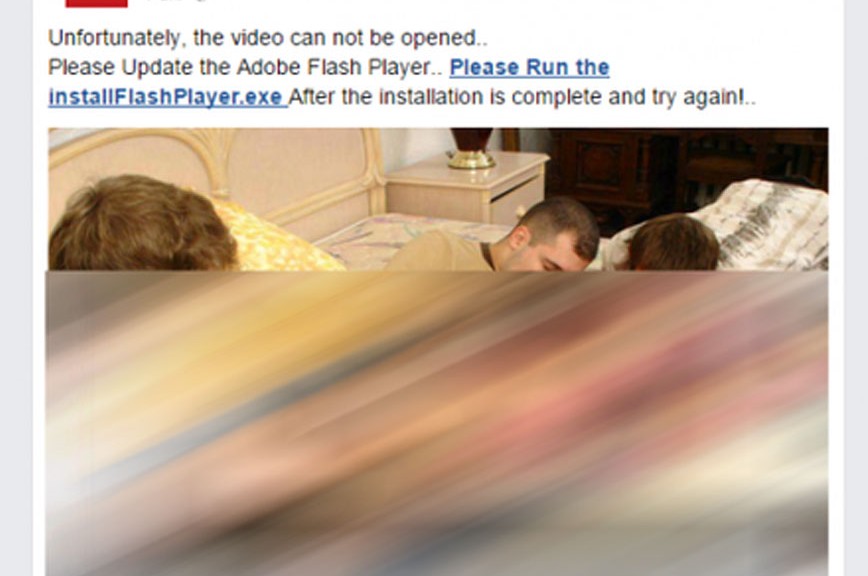
Facebook users get malware from clicking on fake Flash Player updates.
Facebook users have fallen victim to a recycled scam, and we want to make sure that all of our readers are fore-warned. Cybercrooks use social engineering tactics to fool people into clicking, and when the bait comes from a trusted friend on Facebook, it works very well.
Here’s how the scam works – your friend sends you an interesting video clip; in the latest iteration you are tagged and lots of other friends are also tagged – this makes it seem more trustworthy. The video stops a few seconds in and when you click on it, a message that your Flash Player needs to be updated for it to continue comes up. Since you have probably seen messages from Adobe to update your Flash Player, this does not raise any red flags. Being conscientious about updating your software, as well as curious about what happens next in the video, you click the link. That’s when the fun really begins.
The fake Flash Player is actually the downloader of a Trojan that infects your account. Security researcher Mohammad Faghani, told The Guardian, …” once it infects someone’s account, it re-shares the clip while tagging up to 20 of their friends – a tactic that helps it spread faster than previous Facebook-targeted malware that relied on one-to-one messaging on Facebook.”
Don’t fall for it. Videos that are supposedly sensational or shocking are also suspect. Be very cautious when clicking.
Does your friend really watch this stuff? If it seems out of character for your friend to share something like that with you, beware. Their account may have been infected by malware, and it’s possible they don’t even know this is being shared. Do them a favor and tell them about it.
Be careful of shortened links. The BBB says that scammers use link-shortening services to disguise malicious links. Don’t fall for it. If you don’t recognize the link destination, don’t click.
Use up-to-date antivirus software like Avast Free Antivirus with full real-time protection.
Report suspicious activity to Facebook. If your account was compromised, make sure to change your password.

Celebrities around the World, beware! Many of us have surrender to Instagram, but we have to advice that we are endangering ourselves! One can easily follow our steps if we publish our photos without caution.
The filters used by this app, owned by Facebook, have become one of the celebs favorites! Even Michelle Obama, the First Lady of the United States, has an Instagram account! She –or her community manager- is making a mistake: sharing photos on Instagram and also sharing her location information.
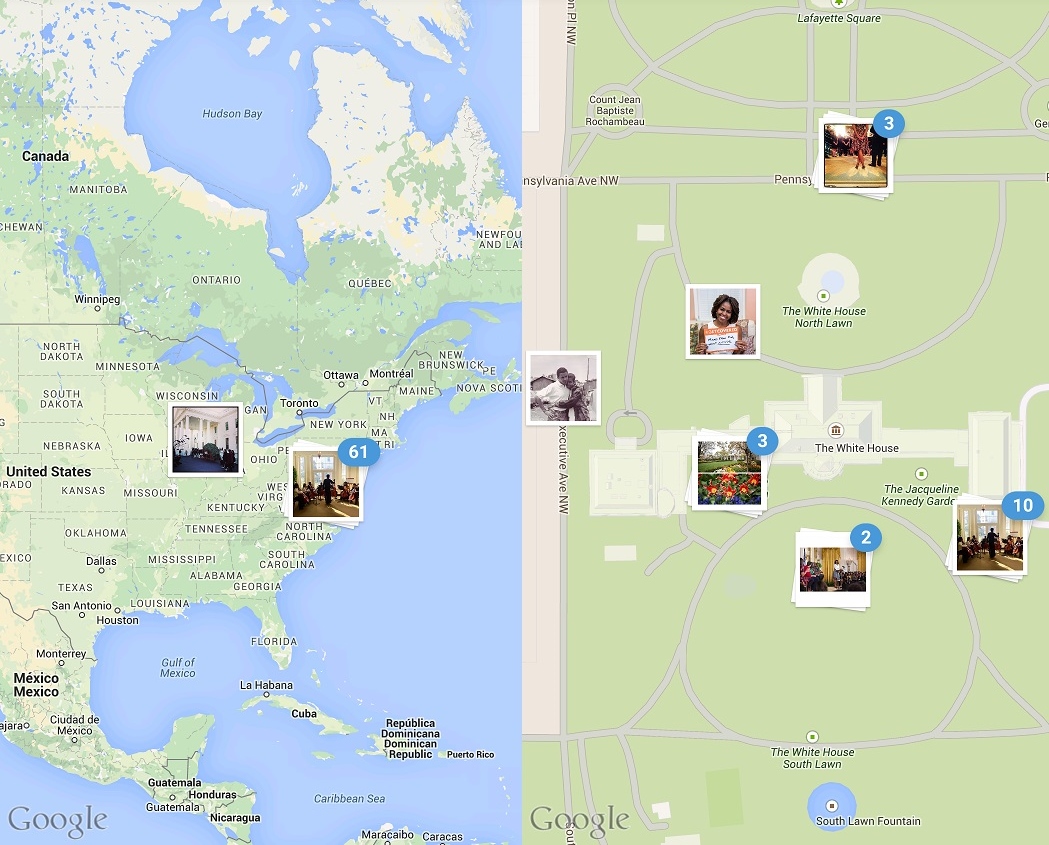
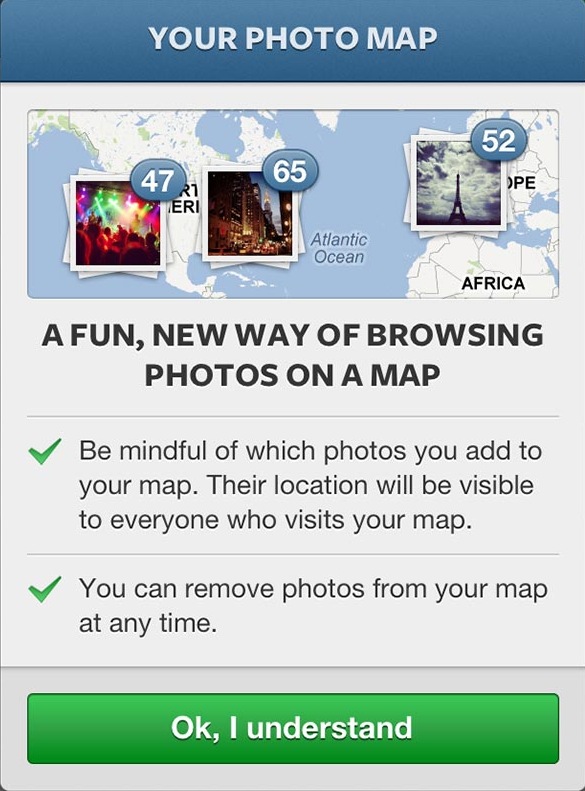
Is a feature available to all Instagram users when sharing a picture. In addition to using filters you can add your location to your picture, captured via your smartphone GPS. Instagram will pinpoint your images on a worlds map, depending where you took them or where you shared them (in case the spot is not the same and the information is not on the metadata of the picture).
What happened to the First Lady is not the only and not even the most dangerous incident that jeopardizes the security of an important person. After all, the majority of Michelle Obama’s pictures are located at The White House. As expected.
However, many other celebrities share their location, making it easy to any follower to stalk them, capturing where they upload their photos, their habits or the places they usually visit.
Another celebrity that shares her map with her followers is Beyonce, if one clicked in her profile one would be able to see where the picture was taken or uploaded.
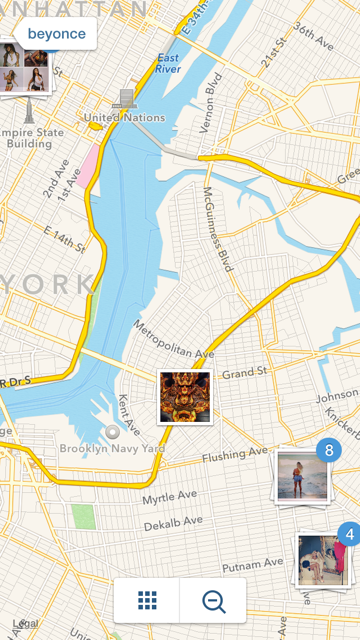
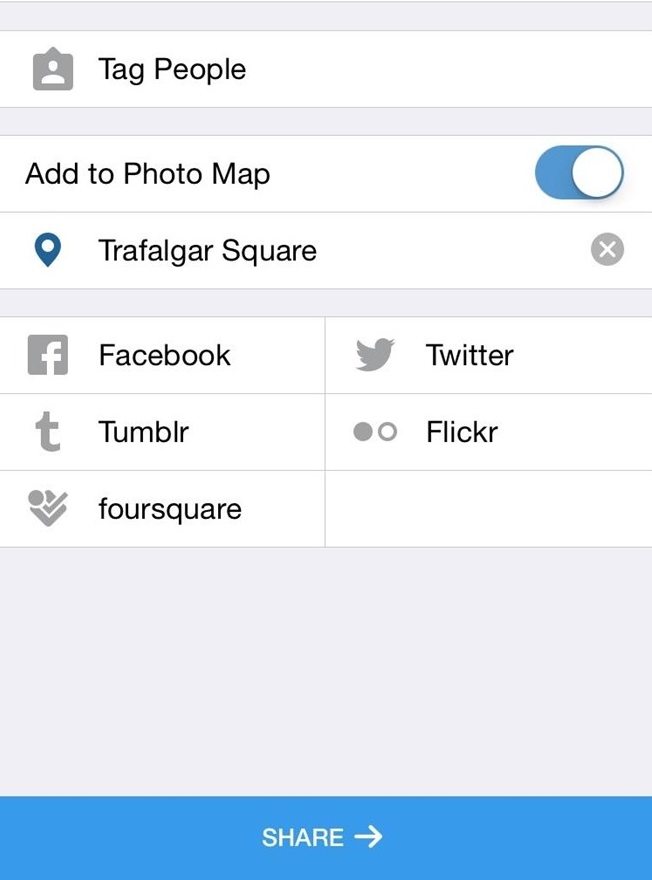
This information, which can only be seen from Instagram mobile app, is not shared by default. When uploading a photo on to this social network users can turn on the “Add to Photo Map” settings. Is by doing this, when followers are able to see where the picture was taken or uploaded.
Nevertheless, not all celebrities share this information with the public. Tailor Swift and Kim Kardashian, for example, have this option deactivated. They are actively involved with their followers but don’t take the risk of having thousands of fans monitoring their pace. Keeping their favourite places for themselves.
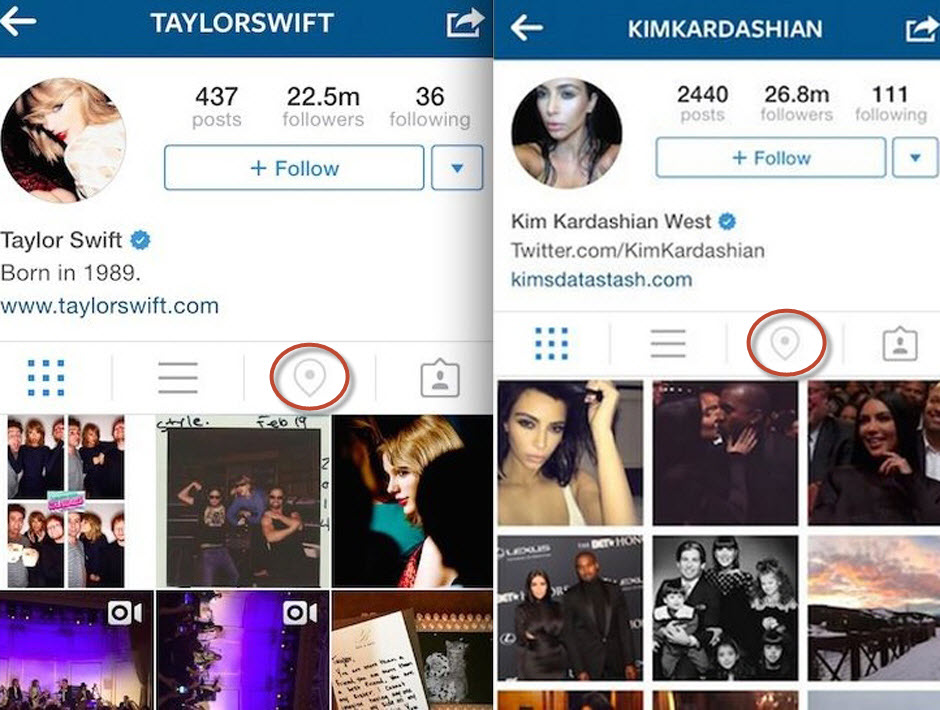
Sharing your location with your followers may seem risky, but it is not activated by default. You already know how to avoid social networks sharing your location! But celebrities can erase their tracks if they regret leaving breadcrumbs on Instagram, so their followers are not able to follow their steps. Each user can erase the photos on his map by clicking on it, from the app and choosing the “Edit” option.
Please be careful! We are sure your followers are very grateful that you are always telling them where you are, but for your security’s sake, don’t!
The post Celebrities on Instagram. Are they putting their lives at risk? appeared first on MediaCenter Panda Security.
Skype worms are not exactly new anymore (unfortunately).
Scenario is simply: someone on your friends list got infected and is now sending you a link to a ‘funny image’ or pictures of you. In this case, you are being baited by a video of you. Let’s just hope it’s nothing embarrassing 

Lol! Seems like there’s a cool new video of you going around.
When visiting the (totally not malicious looking) link, you get a video, but apparently you need to download a plugin first:
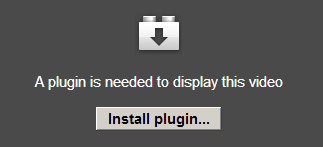
When you click on Install plugin… a new file called ‘setup.exe’ gets downloaded. It’s actually simply a self-extracting archive which contains a file named: ‘setup_BorderlineRunner_142342569355180.exe’
When running the setup.exe file:
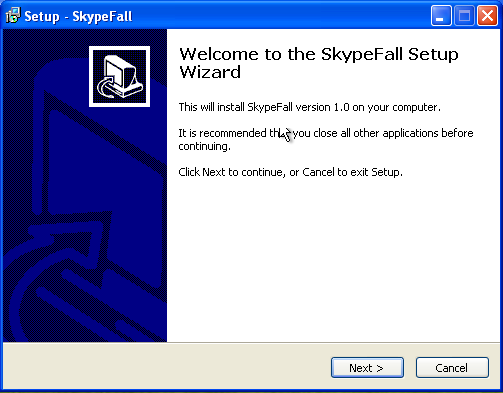
It almost seems like we’re installing legitimate software, SkypeFall version 1.0. Almost.
Clicking Next, Next, Next in the setup wizard, nothing much seems to be happening, but in the background there’s quite a lot going on:
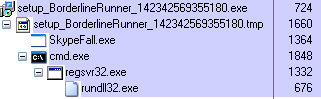
A new file called ‘SkypeFall’ is dropped and a new DLL is being registered. Afterwards, two new processes are now active in memory: SkypeFall.exe and rundll32.exe, in which the latter is actually running the DLL BorderlineRunner.dll.
Files are being created in both respectively %programfiles%BorderlineRunner and %appdata%SkypeFall. A new service is also registered:
HKLMSystemCurrentControlSetServices6b57ae94
Afterwards you’ll spam all your friends with the same message as well, following the pattern:
We detect this malware as:
W32/Skyper.A.worm
IOCs
Domains:
hxxp://24onlineskyvideo.info
hxxp://24videotur.in.ua
hxxp://deepskype.net
hxxp://factorygood.net
hxxp://ironskype.net
hxxp://letitskype.info
hxxp://letskype.net
hxxp://popskypevideo.net
hxxp://popvideoskype.com
hxxp://popvideoskype.info
hxxp://popvideoskype.net
hxxp://skypepopvideo.net
hxxp://skypepopvideo.net
hxxp://skyvideo24.in.ua
hxxp://skyvideo24online.in.ua
hxxp://skyvideo24online.ru
hxxp://skyvideotape.in.ua
hxxp://skyvideotape.ru
hxxp://someskype.com
hxxp://someskype.net
hxxp://techine.info
hxxp://techine.net
hxxp://videosk.in.ua
hxxp://videosk.info
hxxp://videoskype.ru
hxxp://videoskype24.ru
hxxp://videoss.in.ua
Hashes (SHA1):
b6f690849e9ed71b3f956078934da5ed88887aa3
42c685ac60555beaacd5e07d5234a6600845e208
dfb9bfb274e9df857bb0fae02ba711e62a2a9eb6
726db7f1c956db8c5e94d21558cbbe650b949b7e
The post Skype worm reloaded appeared first on MediaCenter Panda Security.
Photos, videos, status updates… Social networking sites store lots of information about you. Just take a look at your Facebook page’s wall. What do you see? Birthday pictures, your ‘Year in Review’ video, and hundreds of other things that give an idea of your life. What will happen to all these things when you’re gone?
If you are worried about what will happen to your digital life when you are dead, you’ll be happy to learn that Facebook has decided to grant users more control over how their online identities will be handled after death. The social network now lets users give someone they trust the keys to their profile page in case they die.
Until now, when someone passed away, Facebook turned the deceased person’s account into a memorialized account, for friends and family to share and celebrate the memories of their loved one. For this to be possible, a user had to report the deceased person or the account that needed to be memorialized through a link.
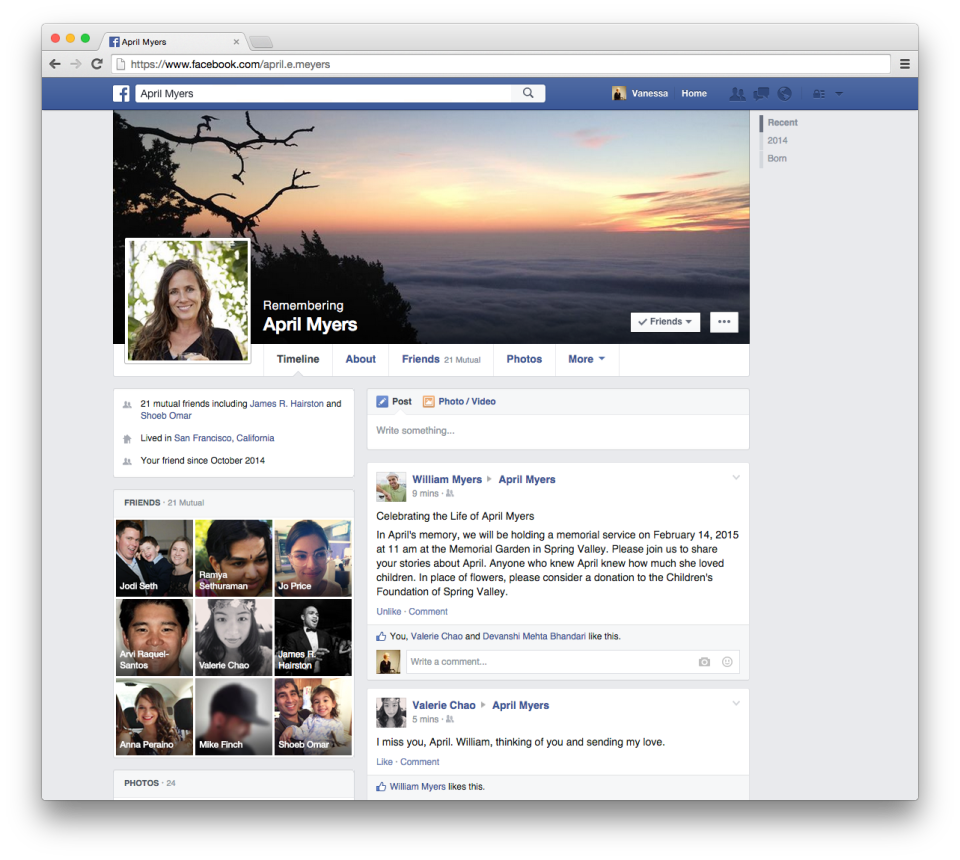
Now, Facebook goes one step further and lets users appoint an heir for their accounts. The new feature, called “Legacy Contact“, allows users to choose someone from their contacts to manage their account after they pass away.
This feature allows the Legacy Contact to write a memorial post on their friend’s profile page, respond to new friend requests, and change the friend’s profile picture. However, they won’t be able to access certain confidential information such as private messages.
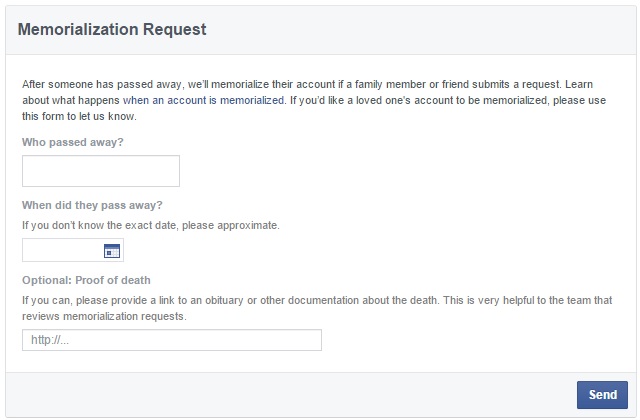
As published by Facebook on its blog, the ‘Legacy Contact’ feature is available only in the United States for now, although it will roll out to other countries soon.
Now, how do you choose a ‘Legacy Contact’? The steps to take are really simple:
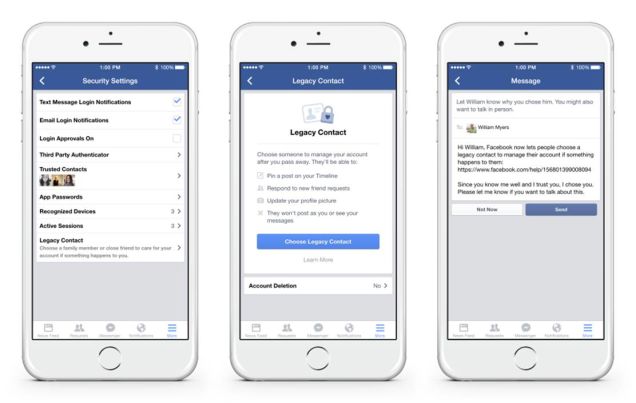
In any case, Facebook also gives you the chance to take more drastic measures: you can choose to have your account permanently shut down when you die.
Until the time arrives when this new feature is implemented in your country, it is time for you to think: who will you entrust with the task of managing your account?
The post What happens to my Facebook account when I die? appeared first on MediaCenter Panda Security.
Digital dating has become more popular than ever because of apps like Tinder, but it’s not without risks. Stay safe by remembering the following tips.
The post Tinder – Top 5 security tips appeared first on We Live Security.
Facebook has announced that it paid out $1.3 million last year to ‘white hat’ hackers, as part of a bounty initiative that rewards developers for spotting flaws in the social network.
The post Facebook rewards ‘white hat’ hackers with $1.3m bounty appeared first on We Live Security.
A Facebook hack that allowed attackers to remotely delete any photo they wanted to from the social network has been patched by the company.
The post Facebook exploit allowed attackers to remotely delete photos appeared first on We Live Security.
Facebook has officially launched ThreatExchange – a collaborative social network where companies can share information on cybersecurity threats, in an effort to neuter potential damage.
The post Facebook launches ThreatExchange for companies to share security threats appeared first on We Live Security.
Facebook updated its privacy settings at the end of January. As Facebook turns 11 today, here’s what you need to know about the new settings and how they could affect you.
The post Facebook turns 11 – what you need to know, and what do your likes say about you? appeared first on We Live Security.