Red Hat Enterprise Linux: New cockpit packages are now available for Red Hat Enterprise Linux 7 Extras.
Monthly Archives: May 2015
RHEA-2015:0940-1: new packages: libssh
Red Hat Enterprise Linux: New libssh packages are now available for Red Hat Enterprise Linux 7 Extras.
RHBA-2015:0950-1: lvm2 bug fix update
Red Hat Enterprise Linux: Updated lvm2 packages that fix one bug are now available for Red Hat Enterprise
Linux 6.
RHBA-2015:0949-1: nfs-utils bug fix update
Red Hat Enterprise Linux: Updated nfs-utils packages that fix one bug are now available for Red Hat
Enterprise Linux 5.
RHBA-2015:0948-1: ca-certificates bug fix and enhancement update
Red Hat Enterprise Linux: An updated ca-certificates package that fixes several bugs and adds various
enhancements is now available for Red Hat Enterprise Linux 6.
Support for older Avast versions will end
At the end of this month, Avast will end support for our older consumer versions of Avast Antivirus. Those are: Avast Free Antivirus, Avast Pro Antivirus, Avast Internet Security, and Avast Premier.
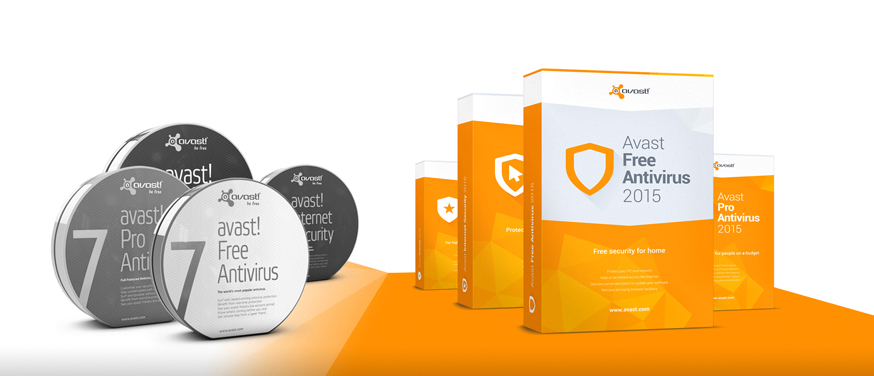
Update to Avast 2015 for maximum protection.
A good antivirus program is a necessity to protect your Windows PC from malware attacks, to keep your computer running smoothly, and to protect your online identity and personal data. Over the past 3 years, Avast engineers have improved our database of known virus definitions, the mechanism in which zero- day and widespread malware are detected, and the frequency of streaming updates sent to our customers. Avast 2015, with its unique Home Network Security feature which scans your home network for potential risks, is our best performing security product yet.
After May 31st, 2015, Avast will no longer provide security patches or technical support for versions 8.0.1497 and lower. Security updates patch vulnerabilities that could be exploited by malware, endangering your machine and the data on it. Please update to the latest version so you can receive regular security updates and benefit from the enhanced features and higher detection rates that protect your computer from malicious attacks. This update is also recommended because the latest version is compatible with Windows 10.
If you are running an older version of Avast, you can easily move to the latest version of Avast 2015.
How to check for the latest version and do a program update
If you need to update later, here’s a quick way to do it.
- Right click on the orange Avast ball icon in the system tray.
- Select Update from the menu and then click Program.
The update screen in the Avast user interface shows you the overall progress of the program update. When it’s done you will be asked to restart your computer. Click Yes to reboot immediately. Once the computer is restarted, information about the update may appear. If you are using a paid subscription, then your protection will be valid for the remaining period of your subscription.
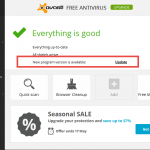
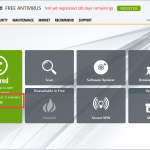
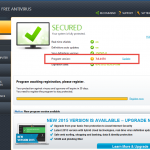
Why to upgrade
- Better detection rates
- Easier technical support
- We fixed bugs and problems that still might exist on your current version
- Receive further program updates to ensure best protection
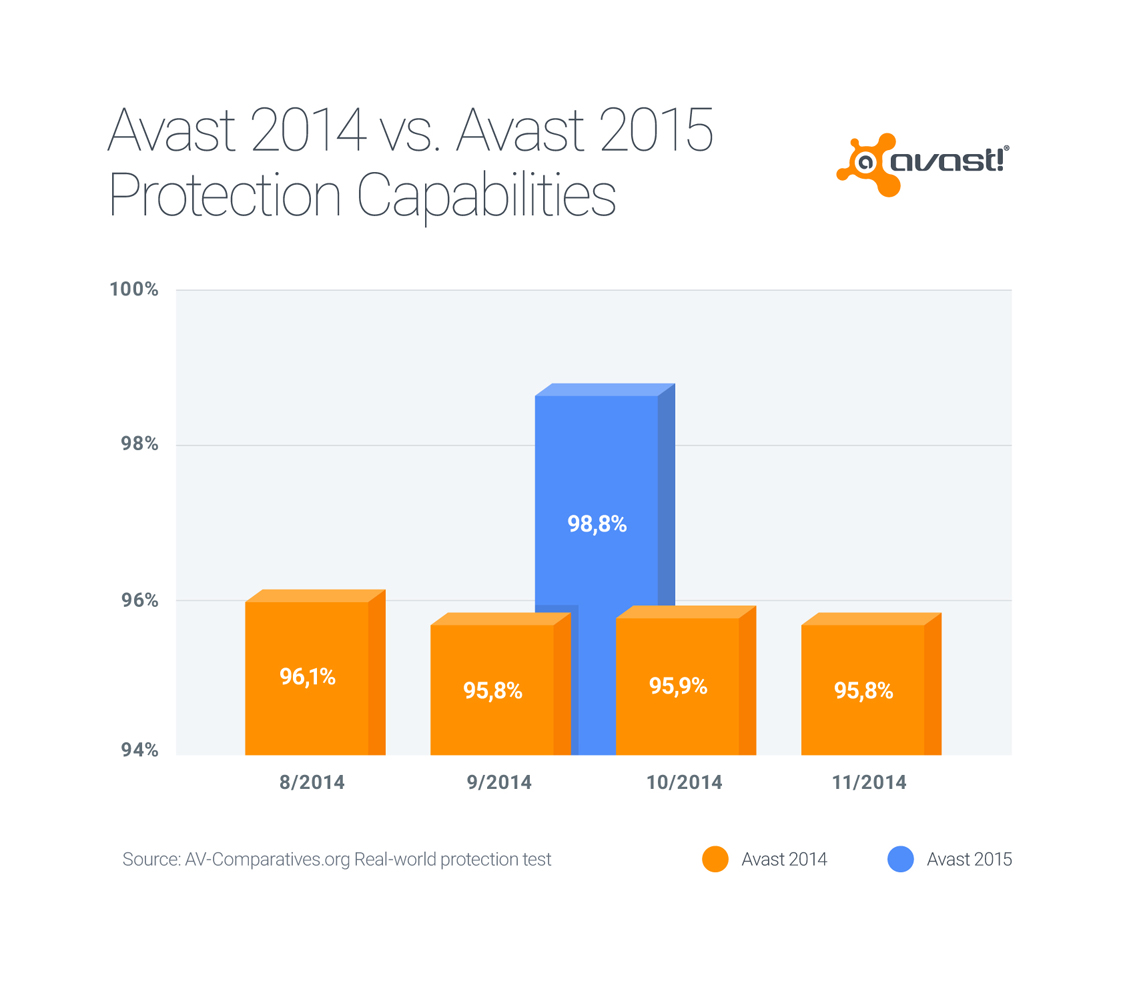
Avast 2015 has better detection rates than older versions. Update as soon as possible for maximum antivirus protection.
If you prefer an older version of Avast and require technical support, you will be asked to update first before we can assist you. There will be no patches issued and technical support will end on May 31st, 2015.
USN-2596-1: Linux kernel vulnerability
Ubuntu Security Notice USN-2596-1
5th May, 2015
linux vulnerability
A security issue affects these releases of Ubuntu and its
derivatives:
- Ubuntu 12.04 LTS
Summary
The system could be made to run programs as an administrator.
Software description
- linux
– Linux kernel
Details
A race condition between chown() and execve() was discovered in the Linux
kernel. A local attacker could exploit this race by using chown on a
setuid-user-binary to gain administrative privileges.
Update instructions
The problem can be corrected by updating your system to the following
package version:
- Ubuntu 12.04 LTS:
-
linux-image-3.2.0-83-omap
3.2.0-83.120
-
linux-image-3.2.0-83-powerpc-smp
3.2.0-83.120
-
linux-image-3.2.0-83-highbank
3.2.0-83.120
-
linux-image-3.2.0-83-powerpc64-smp
3.2.0-83.120
-
linux-image-3.2.0-83-generic-pae
3.2.0-83.120
-
linux-image-3.2.0-83-virtual
3.2.0-83.120
-
linux-image-3.2.0-83-generic
3.2.0-83.120
To update your system, please follow these instructions:
https://wiki.ubuntu.com/Security/Upgrades.
After a standard system update you need to reboot your computer to make
all the necessary changes.
ATTENTION: Due to an unavoidable ABI change the kernel updates have
been given a new version number, which requires you to recompile and
reinstall all third party kernel modules you might have installed. If
you use linux-restricted-modules, you have to update that package as
well to get modules which work with the new kernel version. Unless you
manually uninstalled the standard kernel metapackages (e.g. linux-generic,
linux-server, linux-powerpc), a standard system upgrade will automatically
perform this as well.
References
USN-2597-1: Linux kernel (Trusty HWE) vulnerability
Ubuntu Security Notice USN-2597-1
5th May, 2015
linux-lts-trusty vulnerability
A security issue affects these releases of Ubuntu and its
derivatives:
- Ubuntu 12.04 LTS
Summary
The system could be made to run programs as an administrator.
Software description
- linux-lts-trusty
– Linux hardware enablement kernel from Trusty
Details
A race condition between chown() and execve() was discovered in the Linux
kernel. A local attacker could exploit this race by using chown on a
setuid-user-binary to gain administrative privileges.
Update instructions
The problem can be corrected by updating your system to the following
package version:
- Ubuntu 12.04 LTS:
-
linux-image-3.13.0-52-generic
3.13.0-52.85~precise1
-
linux-image-3.13.0-52-generic-lpae
3.13.0-52.85~precise1
To update your system, please follow these instructions:
https://wiki.ubuntu.com/Security/Upgrades.
After a standard system update you need to reboot your computer to make
all the necessary changes.
ATTENTION: Due to an unavoidable ABI change the kernel updates have
been given a new version number, which requires you to recompile and
reinstall all third party kernel modules you might have installed. If
you use linux-restricted-modules, you have to update that package as
well to get modules which work with the new kernel version. Unless you
manually uninstalled the standard kernel metapackages (e.g. linux-generic,
linux-server, linux-powerpc), a standard system upgrade will automatically
perform this as well.
References
USN-2598-1: Linux kernel vulnerability
Ubuntu Security Notice USN-2598-1
5th May, 2015
linux vulnerability
A security issue affects these releases of Ubuntu and its
derivatives:
- Ubuntu 14.04 LTS
Summary
The system could be made to run programs as an administrator.
Software description
- linux
– Linux kernel
Details
A race condition between chown() and execve() was discovered in the Linux
kernel. A local attacker could exploit this race by using chown on a
setuid-user-binary to gain administrative privileges.
Update instructions
The problem can be corrected by updating your system to the following
package version:
- Ubuntu 14.04 LTS:
-
linux-image-3.13.0-52-generic
3.13.0-52.85
-
linux-image-3.13.0-52-generic-lpae
3.13.0-52.85
-
linux-image-3.13.0-52-powerpc-e500
3.13.0-52.85
-
linux-image-3.13.0-52-lowlatency
3.13.0-52.85
-
linux-image-3.13.0-52-powerpc-smp
3.13.0-52.85
-
linux-image-3.13.0-52-powerpc-e500mc
3.13.0-52.85
-
linux-image-3.13.0-52-powerpc64-emb
3.13.0-52.85
-
linux-image-3.13.0-52-powerpc64-smp
3.13.0-52.85
To update your system, please follow these instructions:
https://wiki.ubuntu.com/Security/Upgrades.
After a standard system update you need to reboot your computer to make
all the necessary changes.
ATTENTION: Due to an unavoidable ABI change the kernel updates have
been given a new version number, which requires you to recompile and
reinstall all third party kernel modules you might have installed. If
you use linux-restricted-modules, you have to update that package as
well to get modules which work with the new kernel version. Unless you
manually uninstalled the standard kernel metapackages (e.g. linux-generic,
linux-server, linux-powerpc), a standard system upgrade will automatically
perform this as well.
References
USN-2599-1: Linux kernel (Utopic HWE) vulnerability
Ubuntu Security Notice USN-2599-1
5th May, 2015
linux-lts-utopic vulnerability
A security issue affects these releases of Ubuntu and its
derivatives:
- Ubuntu 14.04 LTS
Summary
The system could be made to run programs as an administrator.
Software description
- linux-lts-utopic
– Linux hardware enablement kernel from Utopic
Details
A race condition between chown() and execve() was discovered in the Linux
kernel. A local attacker could exploit this race by using chown on a
setuid-user-binary to gain administrative privileges.
Update instructions
The problem can be corrected by updating your system to the following
package version:
- Ubuntu 14.04 LTS:
-
linux-image-3.16.0-37-powerpc64-emb
3.16.0-37.49~14.04.1
-
linux-image-3.16.0-37-lowlatency
3.16.0-37.49~14.04.1
-
linux-image-3.16.0-37-powerpc64-smp
3.16.0-37.49~14.04.1
-
linux-image-3.16.0-37-generic-lpae
3.16.0-37.49~14.04.1
-
linux-image-3.16.0-37-powerpc-smp
3.16.0-37.49~14.04.1
-
linux-image-3.16.0-37-generic
3.16.0-37.49~14.04.1
-
linux-image-3.16.0-37-powerpc-e500mc
3.16.0-37.49~14.04.1
To update your system, please follow these instructions:
https://wiki.ubuntu.com/Security/Upgrades.
After a standard system update you need to reboot your computer to make
all the necessary changes.
ATTENTION: Due to an unavoidable ABI change the kernel updates have
been given a new version number, which requires you to recompile and
reinstall all third party kernel modules you might have installed. If
you use linux-restricted-modules, you have to update that package as
well to get modules which work with the new kernel version. Unless you
manually uninstalled the standard kernel metapackages (e.g. linux-generic,
linux-server, linux-powerpc), a standard system upgrade will automatically
perform this as well.