AV-Comparatives describes AVG AntiVirus for Mac® as ‘flawless’

While this makes us at AVG proud it’s the commentary that the editor uses to describe our Mac product that really pleases us. “AVG AntiVirus is a simple, easy to use antivirus program for Mac, with all the essential features. Its detection of Mac malware was perfect”.

In fact the test results state that not only did the AVG product score 100% in the detection of Mac malware but it also scored 100% in Windows Malware Detection. We at AVG believe that you should feel protected across all of your devices, so we work hard to block the bad stuff regardless of which operating system you prefer.

Our Mac product is simple and easy to use, with features to scan the ‘Entire Mac’, ‘File Scanner’ and ‘Real-Time Protection’ it could not be easier to keep your Mac secure.

If you are one of those Mac users sitting there without protection then you need to think about the assets and information that you have on your machine. While there are limited examples of malware for the Mac platform it could be devastating if it infects your machine.

Imagine taking the view that you have never seen someone you don’t know try opening the front door of your house, so you leave it unlocked. On the day that the chance burglar does try the door and its unlocked then the burglary is likely to be very bad as there is nothing stopping them from emptying your entire house.

Loading the AVG Antivirus product on you Mac, just like locking your door, is a preventative measure that all Mac users should take to stay safe. And what makes this even more compelling is that it’s completely free.

Download AVG AntiVirus for Mac from here.

You can follow me on Twitter @TonyatAVG and find my Google+ profile here.

CVE-2014-0611 (groupwise)

Multiple cross-site scripting (XSS) vulnerabilities in WebAccess in Novell GroupWise 2012 before Support Pack 4 and 2014 before Support Pack 2 allow remote attackers to inject arbitrary web script or HTML via unspecified vectors.

CVE-2015-4284 (ios_xr)

The Concurrent Data Management Replication process in Cisco IOS XR 5.3.0 on ASR 9000 devices allows remote attackers to cause a denial of service (BGP process reload) via malformed BGPv4 packets, aka Bug ID CSCur70670.

Hacking Team Claims It Always Sold ‘Strictly Within the Law’

Hacking Team officials are disputing reports that the company sold its surveillance and intrusion software to oppressive regimes in countries that were under sanction. The company said it sold its products “strictly within the law and regulation as it applied at the time any sale was made.” The new statement from Hacking Team comes after two […]

Your company should be in the cloud, but monitor who you trust with its security

information, cloud

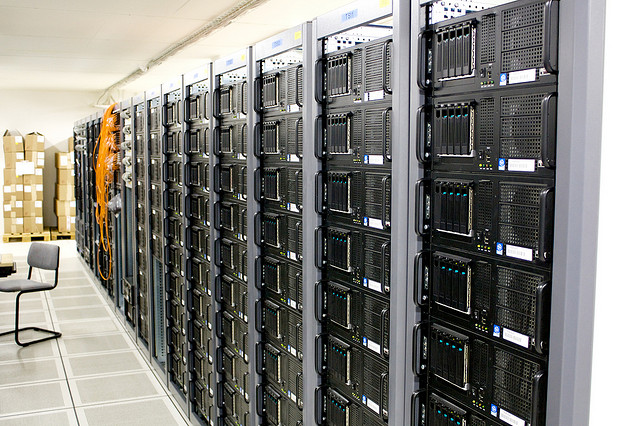
Do you know where your corporate information on the cloud actually is? Although most companies already store a great part of their files on the internet (making them available from anywhere and without taking space up on office computers), not all are aware of the data’s journey, where it ends up or how it is protected.

As the number and variety of activities carried out on the network increase, from many aspects of the relationship with the customers to accounts and economic transactions, the consequences of a cyber-attack or a leakage are increased.

Normally, it is an outside company that provides the service – maintains the servers that store the documents by placing them in the shared folder. While they are on their property, the responsibility of the management of sensitive information falls on your own company. To avoid a malware brewing within your systems or that the data ends up being leaked because of a security flaw, the first step is to take certain precautionary measures.

company, service

A good starting point is the creation of a corporate policy to establish a clear strategy. Information is accessible from many kinds of devices (mobile phones, tablets, PCs), both own and third party ones, so the best way of monitoring it is by knowing what it is being shared and with whom.

That is why it is important to classify the different types of documents according to their confidentiality and the levels of privacy they require, and determine how they will be stored in line with these principles.

An example is the Information Security Forum Standard of Good Practice, which is already being used by many corporations globally. The document brings together the main threats and risks, their evolution, and refers to the organizations’ needs to know how to respond to cybercrime, hacktivism activities’ or even espionage.

The information’s nature is also key to choosing the most suitable cloud storage service provider. Not all implement the same security measures. In addition, these companies have access to the files that you deposit in their servers. For this reason, it is advisable to be selective and make sure that they will be able to provide the level of protection required.

servers, store, documents

Another factor to consider is the updating and renewal of the infrastructure provided, as well as the software to manage information flows, since it can affect your own data. Knowing how often it changes and making sure that the contract ensures the confidentiality, integrity and accessibility of the files is crucial.

The level of caution should be enhanced when documents are of special value for the business and the company’s income. For example, in the case of patents or other type of creations with intellectual property rights.

And, finally, what happens if you want to delete all data from their servers? Make sure that you can truly destroy the information, and not only from your computer screens. If privacy concerns us individually, should we not be even more careful with corporate documents?

The post Your company should be in the cloud, but monitor who you trust with its security appeared first on MediaCenter Panda Security.