Category Archives: Antivirus Vendors

Antivirus Vendors

14 easy tips to protect your smartphones and tablets – Part II

More easy things you can do to secure your smartphone and tablet.

On our blog last week, we shared the first 7 easy security measures to protect your Android devices and the data stored there. But we haven’t finished them. Let’s go a little further.

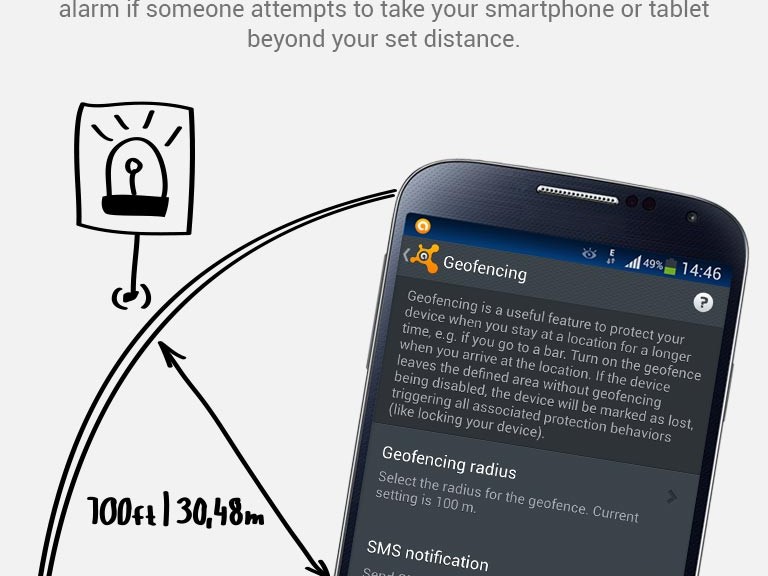
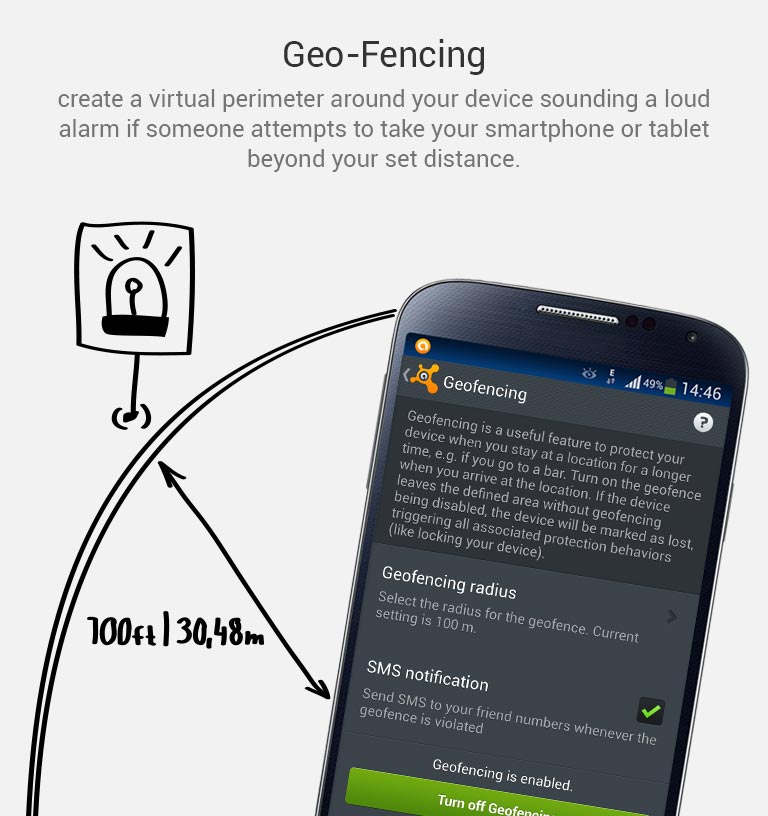
8. Keep an eye in your phone or, if you can, set Geofencing protection

Don’t put your phone down and go somewhere else. And if you’re having fun in a bar and drinking a beer with friends, have a lucid thought before starting: Turn the Avast Geofencing module on. It’s easy. Open Avast Premium Mobile Security > Anti-Theft > Advanced Settings > Geofencing.
avast-Mobile-Premium_geo-fencing

Set Avast Geofencing on your phone to protect it from theft while you are occupied.


9. Be aware of what permissions apps require

Why should a flashlight app need access to your contacts? Why would a calculator need access to your photos and videos? Shady apps will try to upload your address book and your location to advertising servers or could send premium SMS that will cost you money. You need to pay attention before installing or, at least, uninstall problematic apps. It’s not easy to find a way (if any) to manage permissions in a non-rooted Android phone.

We have written about this before as apps could abuse the permissions requests not only while installing but also on updating. Read more to learn and be cautious: Google Play Store changes opens door to cybercrooks.

10. Keep your device up-to-date

Google can release security updates using their services running in your devices. Developers can do the same via an app update. Allow updates to prevent vulnerabilities, the same as you do in your computer. But pay attention to any changes. See tip #9.

11. Encryption

You can encrypt your account, settings, apps and their data, media and other files. Android allows this in its Security settings. Without your lockscreen PIN, password or gesture, nobody will be able to decrypt your data. So, don’t forget your PIN! Nevertheless, this won’t encrypt the data sent or received by your phone. Read the next tip for that.

12. In open/public Wi-Fi, use a VPN to protect your communication

Cybercrooks can have access to all your data in a public, open or free Wi-Fi hotspot at the airport or in a cafe. Avast gives you the ability to protect all inbound and outbound data of your devices with a secure, encrypted and easy-to-use VPN called Avast SecureLine. Learn more about it here.

13. Set the extra features of Lollipop (Android 5)

If you’re with Android Lollipop (v5), you can set a user profile to allow multiple users of the same device. You can create a restricted user profile that will keep your apps from being messed with by your kids or your spouse.

You can also pin the screen and allow other users to only see that particular screen and nothing more. It will prevent your friends and coworkers from accidentally (or on purpose) looking into your device.

14. Backup. Backup. Backup.

Well, our last tip is common digital sense. If everything fails, have a Plan B, and C and D… With Avast Mobile Backup you can protect all your data: contacts, call logs, messages, all your media files (photos, musics and videos) and your apps (with their data if you’re rooted) in safe servers. If your device gets broken, lost or stolen, everything will be there, encrypted and safe, for you to restore to your new device.

Have you followed all our tips? Are you feeling safe? Do you have an extra protection or privacy tip? Please, leave a comment below.

This is how a browser saves your password (and it is not secure)

navegadores

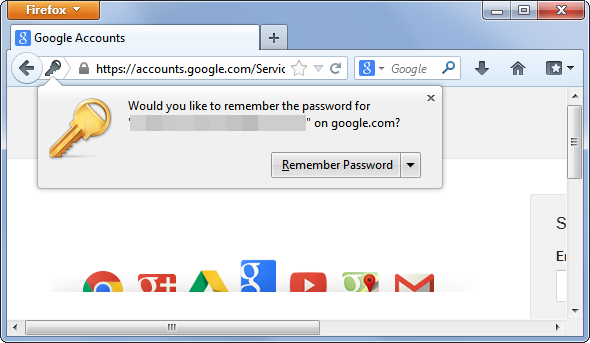
It is much more convenient, of course. You are at work, in front of your computer, and the browser offers to memorize the passwords for the services that you use. Out of laziness, you give it the OK. Now you will not have to enter the passwords for your email, social network or favourite online store every day.

It is not only convenient for you, but in principle it is much more secure. If malware capable of capturing keystrokes (a keylogger) ever lands in your computer, it will not be able to disclose your passwords.

However, asking the browser you use at work to save your passwords could be a disastrous idea.

chrome

One of the weak points of storing passwords in your browser is that, obviously, it saves them somewhere. In addition, remember that you are at work and surrounded by colleagues. One of them could be waiting for you to get up from your workstation without locking your computer in order to carry out the famous David Hasselhoff attack on you (taking advantage that you are not there, someone changes your desktop wallpaper to the ‘Knight Rider’ star with very little on). If they can do this, bear in mind that they could do worse things.

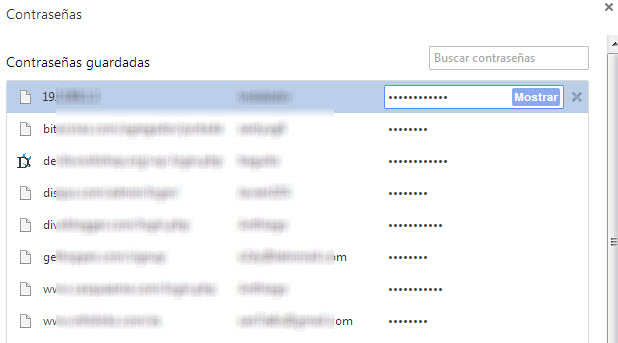
Without going any further, anyone could take advantage of your computer being unlocked to access the password file saved by your browser. It is not difficult, in Chrome you just need to go to chrome://settings/passwords to see the passwords that the browser has saved. A couple of clicks and anyone can find out how to access your mail, social networks, and every site for which you have decided to save the password through the browser.

chrome

However, leaving your computer locked does not guarantee that your passwords cannot be stolen. There are other methods.

There is probably a computer engineer working at your company. Do you get on well with him? If you had to think about the answer and you usually save your passwords in the browser, think twice about it. It is not that he is going to search you, but if he wants to give you a fright, he can.

Passwords stored by browsers are, in one way or another, on your computer. Even though they are encrypted and in a hidden place, with enough knowledge it is not so difficult to access them. The right malware could bring them to the surface.

password

Of course, remember too that not just any password will do. Worrying about where your passwords are stored is not worth much if you use the same one for everything and it is ‘12345’. In this case, there is no need for a cybercriminal to attack your computer or a lapse of yours to allow a colleague to use your computer.

The post This is how a browser saves your password (and it is not secure) appeared first on MediaCenter Panda Security.

How to detect and avoid phishing scams

As I predicted last week, the recent data breach at US insurance firm Anthem Blue Cross Blue Shield has led to a sharp increase in the number of phishing attacks pretending to be from the company.

Video

What is Phishing?

There are some simple rules you can follow to ensure that you do not fall victim to any of these phishing attacks.

In this short video you will learn how to:

  • Recognise phishing emails in your inbox
  • Check you are on a legitimate webpage
  • View security certificates to ensure sites are safe


For more details on phishing and how to stay safe, visit this blog post from my colleague Michael McKinnon.

Follow me on twitter @tonyatavg

Trust remains a key obstacle for mobile

2014 was the biggest year to date for security and privacy online. With high profile companies announcing security breaches and data hacks throughout the year, 2014 became a year of lost innocence for the web.

People around the globe have begun to realize that their data, once shared with the World Wide Web, takes on a life of its own.

Because of this, trust and privacy have become more important than ever to our digital lives. Trusting people with our data and keeping hold of our privacy have become real every day concerns.

Nowhere is this more relevant than in mobile. And mobile devices are increasingly the gateway for most of us in the connected world.

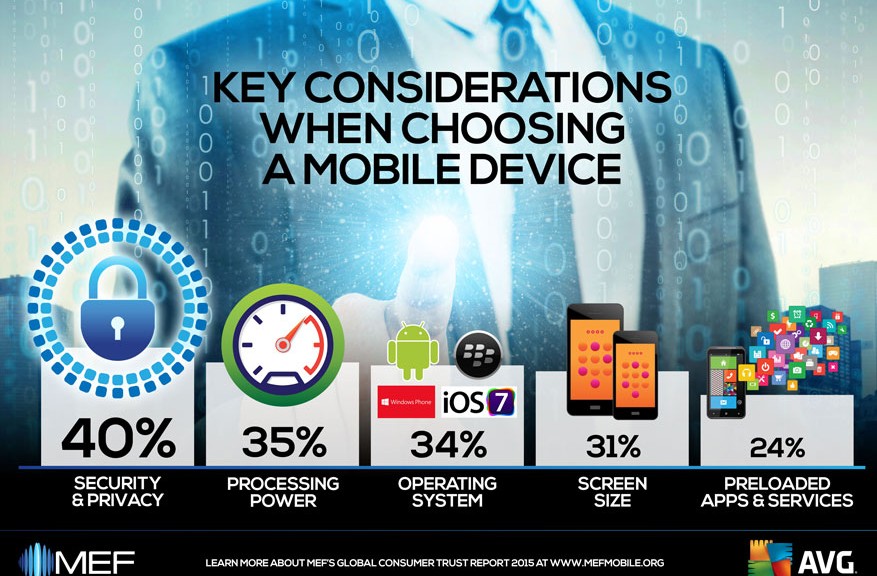
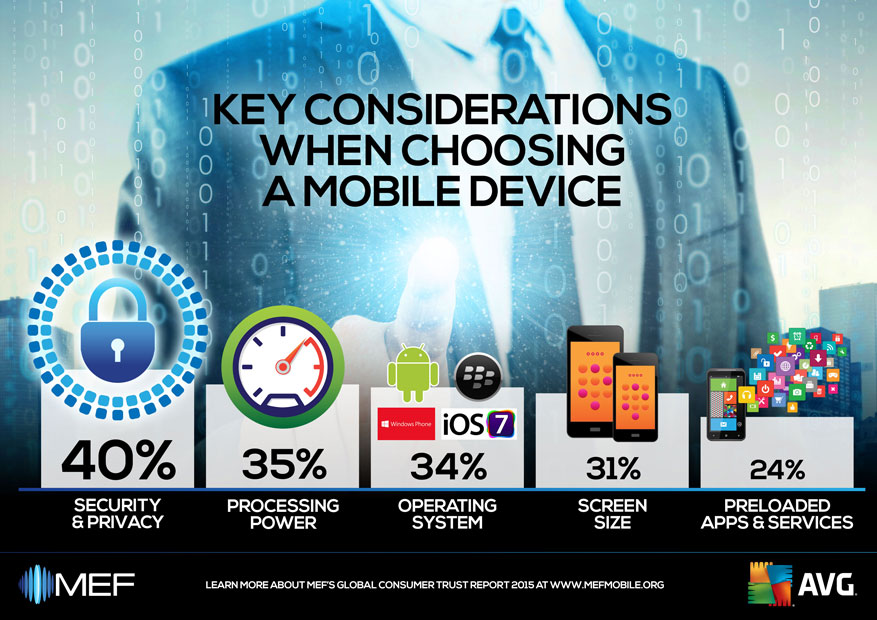
The importance of trust and the relevance of mobile are why this year; we have once again collaborated with MEF to create the Global Consumer Trust Report 2015.

Here are two key points that I’d like you to take away from the report:


Trust is a growing concern

Last year, the report highlighted the growing issue of trust as a barrier to purchase on mobile devices and this year is no different.

  • A lack of trust is again the single most influential factor preventing more downloads and purchases via mobile. 34% named it as such as compared to 30% the previous year.

It won’t come as any surprise after the multitude of hacks we saw in 2014, that awareness and concern around data privacy and trust is up around the globe.

  • China reported the highest trust concerns at 41% and the US saw the largest increase in a lack of trust, up nine points year-on-year to 35%


Trust really does affect people’s behavior

Trust is such a difficult concept to understand, especially when it is concerning something as abstract as the Internet. How do you know if you trust an app? Moreover, how does that trust actually influence your behavior?

This year’s report shows that trust, or lack thereof, really does have an impact (and a growing one at that) on how we engage with apps and services on our devices.

  • 49% of consumers surveyed say a lack of trust limits the amount of apps they download or use compared to 37% in the previous year
  • 72% of mobile media users are uncomfortable sharing personal data such as location or contact details with apps.


It’s also great to see that, in the report, 64% of those studied use software or apps to guard passwords and protect against malware.  Only one in ten (11%) take no steps to protect their device.

MEF Global Consumer Trust Report


We still have a long way to go to ensure that the web is a safe and trustworthy place for everyone, including the next wave of digital citizens coming on line, but we are making progress.

The issues of trust and privacy are starting to come to the fore and with them, they will bring change.

We’ll see changes in the way that users behave online, changes in the way that businesses explain how they use our data and changes in the way that governments form new modern data laws.

Nevertheless, with change comes responsibility. We must all play our own role in forging a brighter, safer and more trustworthy Internet. We must all become responsible digital citizens.