Category Archives: Antivirus Vendors
Antivirus Vendors
Businesses Face Increase in Targeted Attacks – eWeek
Kaspersky Lab on Partner Marketing Done Right – The VAR Guy
Majority of Mobile Malware Attacks Focus on Financial Gains – IT Business Edge
Global cybersecurity skills shortage incoming, warns House of Lords committee
A special Parliamentary Select Committee has told peers in the United Kingdom’s House of Lords that there will be a global shortage of “no less than two million cyber security professionals” by the year 2017, IT Pro Portal reports.
The post Global cybersecurity skills shortage incoming, warns House of Lords committee appeared first on We Live Security.

Rise of free Wi-Fi hotspots ‘presents serious security risks’
The BBC reports that there is currently one Wi-Fi hotspot for every 150 people in the world, but these unmonitored hotspots can potentially cause problems, experts have warned. ESET security expert Mark James highlighted that people’s desire for a ‘free lunch’ shouldn’t cloud their judgement when it comes to security and privacy issues, especially in cases
The post Rise of free Wi-Fi hotspots ‘presents serious security risks’ appeared first on We Live Security.

Almost One in Three Teenagers has Online Regrets by Age 16
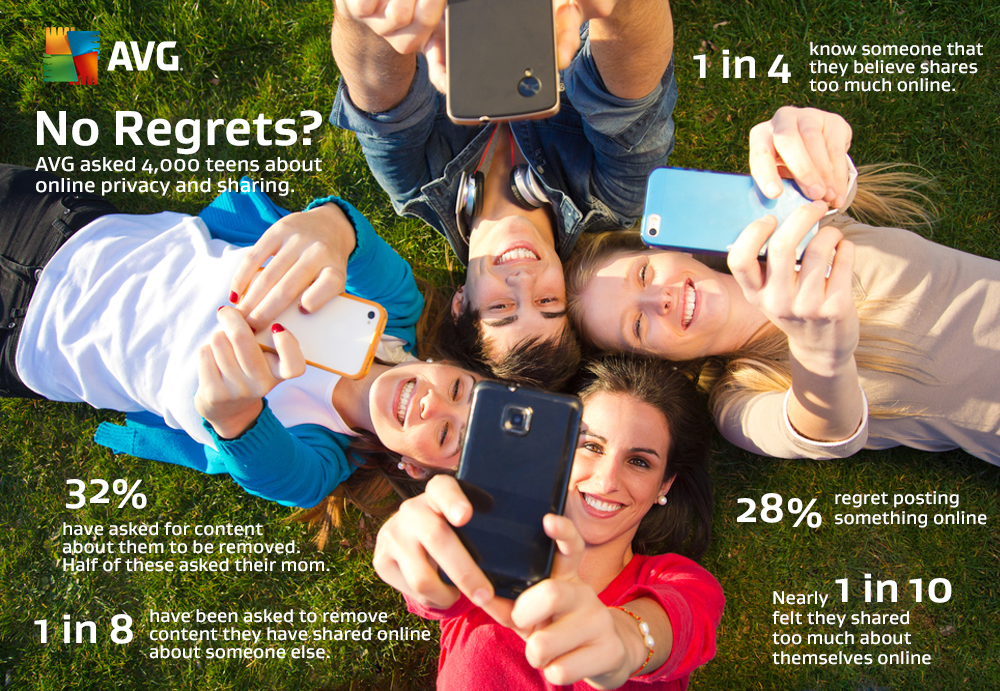
AMSTERDAM and SAN FRANCISCO – November 3, 2014 – The latest Digital Diaries research from AVG Technologies N.V. (NYSE: AVG), the online security company™ for 182 million active users, has found that almost a third of teens (28 percent) say they regret posting something online. The research also found 32 percent have had to ask someone to remove content posted online about them, because they didn’t like it (61 percent) or it was too personal (28 percent).
The global research, which questioned almost 4,000 teenagers aged 11-16 years old on the topic of online privacy, painted an overall picture of a struggle for control. Although 70 percent have changed their settings on Facebook to make it more difficult for people to find them and 71 percent say they understand what online privacy means, only 29 percent say they properly ‘know’ all of their Facebook friends.
Speaking in advance of this week’s Child Helpline International Youth Shadow Conference, which focuses on empowering young people through technology, Emily Cherry, Head of Participation at the NSPCC, commented on the results.
“Young people obviously want to get the most out of social media by sharing information. But they should be aware that people are not always who they appear to be online and may pose a threat to them. If we don’t act now and help to guide them, in particular around contact with strangers, we could be facing a privacy time bomb. Online is as important to young people as eating. It is the most important part of their world throughout the day. If we don’t get this right, we will be failing to give them the vital protection they need.â€
Even at this age, there are signs that teenagers have differing ideas of how much is too much when it comes to sharing online:
- One fifth of teenagers would talk to a friend about deeply personal things online.
- Over one in four (28 percent) have talked to a friend or family member whom they felt shared too much.
- Of those who asked for online content about them to be removed, 18 percent identified their mom as the posting culprit.
- Almost one in ten felt they shared too much about themselves online (9 percent).
- 14 percent have been asked by someone else to remove content they have shared online.
“Everyone assumes that just because today’s teenagers grew up with laptops and smartphones, they somehow have an innate understanding of how to keep themselves safe online and how to behave. The reality is that we have all – teenagers included – embraced technology without much question and the result has been the steady erosion of our online privacy,†said Tony Anscombe, Senior Security Evangelist at AVG Technologies.
“In a way, parents are just as guilty of this as their teens. I’ve talked previously about the concept of ‘sharenting’, where parents share content about their children online, creating a digital footprint for them that they have no control over. As a parent of a teenager myself, I believe we must take some of the responsibility for the social impact of new technologies – both by setting a standard for trust and consideration through our own online behavior, and by guiding theirs.â€
Also identified by the research was the struggle teens face retaining control of their online profile:
- Only 12 percent said they had a lock on their bedroom door. By contrast, the majority (78 percent) had put a password on their device – although 70 percent noted that their parents knew some or all of these passwords.
- Almost two-fifths (38 percent) were aware of a family member looking at their device without permission. A further 18 percent said that someone in their family had found private information on their device they hadn’t wanted anyone to see.
###
Note to Editors
Methodology:
AVG commissioned an online survey interviewing teenagers between the ages of 11-16 to identify privacy awareness and practices in the following markets; Australia, Brazil, Canada, Czech Republic, France, Germany, New Zealand, the United Kingdom and the United States. A total of 3,999 carried out the survey during September 2014. The market research company Research Now carried out the fieldwork using their proprietary panels.
Further Resources
- Find out more about AVG Digital Diaries research at: www.avgdigitaldiaries.com/
- Read AVG’s educational ebook for younger audiences: http://www.avg.com/ebooks/magda-and-mo
More from Tony Anscombe
- Follow Tony Anscombe at his blog: http://blogs.avg.com/author/tony-anscombe/ and on Twitter @tonyatavg
- Download Tony’s book, One Parent to Another, here: http://www.avg.com/ebooks/one-parent-to-another
- Watch Tony talking about the book and discussing the major themes with other parents at: http://www.youtube.com/user/officialAVG
- Download An Online Safety Guide for Parents by Tony Anscombe: http://www.avg.com/ebooks/guide-for-parents
###
About AVG Technologies (NYSE: AVG)
AVG is the online security company providing leading software and services to secure devices, data and people. AVG has over 182 million active users, as of June 30, 2014, using AVG’s products and services including Internet security, performance optimization, and personal privacy and identity protection. By choosing AVG’s products, users become part of a trusted global community that engages directly with AVG to provide feedback and offer mutual support to other customers.
All trademarks are the property of their respective owners.


In Pictures: Child Helpline International, London
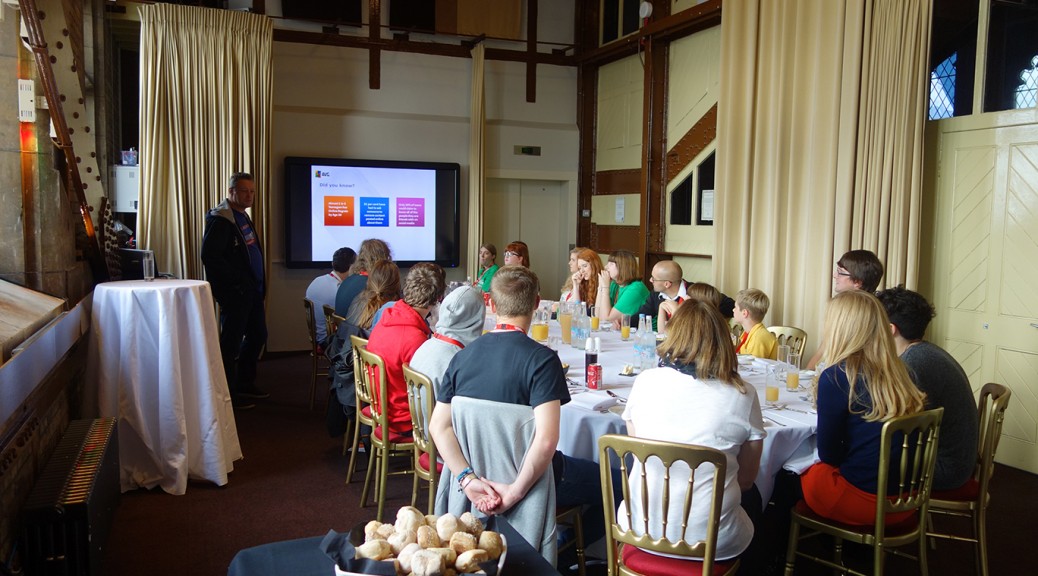
Lunch Session in Tower Bridge:
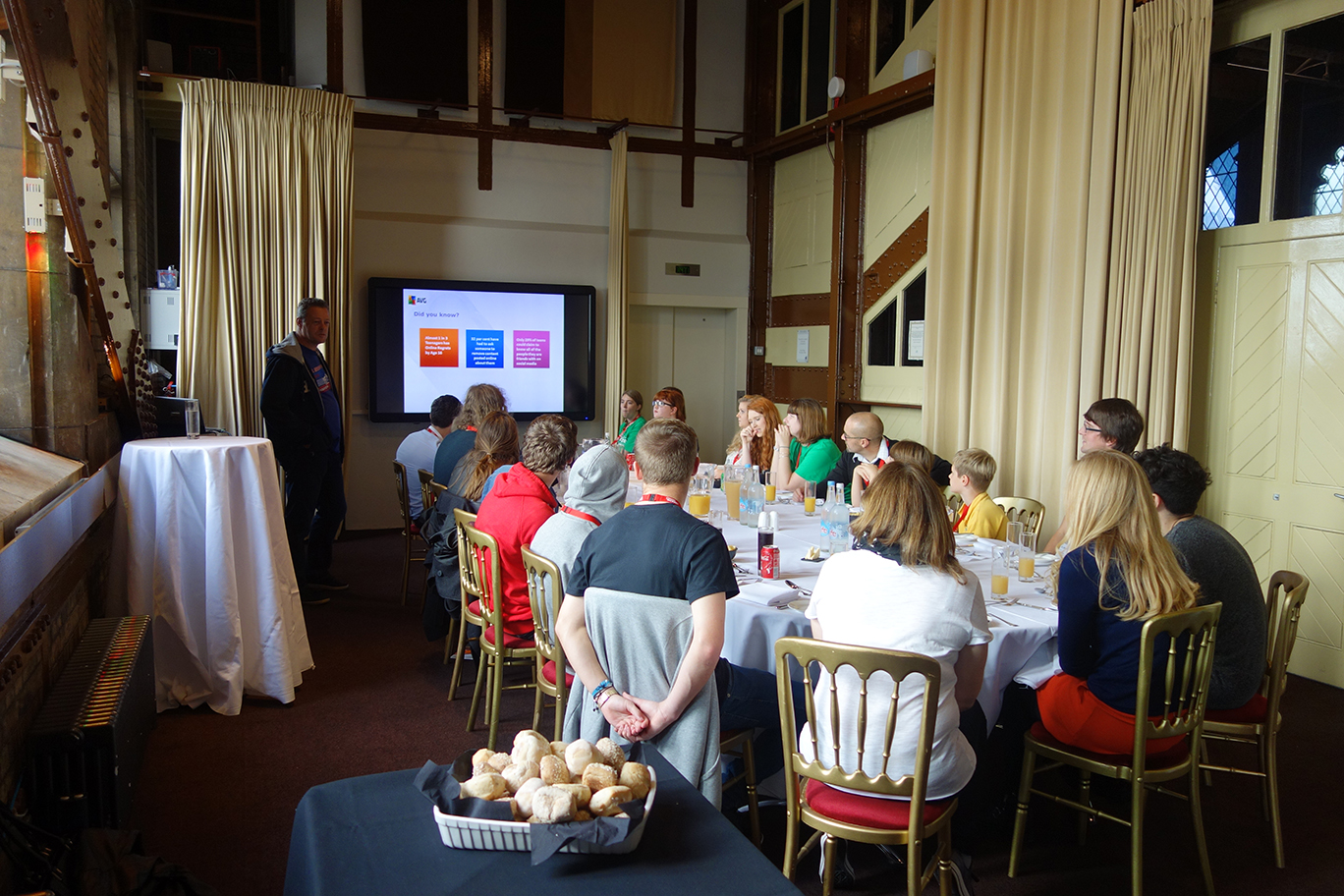
AVG kicked off its session with an informal lunch inside one of London’s most iconic landmarks, Tower Bridge.
Celebrity Speakers
We were very lucky to be joined by Maddie Moate and Luke Franks who have earned thousands of fans on social media. Maddie and Luke gave a talk to the group about how you can stay safe and private while using social media.
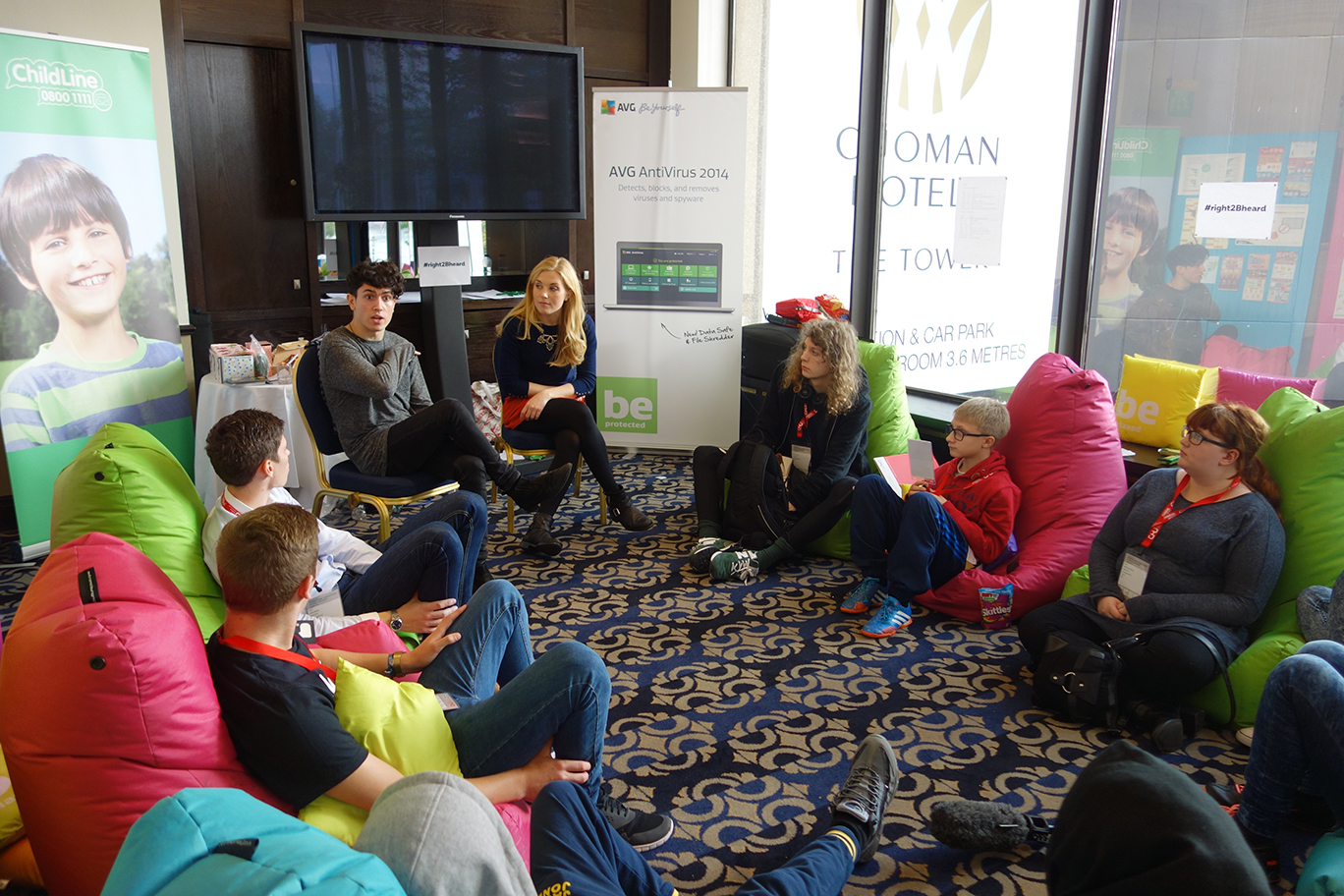
Geotagging Workshop
AVG’s own Tony Anscombe then led the group in an interactive sessions to demonstrate just how much they might be sharing online without realizing. In a few simple steps it is possible to find out some very personal information about a complete stranger using nothing but a few public websites.
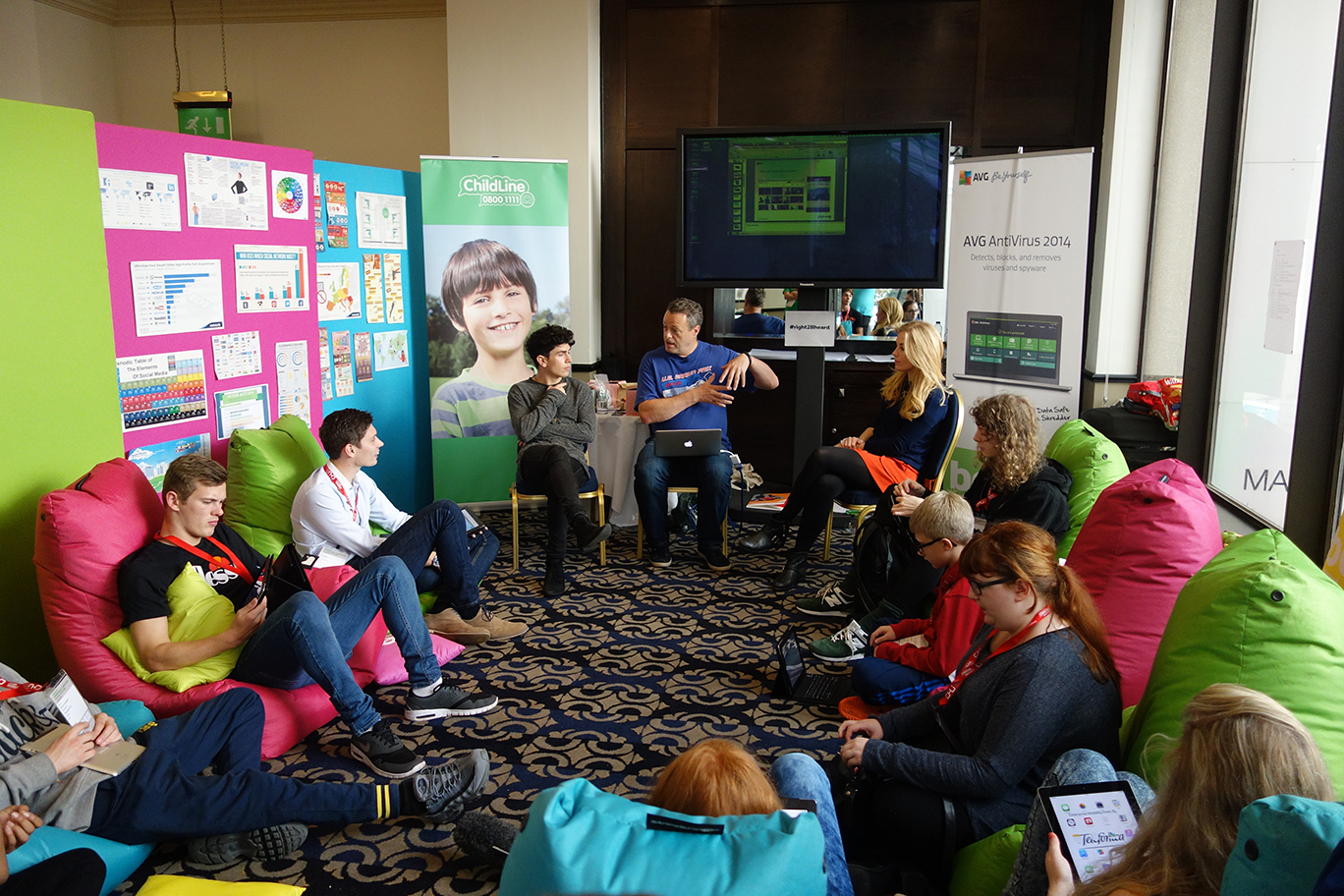
Social Media Session
In his final session, Tony gave some easy to follow advice on how we can all stay safer while using social media and debunked a myth that messages sent over apps like Snapchat cannot be saved.

Interview:
Two primary school children, Felix and Tom conducted an interview with our two celebrity guests. They quizzed them on everything from technology addiction to online safety. You can read the full interview here.

Tips:
After a long day discussing Internet safety, here are some of the best tips raised in our session:
- Always turn off location tagging when using photo sharing apps like Instagram.
- When sharing a post on Facebook, always check to see who will be able to see it.
- Never share any inappropriate images of yourself, even on apps like Snapchat. There are always ways to save the images.
- Don’t open an email attachment from an unrecognised sender, even if it has your name on it.
- Using a tool like AVG PrivacyFix can be an easy way to control your settings across several networks.
If you have any tips on how to stay safe on social media, let us know on our Facebook community.


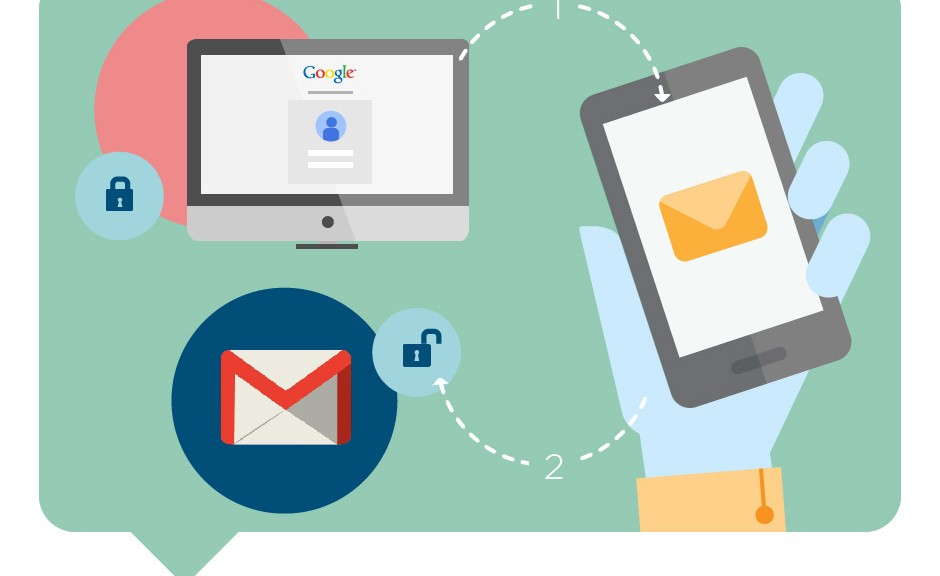
Two-step verification boosts Gmail security
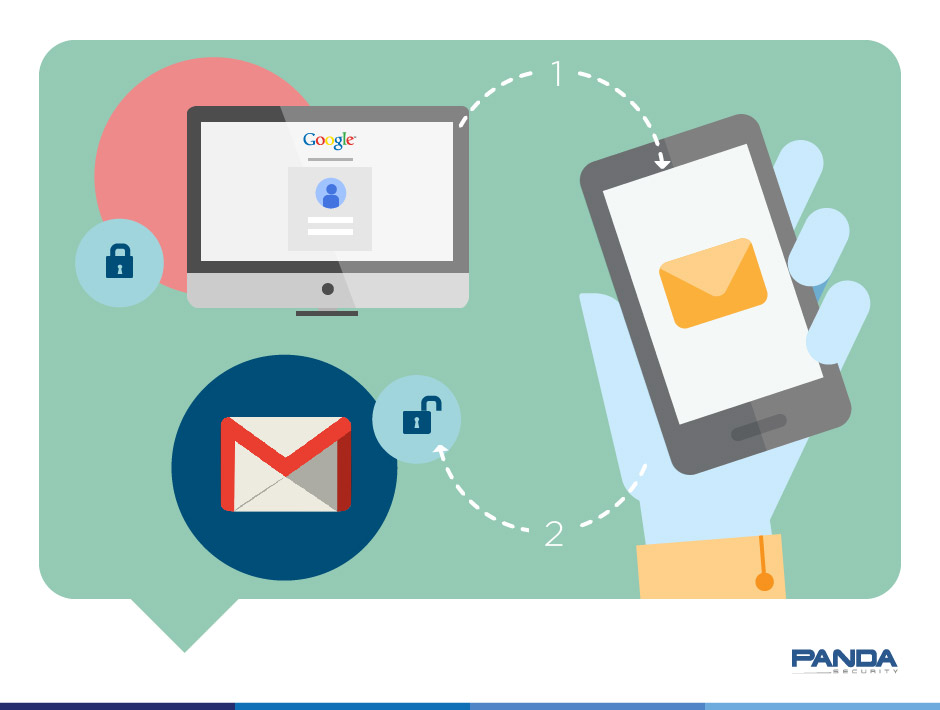
It’s not difficult to make your email account more secure. Often, all you need is to spend a little time looking into the security options available.
Last week we looked at how to make your Facebook account more secure and today we’re doing the same with one of the most popular webmail services: Gmail.
Below you can see a step-by-step guide to activating two-step verification in your Google webmail account.
How to improve security in Gmail with two-step verification
Go to your inbox and click ‘Terms and Privacy‘

There you will see the option‘2-Step Verification’
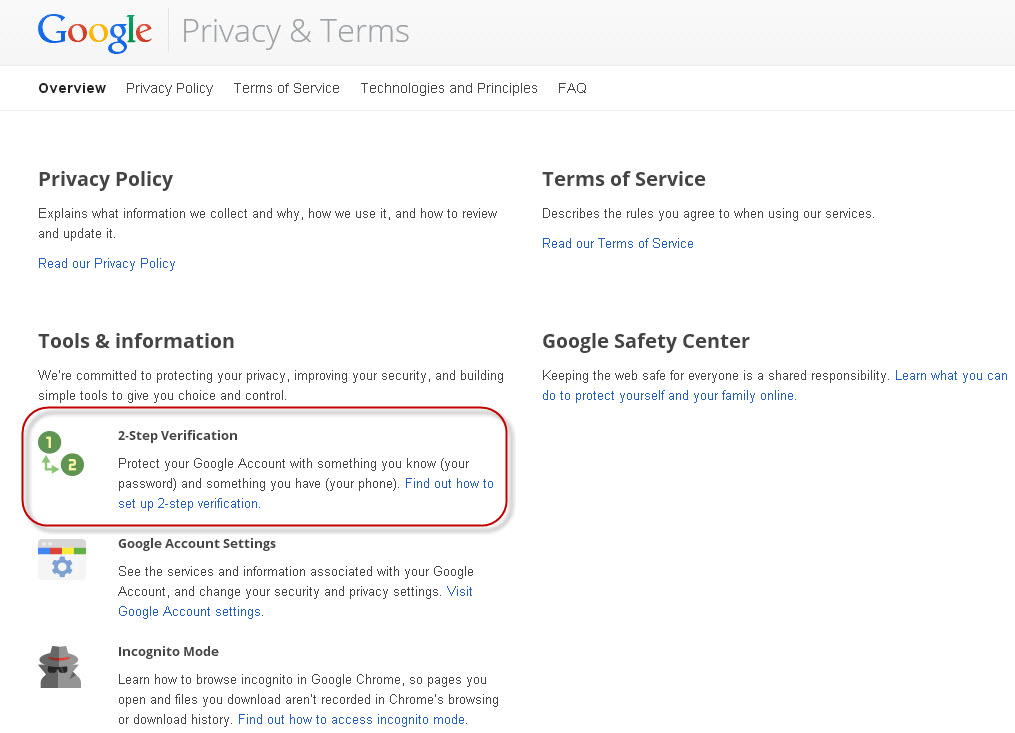
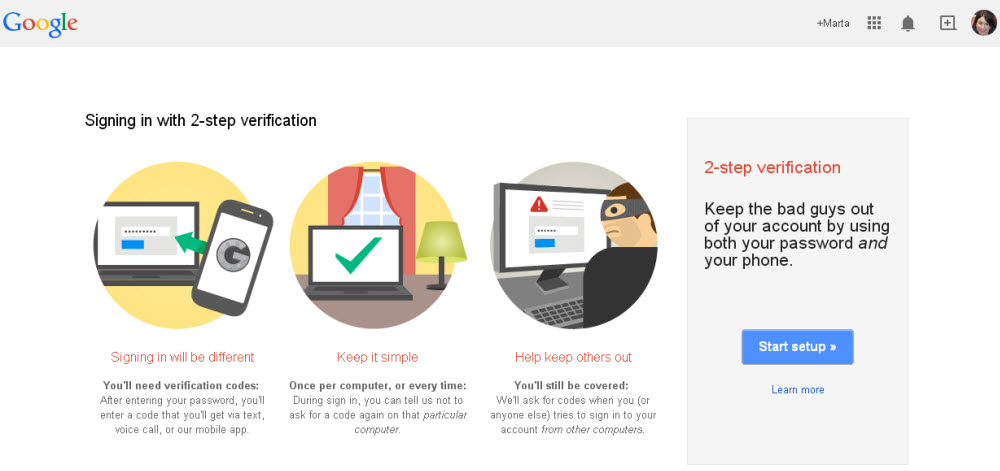
From here you can activate 2-Step Verification. Â First, you have to enter the phone number to which the verification code will be sent.
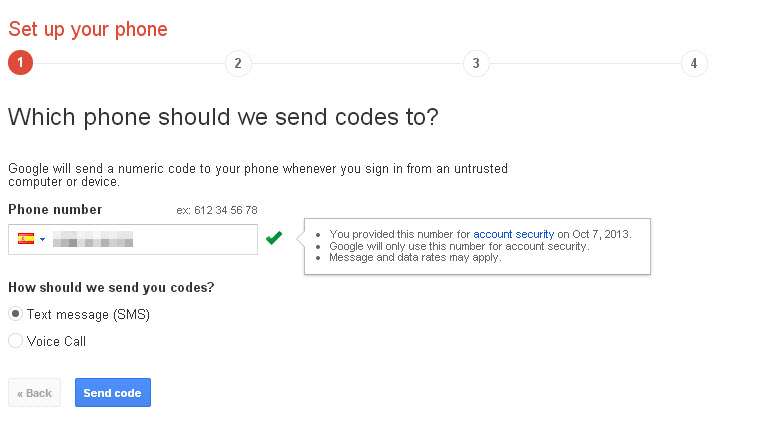
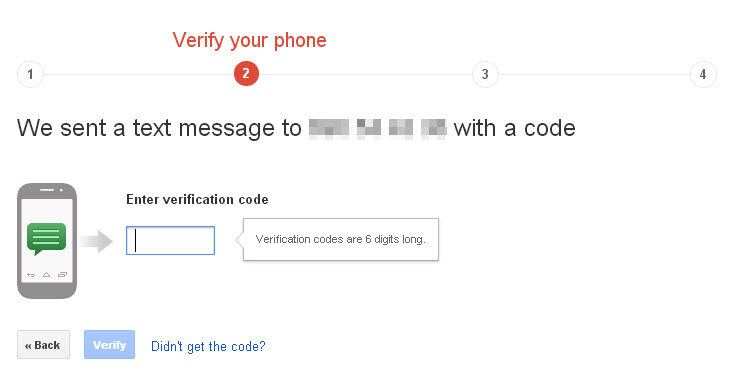
The code will be sent immediately to your phone. Once you have received it you can enter it in Gmail.
Next, Gmail tells you that on trusted devices you will only be asked to enter the code once.
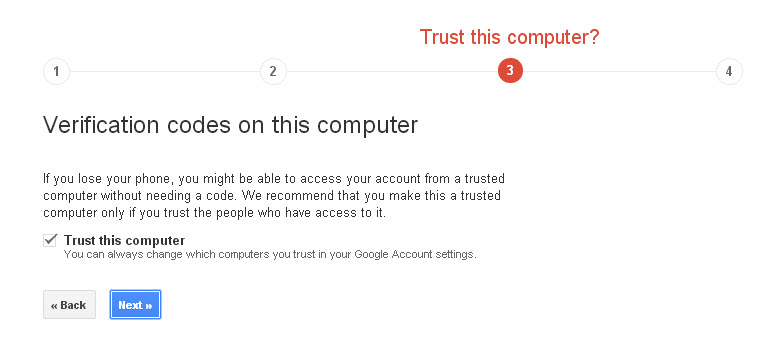
After this step, you only have to activate 2-step verification.
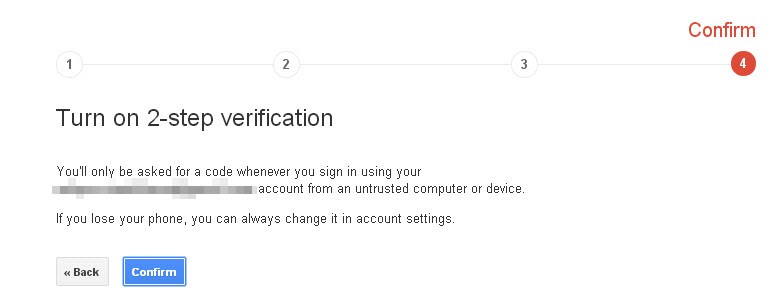
To complete the process, bear in mind that you have to confirm this account on all the devices on which you access Gmail (smartphones, tablets, etc).
As you can see, this is a simple process that helps prevent unauthorized access to your Gmail account, as when anyone tries to access the account, only you can verify that they have permission.
More | How to increase the privacy of your Gmail account
The post Two-step verification boosts Gmail security appeared first on MediaCenter Panda Security.
Shortcut Express to Infected & Phishing Websites
URL shorteners are a relatively new Internet service. As many social services on the Internet impose character limitations (Twitter is a prime example), these URL are very practical…
For example, you’d spend 64 characters to point to Wiki’s article about URL shorteners: http://en.wikipedia.org/wiki/URL_shortening. With an URL shortener, you can cut that down to 16 characters: http://bit.ly/c1htE.
URL shorteners, however, can be used to hide the real target of a link. Cyber criminals appreciate this “feature†– and use it to hide links to phishing or infected websites. These services usually have terms and conditions comparable to TinyURL:
“TinyURL was created as a free service to make posting long URLs easier, and may only be used for actual URLs. Using it for spamming or illegal purposes is forbidden and any such use will result in the TinyURL being disabled and you may be reported to all ISPs involved and to the proper governmental agencies. This service is provided without warranty of any kind.â€
Few seem to care about these terms, which are regularly flaunted in the pursuit of profit. Happily, however, certain services have started to filter shortened links through special services, even if this has so far failed to stem the flow of shortened SPAM URLs.
Below are statistics with the percentage of malicious links identified on 22 popular URL shortener services:
Phishing |
Malware |
|||
| # | Shortener | % | Shortener | % |
| 1 | tinyurl.com | 41.30 | k.im | 27.87 |
| 2 | bit.ly | 15.29 | notlong.com | 27.05 |
| 3 | r2me.com | 12.04 | tinyurl.com | 18.85 |
| 4 | snipurl.com | 7.16 | cli.gs | 7.38 |
| 5 | lu.mu | 6.50 | bit.ly | 7.38 |
| 6 | doiop.com | 4.52 | doiop.com | 4.10 |
| 7 | notlong.com | 3.55 | ad.ag | 2.46 |
| 8 | is.gd | 1.93 | is.gd | 1.64 |
| 9 | tiny.cc | 1.81 | tr.im | 0.82 |
| 10 | sn.im | 1.69 | snipurl.com | 0.82 |
| 11 | k.im | 0.96 | ow.ly | 0.82 |
| 12 | shorl.com | 0.66 | dwarfURL.com | 0.82 |
| 13 | tr.im | 0.60 | zi.ma | 0.00 |
| 14 | goo.gl | 0.54 | u.nu | 0.00 |
| 15 | ow.ly | 0.48 | tiny.cc | 0.00 |
| 16 | cli.gs | 0.30 | sn.im | 0.00 |
| 17 | u.nu | 0.18 | shorl.com | 0.00 |
| 18 | moourl.com | 0.18 | r2me.com | 0.00 |
| 19 | idek.net | 0.12 | moourl.com | 0.00 |
| 20 | dwarfURL.com | 0.12 | lu.mu | 0.00 |
| 21 | zi.ma | 0.06 | idek.net | 0.00 |
| 22 | ad.ag | 0.00 | goo.gl | 0.00 |
Source: Avira Virus Lab, taken from the month of July, 2010.
Shortened Links Can Mask A Threat
To give you an example, would you click on the following link?
www.ssl-albion-netbank.com/143.027.902
Probably not… The bank’s made-up name and use of random numbers would rightly give you misgivings. However, under a shortened guise – http://goo.gl/mDNuMg – one would not know that it’s a phishing website (in this case, a dead link).
Recommendations:
The bottom line is that if you can, avoid clicking on shortened URL links. If you do need to click on shortened links, copy and paste the link into a link lengthener – such as http://longurl.org/, which displays the full version of the links without having to click on it (exists also as a browser extension for Chrome and Firefox).
Finally, we recommend you equip yourself with Avira’s free Browser Safety extension, also for Chrome and Firefox, which blocks infected websites before they load. To learn more about Browser Safety, visit Avira’s website here: https://www.avira.com/en/avira-browser-safety
The post Shortcut Express to Infected & Phishing Websites appeared first on Avira Blog.