Category Archives: Antivirus Vendors

Antivirus Vendors

AVG Technologies Previews New Identity-as-a-Service “CloudCare SSO” at Cloud Summit

AMSTERDAM and SAN FRANCISCO –  22 October, 2014 – AVG Technologies N.V. (NYSE: AVG), the online security company for devices, data and people, today unveiled a preview of its new Identity-as-a-Service (IDaaS) services to partners attending its Cloud Summit in Phoenix, Arizona.   Managed services provider (MSP) partners at the Summit had an exclusive first-look at how AVG’s full Cloud-security and remote monitoring & management (RMM) services portfolio can help MSPs deliver secure sign-on (SSO) for easy, one-click security and control over their customers’ cloud applications and mobile data.  Partners will soon be able to experience the breakthrough integration of Multi Factor Authentication, Secure Sign-On, Mobile Device Management and Mobile Application Management all managed through Active Directory to ease complexity and simplify management.

“The aim of today’s game changing advance in the expansion of AVG CloudCare’s cloud-based security and mobile management capabilities is to help MSPs grow their businesses further by enhancing the levels of protection and control built in to their customer services,” said Mike Foreman, AVG’s General Manager, SMB. “We know that with the rapid adoption of mobile, BYOD and Cloud applications customers will require additional expertise from partners to help control and manage all their users’ applications and data.  We are listening. That’s why, for the first time in this space, AVG is combining Centrify’s IDaaS capability with our existing RMM platform to provide a single, secure access layer to all our Cloud services as well as more than 2,500 of the most popular Cloud-based business apps for partners and their business customers.”

Underlying technology for AVG’s new IDaaS capability is driven by Centrify, a leader in unified identity management across cloud, mobile and data center environments.  Management of multiple passwords is a major headache for businesses, especially as they adopt more and more mobile and cloud-based applications.   Figures show up to 80 percent of end user breaches are password related. Furthermore, industry events like the Heartbleed bug have raised popular consciousness of the need for stronger password protection, especially in sectors like financial services or health where tight data security and privacy requirements are mandatory.

“IDaaS is solving real problems for the enterprise and thanks to the initiative of market-savvy companies like AVG the technology will soon be giving AVG partners and their businesses the same benefits in a format they can afford,” said Shreyas Sadalgi, Centrify’s SVP of Business Development for Centrify. “We are thrilled to be working closely with AVG, a globally respected security brand with one of the largest active partner bases in the industry.

An exclusive preview of the Centrify IDaaS solution is available to resellers and MSPs attending AVG’s inaugural Cloud Summit for partners taking place from October 20th-22nd 2014 at The Sheraton Wild Horse Pass Resort in Chandler, Arizona.

For more information or to contact sales for a free, not for resale account, please email [email protected]

AVG’s business security portfolio is supported by a worldwide network of more than 10,000 partners.  Its pedigree in this area makes it ideally positioned to help smaller IT companies and MSPs harness low cost, cloud-based tools so they can transition into fully-fledged managed services businesses.

In October 2012 AVG introduced AVG CloudCare™, a cloud-based administration platform offering resellers a new way to implement and manage services such as antivirus, content filtering, online backup and email security services for their business customers. In June 2013 it added AVG Managed Workplace, an open eco-system Remote Management & Monitoring (RMM) tool. AVG‘s vision is to make the lives of MSPs and their business customers as easy as possible, regardless of whether staff are in the office, at home, or on the road.

About Centrify

Centrify provides unified identity management across data center, cloud and mobile — resulting in one single login for users and one unified identity infrastructure for IT. Centrify’s software and cloud services let organizations securely leverage their existing identity infrastructure to centrally manage authentication, access control, privilege management, policy enforcement and compliance across on-premise and cloud resources. More than 5,000 customers have deployed Centrify across millions of servers, workstations, and applications. With Centrify, organizations are reducing their costs associated with identity lifecycle management and compliance by over 50 percent.

About AVG Technologies (NYSE: AVG)

AVG is the online security company providing leading software and services to secure devices, data and people.  AVG has over 182 million active users, as of June 30, 2014, using AVG’s products and services including Internet security, performance optimization, and personal privacy and identity protection. By choosing AVG’s products, users become part of a trusted global community that engages directly with AVG to provide feedback and offer mutual support to other customers.

All trademarks are the property of their respective owners.

70 Percent of MSPs Must Adapt Services to Capitalize on Internet of Things, AVG Study Reveals

AMSTERDAM and SAN FRANCISCO – October 22, 2014 – Roughly 1-in-4 (26 percent) small- to medium-sized businesses (SMBs) and managed services providers (MSPs) expect the Internet of Things (IoT) including multiple devices, wearables and Cloud-based services in general to generate more money for them than any of the other current big IT trends, according to a new survey announced today by AVG Technologies N.V. (NYSE: AVG), the online security company for devices, data and people. Almost three out of five (57 percent) SMBs agreed that IoT will help boost their revenues, a sentiment that was echoed by around two-thirds (67 percent) of MSP respondents. However just 18 percent of SMB respondents thought their IT provider was ahead of the curve regarding IoT management while 70 per cent of MSPs themselves admitted the need to adapt their services to meet customer expectations in this regard.

“Our MSP partners are telling us that the ‘Internet of Things’ is the one IT trend making an immediate difference to their bottom line and the business customers that they serve. A massive 7 out of 10 stated they need to amend their offerings to enable business growth.”  said Mike Foreman, AVG’s general manager, SMB

The study*, which interviewed 1,770 small businesses and MSPs in the U.S., Canada, the UK, Germany and Australia, also revealed more than half (55 percent) of MSP respondents say customers are demanding Internet of Things related services and over three quarters (77 percent) are planning to expand their service/product portfolio. However, they had better adapt quickly. Of those SMBs with an IT provider, 68% feel that their provider could improve their service with regard to Internet of Things offerings and understanding.

“The study shows clearly that as businesses grow to rely more and more on the Internet of Things and Cloud-based services to help generate revenue most MSPs are still some way short of being ready to help customers’ manage this,” continued Mike Foreman. “The research strongly indicates that MSPs need to significantly up their game and demonstrate enhanced levels of protection and control over their customers’ ever changing data and device needs.”

A summary of the other key findings in the study were:

SMBs

Almost half (46%) of SMBs think that the Internet of Things will be the IT trend that has the greatest impact on their organization over the next five years. An even higher proportion -around seven in ten (71%) – say that due to the Internet of Things their organization will need to take extra steps to secure and protect their data

  • Around three fifths (62%) of SMB respondents report that their organization has budget specifically assigned over the next 12 months for the development of Internet of Things solutions. 49% have a moderate or substantial budget assigned for these solutions.
  • Only 18% of SMB respondents say that their IT provider is completely ahead of the curve with regard to the Internet of Things and the potential for their business. Of those with an IT provider, 68% feel that their provider could improve their service with regard to Internet of Things offerings and understanding.
  • The majority (84%) of SMB respondents say that their organization has purchased mobile devices within the last year, spending an average of over $6,500 on these devices. Of those who have purchased mobile devices within the last 12 months, SMB respondents estimate that their organization spends an average of around $4,500 in hidden costs annually.

MSPs

  • Over half (55%) of MSP respondents state that customers are demanding Internet of Things related services and seven in ten (70% but only 56% Germany) say that they will amend their services based on the wants of the customer.
  • However, less than two fifths (38%) of MSPs say that their organization currently has an integrated remote monitoring and management platform.
  • Around three fifths (58%) of MSP respondents say that they will need to join up with cutting edge partners in order to successfully offer Internet of Things-related services. Currently only 38% of MSP respondents feel that the vendors they work with are cutting edge.
  • Furthermore around three in ten MSP respondents feel that their current vendor helps make efficiency savings (31%) or productive gains (25%) for their customers.

* AVG commissioned independent technology market research specialist Vanson Bourne to undertake this research.  1770 interviews were carried out during September 2014 with IT and marketing decision-makers of organizations with of 1 – 500 employees with and 85/15 per cent split between SMBs and MSPs. Interviews were performed across five countries: UK, US, Canada, Germany and Australia. Respondents to this research came from a range of industry sectors, with only the public sector excluded.

For more information, please see our video on the survey findings:

http://www.prnewswire.com/news-releases/70-percent-of-msps-must-adapt-services-to-capitalize-on-internet-of-things-avg-study-reveals-573155550.html

About AVG Technologies (NYSE: AVG)

AVG is the online security company providing leading software and services to secure devices, data and people.  AVG has over 182 million active users, as of June 30, 2014, using AVG’s products and services including Internet security, performance optimization, and personal privacy and identity protection. By choosing AVG’s products, users become part of a trusted global community that engages directly with AVG to provide feedback and offer mutual support to other customers.

All trademarks are the property of their respective owners.

The Ultimate ‘Alien Isolation’ Performance Guide

Once Alien Isolation got announced a few months ago, I immediately went back and rewatched the 1970s Ridley Scott classic movie “Alien”. No AlienS, no Alien 3, no Alien 4. The plain old Alien! And it still holds up as one of the scariest sci-fi movies ever, dealing with the struggle of one women versus one alien.

With the blockbuster game, Alien Isolation, by Sega and The Creative Assembly, that very spirit of one versus one is back big time. Set 15 years after the events of Alien you play Amanda Ripley, the daughter of famous alien hunter Ellen Ripler from the movie. And while it’s set in probably the most beautiful graphics out there right now, it mimics the 1970s wonderfully:

Alien Isolation

It’s all about cassette decks, monochrome monitors, and wonderful sci-fi furniture art of that decade.

However, you need a fairly powerful system to run Alien Isolation but – lucky you – we’ve played the game over the course of the past couple of days and found ways to improve the performance of the game and even unlock some hidden features to make it run significantly faster on slower PCs. Here’s how:


#1 – Basic PCs and Laptops

Before you start tweaking performance settings for Alien: Isolation, I recommend that you follow the 9 essential steps to boost your PC or laptop speed that I published a while ago. This covers the basic steps to get your machine in top shape, including how to:

  • Upgrade your graphics drivers and even use beta drivers
  • Overclock your graphics card (safely!)
  • Use our AVG Zen Performance to turn off all performance-sapping background activity
  • Defrag your hard disk
  • …and more!

As Alien Isoluation takes its toll on your hardware, you got to be sure that it’s tweaked to its absolute limit before you jump into the game-specific settings.


#2 – Enhanced 2k/4k/8k and Level of Detail

Gamers have immediately found a way to increase the visual quality of the game greatly by increasing both the level of detail level beyond what’s possible in the “in game” settings menu as well increase the resolution of the shadows. Now instead of using shadows with a 1k resolution, they managed to crank that up to 2k, 4k or even 8k resolution.

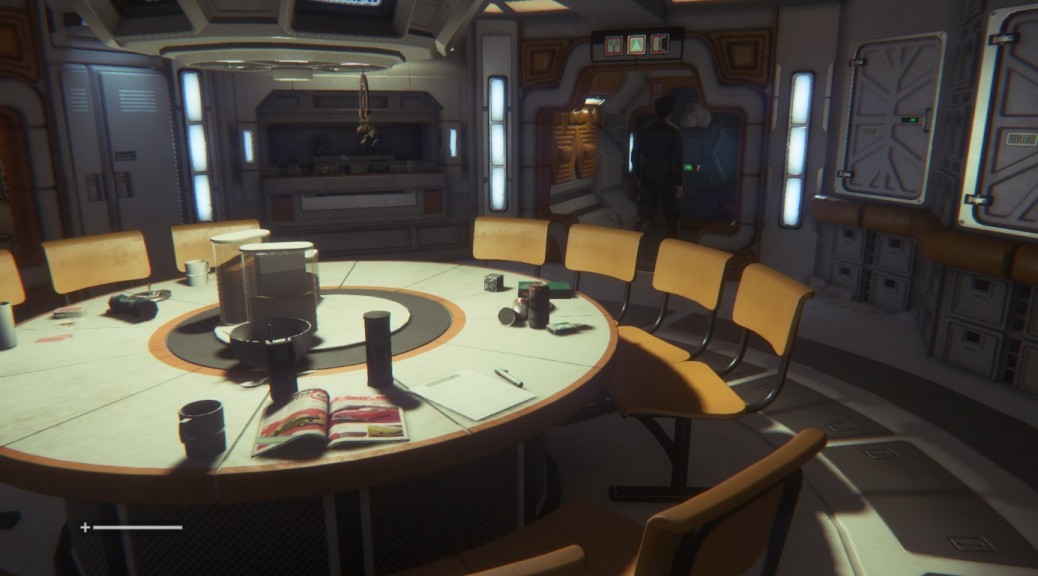
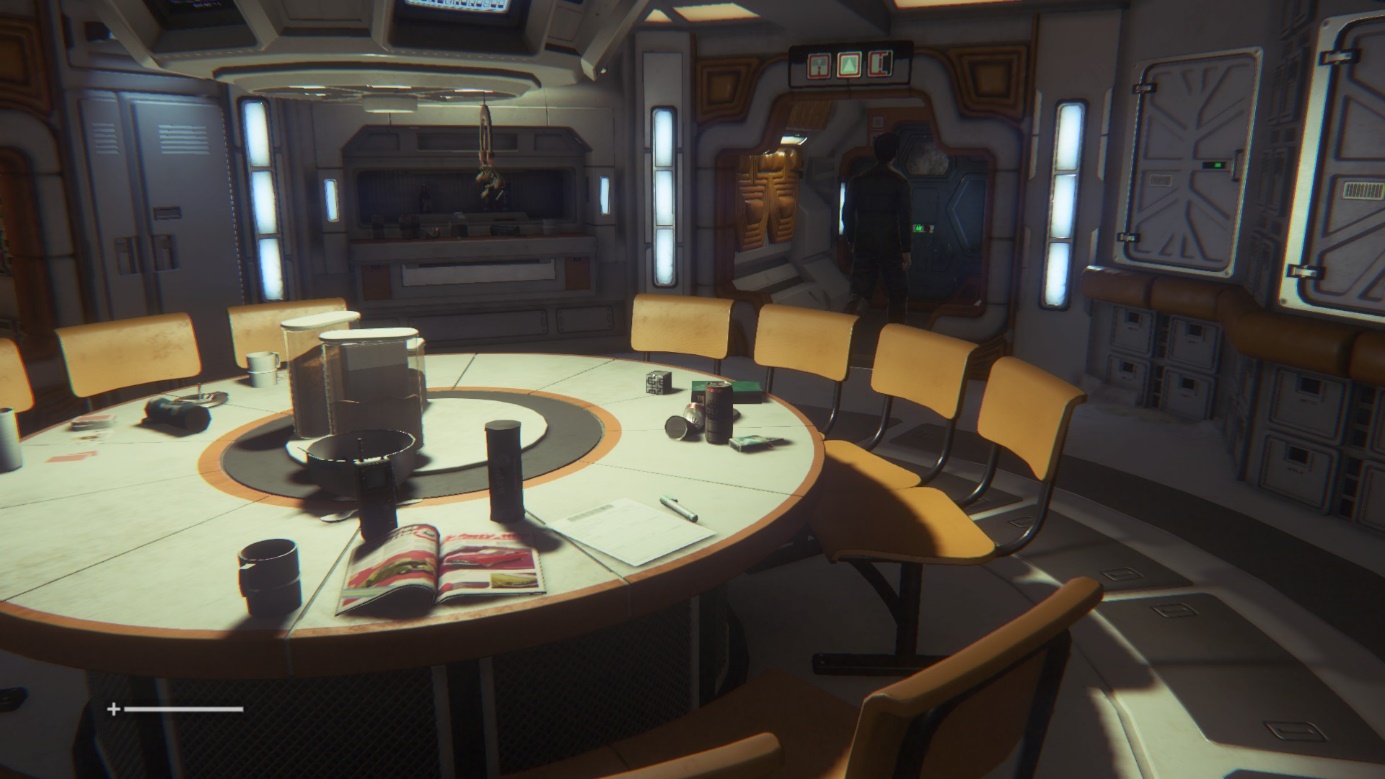
We’ve done the tests and the visuals are noticeably better. Click on the before and after images:

Before:

Alien Isolation

After:

Alien Isolation

It’s relatelively easy to see the difference between the shots: the shadows appear much crisper and clearer. However, while it’s easy to see in bright spots, it’s relatively tough to differentiate in other more darker scenes. We noticed a drop of 20% in performance, though that was on a relatively “weak” mobile GeForce 650M. If you feel it’s worth the drop, it should be enabled.

All you have to do is download the tweaked “ENGINE_SETTINGS.XML” from this page. Put the XML file right in your Alien Isolations “Alien IsolationDATA” folder and overwrite the existing file with it. For example, if you purchased the game on steam, the file sits under: C:Program Files (x86)SteamSteamAppscommonAlien IsolationDATA

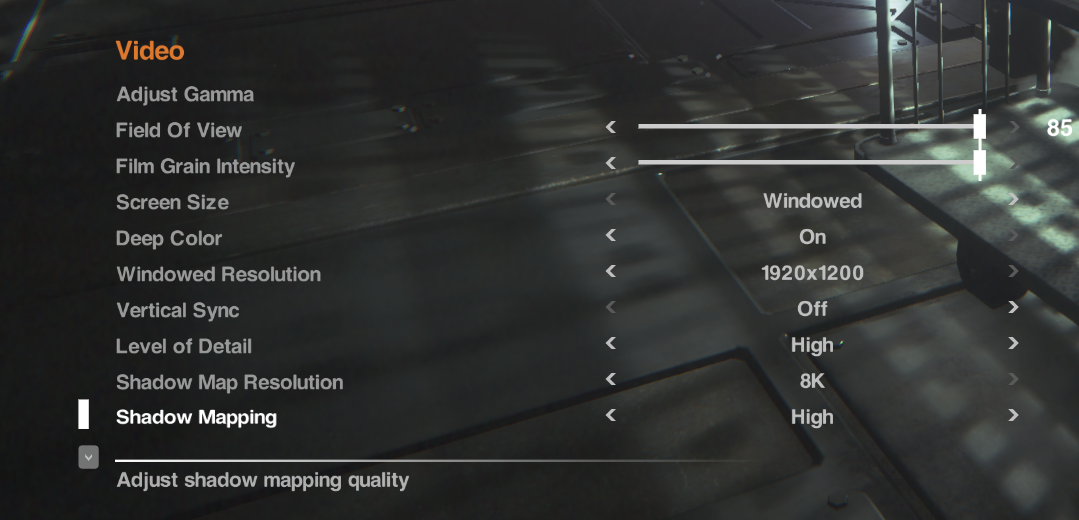
To enable the setting, launch the game and go to “OptionsVideo”. Make sure to set the “Shadow Map Resolution” to “8K”.


Alien Isolation


#3 – Enhance Reflections

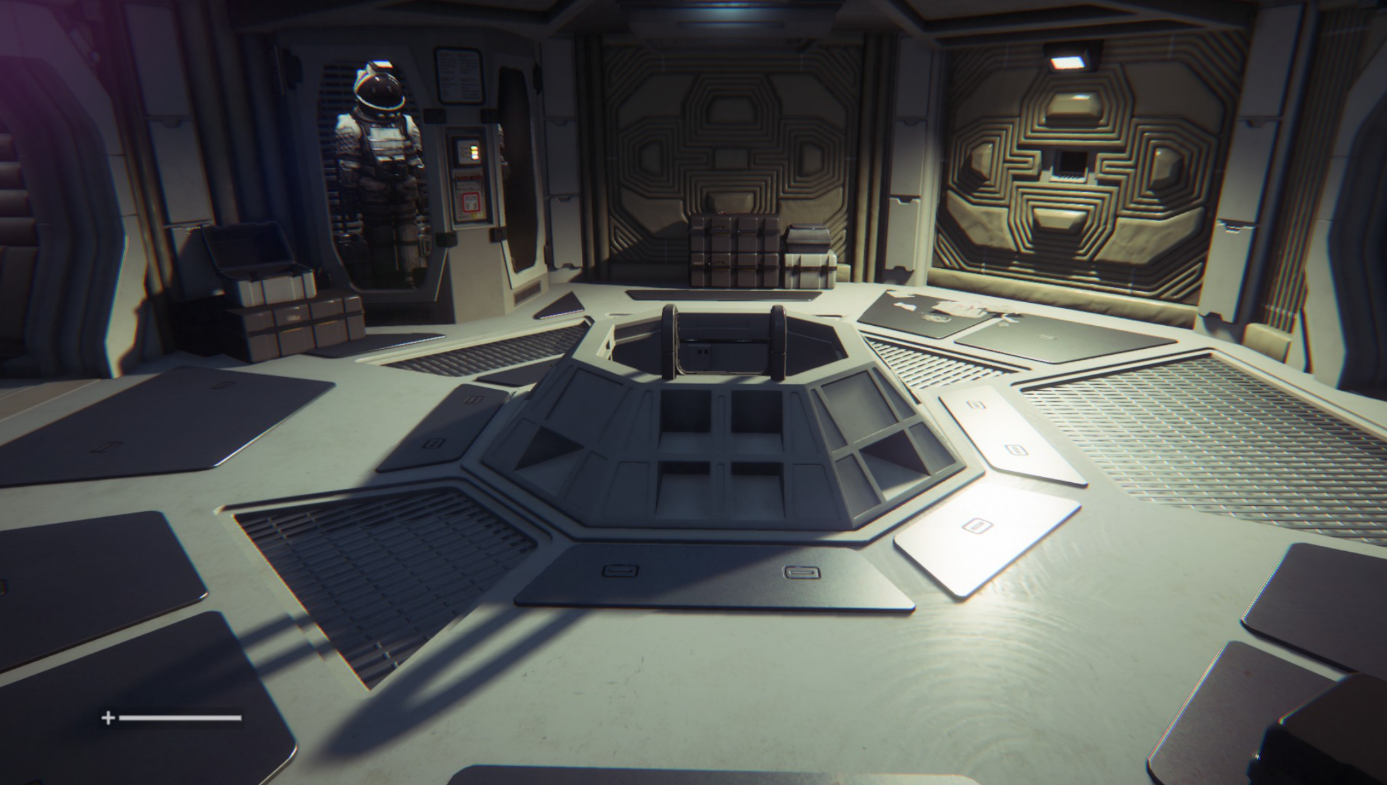
Another great addition that comes with the enhanced engine file (see #2) are enhanced reflections that the developers turned off. Now while these may look significantly “nicer”, they also have a shiny look to them which some gamers feel disturb the overall atmosphere of the game:

Before

Alien Isolation

After

Alien Isolation


Source:
Steam Community

To enable it, you set the “Planar Reflections” to “Alternative” – see how you like it. If you want to go back, you can always set it to “On” (which is the game’s default setting). In my tests I noticed no drop in performance whatsoever with the reflections enabled or disabled.


#4 – Increase the Level of Details for Distant Objects

Some objects tend to pop up out of nowhere. In order to prevent this rather annoying (and tension breaking) effect, you should increase the level of detail for distant objects. This, too, can be done by applying the hacked file (#2) and enabling it under the “Level of Details” – simple go for the “Ultra” setting once you’ve enabled the tweak!


#5 – Skip the Videos

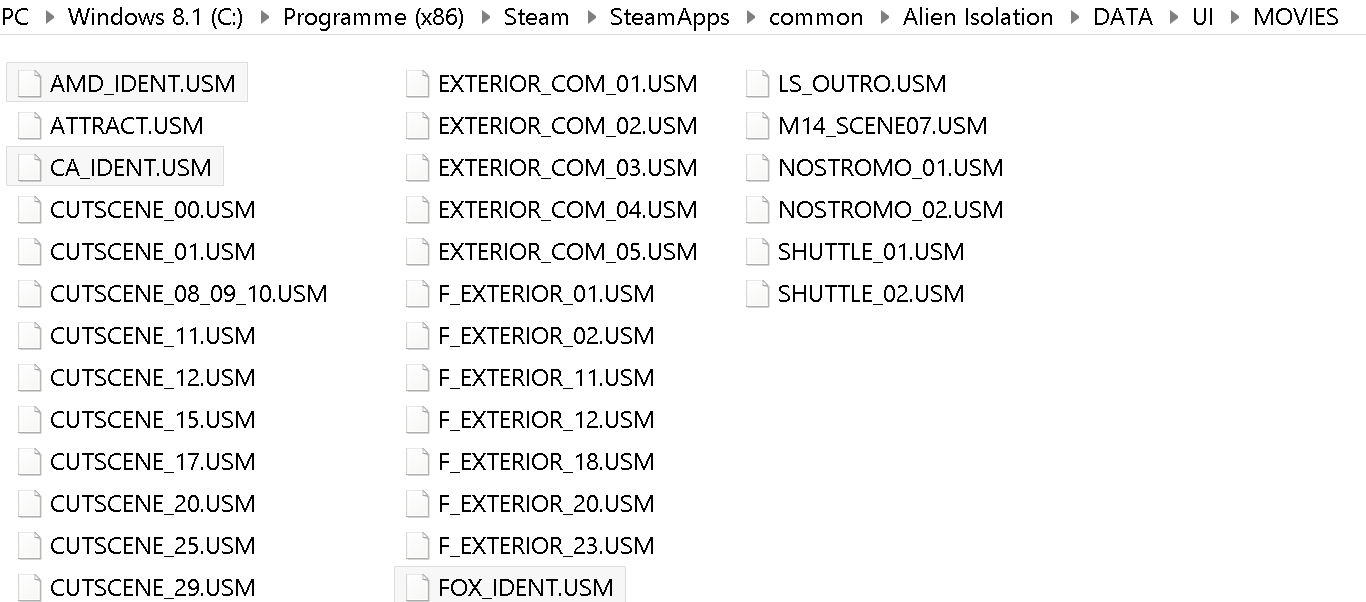
The introduction videos are somewhat annoying and they can’t be skipped at a push of a button. Here’s how to get rid of them. Simple solution: Delete them! Here’s how: Navigate to your Alien Isolations “DATAUIMOVIES” and delete or rename the files “AMD_IDENT.USM”, “FOX_IDENT.USM” and “CA_IDENT.USM”.

Alien Isolation


#6 – Get Smoother Mouse Movements

We’ve talked about VSync in the past and it still holds true, especially with Alien Isolation. With the vertical synchronization turned on you may get some delays. That’s why we recommend turning it off either completely using the in-game setting or via the NVIDIA or ATI control panel:

NVIDIA: To get to the NVIDIA Control Panel, right-click on your desktop, select “NVIDIA Control Panel” and head over to the “Manage 3D Settings” category on the left. Go to Maximum Pre-Rendered Frames first: This controls the number of frames that the processor prepares before transferring them to the graphics card. Increasing this value results in smoother game play, but you may notice a lag when using the mouse and keyboard. To eliminate the lag, try the “1″ setting. Next, move over to VSync: It synchronizes the frames that your graphics card renders with the refresh rate of your monitor. If you disable it, you will notice that Alien Isolation may not lag as much or not at all anymore.

ATI/AMD: You’ll find the Wait for Vertical Refresh feature in your 3D settings control panel. Disable Vsync for Alien Isolation and you may find it to run smoother.

Alien Isolation


#7 – Fix Your SLI RIG (Nvidia)

Got yourself a gaming rig with two (or more) graphics cards? Then you may in for a negative surprise as Alien: Isolation could completely crash on you at any moment or run even slower than with a single GPU. Here’s how to solve the problem: Download nVidia Inspector from this place and run the tool. Go to the SLI Compatibility form and change it to x080912F5. Done.


#8 – Enjoy!

As I’ve been super-busy as of late I couldn’t really play more than a few hours but I can tell you that the enhanced graphics tweaks really made the game more immersive and enjoyable. Now I can’t wait for the weekend to hit so I can crawl under a blanket, light up a candle and get hunted down by an Alien.


Zen Performance


Mac OS-X users hit with “iWorm” Malware

The warning is particularly relevant to those users who choose to download pirated software. As reported on The Safe Mac, the “iWorm” Trojan malware has been distributed through a pirate software website offering infected commercial software applications, such as Adobe Photoshop, Adobe Illustrator, Microsoft Office and Parallels.

This particular Trojan malware has been identified as being able to receive commands from the remote attacker and can inspect and transmit your files from your Mac. iWorm can also download and execute additional components – potentially causing serious havoc and compromising your privacy.

Mac users who choose to download untrusted applications from pirate websites are often completely unaware of the risks; easily blindsided by the immediate cost-savings of avoiding purchasing the software legitimately.

All iWorm Trojan malware is detected by AVG Antivirus for Mac including:

  • Virus OSX/iWorm.A
  • Trojan OSX/Iservice.B

While the prevalence of Mac malware remains relatively low when compared to Windows PC users, it’s no reason for Mac users to be complacent. Make sure you protect all your devices today.

Until next time, stay safe out there.