Category Archives: Antivirus Vendors

Antivirus Vendors

Why There’s Room for RealPad

In my last blog, I discussed the current disconnect —or lag—with some seniors, especially older ones, when it comes to smartphone adoption.

As research by Pew and others has suggested, the reasons many older people have lagged in adoption of smartphones seems rooted in the footprint of the device, i.e. size of the user interface and thus ease of reading, viewing and manipulation. This is evident in the rapid adoption of larger devices like tablets and e-readers – by this demographic.

In recognition of the stumbling blocks for some seniors, earlier this month AARP launched its new RealPad tablet. The $189 device, produced in partnership with Intel, includes larger text and icons. But it also smartly packages all-hour tech support and video tutorials – tools designed expressly for seniors. And it comes preloaded with an AARP app, eBook reader, email (Gmail), photo sharing, video chat, games, tools and other features like a retirement and health calculators. Additional apps will be available on Google Play.

It’s basically a tablet—about the size of an iPad mini—that runs Google Android 4.4 with a custom app launcher featuring large icons. AARP says the tablet is designed for anyone who is apprehensive about using tablets and embracing technology and going digital.

AARP specifically targets 70-million 50+-age group, who haven’t adopted tablet technology. But I think the sweet spot for this product really isn’t most Boomers, but older seniors – the generation born before 1946. As we’ve discussed before, many Boomers are plenty tech savvy – and I also would be remiss if I didn’t mention that some seniors I’ve come across are plenty tech savvy…but not all.

OK, so why should you consider it for or recommend it to the seniors in your life? I like the design concept and larger icons and readability, but more than that, I like the addition of its one-click RealQuick Fix troubleshooting feature and 24/7-tech support. (Amazon’s Kindle Fire HDX also offers 24/7 support).

In terms of security, AARP has also made a smart move: It allows, among other free downloads, “Protecting Yourself Online for Dummies.” As it says, “Don’t let news about Internet risks deter you from taking full advantage of its benefits.”

My previous post had some of our own safety suggestions for seniors. I’m not clear on AARP’s entire security offering. We at AVG offer strong security apps on the Android platform, check out our Google Play page.

Is the RealPad the right choice for everyone over the age of 50? Probably not. But it was designed with an older adult in mind who needs a little extra care – and I applaud that.

I agree with AARP, there’s just too much value in the digital world for seniors to be shut off. Tablets and larger format smartphones can really enrich their lives. In addition to providing grandparents with a digital photo album of their grandkids and a social platform to stay connected with family and friends, it’s a ready-made platform and market for important things like health monitoring and management apps. RealPad is a great step in the right direction to address that need.

We should all be interested in addressing the needs of this market. After all, we are all likely to be seniors someday.

AVG and Sony partner to protect devices right out of the box

Mobile devices have become the cornerstone of our connected lives and we use them for everything from gaming to banking and tracking our health. This makes life incredibly convenient for smartphone users but it also carries a risk to our privacy and security.

Many apps on our smartphones stores generate and store information about us as people. With the average Android users having as many as 95 apps installed on their device, it quickly becomes clear that our devices are portable databanks that carry our contact, financial, health and location data.

With so much personal information stored on our devices, it’s never been more important for smartphone users to protect their data with basic security measures such as setting up a passcode or installing a security app that will check links and scan for infections when you download software or surf the web.

That’s why AVG is delighted to announce that we’ve teamed up with Sony Mobile to make it easier than ever for Sony Xperia customers to protect their devices and their data.

From autumn 2014, all Xperia Z3 smartphones and tablets will come with a free 180 days of AVG AntiVirus PRO so that devices are protected straight out of the box.


After the trial expires, users can either renew or downgrade to AVG AntiVirus FREE for Android so that their device is protected free of charge.

AVG AntiVirus FREE for Android was the first mobile security application to exceed 100 million downloads on the Google Play Store and has powerful tools to help you protect your device, keep it running smoothly and even locate your device should it get lost or stolen.

What can Bitcoin teach us about privacy?

By now you’ve probably heard a little about Bitcoin or one of the other virtual currencies. You’ve probably heard about the price fluctuations, maybe about the connections with illegal activities, or maybe even new companies starting to accept them as payments. These are all great ways to start learning about Bitcoin, but what interests me the most is the potential positive impact on privacy.

Bitcoin has been around for over five years now and many are still trying to really get a good grasp on what it is. The best way to describe Bitcoin is that it is a protocol, similar to what powers your email or phone number, which uses a public ledger to record every transaction. So when I purchase a new computer with Bitcoin or even just give some to a friend, anybody in the world can see it happen in near real time if they are looking at the ledger. This makes the world a much more public place, but still gives us more privacy by the pseudo-anonymous addresses and decentralized system.


Pseudo-Anonymity

The biggest case for privacy in Bitcoin is the pseudo-anonymous transactions. When looking at the public ledger we can see transactions occurring every second, the exact amount in each address, any notes attached to transactions, and what address each transaction is going to. While everything is very public in the ledger, the addresses themselves are all random strings of letters and numbers to allow the owner of each address to remain private.

One way to understand how these random strings allow for us to be anonymous, if we wish, is by making sure nobody knows what your address is. These addresses are something you can generate yourself without any need to connect with an email address or real name. You can then make payments or send Bitcoin to other people without ever having to give over personal information.

Some people may wish to publicize one of their Bitcoin addresses to allow others to send Bitcoin their way. This might be posted on a website, in an email, or even on social media so that others can see. For this reason it’s easy to generate multiple addresses that don’t need to be tied together in any matter so that you can remain pseudo-anonymous while still providing some public information.


Decentralized System

One of the most common themes seen in today’s technology news is breaches or hacks around credit cards. Most of the time there is a central company or website that has a collection of credit cards, names and addresses associated with them, and sometimes even the pins to the cards. This presents hackers with a treasure chest of information to attempt to get their hands on. Using Bitcoin, all of the information remains in your hands, and any attempts to alter the transaction records and forge payments is instantly broadcast and seen by everybody.

There are many “wallets” for Bitcoin online, which allow users to quickly setup addresses and start using Bitcoin, but it’s important to make sure you utilize all of Bitcoin’s security and privacy settings by keeping things in your own hands. With any amount of Bitcoin it would be smart to send to an “offline wallet” or addresses that only you have access to the private key, similar to pins for debit cards. With an offline wallet it’s important to keep a backup of the private key and if stored on a computer encrypt so not anybody can access. The recommendation however is to print and save in a secure location like a bank or safe offline.


Bitcoin may be interesting to watch because of the investment opportunity and hearing about those that have become rich off of it but the protocol itself opens up a lot of doors for privacy and security in the payment industry. By being able to anonymously send Bitcoin to anybody in the world, audit the entire system at any time, and keep the keys in your own hands people should be able to feel more trust in a world full of breaches and hacks.

Seniors are going mobile

More than three quarters (77%) of Americans aged 65 and older are now using cellphones. While they lag the general population (91%+), it is a significant increase over two years ago, according to recently released studies conducted by the Pew Research Center. But a much smaller group (only 18%) of this demographic has made the leap to a smartphone. The older the person, the research suggests, the less likely they have been to make the move to a smartphone.

In support of the findings, many of the seniors that I know tend to own older model cellphones that are either a) turned off, or b) not carried at all or used only under special circumstances (for travel and at insistence of family on special occasions), and c) are not used for more than actual phone calls.

But this is changing fast.

Seniors are showing a larger appetite for and are finding more value in larger format devices like tablets and e-readers. The Pew survey found 27% of seniors now own a tablet, e-reader or both (and that’s more than the public average).

Smartphone adoption should continue among seniors as new devices like the new Samsung Galaxy, Amazon Fire and Apple iPhone 6 continue to get larger and become easier to read and manipulate. In fact, the researchers at Deloitte predict that people 55+ (that would include Boomers through seniors) will experience the fastest growth in smartphone adoption in 2014, with 45-50% predicted to own a smartphone by the end of 2014.

Financial considerations for many seniors (especially those on fixed incomes) and confusion about carrier plans have no doubt led to a lag in smartphone adoption. But needing assistance to learn how to use the new devices and associated apps is one of the largest concerns by seniors (77%) in adopting smartphone technology, according to Pew.

This should be a concern to us in the technology industry. Shouldn’t we be making technology that is inherently simple to adopt? Shouldn’t we be designing apps for that –and, more specifically, with seniors in mind?

AARP thinks so. The organization just introduced a new tablet the RealPad aimed at this market. (I’ll cover this in more detail in my next column.)

During the recent national AARP event in San Diego, where AVG participated, we were concerned to learn that about one-third of the seniors we spoke to admitted that they use no security software on their smartphone or tablet devices. That suggests there is a lot of work to be done to help educate this audience on how to stay safe online.

Security of data is a primary issue when dealing with a smartphone or any smart connected devices – whether it involves sharing photos on social media, emailing or banking. Once online, Pew and others have found that the senior demographic is rapidly embracing social media (46%). In the brief survey of those who stopped by our booth on technology usage (we’ll share more details on this later), email was the most popular online application for the group, followed by banking.

Here are some simple tips for smartphone users to make data safer – applicable to everyone:

  • Screen lock the phone. Setting your smartphone to require a PIN code or password for access after an inactive period is a relatively easy way to keep your data safe.
  • Apply operating system updates. Often when our device prompts us to install an update, many of us simply ignore it. We shouldn’t. Many updates carry security-related improvements so update whenever you can.
  • Think twice before connecting your smartphone to a public Wi-Fi hotspot, because just as with a PC, this kind of shared, unsecured connection can leave activity and data vulnerable to eavesdropping and theft.
  • Beware of text message spam. Just like a web page or an email, text messages can be used for mischief. Especially if your device doesn’t have security software, links hidden in text messages can lead to malicious sites, unwanted apps and sometimes even expensive phone bills.
  • Which brings us back to security software! Use it! Malware writers see the vast mobile market as a great opportunity to make some quick profit. In a world where your smartphones probably carries more of your sensitive personal information that your home PC, it’s a good idea to use some basic protection.

I am very excited that more seniors are embracing smartphones and tablets. They are great tools to keep connected with family and friends, be active and engaged. Now, we in the tech industry must catch up with them and provide the tools to make it more useful and enjoyable!

Adobe gathers data from your eBook reader

Image from http://www.quickmeme.com

Security and privacy violations in Adobe’s Digital Editions eBook and PDF reader were discovered last week.

“This is a privacy and security breach so big that I am still trying to wrap my head around the technical aspects, much less the legal aspects,” researcher Nate Hoffelder wrote in The Digital Reader blog post.

If you check out eBooks from your local library and read from a digital reader like a Nook, Kobo, or other non-Amazon eBook reader, then you have probably used Adobe’s free Digital Editions software.

Hoffelder said that Adobe is gathering user data on the eBooks that have been opened, which pages were read, and in what order, as well as metadata such as title and publisher –and all of it is being sent to Adobe’s servers in plain text. That means anyone who is interested and has the means, say, the National Security Agency or your ISP, could be reading over your shoulder. That’s not good. In fact, it’s very bad, as well as illegal.

It is hoped that Adobe’s Tuesday update will include a plug for the Digital Editions leak, but more likely it will be next week. In a statement to the American Library Association, Adobe reports they “expect an update to be available no later than the week of October 20” in terms of transmission of reader data.”

Thank you for using avast! Antivirus and recommending us to your friends and family. For all the latest news, fun and contest information, please follow us on Facebook, Twitter and Google+. Business owners – check out our business products.

Big updates coming from Microsoft, Oracle and Adobe this Tuesday

Patch Tuesday Oct 2014

Pour yourself a cup of coffee; this could take a while.

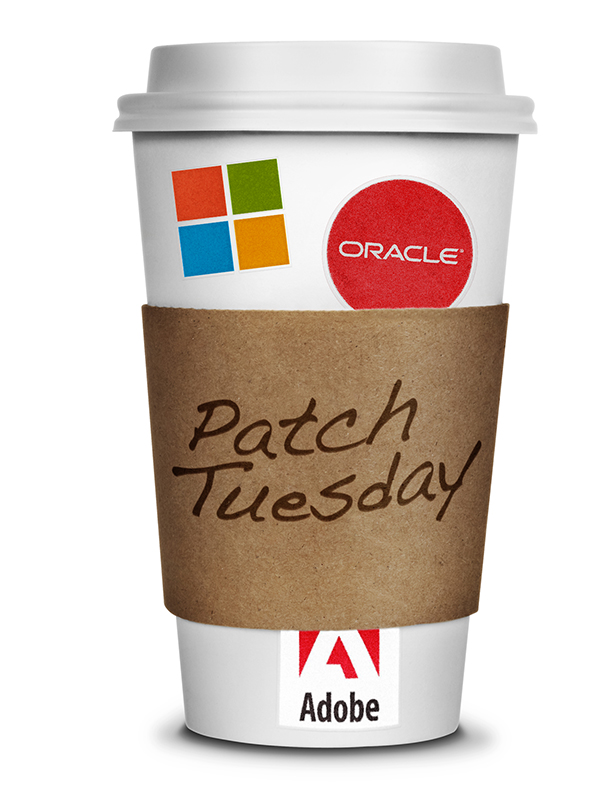
One of the biggest “Patch Tuesday” fixes is happening October 14, when vital updates will be available from three companies at the same time.

We are all used to the monthly Patch Tuesdays from Microsoft and Adobe, but this month the quarterly updates from Oracle, the parent of problem child Java SE, coincide, making it a pretty big day for securing your system. Avast experts agree that one of the most important steps you can take to securing your data and devices is to make sure that you keep your software up-to-date.

Microsoft

Microsoft leads off the normal Patch Tuesday with the release of 9 security updates across products including a critical patch of Internet Explorer, all supported versions of Windows, and the .NET development framework.

Oracle

Oracle’s Critical Patch Update is a collection of patches for multiple security vulnerabilities. It contains 155 new security fixes across hundreds of Oracle products; 25 of them for Oracle Java SE. Oracle warns that “these vulnerabilities may be remotely exploitable without authentication, i.e., may be exploited over a network without the need for a username and password. “ That’s not good, if you were wondering.

“I would suggest removing Java if possible or at least turning it off in all your browsers,”  advises Jiri Sejtko, director of AVAST Virus Lab operations. Here are removal instructions for the most popular browsers: How do I disable Java in my browser?

Adobe

It is hoped that Adobe’s Tuesday update will include a plug for the big Digital Editions e-book and PDF reader hole, but more likely it will be next week. In a statement to the American Library Association, Adobe reports they “expect an update to be available no later than the week of October 20” in terms of transmission of reader data.

Tuesday’s patch will probably include a fix for bugs in Adobe Flash Player.

avast! Software Updater shows you an overview of all your outdated software applications, so you can keep them up to date and eliminate any security vulnerabilities.  All avast! security products inform you whenever any of your 3rd party applications are out-of-date and you can apply updates manually by clicking the ‘Fix now’ button next to each conflicting application. avast! Premier can be configured to perform these updates automatically.

Thank you for using avast! Antivirus and recommending us to your friends and family. For all the latest news, fun and contest information, please follow us on Facebook, Twitter and Google+. Business owners – check out our business products.