Eugene Kaspersky Says the Worst Case Hacking Scenarios Probably Won’t Happen – Motherboard
Category Archives: Antivirus Vendors
Antivirus Vendors
Consumers still failing to protect themselves against cybercrime
Consumers are failing to appropriately protect themselves against the threat of cybercrime, according to a new survey from Get Safe Online.
The post Consumers still failing to protect themselves against cybercrime appeared first on WeLiveSecurity.

Kaspersky Lab Announces New Industrial Control Systems Emergency Response Team
Fulfilling its mission to share cybersecurity knowledge, Kaspersky Lab launched today the Industrial Control Systems Computer Emergency Response Team (also known as Kaspersky Lab ICS-CERT) – a global CERT entity that welcomes collaboration with critical infrastructure operators, vendors and government institutions.
This palm-sized device will supersize your security.
 Wouldn’t you like to get your hands on a tough little device that will boost your business’s security? Meet ORWL, a circular computer device that is engineered to top-off your computer’s security.
A great number of companies have been victims of data leaks because of an insider or cybercriminal who had physical access to their computers or devices. Once a cybercriminal entered your computer, they can access the internals of your computer, tap and leak information, and even hide malicious eavesdropping devices.
After two years of work and a successful crowdfunding campaign, the company Design Shift has designed a device that can identify attack attempts. It prevents undetected tampering of its electrical components and, if tampering is detected, the device immediately erases all data (even when the device is unplugged).
It also acts like a safe vault for your information, only allowing access to your system once the device is unlocked with both a physical key and a password. If the physical key is far from the device, the USB ports automatically deactivate, preventing a cybercriminal with physical access to infect it with malware. ORWL also verifies the integrity of all firmware prior to boot, using a battery-backed secure microcontroller. ORWL isn’t just robust, it’s pretty much impenetrable.
This super-secure computer is complex, but it’s also an open source product, and its inner workings are available for everyone to see.
We continue to witness a large number of sophisticated cyberattacks on banks and ATMs due to a combination of system vulnerabilities and insiders with physical access. ORWL answers a large part of our problems in terms of physical attacks. In respect to software, which is always a weak point, you can ensure your security and make yourself indispensable with the right kind of solution.
The post This palm-sized device will supersize your security. appeared first on Panda Security Mediacenter.
APAC Financial Cybersecurity Risks Grow – PYMNTS
APAC Financial Cybersecurity Risks Grow – PYMNTS
A Quintessentially American Crime Declines: Robbing Banks Doesn’t Pay As It Used To – The Washington Post
A Quintessentially American Crime Declines: Robbing Banks Doesn’t Pay As It Used To – The Washington Post
Kaspersky Lab Receives Highest Level of Support Staff Certifications from TSIA and Miller Heiman Group
Kaspersky Lab North America announced today that its business products technical support and premium services teams were awarded the highest level of certification at the Technology Services World (TSW) conference in Las Vegas.
Organizations advised to invest in a culture of cybersecurity
A culture of cybersecurity is essential in today’s organizations to help ensure that they are able to successfully fend off cyberattacks.
The post Organizations advised to invest in a culture of cybersecurity appeared first on WeLiveSecurity.

Protect Your Privacy in Windows 10 Anniversary Update

The Windows 10 Anniversary Update has arrived, marking the first birthday of Microsoft’s “last operating system”. As promised, the update contains a raft of new features, bug fixes and enhancements.
And taking their promise to improve security and privacy, Microsoft has been quick to emphasise advances in both areas.
Going biometric
One of the flashiest features of Windows 10 is Windows Hello – the biometric login protection system. Compatible devices allow you to log into your computer using a fingerprint – or by snapping a picture of your face using the built-in webcam.
These local security provisions are incredibly hard to crack, reducing the likelihood of someone cracking your password. The latest update is also supposed to have improved the speed of login, so you can start using your computer more quickly.
Behind the scenes
Windows Defender, an anti-virus scanner built directly into Windows, has also received some attention. The tool is intended to protect against software threats to your privacy from the web, the Cloud, or in your email.
According to Microsoft’s own advertising, Windows defender is the only anti-virus tool you need. But are they right?
There are gaps in Microsoft’s armour
According to reviews by independent news websites like CNet, Windows Defender performs relatively well in terms of identifying and removing malware. They do point out however that the tool lags behind specialist antivirus tools, allowing some malware to escape its detection routines.
Windows 10 is undeniably more secure than any of Microsoft’s previous operating systems. But on its own, Windows Defender cannot provide complete protection for your PC running the Windows 10 Anniversary Update. In the last laboratories test (Avtest.org, av-comparatives.org,…), Defender remains in the tail of the antivirus, with reallylow detection rates
There is also the issue of social engineering, where cybercriminals try and trick you into installing malware. Phishing emails from your bank are a classic example – click the links in a forged email and you will be prompted to install an application that is supposed to verify your account, or add online banking features. The reality is that you are being tricked into infecting your computer.
Which means that you really need a second, complementary security package in place to plug the gaps.
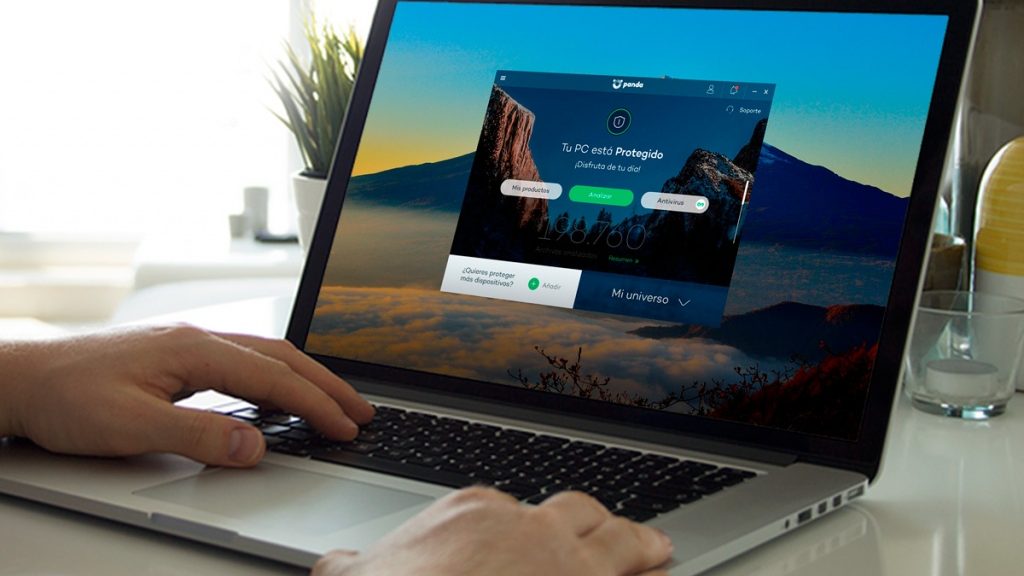
Choosing a security tool like Panda Antivirus for Windows allows you to protect against advanced threats, like malware hidden on websites. The parental controls settings allow you to prevent access to risky websites for instance, while the built-in scanner can detect and block viruses and malware as they try to install themselves.
And when the worst happens?
There is always a risk that a brand new virus infects your computer before anyone can release a patch to block it. With the all-new ransomware variants on the loose, it could be that your files are encrypted before the antivirus scanners detect the infection.
The only solution in this situation (other than paying the ransom) is to restore your files from backup. Sophisticated ransomware can also encrypt your Windows backups – so an add-on solution, like the backup function in Panda Antivirus can help. These backups offer additional protection against malware, even uploading critical information from the cloud where it is out of reach by the malware.
These additional backup tools offer a way to get your files back quickly and easily in the event of an infection.
And what about the rest of the devices we have at home?
Today a big danger is to forget to protect the rest of the dives we have at home like Mac, iMac, iphones, Adnroid devices. Windows Does not provide multiplatform security solutions and today is it mandatory to protect smartphones
Security has been tightened in Windows 10, and again in the Anniversary Update. But no platform is ever completely secure – you will always need a second tool to maintain security and privacy. To learn more about securing your PC after the Windows 10 Anniversary Update, click here to download a free trial of Panda Security Complete Protection.
The post Protect Your Privacy in Windows 10 Anniversary Update appeared first on Panda Security Mediacenter.

Can we trust our computers? Many have been tampered with during the manufacturing process.
 How can you prevent a manufacturing sabotage from becoming an IT disaster? Securing your company’s network with the right protection measures isn’t always enough. Of course you should install an adequate protection system and ensure that your employees use robust passwords. However, there is something that we cannot control: the manufacturing process.
Did you know that your business’s computers can be manipulated during the manufacturing process? A cybercriminal’s network is very sophisticated. In fact, these hackers have accomplices allover the world, including in factories where parts are produced (like microchips). Since the products are tampered with before the computer is finished, no one really suspects that the pieces are infected after they’re installed.
Luckily, manufacturers have discovered a complex solution that can beat this scheme. A new system was proposed by Siddhard Garg, a computer engineering professor at NYU. He believes that for the tightest security the microchips should be strategically manufactured in different phases.
Garg’s proposal makes it so that cybercriminals never know exactly where the piece will be created, making it difficult or impossible to carry out their plans.
Math makes the difference
Garg’s proposal isn’t a new one. In fact, this idea of distributing the manufacturing process to various factories is already being practiced. However, this professor has gone a step further; his method requires advanced mathematics. Instead of randomly distributing the microchip production, this will ensure the greatest security without heavily increasing the production costs. Garg’s system doesn’t just aim to prevent microchip tampering, it will also stop the production of counterfeit parts that affects both manufacturers and buyers.
With this method, since you aren’t building an entire chip in a same factory, there is no finished design to steal and copy.
The post Can we trust our computers? Many have been tampered with during the manufacturing process. appeared first on Panda Security Mediacenter.