Category Archives: Panda Security

Panda Security

Betatester 2016 competition winners

contestet

We can finally announce the winners of the 2016 Beta competition! :)

The Betatester of the year, and winner of €600, is:

  • Jayakrishnan P, from India

Also, the 9 winners of €200 are:

  • Anil Kumar E.S, from India
  • Saravana Kumar S., from India
  • Andreas Ntonas, from Greece
  • S/o Ramakrishnan, from India
  • HUANG JIN KAI, from Taiwan
  • Lauri Säde, from Estonia
  • Manuel Gredilla, from Spain
  • Alex Molina, from Spain
  • Juan Pablo Sarria Aguilera, from Spain

Thanks to all those who participated for your comments and suggestions – your opinions are always important to us!

The post Betatester 2016 competition winners appeared first on MediaCenter Panda Security.

Buying smartwatches – The latest craze that’s also a security risk

smartwatches

This is the latest must-have in mobile devices and the more its popularity increases, the more our confidential information is at risk – as they become more popular, smartwatches are now becoming the latest target for cybercriminals.

At the end of the day, millions of users will store their personal data on these devices that act as a bridge with our mobile phones. Therefore, the security of wearable fashion should be a matter of vital importance for manufacturers.

However, the current proliferation of smartwatches ​​is far from being as secure as we would expect from a device that is setting out to become popular worldwide.

According to a recent study carried out by HP, the majority of smartwatches that are currently available are at risk of cybernetic attacks.

Further proof of this is shown in the recent smartwatch that was unveiled by Apple. At the moment, there is nothing to prevent the password of the Apple Watch from being deleted and a stolen device being used to make purchases.

However, Apple is not the only manufacturer of smartwatches that needs to improve the security of its wearable products. In fact, the details of the study are telling – 100% of the analyzed models have a vulnerability that threatens user data. The main weak point is the absence of a double authentication process which, undoubtedly, would make the product more secure.

In addition, researchers found unsafe web interfaces and outdated methods of data encryption on the devices. To make matters worse, 70% of the watches analyzed have problems with their firmware updates.

smartwatch

Beyond the risk to the information gathered by the smartwatches (passwords, bank details and even the heartbeat of its owner), the vulnerabilities of these devices could be used by cybercriminals to access networks and computers connected to the smartwatch. That means that the security of these watches may impact the rest of our technological lives.

“It is vital that we take precautions when sending confidential information or when we wear smartwatches to work”, explained the people behind the study.

For now, there is little that users can do to make their smartwatch completely secure. Therefore, it is best to check which model offers more tools to protect your information and, above all, take special caution when sharing confidential information with your wearable devices.

The post Buying smartwatches – The latest craze that’s also a security risk appeared first on MediaCenter Panda Security.

Panda Security makes your digital life easier and safer thanks to its new multi-device solutions

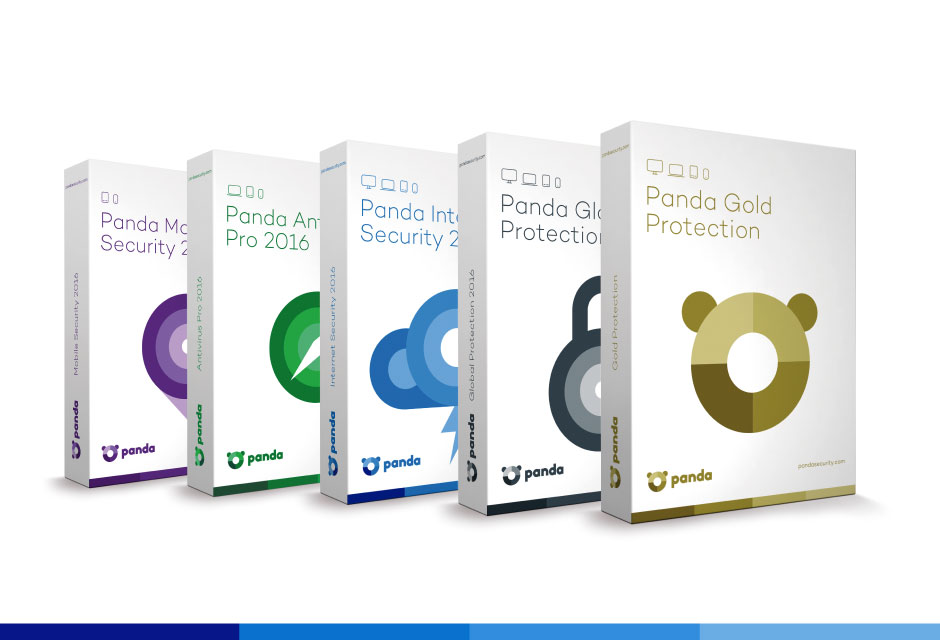
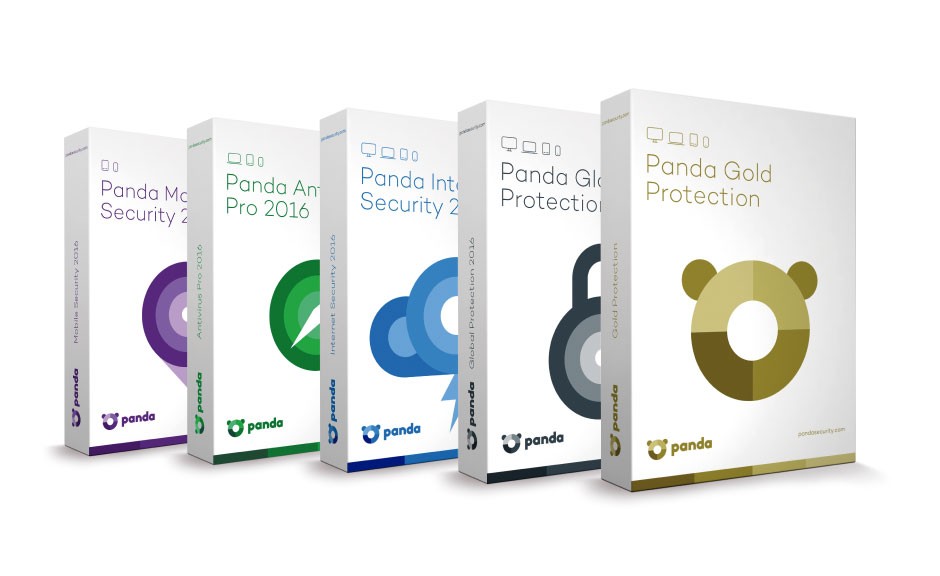
The new range of 2016 Consumer Solutions from Panda Security is now available. Panda Gold Security 2016, Panda Global Protection 2016, Panda Internet Security 2016, Panda Antivirus Pro 2016, Panda Mobile Security 2016, Panda Antivirus for Mac 2016, and Panda Free Antivirus 2016 make up the portfolio of Panda solutions for user protection on all devices.


In an increasingly global and multi-device environment, the 2016 Consumer Solutions range is designed to make the digital world easier and more secure. It allows you to shop and browse online safely; protects families against inappropriate content; keeps identities and confidential information safe. The monitoring and optimizing of different devices is now easier than ever with the new Panda products.


“We want the user to be able to perform any activity on the Internet without worrying about cybercriminals, malware or inappropriate content,” explains Hervé Lambert, Retail Product Marketing Manager at Panda Security. “Not all users are experts or have the same needs. Therefore, we offer various solutions that protect the devices and sensitive information of the user and his family.”


Multiplatform and multi-device solutions

All of the products in the new 2016 Consumer Solutions range, from the most basic to the most advanced, offer multiplatform protection, providing service on Windows (including Windows 10 compatibility), Android, Mac and even antitheft for iPhone and iPad.

antivirus 2016


“We continue to offer our customers a lightweight and effective protection. At anytime, anywhere and through any device, we go a step further to strengthen the trust our clients have placed in us after 25 years at the forefront of innovation”, states Hervé Lambert.


Panda Antivirus for Mac

Mac systems and iOS devices are also becoming victims of attacks and threats. Therefore, the new 2016 Consumer Solutions range includes Panda Antivirus 2016 for Mac, a complete protection against viruses and other Internet threats for Mac users. It offers updates, quarantine and the possibility to analyze your iOS devices from your Mac.

The entire range includes an app for iOS that allows for the remote location of the device in case of loss or theft.

Protection and performance

The new 2016 Consumer Solutions range is based on a new development of the Panda Collective Intelligence system, which offers greater protection capabilities with less response time.

“The most important industry tests validate the efficiency of our products. During the last 4 months, Panda Security has achieved the best protection rate in the Real World Protection Test by Av-Comparatives, detecting and blocking 99.9 % of threats”, claims Hervé Lambert.


Features of the 2016 Consumer Solutions range

  • Data Shield to prevent the stealing of information relating to the devices. In addition Panda Global Protection 2016 and Panda Gold Protection 2016 allow for the safeguarding of files so no one can access them.
  • Protection of Wi-Fi networks to display the computers on the network and detect intruders. It also allows for network audits to check its safety and potential vulnerabilities, and to block access from unknown computers.
  • USB protection, providing immunization and a protective shield to analyze the USB when inserted into the device.
  • Improved features such as Parental Control; application control, a highly effective protection against zero-day malware; PC recovery system, safe browsing, and password management and an easier, more intuitive interface (Panda Simplexity).

The post Panda Security makes your digital life easier and safer thanks to its new multi-device solutions appeared first on MediaCenter Panda Security.

Introducing the new multiplatform and multi-device solutions in the 2016 Consumer Product range!

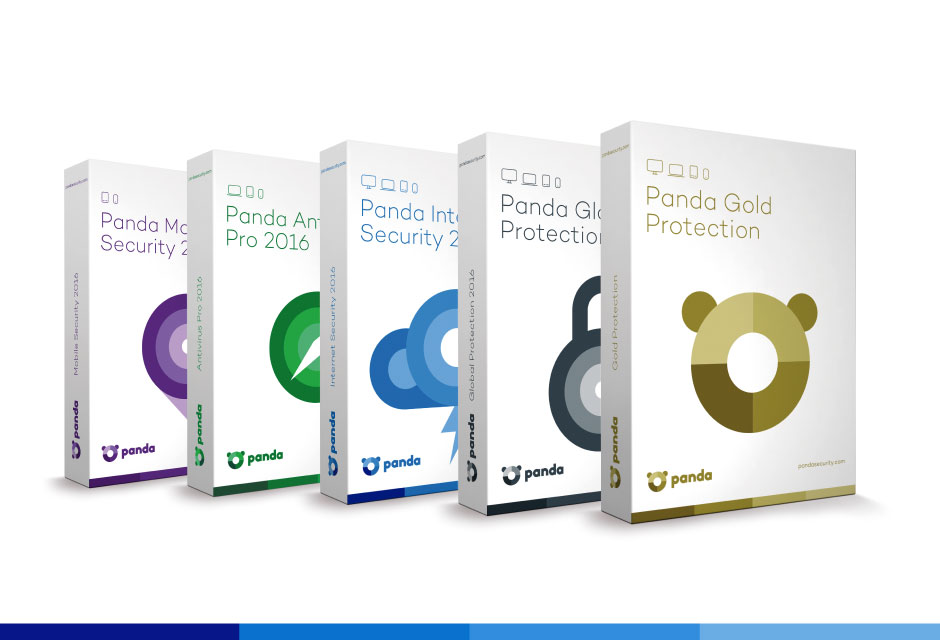
The new 2016 Consumer Solutions range by Panda Security is finally available! In an increasingly global and multi-device environment, the 2016 Consumer Solutions range is designed to make the digital world easier and more secure.

antivirus 2016

The solutions portfolio for protection on all devices includes:

  • Panda Gold Protection 2016
  • Panda Global Protection 2016
  • Panda Internet Security 2016
  • Panda Antivirus Pro 2016
  • Panda Mobile Security 2016
  • Panda Antivirus for Mac 2016
  • Panda Free Antivirus 2016

It allows you to shop and browse online safely; protects families against inappropriate content; keeps identities and confidential information safe. The monitoring and optimizing of different devices is now easier than ever with the new Panda products.

Multiplatform and multi-device solutions

All of the products in the new 2016 Consumer Solutions range, from the most basic to the most advanced, offer multiplatform protection, providing service on Windows (including Windows 10 compatibility), Android, Mac and even antitheft for iPhone and iPad.

Mac systems and iOS devices are also becoming victims of attacks and threats. Therefore, the new 2016 Consumer Solutions range includes Panda Antivirus 2016 for Mac, a complete protection against viruses and other Internet threats for Mac users. It offers updates, quarantine and the possibility to analyze your iOS devices from your Mac.

The entire range includes an app for iOS that allows for the remote location of the device in case of loss or theft.

Features of the 2016 Consumer Solutions range

  • Data protection (Data Shield) to prevent the stealing of information relating to the devices. In addition Panda Global Protection 2016 and Panda Gold Protection 2016 allow for the safeguarding of files so no one can access them
  • Protection of Wi-Fi networks to display the computers on the network and detect intruders. It also allows for network audits to check its safety and potential vulnerabilities, and to block access from unknown computers.
  • USB protection, providing immunization and a protective shield to analyze the USB when inserted into the device.
  • Improved features such as Parental Control; application control, a highly effective protection against zero-day malware; PC recovery system, safe browsing, and password management and an easier, more intuitive interface (Panda Simplexity).

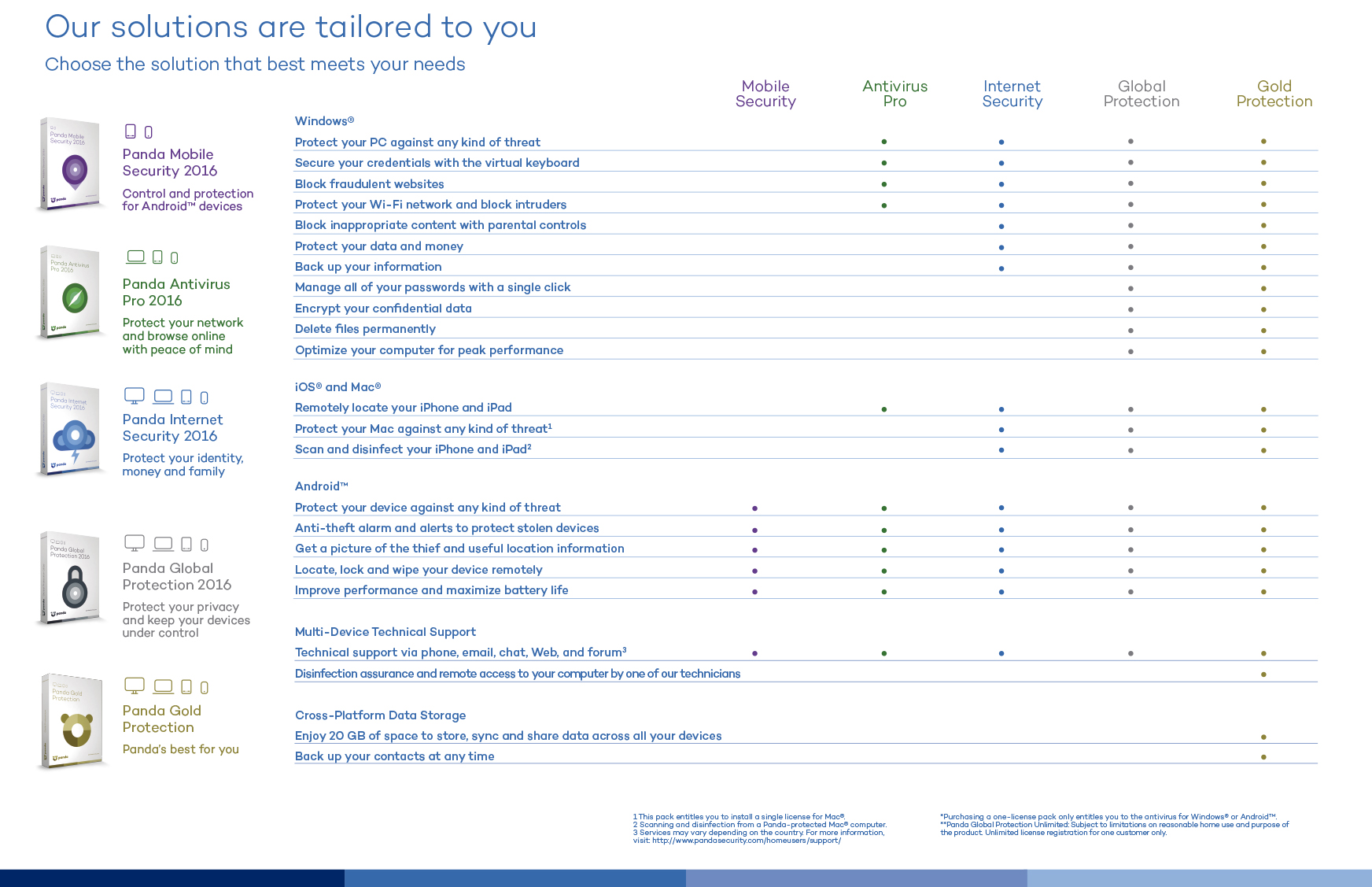
This is what you can find in the new 2016 Consumer Product range by Panda Security:

consumer comparative

The post Introducing the new multiplatform and multi-device solutions in the 2016 Consumer Product range! appeared first on MediaCenter Panda Security.

10 careless errors that we keep making in IT security

computer frightened

You have read and reread numerous lists with tips on how to browse online safely, make online purchases, avoid your most intimate photos ending up online, stopping cybercriminals from ruining your vacation, or how to enjoy your favorite games without risking your privacy…

You’ve heard the same basic precautions time and again, but you keep ignoring almost all of them. It could be down to laziness or recklessness, or simply just forgetting them. This, however, could have dire consequences for your online security.

This is why we wanted to bring together, in a single list, the most basic security measures you should remember and stick to!

1. Opening any attachment that you receive by email

If you receive an email from a suspicious source or you don’t have a good feeling about it, don’t open the attachment. As we’ve said on numerous occasions, documents that look inoffensive (such as a Word document, for example) could be hiding malware and even a simple photo could prove to be dangerous.

2. Clicking on shortened links without thinking

If you use Twitter then you’ll know what we’re talking about – these links, which are becoming increasingly more common, are spread using sites such as bit.ly, the famous ow.ly from Hootsuite or goo.gl by Google. Usually, they lead you to nothing dangerous such as a blog or an online diary, but some links aren’t as inoffensive as they seem. If you want to assure yourself that the links are safe, take a look at these tips.

3. Using public Wi-Fi without taking precautions

There have been many articles written that warn us about the dangers of using public connections such as the ones that we find in cafes, hotels, airports or libraries. Even a 7-year old girl, without any technological know-how, is capable of spying on your online communications. To keep safe, don’t share confidential information (passwords, bank details, etc) and, if you can, use a virtual private network (VPN) and only access pages that use safety protocol (you’ll know it by the http in the address bar).

wifi

4. Ignoring security updates

If your operating system tells you that you need to install or update something, you should pay attention and do it. A lot of times it consists of measures to cover up weaknesses that have been recently detected that cybercriminals could use to their advantage. The same goes for your cellphone; always use the latest version of Android or iOS available and keep aware of what apps you have installed.

5. Using the same passwords on different accounts

Even though it’s the easiest way to remember them all, it’s a really bad idea, because if someone gets hold of your password then they have free rein on all of your accounts. Also, any attack on a company’s database (which is also becoming more common) can wind up with your credentials being sold on the black market. When a cybercriminal gets his hands on them, he’ll be able to access every protected account. To avoid this, activate the two-step verification tool such as the ones for Gmail or Facebook.

6. Thinking that an antivirus isn’t important

A good antivirus software is the best barrier you can put between your computer and cybercriminals. New vulnerabilities, different ways of compromising your private information, and ways to raid your bank account are discovered every day. Only security experts at specialized firms are aware of antivirus updates necessary for when a threat emerges. By the way, if you have a Mac, it’s also necessary to have an antivirus. The idea that Apple products don’t have viruses is a myth.

7. Thinking that backing up files is a waste of time

Making a backup of your files is much easier than it sounds, but if you get lazy just thinking about it then remember that you have many tools at your disposal that handle everything. The Panda security solutions, without going any further, allow you to program backups to save your files in the cloud and retrieve them quickly and easily.

Backup

8. Not paying attention to your browser when it says the connection isn’t secure

When we surf the net, we tend to act on autopilot and ignore any warnings that we come across. If Chrome says that a web is not safe, we ignore the warning. If Firefox asks for confirmation before downloading a file, we give our approval without thinking. Science says that we have become accustomed to these messages so that we no longer notice them. For you sake, pay attention! Neither Mozilla nor Google show these messages to annoy you.

9. Giving out information on social media

This is especially true for when we go on vacation and share all the details on Facebook or Twitter, but also when we reveal our location without thinking about who could use it for malicious purposes. Sometimes we forget, but all the information we publish on social networks is capable of ending up in the wrong hands.

10. Downloading applications from anywhere

The malware designed for mobile devices is booming and one of its main pathways are the dangerous downloads outside of Google Play and the Apple Store. The official stores have certain security measures to prevent spread malware and you can read reviews from other users before deciding to install an app, in case there was something suspicious. Conversely, if you download from an unofficial page and install it on your own, the likelihood of it containing malware is higher.

The post 10 careless errors that we keep making in IT security appeared first on MediaCenter Panda Security.


Take control of your antivirus for Android from your Smartwatch with Panda Mobile Security!

Did you know that the new version of Panda Mobile Security, our antivirus for Android, is now available in the Google Play store?

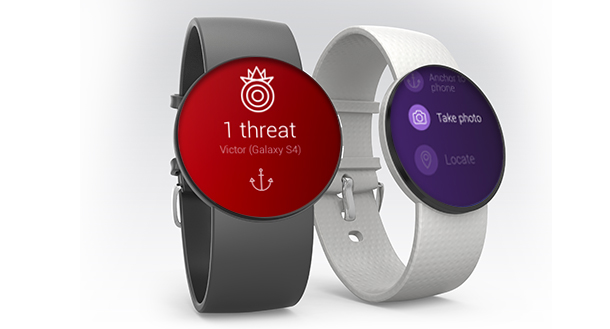
The main difference with this version is that you can access the features directly from your Android Wear Smartwatch. That means, that if you have a smartwatch, you can control the antivirus from your wrist.

New Panda Mobile Security

This is what you can do:

  • Analyze your telephone / tablet from the smartwatch.
  • Antitheft and locking of device.

But that’s not all, if you have the PRO version, Panda Mobile Security allows you to:

  • Connect your watch to your device; an alarm will ring if they are too far apart.
  • Remotely activate an alarm on your device.
  • You can get a picture remotely on your Android device from your Smartwatch.

Panda Mobile Security, protects your smartphone or tablet against viruses, malware and spyware. In addition, it protects user privacy by blocking those applications that access confidential data without permission. And now, you can use it from your Android Wear™ smartwatch as well!

The post Take control of your antivirus for Android from your Smartwatch with Panda Mobile Security! appeared first on MediaCenter Panda Security.

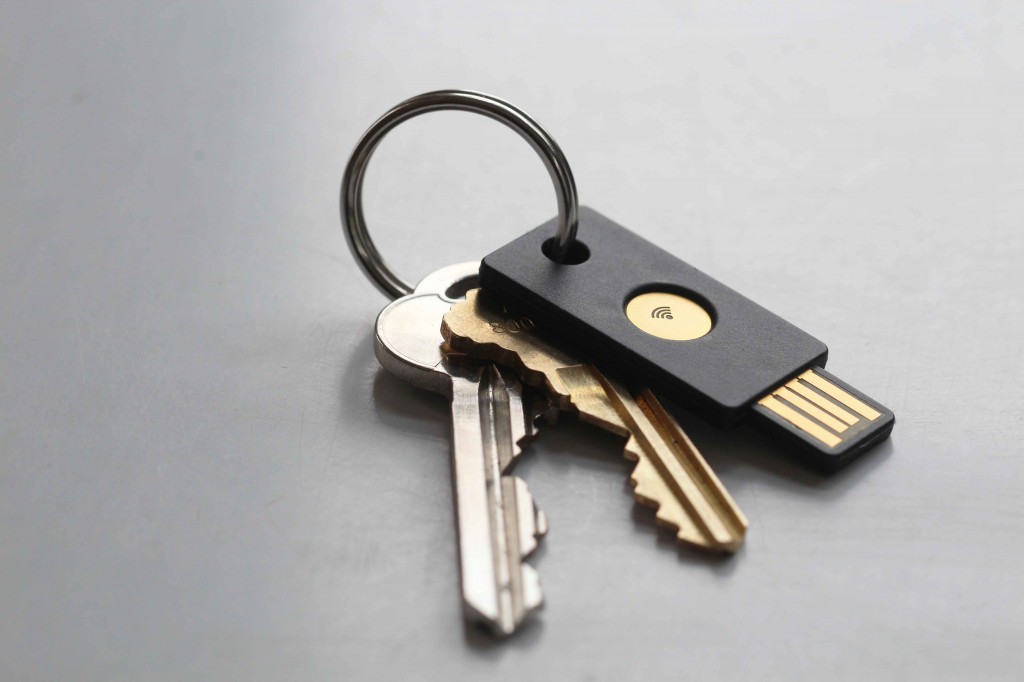
How to turn a pen drive into a security key for your Google account

keys

Due to the increasing prevalence of cyber-attacks resulting in massive data leaks, it is of utmost importance that we keep our profiles under lock and key so as to avoid becoming another victim.

We have already commented on this on more than one occasion – enabling a two-step verification for all services that we use (Gmail, Facebook, etc) is a basic security measure that we should not overlook. It requires a bit more effort than simply entering a password, yes, but the protection it offers you is worth it.

The confirmation might be a code that arrives by SMS to your mobile phone, an automatic call in which a robot reads the code, an email that you receive within the associated service, or a notification in the app. The bottom line is that it makes it harder for the attacker to access your account as they won’t have the code available.

However, the techniques thought up to circumvent the two-step verification have become more sophisticated. Cybercriminals can create webpages almost identical to the official pages of Google or Facebook, for example, which will demand the verification code sent to your mobile phone. This way, if they manage to fool you, they can access your account without needing to have the device which contains the code.

pen

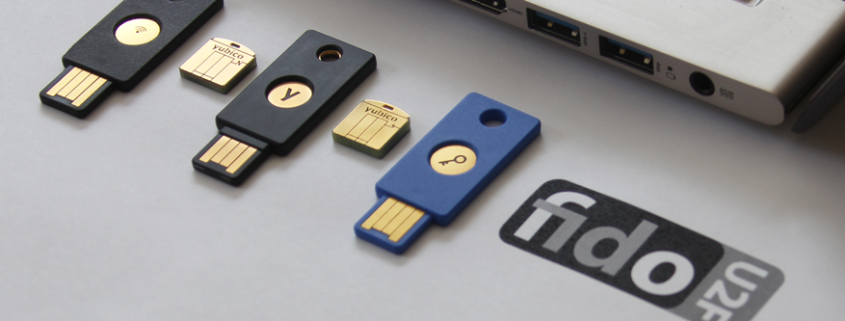
The answer to all this has arrived in the form of a pen drive. Lead by Google, FIDO Alliance is developing a technology (U2F Security Key) that makes it imperative that you have the gadget in order to access the account.

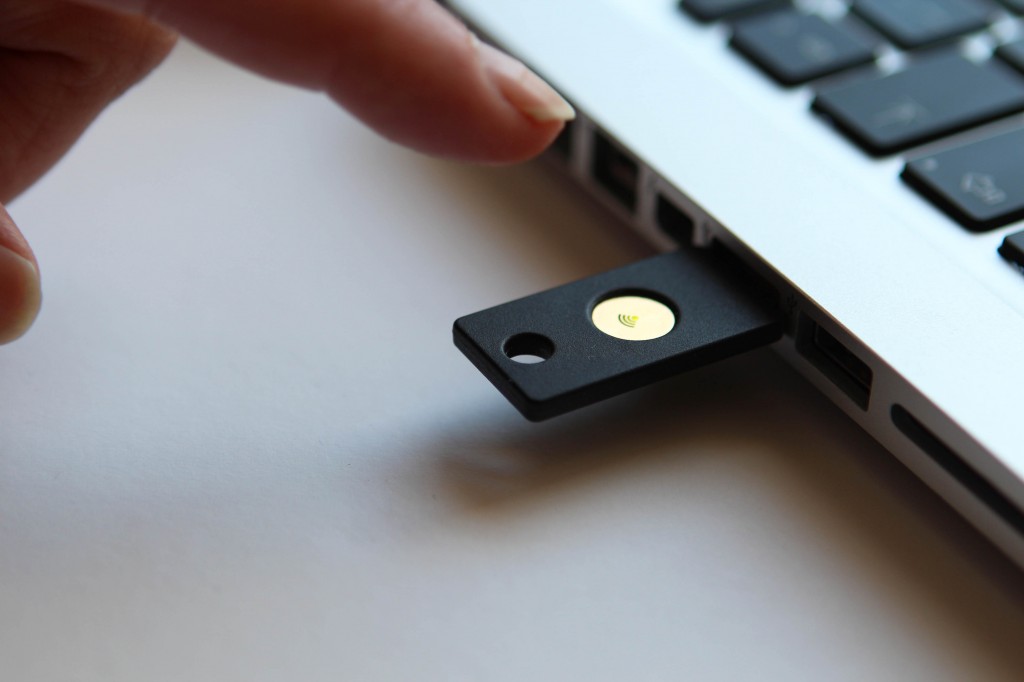
This gadget is a USB device that can be purchased for under 6 euros through Amazon. Google accounts are also now supported if you access it through the Chrome browser. It’s simple – you enter your username and password in Gmail, as usual, but instead of a code that’s sent to your phone, you need to insert the pen drive into the port on your computer – and click on the button which says add – to complete the second step of the identification process.

A would-be attack, who isn’t in possession of the device, will be denied access. It won’t be of any use to them to try to trick you, because there isn’t any code that you need to enter. The key, whose function is based on cryptographics, takes care of it all.

pendrive

Although it’s not the first time that a USB has been suggested as a second verification mechanism, the U2F technology is the only one so far that has the backing of an internet giant like Google. The seal of approval from the search engine set the ball rolling for this tool, which is now an open standard controlled by the FIDO Alliance, a working group which also includes multinationals like Microsoft and Samsung.

In fact, it’s not only your Google account which can benefit from this security measure. Using the Chrome browser, any company can adopt this key to protect its intranet, email manager or any other corporate application.

The main drawback of the U2F protocol is that by relying on a USB port and the Chrome browser, it is unsuitable for use on mobile devices – the solution, however, is on the way. Yubico has produced similar devices which offer the same service without the need to insert a pen drive, but rather by NFC (near field communication), which is the same technology used by major mobile payment platforms (Apple Pay, Android Pay, and Samsung Pay).

The post How to turn a pen drive into a security key for your Google account appeared first on MediaCenter Panda Security.

Miguel Bullón, the new Global Retail Director for Panda Security

Panda Security has recently appointed Miguel Bullón as its new Global Retail Director. In his new role, Miguel will be responsible for international business development with an emphasis on the area of consumer products. From now on he will lead the Panda Security retail teams and will report directly to Rado Svicin, Panda Security’s Global Online Sales Director.

Miguel Bullón has a degree in Marketing and Sales from ESIC and has extensive experience in business development with several companies in the ICT sector.

Before joining Panda Security, Miguel held many high-profile posts with Cisco where he oversaw sales in the Mediterranean area. Previous to that, he worked at NetGear, where he was in charge of business development for Spain and Portugal. Before taking on the role of Global Retail Director, Miguel served as International Business Development Executive.

Miguel Bullon

“We are confident that Miguel has both in sales and business development in various multinationals will give the company an added edge. His work in other ICT companies has been outstanding so we are convinced that he will have great success in his new role,” says Diego Navarrete, CEO of Panda Security.

“For me it is a great professional challenge to be part of a great company like Panda Security. It is an honor to lead the area of international consumer sales, not to mention that with such a talented team, I’m sure we will achieve great success,” stated Miguel Bullón.

You can download the photo here.

The post Miguel Bullón, the new Global Retail Director for Panda Security appeared first on MediaCenter Panda Security.

Smart cars – are they a danger to your safety?

cars

Imagine that you’re cruising along at 112 kilometers per hour, confident in the stability and security of your brand new Jeep Cherokee. Suddenly, you begin to notice that the air conditioning has come on by itself. Next of all the music is increasing in volume and the windscreen wipers have taken on a life of their own. Finally, the engine cuts out.

This is what happened to Andy Greenberg, a journalist for Wired. Luckily for him though, two experts in computer security, Charlie Miller and Chris Valasek, had already warned him that this could happen.

From a distance of 15 kilometers, the two investigators were able to control the vehicle by taking advantage of a vulnerability in the navigation and entertainment system, Uconnect. Chrysler chose to cover over the problem with a blocker that the client had to download, but eventually they admitted that they had to recall up to 1.4 million vehicles.

The Internet of Things has come down heavily on the automotive industry. According to a report by Gartner, more than 150 million cars will be connected by 2020. However, the security of their systems is still a pending issue.

This isn’t the first time that these investigators have called on the manufacturers to pull up their socks. They have spent three years studying how to hack smart cars and have passed on their concerns to the lawmakers.

US Senators Richard Blumenthal and Ed Markey hope that a new law will establish a series of standards of protection to ensure the safety and privacy of the information of these vehicles. Markey commissioned a report which concluded that, with this technology, there are new vulnerabilities that could be exploited by cybercriminals. The study also said that most car manufacturers surveyed were not aware of potential security breaches in their vehicles.

Valasek and Miller are not the only ones studying the errors in these smart cars. Security expert Samy Kamkar will present the details of a new attack on the OnStar system for smart cars at the DefCon security conference. This new attack can locate the vehicle, unlock and even start the engine, all from a mobile phone app called Remote Link.

Kamkar has shown that with a cheap homemade device (it only cost him $100, about €91), it is possible to intercept the information being sent to the smartphone to locate, unlock and start the engine.

car

A few months ago we learned that a 14 year old was able to hack a smart car and wirelessly activate the wipers, the locking system and the lights, all with a homemade circuit.

“The safety of these cars is virtually nonexistent, it is at the same level of protection as the desktop computers that we had in the 80s. The basic requirements of authentication, confidentiality and integrity are not strong,” warned Andry Rakotonirainy, a researcher at the Accident Research Centre and Highway Safety at the Queensland University of Technology. According to this expert, while the technology continues to advance, so does the risk associated with it.

According to forecasts by Gartner, within five years we could all be driving a smart car, while Google reckons we’ll be occupying the passenger seat, as it expects to start selling its famous autonomous cars that year. The FBI has already warned, in an internal report, of the danger that cybercriminals can pose to the safety of autonomous cars by making them ignore traffic lights and speed limits, or to even schedule car bombs.

Despite the advantages of our cars being connected to the Internet, such as allowing us to publish on social networks or to listen to internet radio, this wireless connection has opened up a new range of vulnerabilities. We better hope that car manufacturers begin to consider security from the current design of smart cars and future autonomous cars to prevent any cybercriminal from locating our vehicle and making a fool of us by, hopefully, just messing with our windscreen wipers.

The post Smart cars – are they a danger to your safety? appeared first on MediaCenter Panda Security.
Thunderstrike 2 – the first virus for Mac

It seemed like this moment would never come and many times we were assured that there was no threat of a virus for Mac users… but Thunderstrike 2 has arrived and swiftly refuted those claims.

This worm was designed by two IT security experts, Xeno Kovah and Trammell Hudson, after noticing a security breach a few months ago. As reported in Wired, they found that various known weaknesses that affect firmware in all the main PC manufacturers could also be used against MAC.

The infection is able to be transmitted through email phishing, by USB o by an Ethernet port, without being detected.

According to its creators, this is how Thunderstrike 2 works:

The post Thunderstrike 2 – the first virus for Mac appeared first on MediaCenter Panda Security.