Tag Archives: featured1

Access control for companies: Which system is the most secure?

finger-control-companies

Some time ago, the most common mechanism for getting into an office was a simple key. Simple but vulnerable. Conventional locks do not identify people and can be used by anyone. In addition, it is impossible to control the number of hours worked.

Technology has provided a solution to this issue. There are now different techniques not just for opening doors but also for identifying staff and recording the time they enter and leave the premises. From a card to the voice, through the flash on a phone. There are many alternatives, but are these systems secure?

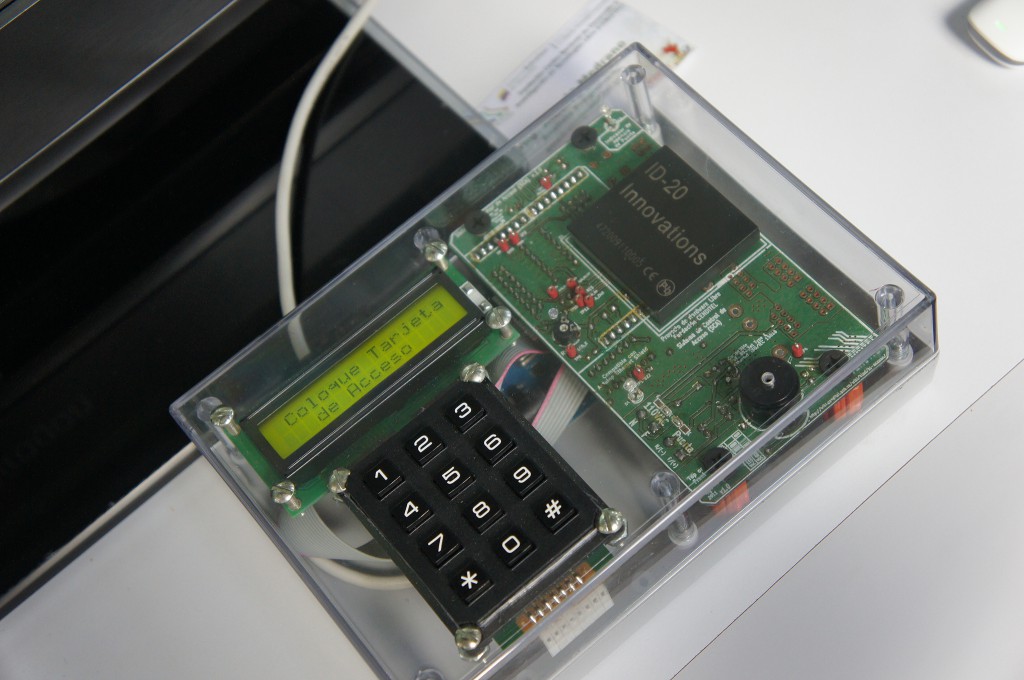
Using radio frequency-based methods -such as Bluetooth, NFC (Near Field Communication) or RFID– is simple. In the first two cases, all you need is a cell phone with this technology that can be recognized by a sensor. RFID chips are inserted in cards or even wristbands that open turnstiles and provide the employee’s details.

fingerprint-control-companies

However, wireless malware exists. Attacks can compromise the company’s computers and users’ phones. Criminals with enough skill can remotely access the handset and take control of its functions, listen to calls or intercept messages.

There is also a risk of traditional robbery. If the smartphone is stolen from the employee’s pocket, the thief could access the premises without any problems. The same applies to cards.

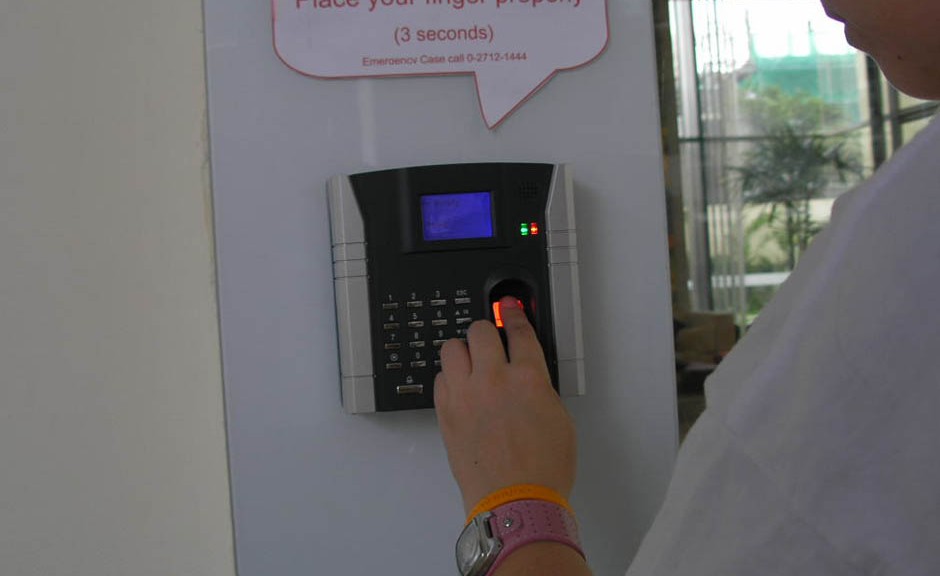
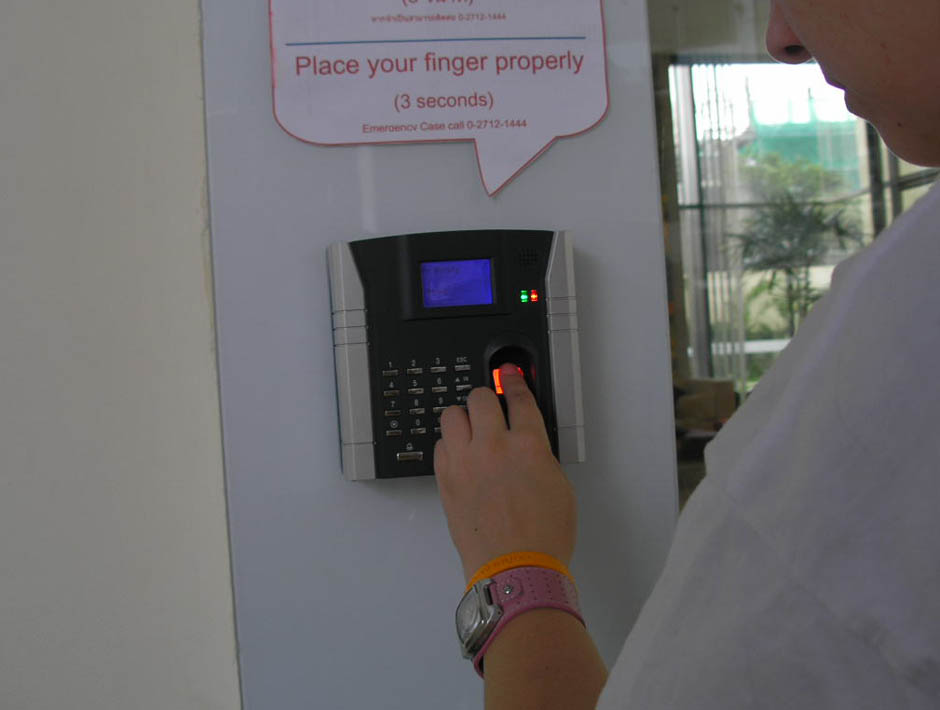
But nobody can steal a part of our body (and get it to still work). Biometric techniques are gaining importance in identification systems. The most widely used today are digital fingerprint scanners and, to a less extent, iris, voice and facial recognition sensors.

Voice recognition is based on comparing the unique mouth patterns and linguistic habits of each person. Something similar happens with the geometric variants of the face. The processing difficulty and the amount of patterns that the system must store mean that they are still minority systems.

Biometrics also has its drawbacks in terms of security. Remember that the fingerprint sensor on the iPhone (Touch ID) is vulnerable to certain types of attack. Criminals could make a replica of your finger or manipulate the sensors.
chip-control-companies

Other solutions admitted by phones are based on photonics or light recognition. The user simply needs to move the phone towards the lock, point the camera flash at the corresponding receiver and enter a password in an application. The door opens when the device detects the light signals, which form a regulated communication protocol and can transmit encrypted information.

One advantage of this technology is that only the receiver is placed at the entrance to the facilities. The data processing unit can be located inside, in a strategic place. Criminals will have to manipulate both devices in order to take total control of the system.

The majority of these techniques are still under development and they still have a long way to go before they become more widely used. The ideal solution would be to combine several of these to take advantage of the benefits of each one and reach a higher level of security.


The post Access control for companies: Which system is the most secure? appeared first on MediaCenter Panda Security.


WhatsApp encrypts messages for Android users

encrypted-code

After the arrival of the blue double-check to confirm that the message has been read, WhatsApp has set out to clean up their image and transmit the idea that they too safeguard user privacy. To do this, they have just announced a latest update through which they will start encrypting all messages and protecting them against intruders.

At the moment this version is only available to Android users but WhatsApp plans to implement it for the other operating systems.

With this code the messages are encrypted when they leave the sender’s phone. Therefore, the content of these messages passes through the application servers encrypted and cannot be accessed by anyone, except those holding the conversation.

With this move, WhatsApp is trying to make its customers forget its reputation for an unsecure app and recover some of the ground lost to other apps, such as Telegram, which stand out for higher levels of security and privacy of the service.

The post WhatsApp encrypts messages for Android users appeared first on MediaCenter Panda Security.
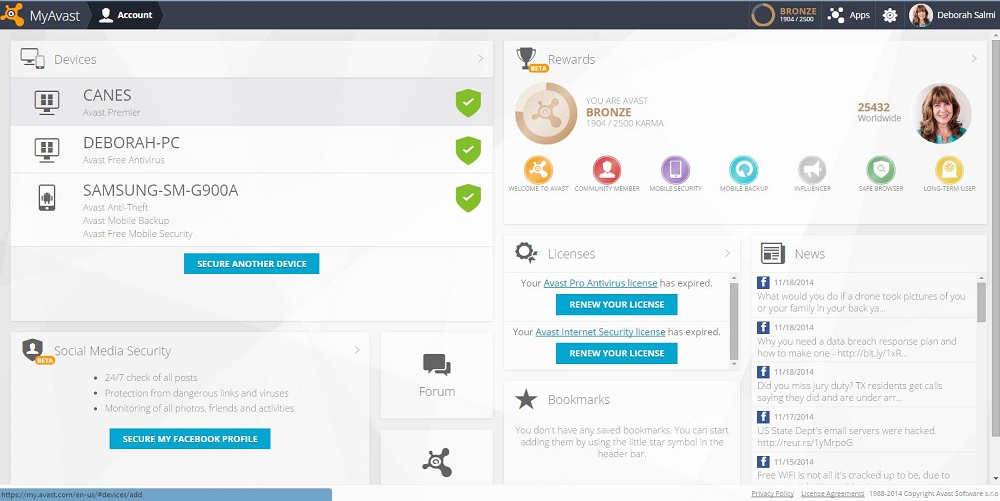
Keep track of your family’s devices using your Avast Account

The average US family owns four mobile devices, plus Internet-connected computers and other devices. Your Avast Account helps you manage their security.

Avast Account screenshot

Manage all your devices with a free Avast Account.

Keeping your security software up-to-date on all of these devices can quickly get confusing, and with today’s risks you want to make sure everything has adequate protection. Your Avast Account can simplify that task greatly.

Here’s what you get with an Avast account

Management made easy

  • Register any Avast free product which you have installed and which requires registration.
  • Manage multiple Avast-protected devices (PC, smartphone, tablet) from one place.
  • Remotely control Android mobile devices with Avast Mobile Security and Avast Anti-Theft installed. This is especially useful in case of loss or theft of the device .

Information at your fingertips

You can find information about your connected devices.

  • License status
  • Expiration date
  • Basic statistics
  • Version of virus signature database
  • Logs of activities, and more

Earn Avast Reward points for free stuff

You can generate your own special Avast Free Antivirus link to give to your family members and friends. When they download their own protection using your link, you collect “Karma” points to earn a free copy of Avast Internet Security. In your Avast Account, you can see how many points you have, earn badges and even see how you’re doing compared to other users.

Give Avast feedback

We provide links to the Avast Community Forum where you can ask questions of our experienced “evangelists,” and the Feedback page, where you can give suggestions, report a problem, or just say thanks.

Secure your Facebook profile

You can secure your Facebook profile using Avast Social Media Security. We help you navigate thorough the frequently changing security and privacy settings in Facebook. In the future we plan to add security profiles on other social networks.

How do I get an Avast Account?

New registrations of Avast Free Antivirus will automatically create an Avast Account and connect your device automatically. Visit https://my.avast.com or click Account in the Avast user interface. Use of the Avast Account for accessing other Avast services is completely optional.

NOTE: It’s especially useful to connect any mobile devices that have Avast Mobile Security installed because it gives you remote control over your device if the device is stolen. These remote control features have not yet been implemented for PC or Mac devices, therefore if you are not interested in the activity log or other information, you don’t have to connect your device to your Avast Account at all.

When you do connect your device, please be patient because of the large amount of data we have to process; the device status isn’t updated in real-time. It could take up to a half hour before the actual security status and other device information appears on the devices page, so check again later.

Avast Software’s security applications for PC, Mac, and Android are trusted by more than 200-million people and businesses. Please follow us on Facebook, Twitter and Google+.

Update to Lollipop as soon as you can: These are the security improvements included in Android 5.0

Google has now launched the long-awaited Android 5.0, the new version of its mobile operating system. Do you want to know why you should update your smartphone’s software? We give you the first clues here.

lollipop-android

Adrian Ludwig, security engineer at Google, says in the official Android blog that their goal is to “stay two steps ahead of the bad guys” and this is Lollipop’s intention too. “Not only is Lollipop the sweetest update of Android to date, we also built in a rigid (security) Lollipop stick for the core and Kevlar wrapping on the outside—to keep you safe from the bad guys, inside and out.”

One of the most secure ways of keeping data safe is to use the screen lock or pattern. However, Google is aware that many users do not use this measure because, among other reasons, it makes it difficult to use the phone when it is connected to another device.

For this reason, the new operating system includes Smart Lock, which unlocks the phone when it is paired with a wearable or a hands-free device in the car via Bluetooth or NFC.

The phone can also be unlocked using facial expressions. Although this feature was available in version 4.0, in the new version of the Android operating system this application has been improved by constantly analyzing the user’s expressions.

Finally, in order to encourage users to install phone lock patterns and make them more secure, Android has included the option to receive on-screen notifications, even though the phone is locked, and access them more quickly.

Another security measure in Lollipop is related to encryption, which is no longer optional and will be really useful for less experienced users. Device encryption will be automatically enabled when the device is switched on. It uses a unique key that never leaves the device.

However, Google acknowledges that users with older devices that update their version of Android will have to enable the encryption feature manually themselves, which will not happen in devices shipped with this operating system.

Android has always tried to make sure that its apps access as little data on the phone as possible but in this respect its software has never been without its problems. Version 4.2 included Security Enhanced Linux, known as SELinux, which audited and monitored every action and left less room for attack.

SELinux defines the permissions of every user, app, process and file on the system and controls their actions and interactions following a strict security policy. This prevents any file – not even those downloaded from Google Play – from modifying the phone’s essential parameters.

lollipop-screen

Although this service was offered in previous versions, it has now been boosted to respond particularly to enterprise and government environment as, according to Ludwig, the majority of the members of different governments use Android. SELinux currently runs in enforcing mode, that is, all of the security policies are loaded and enabled on the device. It was not the same in previous versions, where the user could choose to use enforcing mode, permissive mode – where the security policies were loaded but not applied – or even turn it off.

Have you ever had your phone stolen? Having Lollipop installed could help you. It has the Factory Reset Protection feature, which disables stolen phones, only requiring the Google password to wipe the phone’s data remotely.

The new version of Android also keeps the device away from malicious websites when the user performs searches in the browser. In addition, it seems that everyone can create multiple user accounts to securely share the device with a friend or do so using guest user mode.

The heads of security at Android claim that the probability of a cyber-crook attacking the device using malicious software is 1 in 1,000. But the main dangers facing users is when the phone is lost or stolen. It is for these cases that the new security measures are designed. What are you waiting for to update your operating system?


The post Update to Lollipop as soon as you can: These are the security improvements included in Android 5.0 appeared first on MediaCenter Panda Security.

Nigerian scam on Skype. Beware of it!

It seems that the notorious Nigerian scam is not only carried out via email. As we have been able to confirm, Skype is also being used to trick us into believing that someone with a ton of money wants to share their fortune and that we are the recipients of it.

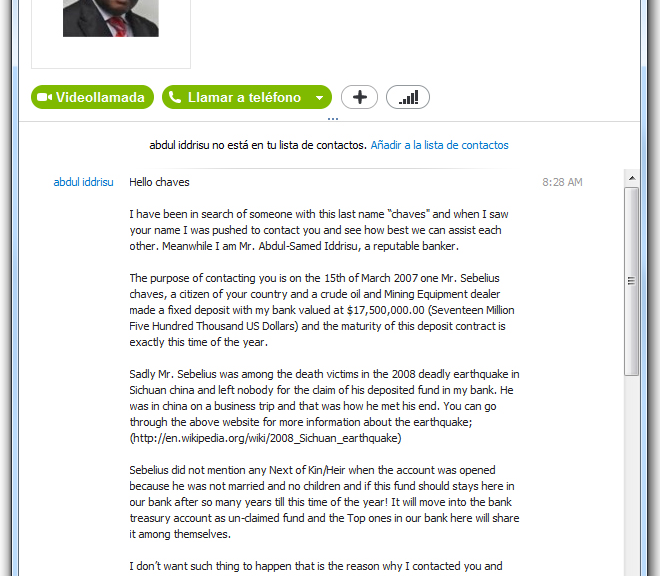
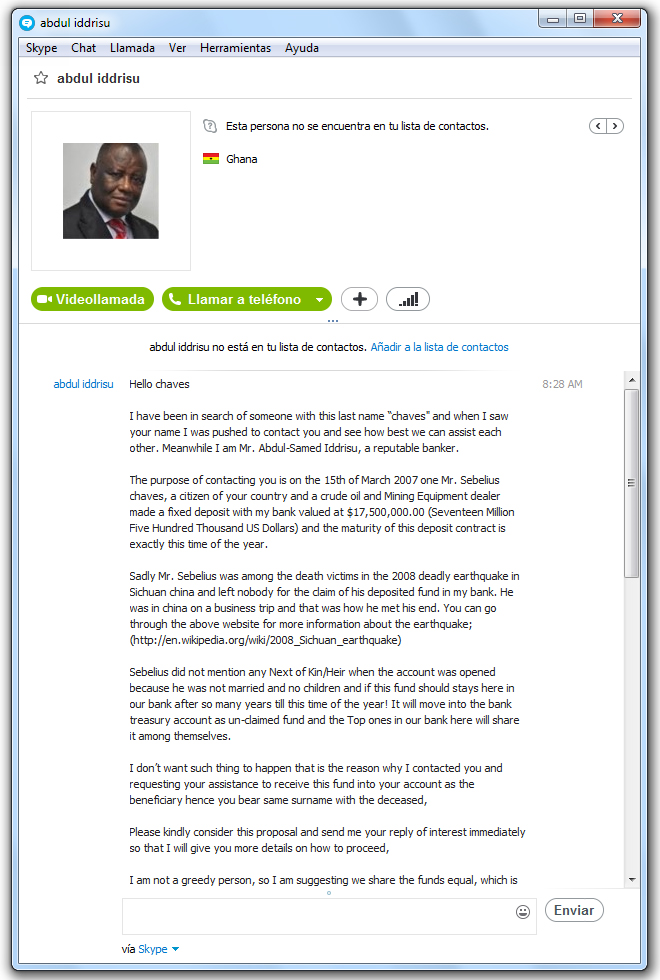
This is the message that “reputable banker”, Abdul Iddrisu, sent to one of our colleagues on Skype.

skype-scam

In it he says that his bank has $17.5 million to give out, after the owner of this fortune died in an earthquake in China in 2008 and as our colleague has the same last name as the deceased, they have decided to give the money to him.

What does he have to do in exchange? Send his bank account number so that they can deposit it. As easy as that, and as unbelievable, right?

Indeed, it is neither believable nor true. Obviously nobody is going to contact you to give you $17.5 million, so never give out your personal data over the Internet. Neither should you deposit any money in exchange for an alleged prize or inheritance. Do not fall for this type of scam!

The post Nigerian scam on Skype. Beware of it! appeared first on MediaCenter Panda Security.
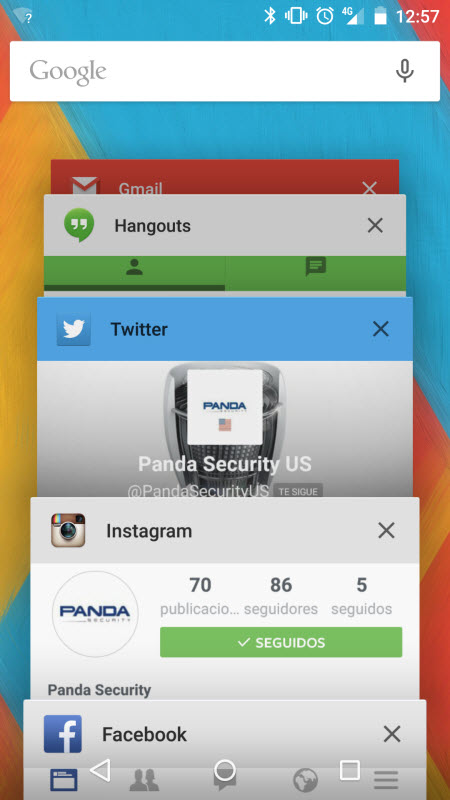
If you have a flashlight app on your phone, be very careful!

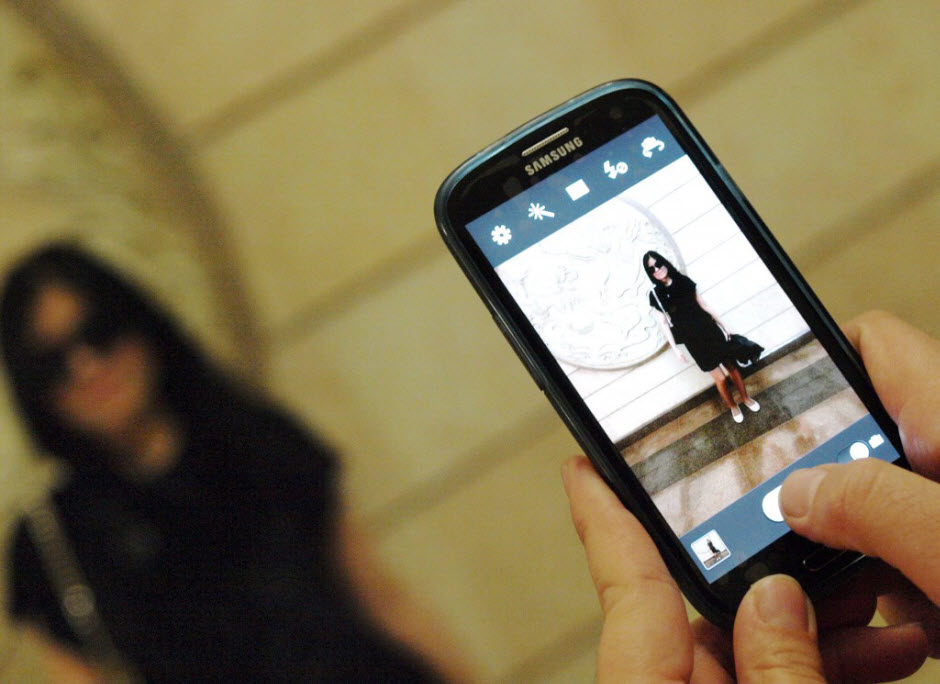
The smartphone you keep in your pocket is amazing. It does everything. Despite all of the innovative things it does, one of the best features of smartphones is something as simple as it is old: the flashlight. Useful –in its own way– when taking pictures and even more so when you need to light up a dark corner.

There is no denying it. We have all used the flashlight on our phone to shake off the uneasiness (not to say fear) caused by the dark. However, and surprising as it may seem, perhaps we should not be so much afraid of the lack of light as of the app that we use on your phone to shed light.

mobile-flashlight

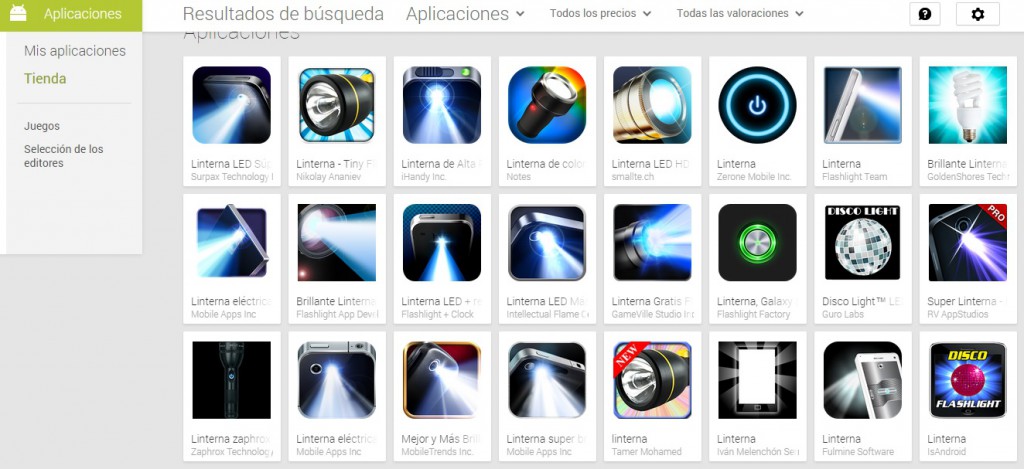
Apps that control the flashlight on the phone – there are thousands in the app stores – are not as harmless as they may seem. It is true that you do not have to register or provide any data in order to use them but the flashlight on your phone knows a lot about you, which makes it an interesting target for cyber-crooks.

Flashlight 007, with a license for everything

As already mentioned, you do not tell your flashlight app anything but it is capable of shedding light on a good handful of conclusions about your movements. The worst thing is that if it does this, it is because you have allowed it to.

Before downloading any app you have to give it certain permissions. This gives many of the apps installed on smartphones permission to know your location using GPS data, to take pictures, record sounds and even read your text messages. This is particularly true of phones running Android as the operating system, because Windows and Apple restrict the capability of apps to spy on us (always with your permission, of course).

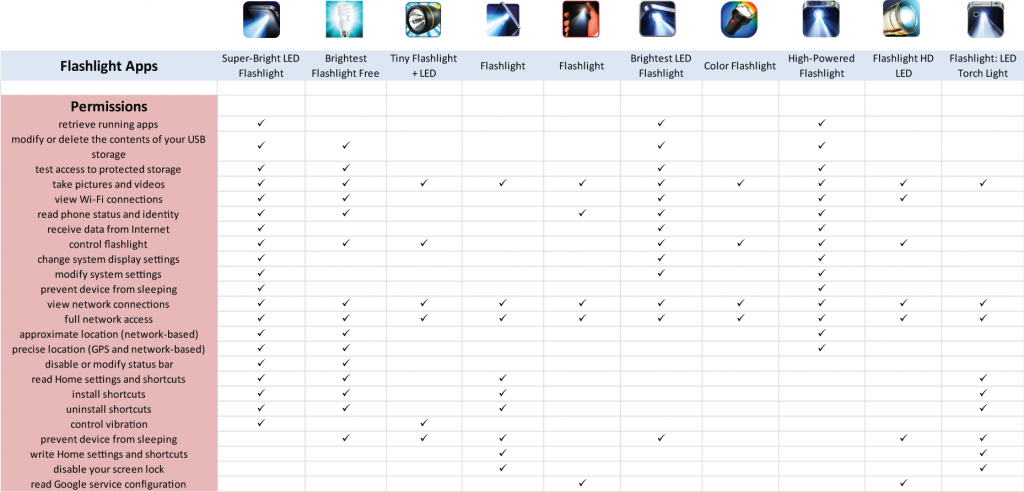
According to a report from SnoopWall, a company dedicated to smartphone security, flashlight apps are surprisingly quite demanding as regards permissions. A simple glance at the table compiled by SnoopWall could make your hair stand on end:

flashlights-for-mobile

The apps included in the table are not selected at random. There is no need to rummage through tons of apps available on Google Play to find flashlights that want to find out everything about you. In fact, these ones in particular make up the top 10 flashlight apps for Android.

Of these, the least demanding asks for permission to read the phone status, take pictures and videos, view Internet connections and full network access. Other flashlight apps ask for permission for everything they can think of, GPS location included.

The problem, of course, is that we usually download and install apps in a hurry, accepting whatever the app asks for without thinking twice about it. By doing this you are practically handing the keys to your life – your digital life at least–  to any stranger.

android

The key lies in advertising

The time has come to answer the big question. Why does a flashlight want so many permissions? Firstly, in general there is no need to worry: if these apps ask for so much it is because of advertising.

Another thing flashlight apps have in common is that they are free. Therefore, developers seek to monetize every download through advertising. Flashlight apps need an Internet connection and know your location and other data that allows advertising to be adapted to your habits.

Consequently, downloading and using these apps is not necessarily dangerous, but it is better to err on the side of caution. To prevent a cyber-crook from tricking you into installing one of these apps and stealing your data, it is better to use trusted apps.

Even though the most trusted apps ask for information and control of some of the tools on the phone, it is better to use those with the best statistics: the most downloaded and the highest rated are the most trustworthy. However, now you know that for these flashlights to provide light, first of all you will have to give them permission to shed some light on the inside of your phone (and they take everything of interest to them).

The post If you have a flashlight app on your phone, be very careful! appeared first on MediaCenter Panda Security.
How to upgrade your router with the latest firmware or replace it completely

It’s difficult to accept that we made an unwise purchase or even that a piece of technology has gone obsolete. But when it comes to the security of your home network, it’s time to face up to it.

Last February, Craig Young, a researcher at security firm Tripwire, published research showing that 80% of the 25 best-selling small office/home office (SOHO) wireless router models on Amazon had vulnerabilities. Because some routers, in fact, a lot of them, have so many non-patched vulnerabilities, the easiest way to secure your home network is to replace the router completely with a secure model.

Your WiFi network is not secured

Your WiFi network is not secured


How to update your router

But let’s not spend your money yet. Only four of the reported vulnerabilities were completely new, and many have been patched in later models, so you should first look for firmware updates. Some conscious manufactures release updates for their hardware controls and, if applied, could solve all (or at least some) known vulnerabilities.

Routers do not perform automatic updates, so the process requires appropriate patches to be manually downloaded and installed. Avast 2015 includes a Home Network Security scanner that can help you determine what needs to be done, explain why, and can direct you to the router manufacturer’s website.

Open the Avast user interface, click Scan from the menu on the left, then choose Scan for network threats. Avast will take a look at your router and report back any issues. In most cases, if there is an issue to be addressed, then it will direct you to your router manufacturer’s website.

Yes, Virginia, there is a Santa Claus Router Attack

If you’re not convinced that router attacks are something to be concerned about, then think back on the attack from earlier this year. Attackers remotely altered DNS configurations for more than 300,000 small office/home office (SOHO) routers, subsequently opening up victims to a host of compromises

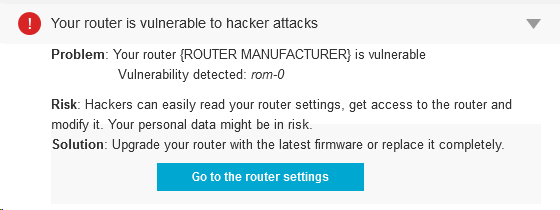
Among several vulnerabilities around, there is one that is quite common. It’s called ROM-0 and allows the attacker to easily gain control of the whole router and, subsequently, your Internet connection. In short, the attacker could request ROM-0 through HTTP (i.e. http://192.168.1.1/ROM-0) and then he can download all the important and secret data stored in your router: Your ADSL login/password combination, WIFI password and basically all your configuration data.

How to avoid attackers from downloading your Rom-0 configuration file and manipulating your router?

It’s simple (if you are comfortable around computers. Ask a techie to help you, if you’re not):

  • Forward port 80 on the router to a non-used IP address on your network.
  • Enter your router configuration and go to “Port forwarding” configuration.
  • Send all http traffic, of all protocols, to star and end port 80 in a non-used local IP address (something like 192.168.0.xxx, where xxx would be a non-used IP).

There are free guides of “port forwarding” for quite a lot of routers. Check your model here.

Avast Software’s security applications for PC, Mac, and Android are trusted by more than 200-million people and businesses. Please follow us on Facebook, Twitter and Google+.


Careful with photos from unknown sources in Android: They could now contain a nasty surprise

We now live in the age of the image. Hardly a day goes by when we don’t download or share an image of friends or family. The saying ‘A picture is worth a thousand words’ has become a motto for our everyday lives.

Well aware of this are those who prowl the Internet with malicious intent. They know that images are now swarming across the Web, and as such represent the perfect Trojan horse to conceal malicious content. In fact, had it not been for Axelle Apvrille and Ange Albertini, many have already tried. These researchers were responsible for uncovering a crack in the defensive wall of Google’s mobile operating system, through which images can be used to hide malicious software, which could then slip past the system’s protection.

android-mobile

At the latest Black Hat Europe event in Amsterdam, these cyber-security experts presented their work on the vulnerability in Android. Due to this flaw, malicious users could reach the smartphone or tablet of any user through an image which, when downloaded, would become a file that could infect the device.

According to Apvrille and Albertini, the malicious payload could be concealed in any image, regardless of format. Whether a .png or .jpg, what to the naked eye is simply a picture of a person, could simply be a front for code that would be released from the image and spread malware.

To demonstrate the existence of the vulnerability, they created a tool called AngeCryption, which let them convert images into packets. Thanks to this, they could hide anything they wanted to transmit from one device to another without security systems or Google’s own scanner being aware of its existence. So behind an apparently inoffensive image there could be an .apk, the type of executable file that allows applications to be installed.

pic-mobile

In the proof-of-concept presented by the researchers, they used an image of Darth Vader to hide a malicious app designed to steal photos, messages and other data from the devices it is downloaded to.

Imagine a contact sent you an image via WhatsApp and you downloaded it, without you knowing an app would be installed on your device that could search for and steal anything it found. This is precisely what this vulnerability allows.

“Such an attack is highly likely to go unnoticed, because the wrapping Android package hardly has anything suspicious about it,” explain Apvrille and Albertini. They also warn that this flaw has been present in all versions of Android so far.

The discovery of this security hole was kept quiet until the researchers were able to inform Google and the company’s security team had time to fix it. So are you now safe? Yes, but only if you remember to upgrade your smart phone or tablet. If you don’t, you will be exposed to potentially nasty surprises.

So we advise you:

  • To be careful with photos from unknown sources
  • Install any available Google updates.

Also, as prevention is better than cure, install our antivirus for Android devices. Why take unnecessary risks?

The post Careful with photos from unknown sources in Android: They could now contain a nasty surprise appeared first on MediaCenter Panda Security.
How can you tell if a shortened link is secure?

short-link

At some time in our (digital) lives, we’re bound to come across shortened links or URLs, on social networks, for example, you can’t avoid them.

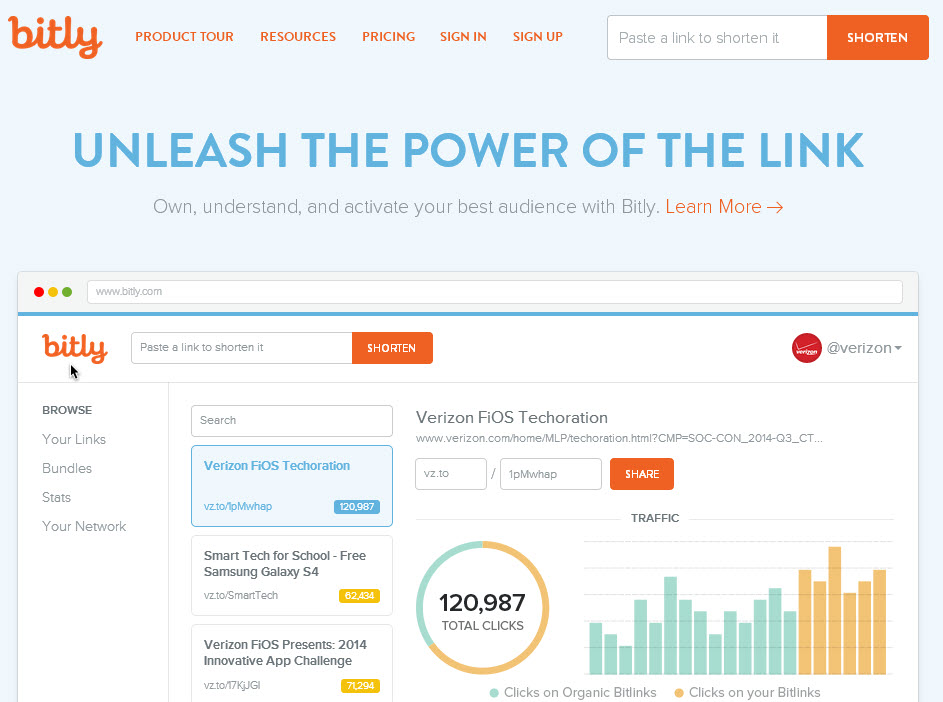
There’s no doubting that they are highly useful. In a tweet, for example, characterized by the famous 140-character limit, a shortened URL creates space to write something else. Moreover, they offer other characteristics, though one of these has become a double-edged sword: You don’t know where it will take you.

tweet-bitly

This is where you have to tread carefully. A shortened link is really a mystery. You don’t know which website it will take you to or what might appear on the screen. As such, these shortened URLs are the perfect tool for malware and phishing. Click them at your peril.

Yet there’s no need to panic. Just because you come across them every day on Twitter and they could contain a nasty surprise doesn’t mean that every one is a booby trap. Some simple caution and common sense can prevent a catastrophe on your computer.

To start with, be careful with the source of the URL. If it’s an online media channel or blog that is tweeting the headline of an article and a link to it, it is reasonable to suppose that the link will take you to the article. So click away! However, if you find a message from a known (or unknown) contact saying, “Hey, you look great in this photo!” and with a shortened link, be very wary.

Among the numerous services used to shorten inks, some are more reliable than others. The Google and Bit.ly services are among the most secure, though not so much so that you can confidently click them if the source is unknown.

How can you tell if a shortened link is secure?

Using your common sense is a good initial filter to apply when deciding whether or not to click, though it is not infallible. Fortunately, there are quite a few tools that let you expand shortened links, or in other words, see what’s really behind each link and avoid disasters.

First, here’s a little trick if you come across Bit.ly or Google shortened links. Copy the link, paste it in your browser address bar and, before hitting ‘Enter’, add the “+” symbol. This way you can see the statistics associated with the URL, and more importantly, you can see which website it takes you to, among other things.

bitly-links

Apart from this useful trick, a browser extension or a visit to a certain website could also be enough to prevent any cyber-criminals from giving you a nasty surprise through an apparently interesting link.

Websites such as LongURL or Unshorten.it reverse the process of URL shorteners. Enter any suspect shortened URLs in these pages and you can see exactly where they take you.

As we said before, these are not the only ways of ensuring the security of the shortened URLs that you come across every day on social networks. Probably the most convenient way is to install an extension on your browser that tells you where these links point to without having to continually consult an external website as we described above.

Both for Google Chrome and for Mozilla Firefox, there is a solution to deal with the problem of shortened links.

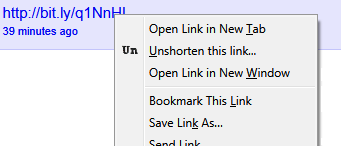
  • For Firefox, you can use the corresponding version of Unshorten.it. Whereas the website expands shortened links, the add-on for Firefox does so directly from the browser, thereby saving you a few seconds. Instead of having to open a new tab in the browser and cut and paste the URL, this extension means that you only have to right-click the shortened link and select the option: ‘Unshorten this link’.

unshorten

  • If you use Google Chrome, you also have plenty of options. For example, LongURL (that’s right, the Google browser version of the website we mentioned before), is an add-on that displays all the data regarding the shortened link – including the URL – when you pass the cursor over it.

long

Regardless of the method you choose, you’ll still have to employ some common sense to decide whether the page is bona fide or not. When you expand a link and the name of the website isn’t familiar or what you see is a completely incomprehensible Web address, you’d better be cautious and not go there. In this case, the saying is quite appropriate: ‘Better safe than sorry’.

The post How can you tell if a shortened link is secure? appeared first on MediaCenter Panda Security.

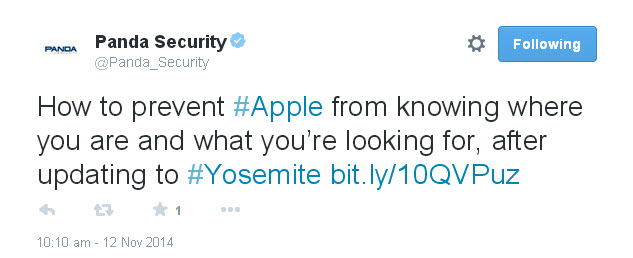
How to prevent Apple from knowing where you are and what you’re looking for, after updating to Yosemite

Apple has updated its operating system for Mac, so users can now get the long-sought after Yosemite OS X for free. Even though it has just appeared on the scene, the first alarm bells have already started to ring: Many users are unhappy about handing over even more private information to the technology giants.

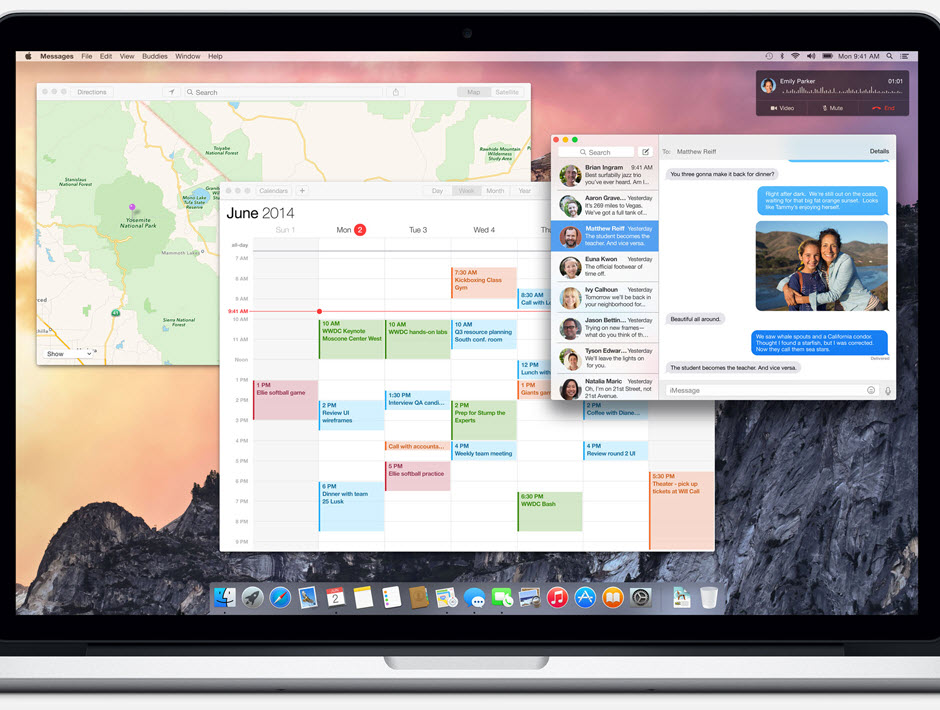
The latest upgrade to Apple’s operating system includes an improved version of Spotlight, the search system that simplifies searching for files on the computer. So what’s different about Yosemite? It does the same as before but now it connects directly to the Internet through the Bing search engine and also searches your contacts and emails.

yosemite

This way, your Mac computer runs your search both on your own system as well as on the Web. Spotlight also offers you ‘smart’ suggestions from the App Store, iTunes Store and the Internet in general based on your search history.

The system doesn’t just send information about your habits and location through Bing to Microsoft, it also reports this data in real-time to Apple’s servers. So both companies will have data about any search that anyone does through Spotlight.

Apple claims that it doesn’t receive individualized search details and that Microsoft only collects general search data, which at no time includes personal identification of users or device IP addresses. According to the company, this is because the devices only use a temporary and anonymous session ID, which lasts fifteen minutes and then disappears.

Yet most users are unaware that this latest update implies such a loss of privacy, as the option is enabled by default when updating the OS. So is it possible to evade such surveillance and all those ‘useful’ suggestions? Luckily for users it is.

yosemite-apple


How to prevent Apple from knowing where you are and what you’re looking for, after updating to Yosemite

Just go to ‘System Preferences’ in the Apple menu, where you will see the Spotlight icon. Click it to find a list of different categories including the option ‘Spotlight Suggestions’. Clear the checkbox. Then go through the categories until you find ‘Bing Web Searches’, and ‘Bookmarks & History’, which you should also disable.

If you use Safari, you will have to similarly disable ‘Spotlight Suggestions’ by clicking ‘Preferences’ and ‘Search’. And problem solved! Because if you don’t, Safari will send a copy of your searches to Apple.

To simplify things further, security developer and researcher Landon Fuller has created ‘Fix Mac OS X’, which lets you automate the process of disabling these options with a single click. According to Fuller, Spotlight isn’t the only feature with unnecessary changes that is introduced with the update, and he explains that his application will also fix other settings enabled by default.

apple-yosemite

This way, you can prevent these companies from saving your search data and then offering you certain services or products having analyzed your likes, needs or intentions. You will also prevent annoying, unwanted adverts and safeguard the files on your computer.

For the moment, Apple has declared that the company is wholly committed to protecting user privacy and, with respect to Spotlight, claims that it “minimizes the amount of information sent to Apple”, and even that the search tool “blurs the location on the device”, so the company doesn’t receive the exact location.

More | Panda Antivirus for Mac, compatible with Yosemite

The post How to prevent Apple from knowing where you are and what you’re looking for, after updating to Yosemite appeared first on MediaCenter Panda Security.