Tag Archives: featured1

How to disable access to your router from the Internet

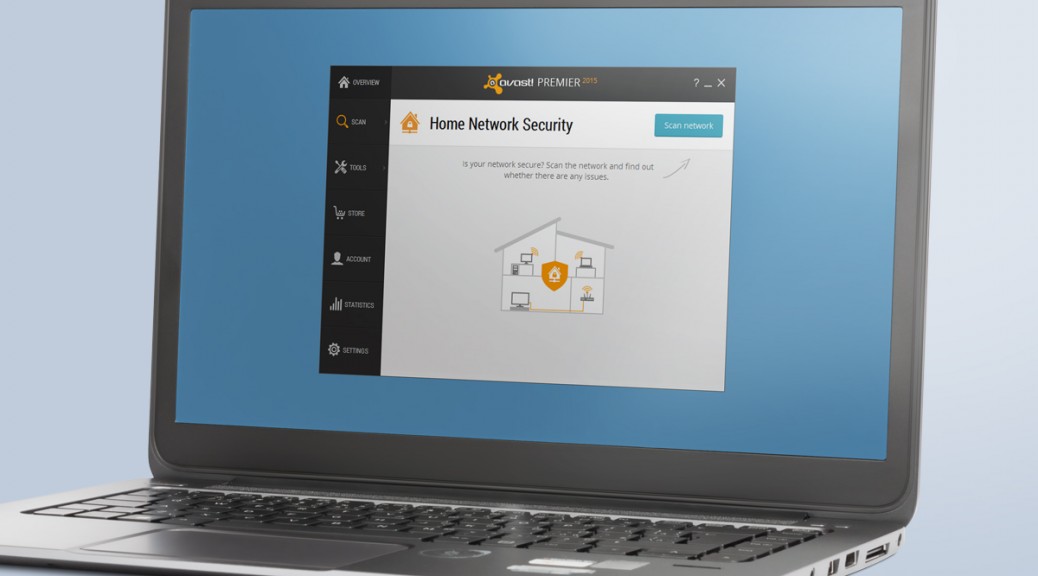
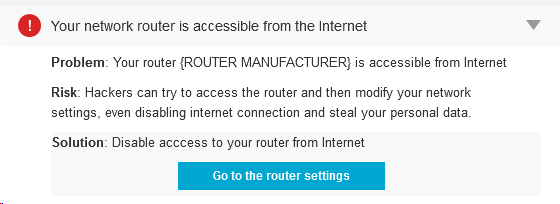
When Avast Home Network Security (HNS) displays the following error: “Your network router is accessible from the Internet” that means that hackers can access your router’s administrative interface.
Your WiFi network is not secured

Your WiFi network is not secured


Although that doesn’t mean imminent threat, the fact that the router is accessible from the Internet is not good. A cybercrook could modify your network settings and even disable your Internet connection or, the worst, steal your personal data.

For sure, if you use the default password in your router, everyone can access your router. However, you won’t do that, will you? If you’re reading this article, we suppose you’re technically educated and will know that using the default password is a serious risk.

hns3Routers, especially Small Office/Home Office (SOHO) wireless routers, are usually quite vulnerable to all sorts of exploits and exposing the admin interface of the router to the Internet is like leaving your door unlocked when you leave home. According to Tripwire, “80% of Amazon’s top 25 best-selling SOHO wireless router models have security vulnerabilities.”

Why should we worry about routers?

“Unsecured routers create an easy entry point for hackers to attack millions of American home networks,” said Vince Steckler, chief executive officer of Avast. “If a router is not properly secured, cybercriminals can easily gain access to an individual’s personal information, including financial information, user names and passwords, photos, and browsing history.”

Set up a strong password

I already explained how to make sure you have the highest level of encryption set on your router. If you missed it, please go back and read my blog, How to turn on WiFi encryption in your router settings.

The next step is to replace thedefault administrator password.Some of the most common mistakes made, not only by common users but also from a significant number of IT professionals, are to use the default administrator password and use the popular WPS and its insecure technology that allows hackers to discover (much easier) the router encryption passphrase.

When creating a new password, make sure it is long and strong, using a mix of numbers, letters and symbols. If you have many visitors to yourhome, it’s a good idea to set up a guest network with a separate password.

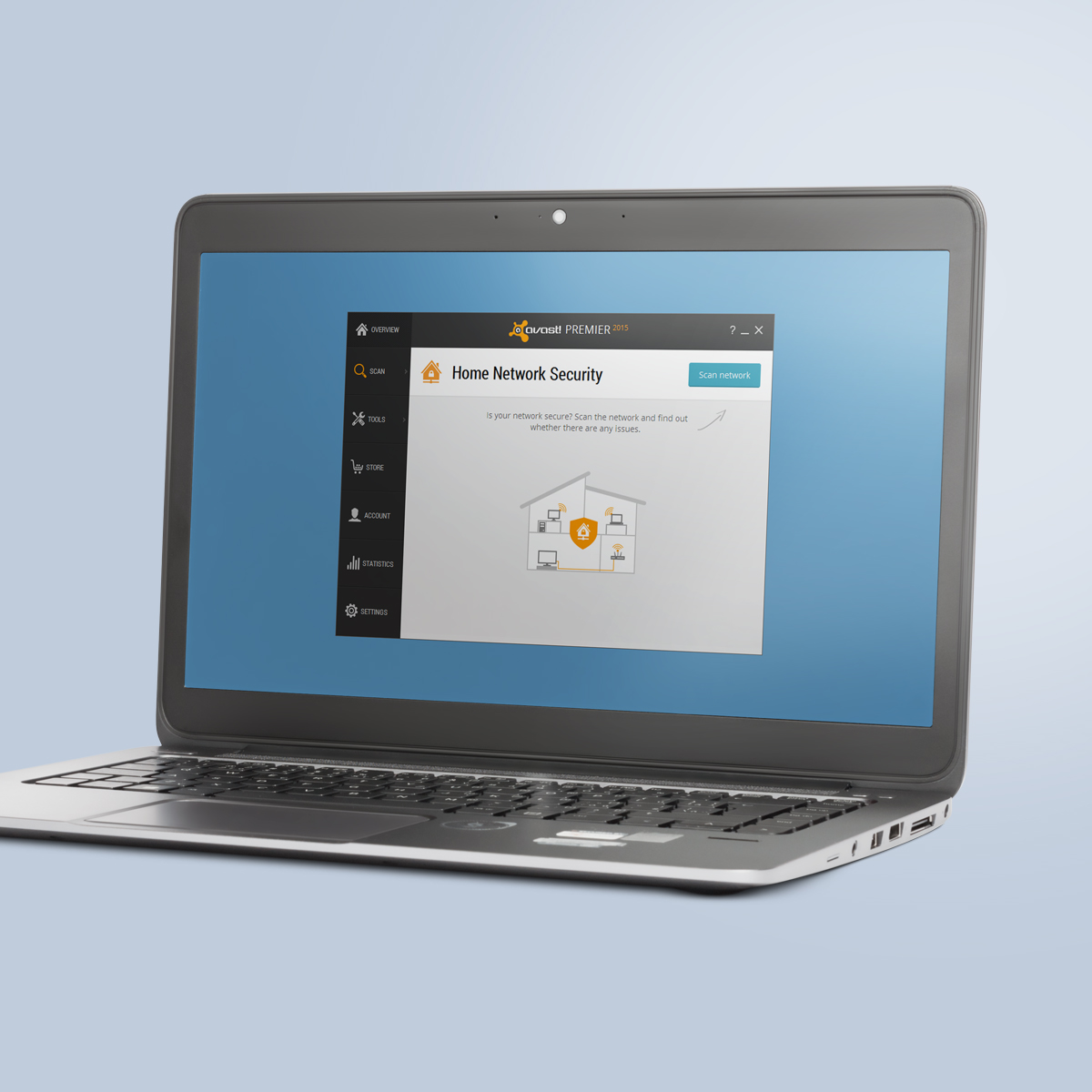
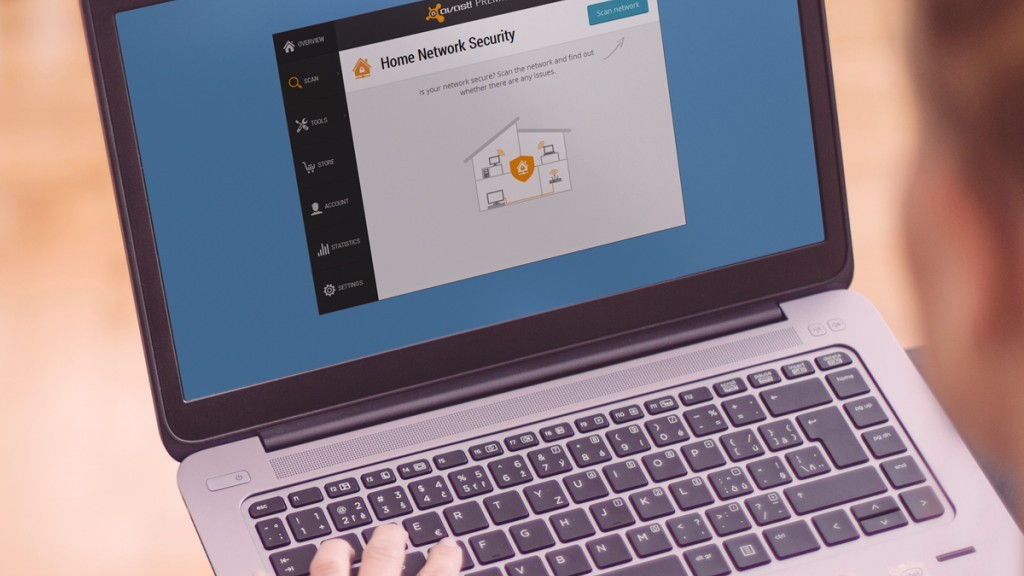
Avast 2015 includes a Home Network Security scanner that can help you determine what needs to be done, explain why, and can direct you to the router manufacturer’s website. Read more about it on our blog,  Your home network is at risk of cybersecurity attacks.

Avast Software’s security applications for PC, Mac, and Android are trusted by more than 200-million people and businesses. Please follow us on Facebook, Twitter and Google+.
How to strengthen the security of your Twitter account

twitter-security

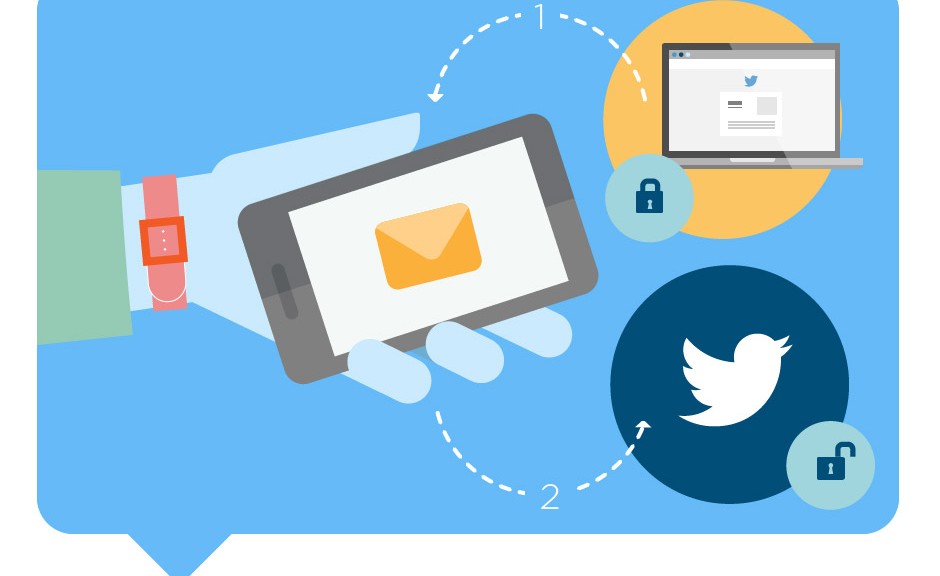
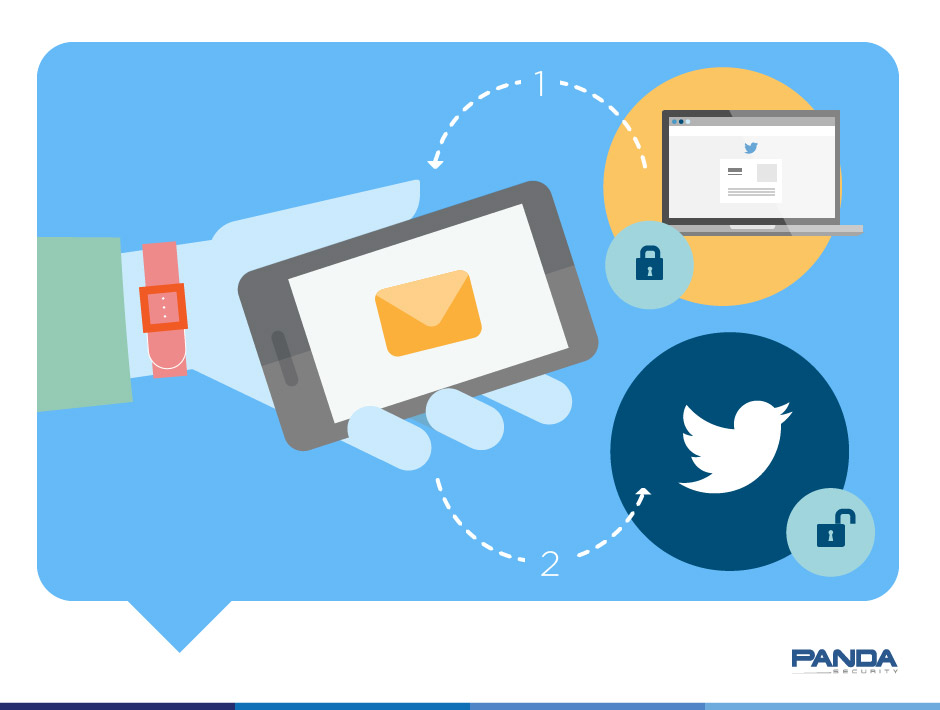
Like Facebook and Gmail, Twitter also lets you strengthen the security of your account through the session login procedure.

This way, you can prevent unauthorized access to your account as in order to enter, you will need a code that Twitter sends to the phone number you provide.

Here we tell you step-by-step how to activate this feature.

How to strengthen access verification in Twitter

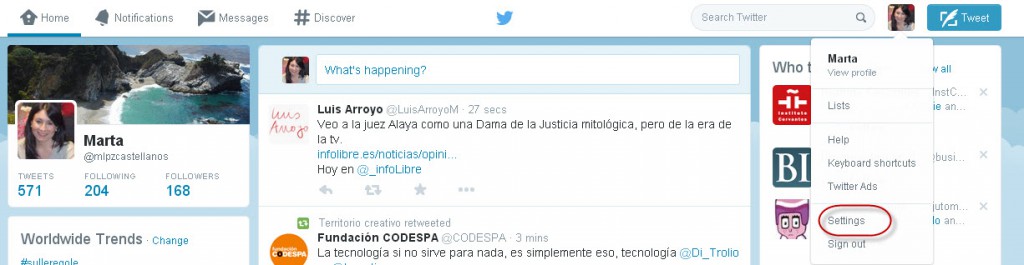
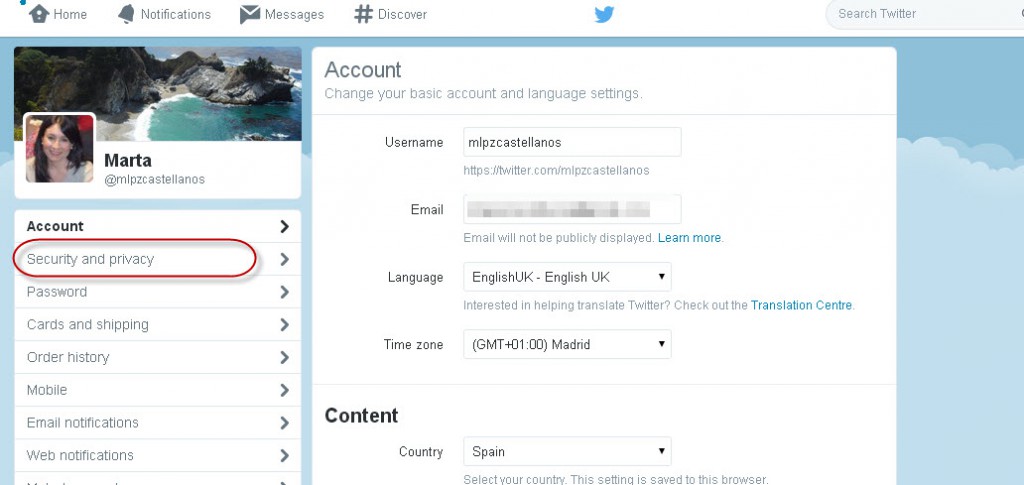
The first thing you have to do is go to your Twitter account. Go to “Settings” and from there, go to “Security and Privacy”.

twitter-settings

twitter-security-privacy

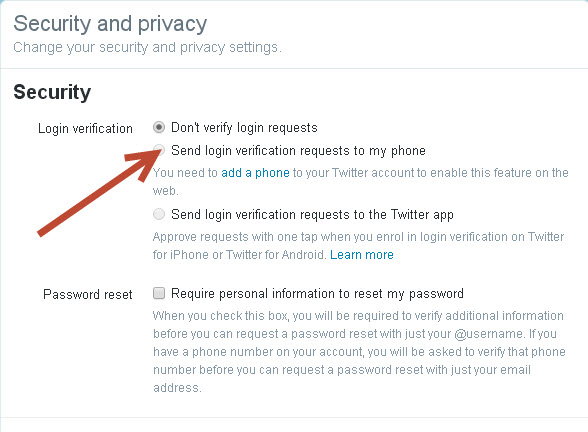
There, select “Send login verification requests to my phone”.

twitter-send-login

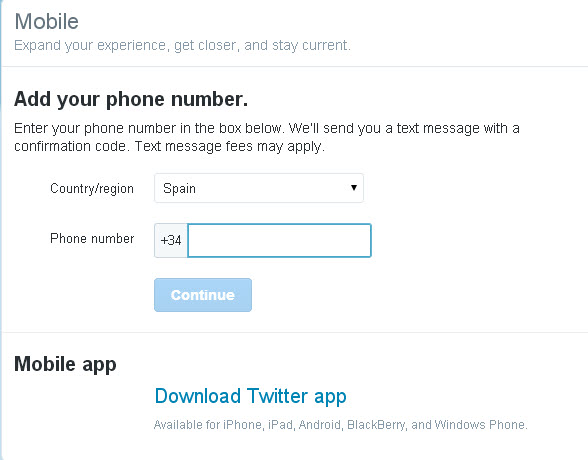
Then add the telephone number that you want the code to be sent to. The logical thing is to include the number of the phone that you usually carry around with you.

twitter-mobile

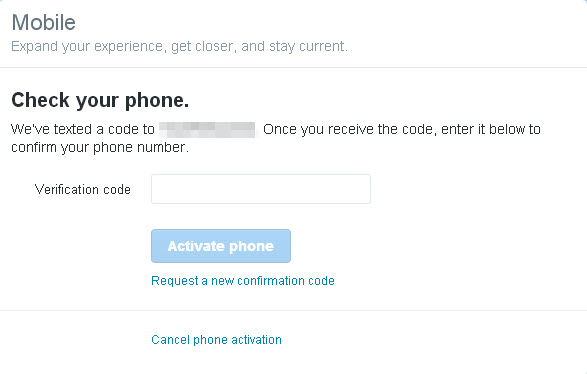
Twitter will immediately send you an SMS with a code that you’ll have to enter here.

twitter-code

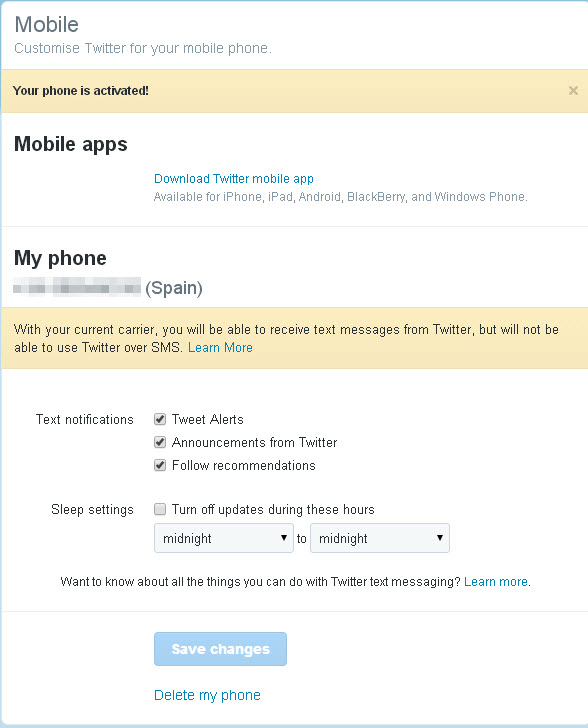
And once you have done that, you’re finished!

twitter-phone-activated

So as you can see, it’s easy to boost security in Twitter. So will you do it?

The post How to strengthen the security of your Twitter account appeared first on MediaCenter Panda Security.

Home Depot discloses that 53 million customer email addresses were stolen

Home-Depot-ApronThe Home Depot security breach last spring has gotten worse. In addition to the 56 million credit-card accounts that were compromised, around 53 million customer email addresses were also taken, according to a statement from Home Depot about the breach investigation. Home Depot assures its customers that no passwords, payment card information like debit card PIN numbers, or other “sensitive” information was stolen.

The breach occurred when cybercrooks stole a third-party vendor’s user name and password to enter their network in April 2014. The hackers then deployed unique, custom-built malware on Home Depot’s self-checkout registers in the United States and Canada.

The company said that as of September 18, the malware had been eliminated from the network.

Request your free identity protection

The Home Depot is notifying affected customers and still offering free identity protection services, including credit monitoring, to any customer who used a credit or debit card at one of its 2,266 retail stores beginning in April. Customers who wish to take advantage of these services should visit homedepot.allclearid.com or call 1-800-HOMEDEPOT (466-3337).

The Fallout

Home Depot said that customers should be on guard against phishing scams, which are designed to trick customers into providing personal information in response to phony emails.

  • Review your credit card statements carefully and call your bank if you see any suspicious transactions.
  • Be aware of phone calls or emails that appear to offer you identity theft protection but are truly phishing schemes designed to steal your information. Always go directly to The Home Depot’s website or to the AllClear ID website, or call Equifax for information rather than clicking on links in emails.

Get more information from Home Depot’s Facebook page.

// <![CDATA[
(function(d, s, id) { var js, fjs = d.getElementsByTagName(s)[0]; if (d.getElementById(id)) return; js = d.createElement(s); js.id = id; js.src = “//connect.facebook.net/en_US/all.js#xfbml=1”; fjs.parentNode.insertBefore(js, fjs); }(document, ‘script’, ‘facebook-jssdk’));
// ]]>


Avast Software’s security applications for PC, Mac, and Android are trusted by more than 200-million people and businesses. Please follow us on Facebook, Twitter and Google+.
 

Panda Antivirus for Mac, compatible with Yosemite

yosemite-mac

Some days ago, Apple announced the launch of the new version of OS X: Yosemite, available for free from the Mac App Store.

As always, at Panda we have strived to fulfill our aim of providing protection for Mac users and today we can announce that Panda Antivirus for Mac is compatible with Yosemite.

Yosemite has been presented as one of the most significant changes to the Apple OS in years, perhaps even ever.

We recommend you update your antivirus before updating to OS X Yosemite. To do this, you can use NetUpdate, which is launched from the Panda Antivirus for Mac menu or from the “System Preferences” section in the application.

antivirus-for-mac

Panda Antivirus for Mac

Our antivirus for Mac blocks Mac OS X viruses, as well as malware created for Windows, so as to protect Mac users that share files with PC users.

It also scans files and messages, quarantines infected files and offers two types of scan:

  1. One in real time that continually scans Mac files.
  2. An on-demand scanner to scan files manually.

If you also have iPhone, iPad or iPod touch, you can use Panda Antivirus for Mac to scan these devices for viruses.

Have you updated your Mac to Yosemite? We advise you to do it as soon as possible!

The post Panda Antivirus for Mac, compatible with Yosemite appeared first on MediaCenter Panda Security.

How to turn on WiFi encryption in your router settings

Eavesdropping is a major concern when we talk about the security of home WiFi networks. People around you, your neighbors in the next apartment, or even your own government, can discover anything flowing through your Internet traffic. Your personal data, like passwords and log in credentials, your credit card numbers, and  your photos and videos, are at risk.

Your WiFi network is not secured

Your WiFi network is not secured

We have written a lot about how to protect our communications using a VPN. To summarize, a Virtual Private Network, or VPN, is an encrypted tunnel where your data travels from your computer to a secure server on the Internet. Avast SecureLine is a VPN that you can use when outside of your home; at cafes, hotels, or airports.

Get your home network secure

But now, it’s time to bring your attention to your home network security. Your router should be correctly set to achieve the highest level of protection. Until you secure your router, you’re vulnerable to people accessing information on your computer, using your Internet service for free, and potentially using your network to commit cybercrimes.

There are basically three levels of security on a home router. These come in types of encryption. They are WEP, WPA and WPA2. These strange acronyms refer to different wireless encryption protocols which protect – in fact, encrypt – the information you send and receive over a wireless network.

WEP (Wired Equivalent Privacy) was the first protocol used in late 90s. It should not be used nowadays as it has serious security weaknesses which are easily hackable by even the most novice hacker. So, the first wise thing to do is move away from WEP. Your router must be quite old if you can’t do that, and you should consider purchasing an updated one, or ordering a new one from your ISP.

WPA (WiFi Protected Access) replaced WEP, but very soon after that, WPA2 replaced WPA. WPA2 implements the latest security standards, especially for data encryption with AES (Advanced Encryption Standard), a strong encryption algorithm.

Using WPA or, better, the WPA2 protocol, means that when any device tries to establish a connection to your wireless network, it will be prompted to enter the security key or password to connect.

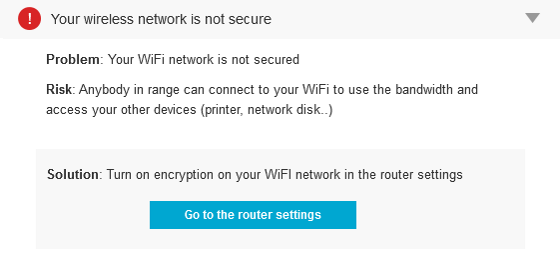
Most wireless routers allow you to select WPA2 during the setup process. Unfortunately, the default in many wireless devices is WEP or, even worse – nothing -  which means anybody in range can connect to your WiFi to use the bandwidth and access your other devices (printer, network disk, etc.).

What to do at home

Avast Home Network Security scans for vulnerabilties.

Avast Home Network Security scans for vulnerabilties.

Verify your wireless network router (or other access point) supports WPA2. If necessary, go to your router manufacturer site and search for the latest firmware to be downloaded and applied according to its instructions. Apply compatible WPA2 settings on each WiFi device, choosing the WPA2 encryption and the correct authentication info.

Although encrypting your traffic won’t protect you from rogues, denial-of-service (DNS) attacks or interference, it will ensure secure wireless communication.

Also, change the default password. Make sure the one you use is long and strong, using a mix of numbers, letters and symbols.

Avast 2015 includes a Home Network Security scanner that can help you determine what needs to be done, explain why, and can direct you to the router manufacturer’s website. Read more about it on our blog,  Your home network is at risk of cybersecurity attacks.

Avast Software’s security applications for PC, Mac, and Android are trusted by more than 200-million people and businesses. Please follow us on Facebook, Twitter and Google+.
 

Blue double-check in WhatsApp. Your message has been read.

blue-double-check

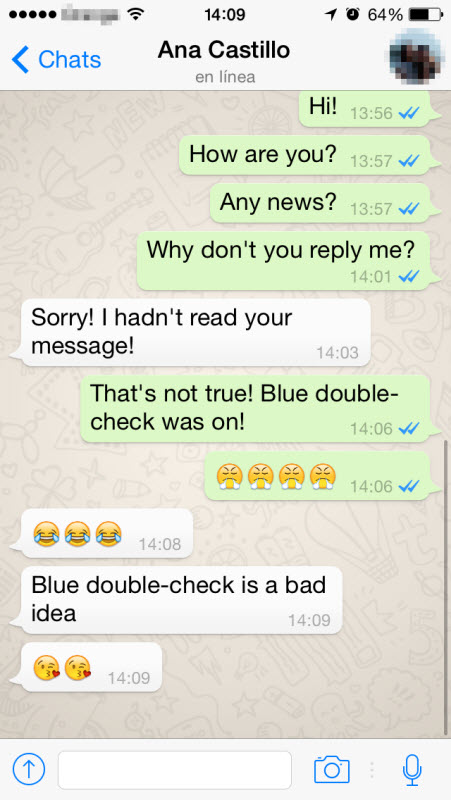
Remember we said a few days ago that WhatsApp would be able to tell you whether your message had been read? Well, the blue double-check is now here. And what does it mean? The dream of some and nightmare of others: it’s the confirmation that your message has been read.

blue-double-check-whatsapp


But that’s not all. The blue double-check has also been included for groups and appears once all members of the group have read the message.

What do you think? Too much information? A loss of privacy? What’s clear is that you will no longer be able to say: “Sorry, I didn’t see your message…”

The post Blue double-check in WhatsApp. Your message has been read. appeared first on MediaCenter Panda Security.

Your home network is at risk of cybersecurity attacks

Router vulnerabilities and weak passwords allow cybercrooks easy access to your home network

That little router box provided by your ISP or that you bought at Radio Shack and forgot about, is a weak link in your Internet-connected household. Many homes in the United States use a wireless router to connect multiple devices, but unsecured routers can create an easy access point for hackers.

Think for a second – do you know what your wifi router password is? Did you know that your wireless router even has a password? If you are not sure, you are not alone.

What do you have to lose?

Only everything on your computer! That includes banking or financial information, personal information, browsing history, and photos.

Why is this an issue now?

”Today’s router security situation is very reminiscent of PCs in the 1990s, with lax attitudes towards security combined with new vulnerabilities being discovered every day creating an easily exploitable environment, ” said Vince Steckler, chief executive officer of Avast. “The main difference is people have much more personal information stored on their devices today than they did back then.”

We did a study of this issue and found that 4 out of 5 Internet-connected households in the U.S. are at risk of getting attacked through their wireless router. And 16 out of 100 surveyed said they have already been victimized by hackers. T

The problem – PASSWORDS.

Avast found that more than half of all routers are poorly protected by default or easily-hacked password combinations. When you check yours, this could be what you find:

  • admin/admin
  • admin/password
  • admin/<no-password>

The 25% of consumers we surveyed that are using a “unique” password use their address, name, phone number, street name, or other easily-guessed terms as their passwords. Not too much better…

What is the risk?

Avast Home Network Security

Avast Home Network Security scans your network for vulnerabilities.

One of the biggest risks on any wifi network is DNS hijacking. This happens when malware gets in your unprotected router and sneakily redirects you from a known site, such as your bank’s website, to a fake site that looks just like the real thing. When you log in, cyberthieves capture your login credentials and then use them to access the real site. Scary stuff.

Avast 2015 reacts to home network vulnerabilities

To address these issues, Avast recently introduced Avast 2015, which includes the world’s first Home Network Security Solution that protects users from home network threats including DNS hijacking and weak passwords.

The Home Network Security Solution is available in free and paid versions of Avast. Get it at www.avast.com.

Avast Software’s security applications for PC, Mac, and Android are trusted by more than 200-million people and businesses. Please follow us on Facebook, Twitter and Google+.
Facebook Events Scams

pull-bear-facebook-scam

Facebook events have become one of the easiest and quickest ways of scamming people on social networks.

In the last few days many such events have been organized by malicious users. There are several aims that range from subscribing people to premium-rate SMS services to creating pages with thousands of followers for advertising purposes.

apple-facebook-scam

But how do these events work? The scam is similar to the one we reported a few months ago that claimed to offer a €500 gift voucher for Zara. They use the names of popular brands such as Zara, H&M, Apple or Primark to interest as many people as possible.

zara-facebook-scam

Facebook Events Scams

It works as follows:

  • You attend an event at the invitation of a friend or contact on Facebook.
  • You invite your contacts.
  • You post a comment on the event wall saying how much you like the brand or answer a question from the event organizers about the product.
  • In some cases, participation in the event is subject to entering personal details such as your phone number, which can end up with you being subscribed to a premium-rate SMS service.

The best thing to do with these types of events is to keep your guard up, and before taking part, check that it is really organized by the company in question.

In any case, you should never enter personal data on pages that you do not trust completely. That way you can prevent your data from falling into the wrong hands.

The post Facebook Events Scams appeared first on MediaCenter Panda Security.

Reasons you can be kicked out of WhatsApp

no-whatsapp

“Your number is no longer allowed to use our service”. Do you know what service it is? WhatsApp. That’s right, WhatsApp. Did you know that the app reserves the right to ban users that don’t abide by the terms and conditions of use?

Reasonable enough. The only problem is that they don’t warn you. So, given that forewarned is forearmed, here are some of the things that WhatsApp might ban you for.

Reasons you can be banned from WhatsApp

  • Being blocked by a certain number of users
  • Sending chain messages
  • Using the platform for advertising purposes
  • Sharing obscene or illicit material
  • Spreading files with viruses
  • Pretending to be another person

The company also reserves the right to delete messages that are too long or of limited interest.

The question you have to ask though is… To what extent are our WhatsApp conversations private?

The post Reasons you can be kicked out of WhatsApp appeared first on MediaCenter Panda Security.

Avast 2015 new feature: Home Network Security scanning

Nowadays, security is team work: Software and hardware should work together to achieve the most complete protection possible.

Avast 2014 Home Network Security

Avast 2015 Home Network Security scans for vulnerabilities in your router.

Complete protection is why the developers at Avast Software decided to include a security feature called Home Network Security (HNS) in the new Avast 2015. HNS is all about scanning your router for vulnerabilities and identifying potential security problems that open the door to threats. Routers are the weakest security point in many home and small business networks these days, so this is a very valid and needed feature.

Here comes the problem. There are zillions of different routers available around the world, but the majority of users just acquire one “that works and is not so expensive” or they get whatever their ISP gives them.  That means the security is already compromised. HNS has been conceived to solve these major threats:

  1. 1. Your wireless network is not secure due to lack of encryption. Thus, anybody in range, like your neighbor, can connect to your Wi-Fi to use the bandwidth and access your other devices (printer, network disk, etc.).
  2. 2. Your network router is accessible from the internet, so hackers can access the router and modify your network settings, even disabling the internet connection or stealing your personal data.
  3. 3. Your router is vulnerable to hacker attacks, i.e., hackers can easily read your router settings, get access to the router, and modify it. Your personal data might be in risk.
  4. 4. Your internet connection is compromised and your router could be hijacked. Your router is already hacked (i.e., some well-known sites are re-directed to fake IPs).
  5. 5. Devices on your network are accessible from internet. This happens when Internet Protocol version 6 (IPv6 ) is enabled on the router and the devices get IPv6 addresses that are not firewalled. The problem is not primarily in the protocol, but in the router, which is not able to secure the devices with these addresses

Avast can help you protect your home network

With Home Network Security  on all  Avast security products, we can translate this into security protection for you. This 7-part series published on the Avast blog this month will show you what to do to enhance your network security and how Avast can guide you through the task.

HNS scans your router.
HNS reports the results.


Before we continue, know that there are a lot of free guides available from the major router manufacturers that provide step-by-step information. Take a look, for instance, here. Look for your model and read a bit. Remember, all you learn will work toward protecting your network. You can also download and install a router detector that could help you in this job.

Avast Software’s security applications for PC, Mac, and Android are trusted by more than 200-million people and businesses. Please follow us on Facebook, Twitter and Google+.