Tag Archives: featured1

Mac users get first taste of ransomware

“The main threats targeting Mac users are mostly adware, but this new threat shows that the trend may change.”
ransomware_removal_suitcase_no_text.jpg

For Mac users, hell has finally frozen over. The first case of working ransomware targeting OS X was reported this past weekend.

“This is the first one in the wild that is definitely functional, encrypts your files and seeks a ransom,” said Palo Alto Threat Intelligence Director Ryan Olson in a Reuters interview. The researchers dubbed the ransomware “KeRanger.”

Ransomware has successfully attacked Windows and Android users, usually when a user is tricked into clicking an infected link in an email or an infected ad on a website. The ransomware then locks all the files in the system and demands money for a key that will unlock the files. (another good reason not to click on links in emails.)

Any ransomware that gets onto your device, whether a Mac, PC, or smartphone, is a serious threat. Most people are scared when they see their device has been locked and their data has been encrypted so they pay the ransom,” said Jan Sirmer, a researcher from the Avast Virus Lab. “We generally advise against paying the ransom, because this rewards the malware authors for their work and encourages them to continue spreading ransom, but sometimes it can’t be helped.” 

One of the most recent attacks locked up the servers of the Hollywood Presbyterian Medical Center in Los Angeles. Because their patient records are vital to hospital operation, they opted to pay $17,000 in bitcoin, the preferred digital currency of cybercrooks, to get them back. Law enforcement offices have been victims as well.

Locky malware report

The main objective of the Locky malware is to encrypt certain system files and network drives to coerce the affected user into paying a ransom to recover them. It renames all encrypted document as hash.locky files.

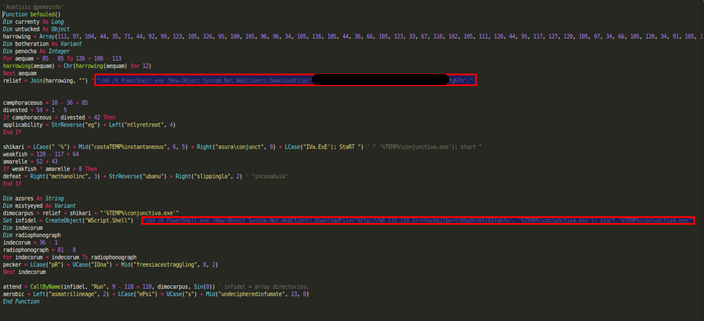
Systems are infected via an email attachment. When the user opens the attached Word document, they enable a malicious macro that runs a script to download Locky’s binary file.

macro code

Macro code that runs the script


The script communicates with a server to download the malicious file to the %TEMP% folder and run it.

locky

Trace used to download Locky to the target computer


Once run, Locky generates a unique machine ID using the operating system’s GUID. Then, it creates the following registry key with the generated value:  HKEY_CURRENT_USERSoftwareLockyid. Additionally, it communicates with a C&C server to get the public key it uses to encrypt the system files with the RSA-2048 and AES-128 algorithms, and stores it in the following registry key: HKEY_CURRENT_USERSoftwareLockypubkey.

Locky downloads a .TXT file with the instructions for paying the ransom, saves it to the registry (HKEY_CURRENT_USERSoftwareLockypaytext), and creates a file named __Locky_recover_instructions.txt in every folder which contains an encrypted file. Then, when it is done encrypting the hard disk, it uses the ShellExecuteA API function to open the .TXT file.

Locky checks every file on the system, targeting those files whose extension coincides with the list of extensions included in its code. Those files are encrypted with AES encryption and renamed as hash.locky files.

List of extensions targeted by Locky

.m4u, .m3u, .mid, .wma, .flv, .3g2, .mkv, .3gp, .mp4, .mov, .avi, .asf, .mpeg, .vob, .mpg, .wmv, .fla, .swf, .wav, .mp3, .qcow2, .vdi, .vmdk, .vmx, .gpg, .aes, .ARC, .PAQ, .tar.bz2, .tbk, .bak, .tar, .tgz, .rar, .zip, .djv, .djvu, .svg, .bmp, .png, .gif, .raw, .cgm, .jpeg, .jpg, .tif, .tiff, .NEF, .psd, .cmd, .bat, .class, .jar, .java, .asp, .brd, .sch, .dch, .dip, .vbs, .asm, .pas, .cpp, .php, .ldf, .mdf, .ibd, .MYI, .MYD, .frm, .odb, .dbf, .mdb, .sql, .SQLITEDB, .SQLITE3, .asc, .lay6, .lay, .ms11 (Security copy), .ms11, .sldm, .sldx, .ppsm, .ppsx, .ppam, .docb, .mml, .sxm, .otg, .odg, .uop, .potx, .potm, .pptx, .pptm, .std, .sxd, .pot, .pps, .sti, .sxi, .otp, .odp, .wb2, .123, .wks, .wk1, .xltx, .xltm, .xlsx, .xlsm, .xlsb, .slk, .xlw, .xlt, .xlm, .xlc, .dif, .stc, .sxc, .ots, .ods, .hwp, .602, .dotm, .dotx, .docm, .docx, .DOT, .3dm, .max, .3ds, .xml, .txt, .CSV, .uot, .RTF, .pdf, .XLS, .PPT, .stw, .sxw, .ott, .odt, .DOC, .pem, .p12, .csr, .crt, .key

Finally, the malware uses the vssadmin command to disable the system’s shadow copy service, preventing users from recovering the backup copies created by the operating system. Then, it attempts to delete the .EXE file to remove any traces of its presence on the computer.

Although this variant doesn’t take any actions to ensure it becomes persistent on the system, other versions do add the following registry key:

HKEY_CURRENT_USER SoftwareMicrosoftWindowsCurrentVersionRun “Locky” = “%TEMP%[name].exe”

The post Locky malware report appeared first on MediaCenter Panda Security.

The Dirty Dozen tax scams: Identity theft, phone scams and phishing schemes, oh my!


old_man_piggy_bank.jpgIt’s that time of the year again – tax season is upon us.
Recently, the Internal Revenue Service wrapped up its annual “Dirty Dozen” list of tax scams. This year, identity theft topped the list, but phone scams and phishing schemes also deserve special mentions. It’s important that taxpayers guard against ploys to steal their personal information, scam them out of money or talk them into engaging in questionable behavior with their taxes. While discussing the topic of tax scams, IRS Commissioner John Koskinen said:

“We are working hard to protect taxpayers from identity theft and other scams this filing season. . .Taxpayers have rights and should not be frightened into providing personal information or money to someone over the phone or in an email. We urge taxpayers to help protect themselves from scams — old and new.”

In addition to releasing the “Dirty Dozen” list, the IRS has also renewed a consumer alert for email schemes. This renewal came after seeing an approximate 400 percent surge in phishing and malware incidents so far this tax season.

We encourage taxpayers to review the list in a special section on IRS.gov and be on the lookout for the many different forms of tax scams. Many of these con games peak during filing season as people prepare their tax returns or hire someone to do so.

Taking a closer look at this year’s “Dirty Dozen” scams

Here‘s what you should keep your eyes open for throughout this tax season:

Identity theft: Taxpayers need to watch out for identity theft — especially around tax time. The IRS continues to aggressively pursue the criminals that file fraudulent returns using someone else’s Social Security number. Though the agency is making progress on this front, taxpayers still need to be extremely careful and do everything they can to avoid being victimized.

How to have the safest phone in the world

connecting-at-cafe.jpg

Avast SecureLine VPN keeps you safe when connected to an unsecured Wi-Fi

Unsecured networks can expose you to a hacker who can easily read your messages, steal your logins, passwords,  and credit card details.

The danger is that you never know when it could happen, or where, so having a way to secure your device when connected to an unsecured Wi-Fi hotspot is the best protection.

How to avoid the dangers of open Wi-Fi

To avoid the potential of a snoop stealing your private information, you basically have two choices: Stop using unsecured Wi-Fi hotspots or make sure you always have a secure connection by using a VPN (virtual private network), like Avast SecureLine VPN.

A VPN sounds extremely techie, and it is, under the hood. Avast mobile security developers created SecureLine to give you a secure and reliable private connection for your data between computer networks over the Internet. Your outgoing and incoming data is encrypted and it travels in its own private “tunnel” and is decrypted at the other end.

When you use Avast SecureLine VPN, everything you do is anonymous. We don’t keep logs of your online activity, and thanks to SecureLine, no one else will either.

Get a 7-day free trial of Avast SecureLine VPN

Avast SecureLine VPN for Android and iOS takes all that tech goodness and puts it in a simple-to-use app. All you do is tap a connect button, and the app does the rest.

Install Avast SecureLine VPN on your iPhone or iPad and try it free for 7 days.

Install Avast SecureLine VPN on your Android smartphone or tablet and try it free for 7 days.

After you install Secureline, click connect and choose a server from 27 locations in 19 countries, or let SecureLine choose the closest one. You can turn the secure connection on and off with one click.

The first keyless car is on the way (with security in the hands of a smartphone)

keyless car

First we had keys that could remotely unlock the car door at the push of a button, an almost universal feature today. Then came keyless car systems, where you don’t even need to take the key out of your pocket as it communicates remotely with the car to open doors and start the engine with the push of a button on the dashboard. Most companies now offer this technology, though normally available in top of the range cars or at a price as an added extra.

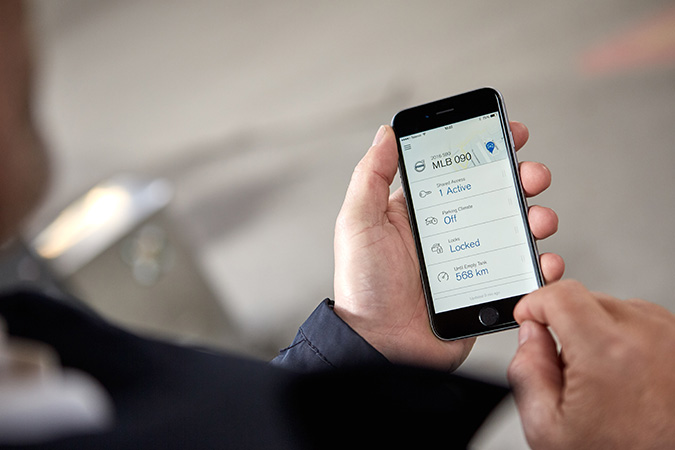
So what will be next? It’s not hard to guess: keyless cars that can be opened and started using an app on a smartphone. At the Mobile World Congress in Barcelona, Volvo announced that it will be launching the first line of such vehicles in 2017, although trials will start this year through the company’s Sunfleet car-sharing firm based at Gothenburg airport (Sweden).

app car

Other similar projects do exist (Tesla vehicles, for example, can be opened with an app if the owner loses the key), though this is the first that has a projected launch date and which intends to dispense entirely with physical keys.

As demonstrated at the event in Spain, and in the company’s promotional videos, the Volvo digital key app will be available for the three leading operating systems (Android, iOS and Windows Phone), and, thanks to Bluetooth technology,  will provide all the same functions as remote or physical keys: opening or closing doors, starting the engine, etc..

In terms of convenience, the advantages of a vehicle that can be opened and started from a phone are more than apparent. The device itself will end up functioning more as a keyring than a key, allowing you to control more than one car, with highly useful applications for hire cars, families with several cars, or anyone who might occasionally borrow a friend’s car.

That said, whenever technological advances hand greater control over to our phones, the question of security becomes a subject for debate. The million-dollar question is what you might imagine: will keyless cars be easier or more difficult to steal?

We don’t have to go too far to find the answer. Today, smart keys are raising similar questions (as did remote keys, which have been with us since the 90s, in their day). Both the police and independent researchers have been warning for several years about the growing use of IT tools to steal cars with such systems.

Unfortunately, there are various ways of attacking keyless cars: devices designed to exploit vulnerabilities and impersonate the remote, signal boosters that enable the key to open the car from a much greater distance, signal blockers that prevent the owner from locking the car… And that’s not to mention the alarming number of people who confess to not switching off the car before leaving it.

In light of all these factors, handing the control over opening and starting our vehicles to a smartphone might appear just to aggravate the problem, yet we should consider the words of the experts: “By far the most common way of a car being stolen is still from thieves breaking into homes and stealing keys. The keys are still the weakest link in a car security chain. If someone has your keys, they have your car.”

Perhaps an app is not such a bad idea.

The post The first keyless car is on the way (with security in the hands of a smartphone) appeared first on MediaCenter Panda Security.

How to have the safest phone in the world

Free Wi-Fi is great. It’s convenient when you are away from your home network and want to connect to the Internet using your mobile phone, and it saves money and data. But there is a dark side.

Avast SecureLine VPN keeps you safe when connected to an unsecured Wi-Fi

Avast SecureLine VPN keeps you safe when connected to an unsecured Wi-Fi

Unsecured networks can expose you to a hacker who can easily read your messages, steal your logins, passwords,  and credit card details. The danger is that you never know when it could happen, or where, so having a way to secure your device when connected to an unsecured Wi-Fi hotspot is the best protection.

How to avoid the dangers of open Wi-Fi

To avoid the potential of a snoop stealing your private information, you basically have two choices: Stop using unsecured Wi-Fi hotspots or make sure you always have a secure connection by using a VPN (virtual private network), like Avast SecureLine VPN.

A VPN sounds extremely techie, and it is, under the hood. Avast mobile security developers created SecureLine to give you a secure and reliable private connection for your data between computer networks over the Internet. Your outgoing and incoming data is encrypted and it travels in its own private “tunnel” and is decrypted at the other end.

When you use Avast SecureLine VPN, everything you do is anonymous. We don’t keep logs of your online activity, and thanks to SecureLine, no one else will either.

Get a 7-day free trial of Avast SecureLine VPN

Avast SecureLine VPN for Android and iOS takes all that tech goodness and puts it in a simple-to-use app. All you do is tap a connect button, and the app does the rest.

Install Avast SecureLine VPN on your iPhone or iPad and try it free for 7 days.

Install Avast SecureLine VPN on your Android smartphone or tablet and try it free for 7 days.

After you install Secureline, click connect and choose a server from 27 locations in 19 countries, or let SecureLine choose the closest one. You can turn the secure connection on and off with one click.

Bypass geo-restrictions

One of the benefits of connecting with a VPN, especially if you are travelling overseas, is that you can connect to a server back home. This way you can access your favorite entertainment portals without getting that annoying “content blocked” message.

Avast SecureLine is also available for PC and Mac. Visit the Avast Store for pricing information.

Hospitals and healthcare providers under cyberattack

healthcare.jpg

Hospitals are vulnerable to cyberattacks

The recent ransomware attack on the Hollywood Presbyterian Medical Center in Los Angeles has spooked the healthcare community. Hackers installed *ransomware in the hospital computer system and held patient records hostage while demanding payment. The hospital eventually paid $17,000 to have their files unlocked.

Attacks on major insurance and healthcare systems last year including Excellus BlueCross BlueShield and Anthem Inc. resulted in 100 million individual records being stolen.

Electronic medical records are a treasure trove of data and fetch a price 20 times more than that a stolen credit card numbers. The cost for the U.S. healthcare industry is $6 billion dollars annually, with the average data breach costing a hospital $2.1 million.

10 things we learnt from viruses of the past

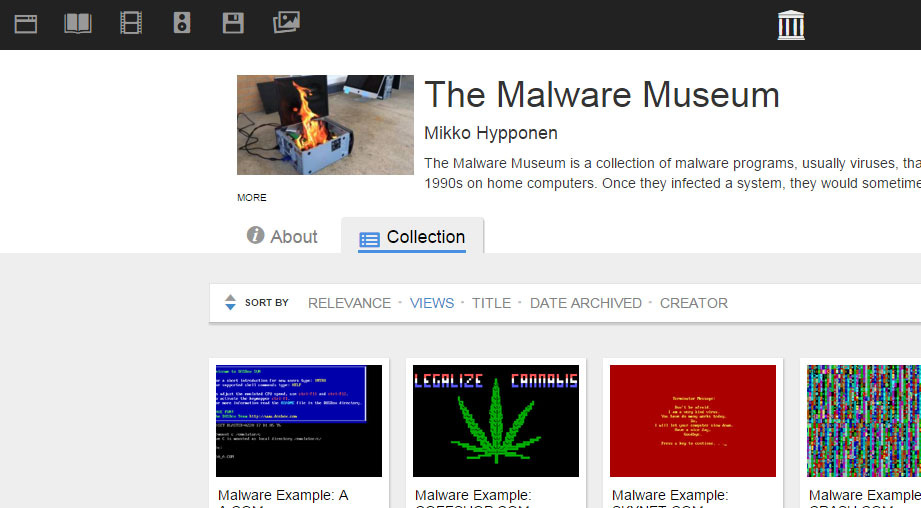
malware museum

A very special museum has just opened its doors, albeit virtual ones. The gallery is online and its works aren’t paintings, nor sculptures, nor antiques: they are pieces of malware that during the 80s and 90s attacked the now defunct operating system MS-DOS (remember that?!).

The collection is hosted on the pages of the Internet Archive, the largest online library, and allows us to travel back in time to an era in which viruses were a new thing. As always, looking back on the past can help us learn in the present, even when it comes to IT security, as it helps us to see errors, solutions, and even tricks that we can apply to our present work.

Before stepping foot back in time, let’s reassure ourselves – the malware in this museum has been disabled by experts and can’t cause any harm now! Enjoy the journey without any fears over adverse effects.

So, here are things that we have learnt from the Malware Museum:

Viruses have existed for a long time…

It seems obvious, but younger people often forget how long different technology, and the associated risks and threats, have been around for. Malware has been infecting personal computers for the past 30 years, ever since the pioneering Brain for MS-DOS was developed by two Pakistani brothers. Of course, back then the objective of the malware was quite different.

… but shady business is a lot more recent.

Cybercrime mafias who today reap the benefits of data theft and computer kidnapping didn’t exist back then. The creators of viruses were introverted types who did it as a hobby or for fun, without the aim of a financial gain.

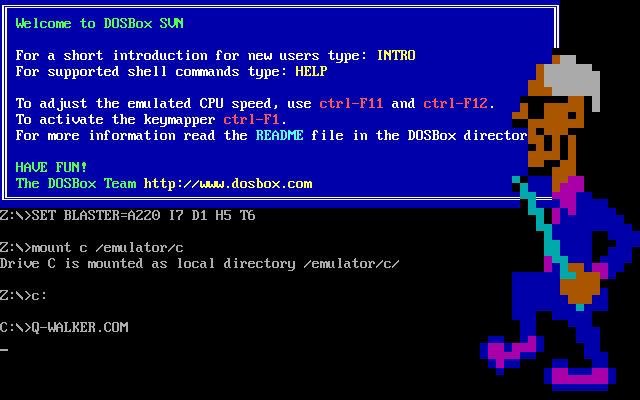
dosbox


Malware wasn’t always so bad…

This is because money wasn’t at stake. By not looking for a profit with their creations, but rather personal satisfaction or infamy, the viruses were a lot less damaging for their victims. This, of course, doesn’t mean that they weren’t an annoyance all the same!

… but they were still pretty destructive

In fact, a lot of the malicious programs from the 80s and 90s that we can see in the Malware Museum left the infected computer unusable. They deleted the hard drive, placed a screen that was impossible to exit from, made working a nightmare… every annoyance possible. They may have had more innocent intentions, but they were still malware all the same.

It was easier to know if you were infected

Now the main objective for attackers is to go unnoticed by the victim, with it being a success for cyber-attackers if you don’t realize that there is a malware on your computer. However, in the past, the goal was to be as obvious as possible. Alarming sounds, bright colors, crazy animations… if you were a victim, it was impossible not to know about it. Nowadays it’s a totally different story.

Hackers were very creative…

In the effort to be noticed, many malware developers went full-on arty with their creations. In fact, many of the viruses that we can find in the museum could easily be used as screensavers.

bce

… they also had a sense of humor

Overall, it seemed to be a game for them, and sometimes it literally was. One of the most unusual programs turned the victims’ computers into casinos. The victim had five chances to recover the information on the hard drive by playing a slot machine – if luck wasn’t on your side, you had a visit to a service technician waiting for you.

Viruses were a form of activism

Some malware developers used their works to defend causes in what we could consider a form of “hacktivism”. In this museum we can see, among other things, calls for a more equal world (praiseworthy, were it not a virus) or for the legalization of marijuana. There are even examples of fervent patriotism.

Famous films were a goldmine

If there is one thing which hasn’t changed over the years it has to be the old trick of taking advantage of big events (such as the release of a famous film) to make a larger number of victims download malware without knowing it. Recently, cybercriminals have used the release of Star Wars: The Force Awakens, but in the past there was already a virus that referenced the famous intergalactic saga. In the museum we can also find a malicious program that paid homage to The Lord of the Rings.

FOTO 3

The most important lesson: an antivirus has always been necessary

And it always will be. While there are viruses, users can only be safe if a good antivirus is there to protect them. Paradoxically, one of the malwares that we can see in the Internet Archive collection reminds us of this. So, there you have it – nearly all of the lessons that we must apply to the present have come from the past, you just need to know how to look for them.

The post 10 things we learnt from viruses of the past appeared first on MediaCenter Panda Security.

Knowing how many calories you’ve consumed is great, but be careful with fitness bracelets

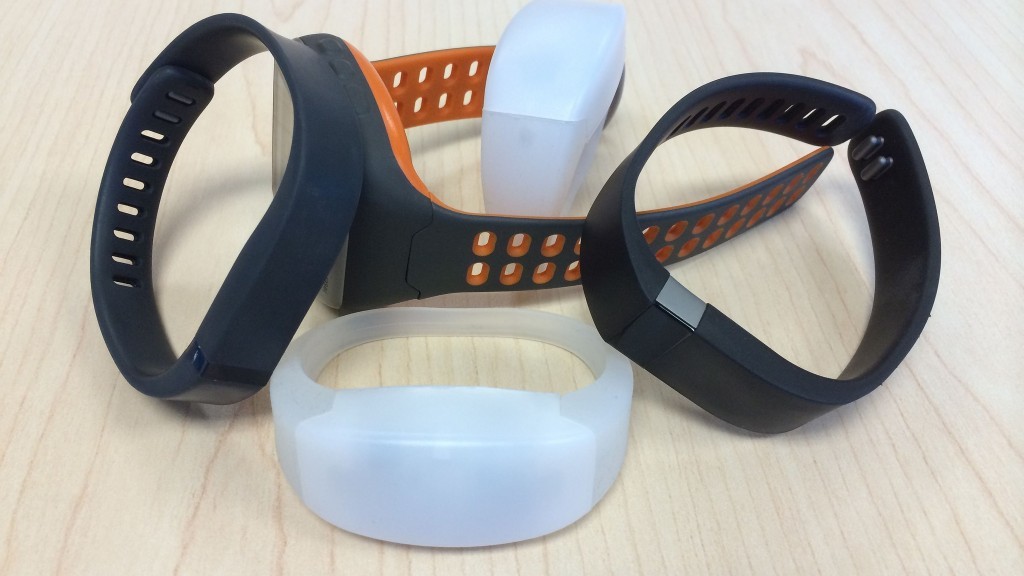
smartwatches

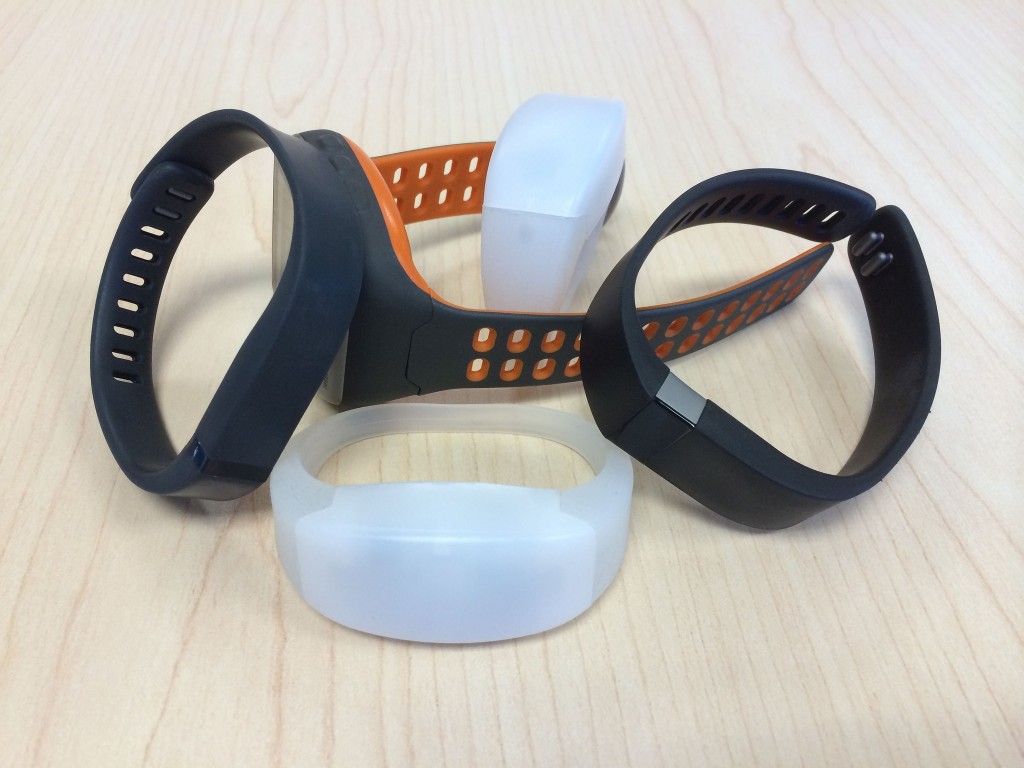
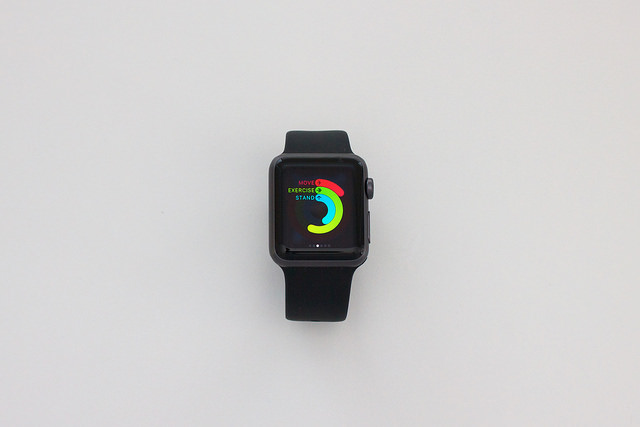
Thanks to their inbuilt sensors, bracelets and other wearables have become the perfect tool for monitoring our fitness and wellbeing – they inform us of our sporting progression and of how many calories we are burning at the gym. However, the growth in sales of these devices has also lead to a growth in the number of experts that warn of the risks that come associated with them in terms of data security.

The latest ones to raise concerns is a group of investigators at the IEEE Center for Secure Design in the United States, which has recently released a report about some of these threats.

The main risks, according to these experts, are based on the development of the device: those designed with less precision and care don’t usually include the necessary security specifications to protect the data that they collect. Their popularity, combined with the large quantity of information that they store, has made them a prime target for cybercriminals.

running

For the analysis, they have focused on the bracelets made for physical activity that measure variables such as vital signs. They also come with movement sensors such as accelerometers and they connect to the Internet to send the data to a centralized server.

The investigators claim that the attacks are directed at the software systems that control the flow of information between the device and the server. The same happens with other types of connected devices, such as smartphones or computers, which means that these vulnerabilities are taken advantage of quite often.

One of the methods that the criminals can use to access the user information is with an SQL injection. This technique means taking advantage of a security lapse to insert a malicious code in one of the IT applications that controls the database server.

Other known options are phishing and a technique which transmits unauthorized orders to a server, such as an information request. There is also the flooding of the buffer or the excess of data in an area of the hard drive, which would allow for the program that manages the storage to be modified.

smartwatch

Also, cybercriminals can carry out denial of service attacks via a fraudulent firmware update. The action leaves the device unusable, without battery, and blocks users from their accounts. It could also, therefore, affect other elements associated with the wearable, such as a telephone or computer.

The report highlights health data as delicate information that could be falsified or stolen by cybercriminals. Its authors affirm that more security measures are needed to guarantee that this information isn’t shared with other parties, even if the user publishes this information on social media.

The vulnerabilities of trackers could allow a cybercriminal to not only access the data of its owner, but also to launch attacks on a website and server of others.

With all of these risks in mind, the experts advise that, more than focusing on patching up the holes and vulnerabilities, it is necessary that we review the design process of wearables and analyze the whole ecosystem of software that surrounds them – from computers, to smartphones, and even data servers.

The post Knowing how many calories you’ve consumed is great, but be careful with fitness bracelets appeared first on MediaCenter Panda Security.

Hospitals and healthcare providers under cyberattack

Hospitals are vulnerable to cyberattacks

Hospitals are vulnerable to cyberattacks

The recent ransomware attack on the Hollywood Presbyterian Medical Center in Los Angeles has spooked the healthcare community. Hackers installed *ransomware in the hospital computer system and held patient records hostage while demanding payment. The hospital eventually paid $17,000 to have their files unlocked.

Attacks on major insurance and healthcare systems last year including Excellus BlueCross BlueShield and Anthem Inc. resulted in 100 million individual records being stolen.

Electronic medical records are a treasure trove of data and fetch a price 20 times more than that a stolen credit card numbers. The cost for the U.S. healthcare industry is $6 billion dollars annually, with the average data breach costing a hospital $2.1 million.

According to a study by the Ponemon Institute, healthcare organizations average about one cyberattack per month with more than half of all organizations surveyed saying they experienced at least one cyberattack in the last 12 months.

Organizations major concerns are system failures (legacy software and devices are common), unsecured wearable biomedical technology that puts patients at risk, and something that other industries face – BYOD (bring your own device)  – as employees increasingly using their personal devices for work-related activities. One of the real threats is that hackers can compromise healthcare mobile apps and expose confidential medical records.

Stop by to visit the Avast Virtual Mobile Platform booth at HIMMS16

Stop by to visit the Avast Virtual Mobile Platform booth at HIMMS16

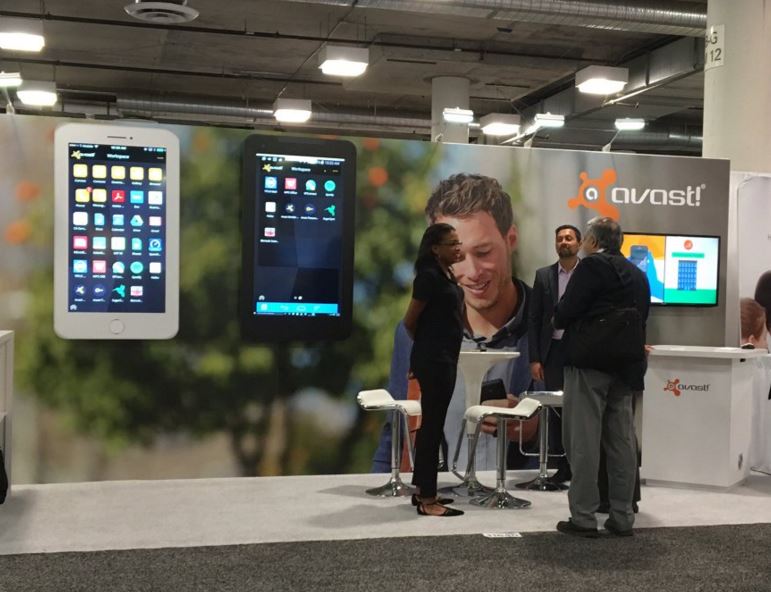
This week, cybersecurity in healthcare is a major discussion point at the Healthcare Information and Management Systems Society 2016 Conference in Las Vegas. Avast Virtual Mobile Platform (VMP) will demonstrate how hospitals, insurance companies, and others can use Avast VMP to ensure secure, HIPAA-compliant access to mobile apps such as instant messaging, EHR, document storage and more. Avast will also demonstrate how VMP uses virtualization to instantly secure healthcare mobile apps.

Follow HIMSS16 on Twitter.

*Ransomware commonly enters a computer system when a user is tricked into clicking an infected link in an email or an infected ad on a website. The ransomware then locks all the files in the system and demands money for a key that will unlock the files.