Tag Archives: featured1

Avast finds personal data on phones sold at pawn shops

Many people sell their used smartphones but fail to ensure their personal data is wiped away.

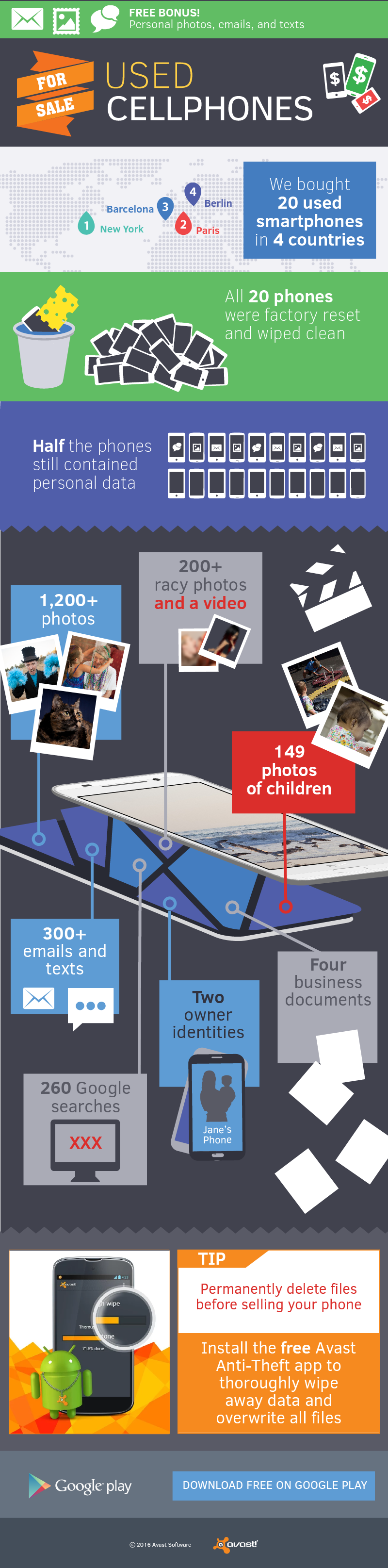
A year and half ago, Avast mobile security researchers bought 20 used phones from online consumer-to-consumer sites, like eBay and Amazon, in the USA. Using easily available recovery software, they were able to access more than 40,000 personal photos, emails, and text messages.

Since then, smartphone technology has progressed and numerous educational articles have been published to inform people about cleaning their phones before selling, so we wanted to see what would happen if we did a similar experiment now. This time, our researchers bought phones from pawn shops: Five devices each in New York, Paris, Barcelona, and Berlin — and again, used widely available free recovery software to detect the data found on the devices.

infograph_used_smartphone_pk_v3 Install Avast Anti-Theft from the Google Play Store for free

Avast free Wi-Fi experiment fools Mobile World Congress attendees

Travelers often connect to free Wi-Fi  to save money Travelers often connect to free Wi-Fi to save money. image via www.shbarcelona.com

Avast Mobile Security researchers camped out at the Barcelona Airport, threw up a few fake Wi-Fi hotspots, and waited to see who would connect.


That’s already an interesting premise for an experiment, but this was the weekend when attendees of Mobile World Congress, “the world’s biggest and most influential mobile event” were arriving, making this not only interesting but fun! You would think with such a savvy group that the results would be rather ho-hum, but think again!

Thousands of smartphone users threw caution to the wind and connected to one of Avast’s bogus Wi-Fi hotspots, risking being spied on and hacked by cybercriminals.

10 cybersecurity basics that every business should tell its employees

office

As much as a company wants to protect its confidential information, the reality is that it’s usually the employees who shoulder most of the responsibility. The weakest link in the chain is always the human – it looks for shortcuts, is easily tricked, and sometimes doesn’t take the cautions that it should.

This is why it is important that employees know what to do to keep the company’s data and systems safe. Although some may seem like common sense, it’s fundamental that everyone is made aware of the rules and policies – not all members of your team will have the same experience, so you need to start with the most basic.

10 cybersecurity basics that every business should tell its employees

1. Confirm the identity of all that request information

This is especially useful for receptionists, call-center employees or tech support, human resources, and other professionals whose work requires the handling of personal information. Attackers take advantage of the naivety and good faith or these workers to get information in the simplest and most obvious of ways: asking for it. They do this by pretending to be providers, customers, or other members of the company that have a legitimate reason to require the information.

It’s very important that your team knows these tactics and that they make sure that the person on the other end of the phone or email is who they say they are before any information is shared.

2. Always keep passwords safe

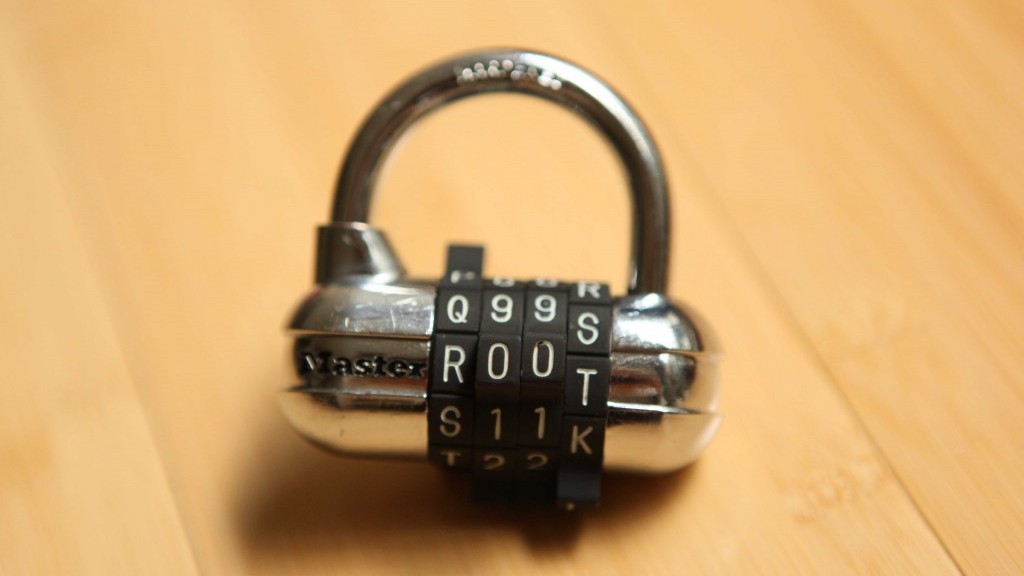
If we take care of our own personal passwords that we use daily then we should give even more care to the ones we use to access corporate information. First of all, follow recommended steps to creating a secure passwords: don’t use the same one for different accounts, avoid ones that contain obvious personal information (birthdays, phone numbers, pet’s name, favorite football team, etc.), and ensure that it is made up of numbers and letters, with a combination of upper and lower case letters for good measure.

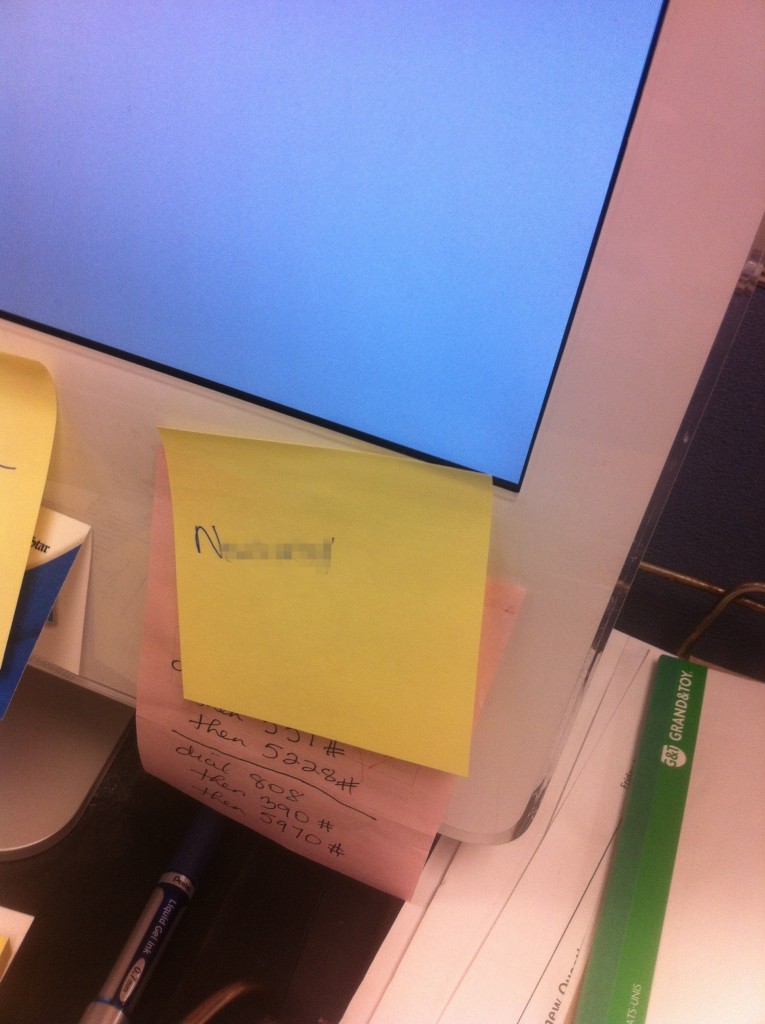
Also, in a corporate context, it is important that employees avoid keeping the Wi-Fi code written down anywhere (like on a post-it, for example). Finally, and returning to the first point, never reveal your password to anyone that asks for it by phone or email, even if they claim to work in the technical department of your company or the company which provides the relevant service.
postit

3. Your hard drive is foolproof

Saving information related to your business or customers on the computer’s hard drive is, in general, a bad idea. Computers are prone to breaking down and are exposed to attacks that could lead to the loss of valuable information. Laptops are also susceptible to theft or loss. It’s better to ask employees to save files on the company’s servers – if there are any – or on a cloud service.

If they simply must save something on the hard drive, it is essential that they make a security copy every so often to be able to recover the file should anything happen.

4. Security copies don’t mean a thing if they’re lost

It, again, may seem like common sense, but it happens more often than you’d think. If workers are using a laptop and make copies on a USB, it is fundamental that don’t store them together or carry them around at the same time. Just think about it, if you lose your backpack or it is stolen, and both the laptop and USB are inside, well then you’ve lost both copies.

5. Storage and sharing of information via the Internet

As we said, the best solution when a company can’t store internally is to look for a cloud service, be it for storing originals or copies. In general, cloud service providers are better prepared than a small or medium business to face any type of incident, such as cyberattacks.

However, there are some risks associated with the use of online tools which are similar to the ones mentioned above. The security and confidentiality of data that is stored virtually depends on the password used by the employee, so it’s vital that this isn’t shared with anyone who may have malicious intentions. Also, documents should never be uploaded to personal accounts, the cloud service shouldn’t be accessed from unprotected computers or via insecure connections, etc.

6. Email

One of the main tools that cybercriminals use to sneak into an organization and steal information is email. If you employees have a corporate account, the first thing that you need to do is make sure that they don’t use it for personal reasons nor should they use it on public forums or public websites, for example. It’s very easy for the email to end up on a spam list which could mean receiving emails that are not only annoying, but could end up being dangerous.

In general, the best advice that you can give your employees about emails is that they never respond to an email that comes from an unknown or suspicious source. They should also avoid opening or downloading any attachments from these sources as they may contain malware which can affect not only their computer, but possible the company’s entire network.
email

7. Don’t install programs from unknown sources

Again, they should only trust in what they already know. It’s normal that companies restrict what employees can and can’t install on their computers through the operating system’s permissions. However, if they are able to run new software on their computers, you must ask them to avoid downloading from suspicious webpages. In fact, they shouldn’t even browse them. The web browser is also an access point for some criminals.

8. Be careful with social media

The most recent, and thus unknown, risk is social media. What workers get up to on Facebook or Twitter while at work could be damaging to the company, never mind resulting in lower productivity. Not long ago we warned of the alarming rise in the number of selfies taken in critical infrastructures, which were then found posted on Instagram.

9. A good antivirus

Before using any computer or mobile device, the first thing you should do is install a good antivirus. If this step is important for home users, its importance for corporate users is enormous. A security solution that is especially designed for businesses protects computers and company data in a multitude of circumstances, even when the employees commit an error.

10. The easiest way isn’t always the safest

This point isn’t just for the workers, but rather aimed at the employers: if you make things too difficult for them, they will find a way to work around your security measures. Everything that we’ve explained to you is common sense and very important, but don’t go overboard.

If you ask them to changer their password every week, prepare yourself for the inevitable deluge of post-its stuck to monitors. If accessing a tool that they use for their work becomes too complicated for security reasons, they will use a different one (or, worse yet, one they already have for personal use). If they don’t know how to save files how you’d like, they will find their own way, which might end up being insecure.

So, a middle ground between security and complexity is necessary so that your employees play their part and listen to these tips. They may be your greatest allies or your worst enemies, but only you can choose which.

The post 10 cybersecurity basics that every business should tell its employees appeared first on MediaCenter Panda Security.

Avast SecureMe protects iPhones when connected to Wi-Fi

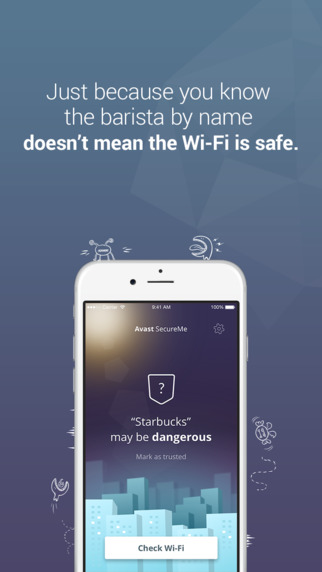
Avast SecureMe for iPhone

Your iPhone data may require a court order for the FBI to look into the contents, but if you log onto an unsecure Wi-Fi hotspot without protection, any old snoop can eavesdrop on what you’re doing.

That’s right, while you’re busily messaging, shopping, banking, and uploading a photo of your lunch to Instagram, a hacker with a little know-how can easily read your messages, steal your logins, passwords and credit card details.

How can hackers steal my data?

Even if you are connected to a recognizable Wi-Fi network, your device has no way of distinguishing a securely encrypted public Wi-Fi from one that is not.

Unsecured routers are susceptible to DNS hijacking, by which cybercriminals redirect web traffic to fake Internet sites. When users log in, for example, to a banking site, thieves can capture the login credentials. On unprotected Wi-Fi networks, thieves can also easily see emails, browsing history, and personal data if you do not use a secure or encrypted connection like a virtual private network (VPN).

Avast SecureMe solves the problem of unsecure Wi-Fi

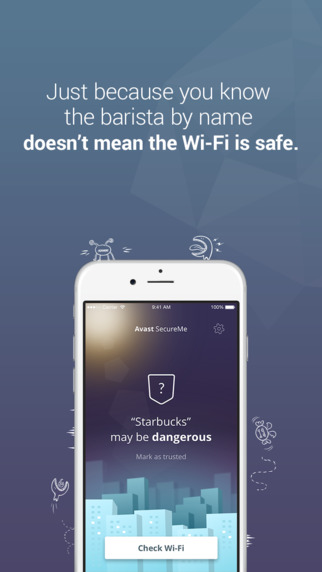
Avast SecureMe is a free app for iPhones and iPads which protects you while connected to Wi-Fi. Avast SecureMe includes Wi-Fi Security, which scans Wi-Fi connections and notifies you of security issues. It also identifies threats and risks which include routers with weak passwords, unsecured wireless networks, and routers with vulnerabilities that could be exploited by hackers. This helps you make a better decision when choosing a Wi-Fi connection. Avast SecureMe also features Avast SecureLineVPN (a subscription fee is required) which you can use if there are no safe Wi-Fi networks available. Avast SecureMe is available in the Apple App Store.

Visit Avast at Mobile World Congress

If you are attending Mobile World Congress in Barcelona, February 22 – 25, please visit Avast to see the Avast SecureMe app in hall 8.1, booth H65.


Follow Avast on FacebookTwitterYouTube, and Google+ where we keep you updated on cybersecurity news every day.

Surprising Twist: Men have cleaner phones than women

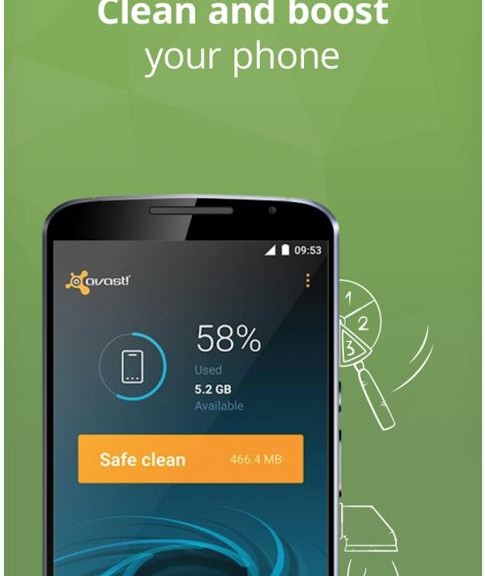
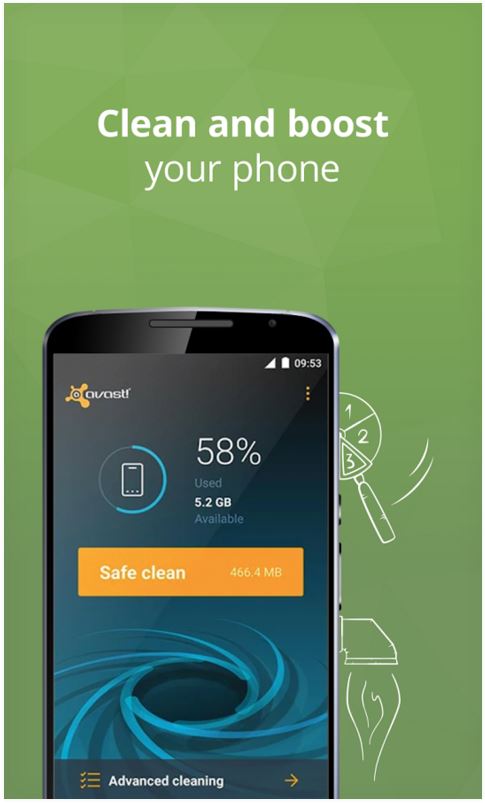
Google Play Cleanup screenshot

Avast Cleanup is a free app available from the Google Play store

Just like their closets, women have more clutter on their phones than men.

Our free Avast Cleanup app for Android has removed more than 9,000 petabytes of photos, videos and other unwanted files, to make room for data that matters, since its launch during last year’s Mobile World Congress. In a surprising twist, an analysis of the anonymized data cleaned from Android smartphones showed us that men keep their phones cleaner than women. :-)

The minimalist effect? Men keep their phones emptier and cleaner from data than women do

On average, men eliminate 169 MB of data per clean, while women average only 73 MB per cleaning. Our data also shows that the space on women’s phones is more occupied than the space on men’s devices. Men use just over half of the space on their mobiles, whereas women typically use 13 percent more of their mobile storage space. Additionally, men fill their storage space with apps, while women have more photos and videos stored.

The differences between men and women’s cleaning and storing behaviors are surprising, but could have simple explanations. It could be that men are less attached to their content and get rid of files easier, or that men use their devices more often than women do — therefore accumulating more unnecessary files that later need to be deleted.

The most unwanted data on devices

Unused apps account for three-fourths of the data cleaned by Avast Cleanup. The second most cleaned items that Avast has expunged are media files such as old photos or videos.

“Millenials” are the most active mobile users

Data from our Avast Cleanup reveals that 25 – 34-year-olds seem to be the most active mobile users. Users in that age group clean an average of 261 MB of data per cleaning session. Surprisingly, 18 – 24-year-olds clean only 134 MB of data per Avast Cleanup use, even though they are the age group with the least amount of space on their devices. Our Avast Cleanup statistics show that 18 – 24-year-olds have only 35 percent of space left on their devices, which is the least amount of space compared to the other age groups.

Interestingly, we found that Cleanup users with a Sony device discard the most data with 394 MB removed per average clean, while Samsung owners typically clean 109 MB.

Clean up your phone with our free app

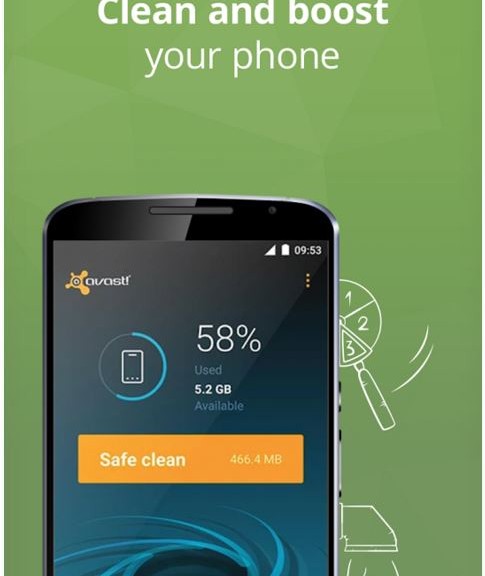
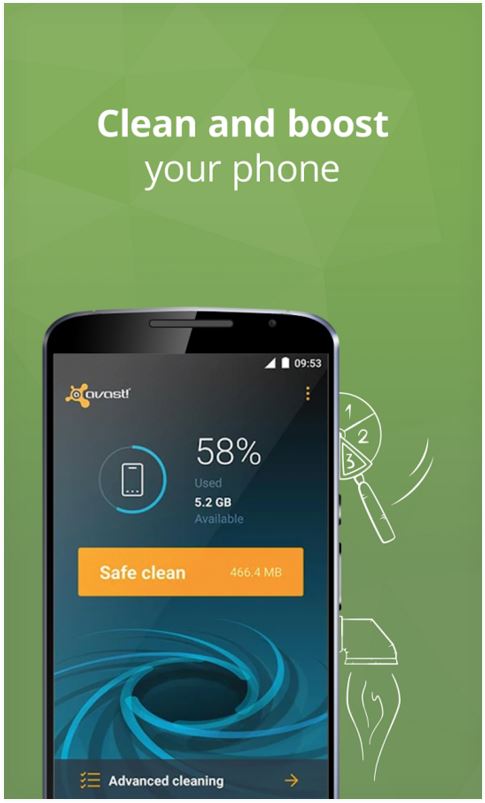
Avast Cleanup operates in two modes: Safe Cleaner and Advanced Cleaner. Safe Cleaner is a customizable scanner that quickly identifies unimportant data, like residual data and app caches, for instant removal. Advanced Cleaner runs in parallel to Safe Cleaner and maps all of the device storage; it also creates a simple overview of all files and applications that take up space. Advanced Cleaner locates inflated or unused applications, and arranges them by file type, size, usage or name, so users can permanently remove the files and free up storage space with ease.

How much unnecessary data do you have stored on your phone? You can download Avast Cleanup from Google Play to find out.

Avast at Mobile World Congress

We are showing Avast Cleanup at Mobile World Congress in Barcelona in Hall 8.1 (App Planet), Booth H65 this week, until February 25. Please stop by if you are around.


10 memory tricks for creating safe and easy-to-remember passwords

keylock

You’re probably sick of hearing how important it is to follow certain steps when creating passwords, but we assure you that it really is vital to keep them in mind. We also recommend that you change them every so often, that you don’t use the same one for various accounts, and that they aren’t related to anything personal about you (birthday, favorite football team, pet, etc.).

This is all common sense and we won’t stop reminding you, but we are also aware that remembering so many different, complex passwords is difficult. Because of this, we have some little tricks to share with you that will help you remember all of those tough-to-guess passwords!

1. Think of a sentence

Think of a saying or sentence that means something to you and, if possible, only you. It shouldn’t be too short, as it shouldn’t be easily guessable, nor so long that you forget it. If it contains upper and lower case letters, great. Symbols? Even better. “In the local pub the beers are €4”, for example. Now, take the first letter from each word and you get “Itlptba€3”, which is a good password. If you can’t think of anything maybe use the title of your favorite song, for example.

2. Combine two words

Choose two words (again, best if they only mean something to you) and make a different word by mixing up the letters. If you have chosen “Beards” and “Lighters”, the base for your new password will be “BLeiagrhdtsrs”. It doesn’t contain any numbers or symbols, but you can easily strengthen it by following some more examples that we’ll tell you about below.

3. Turn vowels into numbers

This is a trick that cybercriminals already know about, but it could work well as an extra to a different password method. Taking the previous example, our password “BLeiagrhdtsrs” becomes “BL314grhdtsrs”. Adding a few symbols would make it perfect to use.

4. Remove the vowels

Instead of replacing them with number such as in the previous example, we can remove the vowels completely. If we use our invented word “BLeiagrhdtsrs”, the password would turn out to be “BLgrhdtsrs”. Just be sure to add some extra numbers and symbols to make it even more secure.

password

5. The keyboard trick

Once again, this one consists of removing something. First of all, choose a sequence of numbers that is easy to remember (a postal code, for example), so imagine that we end up with 28921. Now, look for the numbers on the keypad and instead of using numbers, use the letters just beneath them: “2wsx8ik9ol2wsx1qaz”. To make it a little more complicated, you can change one of the characters for a symbol and put some into upper case.

6. Mix a number and a word together

This one is easy, so let’s imagine we use the word “Beards” and the number “28921”. So if we join them together, one letter and number at a time, and in reverse, we end up with “B1e2a9r8d2s”. All that’s missing is a symbol and you’re good to go.

7. Use the account as a base

Using the same password for various accounts and websites is a terrible idea, but a simple trick could turn your go-to password into one that could work for different accounts. For example, if you want to sign up to Facebook you could add “FB” to the start or end of the password. You could also try a variation of the website’s name by mixing upper and lower cases, symbols, and numbers until you have a password that you like. If we stick with the examples from above, we would end up with these two versions:

ElbdJptga3€_FB

F4c3b00k_ElbdJptga3€

8. Roll a dice

This system is a little more elaborate, but if an 11-year-old girl can do it, there’s no reason why you can’t. The method used, known as Diceware, generates completely random passwords – which are very strong and secure – by rolling a dice and a list of words. You can check it all out here and see what you think.

9. Sudoku style

This will involve you getting creative, so grab a pen and paper and draw a 6×6 square, with random numbers in each of the blocks. Now think of how you move your finger on your phone’s screen when unlocking it, and move your fingers over the Sudoku that you’ve just drawn. The numbers that you’ve just traced over will form the basis for your password, which you can add some letters and symbols to.

This might just be the best method on the list. If you change the numbers that you have placed in the blocks, the same movement with your finger will give you a new code. So by just remembering the movement and keeping the innocent looking piece of paper, you’ll have an infinite source of passwords.

sudoku

10. Final tip: don’t follow the crowd

Some attackers aren’t just clever, but they also dedicate a lot of time to thinking about how to guess passwords. They know all of these methods, so your ability to out-smart them depends on how you combine the different letters or numbers that form the base of your password. So, try to think a little outside the box, as the more unconventional your password, the harder it is for them to guess it.

The post 10 memory tricks for creating safe and easy-to-remember passwords appeared first on MediaCenter Panda Security.

Avast SecureMe protects iPhones when connected to Wi-Fi

Avast SecureMe for iPhone

Your iPhone data may require a court order for the FBI to look into the contents, but if you log onto an unsecure Wi-Fi hotspot without protection, any old snoop can eavesdrop on what you’re doing.

That’s right, while you’re busily messaging, shopping, banking, and uploading a photo of your lunch to Instagram, a hacker with a little know-how can easily read your messages, steal your logins, passwords and credit card details.

How can hackers steal my data?

Even if you are connected to a recognizable Wi-Fi network, your device has no way of distinguishing a securely encrypted public Wi-Fi from one that is not.

Unsecured routers are susceptible to DNS hijacking, by which cybercriminals redirect web traffic to fake Internet sites. When users log in, for example, to a banking site, thieves can capture the login credentials. On unprotected Wi-Fi networks, thieves can also easily see emails, browsing history, and personal data if you do not use a secure or encrypted connection like a virtual private network (VPN).

Avast SecureMe solves the problem of unsecure Wi-Fi

Avast SecureMe is a free app for iPhones and iPads which protects you while connected to Wi-Fi.

Surprising Twist: Men have cleaner phones than women


Google Play Cleanup screenshot

Just like their closets, women have more clutter on their phones than men.

Our free Avast Cleanup app for Android has removed more than 9,000 petabytes of photos, videos and other unwanted files, to make room for data that matters, since its launch during last year’s Mobile World Congress. In a surprising twist, an analysis of the anonymized data cleaned from Android smartphones showed us that men keep their phones cleaner than women. 🙂

The minimalist effect? Men keep their phones emptier and cleaner from data than women do

On average, men eliminate 169 MB of data per clean, while women average only 73 MB per cleaning. Our data also shows that the space on women’s phones is more occupied than the space on men’s devices. Men use just over half of the space on their mobiles, whereas women typically use 13 percent more of their mobile storage space. Additionally, men fill their storage space with apps, while women have more photos and videos stored.

The differences between men and women’s cleaning and storing behaviors are surprising, but could have simple explanations. It could be that men are less attached to their content and get rid of files easier, or that men use their devices more often than women do — therefore accumulating more unnecessary files that later need to be deleted.

The most unwanted data on devices

Unused apps account for three-fourths of the data cleaned by Avast Cleanup. The second most cleaned items that Avast has expunged are media files such as old photos or videos.

“Millenials” are the most active mobile users

Data from our Avast Cleanup reveals that 25 – 34-year-olds seem to be the most active mobile users. Users in that age group clean an average of 261 MB of data per cleaning session. Surprisingly, 18 – 24-year-olds clean only 134 MB of data per Avast Cleanup use, even though they are the age group with the least amount of space on their devices. Our Avast Cleanup statistics show that 18 – 24-year-olds have only 35 percent of space left on their devices, which is the least amount of space compared to the other age groups.

Interestingly, we found that Cleanup users with a Sony device discard the most data with 394 MB removed per average clean, while Samsung owners typically clean 109 MB.

Can my mobile phone be attacked by malware?

Mobile malware is a growing threat.

Banking, shopping, email. We do things on our phones that used to only be done on our desktop PC. Hackers know valuable data is stored on people’s phones, and they increasingly find new ways to attack mobile users.

smartphones

These devices have information on them that is valuable to hackers

The most common mobile threats are adware packaged as fun gaming apps that provide little value and spams users with ads. SMS attacks are malware which sends unauthorized premium SMS or makes premium-service phone calls. This results in a large monthly bill for the user and a significant source of revenue for cybercrooks.

The most aggressive malware is mobile ransomware. Simplocker was the first Android ransomware to encrypt user files, and now there are thousands of variations that make it nearly impossible to recover the encrypted data on a smartphone.

Privacy is an issue with vulnerabilities such as Certifi-gate and Stagefright, both of which can be exploited to spy on users. Certifi-gate put approximately 50 percent of Android users at risk, and Stagefright made nearly 1 billion Android devices vulnerable to spyware.

Avast protects mobile devices from malware

Avast Mobile Security for Android scans mobile devices and secures them against infected files, phishing, malware, and spyware.  The app provides people with the most advanced mobile malware protection available, now even faster with Avast’s leading cloud scanning engine. Install Avast Mobile Security for free!

Avast protects from unsecure Wi-Fi networks

Because cybercrooks take advantage of unsecure routers and Wi-Fi hotspots, we added Wi-Fi Security which notifies the user when connecting to an unsecure router. The user quickly identifies the security level of Wi-Fi hotspots and can evaluate the risks and decide whether to disconnect or use a VPN instead.

Avast protects user privacy

Privacy concerns range from permission-hungry apps to nosy children. Avast Mobile Security’s Privacy Advisor informs the user about what data apps have access to and ad networks included within apps. To defend their personal data against prying eyes, users can now lock an unlimited number of apps on their device using the App Locking feature.

Avast Mobile Security is available for free in the Google Play Store.

Visit Avast at Mobile World Congress

If you are attending Mobile World Congress in Barcelona, February 22 – 25, please visit Avast to see the app in hall 8.1, booth H65.

Cryptolocker ‘Locky’. How it works

We don’t know if you’ve heard of the new Cryptolocker which is called ‘Locky’…

It works as follows:

  • It arrives by mail and the attachment is a Word document with macros.
  • Upon opening the document the macros infects the computer.
  • It deletes any security copies that Windows has made and starts to encrypt the files.
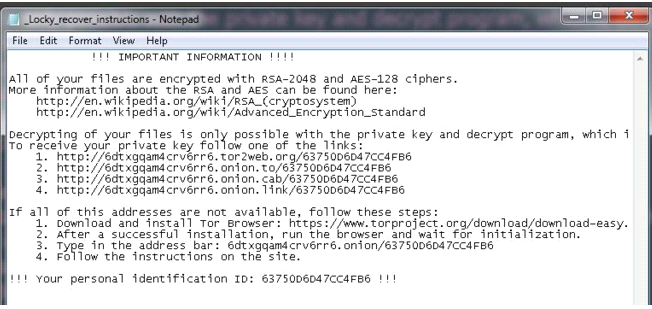
  • Once finished, it opens a file called “_Locky_recover_instructions.txt” in the notepad.

 locky

In fact, if we suspect that we have been attacked by Locky we can look for one of these files in our computer – if they’re there, then we know Locky has paid us a visit:

  • “_Locky_recover_instructions.txt”
  • “_Locky_recover_instructions.bmp”

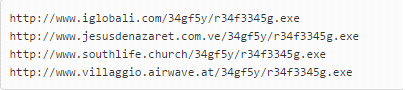
When the Word document that started the infection is opened, it downloads Locky, and what we have seen is that in all cases the malware comes from a legal website which has been compromised. It is there that the malware is stored. These are some of the URLs hosting malware:

locky ransomware

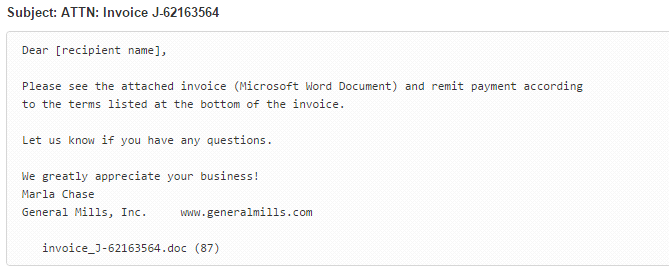
The email that it comes attached in is the following:

locky cryptolocker

In this case, the attached Word is called invoice_J-67870889.doc

Some of the variants that we have seen used PowerShell to carry out the downloading and running of Locky from the macro, with the rest of it being the same.

The post Cryptolocker ‘Locky’. How it works appeared first on MediaCenter Panda Security.