Tag Archives: featured1

What you need to know to avoid becoming a victim of Cryptolocker

While happily working on your computer getting stuff done, little do you suspect that in the background, your important files are being subjected to a military-grade encryption to which you don’t have the key.

Suddenly, a Cryptolocker alert appears on the screen—you have only days to pay the ransom or lose all your encrypted files forever. A countdown is already ticking on your screen.

cryptolocker

Nothing New Just A Little Better

An updated and more virulent on-line version of a very old crime – taking something you really care about or need hostage, and extorting money to get it back.

Ransomware is the term for any malicious software which restricts access to users’ devices by locking access or encrypting their important files.

Compared to its predecessors CryptoLocker employs advanced techniques as the first ransomware to request payment through Bitcoins and making use of effectively unbreakable encryption methods to reignite this aggressive sector of the cybercrime landscape and using an affiliate model to spread more rapidly than any of its contemporaries.

Growth in Ransomware & techniques

Security reports highlight the continuing increase in malware with over 230,000 new samples detected every day, and a 6-fold growth in ransomware in H1 2015 compared to last year.

The successful growth is down to the continuing release of new variants for evading security software, emails, and an “affiliate” program that offers accomplices a percentage of ransom payments in return for flooding cyberspace with higher-quality phishing messages.

How Cryptolocker works

CryptoLocker is generally spread through visits to infected websites, social media or phishing emails using social engineering techniques.

So the victim may receive an email purporting to be from a logistics company or your bank. With a password-protected ZIP file containing either a double-extension file such as *.pdf.exe, making it look innocuous or more recently a resurgence in macro-enabled Word documents.

As soon as the user runs the file it encrypts valuable files using an asymmetric encryption algorithm that only the cyber-criminal can provide the unlock key for. All files on local and network drives are vulnerable.

When Cryptolocker has finished encrypting files it will then display the ransom message to the user with details of how to pay and a countdown timer.

Cryptolocker is far worse in a corporate environment as single infected computer will also encrypt files on the file server. Even worse, some organizations use a file-server drive as a shared backup drive for multiple users, meaning that all online backup files could be encrypted too.

You’d think it would be simple to track down the criminals given that they’re taking a ransom, but it’s not that simple. Since CryptoLocker demands payment through wire transfer, premium rate text messages, and Bitcoins, it’s much more difficult to follow the money.

The ransomware business has proven to be profitable returning millions in revenue. So much that there are even specialist variants such as TeslaCrypt which locks and acts like CryptoLocker but focuses on encrypting file types associated with video games and music elated software.

An ounce of prevention is worth a pound of cure

The threat of ransomware and data loss can be reduced by following these simple steps:

  1. Update – Windows and other applications such as Chrome, Firefox, Flash Player and the Adobe Reader and even WinRAR are known gateways for malware threats. By keeping them up to date the threat opportunity is reduced.
  2. Backup – Make backup copies: Make regular backups of all your important files – from your photos to your tax documents.

Backup options are now more cost effective than ever with one-press backup boxes for consumers, various solutions for businesses and cloud-solutions for all. This will not only mitigate damage caused by malware infections, but also hardware failures and other incidents as well.

  1. Secure – For consumers a reputable security solution with antivirus and firewall plus additional layers on top such as; Antiexploit, Application Control to stop your files being encrypted and Process Monitor to increase visibility of unknown applications is required.

Businesses provide a higher profile target for Ransomware so in addition to Endpoint Protection, they should also be considering Endpoint Detection & Response solution such as Adaptive Defense 360 which ensures 100% application trustability.

cryptolocker protection

  1. Be Safe – Despite being around for several years many people are not aware of Ransomware, make sure people know about the virus before they get infected.

Educate users on safe behaviour such as being particularly wary of emails from senders you don’t know, especially those with attached files, and websites which require you to download an add-on to view information or a video.

Be careful where you click. Not all websites are safe and some hide nasty surprises. If your browser says that something’s not right, then pay attention to its warning.

Data lost, what should you do?

It is not recommended to give in to this type of extortion, it will simply encourage these criminals and other to continue developing these Trojans and techniques.

The post What you need to know to avoid becoming a victim of Cryptolocker appeared first on MediaCenter Panda Security.

Digital toy company hack exposes information and risks kids’ privacy

Internet-connected toys gather data on the user and have weak security compared to other computer products.

vtech-innotab

Data stolen from children today can be used to build profiles that will cause trouble for them in the future

Digital devices and toys like cameras, smartwatches, and tablets may be on your child’s Christmas wish list. But more parents are having second thoughts about placing these items under the tree, because Internet-connected toys gather data on the user and have weak security compared to other computer products.

6 million children’s accounts taken by a hacker

This weakness was made very public during the Black Friday shopping bonanza, when a Hong Kong-based digital toy company called VTech lost databases of more than 6 million children and almost 5 million connected parental accounts to a hacker.

By putting the databases together the hacker was able to retrieve personally identifiable information like children’s names, ages, and genders, and even pictures and chat logs were found. Parents’ names, email addresses, secret questions and answers, IP addresses, encrypted passwords, and mailing addresses were also accessed. Supposedly the breach did not include credit card or financial account information exposure.

The hacker responsible for breaking into the VTech databases told Motherboard that his only intention was to expose the company’s inadequate security practices. There has been no indication or evidence that the data has been put up for sale on hacker forums.

“Profiting from database dumps is not something I do,” the hacker told Lorenzo Franceschi-Bicchierai, a staff writer at VICE Motherboard. “I just want issues made aware of and fixed.”

The company has taken several of its sites and services offline after the breach and hired a security company to improve data security.

Do parents have anything to worry about?

Most parents probably have no idea that their children’s data can be compromised, or that there is even anything to worry about. But the danger with stealing even basic pieces of information from a child, is that cybercrooks can begin early to build profiles, setting up the young child for identity theft or other nefarious activities in the future.

“Nowadays it sometimes happens that sophisticated fraudsters use children’s data later on, when they come of age, and establish a credit record or ‘credit footprint’ without the child even knowing it,” Diarmuid Thoma, from security firm Trustev, told ZDNet after the hack was exposed.

The Identity Project, a website which educates people about identity theft, share some potential real-life consequences when a child’s identity gets stolen.

    1. 1. Young adults could be denied the first credit card they apply for because their credit history will show odd behavior.
    2. 2. Their first medical emergency can have incorrect information, because cybercrooks have used it for medical services.
    3. 3. Their DMV records may be tied to criminal activity, which could complicate their license application.
    4. 4. They will be denied a college loan to pay for school.
    5. 5. They will be denied their first apartment and utilities because their credit check fails.

Should parents stop buying internet-connected toys?

With this type of breach made public, parents will now realize the danger that internet-connected toys at home, and even educational technology used at school, may pose to their children in the future because of the lack of security today.

Refraining from purchasing digital items will actually get harder as the Internet of Things universe expands.

We have already become used to sharing personal information in order to get a better experience, so until children’s online protection improves, parents will have to balance the importance of the information they are willing to give up against the benefits of having it used by a company that provides services (think Google or shopping sites) and factor in the level of risk they are willing to tolerate.

image via http://digisns.com/


Follow Avast on FacebookTwitterYouTube, and Google+ where we keep you updated on cybersecurity news every day.

2015, the year of Cryptolocker

malware

At the end of 2013 the first signs of what would eventually become one of the most lucrative attacks for cybercriminals were spotted. Cryptolocker is the name of the most popular family of ransomware, which has ended up being used as the name for all threats of this type.

The threat always works on the same, simple premise: it encodes documents and demands a ransom in order for them to be returned.

They usually geo-locate the IP of the victim to show the message containing instructions on how to pay the ransom, which is always displayed in the language of the corresponding country. The payments have to be done using Bitcoin and all contact with the cybercriminal is carried out via Tor, which helps the attackers to remain at large from the authorities.

These attacks became more and more popular throughout the course of 2014, starting out with isolated attacks on individuals before turning their focus towards corporations, which turned out to be far more rewarding – the stolen information had a higher value and the ransom (usually around €300) was spare change to the majority of businesses.

In 2015 we have seen how they have fine-tuned the attacks to try and overcome any defenses that were put in their way:

  • They no longer commit errors when encoding files. These mistakes allowed security companies to create tools to recover documents without paying the ransom.
  • New families of threats have appeared – more groups of cybercriminals are using Cryptolocker, which has become the most popular type of threat at the moment.
  • All of them use Bitcoin as a payment method, meaning they can’t be traced.
  • They have focused on two paths of distribution:
    • Via Exploit Kits
    • By email with a compressed attachment
  • They are creating new forms of attack, and we have seen them start to use PowerShell scrips, which come by default with Windows 10.
  • In terms of mobile devices, although we have seen some attacks (such as that which changed the access codes to the device), they are still the exception to the rule.

How to protect against Cryptolocker

As regards protecting ourselves, we must remember that Cryptolocker has different “needs” when compared to a traditional malware – it isn’t persistent (once the documents are encoded, it doesn’t need to remain on the system and, in fact, some variations delete themselves), and it doesn’t care if it is detected by an antivirus (all that matters is that it can launch its attack before being detected, any time after that makes no difference).

Traditional forms of detection are now rather useless, as before launching an attack it will check that these technologies can’t detect the sample, and it will change itself in order to evade them if this isn’t the case. Behavioral analysis isn’t capable of detecting what it does in the majority of cases, as it usually installs itself in the processing systems to encode the files from there, making it look like a normal operation.

Only a system that monitors everything that is running on the computer, such as Adaptive Defense 360, can be an effective method of stopping these attacks on time, before they put our documents at risk.

INTERACTIVE DEMO ADAPTIVE DEFENSE 360

The post 2015, the year of Cryptolocker appeared first on MediaCenter Panda Security.

Avast Endpoint Protection and Server Security products now compatible with Windows 10

Image via PCWorld

No one should have to choose between security and the latest technology. At Avast, it’s important to us that we support our valued business customers and create innovative features that keep businesses secure and ahead of the bad guys.

That being so, Avast is happy to announce that our Avast Endpoint Protection and Server Security products are now fully compatible with Windows 10!

How you can get the compatibility update

To get the latest and greatest functionality of these products, you simply need to run the program update. Then, you’re all set to go! After upgrading to the latest version of your program, you can sit back, relax, and enjoy using our award-winning business solutions together with Windows 10.

Visit our website to learn more about Avast business security solutions and the benefits they can bring to your business.


Follow Avast on FacebookTwitterYouTube, and Google+ where we keep you updated on cybersecurity news every day.

Autumn 2015: A season full of Android conferences

David Vávra is our team’s talented Google Developer Expert (GDE) for Android. Throughout this autumn, he attended a collection of valuable Android conferences. In this post, David walks us through his experiences and outlines his most interesting takeaways from the conferences.

Droidcon Stockholm (September 3-4)


Droidcon Stockholm was a two-day event held in Debaser Medis, a classic rock club in Stockholm. As you might imagine, it proved to be an interesting venue for a tech conference! The organization was  a little more “punk” than most other conferences, but the conference was still jam-packed with talks containing strong content and served as a great opportunity to network with fellow industry professionals. Fun fact: Czech beers are quite popular in Stockholm. We visited a place where they served five different Czech beers on tap.

One talk that I found to be especially useful discussed building Android SDKs from Fabric, a platform for mobile developers from Twitter. It was also interesting to take a closer look at Spotify’s automated testing environment in a talk Sustainable test automation. As for me, my presentation at the conference dealt with Android TV development. All the Droidcon talks can be found here.

Droidcon Greece (September 11-12)


This year’s Droidcon Greece was the very first Droidcon event in the country. It was organized by the very enthusiastic GDG Thessalonikigroup. Based on the number of attendees present, it was a smaller conference, but I loved it. G(r)eeks (Greek geeks) showed us true Greek hospitality. We had a tour of beautiful Thessaloniki and many parties along the way. Did you know that Greeks usually go to restaurants around 11 p.m. and start eating around midnight? Needless to say, we didn’t sleep much.

All talks were recorded. I suggest watching a talk about Kotlin on Android from Jetbrains — it really shifted my point of view on the language. Java 7 is so outdated now! I also enjoyed a workshop about RxJava from Big Nerd Ranch. You can do the workshop yourself here. It’s an innovative approach to learning a new language — it’s based on tests that all fail in the beginning, and your job is to make them ‘green’. At Droidcon Greece, I delivered a talk about Doze Mode & App Standby in Android M. All talks from the conference can be found here.

Big Android BBQ Amsterdam (November 12-13)


Big Android BBQ is a new conference brand with roots in Texas. It’s primarily supported by Google and is known for a less formal environment (and a real BBQ party!). This autumn, the conference came to Europe for the first time, so I gave it a shot. The conference itself was fine, and the content of the talks was strong. However, I had a few reservations about the organization of the event. There wasn’t sufficient care given to speakers, and we had to organize the speaker’s dinner by ourselves. Additionally, talks were not recorded. Nevertheless, we did have a great time in the end, and Amsterdam is a charming city.

I recommend a talk, Testing it & Loving it, from Marks & Spencer; if you don’t have automated tests yet, this talk will make you start. I also enjoyed  Event Buses: The @channel of Android Architecture from Big Nerd Ranch –it showed fitting examples from real life which illustrate when and when not to use event buses. I gave an updated talk about Doze Mode & App Standby in Android M. All of the talks can be found here.

Google Experts Summit (November 19-20)


gde-summit

The Google Experts Summit is one of the best perks of being a GDE. Google invites us once a year for the summit in Mountain View, California. It’s two days full of deep technical insights with product teams and lot of networking with other experts. The networking was probably the best — I met many exceptional people from all over the world. This year, GDEs were joined by marketing, design and product experts, making it the biggest summit ever with around 200 attendees present.

We had some really interesting sessions based on our expertise. I was part of a focus group in which Google shared some very confidential early prototypes. We were fortunate enough to be able to play with the prototypes and gave feedback directly to Googlers. I’m grateful that Googlers take the GDE program so seriously.

Android Dev Summit (November 23-24)


Android Dev Summit was a blast. I would summarize it as mini Google I/O focused only on Android. The conference was less show, more technical deep dives and direct access to Googlers from Android framework and tools teams. It appropriately took place in the geekiest venue in Silicon Valley — the Computer History Museum.

All the talks from Android Dev Summit are recorded in high quality. The highlight of the event is, of course, the introduction of Android Studio 2.0 with Instant Run, which should drastically speed up the Android development lifecycle. Watch What’s new in Android Studio to get all the details. The best talk for me was probably Android Studio for Experts. It was all live demos of various features in our favorite IDE, which included mostly tips and tricks for underlying IntelliJ IDEA. There are many small frustrations in everyday development, which the IDE elegantly solves. It was great to have direct access to Android celebrities like Chet Haase, Chris Banes, Tor Norbye, Reto Meier, Dianne Hackborn and others. Fireside chats with all of them were both funny and informative,and lots of burning questions were answered. Check out the fireside chat with the framework and tools teams.

I’m grateful that Avast supported me in attending all of these conferences and am looking forward to another conference season!


Follow Avast on FacebookTwitterYouTube, and Google+ where we keep you updated on cybersecurity news every day.

Avast SecureMe app protects iOS users from Wi-Fi hacking


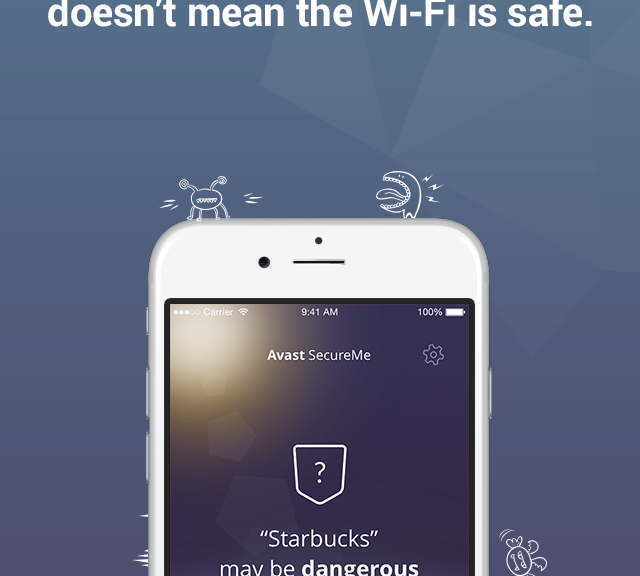
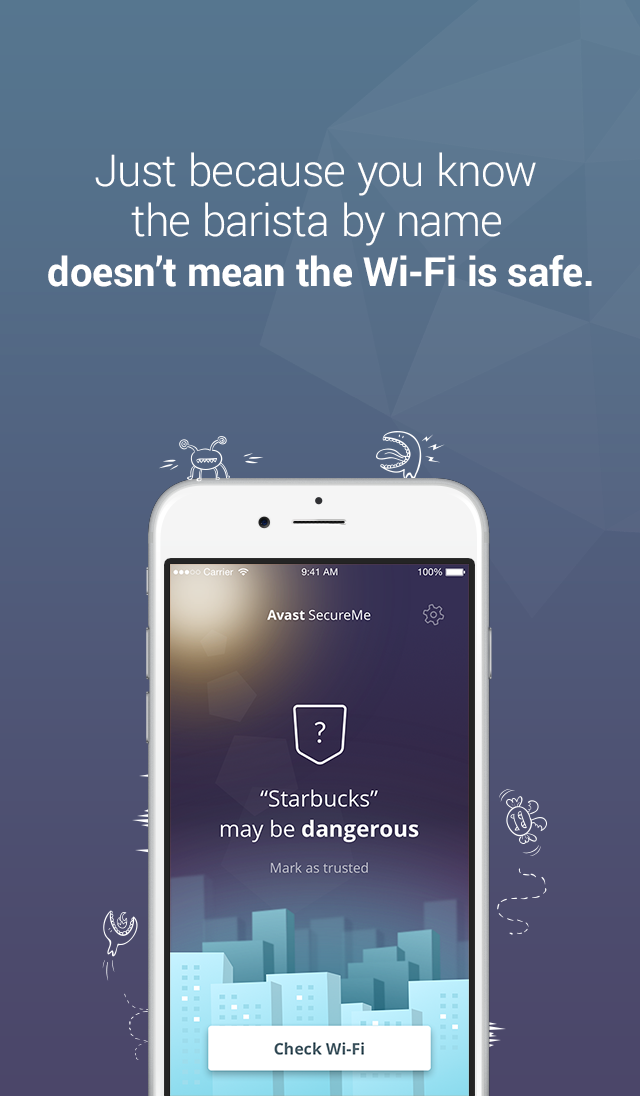
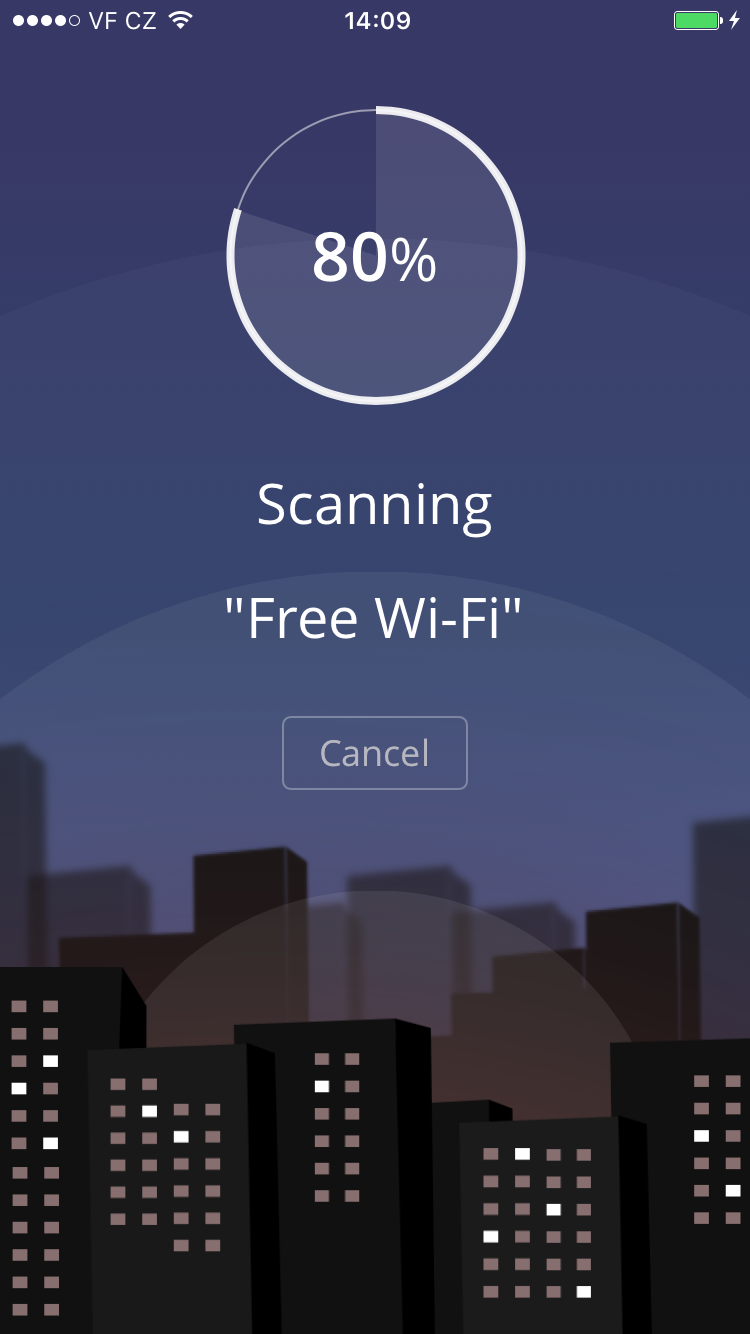
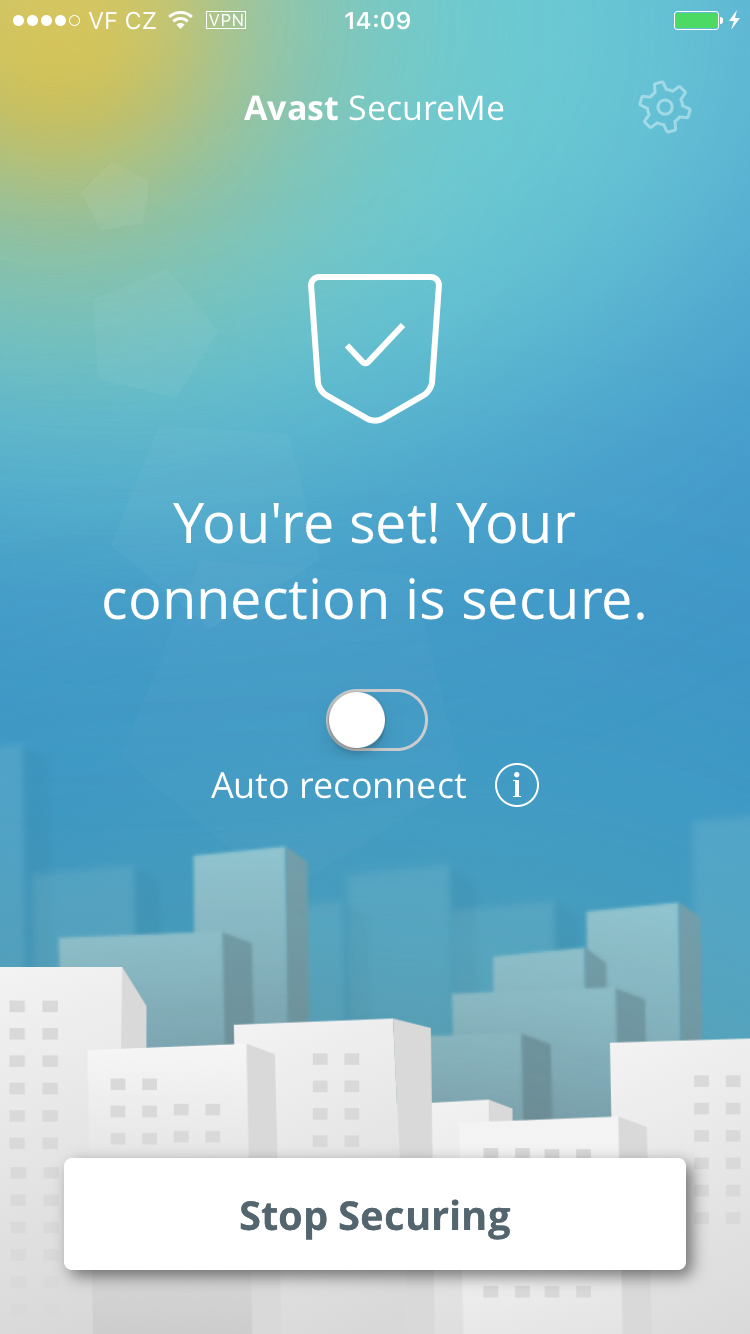
Avast SecureMe is the world’s first application that gives iPhone users a tool to protect their devices and personal data when they connect to Wi-Fi networks. The free app scans Wi-Fi networks and tells users which of them are safe. Since many users use Wi-Fi networks without knowing whether or not they are safe, Avast SecureMe will create a secure connection in order to keep them safe.

The app notifies you upon the discovery of security issues

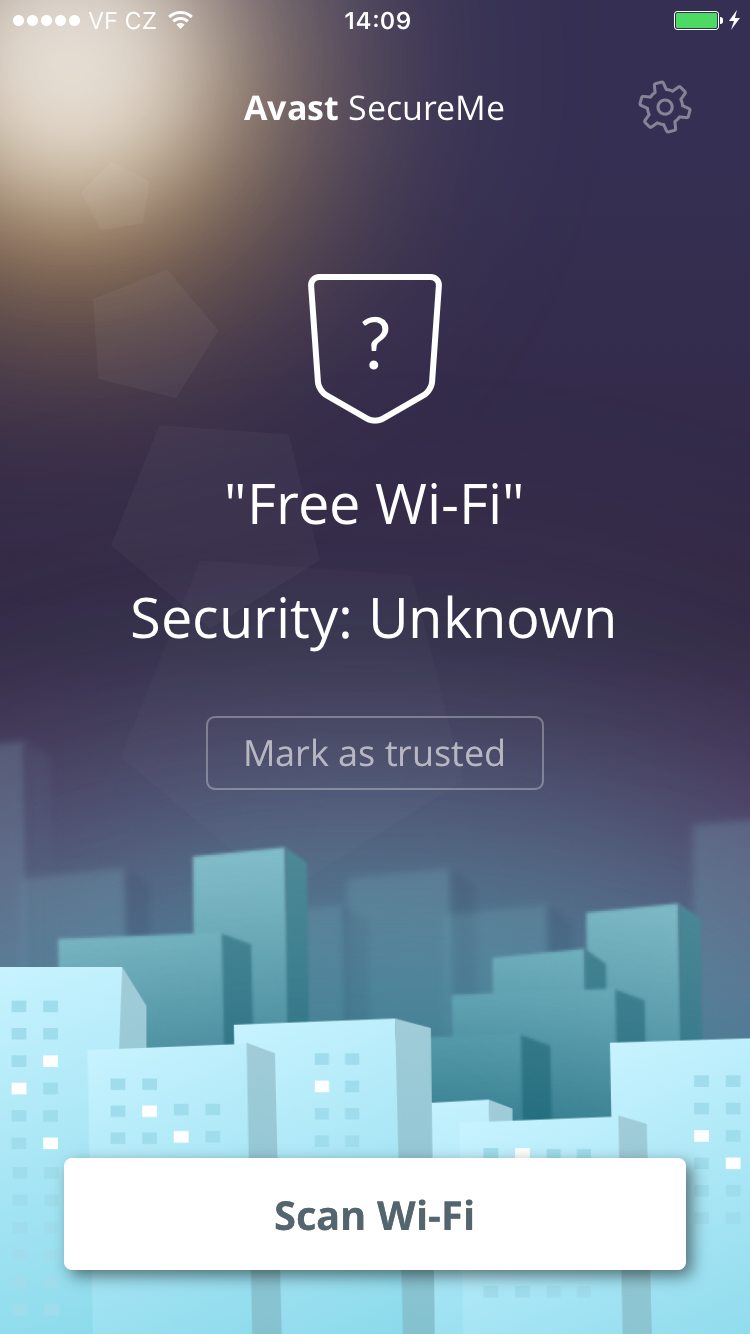
Avast SecureMe includes a feature called Wi-Fi Security. People who use open Wi-Fi in public areas such as airports, hotels, or cafes will find this helpful. This feature’s job is to scan Wi-Fi connections and notify you if any security issues are found, such as routers with weak passwords, unsecured wireless networks, and routers with vulnerabilities that could be exploited by hackers. Users have the option to label Wi-Fi networks that they frequently use as trusted — this way, the app won’t need to check the networks every time.

What’s the risk that my personal data will be stolen?

If you use unsecured Wi-Fi when you log in to a banking site, for example, cybercrooks can capture your login credentials which can lead to identity theft. On unprotected Wi-Fi networks, crooks can also easily view your emails, browsing history, and personal data if you don’t use a secure or encrypted connection like a virtual private network (VPN). For more details on this point, see our recent Wi-Fi hotspot experiment to see how widespread the threat really is.

Avast SecureMe is a simple way to find and choose safe networks.

The Avast SecureMe app includes a VPN to protect your privacy

Avast SecureMe features a VPN to secure your connections while you conduct online tasks that you’d like to remain private. This could include checking emails, doing your online banking, and even visiting your favorite social network sites. Avast SecureMe connects to the secure VPN when it detects that you have connected to a public Wi-Fi network, making all transferred data invisible to prying eyes. For convenience, you can disable the protection for Wi-Fi connections you trust, such as your home network.

Try it for yourself! You can download Avast SecureMe free of charge on iTunes.


Follow Avast on FacebookTwitterYouTube, and Google+ where we keep you updated on cybersecurity news every day.

Beware of the hackers hiding behind fake LinkedIn profiles

linkedin

There has been news lately highlighting a trend in hackers using LinkedIn, the popular social media platform for professionals looking to connect with like-minded individuals, to dupe unwitting victims. This includes the creation of fake profiles with the aim of stealing personal information. The fake profiles pose as recruiters and quickly begin to add contacts in the field of their chosen victim. Once they have what appears to be a reputable profile, they then add their victim as a contact having gained their trust as they usually have lots of common contacts in the related sector.

The text that is used for the fake profiles is usually copy and pasted directly from other sources, usually genuine profiles. The accompanying profile photo, which is generally of a woman, is also taken from other professional profiles or, in some cases, a stock photo. It is also revealed that they use keywords such as “reservoir engineer”, “exploration manager” and “cargo securement training” which are likely to help them to attract visibility through the site’s built-in search engine. The majority of the terms relate to the logistics, information security and oil and gas industries.

Boasting over 400 million users worldwide, LinkedIn is seen as a way for professionals to create circles of similar workers in their sector with the aim of using the platform as a form of self-promotion, doing away with the traditional methods of job hunting. It has also become a valuable tool for businesses, who are able to head hunt top talent as well as posting content relating to their company.

In response to the fears of its many users, LinkedIn said: “We investigate suspected violations of our Terms of Service, including the creation of false profiles, and take immediate action when violations are uncovered. We have a number of measures in place to confirm authenticity of profiles and remove those that are fake. We encourage members to utilize our Help Center to report inaccurate profiles and specific profile content to LinkedIn.”

Some advice for users who may be concerned that they are at risk include doing a reverse image search by dragging and dropping the profile picture into Google Images and seeing what it brings up. You can also copy and paste the job information in Google to reveal whether it has been taken from somewhere else.

Seeing as this isn’t the first time that there have been concerns over fake profiles and spamming on LinkedIn, it might be worth your while to do a quick bit of research before you accept a new contact. As always, it pays to be careful with information that you share online as it can save you many potential problems in the future.

The post Beware of the hackers hiding behind fake LinkedIn profiles appeared first on MediaCenter Panda Security.

6 ways to protect your credit cards this holiday shopping season

Protect your credit cards from theft and fraud with these simple tips.

At this time of the year, your credit cards see a lot of action – online and at the stores. Credit card fraud takes place every day, but in the holiday shopping season you need to be extra diligent to keep cybercooks from getting hold of your cards and card numbers. Here are six easy tips that even the least tech-savvy among us can follow.

Christmas shopping online

Make it tough for cybercrooks to steal your credit card number

Keep a record of your cards

Some people scan their cards and save the copies on their laptop, others write all the numbers down and keep them in a safe place. Whatever method you choose, keep a record of your account numbers, their expiration dates and the phone number to report fraud.

Watch your accounts closely

When online shopping, it’s safer to use a credit card than a debit card. Credit cards come with consumer protections against fraud that debit cards do not have. Check your account regularly during the season for any strange charges and report the activity as soon as you can. Many companies have toll-free numbers and 24 hour service if you lose your card.

Another good practice is to use a single credit card for your online purchases. It’s easier to manage the account, as well as your holiday gift spending budget, without lots of other miscellaneous charges cluttering the statement.

Don’t use a public computer for shopping

Many web sites use cookies to save information that you input. On a public computer, you could accidentally leave your information accessible to the next user. Hackers could also install keylogger software that records your keystrokes, giving them access to usernames, passwords, and card numbers.

Avoid free Wi-Fi hotspots

It’s tempting to use a store’s free Wi-Fi to do price comparisons when you are out shopping. But you risk losing your personal information to hackers if you log on to an unprotected Wi-Fi. Our Avast research team recently set up some fake Wi-Fi hotspots to see how many people would connect and what kind of information they could collect. In only 7 hours, 264 people connected to the fake Wi-Fi network end generated 512,000 data packets. It’s just too easy for a hacker to have access to your data.

You can safely use a public Wi-Fi hotspot if you first connect to a VPN (Virtual Private Network). Avast SecureLine VPN is an easy way to hide all your online activities from prying eyes. You simply launch the VPN and it will connect to a nearby server and encrypt all data flowing in or out making it invisible to anyone outside.

Beware of phishing attempts

Email phishing attacks increase during the holiday season. Sophisticated cybercrooks design their emails to look like they come from legitimate companies. For example, you may receive a fake email from an online retailer or a shipping company such as UPS, DHL, or FedEx alerting you that your order did not process or cannot be delivered. A typical scenario is that they ask you to follow a link to a website where you can re enter your credit card information.

Do not click links in emails. You run the risk of malware infection, or voluntarily giving your card number to a crook. Instead, go directly to the website or call their customer service department.

Make sure the shopping site is trustworthy

Well known websites like Amazon or or large retailers are most likely safe. But the small, unknown websites could be riskier.

If you use Avast SafePrice extension in your browser, then you can trust the safety and integrity of the online shop, as well as getting the lowest price. Learn more about the extension in Can shopping extensions help you find the best prices?


Follow Avast on FacebookTwitterYouTube, and Google+ where we keep you updated on cybersecurity news every day.


Worry for Samsung Galaxy users as calls could be intercepted

samsung

Whenever we talk over the phone we tend to give away lots of information about ourselves without even thinking about it. Whether it’s where we are or where we’re going to, confidential details about our professional life, or just daily complaints and events, we do so thinking that what we say is only going to be heard by the other person on the line. Sometimes we even reveal information relating to banking details, such as the account number and our date of birth, if we have to make a call to our bank.

As we like to keep a tab on our personal privacy, it’s normal for us to go to an empty room to continue a conversation or to even use a lower tone of voice so as to avoid being overheard. However, these measures might not mean an awful lot if you happen to use a Samsung Galaxy.

According to a demonstration by Daniel Komaromy and Nico Golde, two IT experts, at the recent Mobile Pwn2Own conference in Tokyo, it is possible to intercept calls made on Galaxy S6, S6 Edge, and Note 4 models.

samsung button

The investigators used the baseband chip of the devices to carry out the attack, as the chip is used to complete all radio communications. To access it, the pair used a “man-in-the-middle” attack – a classic technique that allows a cybercriminal to read and intercept a victim’s messages without them knowing a thing.

In this case, they managed to intercept voice calls by connecting these two devices with a false station, making the smartphones near to it think that it was actually a legitimate communication tower.

Once connected, these security experts were able to communicate remotely with the baseband processor without alerting the user. From that moment on they were free to intercept, listen, and even record phone calls. With a simple method, these two investigators managed to spy on these devices.

So, does this mean that any cybercriminal might be able to easily control your Galaxy device and listen to everything that I share in confidence? Komaromy and Golde have highlighted that the system that they have presented is just an example – the idea would be to later redirect the calls to a proxy to carry out the real attack and allow for the call to reach its true destination.

What’s more, these experts haven’t divulged all of the details of their experiment and have informed Samsung of their findings, so that the company can quickly find a way to clear up this vulnerability before it’s too late.

smatphones

Unfortunately, this is only one of many methods that can be used by a cyber attacker to wreak havoc. As we’ve already told you, some cybercriminals have already developed programs that activate the microphone on our smartphones so as to spy on us.

A group of investigators from the University of Stanford even developed Gyrophone, an application that used the gyroscope to capture sound vibrations created by a human voice to spy on calls.

Although we’re not going to tell you to stop using your phone for calling, we would recommend that you try to avoid giving out details relating to your bank account or access codes for your smartphone or computer while on the phone.

This piece of advice is particularly important if your job requires a high degree of privacy. Worrying about whether your smartphone is safe enough to not be targeted by cybercriminals is another thing to keep in mind, as you never know if one of them is interested in listening in on your conversations.

The post Worry for Samsung Galaxy users as calls could be intercepted appeared first on MediaCenter Panda Security.

How Christmas lights and other appliances slow down your Wi-Fi

christmas lights

You know the routine: you’re sat at home, trying to relax by watching a series online or by trying to get some work done. However, your Wi-Fi connection that you pay so much for is slow, unreliable, and likely doesn’t reach every part of your home with a signal strength that you’d like.

So, what is the problem? You’ve called the provider and they’ve confirmed that the connection is working as it should be and you have made sure to close unnecessary tabs to ensure you’re not taxing the signal too much. Still, you find yourself having to strategically locate yourself around the house to get the best signal possible.

If this sounds familiar than the problem may be less to do with your router, and more to do with your home and the objects, or barriers, that are in it. Following a study by Ofcom, a UK regulator, which stated that Christmas fairy lights could be behind slower Internet speeds in the home, we’ve laid out a few of the main causes for interference with your Internet connection… and some of them may be surprising to you!

Reasons why your home Wi-Fi signal is slow and how to improve it

1. Household appliances

Microwaves are the worst of the lot, as it’s basically a metal box that when turned on uses high-powered microwaves at around 2.4GHz (the same frequency as Wi-Fi) creating a black hole around it for Wi-Fi signals.

Other culprits include ovens, freezers, fridges, washing machines, dishwashers… you name it. If it’s metal and has liquid-filled pipes in it, it’s going to kill your Wi-Fi signal.

2. Cordless telephones, televisions, speakers

In most cases people have their router placed near the telephone, which is hard to avoid, but they both work off the same frequency and this can prove to be detrimental.

The same goes for televisions, which on their own aren’t bad, but when placed directly near a router have a negative effect on its performance. The same goes for speakers, which are basically just electromagnets.

3. Piping and insulation

These are pretty much unavoidable in the home, but water-filled pipes absorb any signals and insulation pretty much does as its name suggests, and insulates a room from external forces, including Wi-Fi signals.

4. Your neighbor’s router

Depending on how close your router is to someone else’s, there can be a direct effect on its performance. This might prove to be even more problematic if you live in an apartment, as you could be exposed to different signals from all sides. This means that the more interference that there is, the more your router ups its broadcasting, which causes your neighbor’s router to do the same… which just perpetuates the problem.

5. Humans

Yes, you too are a problem! We humans are a fantastic absorber of Wi-Fi, so that’s also something to keep in mind when lamenting the poor performance of your internet connection.

Luckily, there are a few things you can do to try and improve your Wi-Fi, but short of turning your home into a Faraday shield which would also mean no telephone or FM connection, none will guarantee a perfect signal strength.

6. Place your router in the center of your home

A router transmits the signal in all directions, so it makes sense to have it at the center of the home. Unfortunately this isn’t always possible due to the cables that come with it.

7. Check your cables

In general, a shorter and higher quality cable will mean a faster connection speed. Also, it is better to use Ethernet cables from your modem to a separate router than run long phone cables.

8. Invest in a new router

There’s no need to break the bank on a new, fancy router, but some of the newer ones on the market offer a notable boost in signal and speed.

9. Change your Wi-Fi channel

Your router may do this automatically, but if you change your Wi-Fi channel you may find that there is less interference from other routers near to you. Any two channels separated by five or more do not overlap.

As always, we recommend you take precautions to ensure that not only is your Wi-Fi connection working to the best of its abilities, but that your privacy is also secure, so always use a good Wi-Fi protector and monitor to ensure that nobody can access your network.

The post How Christmas lights and other appliances slow down your Wi-Fi appeared first on MediaCenter Panda Security.