Tag Archives: featured1

Facebook Safety Check feature allows users to connect with loved ones during a disaster

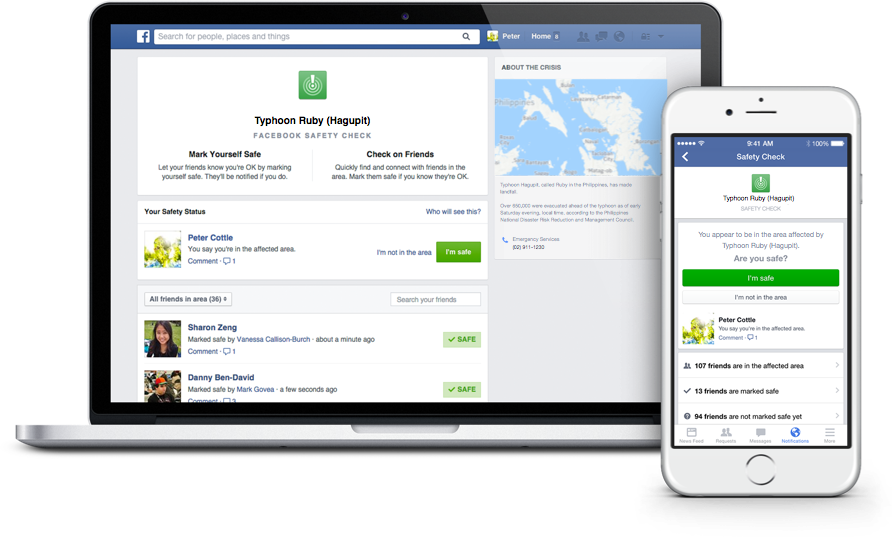
Facebook's Safety Check feature allows users to connect with friends and loved ones during a disaster.

Facebook’s Safety Check feature allows users to connect with friends and loved ones during a disaster.

Facebook’s Safety Check feature was created in October 2014 in response to the devastating earthquake and tsunami that struck Japan in March 2011. In a Facebook post about the feature, Mark Zuckerburg described the mission of the feature:

Over the last few years there have been many disasters and crises where people have turned to the Internet for help. Each time, we see people use Facebook to check on their loved ones and see if they’re safe. Connecting with people is always valuable, but these are the moments when it matters most.

This is how it works:

1. Facebook will prompt users that might be in the area of a natural disaster to inform others about their status using the Safety Check feature.

2. Users can click the “I’m safe“ button to let their Facebook friends know that they are safe.

3. Facebook will alert you of friends that used Safety Check and allow you to look over the list of friends who could potentially be affected by the disaster.

Safety Check is only offered to individuals that are located in a disaster area. Although the feature was originally created to respond to natural disasters, it has recently been utilized to help users connect with others in the wake of social crises. Zuckerberg told CNET that Facebook is still developing the policy to determine exactly when Safety Check will be activated. He was also quoted saying that he won’t post each time Safety Check is activated because “unfortunately, these kinds of events are all too common.”

For more information about Safety Check, you can read through Facebook’s page about the feature.


Follow Avast on FacebookTwitterYouTube, and Google+ where we keep you updated on cybersecurity news every day.

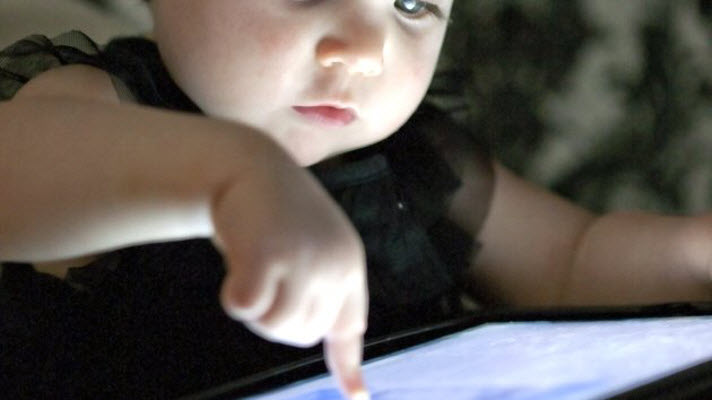
Universal Children’s Day: 7 Tips to Protect Your Child on the Internet

Universal Childrens Day

Today is Universal Children’s Day, a day set aside for everyone to protect and defend the rights of children. But do we know how to protect children from the dangers involving the Internet and new technologies? It’s important to defend their rights and their innocence in the online world.

The internet is a world known by the children and they must know how to handle it perfectly. Its domain of social networks, search engines, forums… In many instances children have a stronger understanding than that of their parents; therefore they sail along them without excessive parental control. There are many cybercriminals and stalkers who take advantage of this situation to take advantage of children, who are unaware of the dangers they face on almost all occasions.

Pornography, harassment, theft of data and identity… There are many threats facing children online. Through the computer, tablet, online games or mobile phone, children should know how to recognize and react to these situations.

How to Protect a Child’s Online Enviroment

Childrens on Internet

1. Education

It is the cornerstone for training minors, but the dynamic growth of the online world makes it even more essential in this case. However, the little knowledge that parents know about the network causes education to be poor. What is Facebook? What is Tuenti? Should my child chat online with strangers? These are the questions that are asked on several occasions by parents who do not understand this new kind of social environment 2. 0.

Parents must teach their children how to create their online personality, just as they teach them how to behave in real life. There are some values that they should maintain in both worlds: do not to speak with strangers, do not to show an image of you that could be later used against you, do not to give personal details to people you don’t know … Web education and teachers are great the resources that parents who feel lost in this world can use.

2. Control the Hours Spent Online

In today’s work, the social relationships online compete against offline social relationships. All children should learn to disconnect, so they can continue to enjoy a conversation or a real life experience, away from the world 2.0.

3. Show Network Hazards

Sometimes overprotection hinders children from really knowing the threats that face them. Actual cases of harassment, espionage, identity theft, blackmail, etc will happen to those that are less aware threatening situations.

 4. Who Does My Child Talk To?

Parents try to preserve the privacy of their children, but the truth is that you we need to know whose talking and what they’re saying. Just as in real life, a child must know to distrust a stranger who approaches them, they must also learn that these type of people exist and are duplicated within the online world.

 5. Which Photos Should Be Uploaded to the Network?

It’s easy to control the clothing and appearance of children in real life, but do we know what pictures up of them are up on the network? We must remind them of the danger of over-exposure on the Internet. This issue is complicated because in many cases, not even the parents themselves are aware of the consequences of particular photographs up on a social network.

6. Where Does My Child Go Online?

There is certain web content that a minor does not have to see. Since it is impossible to control which pages your child is browsing on the Internet, or what places can be reached via banners and ads, you should install parental control. Through this, the parent may decide which sites are appropriate for their child.

 7. Use Common Sense

Like always, if we teach our children to at least to use common sense, it can used within  2.0 world.

Have you ever faced an online situation complicated with a minor?

The post Universal Children’s Day: 7 Tips to Protect Your Child on the Internet appeared first on MediaCenter Panda Security.

Panda Security reveals cyberattacks aimed at public organizations around the world

PandaLabs, the laboratory of Panda Security, warns in this, its latest quarterly report, that there has been a wave of cyberattacks where the security and information of various governments has been compromised.

A so-called cyberwar between countries has been present in the last few years, however, PandaLabs has detected a growing interest between countries in compromising the security and information of different governments. With that in mind, one of the most important attacks during this period was against the Hacking Team, which controls a multitude of cyberespionage and cyberattack tools for various governments around the world.

“This case is particularly worrying, as they have managed to decrypt the passwords of the most protected of systems”, explains Luis Corrons, technical director of PandaLabs. “The criminals not only wanted to know which clients used the cyberespionage services, which includes intelligence agencies and governments, but also which products they were using”.

This wave of attacks which took place in the third quarter of the year has also seen the Pentagon’s unclassified email system compromised. This was done via a very sophisticated attack which has the hallmarks of having a government behind it. What’s more, the FBI has confirmed that it has detected a growth in interest among terrorists in strategies for launching cyberterrorist attacks against the United States, which appear to be in their planning stages.

More than 21 million new specimens of malware

The PandaLabs quarterly report has also collected information on the number of new malware samples created in this period. Although this time of the year usually sees a drop in new samples, this year there has been 21 million new threats, which is an average of 230,000 per day.

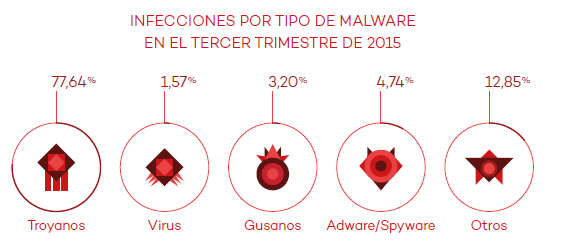
To carry out their attacks, hackers are using Trojans which, with a slight difference, are the most common malware (69.15%) and also cause the most infections (77.64%). They are trailed by traditional viruses (11.34%), and special attention should be given to Potentially Unwanted Programs (PUPs), which are included in the Others category (7.96%).
malware

“Infecting a device that is connected to the Internet with a Trojan is as easy as hiding it in a file that the victim downloads”, states Luis Corrons. “From then on, all of the information on the device, the organizations information, or user passwords are at risk”.

Controlling devices, the most common method

This quarter has confirmed that the Internet of Things now forms part of our digital lives. This also brings new risks and raises the chances of us being victims of an attack. As this Quarterly Report highlights, there are new methods that are being used to put our security at risk.

Attacks continue to be produce don social media and mobile devices, and now we are also seeing the emergence of techniques to compromise the routers of businesses and homes, leaving them under the criminal’s control without the victim even realizing it.

Businesses such as Jeep Cherokee and Land Rover have also seen their vehicles targeted. The latter had to inform its customers of a fault in the software of 65,000 cars which had been on sale since 2013. The fault allows criminals to unlock the doors via the Internet.

China remains the country with the highest infection rate

PandaLabs’ report also shows the infection rates across the world, with a global average of 32.12%. Once again, it is China which is placed at the top of the list, with an infection rate of 45.35%. It is followed by Peru (42.89) and Turkey (40.99).

Other countries that have registered a rate of infection that is higher than the global average include Poland (34.54%), Brazil (34.32%), Slovenia (33.98%), Colombia (33.11%), Spain (32.50%), and Costa Rica (32.22%).

The countries with the lowest infection rates were Norway (20.12%), Sweden (21.33%), and Japan (22.75%).

The complete report is available here. 

The post Panda Security reveals cyberattacks aimed at public organizations around the world appeared first on MediaCenter Panda Security.
Debunking the myths around secure passwords

keyboard

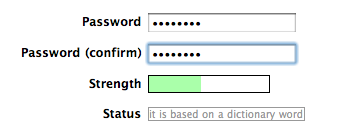
Most websites that we use today generally give you feedback on the passwords that you have created when setting up a new account, rating them either weak or strong. They also advise you to use a mix of upper and lower case letters, along with numbers, to ensure a secure password. However good the advice may be, it doesn’t tell you exactly which order the mix should be in.

By sheer coincidence, it appears that all of us tend to put the upper case letters at the start of the passwords with the numbers taking up the final spaces. This was discovered by a group of security experts who work for Eurecom, an investigation institute based in France.

The results of their study, presented at the last ACM Conference on Computer and Communications Security in Denver, has shown that we are confusing what constitutes a secure password, and that this is putting out privacy at risk.

password

The programs traditionally used by cybercriminals to guess passwords only handled certain combinations until finding the right one.

However, modern methods aren’t based on random guess work. Criminals can now train the software with large lists of passwords – such as the 130 Adobe user passwords that were leaked in 2013 – so as to find the most common combinations. This method allows them to have a greater chance of success in their attacks.

Using this premise as a base, the experts have used a program – similar to the one used by the criminals – to analyze over 10 million passwords. They’ve done this to compile a list of the easiest passwords for criminals to guess.

The result is a “predictability index” that they tested on another 32 million passwords to verify its effectiveness. According to the results, the least common passwords were the most secure. This means that it is important to have a long password that includes symbols as opposed to just upper and lower case letters.

password strength

The aim for users from now on should be to create passwords that are not at all predictable, no matter if they include numbers, upper case, or lower case letters. The group behind the study say that passwords should be longer, even adding a few extra words in necessary.

Their investigation should help people to become more aware when creating new login codes which will help to protect their accounts better. Although they can’t guarantee a bulletproof way of creating passwords, they assure us that their method is the safest yet.

On the other hand, the investigators advise that technology companies begin to place less emphasis on passwords as a means of accessing accounts, and that they look at alternative means where possible. There are always new ways of decrypting login details, which makes them ever more ineffective.

The post Debunking the myths around secure passwords appeared first on MediaCenter Panda Security.
Facebook contest winners help welcome in Avast 2016

Our Facebook contest gave participants a chance to win one free year of Avast Premier 2016.

Our Facebook contest gave participants a chance to win one free year of Avast Premier 2016.

Over the weekend, we ran a fill-in-the blank contest on our Facebook page in celebration of the launch of Avast 2016 products. Participants had the chance to win a 1-year license for Avast Premier 2016, and could do so by finishing the following sentence:

“The best celebrations always include ______________.”

We received many fun, creative answers from our Facebook fans who are passionate about Avast and staying secure. Here are some of our favorite responses:

“The best celebrations always include free food, because who doesn’t like free food? #Avast2016

 “The best celebrations always include close friends, family and the dog. #Avast2016

“GOOD FOOD (along with family, of course). #Avast2016

 “The best celebrations always include an AVAST amount of love. #Avast2016

 “#Avast2016 The best celebrations always include Czech beer“

We’d like to thank each of our users who participated in the contest, and we encourage you to keep your eyes peeled for more upcoming promotions on our social media channels. Thanks for celebrating the arrival of Avast 2016 with us!


Follow Avast on FacebookTwitterYouTube, and Google+ where we keep you updated on cybersecurity news every day.

WhatsApp calls: Questions over privacy as WhatsApp keeps register of activity

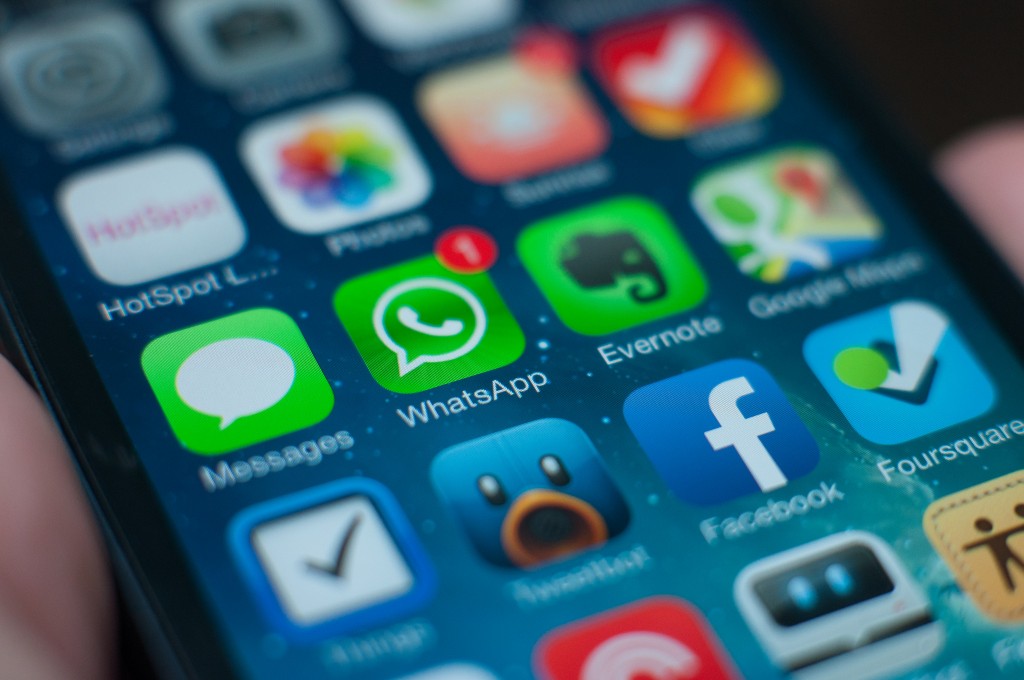
apps smartphone

The undisputed leader in the western world for instant messaging, with over 900 million active users, WhatsApp is synonymous with smartphones and messaging. Despite this, there are constantly new controversies relating to the security of the application and this has led to many doubting the integrity of the service.

From fraud to malicious programs that take advantage of its popularity, to apps that spy on users and other vulnerabilities, there is seemingly no end to the problems which have been raised in a study carried out by investigators at the Cyber Forensic Research & Education Group at the University of New Haven in the United States.

Thanks to developing their own forensic tool, the investigators have managed to decode part of the communication that is established between the servers of WhatsApp and those of the user when there is communication of any sort carried out via the app.

They have discovered that, amongst other things, the popular instant messaging service collects and stores sensitive information about the user and the conversations that they have. None of this appears to be essential to the functioning of the messaging service, so you have to ask why the company does it, and why they haven’t publicly stated this before.

smartphone

The company keeps a record of all calls that we make, who receives them, and their duration. What’s more, the people behind the study believe that encryption keys could also be somehow sent during these communications. Although they haven’t proven it yet, it could be just the tip of the iceberg for new security flaws in the chat service.

The group of experts from the University of New Haven have urged other investigators to use the tool that they have developed in the hope that more security breaches will be unearthed, as there are also fears over similar practices with other messaging services such as Facebook Messenger and Telegram.

Recently we have seen that WhatsApp has taken measures to try and improve the level of security that it offers to its users in order to guarantee their privacy. These steps include the introduction of the famous and controversial double check, specific updates, and a stronger encryption system.

However, to keep the system user-friendly, some recommended security measures aren’t compatible as it would compromise the user experience too much. This difficult balance is what WhatsApp finds itself fighting against as it fights to stake its claim as the largest, and most secure, instant messaging service on the market.

The post WhatsApp calls: Questions over privacy as WhatsApp keeps register of activity appeared first on MediaCenter Panda Security.

Windows 10 get significant upgrade

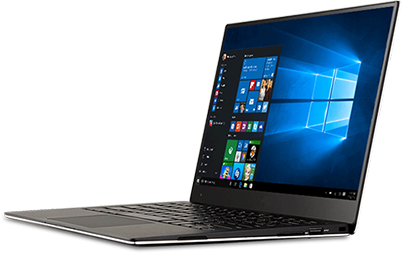
Microsoft Windows 10

Avast is the official Windows 10 consumer security software provider.

Yesterday, Microsoft released the first major update to Windows 10 for PCs and tablets since its initial release in July. It’s so large and improves so many features that it has been categorized as a whole new version instead of merely a patch or service pack.

Many of the features that have been in preview mode, including Cortana and Microsoft Edge, have significant upgrades. Additional capabilities in Cortana are only available in the USA for now. Improvements were also made to Mail and Calendar, Maps, Groove, Photos, Skype, and Xbox.

The Microsoft company blog states, “With this update, there are improvements in all aspects of the platform and experience, including thousands of partners updating their device drivers and applications for great Windows 10 compatibility.”

Avast 2016 is compatible with Windows 10

Avast is the official Windows 10 consumer security software provider. For best results with the new version of Windows 10, please make sure you also upgrade your Avast antivirus protection to the latest Avast 2016 version.

Avast is a recipient of the Windows 10 Compatibility Award from AV Comparatives.

image via windows.microsoft.com


Follow Avast on FacebookTwitterYouTube, and Google+ where we keep you updated on cybersecurity news every day.

Facebook increases security for users

Don’t ignore Facebook  alerts and take your time to improve your security

Don’t ignore Facebook alerts and take your time to improve your security

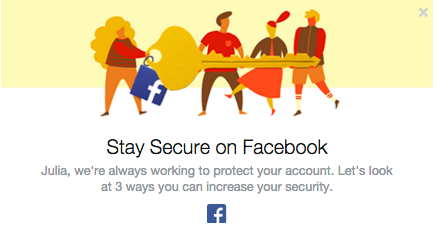
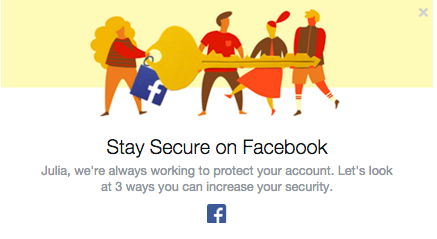
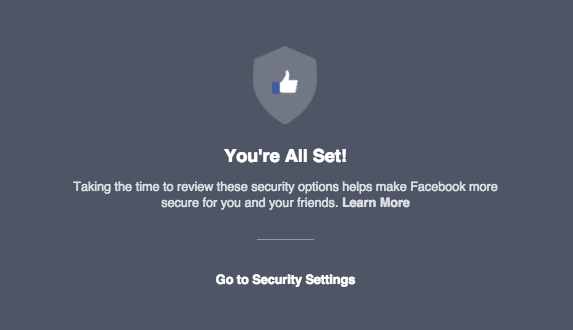
Facebook has become more concerned about its users’ security. The social giant understands that education is the key to providing users with a secure experience. We have already seen the Facebook “dinosaur” guiding us via privacy settings. Now Facebook pops out a short guide to improve the security of our profiles. We strongly recommend not to ignore it and take those steps to ensure that your profile is properly protected.

Step 1. Take control over your login

Don’t ignore Facebook  alerts and take your time to improve your security

Don’t ignore Facebook alerts and take your time to improve your security

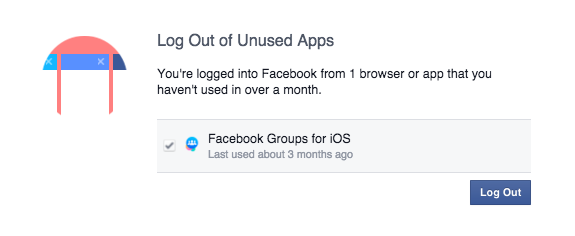
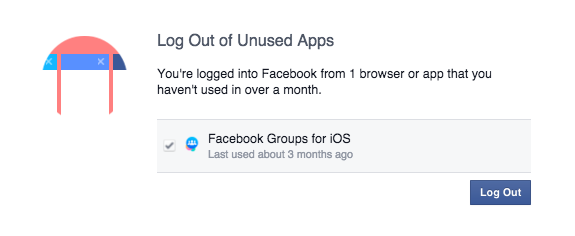
We check our Facebook profile on multiple devices: Our smartphones, tablets and via different apps (Facebook group, messenger, Facebook app). Sometimes we don’t even realize it! ‘Log Out of Unused Apps’ will show you all the apps that you use to log in, but haven’t used for a long period of time. From a security perspective that can create a vulnerable situation. If you don’t use the app, better log out!

We have also a solution for that. If you don’t want to be bother with constant login into your social account, we recommend Avast Passwords available for all your mobile devices for FREE. Check it out for Android and iOS. With one password you can safely log in into your all social apps, without remembering multiple passwords!

Step 2. Set up login alerts

Get login alerts

Login alerts will notify you about unauthorized login attempts into your account

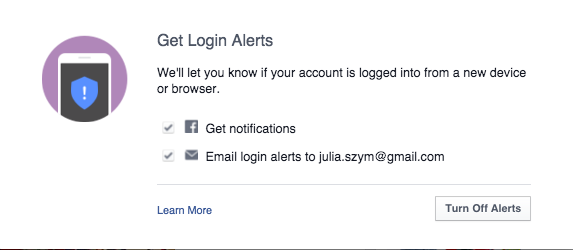
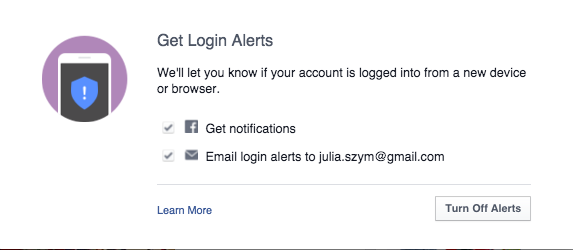
Facebook will let you know when there is an attempt to log into your account via a new device or browser. You can set up both – Facebook notifications as well as email alerts. In this way you have better control over who, when, and where someone tries to login into your profile. You will receive a notification and if it is a hacking attempt, you can block it. We recommend to chose both options, in order to increase your chances to discover a hacker, before he cracks your account.

 Step 3: Protect your Password

Follow Facebook rules to protect your password

Follow Facebook rules to protect your password

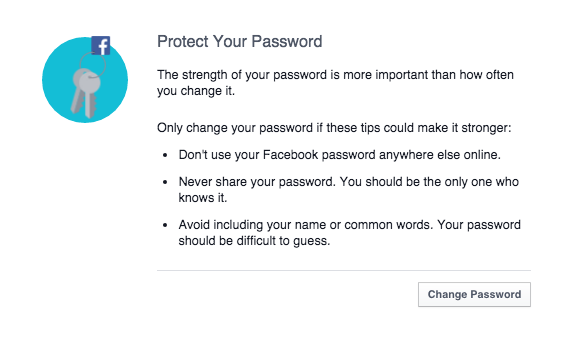
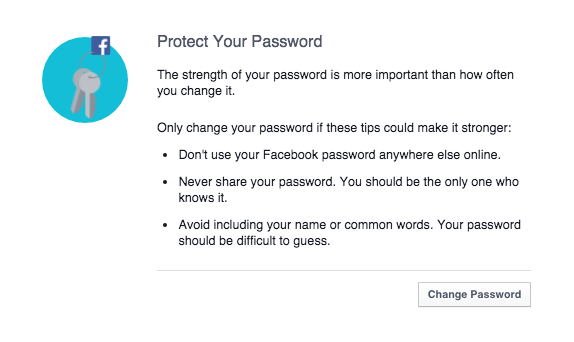
Follow simple security rules:

  1. 1. Set up unique password to your account (don’t use the same password to all your social profiles).
  2. 2. Don’t share it with anyone else.
  3. 3. Make sure your password is strong: it should contain small and big characters, numbers and special signs. We recommend minimum 16 characters.
  4. 4. Change passwords regularly and always, if any of your accounts or websites that you use is compromised.
  5. 5. Last but not least, use Password management system, to protect all your accounts requiring logins, not only Facebook. For example the free Avast Passwords.
Secure Facebooking!

Secure Facebooking!


Follow Avast on FacebookTwitterYouTube, and Google+ where we keep you updated on cybersecurity news every day.

Facebook increases security for users

Don’t ignore Facebook  alerts and take your time to improve your security

Don’t ignore Facebook alerts and take your time to improve your security

Facebook has become more concerned about its users’ security. The social giant understands that education is the key to providing users with a secure experience. We have already seen the Facebook “dinosaur” guiding us via privacy settings. Now Facebook pops out a short guide to improve the security of our profiles. We strongly recommend not to ignore it and take those steps to ensure that your profile is properly protected.

Step 1. Take control over your login

Don’t ignore Facebook  alerts and take your time to improve your security

Don’t ignore Facebook alerts and take your time to improve your security

We check our Facebook profile on multiple devices: Our smartphones, tablets and via different apps (Facebook group, messenger, Facebook app). Sometimes we don’t even realize it! ‘Log Out of Unused Apps’ will show you all the apps that you use to log in, but haven’t used for a long period of time. From a security perspective that can create a vulnerable situation. If you don’t use the app, better log out!

We have also a solution for that. If you don’t want to be bother with constant login into your social account, we recommend Avast Passwords available for all your mobile devices for FREE. Check it out for Android and iOS. With one password you can safely log in into your all social apps, without remembering multiple passwords!

Step 2. Set up login alerts

Get login alerts

Login alerts will notify you about unauthorized login attempts into your account

Facebook will let you know when there is an attempt to log into your account via a new device or browser. You can set up both – Facebook notifications as well as email alerts. In this way you have better control over who, when, and where someone tries to login into your profile. You will receive a notification and if it is a hacking attempt, you can block it. We recommend to chose both options, in order to increase your chances to discover a hacker, before he cracks your account.

 Step 3: Protect your Password

Follow Facebook rules to protect your password

Follow Facebook rules to protect your password

Follow simple security rules:

  1. 1. Set up unique password to your account (don’t use the same password to all your social profiles).
  2. 2. Don’t share it with anyone else.
  3. 3. Make sure your password is strong: it should contain small and big characters, numbers and special signs. We recommend minimum 16 characters.
  4. 4. Change passwords regularly and always, if any of your accounts or websites that you use is compromised.
  5. 5. Last but not least, use Password management system, to protect all your accounts requiring logins, not only Facebook. For example the free Avast Passwords.
Secure Facebooking!

Secure Facebooking!


Follow Avast on FacebookTwitterYouTube, and Google+ where we keep you updated on cybersecurity news every day.

Facebook increases security for users

Don’t ignore Facebook  alerts and take your time to improve your security

Don’t ignore Facebook alerts and take your time to improve your security

Facebook has become more concerned about its users’ security. The social giant understands that education is the key to providing users with a secure experience. We have already seen the Facebook “dinosaur” guiding us via privacy settings. Now Facebook pops out a short guide to improve the security of our profiles. We strongly recommend not to ignore it and take those steps to ensure that your profile is properly protected.

Step 1. Take control over your login

Don’t ignore Facebook  alerts and take your time to improve your security

Don’t ignore Facebook alerts and take your time to improve your security

We check our Facebook profile on multiple devices: Our smartphones, tablets and via different apps (Facebook group, messenger, Facebook app). Sometimes we don’t even realize it! ‘Log Out of Unused Apps’ will show you all the apps that you use to log in, but haven’t used for a long period of time. From a security perspective that can create a vulnerable situation. If you don’t use the app, better log out!

We have also a solution for that. If you don’t want to be bother with constant login into your social account, we recommend Avast Passwords available for all your mobile devices for FREE. Check it out for Android and iOS. With one password you can safely log in into your all social apps, without remembering multiple passwords!

Step 2. Set up login alerts

Get login alerts

Login alerts will notify you about unauthorized login attempts into your account

Facebook will let you know when there is an attempt to log into your account via a new device or browser. You can set up both – Facebook notifications as well as email alerts. In this way you have better control over who, when, and where someone tries to login into your profile. You will receive a notification and if it is a hacking attempt, you can block it. We recommend to chose both options, in order to increase your chances to discover a hacker, before he cracks your account.

 Step 3: Protect your Password

Follow Facebook rules to protect your password

Follow Facebook rules to protect your password

Follow simple security rules:

  1. 1. Set up unique password to your account (don’t use the same password to all your social profiles).
  2. 2. Don’t share it with anyone else.
  3. 3. Make sure your password is strong: it should contain small and big characters, numbers and special signs. We recommend minimum 16 characters.
  4. 4. Change passwords regularly and always, if any of your accounts or websites that you use is compromised.
  5. 5. Last but not least, use Password management system, to protect all your accounts requiring logins, not only Facebook. For example the free Avast Passwords.
Secure Facebooking!

Secure Facebooking!


Follow Avast on FacebookTwitterYouTube, and Google+ where we keep you updated on cybersecurity news every day.