
Tag Archives: featured1

How to stop your child from downloading inappropriate apps

children online

There can’t be a parent in the world who doesn’t know the beauty of a happy, entertained child. Unfortunately, parents can’t always play the role of the entertainer because keeping a child attentive and interested is not an easy task. So, what can a parent do to keep their little one distracted while they grab a few minutes for themselves? In the past the television was a guaranteed way to keep kids occupied – sit them down on the sofa, switch on some cartoons, and finally get some household chores out of the way while the kids watched their favorite animated characters in delight.

Nowadays, however, with the explosion in tablets and smartphones, there are a whole array of apps for kids to play with. Unfortunately, leaving your electronic device in the hands of a curious and adventurous child could wind up being more trouble than it seems. Due to their nature, children will be intrigued by the device and may end up diverging away from the game or app that you have selected for them, possibly even entering the Apple Store or Google Play store, and downloading some inappropriate content.

What’s even more worrying is that it is also possible to carry out in-app purchases, even in apps aimed at kids. So if you’ve left your purse or wallet lying around, and your child is clever enough to put two and two together, you could wind up with some unexpected charges.

If you aren’t sure on how best to stop your child from downloading inappropriate apps or making in-app purchases, then fear not as we’ve compiled a few tips to ensure that your child won’t have access to content that isn’t suitable for them.

online safety

If you’re an iOS user…

  1. Turn on your restrictions

This may seem obvious, but a lot of people don’t know that the settings of your iOS device allow you to restrict certain activity. All you need to do is enter your settings and hit the tab in the part labelled “General” to turn them. Once activated, you select a special password which will make it impossible to turn the restrictions back off unless the password is entered.

From there you can go through your list of apps and choose which ones you want to put restrictions on by selecting the tab beside the apps. A further step would be to remove your chosen payment method from your Apple account.

  1. Demand a password for purchases

If you don’t want to ban purchases completely, you can also put a limitation that requires a password every time there is a purchase made in the App Store or iTunes Store.

  1. Monitor accounts for teenagers

If you have a child that is over 13 years of age that has their own Apple account, make sure that you only allow them to make purchases with gift cards. If you still don’t trust this method, you can activate the “Ask to Buy” feature if you are using Family Sharing.

If you’re an Android user…

  1. Be aware of authentication processes

Google Play has an authentication process that has a few different options available. First of all, any app that is aimed at children aged 12 or under automatically requires authorization for in-app purchases. However, for other apps you can freely download unless you set up authorization for every purchase or for purchases made every 30 minutes. We highly recommend choosing the former, which you can access via the User Control area.

  1. Have the same restrictions on all devices
    Authentication settings apply only to the device where you add them. If you use your Google Account on more than one device, you must repeat the instructions mentioned above on each device.

So, as you can see all it takes is 10 minutes of having a look at your settings and you can avoid any nasty surprises or unexpected charges. If you’re wondering how else to protect your kids when they’re using the Internet, here are some further tips that will allow them to surf the net safely.

The post How to stop your child from downloading inappropriate apps appeared first on MediaCenter Panda Security.
Avast Mobile Security: Now at your fingertips, 100% free of charge

In addition to the launch of the latest and greatest version of Avast Mobile Security, we’ve also got a few more important announcements about the app. The major news is this: we’re unlocking Avast Mobile Premium for every user!

Information for current premium users

Have you subscribed to the premium version of Avast Mobile Security or Avast Anti-Theft? We have great news for you. Not only will you never have to pay for those premium features again, but we’re also transferring your license over to Avast SecureLine VPN, which protects you from network spies. Read more on our FAQ for subscribers.

News for free users

Our FAQ page provides more detailed information on how to upgrade older versions of both Avast Mobile Security and Avast Anti-Theft to complimentary premium versions.

Why download the new Avast Mobile Security?

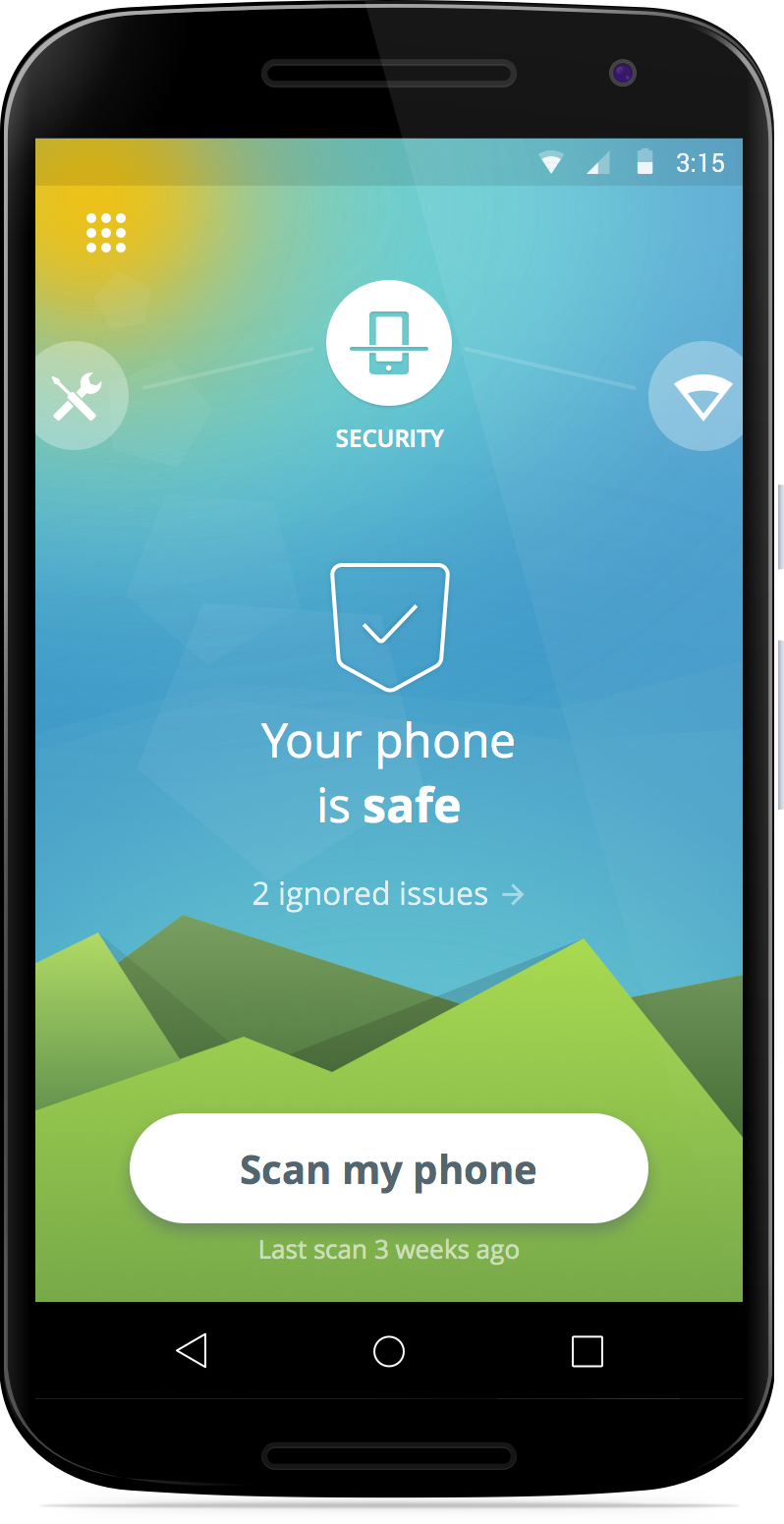
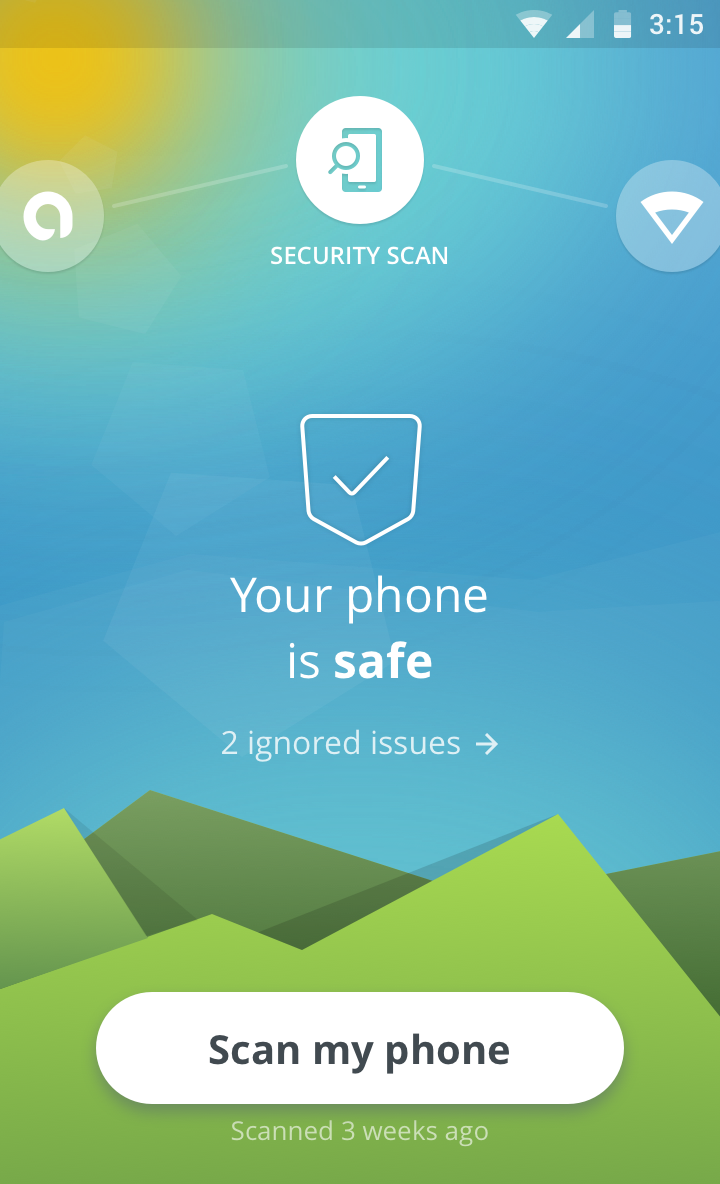
If you haven’t already done so, now’s the time to download Avast Mobile Security. We’ve rewritten the app from scratch to bring you a simple, intuitive app that is driven by the world’s most trusted antivirus engine. Avast Mobile Security 5.0 delivers a faster performance and virus scan while consuming less of your device’s battery and resources.


  The completely free, redesigned Avast Mobile Security for Android includes the following features:

  • Leading Mobile Malware Protection: Avast Mobile Security provides users with the most advanced mobile malware protections available.
  • App Permissions: Informs the user about data that apps have access to and ad networks included within apps.
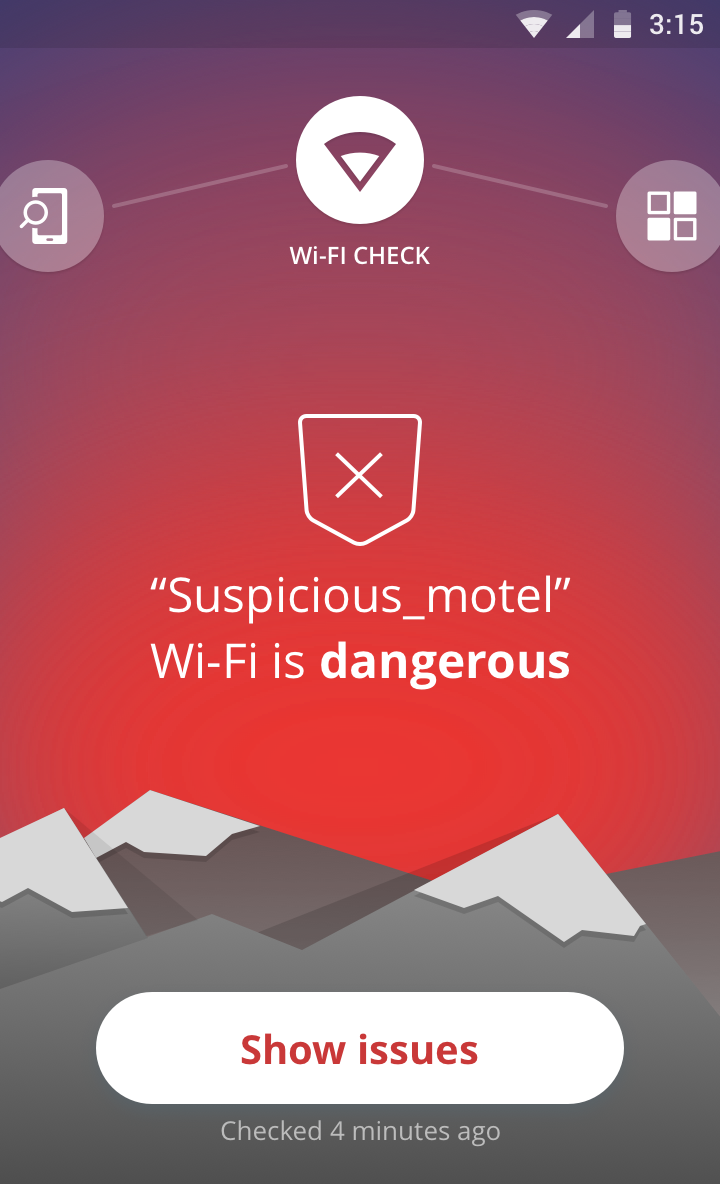
  • Wi-Fi Security: Notifies the user when connecting to an unsecure router.
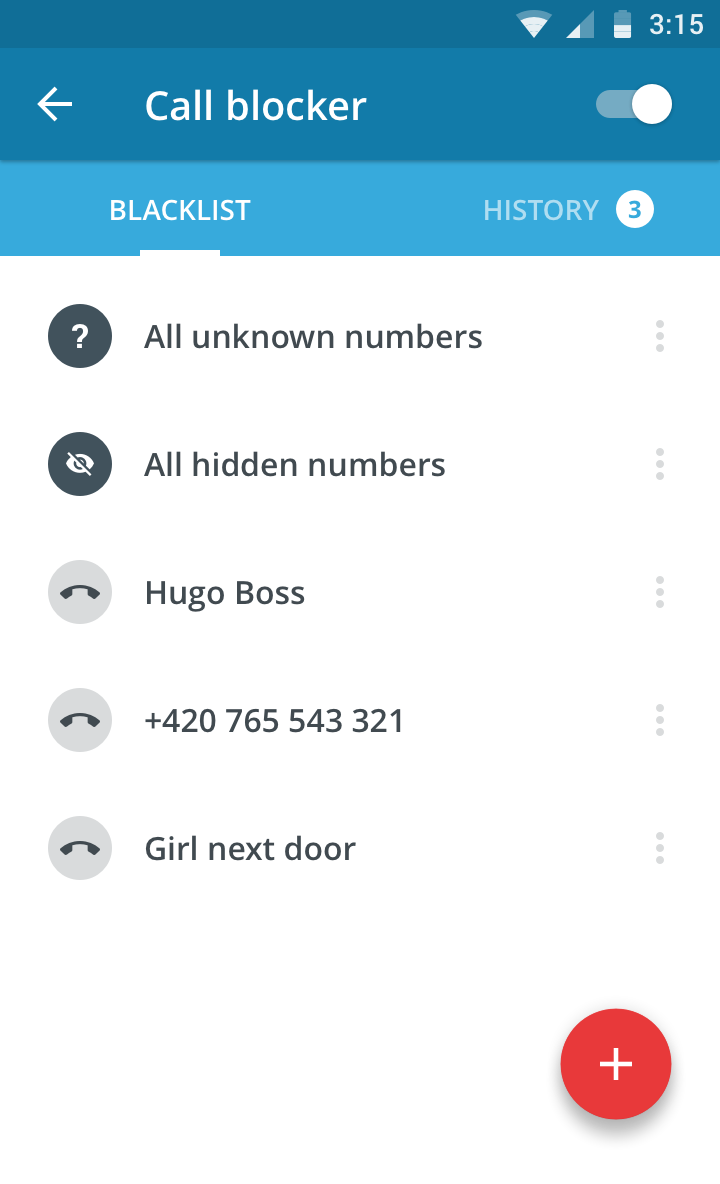
  • Unlimited App Locking: Users can password protect any and all apps on a device, providing another line of defense against prying eyes.

We’ve already told you how you can become a beta tester for Avast Mobile Security. If you have any more questions about how to become a beta tester for Avast Mobile Security (or any of our other apps), check out our FAQ page.


Follow Avast on FacebookTwitterYouTube, and Google+ where we keep you updated on cybersecurity news every day.

Avast 2016 protects your private information

Avast simplifies how you protect your privacy with new products for 2016.

Avast 2016 has got your back

Avast 2016 introduces new products to protect your privacy

Count the number of devices you own. If you are like most modern digital-age people, you have a smartphone, half of you own a tablet, and most all of us have a desktop or laptop computer connected through a home router.

Now think about all the private information that you have on those devices. Bank account numbers, passwords, photos, messages and emails – all of them needing some form of protection to stay out of the wrong hands.

In a survey we did this year, 69% of you told us that your biggest fear is that the wrong person would see your personal information. In fact, Americans are so scared of having their financial information get into a bad guy’s possession, that 74% said they’d rather have nude photos of themselves leaked on the Internet! The problem is that most people are not doing anything to protect their privacy, for example, 40% of Americans don’t even lock their smartphones.

“While people are rightfully concerned about privacy, there is a disconnect between that concern and the steps they take to protect themselves,” said Vince Steckler, chief executive officer of Avast. “Users have a multitude of devices and passwords to keep track of, which can be overwhelming. When users feel overwhelmed, they tend to default to unsafe practices that put their privacy at risk.”

The new Avast 2016 for PC and Mac, the redesigned Avast Mobile Security, and the new kid on the block, Avast SecureMe, will all help reduce the complex task of protecting your private, personal information.

So time to face your fear and take steps to protect yourself. Here’s some tools that Avast is launching today to help you:

Avast Mobile Security

Protect personal information on your mobile devices

You probably use your Android mobile phone more than your laptop these days. Much of your life is on your mobile devices – banking information, private messages and photos. Protect all your data with the completely redesigned Avast Mobile Security – for free!

Here’s Avast Mobile Security features I want you to know about today:

Leading Mobile Malware Protection — Yes, malware is a threat but it works differently than classic PC viruses and Trojans. We’re on top of it, with the most advanced mobile malware protections available, now even faster with Avast’s cloud-scanning engine.

Privacy Advisor – Your apps, from mobile messengers to your bank, contain information that you want to protect. Privacy Advisor informs you about what data apps have access to and the ad networks that are included in the apps.

Wi-Fi Security – It’s not called mobile for nothing. You are out-and-about all the time, connecting to who-knows-what free Wi-Fi hotspot. We notify you when you connect to an unsecure router, so you can avoid bad guy’s eavesdropping and snooping on you.

Unlimited App Locking — Nosy kids, friends, and family members can be kept out of your business because we can password protect any apps on your device, providing another line of defense against prying eyes.

Protect personal information on your computer

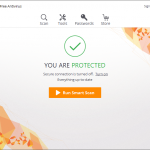
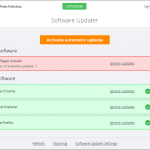
The designers and engineers of the world’s most trusted antivirus got together with the mission to make your life easier. Avast 2016 sports a new simplified user interface with fewer buttons. It’s compatible with Windows 10, and it notifies you of Windows updates so you can easily keep software up-to-date and patched.

But it’s these two new features that we’re most excited about today:

Avast Passwords (for PC, iOS, Android) automatically generates extremely strong passwords that you don’t have to struggle to remember! All you do is set and remember one master password to access all your passwords. One password to rule them all!

SafeZone Browser (available with all premium versions of Avast) keeps all your banking and payment sites isolated in a protected space called Pay Mode, and if you run into suspicious sites, an isolated, virtual environment called Safe Mode will automatically open, so you don’t risk the safety of your machine and data. 

Free_2016_main_dashboard
Free-SmartScan
Free-SoftwareUpdater

Protect personal information on your iPhone and iPad

Wi-Fi Security – This is the same great feature that’s available in Avast Mobile Security. When you connect to an unsecure router you will be notified.

VPN – Avast SecureMe establishes a secure connection when you’re connected to open Wi-Fi.

Where do I get the new Avast security products?

  • Avast 2016 for PC and Mac is now available for download at www.avast.com.
  • Avast 2016’s Avast Passwords feature is now available for PC, Android and iOS, and will soon be available for Mac.
  • The new Avast Mobile Security app can be found in the Google Play Store.
  • Avast SecureMe will soon be available on the Apple App Store.


Follow Avast on FacebookTwitterYouTube, and Google+ where we keep you updated on cybersecurity news every day.

How to avoid disaster in the event of credit card theft

safe credit card

When it comes to choosing PINs for your credit card and cellphone you’ve done everything right – you avoided the temptation to use the year you were born in for either and both have different codes. However, these precautions could all be for nothing if a cybercriminal gets in the way of your credit card and the sales point.

The standard verification process for payments by debit or credit cards consists of a card with an integrated chip and a PIN. However, a group of investigators from the École Normale Supérieure (ENS) in Paris have just published a report which explains how a group of attackers found a way around this system and managed to steal €600,000 in stolen cards. The good news, fortunately, is that they were arrested not long after.

This group of attackers stole 40 credit cards which, supposedly, should have been useless without knowledge of the card’s PIN. However, the criminals were crafty and modified the cards by adding a second chip inside the card which was impossible to spot by looking at it.

When the card was placed in the POS (Point of Sales Terminal), they took advantage of the EMV’s vulnerabilities and carried out a “man-in-the-middle” attack which allows them to intercept the communications between the card and the system.

In that moment the second chip came into play and allowed them to complete the transaction using any PIN. This turned out to be an easy method that they used more than 7,000 times.

credit card

Despite the investigators saying that the vulnerabilities have been corrected and that the fraudsters arrested, this case highlights the importance of contacting your bank if your wallet is stolen or if you lose your card.

What’s more, the modification of the card isn’t the only way that they can fleece you if the card ends up in their possession. Ross Anderson, professor of Security Engineering at the University of Cambridge, has spent years investigating how attackers could take control of a credit card and has recently summed up some of the paths open to cybercriminals.

Some of the methods that cybercriminals could use include copying the card information from a POS to send to another one, passing the information of a chip and PIN card to a magnetic stripe card, or even manipulating a POS with the aim of intercepting a card during a transaction and sending the information to a cellphone.

So, what can users do now that they know about these vulnerabilities? In reality, there isn’t really a lot that they can as the majority of these frauds take advantage of the weaknesses in the standard POS, which means card makers and banks should be worries about making transactions as safe as possible.

Some recommendations include only paying with card in places you trust, not keeping all of your savings in the same account, and checking your account often to ensure that there are no unusual movements taking place.

credits card

Being aware of the vulnerabilities of credit cards could also help us to choose other alternatives, such as cards that read our fingerprints. This is a method of protection that no cyberattacker can steal from us.

Last year MasterCard unveiled the first card with a fingerprint reader in conjunction with Zwipe, a Norwegian startup. We have also seen large credit card companies say that they will experiment with facial recognition technology for online purchases.

This step could see then end of traditional passwords in the next few years and it could be a solution to the vulnerabilities facing chip and PIN cards. In the meantime, the best thing to do is keep informed of the risks that you face when using your credit card.

The post How to avoid disaster in the event of credit card theft appeared first on MediaCenter Panda Security.
Avast achieves ICSA Labs certification

We’re happy to announce that Avast Free Antivirus on Windows 10 64-bit has been certified by ICSA Labs! After being tested in the ICSA Labs Anti-Virus Certification Testing Laboratory, Avast Free Antivirus on Windows 10 64-bit has satisfied the requirements for the Desktop Server AV Detection module within the Anti-Virus Corporate Certification Testing Criteria.

The Desktop Server AV Detection is targeted at antivirus products designed to protect individual desktops, laptops, or servers of individuals and businesses from malicious code infection. In order to meet all the requirements within the Desktop Server AV Detection module, antivirus products must accomplish the following things:

•  Detect malware on-demand
•  Detect and prevent the replication of viruses on-access
•  Report no false positives
•  Log the results of attempted malware detections
•  Perform necessary administrative functions

About ICSA Labs

ICSA Labs is the security industry’s principle antivirus product testing and certification facility. The company is a reliable source for finding which products are currently certified and also includes a collection of detailed lab reports of the tests that are conducted on the products.


Follow Avast on FacebookTwitterYouTube, and Google+ where we keep you updated on cybersecurity news every day.

USB Killer: the storage tool that destroys your computer

USB

Despite the increase in the storage of files and documents on cloud-based systems, the humble USB is still playing an integral part in our lives. From offices to homes, this convenient tool is used for quickly and easily transferring files from one device to another.

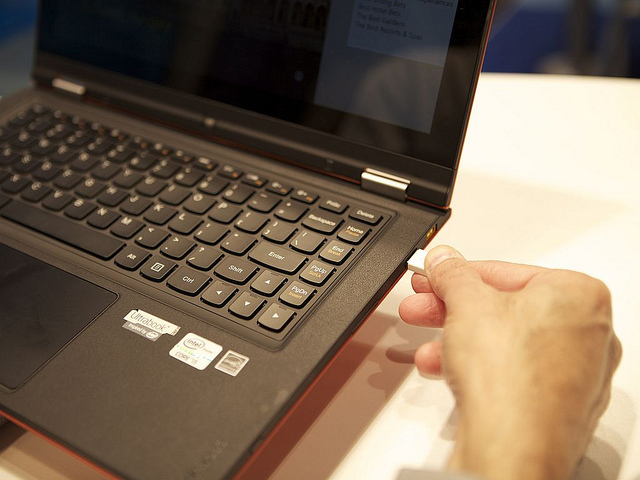
However, just because they may seem harmless doesn’t mean they can’t give your cause for concern. If you have ever connected your USB to an infected computer it is likely that it has become infected with malware. What’s more, if you thought that a virus was the worst thing that could happen to your USB then you’re mistaken – a USB could, literally, fry your computer.

Russian security expert Dark Purple has recently proven this and has developed an updated version of his so-called USB Killer; a USB capable of destroying a laptop but by connecting the two devices.

His first device managed to discharge 110 volts of electricity on the USB port when it was connected, but the new USB Killer 2.0 has managed to increase further the voltage that it can transmit, making it capable of relative destruction. If we consider that a USB port can handle around 5 volts, his invention goes far beyond what it is capable of tolerating, and in just a few seconds the USB Killer can destroy the motherboard.

computer pendrive

In order to achieve this, the USB that he uses has been modified to use a DC-to-DC converter and various condensers. When it is connected, it begin to transmit an electrical current to the condensers, which turn into tension points as a consequence of this powerful charge.

The Dark Purple system not only manages to destroy computers with this method, but also any technological device that has a USB port. It doesn’t matter if it is a laptop, a desktop computer, or a tablet – this USB is designed to destroy the motherboard of any device, regardless of its size.

Although the investigator hasn’t carried out tests on all devices, his demonstration of the USBs power in destroying a Lenovo ThinkPad X60 leaves us with little doubt as to the potential of the USB Killer 2.0. The effects of his demonstration were immediate, with the computer automatically shutting down and it was impossible to restart it.

He has also indicated that the damage is only done to the motherboard, which means that by simply replacing this should be enough to rescue the computer, seeing as the hard drive shouldn’t be affected by the discharge. In any case, if you found the demonstration enjoyable and you want to recreate it yourself, it’s probably best that you don’t do it on your beloved computer.So, why has this security expert become interested in this unusual device? According to himself, he began working on USB Killer 1.0 after a speaking with a work colleague: “He read an article about how a dude in the subway fished out a USB flash drive from the outer pocket of some guy’s bag. The USB drive had “128” written on it. He came home, inserted it into his laptop and burnt half of it down. He wrote “129” on the USB drive and now has it in the outer pocket of his bag”.So, the moral of the story and the lesson that we should take from the USB Killer, is that if we stumble across a USB then we probably should take it and use it as our own.

You never know what they may have stored in them and it’s best not to take the risk, as they could contain dire malware.  If you want to protect your computer or tablet you need to look beyond the programs that you have installed; you also need to be aware of the dangers that come from external sources.

The post USB Killer: the storage tool that destroys your computer appeared first on MediaCenter Panda Security.
“Good Samaritans” return lost phones from Avast experiment

Twenty Android mobile phones were intentionally lost in The Lost Phones social experiment that Avast security analysts ran for 5 months.

The story is about how Avast Anti-Theft was able to track the phones and follow the journey that some of them took after being found. But four of those phones were returned to Avast because of good Samaritans who didn’t feel it was right to keep them.

Quiana W. returned a lost phone to Avast

Quiana W. returned a lost phone to Avast

We spoke to two of them; Quiana W., who found a phone on a park bench in Harlem, New York City and to Michael D. who found one in a public restroom in San Francisco. We asked what they thought when they first spotted the phones.

Quiana: I wanted to check it to see if it was on and see if I would be able to contact someone to return their phone. I know what it feels like to lose things, wallet or a phone, so I was just trying to pay it forward. It doesn’t necessarily have to happen back to me in this way, but it was just something that kind of took my heart.

Michael: My initial reaction was to leave the phone where it was. It seemed a little suspicious – how could someone not hear the phone drop onto the floor? I also thought that someone might mistake me for a thief if I walked out with the phone. But then, partially out of boredom and partially out of honesty, I decided to play detective and find the phone’s owner.

Lost_Phones

Michael D. found a lost phone in a public restroom

Why is your phone so important?

Quiana: Everything revolves around technology. The most valuable piece of information on my phone is probably my contacts, because I try not to keep too much private stuff, or stuff that is sensitive, but I guess my contacts or things I may discuss with people via text messages are most important to me.

Michael: My own phone is important to me because it keeps me in contact with family and friends. The most valuable data on my phone is the contact list. Then the old messages saved to memory.

Why did you return the phone?

Quiana: I lost my phone a couple of months ago and I didn’t even know I lost it. I was in a car and my cousin kept asking me why I was calling her? So, I’m like, Wait a minute, I don’t have my phone! Where is my phone?

I dropped my phone in a parking lot of the grocery store that we were just at, so I went back to get it. So, I kinda would feel lost (without my phone), I would feel definitely lost.

Michael: I returned the phone because I don’t take things that aren’t mine.

What would you fear about losing your phone?

Quiana: The amount of money I would have to pay to get it back.

Michael also thought about what would happen if he lost his own phone. If that happened, he would be more concerned about losing the device itself rather than the data on his device.

Protect your data and the device it’s on

Even though four honest people returned a lost phone to Avast, 15 stolen phones are still out there. We were able to track 11 phones immediately because they stayed online for more than 24 hours after losing them, we were able to track 7 phones for several months, and 4 phones are still online and being used.

“More than 3 million phones are lost each year,” said Gagan Singh, president of mobile at Avast. “Fortunately with Avast Anti-Theft, users have the means to track and recover a lost phone – or remotely wipe the data on it if it’s not recoverable.

You have a better chance of getting your phone back if you install  Avast Anti-Theft. Get it for free from the Google Play Store.


Follow Avast on FacebookTwitterYouTube, and Google+ where we keep you updated on cybersecurity news every day.


How the Avast ‘Lost Phone’ experiment worked

We trust our free app Avast Anti-Theft to track down lost phones, but we wanted to put it to the test in a real-world situation. So five months ago, we bought 20 Android smartphones and installed three security apps on all the phones: Our free Avast Anti-Theft app, Lookout Mobile Security, and Clean Master. Each phone was marked with contact information on where to return the device if found. After all was prepared, Avast security analysts traveled to New York City and San Francisco to randomly “lose” them in public places.

Here’s a video that shows what happened.

Over the months, the analysts used the Avast Anti-Theft app to track the lost devices and observed the following:

  • 15 phones were wiped clean using the factory reset feature
  • 11 phones stayed online for more than 24 hours after losing them
  • 7 phones we were able to track for several months
  • 4 phones were returned
  • 4 phones are currently online and used
  • 2 phones ended up abroad
  • 1 phone was never factory data reset

The majority of lost devices were wiped clean using the factory reset feature, but only the Avast Anti-Theft app survived the factory reset.

You can track your missing mobile phones and tablets with Avast Anti-Theft. Get it for free from the Google Play Store.


Follow Avast on FacebookTwitterYouTube, and Google+ where we keep you updated on cybersecurity news every day.

Don’t be careless when throwing away your used boarding cards!

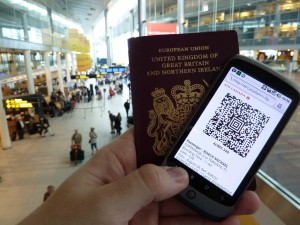
boarding cardDespite the need to print off documents having a less important role in our lives in the era of smartphones, there are still some things that we need to print off as there aren’t many other options. This is true of boarding cards, which hold a surprisingly important amount of private information which needs to be kept out of the hands of others if you don’t want to run any risks.

The usual protocol after returning from vacation is to throw out the airline tickets without giving them another thought, assuming that nobody is going to trawl through the garbage looking for an out-of-date ticket. Unfortunately, this is exactly what suspicious characters will do, knowing that these pieces of paper are the key to a whole host of private details and information.

What is even worse, however, is taking a photo of your boarding card and publishing it on Facebook or Twitter, especially if your privacy settings aren’t properly configured. By uploading this seemingly innocent image to make your friends jealous, you are inadvertently sharing your details with any user of the Internet who could use the information captured in the image for their potential benefit.

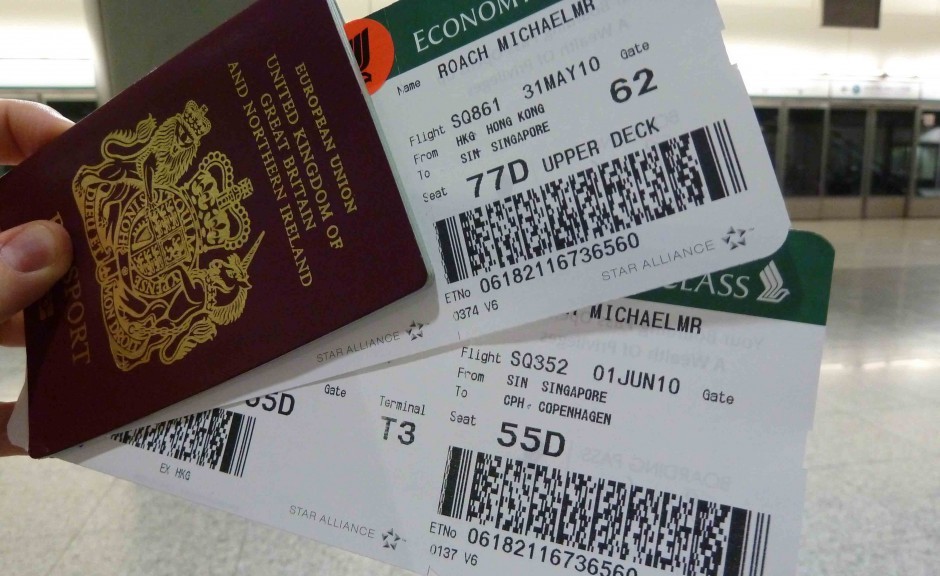
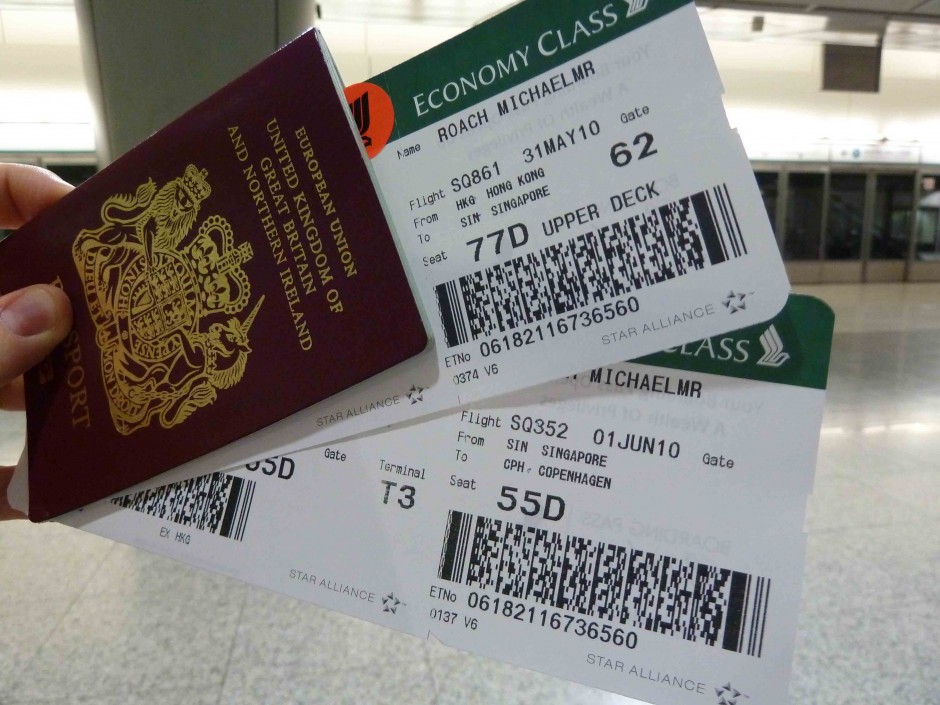
“The barcodes on boarding cards could let anyone discover information about you, your holiday plans, and your frequent flyer account”, according to IT security expert Brian Krebs.

It isn’t always like this, and sometimes the barcode only reveals information such as your name, date of the flight, the related airports, etc. However, in some cases the barcode can turn into a potential goldmine of personal information which can be used to attack your user account in the airline’s website.

The information stored on the barcodes can be extracted by using free access tools and can be interpreted by using step-by-step guides which explain each element.

barcode app

The real danger that’s stored on these boarding cards is the frequent flyer number, which can be used to access your user account on the airline’s website. Knowing the name and surname of a passenger along with their frequent flyer number is “the first step to getting the password”, states Krebs.

Once inside, among other things, you can check out sensitive personal information (telephone numbers or the accompanying passengers) and even change or cancel upcoming flights. The intruder can even change the access requirements by guessing the answer to a security question – something which we have pointed out before as being rather easy to do.

This vulnerability, according to Krebs, “has created a black market for hacked frequent flyer accounts”. If you don’t want to end up being the next victim, the best thing to do is destroy your boarding cards before throwing them in the garbage or, better yet, use the official airline apps and by-pass the paper option altogether.

The post Don’t be careless when throwing away your used boarding cards! appeared first on MediaCenter Panda Security.

How to avoid Efast Browser, the latest adware to hit Chrome

Efast adware browser

Another day, another malware to tackle. It seems that hackers are churning out new ways to trick us on a weekly basis as security researchers have uncovered the latest threat to Internet users. Despite the likes of Google strengthening its security to combat these attacks, the culprits are continuously changing and adapting, and this latest adware has the potential to lead to serious privacy issues and even identity theft.

Named eFast Browser, this new adware seemingly works in the same way as many similar adwares that we’ve seen in the past – it bombards your browser with annoying pop-ups and redirects you to unwanted websites, while tracking your every move online, allowing more frustrating advertisements to be sent your way. What makes eFast Browser unique, however, is that unlike previous adwares which looked to take over your current browser, it actively sets out to replace your browser by deleting Chrome and taking its place. In doing so, it hijacks as many links and file associations as possible and features an icon that bears more than a passing resemblance to the Chrome icon.

The software comes from a company calling itself Clara Labs, which is also behind other similar browsers such as BoBrowser, Tortuga, and Unico. All claim to be legitimate and improve the Internet browsing experience yet none provide the functionality promised. The developers state that eFast Browser is a legitimate chromium-based web browser that largely improves the Internet browsing experience by generating the most relevant search results, displaying special deals or discounts available on shopping websites, etc. However, users need to be aware that adware-type applications such as eFast Browser are solely designed to generate revenue for the developers with little care for the user experience.

adware desktop

The most worrying aspect of this malicious adware is that it gathers information on your browsing which it then shares with third parties. The data that it gathers has the potential to be personally identifiable which, in turn, could lead to problems such as identity theft.

According to PCrisk, the adware tries to get on your computer by burrowing itself into the installers for free software from dubious sources on the web. The experts recommend a two-step process to avoid accidentally installing eFast Browser and other potentially unwanted programs (PUPs) on your computer. You should “never rush when downloading and installing software – use the ‘Custom’ or ‘Advanced’ settings and closely analyze all steps. Furthermore, all additionally-included applications should be cancelled, since bundled software is often classed as rogue, and thus, should never be installed.”

As always, when you are using the Internet it pays to be cautious. By following a few simple steps you can be assured that your online experience won’t turn out to be a frightening one. Cybercriminals are lurking in every part of the web, so always keep your eyes peeled!

The post How to avoid Efast Browser, the latest adware to hit Chrome appeared first on MediaCenter Panda Security.