Tag Archives: Mobile Security

WhatsApp to advise users if they receive a dangerous file

WhatsApp is set to send a warning to users when they receive a dangerous file. The instant messaging application will introduce this feature during its next few updates, making the sharing of files a bit safer.

Under a new menu, named Documents, users will find a section which is similar to the current one which stores photos and videos that have been exchanged in the conversation. Now, however, there will be text documents, Excel files, presentations, and other office-style documents.

The danger of Excel files

As we’ve said on many occasions before, if you receive an Excel file by email then you should be suspicious. This is why Excel files require the permission of the user to run the file in a trusted mode, and this is exactly what WhatsApp is going to do, too.

whatsapp files

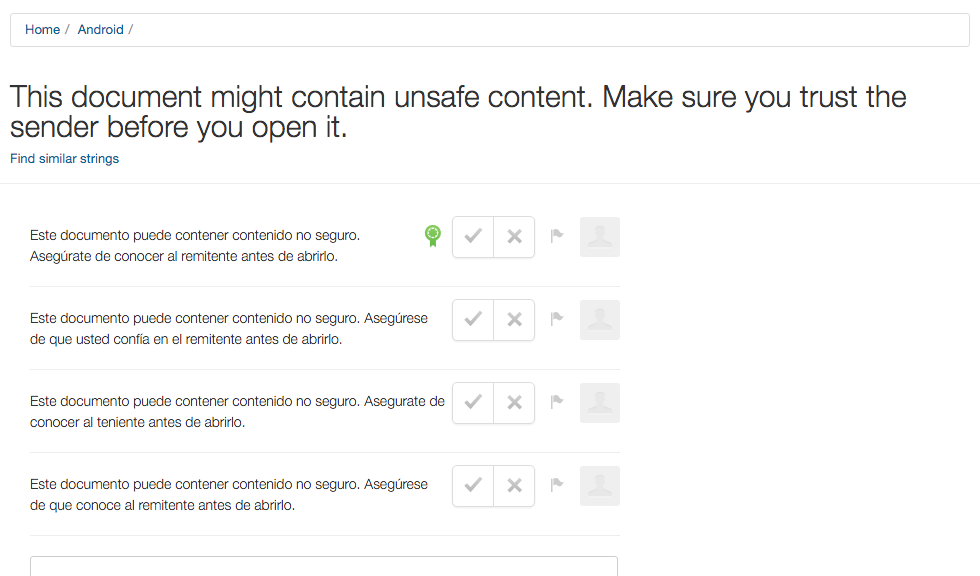
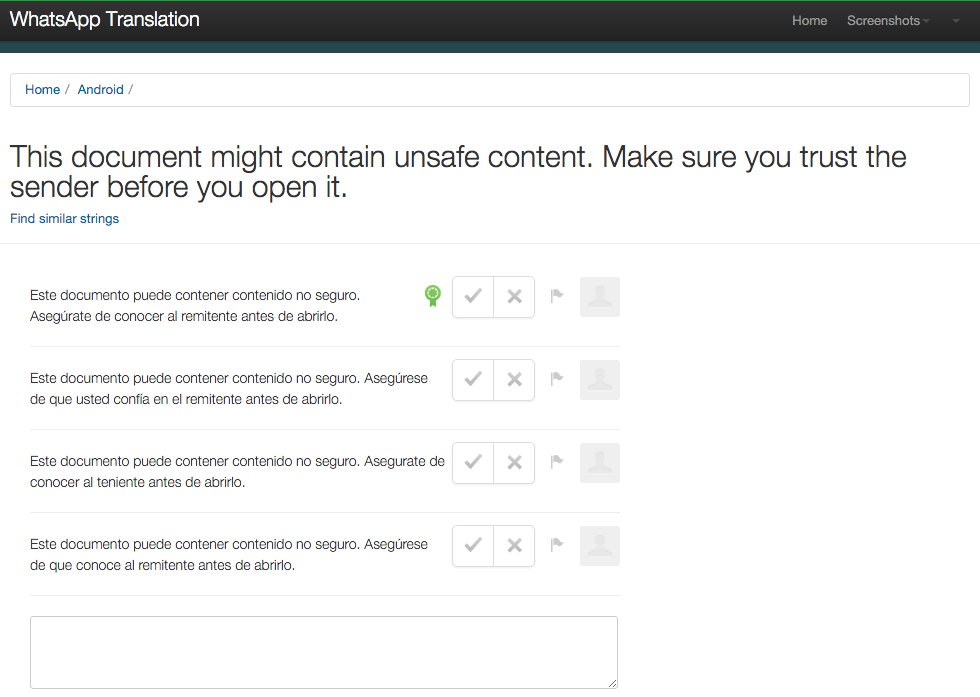
Once again, this piece of information has come from WhatsApp’s translation service. It seems that a security alert will appear before allowing you to run the office document.

By doing this, they hope to avoid the spread of malware via mobile devices. The message will be clear and direct – “This document might contain unsafe content. Make sure you trust the sender before you open it”.

This news confirms what we have always said: be careful with attachments and those that are sent via mobiles. Now, WhatsApp will also help us to remain a little more protected! 😉

The post WhatsApp to advise users if they receive a dangerous file appeared first on MediaCenter Panda Security.

How to turn your old mobile into a home security system


broken smartphoneLong live mobile phones. Although smartphones are designed to be little more than ornaments as the years progress, what’s certain is that when we change our device for a newer model we can still get some final use out of the old one before it’s resigned to the bottom of a drawer.

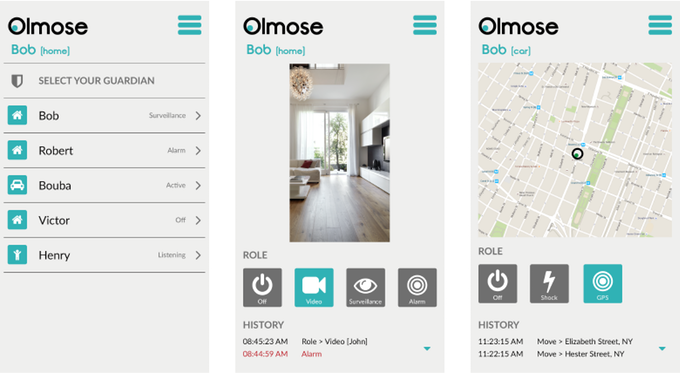
Apart from the long list of ways to reuse an old phone that we have all seen more than once, a startup has proposed that we turn our old smartphones into sophisticated security systems – an application is all it takes to make your home safe thanks to The Olmose App.

app

For now, its creators are looking for financing via the crowdfunding platform Kickstarter. During the month of February they will try to gather the €100,000 necessary for the project to become a reality.

Helped by the support created by Olmose, old mobile phones will become the eyes and ears that keep watch on our homes when we aren’t there. To start, you need to install the app and on the old phone and the new one that you’ll be using daily, which will become the control center.

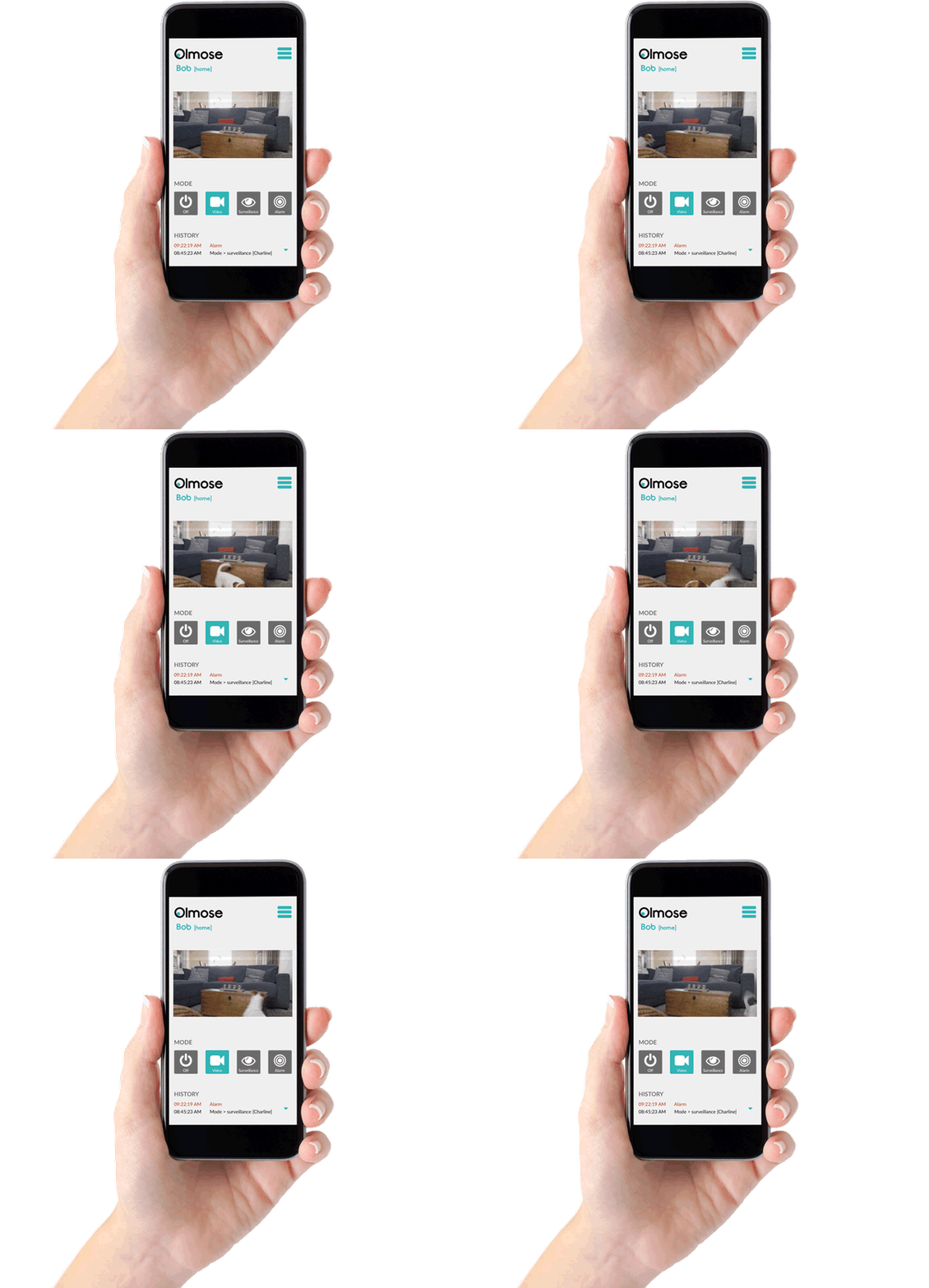
From there on, the old smartphone will identify any movement or sound which will set off an alarm that you carry in your pocket should an intruder try to enter your house.

dog smartphone

Besides these notifications, the application will record and post all that happens on the phone’s camera to the cloud.

Beyond this antitheft function, the app is also developed for parents who want to monitor their baby and even for those who want to control their cars – all it takes is leaving the old mobile in the car’s glove compartment, with the application activated, and you can find out where the car is if it is stolen.

This service won’t be free, and if the crowdfunding campaign is successful and Olmose manages to save old phones from being obsolete, those who want to use it as a security camera will have to pay around €24 to avail of a lifetime service.

However, by taking part in the crowdfunding campaign a potential user can obtain a license for just €20, which is the minimum contribution that one can give to the Kickstarter project in order to get something in return.

All going well, Olmose will be in app stores around the world in the next few months and will save many an old phone from being left cast aside. That old smartphone still has its uses, and although it may not be as fancy as your new one, it will possible help you out in the event of theft. Long live mobile phones!

The post How to turn your old mobile into a home security system appeared first on MediaCenter Panda Security.

Find reliable, secure Wi-Fi hotspots with new Wi-Fi Finder app

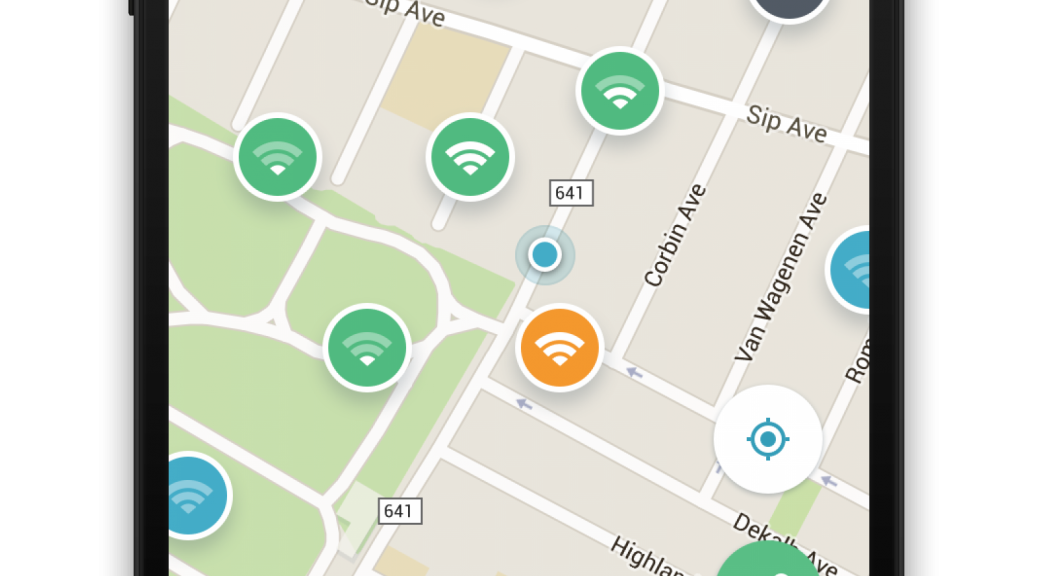
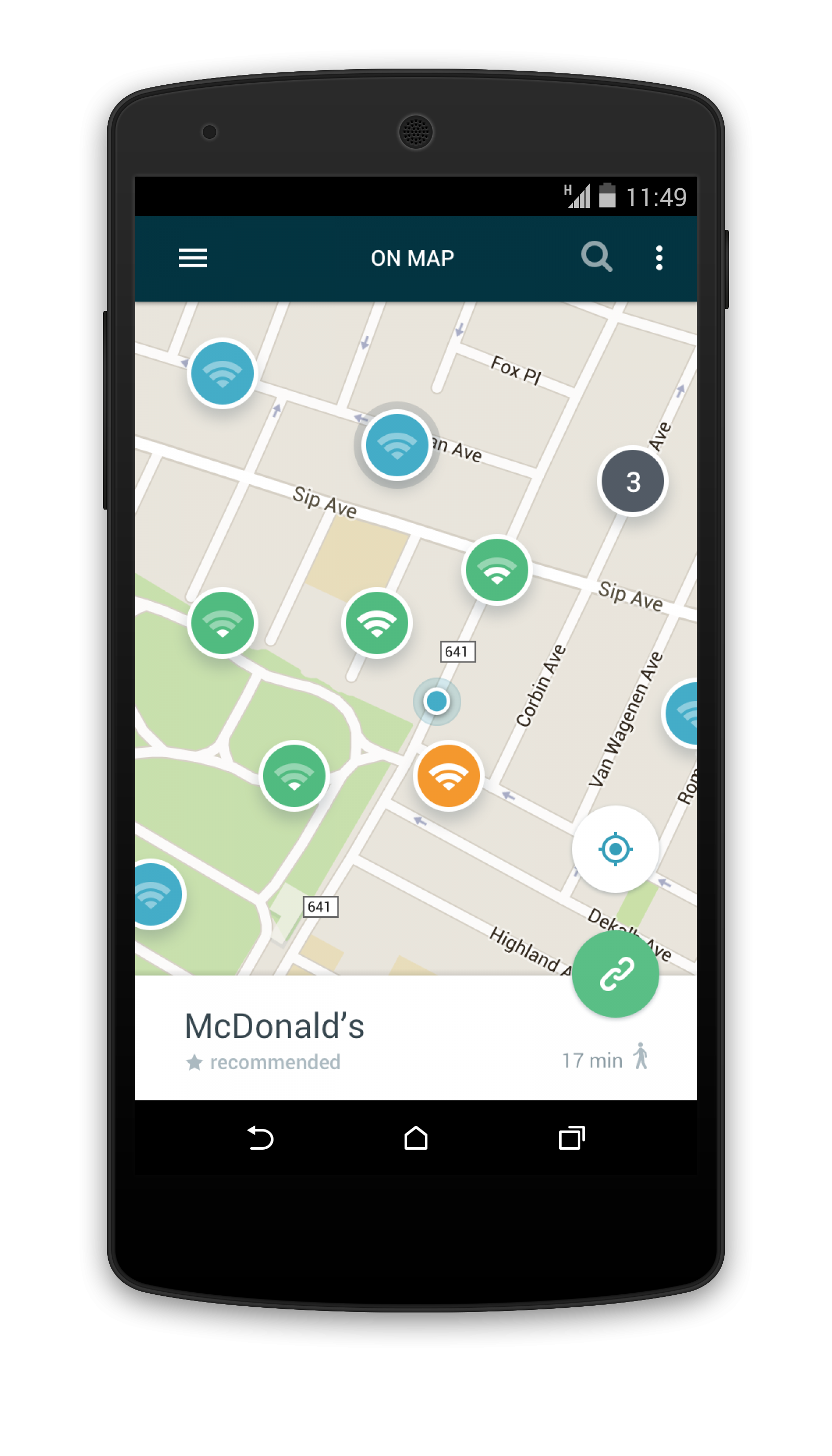
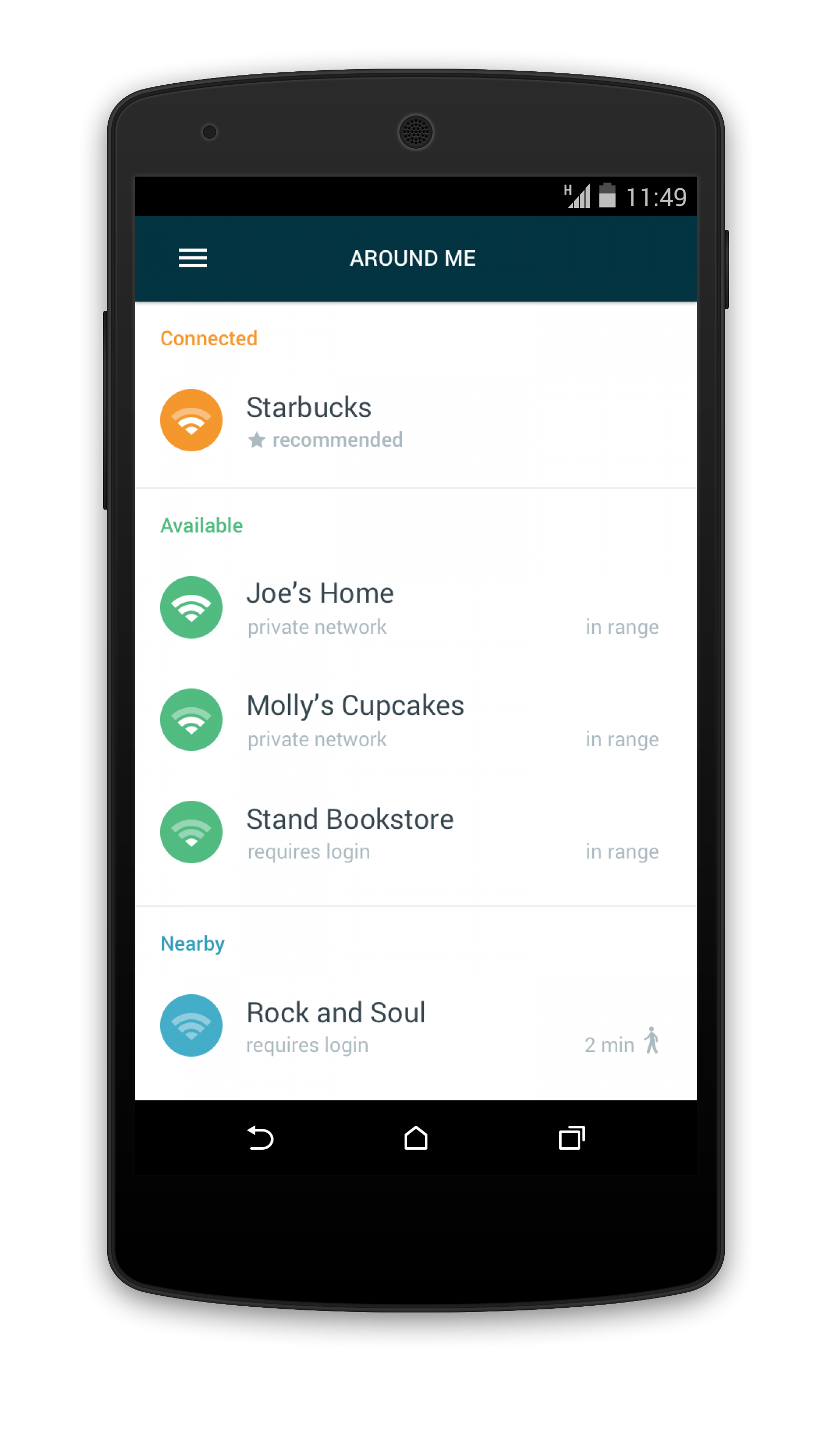
Avast Wi-Fi Finder for Android finds secure Wi-Fi connections, wherever you are.

Everyone loves saving their data by using free Wi-Fi hotspots, but that can be risky if the hotspot is unsecure. Hackers can eavesdrop on what you’re doing, see your messages, watch the sites you navigate to, and even steal usernames and passwords. Wi-Fi FInder mapWi-Fi Finder list view

How to find safe Wi-Fi hotspots

New Avast Wi-Fi Finder is an Android app that can help you find reliable, fast, and secure Wi-Fi connections, wherever you are.  With the mobile app’s user-friendly map interface, it’s easy to find hotspots recommended by people around the world. Avast Wi-Fi Finder helps you select a secure Wi-Fi connection without the worry of going over your data plan or the frustration of slow data connections. Avast Wi-Fi Finder is free for Avast Mobile Security users. Download Avast Wi-Fi Finder from the Google Play Store. For iOS, download Wi-Fi Finder from iTunes.

“Many of us have found ourselves in situations when traveling or working remotely in which we’re unable to find reliable and secure Wi-Fi,” said Gagan Singh, president of mobile at Avast. “With the Avast Wi-Fi Finder, consumers are now able to find a safe and fast Wi-Fi connection whether you’re at the gym, hotel, airport, bus station, library or café.”

The Avast Wi-Fi Finder helps you:

  • Connect to the fastest, most secure hotspots
  • Obtain speed without compromising privacy
  • Navigate a collection of nearby Wi-Fi hotspots, recommended and crowdsourced by nearby users

Here’s how Avast found all those safe Wi-Fi hotspots

In August 2015, Avast launched a product crowdsourcing program that allowed Avast Mobile Security users to help Avast harvest nearby available Wi-Fi spots. By enlisting our 230 million users, our team collected Wi-Fi hotspot data from volunteers and evaluated each hotspot’s security level before launching Avast Wi-Fi Finder.


Please follow us on FacebookTwitter and Google+.

US man jailed for massive SMS spam operation – How to avoid becoming a victim

From offering discounted sunglasses (designer label, of course) to gift card for well-known stores, the world of SMS spam is one that continues to trick unwitting victims. You’d think that by now we would all be aware of the scams behind these messages which we receive on our mobile devices, but with these spammers becoming increasingly desperate to make a quick buck, they are using all manner of tactics to dupe their victims.

Luckily, the authorities are taking spam campaigns seriously. Just this week a US judge ordered Phillip Fleitz, a 37-year-old native of Pennsylvania, to 27 months in federal prison for his role in a massive spam campaign.

smartphone

Over the course of nearly 2 years, the spammer sent millions of illegal spam messages to US and international cellphones and computers. With the help of two accomplices, Fleitz managed to earn between $2,000 and $3,000 per month by violating a 2003 law designed to protect cellphone and computer users from unwanted marketing and pornography emails and text messages.

The trio carried out their attacks by operating computer servers from China and using them to infiltrate the personal computers of millions of people worldwide. Naveed Ahmed, one of the accomplices, wrote a program that helped match cellphone numbers with their carriers. That allowed the scammers to bombard the phones with unsolicited messages.

The computer and text-message spam both included internet links. Those who received the text messages were told they had won gift cards that could be accessed by clicking on the links. In reality, those who followed the links were directed to web pages controlled by internet “cost per action” networks – marketing companies that collect email addresses and other personal information. Such companies are legal but using spam to drive traffic to them is not.

So, with this in mind, what can steps can you take if you receive unwanted spam on your cellphone? You’re in luck, as the latest Apple and Android cellphones allow users to block spam with relative ease.

iPhone users

If you have iOS 7 or later installed, open the spam message and click on contact, then on the “i” button that appears. A small contact card, mainly blank, will pop up and all you need to do is scroll down and select “Block this contact”.

To check out all of the numbers and spammers that you have blocked, you can view them in your message settings by scrolling down to Blocked.

Android users

For users of this operating service, blocking spammers is a little trickier but can still be done. First of all, the inbuilt messaging app doesn’t allow you to block anybody, so you’ll need to get an app from the Google Play store (remember to only download apps from official or trusted sources).

The apps available offer different forms of spam-blocking assistance – from ones that allow you to create a blacklist of contacts to others that automatically flag suspicious messages as spam.

If your Android device has been updated to KitKat (you can verify this by clicking on the “About Phone” section of your settings; if it’s 4.3 or above then it’s on KitKat) then you have it a little more complicated again. However, you can install Google Hangouts which not only sends and receives standard SMS messages, but lets you place spammers on a “blocked” list.

The post US man jailed for massive SMS spam operation – How to avoid becoming a victim appeared first on MediaCenter Panda Security.

Hacking Smartphones Running on MediaTek Processors

A dangerous backdoor has been discovered in the MediaTek processor that could be exploited to hack Android devices remotely.

MediaTek is a Taiwan-based hardware company that manufacture hardware chips and processor used in the smartphones and tablets.

The backdoor was discovered by security researcher Justin Case, who already informed MediaTek about the security issue via Twitter, as

How your smartwatch could give your credit card PIN away

apple watch

They’re the latest must-have in the world of wearable devices, but they don’t come without flaws – cybercriminals are eyeing up smartwatches as the next devices to attack.

Keeping in mind that the majority of smartwatches currently on the market are carrying some sort of vulnerability (even the popular Apple Watch has been highlighted as potentially worrying for user privacy), the growth in sales of these devices is music to cybercriminals’ ears.

Your credit card PIN at risk

A vulnerability recently discovered by a student at the University of Copenhagen has set alarms bells ringing. Tony Beltramelli used his thesis to show that a smartwatch is all that is needed for a cybercriminal to discover your credit card’s PIN.

We are all aware of the amount of malicious apps that are available for smartphones, however these new wearable gadgets are also the focus of cybercriminals looking to trick unwitting users with applications designed to steal sensitive information.

Beltramelli, who carried out the test on a Sony SmartWatch 3, managed to extract data from the device’s gyroscope and heart-rate monitor by using one of these malicious apps, and later sent the stolen information to a server.

Just as the student did, a cyberattacker could access the information of these sensors and analyze them until they get something truly valuable – with an accuracy of 73%, the gyroscope and the heart rate monitor can tell us which buttons the user has pressed on a typical ATM keyboard using the hand which the smartwatch is worn on.

On larger keypads, the accuracy is different – the system created by Beltramelli is capable of guessing a PIN in 19% of cases. “This means that an attacker has a wide range of devices available”, explains the student.

This make the sensors a double-edged sword, as not only do they make the watch more useful and appealing, but they could end up costing the owner more than they bargained for.

smartwatch

Beyond following typical security recommendations such as only downloading applications from trusted sources, a possible solution might be that we avoid wearing our smartwatches on the arm of the hand that we usually use to carry out tasks – so all left-handed people should wear it on their right, and vice-versa. This small change could save you a lot of bother further down the line!

The post How your smartwatch could give your credit card PIN away appeared first on MediaCenter Panda Security.

Samsung Get Sued for Failing to Update its Smartphones

One of the world’s largest smartphone makers is being sued by the Dutch Consumers’ Association (DCA) for its lack in providing timely software updates to its Android smartphones.

This doesn’t surprise me, though.

The majority of manufacturers fail to deliver software updates for old devices for years.

However, the consumer protection watchdog in The Netherlands, The Dutch

10 ways to keep your iPhone safe in 2016

iphone-safety-panda-security

It’s not likely to have featured among your list of New Year resolutions, but it is definitely one you should belatedly adhere to (especially if you received one of Apple’s phones this Christmas): making sure your iPhone is safe from harm.

A smartphone is a bountiful source of personal information such as photographs, contacts, and even back details. This means that cybercriminals are increasingly eyeing them up as ways to take advantage of unwary victims. Even though some of the most basic security measures are very easy to follow, many of us forget to implement them, and this leaves us at risk. This is why we’re going to highlight the easiest ways for you to keep the information stored on your iPhone safe from criminals.

1- Secure identification

One good feature of new Apple devices is that you can choose a method of authentication that isn’t a traditional password. The devices come with biometric sensors installed on their screens which recognize fingerprints and allow the user to unlock and access their smartphone.

You can also opt for an access code that is longer and more complex (and harder to guess). Make use of the six digits that are offered – you’ll only need to remember it if the biometric system fails five times or if you haven’t used the device in two days, although it will help to make things harder for cybercriminals.

iphone-passoword-panda-security

2- Hide information from the screen

What’s the point in having an authentication system if you leave information available on the screen? It is possible to see WhatsApp messages, emails, and even speak with Siri, all without the need to unblock the screen. If you use the biometric access system then you won’t waste any extra time (in this case, seconds!) in access your notifications, so it’s best that you turn off these unsafe options.

3- Use a two-step verification process

The iPhone currently doesn’t allow for the use of biometric and traditional passwords at the same time, but you can set up your Internet accounts (iCloud, email, banking, etc.) to use a two-step verification process when accessing them.

By doing this, you will have a key and a token, which is basically a code that you will receive to whichever device via text message or your chosen security application, such as Google Authenticator.

iphone-wifi-panda-security

4- Disconnect what you don’t need

If you aren’t using Wi-Fi or Bluetooth then deactivate them. Having them turned on only means that your device will connect to public network which might not be safe, and thus leaves the door open for cybercriminals.

5- Be careful of your online moves

What you get up to online can easily be traced by cybercriminals, even without the need or passwords or the like. You need to make sure that your cookies, browsing history, and other information stored on your browser isn’t available to criminals.  Any browser, even Safari, allows you to surf securely and in your device’s settings you can access the history and erase it, just like passwords that you have saved.

6- Use safe networks

Once you have ensure that your browser is offering you the best security, you need to make sure that the network you choose also does the same. Take care when using public networks and, if you do need to use one, make sure to use a VPN.

7- Set limits for apps

Another area you should keep an eye on is the applications that you are downloading. Make sure they only come from official or trusted sources, and always check what permissions they are asking you for when installing them. If something seems unusual, then don’t allow it.

8- Update regularly

You should update your phone’s operating system every time that your iPhone notifies you. This is a basic security measure, as the updated systems eliminate the risk of detected vulnerabilities causing harm to your device.

9- Manage your accounts well

If you have more than one account synched on your iOS device, keep track of the information that you share between them. It would be even better if you avoided using the same password for both accounts.

10- Make security copies

Even if you have followed all of the previous steps, make sure you are prepared for the worst case scenario. The best way of doing so is to make security copies of all information store don the device. You can also activate the “Find My iPhone” on the iCloud, which will allow you to trace your phone in the event of theft.

The post 10 ways to keep your iPhone safe in 2016 appeared first on MediaCenter Panda Security.

Everything you need to know to keep your Android safe in 2016

android

When the start of a New Year rolls around it is common for us to make new promises and resolutions to better ourselves during the coming months, be it hitting the gym more frequently, quitting smoking, or just keeping in touch with friends and family. Unfortunately, despite our best efforts, over time we slowly lose focus and put those goals off until next time.

However, there are some promises that we should keep, and one of them is to be more cautious when it comes to the security of our mobile devices. Seeing as we now use smartphones daily to complete a myriad of tasks, it’s essential to follow some simple steps to keep our beloved Android devices – the most popular operating system worldwide – free from danger.

Unlocking code

By default, your Android device can unlock itself by having a finger placed over the screen. In the event of theft or loss, make sure you have a better barrier of protection to stop others gaining access to the device. You can ensure this by simply setting a PIN or password for your device, once you make sure it’s not too easy to guess. If it seems too much of a hassle to have to introduce a password whenever you want to access your phone, then simply activate Smart Lock, which allows you to leave your Android device unlocked when at work or at home.

Prepare yourself for the worst

If the fateful day in which you lose your phone arrives, you’ll be glad to have been prepared by having Android Device Manager installed. It allows you to know where your phone is, and if it ends up in the hands of someone else, you can remotely block it. You can also remotely delete all information on the device, but before doing that make sure that you have…

Security copies

These are essential if you want to recover all of the information and applications that you had installed in the event of loss or theft, but also if the device breaks or gets infected by malware. Photos, videos, songs, and other files can be backed up to your Google account. For anything else, all you need is…

A good antivirus

It’s the number one security measure and the best barrier that you can put between your mobile and cybercriminals. A complete security solution with quick updates can protect your smartphone from recent and unknown threats. What’s more, as we indicated in the previous point, it will include features that allow you to make security copies and other basic functions that will make your device secure.

good antivirus

Apps from reliable sources

Be sure to only download apps from official stores such as Google Play, Amazon, and the device manufacturer’s website (Samsung, Sony, Motorola, etc.) and keep the option for “unknown origin” deactivated at all times, unless you want to install an app that comes from a secure source. If you do so, remember to deactivate it immediately.

Application verification

Even if you don’t install apps from unknown sources on your smartphone, it’s best to keep the Android application verification activated, which monitors the activity of your device to ensure that any anomaly is detected rapidly. If it comes across anything dangerous, it will recommend that you remove the application immediately.

Keep an eye on permissions

Whenever you install a new app on your device, a list of permissions will appear: access to camera, your list of contacts, Internet, etc. Unfortunately, we usually accept these without taking a good look at what it’s asking us. For example, does your torch really need to consult your GPS to know your location? If something seems unusual, then it’s best to be cautious. Luckily, from Android Marshmallow (6.0) on, a new permissions management system will make it possible to allow or deny each request on a case by case basis.
android smartphone

Encryption

All information on certain Android devices, such as Nexus 6 and 9, is encrypted by default. As for others, from the new version of the Jelly Bean (4.1) operating system on, you can activate it in the security options, making your device that bit more secure.

Two-step verification process

Your Google account is the epicenter of activity on your Android device, therefore keeping it safe is essential if you want to keep your mobile device secure, too. If you haven’t already done so, activate the double verification mechanism which will ask for a code every time that someone tries to access your profile from another device.

Be wary of public Wi-Fi networks

All it takes is €70 and 20 minutes for an attacker to steal your information via an insecure public network. Be careful when connecting to Wi-Fi in cafés, restaurants, libraries, or airports, and never use them for carrying out tasks involving your bank. Also, ensure that you can use a VPN to surf them.

The post Everything you need to know to keep your Android safe in 2016 appeared first on MediaCenter Panda Security.