Tag Archives: Mobile Security

The wave of emoticons that could crash WhatsApp

whatsapp emoticons

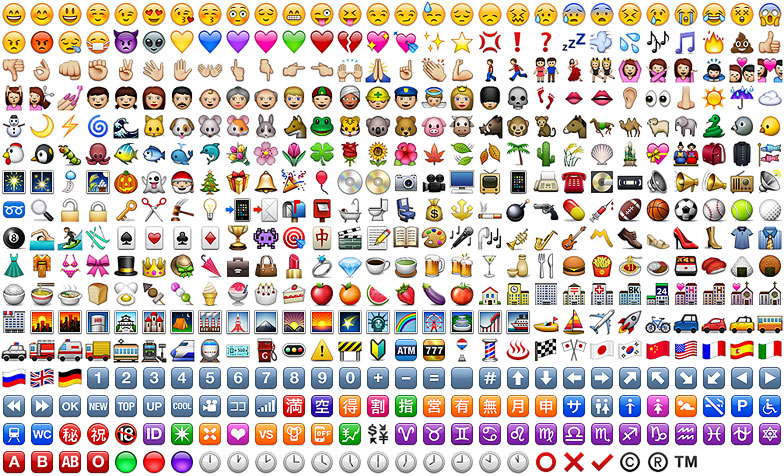
An emoji is worth a thousand words, or at least it is when you’re using WhatsApp. We’ve gotten used to expressing ourselves by using these colorful characters – be they smiley faces, grinning turds, or even animals – that it is strange to imagine ever communicating without them. In fact, a recent survey by Swiftkey in the USA managed to find out the most popular emoji by state, with some unusual results coming up, such as the smiling turd being the most popular one in Vermont.

So, due to the popularity of using emojis, it didn’t take long for cybercriminals to catch on to the fact that they could take advantage of their use, and some have started to use them to their advantage.

Following the WhatsApp scams of 2015, such as the message that invited you to download new emoticons but ended up stealing your contacts, 2016 has started out with a new vulnerability in the app, which is used by more than 900 million people worldwide.

Indrajeet Bhuyan, an 18-year-old from India, has just discovered that a cybercriminal, or even a friend who fancies playing a trick on you, could take advantage of a failure in WhatsApp’s system to remotely block your account.

The strategy to carry this out couldn’t be easier – all you need to do is send thousands of emojis in the same message and the app will close automatically. Bhuyan explained the entire process on the blog Hackatrick, where he also tells of his remarkable discovery.

After writing between 4,200 and 4,400 emojis on WhatsApp web, the teenager realized that the service began to slow down. Once the message was sent, he received an error message and the browser remained blocked.

However, when the person he was sending the message to connected, the message was received. Once opened, the application stopped working. During this phase, WhatsApp offered the usual options of waiting or closing the app. Despite this, the app would become blocked again due to the avalanche of emojis.

This young blogger has shown that the error can be produced in different web browsers (Firefox and Google Chrome) and various versions of Android (Marshmallow, Lollipop, and KitKat). Only iPhones were capable of resisting the chaos caused by the emojis, with WhatsApp for iOS only blocking itself for a few seconds.

The problem can be solved very easily, however. Instead of trying to read the message filled with emojis, the user should eliminate all of the chat without entering it. Although for some people, this is exactly the reaction that they hope to achieve.

For example, if a user has sent messages to another user that may contain private information, or has threatened another person via messages, they could send them this glut of emojis with the hope that the victim will delete the message entirely, eliminating all evidence.

Bhuyan also discovered a vulnerability that caused a shutdown of WhatsApp with a message of 2,000 special characters, although the company has since rectified this. He has just informed WhatsApp of his new finding and hopes that this fault is corrected in the next update.

The post The wave of emoticons that could crash WhatsApp appeared first on MediaCenter Panda Security.


6 simple steps for safely using mobile bank applications

money

The way that we carry out our banking operations has changed dramatically over the years. With the increase in Internet use a decade ago, it helped to remove the need to go to our banks or ATMs to manage transactions or to move money around. In the past couple of years the landscape has changed even further, with the advent of smartphones meaning we can also look after our finances on the go.

Thus, if you have a smartphone then it is likely that you will also have downloaded the official app of your bank. Most banks have invested greatly in ensuring the security of these apps, as any potential problems could be devastating for the reputation of the bank. These apps often have limits set on the amount of money they can transfer to minimize the risks and some demand a code from a token or card reader to authorize any transaction.

However, as with all apps, it pays to be safe and take precautions when using your banking application, just as you would with your credit cards, especially with Christmas just around the corner – a time when we are usually busy transferring money and checking our statements more than usual.

To help you stay safe, here are a few easy tips to help you bank safely from the comfort of your smartphone.

  1. Only use official apps

This may seem slightly silly, but you need to make sure that you’ve downloaded the official app from your bank.

  1. Keep the app updated

This piece of advice goes for all applications that you install, but with banking apps it is even more important. With each update, the developer may have included increased security defenses, which if you haven’t updated to, could leave you exposed.

  1. Select the SMS authorization option

Search for this option in the app, which means your bank will send you an SMS every time money has been lodged or removed from the account. This will allow you to spot any discrepancies before it’s too late.

  1. Log out when not in use

When you have finished using the app, it is very important that you log out of the app. This will help protect you in the event of your phone ending up the hands of the wrong person.

  1. Use a phone tracker

Getting a phone tracking app is an efficient way of remotely deleting information from your device in case you lose it or it is stolen.

  1. Install a trusted antivirus

A good antivirus will protect you from any suspicious activity or malicious apps. Panda offers solutions for both Android and iOS users in the form of Panda Mobile Security for Android and Panda Antivirus for Mac, which also scans iPhones for malware.

Finally, if you suspect that you have been the target of banking fraud, contact your bank immediately.

The post 6 simple steps for safely using mobile bank applications appeared first on MediaCenter Panda Security.

How to keep your kids safe on Snapchat

snapchat

If your child has a smartphone then it’s likely that they’ve installed one of the many different social networks that place photos as their primary way of communication. It seems almost unthinkable that a few years ago we weren’t all worrying about the best angle for a selfie or whether to snap a quick picture of our food to upload to Instagram before it goes cold.

A photo and video messaging app that has seen a huge surge in popularity is Snapchat. This app, which is primarily aimed at a younger audience, allows users to send videos and images to their contacts with the premise that these messages will be automatically eliminated after a few moments. Users set a time limit for how long recipients can view their Snaps (as of September 2015, the range is from 1 to 10 seconds) after which Snapchat claims they will be deleted from the company’s servers.

However, the application has seen some worrying issues relating to its security. For example, just last year the credentials of 4.6 million U.S. Snapchat users, such as usernames and phone numbers, were made public on the Internet. Despite introducing a new two-step verification process to help boost the app’s security, here are a few things to keep in mind before you let your child get too snap-happy.

How to keep your kids safe on Snapchat

  1. Warn your child over what content to send

Even though your child might think that they are sending the picture of video to their friends, remind them that the app has been hacked in the past and that if it happens again, their images could be made public. So advise them not to send something they wouldn’t want the whole world to see.

  1. Remind them that pictures can be saved

Despite the notion that pictures sent to contacts expire automatically after a set period of time, there are various ways around this and it’s worth pointing it out to your children.

For example, users are often able to take screenshots of photos and videos which are intended to be ephemeral using standard screen capture features on their smartphone or even by using special software to save the image.

  1. Don’t let strangers contact your children

So after following the above steps, next is to ensure that a stranger can’t send your child unsuitable images or contact them. To change the settings to ensure that only their friends can send them messages, tap the ghost icon at the top of the screen to access your child’s profile, then tap the gear cog icon in the upper-right corner, under the Settings menu go to “Receive Snaps from…” and ensure that it says “My Friends” instead of “Everyone”.

Finally, if someone has been harassing your child you can delete and block them from the same section of the menu as the step above. You can also write to [email protected] and they will resolve the issue. If still don’t feel comfortable letting your child use the app, you can delete their account and entering the username and password.

Remember, no matter how much freedom you want to allow your children when using social media, it always pays to keep them informed of the dangers it can pose, too.

The post How to keep your kids safe on Snapchat appeared first on MediaCenter Panda Security.

WhatsApp calls: Questions over privacy as WhatsApp keeps register of activity

apps smartphone

The undisputed leader in the western world for instant messaging, with over 900 million active users, WhatsApp is synonymous with smartphones and messaging. Despite this, there are constantly new controversies relating to the security of the application and this has led to many doubting the integrity of the service.

From fraud to malicious programs that take advantage of its popularity, to apps that spy on users and other vulnerabilities, there is seemingly no end to the problems which have been raised in a study carried out by investigators at the Cyber Forensic Research & Education Group at the University of New Haven in the United States.

Thanks to developing their own forensic tool, the investigators have managed to decode part of the communication that is established between the servers of WhatsApp and those of the user when there is communication of any sort carried out via the app.

They have discovered that, amongst other things, the popular instant messaging service collects and stores sensitive information about the user and the conversations that they have. None of this appears to be essential to the functioning of the messaging service, so you have to ask why the company does it, and why they haven’t publicly stated this before.

smartphone

The company keeps a record of all calls that we make, who receives them, and their duration. What’s more, the people behind the study believe that encryption keys could also be somehow sent during these communications. Although they haven’t proven it yet, it could be just the tip of the iceberg for new security flaws in the chat service.

The group of experts from the University of New Haven have urged other investigators to use the tool that they have developed in the hope that more security breaches will be unearthed, as there are also fears over similar practices with other messaging services such as Facebook Messenger and Telegram.

Recently we have seen that WhatsApp has taken measures to try and improve the level of security that it offers to its users in order to guarantee their privacy. These steps include the introduction of the famous and controversial double check, specific updates, and a stronger encryption system.

However, to keep the system user-friendly, some recommended security measures aren’t compatible as it would compromise the user experience too much. This difficult balance is what WhatsApp finds itself fighting against as it fights to stake its claim as the largest, and most secure, instant messaging service on the market.

The post WhatsApp calls: Questions over privacy as WhatsApp keeps register of activity appeared first on MediaCenter Panda Security.

6 steps to make your Viber more secure

VIber

Thanks to the advent of smartphones, we no longer have to worry about going over our message limit, or sending the same message to different people. Nowadays there is a large selection of different messaging apps to choose from, which allow you to send as many messages to as many people as you like, including group messages, all for free. Not only that, but you can freely send videos, pictures, and even share your location with others for no cost.

Depending on where you live, the most popular messaging app could be WhatsApp or Kik, Telegram or Voxer. Another extremely popular app is Viber, which has over 100 million active monthly users from a total of 280 million registered users. The messaging tool, which was launched in 2010, is available for both iOS and Android and allows you to have both video and audio chats.

Of course, as with all messaging apps, you need to make sure that what you share is safe and secure, so we’ve put together a few simple steps to ensure your data can’t be accessed.

6 steps to make your Viber more secure

1. Change your online status

This may seem like a rather simple step, but there’s no need for your contacts to know every time you open the app to read an old message. In order to hide your online status in Viber, go to the settings section, select “Privacy” and untick “Share ‘Online’ Status”.

2. Make Viber profile photo hidden from unknown users

Having a profile photo on Viber helps your contacts recognize you quickly and easily, but you can just as easily keep it hidden from unknown users. All you need to do is open “Privacy”, choose “Profile photo” and select “Nobody”.

3. Change the seen option for contacts

If you don’t want your contacts to know when you have seen or read their messages, you can change the option by going to the settings, then “Privacy”, and take the tick off the “Share ‘Using App’ status” line.

4. Use a password to block Viber

If you are unfortunate enough for your smartphone to land itself in the hands of another person, you can ensure they aren’t able to read your private messages by using a password to block access. The app itself doesn’t come with any locking device, but you can easily download a password app that you can use with Viber for free.

5. Don’t save Viber photos in your gallery

All photos that are sent or received via the app are stored automatically in a new folder in your phone’s gallery. So even if you’ve blocked the app, someone can still access your photos. Simply delete the photos immediately (you can still view them within the app) or follow these quick and easy steps:

  • Download a file manager app i.e ASTRO, ES File Manager or Cabinet Beta
  • Navigate to “vibermediaViber Images” directory in your phone.
  • Create a new file “.nomedia” (without quotes) and save it.
6. Hide Using App status

Any games or actions you carry out within the app is viewable by others, so to prevent them seeing what you are doing just go to the settings, then “Privacy”, and take the tick off the “Share ‘Using App’ status” line. Easy as that.

So, now that you have completed these simple steps, you can ensure that whatever you send to your family and friends can remain confidential, and so is all of your activity while using the messaging tool.

The post 6 steps to make your Viber more secure appeared first on MediaCenter Panda Security.

Voice assistants like Siri and Google Now could be vulnerable to attack

siri security

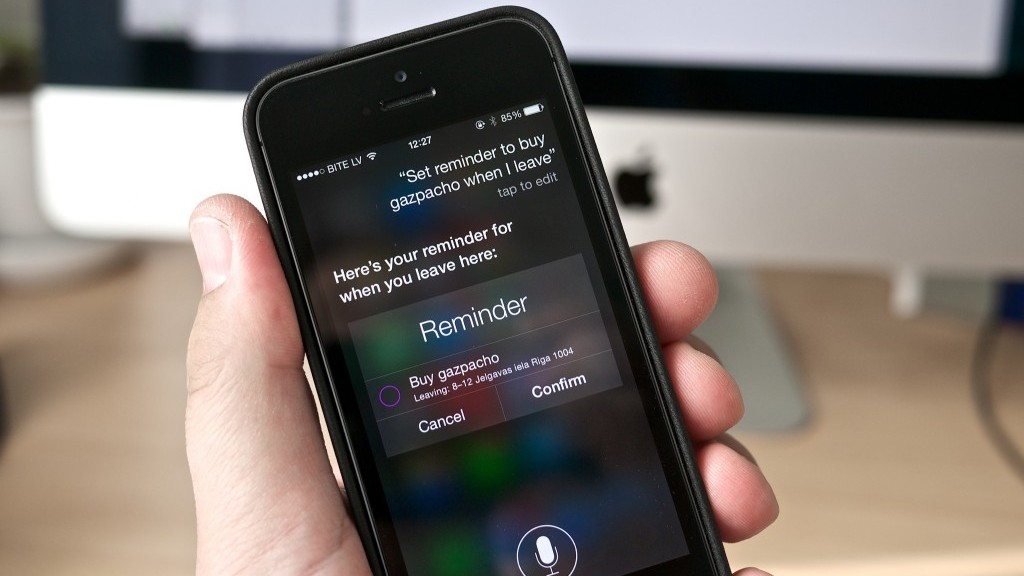
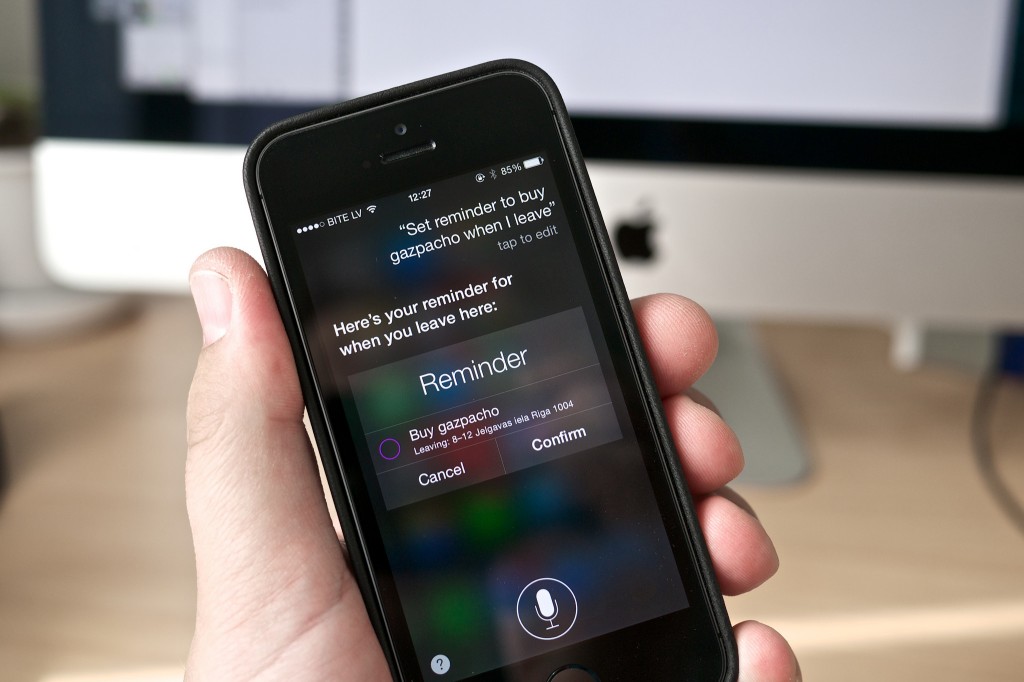
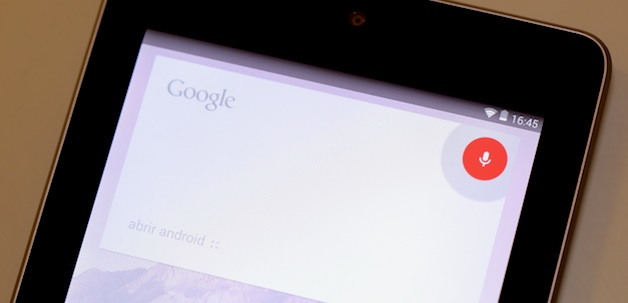
Virtual voice assistants such as Siri and Google Now detect key words when you ask them questions so as to understand and be able to offer you the service that you require. They also have access to the majority of tools built into your phone. For example, Siri is able to search your contact list and tell you where each of your friends is at any given moment. Both Siri and Google Now allow for calls or messages to be sent with a simple and direct command.

But what might happen if it’s not only you that could give the command, and if someone else were able to send orders remotely without even uttering a word?

A group of investigators from the National Agency for Computer Security in France (ANSSI) have discovered that these voice assistants could be tapped into by outside sources. They’re unearthed a method in which it is possible to send them commands from a distance of up to 10 meters.

To complete these tests, the team of investigators used radios waves to communicate with these voice tools without making any sounds. The only things needed are headphones with an in-built microphone.

For short distances (around two meters), the tools needed are even simpler – the group used an open-key program called GNU radio, a USRP radio, an antenna, and a signal amplifier.

The headphones serve as an antenna (for cellphones with a radio you need to connect them in order to listen) and the cable allows the cybercriminals to convert the electromagnetic waves into electric ones.

Once the message is translated and understood, it acts as an audio coming from the microphone: the operating system would recognize it as such and would transmit the instructions to Siri or Google Now.

This way, the cybercriminals are able to make them perform calls, send text messages, or even mark their own number so as the devices become listening tools. What’s more, they could even send the web browser to a page filled with malware and send spam messages or carry out phishing attacks via the email, Facebook, or Twitter accounts.

google now security

“The likelihood of sending signals to devices that accept voice commands could provoke an increase in attacks”, stated the authors of the study, which was published on the digital site IEEE.

Everything that a user can do by using voice commands is an opening for cybercriminals, who could have the chance to communicate with various devices at once. In public spaces such as airports, the attacks could be immense.

This strategy, however, isn’t without limitations. Many Android telephones don’t have Google Now available on a blocked screen, or are configured to only respond to one type of voice. Even though Siri can be accessed via a blocked screen, the latest version (on iPhone 6) is also configurable to only recognize one voice – that of the user.

The post Voice assistants like Siri and Google Now could be vulnerable to attack appeared first on MediaCenter Panda Security.
How the Avast ‘Lost Phone’ experiment worked

We trust our free app Avast Anti-Theft to track down lost phones, but we wanted to put it to the test in a real-world situation. So five months ago, we bought 20 Android smartphones and installed three security apps on all the phones: Our free Avast Anti-Theft app, Lookout Mobile Security, and Clean Master. Each phone was marked with contact information on where to return the device if found. After all was prepared, Avast security analysts traveled to New York City and San Francisco to randomly “lose” them in public places.

Here’s a video that shows what happened.

Over the months, the analysts used the Avast Anti-Theft app to track the lost devices and observed the following:

  • 15 phones were wiped clean using the factory reset feature
  • 11 phones stayed online for more than 24 hours after losing them
  • 7 phones we were able to track for several months
  • 4 phones were returned
  • 4 phones are currently online and used
  • 2 phones ended up abroad
  • 1 phone was never factory data reset

The majority of lost devices were wiped clean using the factory reset feature, but only the Avast Anti-Theft app survived the factory reset.

You can track your missing mobile phones and tablets with Avast Anti-Theft. Get it for free from the Google Play Store.


Follow Avast on FacebookTwitterYouTube, and Google+ where we keep you updated on cybersecurity news every day.