Tag Archives: Mobile Security

Need help fixing the iOS text message bug causing iPhone crashing/reboot?

iphone

Something as simple as an SMS has threaten Apple and its iPhones. A security flaw has been found in Cupertino’s Smartphone, it is one of those text messages which gives the user a nasty surprise: when you receive it, your iPhone reboots.

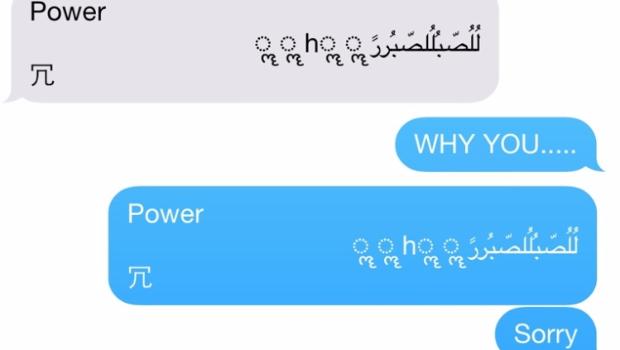
The SMS that causes the device’s failure is not an ordinary text message. Therefore, it is virtually impossible that users receive this SMS by accident. The bug is a text string with symbols and Arabic characters in a specific sequence, which causes iMessage to collapse and the iPhone to reboot.

Just like you have seen in the video, it is not necessary that the user access the messaging application. As soon as you receive it, the device reboots. If that wasn’t enough, once the iPhone is back on, it is not possible to access the messaging application to eliminate the malicious conversation: it is blocked.

In addition, the SMS has not only highlighted the existence of a vulnerability in iPhones, but it also caused iPads, Macs and even the brand-new Apple Watch to crash too.

The company has already announced that they are aware of the vulnerability and that they will solve it through a future iOS update.
sms iphone

Are we still in danger?

Meanwhile, the controversial SMS continues to cause chaos on Apple devices. Putting an end to its effects is not easy, but fortunately, there are some fixes available to re-open the Messages app:

  • Ask the person who sent you the malicious SMS to send you another text message so the conversation continues, cancelling the effects of the first. Once received a second message, the user can access the conversation list and eliminate it.
  • Ask Siri. This is the solution proposed by Apple, but this time you will be the one paying for the SMS as you will be the one sending it. After receiving the damn message and seeing how the device reboots, the user could ask Siri to “read unread messages”. Siri won’t be able to read the SMS and will ask you if you want to reply. In that moment, you will be able to dictate a message to Siri, so the last strand of the conversation is not the one that causes the system’s failure. This way you will be able to access the conversations lists and delete the thread.
  • Send a picture via the Photos app, which will allow you to access the message history and then delete the conversation, at last.

All this taking into account that the character strand that causes the failure in the system is not a usual message. If you receive it, it is because your prankster friend or someone else wants to give you a hard time. So, until Apple launches the next iOS update we will need these tricks to fix this problem.

The post Need help fixing the iOS text message bug causing iPhone crashing/reboot? appeared first on MediaCenter Panda Security.


Apple Moving to 2FA, Six-Digit Passcodes in iOS 9

With each new release of iOS, Apple has been improving the security of the mobile operating system, adding new features, inserting exploit mitigations, and taking away avenues for attack. In the forthcoming iOS 9.0 release, the company is continuing this movement with the addition of two-factor authentication and a number of other security features. Last […]

Apple Watch: nothing prevents thieves from resetting the password and using a stolen one (even for shopping)

apple watch

It is one of the longest awaited gadgets in recent times and is set to become one of the technological gadgets of the year, but it has already given rise to the first scare: Apple Watch is vulnerable.

Apple’s smart watch, which has been on the market for just over a month, has given a hint to the public of its security flaws: security gaps which can end up being expensive for this wearable first buyers.

Apple Watch lacks an Activation Lock feature

On the one hand, Apple’s watch may become an object of desire for thieves, something the iPhone tried to prevent with certain security measures. The smart watch lacks of an ‘Activation Lock’ feature, which was created to dissuade criminals from illegally obtaining one of the company’s devices.

This feature first appeared with iOS7, and makes that the only way of disabling the ‘Find my iPhone’ option –which allows the user knowing where his device exactly is- is with the user’s Apple ID and password. In other words, unless the thief has your username and password, he won’t be able to disable the option that will allow you to find your stolen iPhone.

However, the smart watch doesn’t have the ‘Activation Lock’ feature. In addition, resetting the device and erasing all data- password included- is simple, even without having the PIN code which protects the watch, as you can see in the following video:

Shopping at your expense

A second vulnerability of the Apple Watch may work out to be even more expensive for the pioneers who have already bought it.

Thanks to its sensors the device detects when it is placed on a user’s wrist. While it is being worn it doesn’t require a password to unlock it, to enable its owner to access the screen and to make payments with Apple Pay.

If we take the watch off our wrist, Apple Watch will ask you to re-enter the password, so that, if it gets stolen, your data is safe, especially your financial one.

However, the watch’s sensors have a delay of about a second to re-enable the PIN code and, in addition, they don’t detect whether the watch is on the wrist or on any other body part, so some crafty thieves can take the watch off of a wearer’s wrist and then quickly cover the sensors with his fingers to keep the watch from locking.

Here the thief was not only able to access the information stored in your Apple Watch, but also to make purchases with your Apple Pay account.

So, the cracks in the security of the so long awaited Apple Watch are starting to undermine the fame of the device that Apple fans wanted to have on their wrists. The fact that with some tattoos the sensors of the Apple’s Watch don’t work is just a mere anecdote, now the security of its users is at stake.

The post Apple Watch: nothing prevents thieves from resetting the password and using a stolen one (even for shopping) appeared first on MediaCenter Panda Security.
Be careful when restoring your Android! WhatsApp and Facebook logins may survive and end up in the wrong hands

android

You are rarely separate from the device which is with you day and night. Sending it to the technical service because it has been giving you problems for the last few weeks, giving it away because you want to buy the next model or giving it a second life by recycling it or donating it through the numerous web pages are some of the many situations in which you will have to say goodbye to your phone, temporally or forever.

This is when you should think about the amount of private information your smartphone stores, so the best thing to do is to erase every single detail of your life and leave no trace suggesting that this mobile phone used to be yours.

You should not only erase your photos, but preferably you should restore your Android’s original settings, with the original data so that your memories are eliminated from your mobile phone, before you send it to the technical service, to someone else or to a recycling service. You just have to do a backup first and then reset your phone selecting the option for reestablishing the original data which you can access from the settings option.

A simple way for the millions of Android users around the world (in 2014 alone more than one billion devices with this operating system were sold) to make sure their phone is like it was on the first day. Or so we thought until now…

Two researchers from Cambridge University, Laurent Simon and Ross Anderson, have just published a study which shows that our data remains in the phone even if we have restored the original settings. These experts estimate that between 500 and 630 million Android devices in the planet are not able to erase completely the data stored in their internal disks and SD cards, which poses without a doubt a threat to their owners’ privacy.

To conduct the research, they tested 21 devices from five different manufacturers (Samsung, HTC, LG, Motorola and Google) with different versions of the Android operating system, in particular from the 2.3 to the 4.3, and they were able to recover most of the data stored on these supposedly empty devices.

change passwords

Contacts, pictures, videos, texts, emails and even Facebook or WhatsApp logins were some of the data the researchers were able to recover. In fact, the study shows that the data could be easily reestablished even when the owners had activated the full restoration of the disk.

In 80% of the cases the researchers managed to access the users’ private information and Google services like Gmail and Calendar. The study suggests that it could be the responsibility of the manufacturers, who might not have included the software drivers necessary to clean the non-volatile memory of the phone. Of course, it is still not known what Google and the electronic brands involved will do to fix the problem.

So, if you are thinking of separating yourself from your phone soon and don’t want anyone else to recover the information it contains, you have two options: accept this and think that no cybercriminal will be interested in the details of your virtual life (bad idea) or partly destroy the phone and recycle it part by part (not very advisable, either). It will almost be better to wait for it to be fixed.

The post Be careful when restoring your Android! WhatsApp and Facebook logins may survive and end up in the wrong hands appeared first on MediaCenter Panda Security.
Apple Pushing Developers Toward HTTPS Connections From Apps

Apple is encouraging developers who create apps for iOS to begin moving their apps to an HTTPS-only model as soon as possible in an effort to thwart eavesdropping on insecure, plaintext HTTP connections. The move is yet one more sign that major Internet and technology companies are becoming ever more resistant to large-scale, passive surveillance […]

WhatsApp Trendy Blue, the program which signs you up to a premium rate. Watch out!

One more, there have been so many, we’ve lost track! WhatsApp Trendy Blue is the last hoax to deceive the users of this instant messaging application.

whatsapp trendy blue

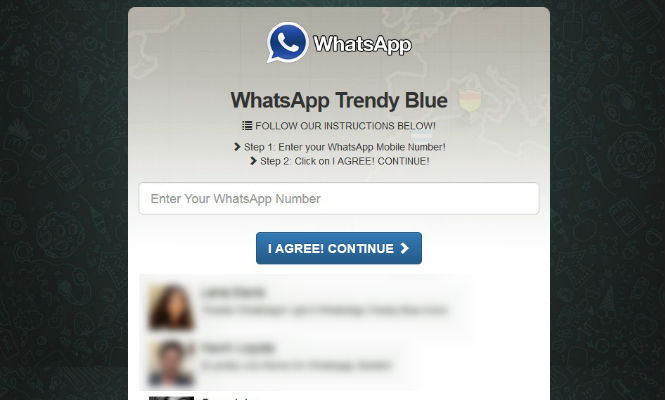
WhatsApp Trendy Blue, the new “version” that promises new options to customize the users’ WhatsApp. In fact, it is only subscribing the user to a premium rate service, which it is not exactly cheap.

From Movistar, a Spanish telephone company, they warn that for the program to work, it asks the user to invite at least 10 contacts, who will receive a message recommending them to sign up for this fraudulent website.

So please, don’t fall for these traps, only trust the versions offered by the official stores!

The post WhatsApp Trendy Blue, the program which signs you up to a premium rate. Watch out! appeared first on MediaCenter Panda Security.

How to protect your SIM card when it is the key to your WhatsApp

whatsapp app

Finally you have your new smartphone in your hands. Whether it is a Nexus, an iPhone or a BQ we are sure that one of the first things you do is download WhatsApp. You are so focused on setting up the app that you haven’t stopped to think about the implications of your WhatsApp identification being carried out by your SIM card.

In social networks you create a new profile with a user number and a password, but in the instant messaging service par excellence (it already exceeds 700 million users) you identify yourself exclusively with your cell phone number. Once you have connected your number to WhatsApp, the app is associated with the terminal, whether or not the SIM card is inside.

Our phone number is also a way of identifying us in other services we use daily, such as email. Gmail allows you to add a phone number to your account in order to protect it and to ensure that if someone intercepts it or you forget your password you can get it back. Google’s support web page explains that associating your phone number is safer than an alternative email or a security question, because your phone number is something you have physically thanks to your SIM card.

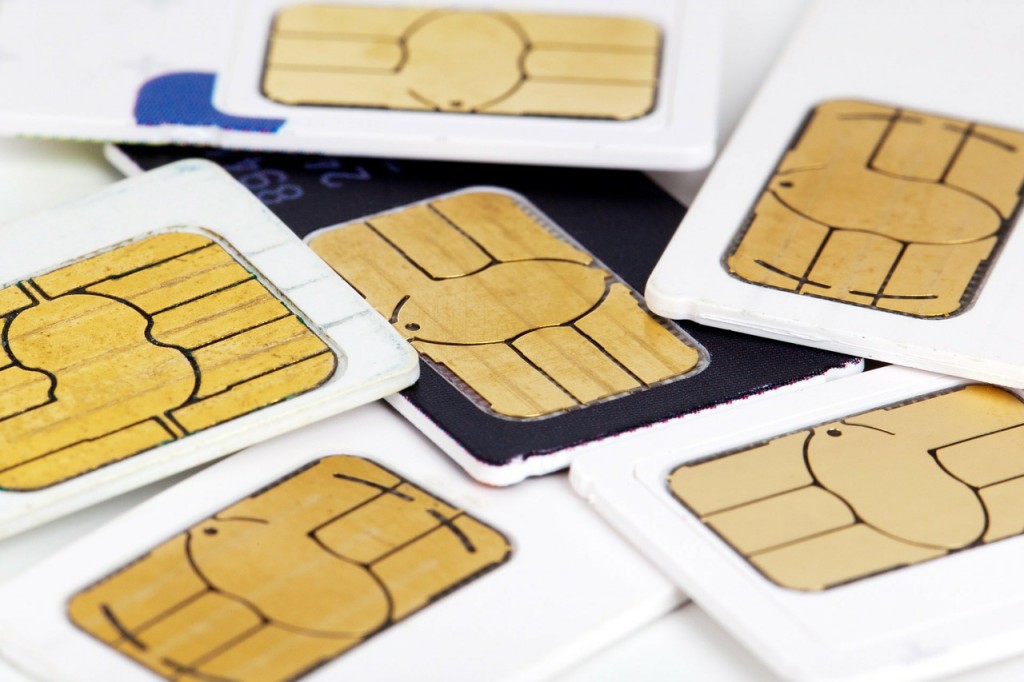
Your phone’s security starts on that card. That’s why security experts recommend taking preventive measures to avoid anyone from spying on your WhatsApp conversations if your SIM card gets duplicated or someone takes it temporarily.

pin cards

How to protect your SIM card when it is the key to your WhatsApp

  • Keep your PIN and PUK code in a safe place: some people have the bad habit of writing them on a piece of paper and putting that paper in their wallets. If you leave your personal belongings unattended for a few minutes, someone might put your SIM in his phone, enter the PIN to which he has had access before and then spy on your conversations indefinitely. If this person is careful to leave everything exactly as it was you will never realize what has happened.
  • Another possibility is that someone clones your SIM and impersonates you. Although in current SIM cards the process is quite difficult, if you are one of those who has cut his card to adapt it to the new terminals there are ways to carry out attacks and clone the information that your card contains.
  • The third method (and most likely) is that a cyber-attacker will keep the information in your card, it is called the ‘SIM Swapping Attack’. The SIM Swap is the process through which a user can transfer a phone number to another company. A cybercriminal can perform a phishing attack or identity theft which will allow him to know the transfer information, keeping all the SIM’s information. This type of attack has been long used for accessing bank accounts: the offender manages to replace your phone number and starts getting all notifications and calls from your bank, including those in which the bank sends you confidential information about your account, for example, to verify a transaction.
  • If you lose your phone or it gets stolen and you have a WhatsApp account associated, we recommend you to associate your number to another telephone as soon as possible so that if the stolen terminal asks for a verification test the offender cannot complete it. To prevent anyone from reading your conversations if the phone falls into their hands, you can deactivate your account here. You will only have to send an email to the support team that will deactivate the account for a period of 30 days, after which you can decide whether to reactivate it or eliminate it altogether. Of course, it may take several days for WhatsApp to process your request and disable your user account, a time during which your account will be unprotected.

So, now you know that your SIM card can be a potential source of interest for real and virtual criminals, that’s why is not enough to keep making sure your phone is in your pocket: you also have to start making sure that the card inside is as secure as possible.

The post How to protect your SIM card when it is the key to your WhatsApp appeared first on MediaCenter Panda Security.
Watch out! A simple Arabic text message can crash your iPhone!

iphone 6 plus

Do you have an iPhone? Yes? Well, then the following news may be of interest to you!

A new security flaw has been discovered in iOS, Apple’s operating system. This vulnerability affects iPhones running iOS version 8.3, although other versions could also be affected.

According to the BBC, a specially crafted text message can cause vulnerable devices to crash and reboot. More precisely, the malicious message, containing Arabic characters, causes iMessage to crash and the iPhone to reboot.

sms iphone

Apple is aware of the issue and has announced they will make a fix available in a software update. We’ll keep you updated with any new developments!

The post Watch out! A simple Arabic text message can crash your iPhone! appeared first on MediaCenter Panda Security.