Apple has resolved a serious security vulnerability known as Ins0mnia in its latest update.
The post iOS vulnerability Ins0mnia fixed by Apple appeared first on We Live Security.

Apple has resolved a serious security vulnerability known as Ins0mnia in its latest update.
The post iOS vulnerability Ins0mnia fixed by Apple appeared first on We Live Security.
The Ashley Madison attack could be one of the most notable instances of cybercrime in 2015. Here’s a timeline of the key events.
The post Ashley Madison: A timeline of events appeared first on We Live Security.


Surely this has happened to you before: you’re browsing online and you come across a blog or website that has a plugin for Chrome that you think looks interesting or useful. You check out the developer’s website, have a look at the benefits and decide to download it. You click on the corresponding button and you see something like this:
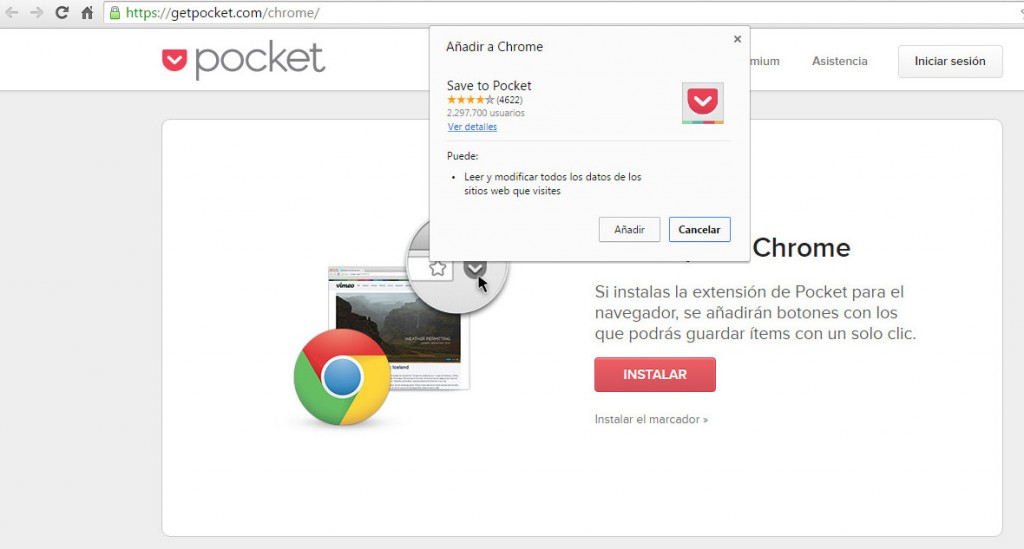
All you need to do is click add to get the extension. So, since Google implemented inline installation in 2001 it’s been as easy as that. Before then, the plugins needed to be installed via the Chrome Web Store. They are now staying there in the internet giant’s servers, but can also be downloaded from other pages. If you want the extension of Pocket, you can get it on the Pocket website.
Even though it’s logical, this process is proving to be quite the headache for Google. Some schemers are abusing this method so that you accidentally install dangerous extensions which could compromise your security. How are they doing this? Well, they trick you, by making you believe that they are necessary updates in order to view a video, for example:
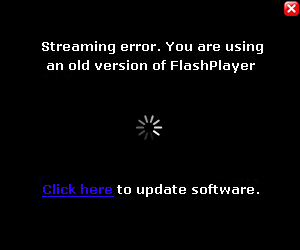
If you fall for this trick and click on the link, a box will appear that allows for the installation of the extension – like the one we showed you earlier in the article. In other words, you’ll be left with a plugin that you didn’t want and one which you have given a whole host of permissions to, which means it can do a lot of things to your browser such as filling it with ads like this:
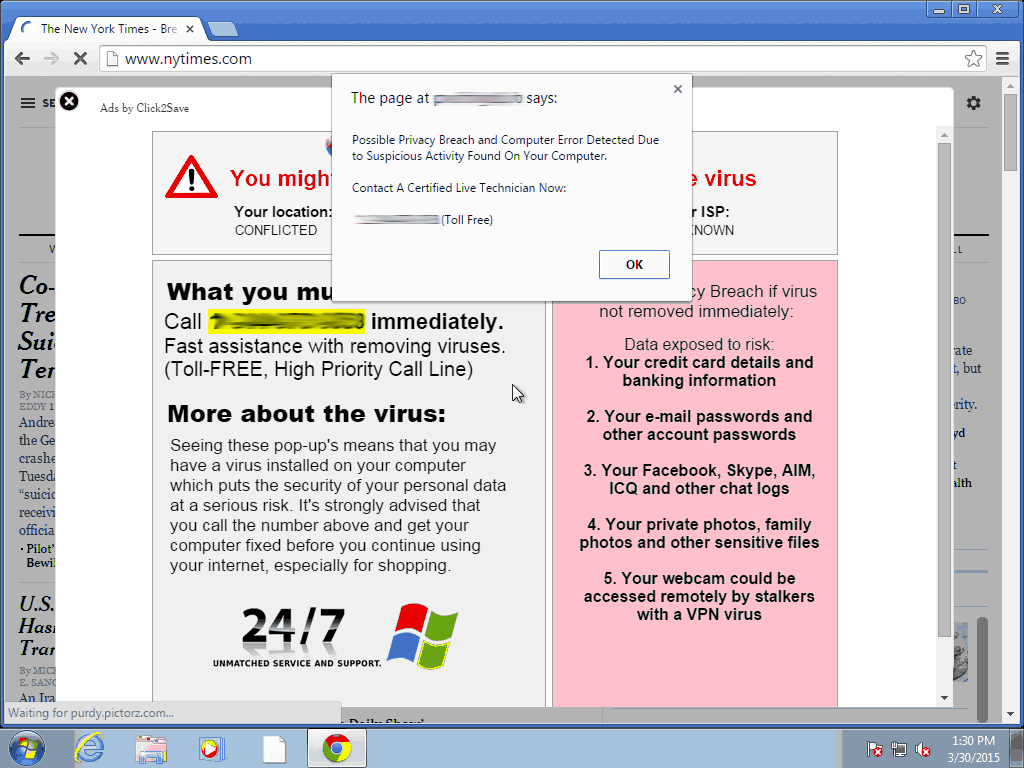
Pretty annoying, no? To avoid this, Google will prohibit the installation of plugins from webpages that abuse inline installation. Each time it spots one with bad intentions, it will blacklist it. From then on, every use user who tries to download the extension will be directed to the Chrome Web Store so that they check if it is installed. This way they’ll realize that it wasn’t an update for Flash Player.
The hunt for these schemers, which was announced on the company’s official blogs, will begin on September 3rd. It is expected to affect only 2% of the extensions as, unfortunately, the practice isn’t very extensive yet. That aside, Google states that it is “an important step towards maintaining a healthy ecosystem of extensions.”
This isn’t the first measure they have taken to achieve their objective. In May of this year they rolled out a change in the policies relating to extensions that impedes installation if it is stored outside of its own servers. Even if the download is done from another site using inline installation, the file that runs your browser comes from the Chrome Web Store.
According to a recent study which analyzed 48,000 plugins, they found that 130 were malicious and a further 4,712 were considered as suspicious. Google safeguarded some avenues of attack but left others exposed, such as the ones they will close off in September. Thanks to these measures, Google is making it progressively more difficult for its controls to be breached.
The post Google will block extensions that try to deceptively install themselves on your browser appeared first on MediaCenter Panda Security.
Dolphin and Mercury Android browsers have major vulnerabilities, allowing for remote code execution and arbitrary reading and writing of files.
The post Dolphin and Mercury Android browsers have major vulnerabilities appeared first on We Live Security.


As the number of connected devices increases, so too does the use of platforms which allow us to synchronize them all and access our files from any location. Saving documents on the cloud is especially useful in the corporate world, where all of the team is able to access and modify information without the need to send emails or use external memory systems.
As we have already mentioned on various occasions, despite being useful and efficient, the cloud system isn’t completely risk free. During this year’s BlackHat USA, an event that draws together security experts from all around the world, there was a new revelation relating to cloud security.
The group on question discovered a new type of attack called the Man in the Cloud (a variation on the classic Man in the Middle), which allows cybercriminals to access synchronized file services.
By doing this, they can reconfigure platforms such as Dropbox, Google Drive or Microsoft’s OneDrive and turn them into tools for stealing information. One of the most dangerous and worrying aspects of this is that the criminals don’t need to have the passwords in order to access the information.
In an effort to speed up the process, a lot of the most popular applications don’t ask users for their login details every time. Instead of this authentication, it relies on an identification key or a token, which is saved in a file or register.
The problem is that even when the key is encrypted, cybercriminals are able to eliminate the encryption. To make matters worse, some platforms such as Dropbox don’t renew the code even when the user changes the password. That means that to steal information, the attacker only has to install the identifier on its own system.
One of the experts who uncovered this attack has developed a test to manipulate the encryption of the keys. It consists of a malware that the victim downloads from a link included in an email or when they access an infected webpage.
Once inside, besides stealing documents and confidential information, the attackers can manipulate the files, encrypting them so that the users are unable to access them. They are also able to install a back door on the device which allows them even more control over it.
To avoid these types of attacks, the best thing to do is use storage and synchronization tools such as Panda Cloud Drive, which is included in the Gold Protection version of our security solutions.
The post It’s possible to access Dropbox and Google Drive accounts without needing user passwords appeared first on MediaCenter Panda Security.
Thomson, a UK based holiday company, apologized to their customers this weekend about a small but rather significant data breach. This comes on the back of much larger breaches such Ashley Madison in the US within the last few weeks.
My attention was grabbed by the depth of what data was breached and also the method in which it was distributed, rather than the quantity of what was mistakenly disclosed. Just 458 people have been effected, all of them UK based.
In a statement, Thomson apologized and said “We are aware of an email that was sent in error, which shared a small number of customers’ information. The error was identified very quickly and the email was recalled, which was successful in a significant number of cases”.
The interesting element to this story is that regardless of the perimeter security that Thomson has in place to avert hackers and cybercriminals, a simple human error of attaching data to an email has caused concern for a number of customers.
The data included in the breach includes: name, home address, telephone number, flight dates, email address and the outstanding balance due. The data was shared with all the people on the list itself, so 458 people have the data.
There are technologies available that allow companies to limit the data that is sent out in emails or other communications. These are termed ‘data leakage prevention’ technologies and I am sure that the Thomson IT team will be evaluating a solution of this type.
In the BBC article that covered this breach the people effected are talking about cancelling holidays and are of course worried about being burgled.
What advice can be offered in this instance? An obvious one is to change the dates of your holiday and insist that Thomson cover the costs. In reality though many people have probably scheduled time off work, and its not easy to change plans. I think if this happened to me, the option I would take is to have someone house sit for me while I am away.
Follow me on Twitter @TonyatAVG


Microsoft has included the DVD Player software for free in Windows 10, but only if you’re upgrading from any of the following versions:
It’s free for a limited time, but Microsoft hasn’t given any indication as to how long that will be. So if you haven’t already upgraded and qualify for the free DVD software, you might want to consider upgrading soon.
It’s important to note that to receive the DVD Player app from Microsoft for free you must upgrade Windows 10 from your existing version of Windows. A clean install of Windows, despite this being the preference for many people, won’t work.
What if you don’t want the Windows DVD Player app? No problem, there are free and open source alternatives available, such as VLC Media Player
While you’re at it, remember to keep all software on your PC up-to-date and install an antivirus solution like AVG AntiVirus Free to prevent infections against viruses and malware.
If you have any tips for Windows 10 you’d like to share, please let us know via Facebook or Twitter. Until next time, stay safe out there.


There is the very real possibility that members of the infidelity website Ashley Madison may be subject to extortion threats.
The post Ashley Madison members ‘easy target for extortion’ appeared first on We Live Security.

The new Windows 10 update doesn’t offer any detail as to what it fixes or improves, leaving many to question why the tech giant has been so vague.
The post Ambiguous new Windows 10 update ‘improves functionality’ appeared first on We Live Security.

Web.com reveals that was the victim of a data breach this month, which affected up to 93,000 of its customers.
The post Web.com experiences data breach appeared first on We Live Security.