Tag Archives: Security

Microsoft ends support for old Internet Explorer versions

With more of a whimper than a bang, Microsoft has followed up on its August 2014 promise to end support for older versions of Internet Explorer. As of today (January 12th, 2016), Microsoft will end support and security updates for several versions of Internet Explorer running on various versions of Windows.

The post Microsoft ends support for old Internet Explorer versions appeared first on We Live Security.

What is a VPN and why should you use one?

A Virtual Private Network (VPN) encrypts and transmits data via a connection to remote servers over the Internet — this enables your data to remain secure and private while it travels from one place to the other.

It’s one of the simplest and most effective ways to help maintain your data security and privacy when online, but if that’s not enough, here are some other great reasons why should consider using one:

  1. Shop and bank online in safety
    Thanks to the encryption used on VPNs your data is secured against any unauthorised access from scammers and hackers, which means you can access financial services and shop online with peace of mind.
  2. Protect your privacy and data on unsecured networks
    If you’re regularly connecting to multiple wireless networks, especially free public Wi-Fi, then you’ll have no way of knowing who’s monitoring or logging the data that passes through it. A VPN will ensure that all your confidential data is kept as it should be — confidential.
  3. Access services in other geographic locations
    If you travel abroad, you might encounter regional restrictions to internet content or services that you would normally be able to access in your own country. A VPN masks your actual IP address, which would otherwise reveal your geographic location, and instead uses the VPN server IP address — especially useful if you rely on specific content and services for doing business or staying in touch with family while travelling.

If you’re not already using VPN and care about your data privacy and security as much as we do, download AVG Safe Surf.

WordPress 4.4.1 Security and Maintenance Release

WordPress 4.4.1 is now available. This is a security release for all previous versions and we strongly encourage you to update your sites immediately.

WordPress versions 4.4 and earlier are affected by a cross-site scripting vulnerability that could allow a site to be compromised. This was reported by Crtc4L.

There were also several non-security bug fixes:

  • Emoji support has been updated to include all of the latest emoji characters, including the new diverse emoji! 👍🏿👌🏽👏🏼
  • Some sites with older versions of OpenSSL installed were unable to communicate with other services provided through some plugins.
  • If a post URL was ever re-used, the site could redirect to the wrong post.

WordPress 4.4.1 fixes 52 bugs from 4.4. For more information, see the release notes or consult the list of changes.

Download WordPress 4.4.1 or venture over to Dashboard → Updates and simply click “Update Now.” Sites that support automatic background updates are already beginning to update to WordPress 4.4.1.

Thanks to everyone who contributed to 4.4.1:

Aaron D. Campbell, Aaron Jorbin, Andrea Fercia, Andrew Nacin, Andrew Ozz, Boone Gorges, Compute, Daniel Jalkut (Red Sweater), Danny van Kooten, Dion Hulse, Dominik Schilling (ocean90), Dossy Shiobara, Evan Herman, Gary Pendergast, gblsm, Hinaloe, Ignacio Cruz Moreno, jadpm, Jeff Pye Brook, Joe McGill, John Blackbourn, jpr, Konstantin Obenland, KrissieV, Marin Atanasov, Matthew Ell, Meitar, Pascal Birchler, Peter Wilson, Roger Chen, Ryan McCue, Sal Ferrarello, Scott Taylor, scottbrownconsulting, Sergey Biryukov, Shinichi Nishikawa, smerriman, Stephen Edgar, Stephen Harris, tharsheblows, voldemortensen, and webaware.

Internet of Things: What you need to do to protect yourself

The Internet of Things (IoT) join together physical devices that we use every day with information technology.
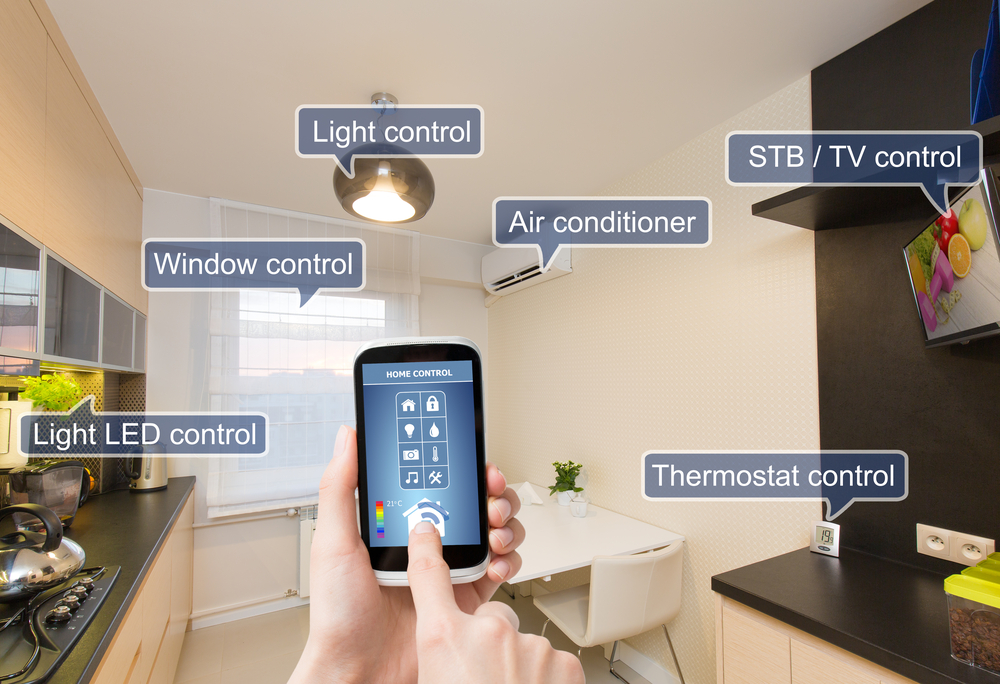
Make sure your Internet of Things is secure

We can use devices to monitor our health and fitness, our houses, our environment, and our factories and cities.

Using internet-connected devices expands our ability to control and monitor in the real world.  The IoT is literally changing our lives.

The Internet of Things has the potential to fundamentally shift the way we interact with our surroundings. The ability to monitor and manage objects in the physical world electronically makes it possible to bring data-driven decision making to new realms of human activity – to optimize the performance of systems and processes, save time for people and businesses, and improve quality of life.” ~ McKinsey Global Institute study

The potential economic impact of the IoT is astounding  – as much as $11.1 trillion per year by 2025 for IoT applications, projected by the same study.

But is there a downside?

In many people’s minds, surveillance, privacy issues, and data breaches seem to be someone else’s problem. “Should I be concerned about all of this?,” people who have “nothing to hide” think. Recently, we published how the Internet of Things can be hacked and what issues arise from the fact that we’re almost 100% online and connected.

Nowadays, all this technology passes through very well-known and yet problematic points: Our home network security. When our early version of Avast 2015 was released, we published many articles about Home Network Security. During the past year, we gathered lots of proof and conducted social experiments to show that…

Your security is as strong as your network security

To protect your security and privacy, you must assure that your network and communications are safe. Although this seems like rocket science, some basic – but effective – measures can and should be taken. It’s really not rocket science, so even us common folk can follow the steps below to make sure we’re prepared to a secure our IoT life.

  1. 1. Device protection: Install security software on all your connected devices. Avast is a worldwide leader in providing security for Windows, iOS, and Android devices. They can stop malicious actions and make all the difference when you’re online. Your device protection also depends on its own installed software security, thus, keep all your apps and operational system up-to-date.
  2. 2. Network protection: Not all antivirus software provides for proper network protection. If a cybercrook invades one of your devices –most commonly the router – all your network, devices, and data could be compromised. Avast has unique features to allow you to scan your network and find if there is any open door to hackers. 
  3. 3. Security best practices: There are numerous “best” practices, some of which will save you a lot of headaches. The most important is using different passwords for each online service or site and protecting yourself in open or public Wi-Fi networks.  Avast Passwords to manage all your passwords and Avast SecureLine to safely connect you to Wi-Fi, will give you peace of mind.

Avast premium versions include all the protection you need including Home Network Security. You can download and test them for free from the Avast website.


Follow Avast on Facebook, Twitter, YouTube e Google+ where we keep you updated on cybersecurity news every day.

VTech data breach: Your kid’s personel information is out there

If you are a parent you’re probably doing everything to protect your child. That’s the reason the latest trick Mattel pulled with their “Hello Barbie” dolls has not received the warmest of welcomes (at least here in Germany – but I’m sure elsewhere, too).

The post VTech data breach: Your kid’s personel information is out there appeared first on Avira Blog.