USN-2505-2: Firefox regression

Ubuntu Security Notice USN-2505-2

9th March, 2015

firefox regression

A security issue affects these releases of Ubuntu and its
derivatives:

  • Ubuntu 14.10
  • Ubuntu 14.04 LTS
  • Ubuntu 12.04 LTS

Summary

USN-2505-1 introduced a regression in Firefox.

Software description

  • firefox
    – Mozilla Open Source web browser

Details

USN-2505-1 fixed vulnerabilities in Firefox. This update removed the
deprecated “-remote” command-line switch that some older software still
depends on. This update fixes the problem.

We apologize for the inconvenience.

Original advisory details:

Matthew Noorenberghe discovered that whitelisted Mozilla domains could
make UITour API calls from background tabs. If one of these domains were
compromised and open in a background tab, an attacker could potentially
exploit this to conduct clickjacking attacks. (CVE-2015-0819)

Jan de Mooij discovered an issue that affects content using the Caja
Compiler. If web content loads specially crafted code, this could be used
to bypass sandboxing security measures provided by Caja. (CVE-2015-0820)

Armin Razmdjou discovered that opening hyperlinks with specific mouse
and key combinations could allow a Chrome privileged URL to be opened
without context restrictions being preserved. If a user were tricked in to
opening a specially crafted website, an attacker could potentially exploit
this to bypass security restrictions. (CVE-2015-0821)

Armin Razmdjou discovered that contents of locally readable files could
be made available via manipulation of form autocomplete in some
circumstances. If a user were tricked in to opening a specially crafted
website, an attacker could potentially exploit this to obtain sensitive
information. (CVE-2015-0822)

Atte Kettunen discovered a use-after-free in the OpenType Sanitiser (OTS)
in some circumstances. If a user were tricked in to opening a specially
crafted website, an attacker could potentially exploit this to cause a
denial of service via application crash. (CVE-2015-0823)

Atte Kettunen discovered a crash when drawing images using Cairo in some
circumstances. If a user were tricked in to opening a specially crafted
website, an attacker could potentially exploit this to cause a denial of
service. (CVE-2015-0824)

Atte Kettunen discovered a buffer underflow during playback of MP3 files
in some circumstances. If a user were tricked in to opening a specially
crafted website, an attacker could potentially exploit this to obtain
sensitive information. (CVE-2015-0825)

Atte Kettunen discovered a buffer overflow during CSS restyling in some
circumstances. If a user were tricked in to opening a specially crafted
website, an attacker could potentially exploit this to cause a denial of
service via application crash, or execute arbitrary code with the
privileges of the user invoking Firefox. (CVE-2015-0826)

Abhishek Arya discovered an out-of-bounds read and write when rendering
SVG content in some circumstances. If a user were tricked in to opening
a specially crafted website, an attacker could potentially exploit this
to obtain sensitive information. (CVE-2015-0827)

A buffer overflow was discovered in libstagefright during video playback
in some circumstances. If a user were tricked in to opening a specially
crafted website, an attacker could potentially exploit this to cause a
denial of service via application crash, or execute arbitrary code with
the privileges of the user invoking Firefox. (CVE-2015-0829)

Daniele Di Proietto discovered that WebGL could cause a crash in some
circumstances. If a user were tricked in to opening a specially crafted
website, an attacker could potentially exploit this to cause a denial of
service. (CVE-2015-0830)

Paul Bandha discovered a use-after-free in IndexedDB. If a user were
tricked in to opening a specially crafted website, an attacker could
potentially exploit this to cause a denial of service via application
crash, or execute arbitrary code with the privileges of the user invoking
Firefox. (CVE-2015-0831)

Muneaki Nishimura discovered that a period appended to a hostname could
bypass key pinning and HSTS in some circumstances. A remote attacker could
potentially exloit this to conduct a Man-in-the-middle (MITM) attack.
(CVE-2015-0832)

Alexander Kolesnik discovered that Firefox would attempt plaintext
connections to servers when handling turns: and stuns: URIs. A remote
attacker could potentially exploit this by conducting a Man-in-the-middle
(MITM) attack in order to obtain credentials. (CVE-2015-0834)

Carsten Book, Christoph Diehl, Gary Kwong, Jan de Mooij, Liz Henry, Byron
Campen, Tom Schuster, Ryan VanderMeulen, Christian Holler, Jesse Ruderman,
Randell Jesup, Robin Whittleton, Jon Coppeard, and Nikhil Marathe
discovered multiple memory safety issues in Firefox. If a user were
tricked in to opening a specially crafted website, an attacker could
potentially exploit these to cause a denial of service via application
crash, or execute arbitrary code with the privileges of the user invoking
Firefox. (CVE-2015-0835, CVE-2015-0836)

Update instructions

The problem can be corrected by updating your system to the following
package version:

Ubuntu 14.10:
firefox

36.0.1+build2-0ubuntu0.14.10.1
Ubuntu 14.04 LTS:
firefox

36.0.1+build2-0ubuntu0.14.04.1
Ubuntu 12.04 LTS:
firefox

36.0.1+build2-0ubuntu0.12.04.1

To update your system, please follow these instructions:
https://wiki.ubuntu.com/Security/Upgrades.

After a standard system update you need to restart Firefox to make
all the necessary changes.

References

LP: 1425972,

LP: 1429115

Vine celebrity hacked

The account, which had more than 285 million “loops” to date, was compromised and hackers deleted every video linked to the account.

The hack comes just days after Phillips was in the news for making a living off sponsored Vines. A report on the BBC claimed that he was making as much as £12,000 per six second clip.

While Phillips is working with Vine to try and restore his lost videos, it’s worth remembering that you don’t have to be a celebrity to be hacked.

Here are a couple of things you can do to help keep your online accounts safe from hackers.


Use Two-Factor Authentication

Two-Factor Authentication is a great way to protect your online accounts. By using a randomly generated code, sent to your email or phone, it makes it very difficult for hackers to gain access.

Video

What is Two Factor Authentication


Don’t use the same username across all accounts

Make sure that you use a different usernames across all your accounts so that if your credentials fall into the wrong hands, the risk is limited to only one site.

Also try not to use your real name in your username as this can help attackers verify your identity and be sure the account belongs to you.


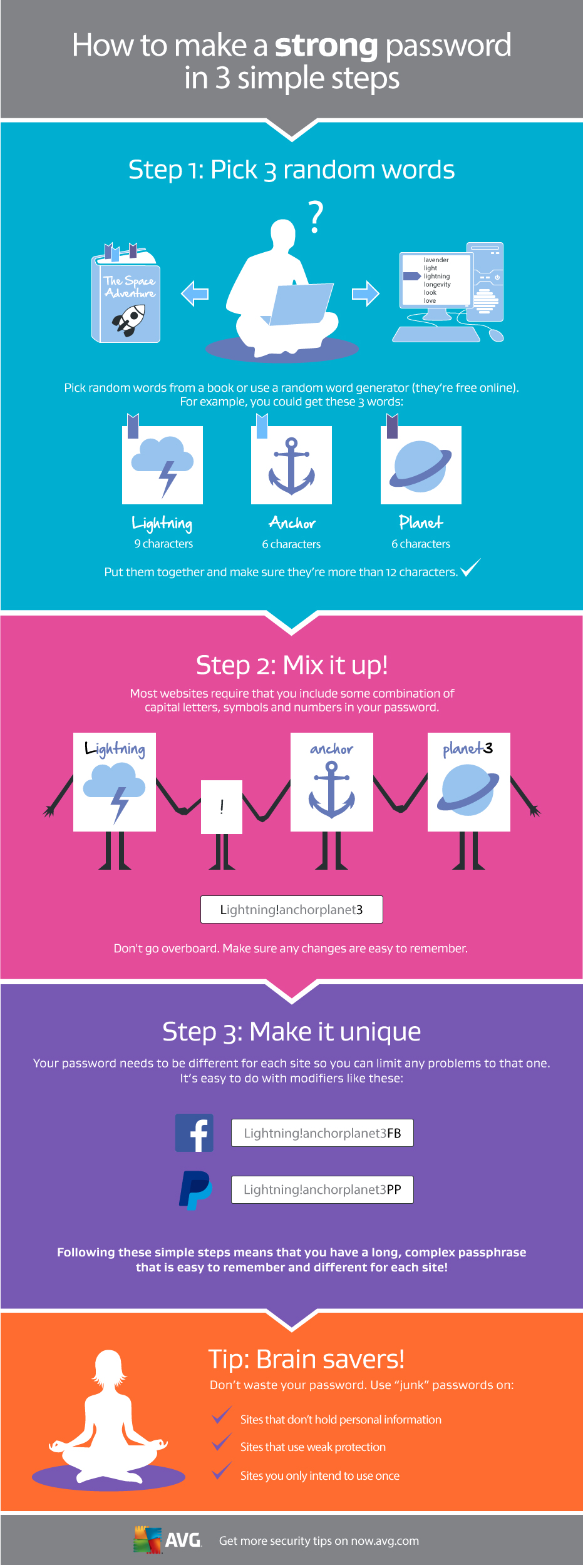
Use a strong password

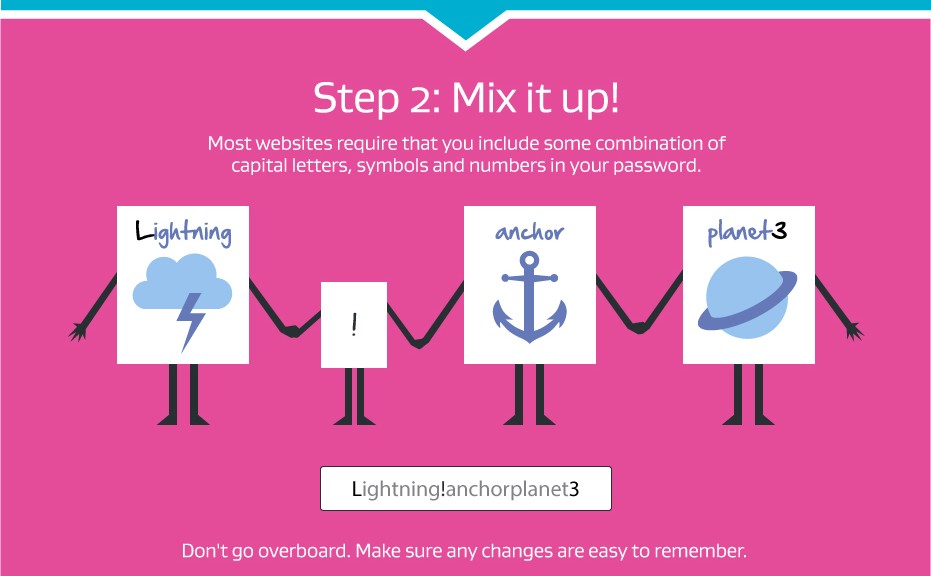
Passwords play a crucial role in protecting your online accounts from hackers. Here is a simple guide to creating a strong one:

Making a Strong Password

[ MDVSA-2015:057 ] kernel

-----BEGIN PGP SIGNED MESSAGE-----
Hash: SHA1

 _______________________________________________________________________

 Mandriva Linux Security Advisory                         MDVSA-2015:057
 http://www.mandriva.com/en/support/security/
 _______________________________________________________________________

 Package : kernel
 Date    : March 10, 2015
 Affected: Business Server 1.0
 _______________________________________________________________________

 Problem Description:

 Multiple vulnerabilities has been found and corrected in the Linux
 kernel:
 
 The Crypto API in the Linux kernel before 3.18.5 allows local users
 to load arbitrary kernel modules via a bind system call for an
 AF_ALG socket with a parenthesized module template expression in
 the salg_name field, as demonstrated by the vfat(aes) expression,
 a different vulnerability than CVE-2013-7421 (CVE-2014-9644).
 
 net/netfilter/nf_conntrack_proto_generic.c in the Linux kernel before
 3.18 generates incorrect conntrack entries during handl

NaCl Sandbox Escape For Rowhammer

This is a proof-of-concept exploit that is able to escape from Native Client’s x86-64 sandbox on machines that are susceptible to the DRAM “rowhammer” problem. It works by inducing a bit flip in read-only code so that the code is no longer safe, producing instruction sequences that wouldn’t pass NaCl’s x86-64 validator. Note that this uses the CLFLUSH instruction, so it doesn’t work in newer versions of NaCl where this instruction is disallowed by the validator.

5 ways to thwart the thief who stole your Android

Avast Anti-Theft is free

Remote recovery options help you keep control of your device, even when it’s lost.

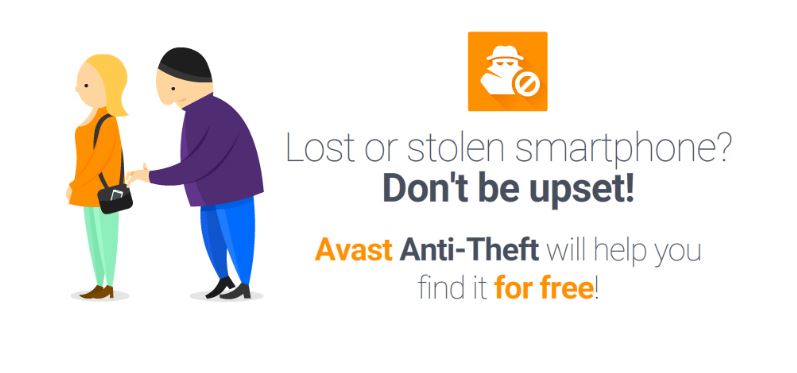
Avast Anti-Theft is a free app designed for Android smart phones and tablets. It’s main purpose is to help you locate your lost or stolen mobile device, allowing you to track it on a map and control it remotely. You recover your phone by controlling it remotely with SMS commands or via the internet by logging in to your My Avast account.

If your phone is lost or stolen, here are some things you can control remotely:

  1. 1. Locate your device on a map – Whether you misplaced your phone, left on the bus, or a thief grabbed it and ran, the GPS on your phone can be enabled so you can receive continuous GPS location updates.

Avast Anti-Theft user Ducky Boy wrote about his experience finding his phone that he dropped on the highway while riding his motorcycle using the GPS feature. Read about it in On the road with avast! Mobile Security.

  1. 2. SIM card change notification – Thieves usually change the SIM card after stealing a phone. Anti-Theft recognizes when this happens and notifies you of the new number and geo-location so you can maintain contact with your phone.

Partier and Avast user Andreas lost his phone during a particularly fun party. The next morning he remembered he had installed Avast Anti-Theft. Here’s how he got his phone back, Don’t be sorry for party rocking – install Avast Anti-Theft!

  1. 3. Activate the remote siren – Scare the wits out of the thief by activating an extremely loud siren with an SMS command. We guarantee that everyone will hear it. When the thief tries to turn it down, it goes to maximum volume.

Our Avast Communications team decided to try out the siren just to see how loud it really got. Believe me, it was loud. And annoying. We quickly learned How to turn off Avast Mobile Security’s Anti-Theft Siren.

  1. 4. Call/SMS forwarding – We took a page from the spy handbook with this feature! You can instruct your phone to call you, with screen blacked out, so you can silently listen in on the thief and obtain details of calls made and received as well as copies of text messages.
  1. 5. Remote Memory Wipe – If all hope is gone, you can still protect your privacy by remotely triggering a full, permanent wipe of all phone data (contacts, call log, text messages, browser history, apps, email accounts), including reliable, physical wipe of memory cards (limited functionality on older versions).

This step is super important even if you didn’t lose your phone. We did an experiment where we bought 20 used phones from eBay and found all kinds of personal stuff including nude photos, private messages, even financial documents! Here are the details about what we found, Tens of thousands of Americans sell themselves online every day

Anti-theftPrepare yourself before disaster strikes

Hopefully, you will never need to use Avast Anti-Theft, but it’s best to be prepared just in case something bad happens. You can install Avast Anti-Theft for free from the Google Play Store along with Avast Mobile Security.

Now that you have Avast Anti-Theft  on your phone, there are a few things you need to set up. Learn what you need to do here, How to set up your smartphone for remote control.