A voter database found by a white hat hacker included gun ownership, preferences on gay marriage and linked to individual social media accounts.
Monthly Archives: June 2016
Don’t pay the Ransom! AVG releases six free decryption tools to retrieve your files
Ransomware has proven very lucrative for criminals. Many have extended their “business” models by adding ransomware to their malicious catalog. To help prevent personal data and files being held hostage by cybercriminals, we have previously, advised on how to avoid ransomware infections, and what to do if your files have already been held to ransom. In that article, we stated that:
“Many ransomware families contain weaknesses in their encryption algorithm, which may lead to decrypting your files even without paying the ransom! It may take some time to spot and exploit such weaknesses, but in the meantime don’t delete your encrypted files; there may still be hope.”
And now there is hope. With our new tools, you should be able to recover your files without paying the ransom.
Using the Ransomware Decryption Tools
Our new free tools are for the decryption of six current ransomware strains: Apocalypse, BadBlock, Crypt888, Legion, SZFLocker, and TeslaCrypt.
To use, follow our simple four step process to unlock your files:
- Run a full system scan on the infected PC.
- (Optional) Back-up the encrypted files on their own flash drive, so they can then be transferred to another PC for decryption.
- Identify which infection strain encrypted your files. See the descriptions of each strain below. If your ransomware infection matches the strain details, download the appropriate tool and launch it.
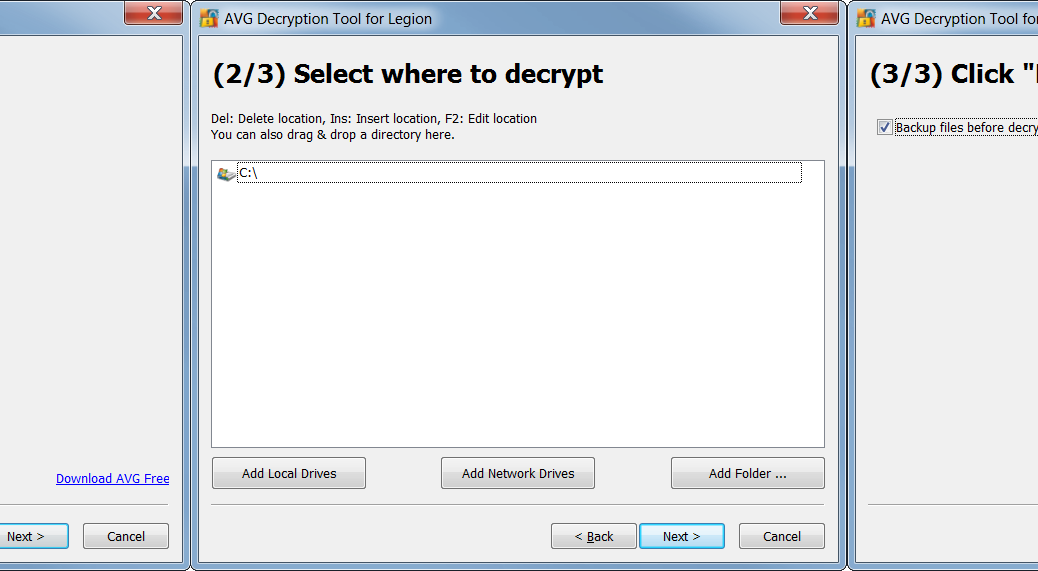
- The tool opens a wizard, which breaks the decryption process into several easy steps:
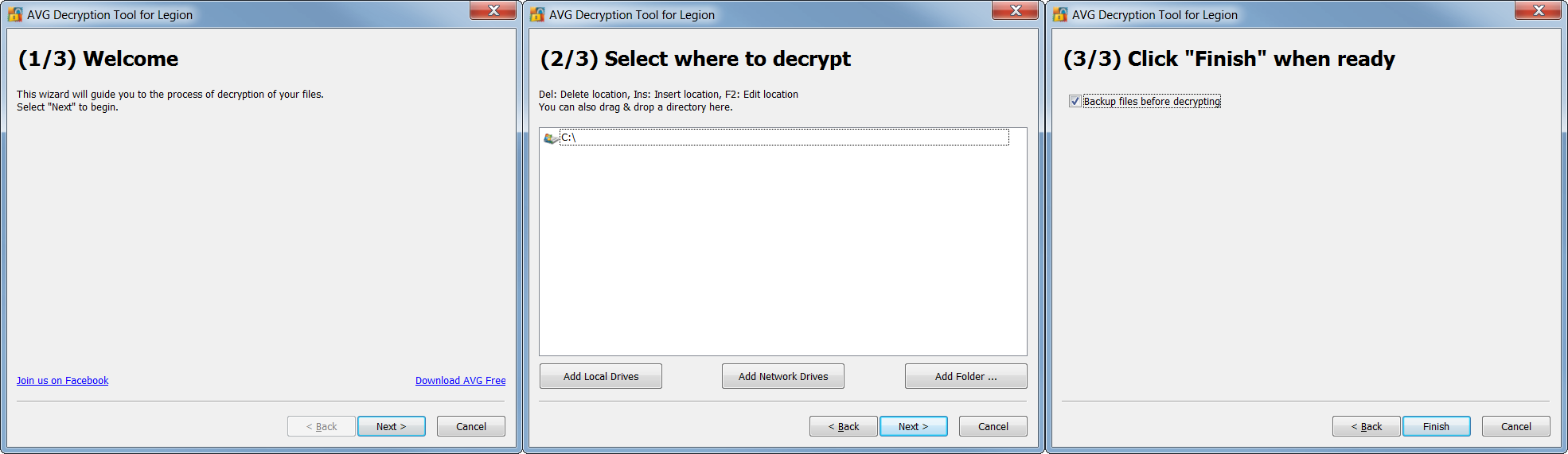
Follow the steps, and you should again be able to reclaim your files in most cases. After decryption, be sure to securely back up restored files on a flash drive or in the cloud.
Apocalypse
The Apocalypse ransomware appends “.encrypted”, “.locked”, or “.SecureCrypted” to names of encrypted files (e.g. example.docx.encrypted, example.docx.locked, example.docx.SecureCrypted). It also creates ransom messages in files with extensions “.How_To_Decrypt.txt”, “.README.Txt”, or “.Contact_Here_To_Recover_Your_Files.txt” (e.g. example.docx.How_To_Decrypt.txt, example.docx.README.Txt, or example.docx.Contact_Here_To_Recover_Your_Files.txt).
In those messages, you can find contact addresses such as [email protected], [email protected], [email protected], or [email protected]. For example:

We prepared two separate decryption tools for this strain: one for the early versions of Apocalypse and the other one for the current version:
http://files-download.avg.com/util/avgrem/avg_decryptor_Apocalypse.exe
http://files-download.avg.com/util/avgrem/avg_decryptor_ApocalypseVM.exe
BadBlock
BadBlock does not rename encrypted files. You can identify BadBlock by the ransom message named “Help Decrypt.html” and by the red windows with ransom messages, like the following ones:
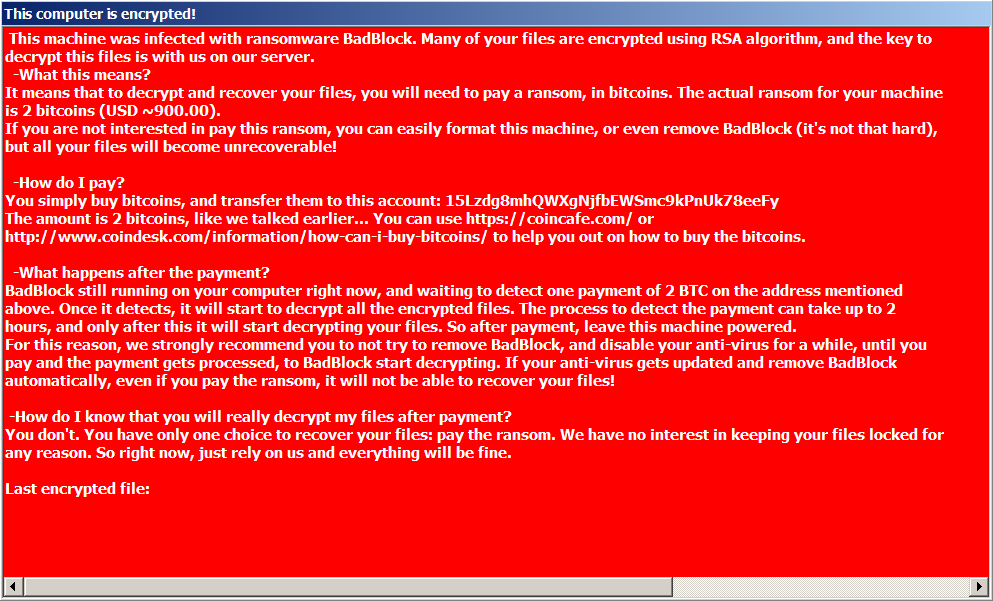
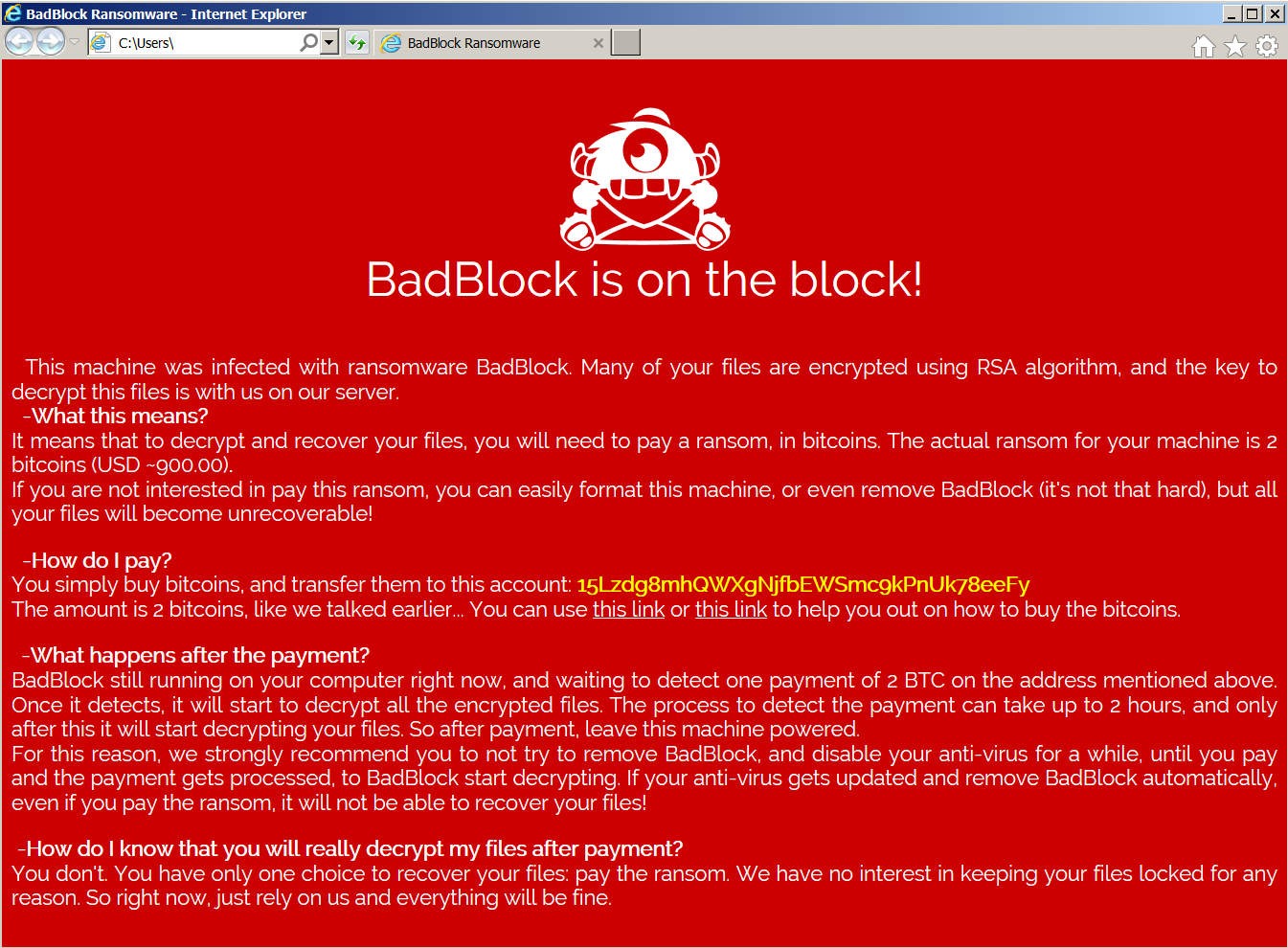
The BadBlock decryption tool can be found here:
http://files-download.avg.com/util/avgrem/avg_decryptor_BadBlock32.exe
http://files-download.avg.com/util/avgrem/avg_decryptor_BadBlock64.exe
Crypt888
Crypt888 (aka Mircop) creates encrypted files with the prepended name “Lock.” (e.g. Lock.example.docx). It also changes your desktop’s wallpaper to the following image:
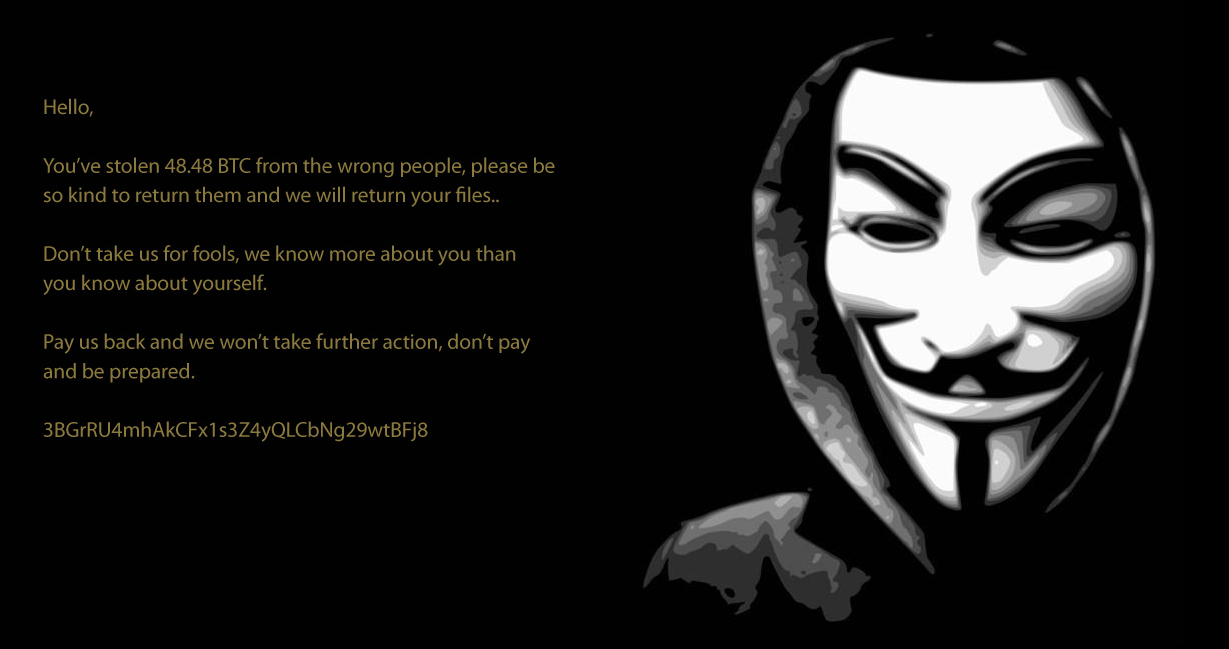
Unfortunately, Crypt888 is a badly written piece of code, which means some of the encrypted files or folders will stay that way, even if you pay the fine, as their “official decryptor” may not work. The AVG decryptor can be found here:
http://files-download.avg.com/util/avgrem/avg_decryptor_Crypt888.exe
Legion
Legion encrypts and renames your files with names like “example.docx[email protected]$.legion”. It also changes the desktop wallpaper and displays a warning about your encrypted files:
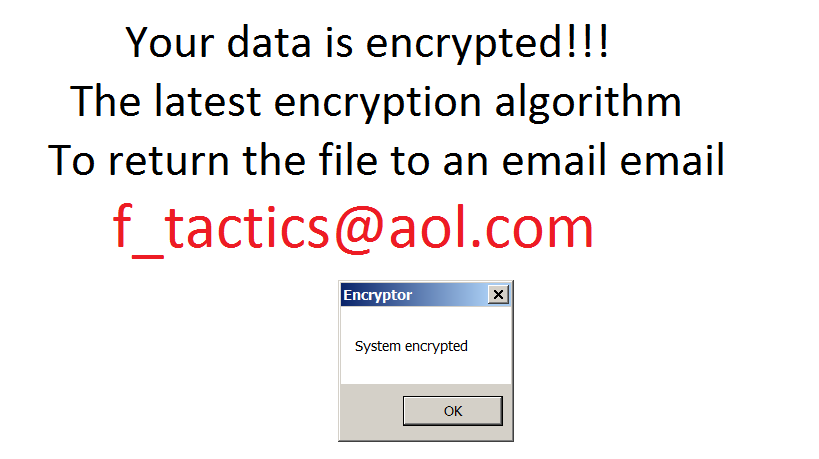
Note: Don’t be confused by another ransomware strain that renames files to a similar name – “[email protected]”. It is NOT the same strain and it cannot be decrypted by this tool.
The decryptor is available here:
http://files-download.avg.com/util/avgrem/avg_decryptor_Legion.exe
SZFLocker
The name of this ransomware originates from a string that is appended to the names of encrypted files (e.g. example.docx.szf). The original files are rewritten with the following Polish message:
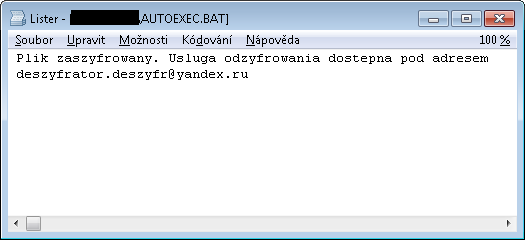
The decryptor for SZFLocker is available here:
http://files-download.avg.com/util/avgrem/avg_decryptor_SzfLocker.exe
TeslaCrypt
Last but not least, we prepared a decryptor for the infamous TeslaCrypt. This tool supports decryption of files encrypted by TeslaCrypt v3 and v4. The encrypted files come with different extensions, such as .vvv, .micro, .mp3, or with the original name only. It also displays a message like the following:
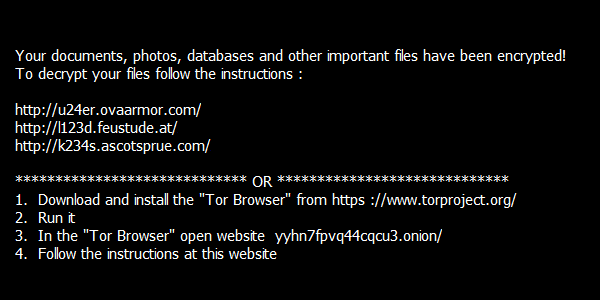
The decryptor can be found here:
http://files-download.avg.com/util/avgrem/avg_decryptor_TeslaCrypt3.exe
Conclusion
At AVG, we take ransomware threats very seriously. Be proactive by using multilayered protection, such as AVG Antivirus Pro, which detects and removes ransomware. Adding decryption tools is a last resort for when your files are already encrypted by ransomware and you need to get your valuable data back.


Cyberattacks should be included in international humanitarian law
The seriousness of cyberattacks is such that it should be included in international humanitarian law, a new report from the Global Commission on Internet Governance has said.
The post Cyberattacks should be included in international humanitarian law appeared first on We Live Security.

Threatpost News Wrap, June 24, 2016
Mike Mimoso and Chris Brook recap the news of the week, including a Bitcoin phishing campaign, the Kaspersky Lab ransomware report, misconfigured email servers, and a decline in Angler exploit kit traffic.
Popular Anime Site Infected, Redirecting to Exploit Kit, Ransomware
Jkanime, a popular site that streams anime videos, has been infected with malware that redirects to the Neutrino Exploit Kit and CryptXXX ransomware infections.
Avira now scans your QR Codes
Quick Response Codes – better known as QR-Codes – are liked by marketing and users alike and have been increasingly popular during the past couple year. You can see them on advertising posters, in magazines, online, and on the packaging of everyday products.
The post Avira now scans your QR Codes appeared first on Avira Blog.

Uber Hack lets anyone find Unlimited Promo Codes for Free Uber Rides
An Independent Security Researcher from Egypt has discovered a critical vulnerability in Uber app that could allow an attacker to brute force Uber promo code value and get valid codes with the high amount of up to $25,000 for more than one free rides.
Mohamed M.Fouad has discovered a “promo codes brute-force attack” vulnerability in the sign-up invitation link for Uber that allows any user to


Android Ransomware Drastically Increases in Number of Users Attacked in One Year
The number of users attacked by ransomware targeting Android-based devices has increased four-fold in just one year, hitting over 136,000 users globally
Urge to connect at any cost is putting international travelers at risk, finds Kaspersky Lab
A high proportion of people are connecting to unsecured Wi-Fi networks while traveling internationally, putting their personal data at risk.
Kaspersky Lab Discovers Vulnerability in Popular Energy Equipment
Kaspersky Lab announced today the discovery of a critical vulnerability in popular energy equipment provided by Siemens, an equipment vendor.