Category Archives: Avast

Avast

Sticking unknown USB devices into your computer is risky business

If you found a USB stick, would you plug it into your laptop to see what’s on it?

Sounds like a risky thing to do, but in a recent experiment in four major U.S. cities, that’s exactly what happened when 200 unbranded USB devices were left in public places. One in five people let their curiosity get the best of them and plugged the flash drive into a device. These “Nosy Nellys” proceeded to open text files, click on unfamiliar web links, or send messages to a listed email address. All potentially risky behaviors!

Plugging USB drive  into a laptop

You can scan your USB sticks with Avast

“These actions may seem innocuous, but each has the potential to open the door to the very real threat of becoming the victim of a hacker or a cybercriminal,” said Todd Thibodeaux, president and CEO of The Computing Technology Industry Association (CompTIA) the trade association that commissioned the experiment.

Every time you plug an unknown flash drive into your computer, you’re taking a risk because a USB drive can spread malware, as well as attract it.  Here are some dramatic examples:

Stuxnet and Flame were spread by USB device

The infamous Stuxnet worm and Flame malware, alleged American-Israeli cyber weapons designed to attack and spy on Iran’s nuclear program, relied on USB sticks to disseminate attack code to Windows machines.

Power generation facilities infected by malware on USB sticks

A tainted USB drive was responsible for attacks at two U.S. power generation facilities documented in late 2012. The U.S. Industrial Control Systems Cyber Emergency Response Team were called in to investigate and found that infections were spread by USB drives that were plugged into critical systems without back-ups.

How to use Avast to scan a USB device

Avast antivirus products come with a number of pre-defined scans including the ability to scan any removable storage device that is connected to your computer, like USB flash drives and external hard drives. It will scan the drive to detect potential “auto-run” programs that may try to launch when the device is connected.

  • Open the Avast user interface
  • Click the Scan tab
  • Choose Scan for viruses
  • In the drop down menu on the right side, choose Removable media from the selection

Follow Avast on FacebookTwitterYouTube, and Google+ where we keep you updated on cybersecurity news every day.

¿Dónde está mi teléfono? Avast Anti-Theft lo sabe

Hace unos días recibimos en Twitter un mensaje de Juan José, usuario de Avast en su teléfono móvil, en el que nos comentaba que, gracias a Avast Anti-Theft, pudo recuperar su teléfono perdido.

Juan José con su móvil recuperado gracias a Avast Anti-Theft

Juan José con su móvil recuperado gracias a Avast Anti-Theft

Mientras Juan José paseaba por Sevilla, se dio cuenta de que su teléfono móvil ya no estaba con él, lo había perdido. Su primera reacción fue llamar al número para ver si alguien lo había recogido y podía devolvérselo. El teléfono daba señal, pero nadie respondía.

Temiendo que quien había encontrado el teléfono no tenía intención de devolvérselo, Juan José dio unos pasos muy importantes en estos casos. Desactivó la tarjeta SIM y modificó la contraseña de su cuenta de Google.

Lo que no se esperaba es que,  gracias a una acción que realizó anteriormente, iba a recuperar su teléfono.

Juan José fue previsor e instaló Avast Anti-Theft en su teléfono. Durante la instalación, introdujo un número de teléfono “amigo”, por lo que siempre que haya un cambio en la tarjeta SIM del dispositivo, el teléfono indicado recibirá un mensaje con todos los detalles de la nueva tarjeta.

Y eso es exactamente lo que sucedió. Al cabo de unos días, y sin tener esperanza en recuperar el teléfono perdido, Juan José recibió un mensaje de Avast informando sobre el cambio de tarjeta SIM en el dispositivo.

Gracias a los datos que el mensaje incorporaba, Juan José pudo contactar con el propietario de la tarjeta que, de buen grado, accedió a devolverle el teléfono.

Como ya explicamos anteriormente en el blog y tal y como hemos podido ver, hay que estar preparado por si alguna vez perdemos o nos roban nuestros teléfonos móviles. Instala gratuitamente Avast Anti-Theft en tu dispositivo Android.

¿Tienes alguna historia similar? Envíanos un mensaje en Facebook o Twitter.

¿Tienes alguna historia relacionada con nuestros productos?

¿Tienes alguna historia relacionada con nuestros productos? Envíanos un mensaje en nuestras redes sociales

Government and misuse of technology are most feared by Americans

Americans don’t trust that technology will be kept out of the hands of bad guys.

Forget about zombies, vampires, and ghosts. Americans don’t fear things that go bump-in-the-night as much as they do their own government. The annual Survey of Fear conducted by Chapman University asked Americans about their level of fear in 88 different topics ranging from crime, the government, disasters, personal anxieties, technology, and others.  The majority of Americans said that they are “afraid” or “very afraid” of the corruption of government officials.

Hacker stealing password

One of American’s greatest fears is government-sponsored spying

The misuse of technology, financial crime, and privacy-related issues took up half of the Top 10 fears of 2015. After two years of high-profile data breaches and the revelations of government spying from the Edward Snowden leaks, it’s not too surprising. Here’s the list:

  • Corruption of government officials (58.0%)
  • Cyber-terrorism (44.8%)
  • Corporate tracking of personal information (44.6%)
  • Terrorist attacks (44.4%)
  • Government tracking of personal information (41.4%)
  • Bio-warfare (40.9%)
  • Identity theft (39.6%)
  • Economic collapse (39.2%)
  • Running out of money in the future (37.4%)
  • Credit card fraud (36.9%)

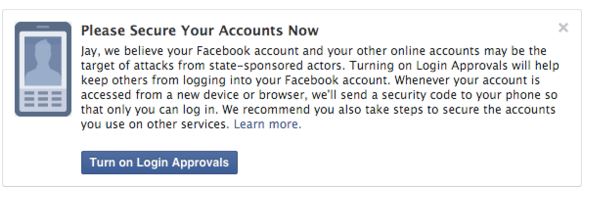
From this survey, it’s apparent that Americans’ awareness and concern about guarding their personal privacy is growing. An interesting topic that was further down the list is “Technology I don’t understand,” feared by 19% of Americans surveyed. At least that is something that individuals can control – just watch some videos or read this blog and you will learn about technology and how you can minimize your risks of these other things happening to you. For example, here’s how to secure your Facebook login and protect your personal privacy and identity.

Facebook announces government spying alert

The fears of government spying don’t go unwarranted. Facebook has reason to believe that it’s an important issue “because these types of attacks tend to be more advanced and dangerous than others.” These are the words of Facebook’s Chief Security Officer, Alex Stamos, in a recent announcement telling if the social media network suspects that a user is being targeted by government-sponsored hackers, they will issue an alert advising them to “take the actions necessary to secure all of their online accounts” such as “rebuild or replace these systems [your computer or mobile device] if possible.”

FB govt intruder warning


Follow Avast on FacebookTwitterYouTube, and Google+ where we keep you updated on cybersecurity news every day.


Fake Chrome browser replaces real thing and serves up unwanted ads

Is something not right with your browser, but you can't quite figure out what?

Is something not right with your browser, but you can’t quite figure out what?

Does your Chrome browser seem a little “off”, but you can’t figure out why? Maybe it’s eFast.


Here’s another reason to slow down when installing software, especially free software. A new Potentially Unwanted Program (PUP) disguised as the Google Chrome browser is sneaking onto users computers bundled with legitimate software, hidden deep within the ‘Custom’ or ‘Advanced’ settings that most people skip over. Once installed, eFast, as it has been called, serves up ads and tracks your online activities and sells personally identifiable information to advertisers.

“Read the installer screens to make sure what they actually install,” warns Michal Salat, researcher in the Avast Virus Lab. ” The Next->Next->Next->Done approach is exactly why we deal with PUPs daily. If there isn’t an option not to install some additional software, terminate the installer immediately. Better safe then sorry.”

Researchers at Malwarebytes says that eFast actually installs a new browser rather than hijacking your existing one. If you already have Chrome installed, it will replace it making itself the default browser. The fake browser uses the same source code for the user interface as the real thing making it difficult to tell the difference. It is so tricky that it even replaces shortcuts on your desktop that look similar to Google Chrome.

In addition to all that, eFast hijacks some file associations, so that it can open as many times as possible therefore having the opportunity to show you more ads! If you open a file like JPEG, PDF, or PNG, it will be opened with eFast, resulting in pop-ups, more ads in your searches, and other adware. You can see the list of file associations on Malwarebytes security blog.

How to find out if eFast is on your computer

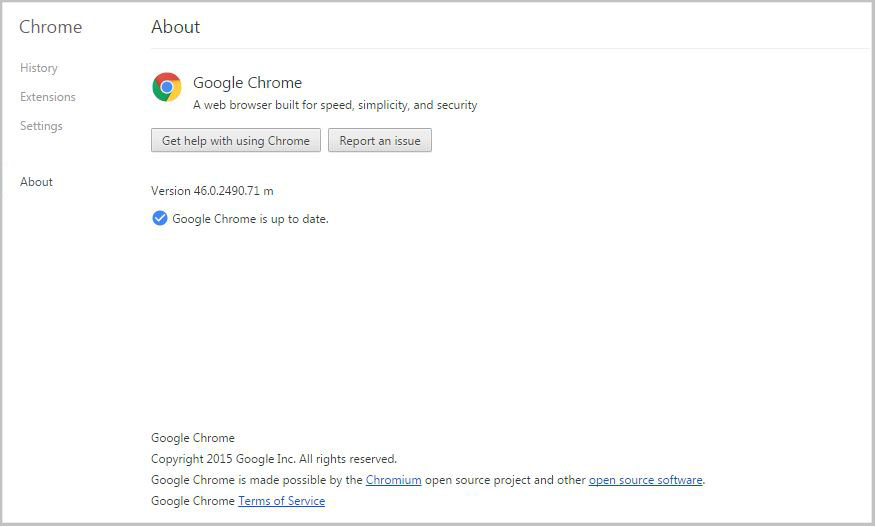
Open your browser and type in chrome://chrome. The authentic Chrome browser will take you to the ‘About’ section and check if your browser software is up-to-date. It looks like this.

About Chrome frame

If you have a fake version of Chrome, then you will be taken to a fake About page, get an error, or the link won’t work. In that case, check out the removal instructions on PCrisk.

eFast is classified as a Potentially Unwanted Program, also known as a PUP. PUPs are annoyances like search bars, intrusive adware, etc. that Avast does not detect by default. However, the option can be enabled.

How to turn on PUP detection in Avast

  • Open the Avast program and go to settings
  • Open Active Protection
  • Click Customize next to Web Shield
  • Go to Sensitivity and put a check mark beside PUP and suspicious files

Follow Avast on FacebookTwitterYouTube, and Google+ where we keep you updated on cybersecurity news every day.


Business owners across the world have the same security concerns

“We want to keep our clients and servers in a secure environment.”

startup business, woman working on laptop

Employees at Caritas Design were using different security software making it difficult to manage.

Business owners in every part of the world have the same concerns. Scott Quinn from Montana-based Caritas Design, a small web-design firm run by Scott and his wife Kate, said, “There are lots of viruses out there you need to be protected from. In today’s world we have to protect personal information.”

Echoing that sentiment from clear across the globe is Levent Sılay, a business development executive from Login Business Solutions, a Management Information Systems solution provider based in Istanbul, Turkey. He says their biggest concern is, “to keep our clients and servers in a secure environment.”

Cobbling together a security solution

Both businessmen have tried different solutions in order to create that secure environment. But as many smaller businesses have experienced, the setup was disorganized with people in the company using different solutions simultaneously like McAfee, Symantec, Microsoft Security Essentials, and F-Secure. This cobbling together of security programs meant that management was difficult and disordered. In evaluating better solutions, Silay said, “We wanted a security system which can easily be monitored and managed from a web portal.”

Silay was a long time Avast Free Antivirus user, so once he found out about the free Avast for Business option he didn’t turn back. Quinn had a similar experience. He found Avast Free Antivirus when he was a poor college student. “I was in college looking for the cheapest option, and it had to have boot time scan. So through internet searches, I found Avast.”

Free isn’t always the biggest benefit

Many businesses already have a budget set aside for security, so sometimes free software isn’t the main benefit. Both Quinn and Silay had additional needs. The primary one: “Simple management”.

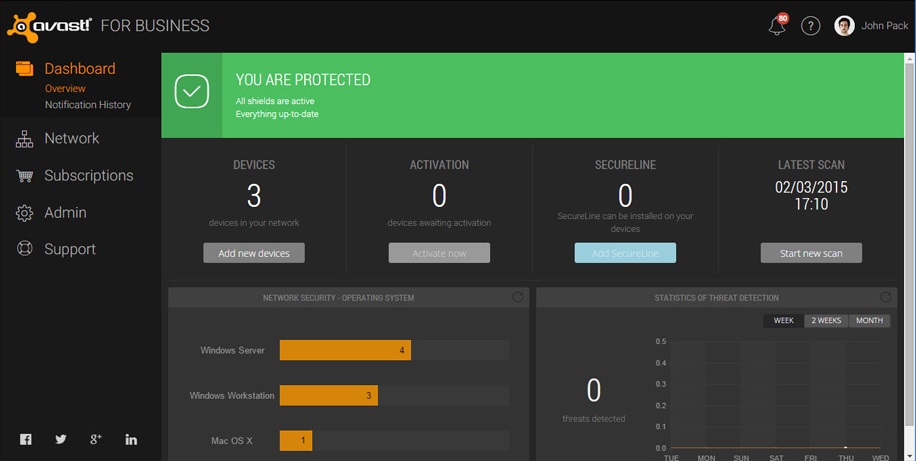
The advantages of Avast’s cloud-based business security according to Silay are “the quick and easy installation, the monitoring screen that helps in the visualization of all the computers on the network, the online management that can be utilized from anywhere, and the fact that it’s simple and there is no need for training.”

screen-easy-management

Avast for Business management console

Quinn’s Caritas Design is a startup company, so “Any savings are huge for us.” Because of the years of trust using Avast Free Antivirus, Quinn’s decision was simple. “I’ve been using Avast for my personal and business machines for over 10 years now, and when they released their new online free business portal, I had to sign up.”

“Avast for Business has been outstanding to work with as an enterprise-level solution for my customers,” said Quinn. “I can email silent deployments, manage tasks and scans, and categorize clients by organization or location.”

What’s the catch?

For a free business-grade security solution, the question often comes up about support. Quinn says, “Their support has been amazing on the rare occasions I’ve needed to utilize them. I would, and will, recommend Avast and Avast for Business to everyone I encounter.”


Avast for Business is a free cloud-based security solution available to business owners around the world. Learn more and sign up today.


Big things are in store: Become a beta tester for Avast Mobile Security!

Become one of our beta testers for Avast Mobile Security today!

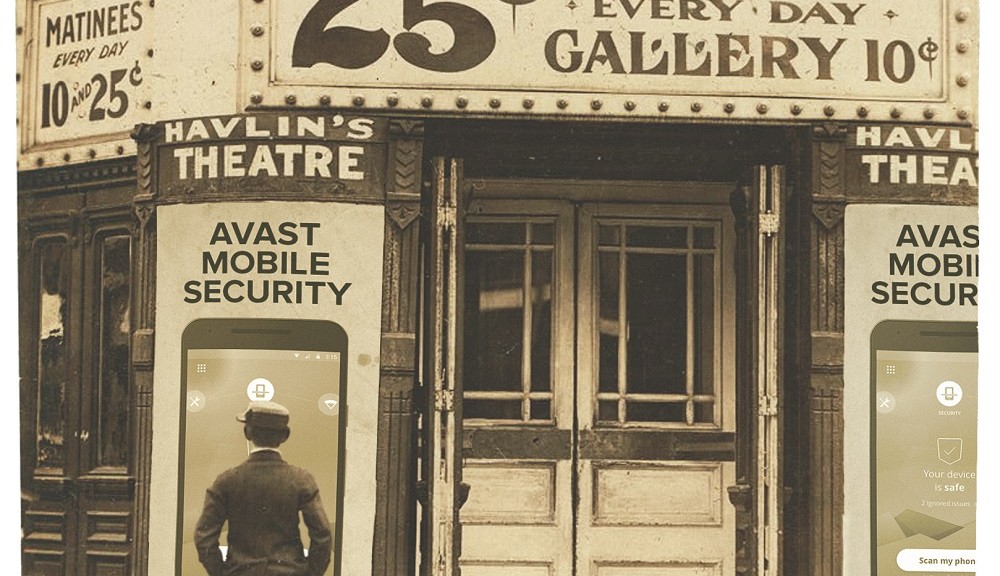
Become one of our beta testers for Avast Mobile Security today!

Have you ever served as a beta tester for one of our mobile apps? The release of the latest and greatest Avast Mobile Security is right around the corner, and we want YOU to help us make our mobile security app the very best it can be.

It’s important to emphasize that the beta version of Avast Mobile Security isn’t available to everyone quite yet – the latest version of the app will make its way onto your device as soon as it’s released.

Becoming a beta tester for Avast Mobile Security now only requires three easy steps

Getting the latest news and updates about our app is easy as pie. Here’s what you need to do:

1. Visit this link.
2. Click the “BECOME A BETA TESTER” button. Avast Mobile Security will automatically update itself upon its imminent launch. You simply have to wait until the new design appears on your phone.
3. Once you receive the update, we’d love it if you could share your thoughts about the app with us in our Google+ community.

Once you’ve opted to become a tester using the link above, you’re all set to go! Thanks for becoming one of our valued beta testers.


Follow Avast on FacebookTwitterYouTube, and Google+ where we keep you updated on cybersecurity news every day.

More malware found on third party app stores

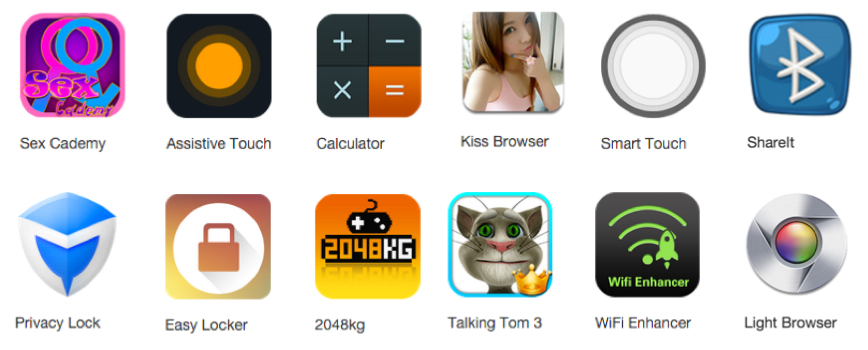
As Google Play tightens their security measures on mobile apps, hackers are moving to third party app stores. Fake apps imitating popular apps were found on the Windows Phone Store earlier this week. Now a new batch of infected Android apps imitating the real deal have been found on unofficial third-party Android app stores.

image via the FireEye blog

image via the FireEye blog

The new malicious adware, dubbed Kemoge, reported Wednesday by security researchers at FireEye, also disguises itself as popular applications. The apps trick the user into installing them through in-app ads and ads promoting the download links via websites. The legitimate appearing apps aggressively display unwanted advertisements which seem annoying, but in the FireEye blog researcher Yulong Zhong writes, ” it soon turns evil.”

The fake apps gain root access and gathers device information such as the phones IMEI, IMSI, and storage information, then sends the data to a remote server.

Infections have been discovered in more than 20 countries, including the United States, China, France, Russia, and the United Kingdom. Because of Chinese characters found in the code, it is believed that the malware was written by Chinese developers or controlled by Chinese hackers. The apps included Talking Tom 3, WiFi Enhancer, Assistive Touch, PinkyGirls, and Sex Cademy.

How to protect your Android device from infection

  • Only install apps from trusted stores like Google Play
  • Avoid clicking on links from ads, SMS, websites, or emails
  • Keep your device  and apps up up-to-date
  • Install protection that scans apps like Avast Mobile Security

Follow Avast on FacebookTwitterYouTube, and Google+ where we keep you updated on cybersecurity news every day.

Life beyond the screen: Coming face to face with technology addiction

Photo via Telegraph online

Photo via Telegraph online

Believe it or not, there’s more to life than what’s happening online! In its beginnings, technology was intended to make our lives simpler and more convenient. When technology becomes an addiction, however, it can become dangerous to our mental and physical health, not to mention our personal lives.

Avast is a technology and security company. At the same time, we’re also human beings. By sharing cybersecurity news on our blog, alongside our forum and social networks, we aim to make things simpler for our users — providing them with safety tips to avoid headaches and losses of time. In other words, we’d like everyone to reserve as much time as possible for the parts of life that truly matter.

Recently, a study found that students’ performance can significantly decline due to technology addiction. To fight students’ urge to be active on their devices when they shouldn’t be, there are several apps that have been created that close and prevent other apps to be opened, ensuring users to be able to stay focused and concentrated on their classes, research or homework.

Since it has become this difficult to pry ourselves away from our screens, it’s sometimes a good thing to occasionally be left without battery or network coverage. This way, we’re essentially forced to put off our thoughts about what’s being published on social media and focus on the things that are taking place around us.

Here in Brazil, it’s not uncommon to see signs at bars or restaurants that read something similar to “we don’t have Wi-Fi, talk among yourselves” or “we don’t have Wi-Fi, bring a friend to talk to”. These places don’t do this because they need to save money on their Internet bill — instead, it’s about providing their guests with human interactions and a genuine experience.

It’s our job to use our current technology wisely. When it’s time to concentrate and focus, Avast is there to keep our users safe from spam, scams, and hackers — things that cause us to lose time and energy.

You can depend on us to keep your security (and peace of mind) in tact. We urge our users to recommend Avast to the ones who they love and who they want to spend quality time with.


Follow Avast on FacebookTwitterYouTube, and Google+ where we keep you updated on cybersecurity news every day.

Has the Windows Phone Store become a new target for hackers?

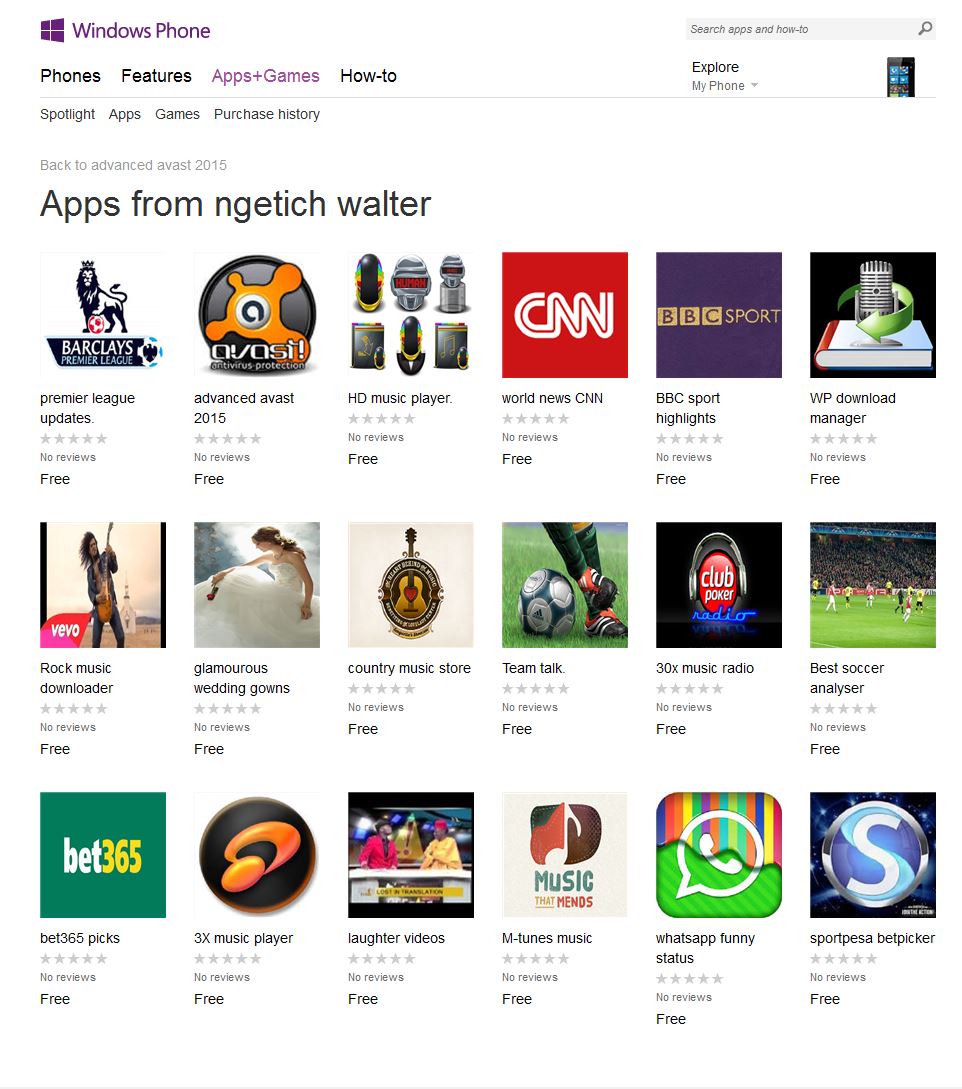
Almost exactly two months ago, we reported on some fake apps found in the Windows Phone Store. Unfortunately, the news hasn’t stopped there – instead, it seems that this third-party app store is becoming an increasingly popular platform for the bad guys. Today, we‘ve uncovered quite a large set of fake apps which includes scams imitating legitimate popular apps such as Facebook Messenger, CNN, BBC, and WhatsApp.

Fake apps advertised by Ngetich Walter on the Windows Phone Store.

Fake apps advertised by Ngetich Walter on the Windows Phone Store.

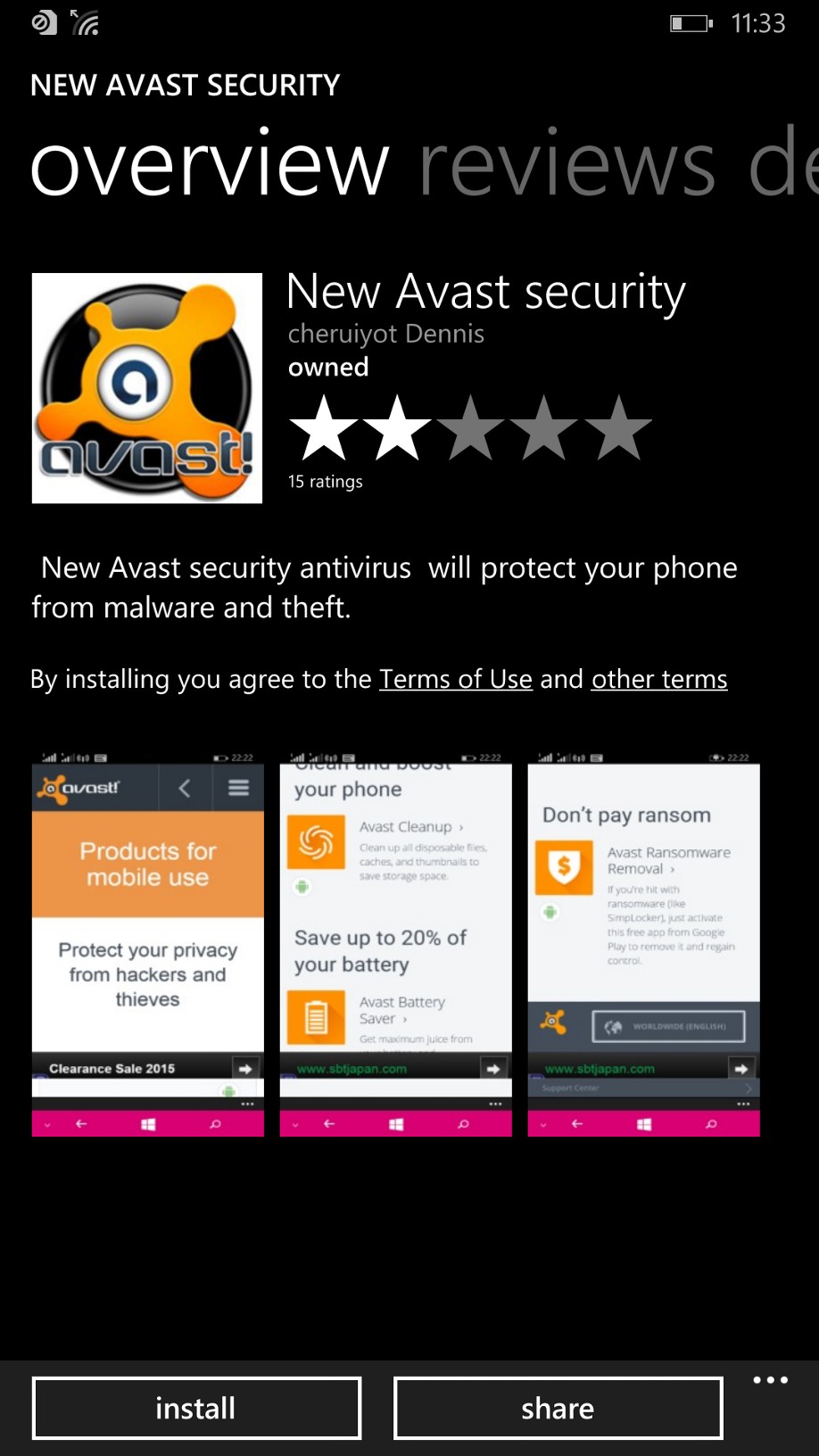
There are two perpetrators behind these fake apps: Ngetich Walter and Cheruiyot Dennis. Between the two of them, they have 58 different apps available in the Windows Phone Store, all of which are fake. The majority of the apps have certain things in common — they collect basic data about users and display various advertisements that are mostly driven by a user’s location. A portion of the apps try to lead users to pages that force them to submit a request to purchase something. Let’s take a closer look at two of them:

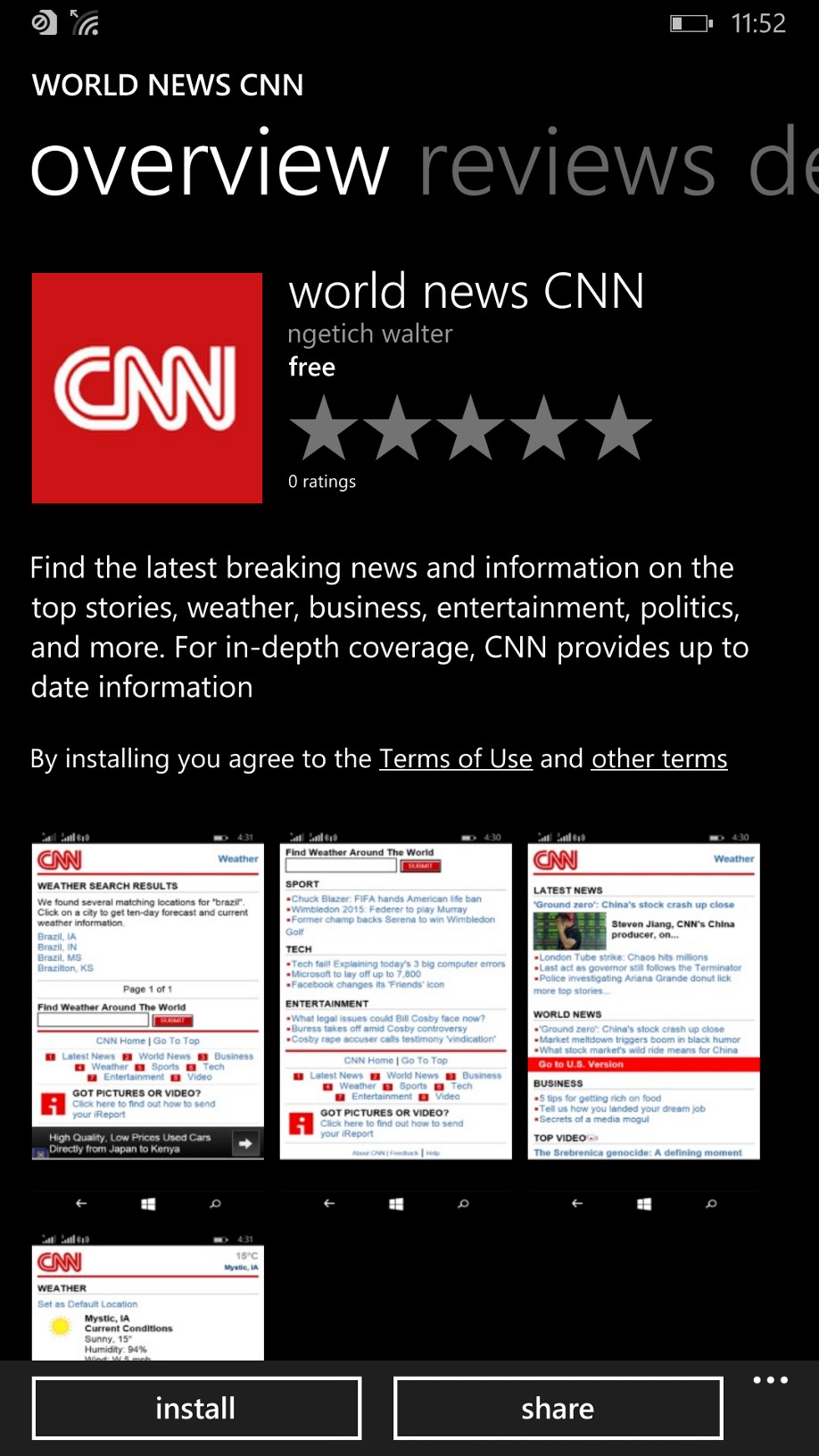
1. World News CNN (a.k.a. Abundant Life): What first appears to be a CNN World News app is actually an evangelical message titled “Abundant Life“.

wp_ss_20151006_0027

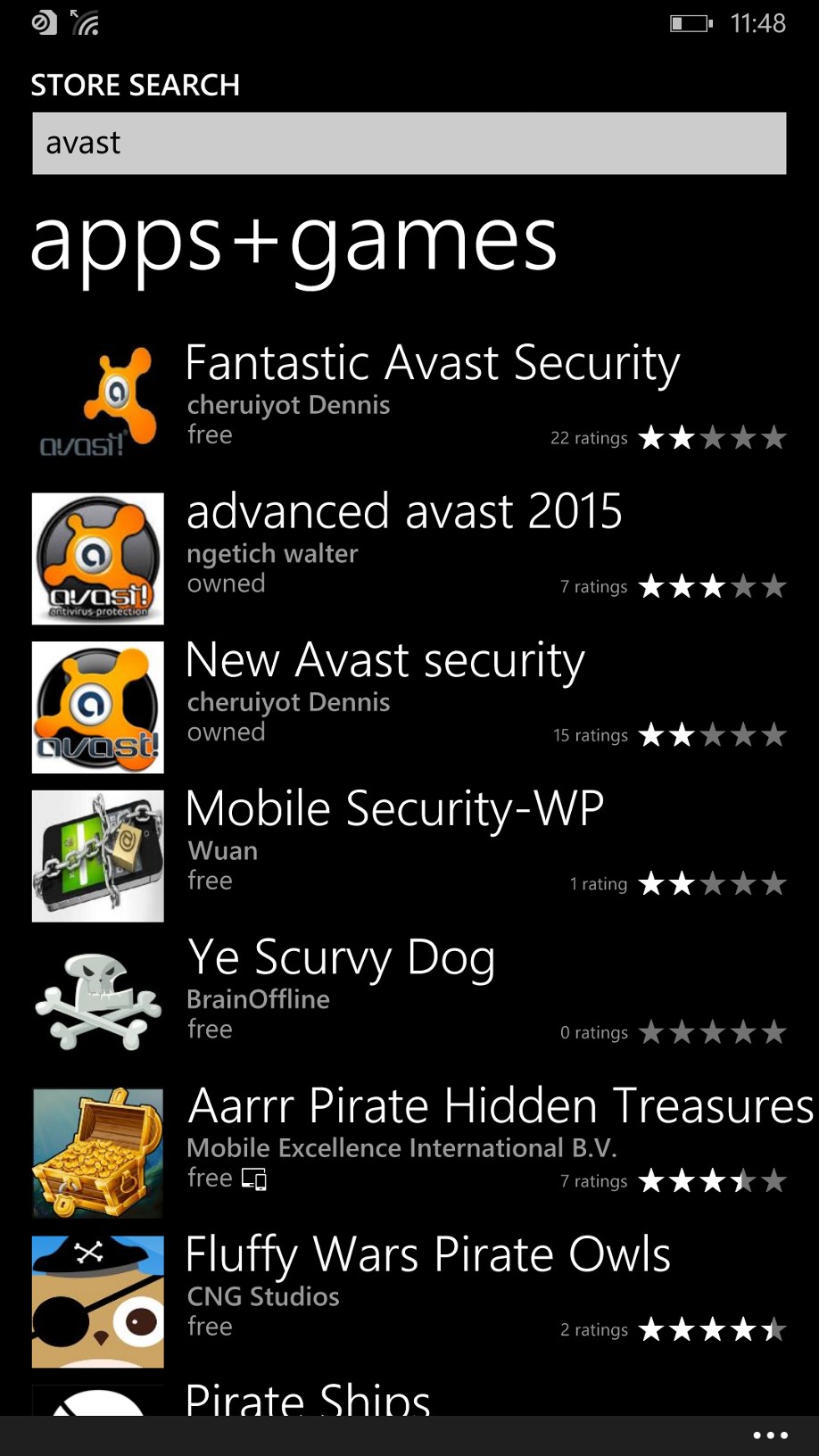
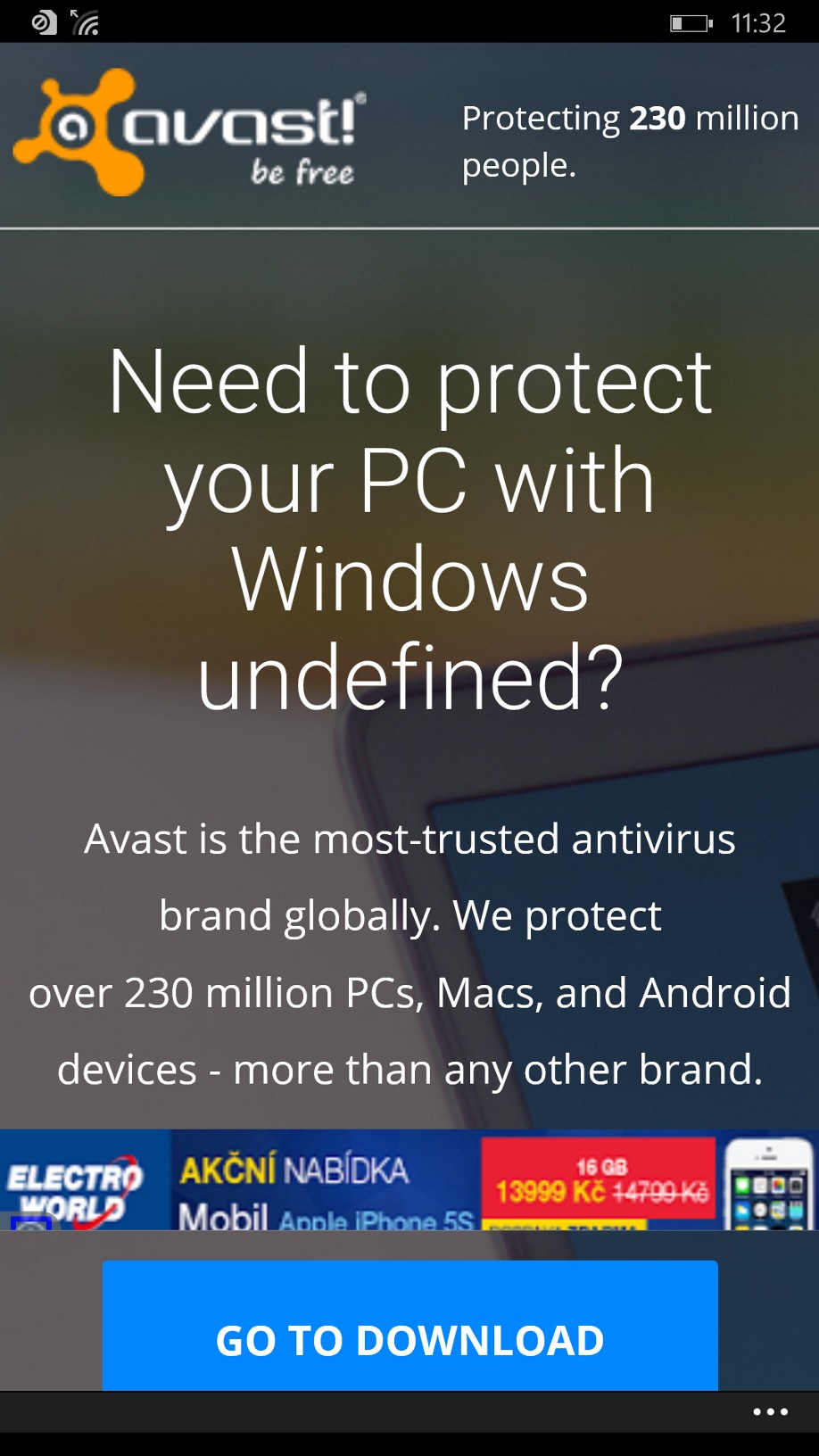
2. Fake Avast Antivirus: Along with the illegitimate social and news apps we discovered, there were even fake Avast apps added into the mix. Fortunately, each of the fake Avast apps are harmless and don’t accomplish anything more else then redirecting users to Avast’s website and displaying advertisements to the user.

wp_ss_20151006_0009

Money, money, money

It’s fairly obvious that hackers don’t do this sort of thing for free. After looking into monetization methods, it appears that hackers are primarly using two ways to profit from producing and circulating fake apps on a large scale:

1. Advertisement clicks: Apps load different kinds of advertisement kits, which are clicked either by the user or, in some cases, the app itself. Theoretically, the bigger the number of apps that you advertise on an app store, the larger number of clicks you would receive – another reason that hackers often offer a large number of fake apps at once.

2. Misleading advertisements: Certain ad servers are remotely controlled, giving them the power to switch different advertisements on and off. In some cases, those ads lead to scammy pages that try to convince you that your device has security issues and that you need to install some other paid product to fix it.

What is the motivation behind propogating fake apps?

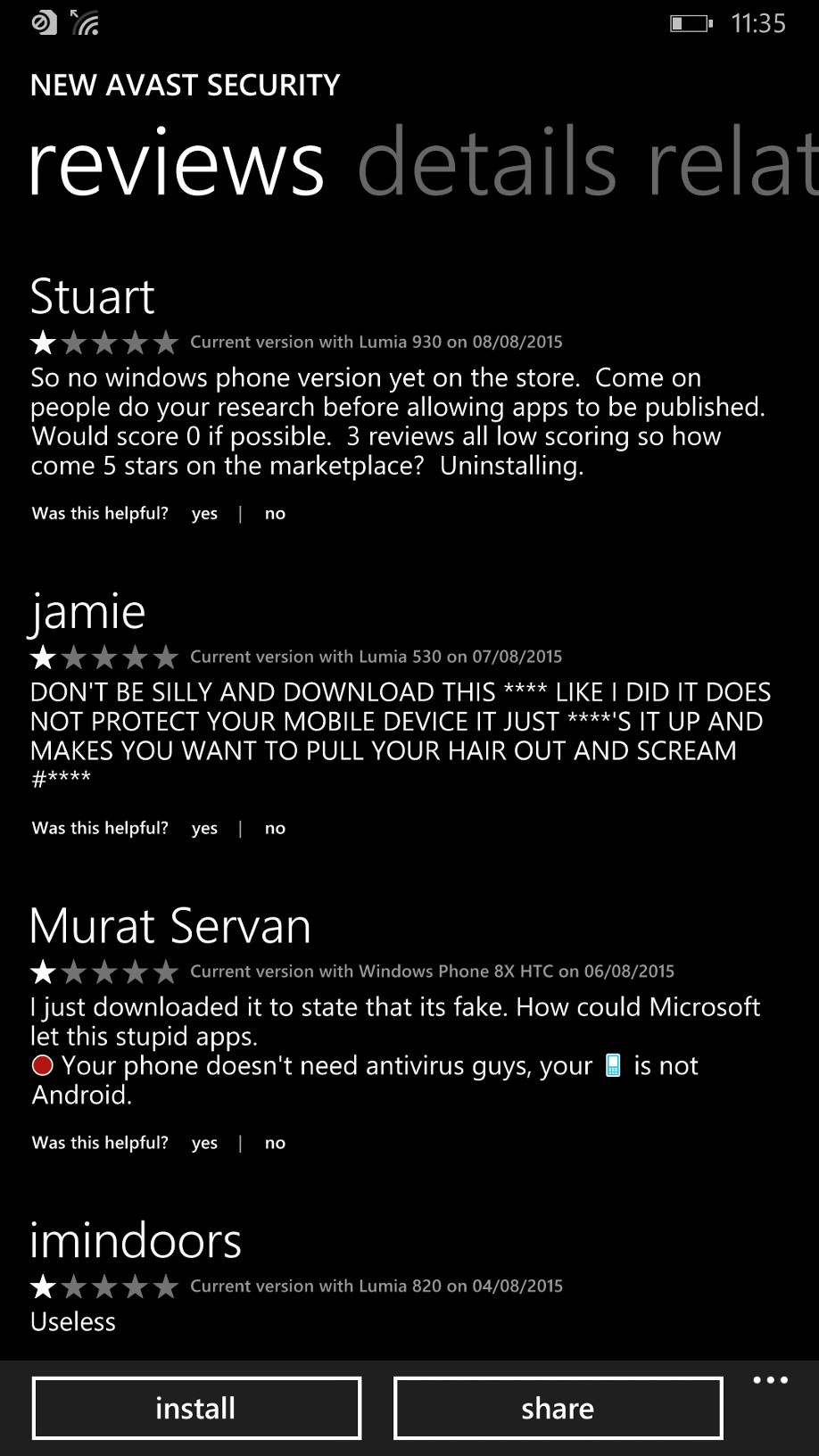
These days, the Google Play store and iTunes continue to implement smarter solutions to protect their entire ecosystems. This approach is making these systems quite difficult to attack and monetize, causing hackers to avoid them altogether. As a result, a less widely used, third-party app store such as the Windows Phone Store is an ideal place for a hacker to hunt for security loopholes. On top of analyzing the reasons behind why these cybercriminals do what they do, it’s also interesting to consider the fact that often, fake apps remain on third-party app stores for weeks and even months at a time. For some reason, no one takes the time to report bad apps, even if it’s clear that they are fake and the majority of user reviews are extremely negative.


Follow Avast on FacebookTwitterYouTube, and Google+ where we keep you updated on cybersecurity news every day.

Avast at Virus Bulletin Conference 2015

Our team had a wonderful time meeting and networking with the crème de la crème of security industry professionals at this year’s Virus Bulletin Conference in Prague, of which we were a proud platinum sponsor. Throughout the conference, a handful of Avast employees presented talks a variety of today’s most prominent security-centered topics. For those who weren’t able to make it to the conference, we’d like to provide a brief recap of the content that was covered.

Taking a close look at denial of service attacks

Avast senior malware analysts Petr Kalnai and Jaromir Horejsi discuss distributed denial-of-service (DDoS) attacks.

Avast senior malware analysts Petr Kalnai and Jaromir Horejsi discuss distributed denial-of-service (DDoS) attacks.

In their presentation, “DDoS trojan: a malicious concept that conquered the ELF format“, senior malware analysts Petr Kalnai and Jaromir Horejsi discussed the serious issues relating to distributed denial-of-service (DDoS) attacks.

Abstract: DDoS threats have been out there since the Internet took over half of global communication, posing the real problem of denial of access to online service providers. Recently, a new trend emerged in non-Windows DDoS attacks that was induced by code availability, lack of security, and an abundance of resources. The attack infrastructure has undergone significant structural, functional and complexity changes. Malicious aspects have evolved into complex and relatively sophisticated pieces of code, employing compression, advanced encryption and even rootkit capabilities. Targeted machines run systems supporting the ELF format – anything from desktops and servers to IoT devices like routers or digital video recorders (DVRs) could be at risk.

In this session, Petr and Jaromir examined the current state of DDoS trojans forming covert botnets on unsuspecting systems. They provided a technical analysis of the most important malware families with a specific focus on infection methods, dynamic behavior, C&C communication, obfuscation techniques, advanced methods of persistence and stealth, and elimination of rivals. After studying cybercriminals’ behavior, our two speakers introduced their operation tools, including vulnerability scanners, brute-forcers, bot builders and C&C panels. They explained that in many cases, it’s unnecessary to apply reverse engineering within the analysis — the original source codes are indexed in public search engines and their customization is a subject of monetization. The pair concluded their presentation by introducing tracking methods and techniques and revealed the targets of these attacks.

Taking mobile security to the next level

Avast security researcher Filip Chytry talks about privacy in the mobile sphere.

Avast security researcher Filip Chytry talks about privacy in the mobile sphere.

Next up was security researcher Filip Chytry’s talk, “Privacy: a growing commodity in the modern age and our Remotium virtual solution to protect it“. Filip’s presentation focused on a few mobile apps that have experienced privacy leaks and provided insight on what could be used as potential solutions to these types of security breaches.

Abstract: Today, we are surrounded by millions of sensors that measure and monitor our lives, cities, travels, homes and communities. There are currently more online endpoint devices and sensors in existence across the globe than there are human beings. Smartphones have become unbelievably integrated into our daily lives, and these tiny gadgets are just the tip of the iceberg that is the modern spying age. Take cameras, for example — when you get the chance, try taking a stroll around a city and see how many cameras you can spot. These could be cameras belonging to other people or surveillance cameras capturing public images. Whether they were taken accidentally or intentionally, it’s difficult to argue with the fact that each of us is featured in public images and visual data that we remain largely unaware of.

Filip pointed out that when examining this issue through a mobile lens, it’s interesting to take a look at apps which benefit us in some way. Although these apps can lend us a helping hand or aid us in socializing with our peers, they often sharing certain data with developers that the average person is likely unaware of and would be uncomfortable with sharing. Filip went on to explain that in the worst case scenario, these apps’ developers can implement poor security standards which could permit leakages of data shared by the user. Concluding the presentation, Filip explained that Avast Remotium is a virtual space that allows users to mask their data, delivering unidentified data in its place in order to protect against data leaks and privacy breaches.

Home Network Security in the spotlight

Pavel Sramek and Martin Smarda discuss home network security issues.

Pavel Sramek and Martin Smarda discuss home network security issues.

Another two stellar Avast malware analysts, Pavel Sramek and Martin Smarda, presented “Solving the (in)security of home networked devices“. This talk outlined real-life issues of home network devices and examined potential risks related to the devices, a topic which is extremely relevant at this time.

Abstract: In the past few years, there has not been a VB conference without a talk about someone hacking the devices they have at home. Be they routers, NAS-es or ‘smart’ TVs, there is always one thing in common — the vendors ignore the problems and refuse to patch their products. We are developing an automated vulnerability scanner intended to test devices without our code running on them. The intention is to educate users about the misconfigurations and vulnerabilities that are detectable from another device in the network. Integrating such a scanner into consumer AV brings home network security to a new level and increases user awareness of those issues. We will present the technology and the challenges we faced on the way towards accomplishing this goal via maximizing the impact of even the simplest vulnerability scans.

Pavel and Martin acknowledged that while a couple researchers reporting an issue is simply not enough pressure to affect manufacturers’ decisions, the possibilities could be huge if millions of users reported this problem to their vendors or made the decision to replace their devices with more secure ones.

Fun at the Avast booth

A bottle of our own Avastweiser beer!

A bottle of our own Avastweiser beer!

In addition to the presentations given by our talented speakers, Avast had a handful of fun activities to offer to Virus Bulletin attendees. At the Avast booth, our team served three types of Czech beer in addition to our own Avastweiser brew, which we handed out to visitors free of charge.

Attendees had the opportunity to join Avast in a tournament of old-school Arcade Games, which we rented from Prague’s Arcade Museum. Among the prizes were a smartphone-controlled paper airplane and a Cheerson CX-20 drone!

We’d like to thank everyone who attended Virus Bulletin 2015 for their interest and support in the security and antivirus industry. We look forward to what next year’s conference has in store!


Follow Avast on FacebookTwitterYouTube, and Google+ where we keep you updated on cybersecurity news every day.