
A study of more than 3.3 million leaked passwords in 2014 has been released, exposing the most overused, predictable passwords.
The post Weakest, common passwords of 2014 revealed appeared first on We Live Security.
Antivirus Vendors
A study of more than 3.3 million leaked passwords in 2014 has been released, exposing the most overused, predictable passwords.
The post Weakest, common passwords of 2014 revealed appeared first on We Live Security.
Starting a few days ago, we began receiving multiple reports of malware-spreading campaigns in various countries mostly in Latin America and Eastern Europe.
The post CTB-Locker: Multilingual Malware Demands Ransom appeared first on We Live Security.
The Syrian Electronic Army strikes again. Are you using two-factor authentication? You should be.
The post Le Monde’s Twitter account hacked to say “Je ne suis pas Charlie” appeared first on We Live Security.
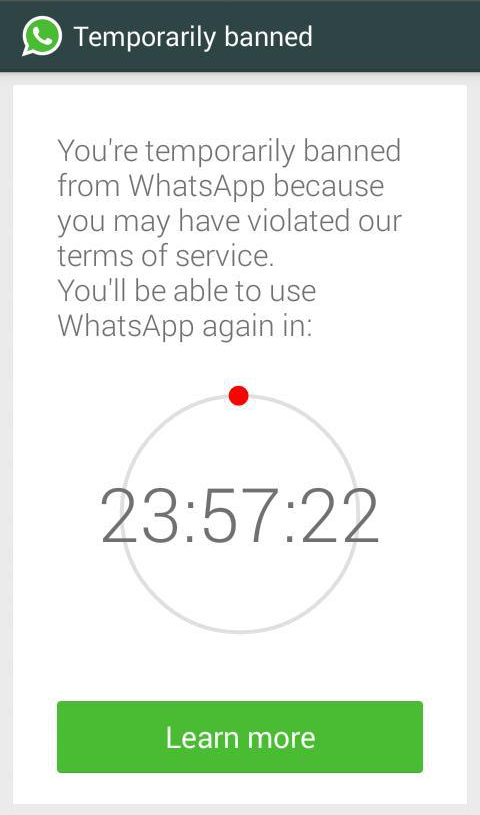
“You’re temporarily banned from WhatsApp because you may have violated our terms of service. You’ll be able to use WhatsApp again in:” Maybe this text sound you familiar…
WhatsApp has blocked the accounts of all WhatsApp Plus users. The reason? It cannot guarantee the security of the service.
The block will last 24 hours and WhatsApp explains it as follows:
WhatsApp Plus is an Android app developed by a Spanish programmer, based on WhatsApp but unofficial and unauthorized by it. It allows users to access WhatsApp and customize the look, use other emoticons, send songs…
However, WhatsApp warned that using unauthorized apps was a violation of its Terms of Service, and those who use them will be banned and that is what has happened.
The post WhatsApp blocks WhatsApp Plus users appeared first on MediaCenter Panda Security.
Facebook has announced plans to crack down on spam and hoaxes in the newsfeed, with a note highlighting ‘false information’ when enough people flag the link as a hoax.
The post Facebook will highlight hoaxes in users’ newsfeeds appeared first on We Live Security.
Earlier this January, the Charlie Hebdo attacks in Paris shocked millions across the globe. News channels brought us almost 24 hour coverage of events and are still analyzing the effects, some weeks later.
However, there’s more to the aftermath than first meets the eye. France has received a massive spike in detected cyber-attacks, reporting over 19,000 attacks since events unfolded in the capital.
This cyber-terrorism represents an often ‘hidden’ side to politically motivated conflict and are neither new nor unique.
For many years, we have witnessed a close correlation between tensions in the middle-east and the number of cyber-attacks detected in conflict zones.
Political conflicts between Turkey, Syria, Lebanon, Israel, Egypt and Palestine regularly trigger waves of cyber-attacks such as website defacements and Denial of Service attacks (DDoS).
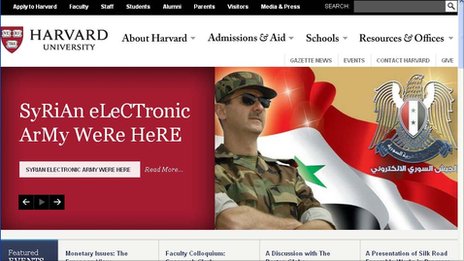
Here are just a few examples of this cyber-terrorism:
Just as street-level conflict can be a way to express opinion and get your voice heard; for others, cyber-attacks are the most powerful protest tool available.
“these attacks are usually unsophisticated and are not motivated by theft of data or money”.
In my experience, these attacks are usually unsophisticated and are not motivated by theft of data or money. Instead, they are brought about simply by an individual or group’s need to voice their opinions.
So as Europe experiences a wave of terror attacks, what can it learn from the middle-east and its longstanding tensions?
For one, there is a very real correlation between civil conflicts and attacks in cyberspace, although thankfully not visa-versa.
Second, consumers and businesses should make sure they protect themselves in cyberspace once terror or political conflicts hit the streets.
Visit our AVG Academy on YouTube for helpful tips on protecting yourself online.
You got a new device for Christmas and have finally finished migrating the data and apps from your old one to the new one. Now you’re thinking about what you can do with your old smartphone or tablet, and you come up with two alternatives: Sell it or give it away.
You’ve heard about some sites on the internet where you can sell your phone, so you do some research and decide on a fair price for your used device. Register yourself at the site and… Wait. Something suddenly occurred to you.
You’re right to think about that because Tens of thousands of Americans sell themselves online every day. Not only do they sell the devices, they sell themselves as all the personal data could be recovered.
 If you don’t want a stranger to see your selfies, discover your bank account details and your credit card numbers, and even some problematic Snapchats and SMSs… you need to do something. Do you remember the celebrities photos scandal?
So what to do? Use a hammer? Well, there are other options.
1. Backup your important data
Much of our lives are stored in our smartphones: Photos, music, videos, personal and professional contacts, call logs and SMSs. And you want all this stuff in your new device, don’t you? Avast Mobile Backup was specially designed to make this easier for you. It makes a backup in your Avast account (or in your Google Drive storage) and then allows you to recover them in a new device: All your paid apps and games (with their data) will be restored.
If you have a MicroSD card, remove it from your device and insert it into your PC, making a full copy and paste operation for all files. Remember that many Android devices store photos and other media files in the DCIM folder of the internal memory. Back it up, too.
Make sure your contacts are being synced with your Google account in order to restore them automatically in the new device: Check Settings > Accounts> Google> your email address and verify if “Contacts” is checked and already synced.
2. Disconnect your smartphone from your wireless carrier
This is especially important to allow the buyer to activate his/her own service. If you don’t do that, the phone will be linked to your services and you’ll need to inform the buyer of your email address or your new number so he/she can set up their own account. So, do it now, after you backup your data.
3. Unlink your smartphone from two-factor authentication services
If you set a two-factor authentication in your online accounts, be sure to unlink your device from the online accounts before wiping it (see next step) or selling it. We will post about this next Tuesday, so come back to our blog.
4. Wipe your device
It’s not enough to delete the photos and files from your phone. They will remain there and specialized tools are able to recover them. You need to wipe. But, remember, it’s not enough. Even going for it, you need to use an app or service that deeply wipes, so the files are unrecoverable on your device. Avast Anti-Theft does this for you. You just need to go to your Avast account and send the command to wipe your phone.
Android also offers a factory reset (Settings > Backup & reset > Factory data reset). This step is a no-return one. Make sure you have followed Step 1 consciously.
Of course, it will be good if after that, you remove your SIM card and keep it with you, without selling or passing it away. That allows you to keep your phone number, too.
5. Wipe your memory card
Along with the internal memory of your phone or tablet, many of them allow you to use an external card. To clean it, turn off your phone, remove the card, and use Avast Data Shredder to wipe all the files. If you have our Premier product in your PC, you have access to the data shredder. Put your card in your computer, open Avast, then go for Tools > Data Shredder > Shred whole partition. Choose your card and then click on Shred. If you have Avast Free Antivirus, you can find other free tools on the internet that does the wiping job for you.
6. Inform which accessories and batteries will be sold or passed away
Choose what accessories you will keep with you and inform the buyer exactly what you’re selling, so the buyer knows it prior to the sale.
7. Do some cleaning
Last but not least, cleaning is a nice gesture and rewards the buyer for his purchase. But take care so you don’t harm internal parts by removing dust!
Over the last few years, as I have seen family and friends lose loved ones, I am constantly reminded of the importance of our digital legacy.
Just this past year, a friend and former colleague passed away. I, like so many, was shocked and saddened. He was healthy and vibrant until the day he died of a heart attack while out cycling.
I first learned of his death online – where family and friends announced his passing on a Facebook page. What soon followed was a vast outpouring of friends gathering to remember, mourn and celebrate him, and to console his family and each other.
That Facebook page remains to this day, months later, with occasional new posts that continue in remembrance and celebration of his life.
I don’t know if my friend left a directive about his digital assets, but I do think he would be pleased by the tributes and what has become a living online memorial.
While that approach was absolutely the right one for him as a tech industry figure, it may not be for everyone. We don’t always know what our loved ones would want if and when the time comes. Or we might not know how to secure and remove their assets per their wishes.
“Boomers will be one of the first to leave behind a vast and varied digital footprint”.
Our generation (the Boomers) will be one of the first to leave behind a vast and varied digital footprint – including social media accounts, emails, tweets, images, videos and more. But most of us have yet to consider just what it is we are leaving behind, and what we want others to do with it?
To me, it is like any form of estate planning. It’s something we know we should do, but most of us put off– unless forced to deal with it. Except that it’s not exactly the same, because to date there are few of us who have even thought about our digital legacy, let alone planned for it.
In new research we at AVG have just conducted with those 50-plus (aka Boomers and Seniors), 83% of nearly 5,000 people we polled in nine different countries, have yet to consider their digital legacy.
Among our research findings:
This corroborates findings of other earlier independent surveys, which I wrote about in my column first exploring this topic last spring.
Clearly, further education is needed to help people make plans for their online lives – after they are no longer with us.
Even when all relevant paperwork is in place and documented, the task of managing a digital estate of a deceased relative can be a difficult and emotional task.
Here are three suggestions I have on digital legacy planning:
Because AVG is committed to helping people deal with the security and privacy of data, devices and people, this is a topic where we feel we can contribute.
We have developed an eBook Dealing with Digital Death that offers a starting point for tackling the issue.
It offers considerations, recommendations, resources and guidance – from how to tackle the sensitive issues around what to do with social media profiles and blogs to creating memorials and practical information on digital estate planning and how to delete retail accounts. I hope you’ll find it useful.
A survey by Visa Europe has found that the majority of those aged 16 to 24 would feel extremely comfortable with biometric security measures.
The post Survey: young people overwhelmingly in favor of biometric security appeared first on We Live Security.


