Category Archives: Antivirus Vendors

Antivirus Vendors

Prevention is better than cure: These eleven threats could compromise your corporate systems in 2015

Threats corporative systems

We don’t know what next year has in store for us, yet predictions are always useful to be better prepared for what might be around the corner. This also applies to IT security. If we analyze current trends in vulnerabilities and attacks, we may be able to forecast patterns for the future and avoid the dangers.

The Spanish government’s National Intelligence Center publishes annual reports detailing the main threats to businesses and organizations, and those that can be expected to be prevalent the following year.  Here we outline the eleven most notable dangers expected in 2015 so you can start to take measures before it’s too late.

  1. Cyber-espionage has been the single greatest threat in recent years and this can be expected to continue over the next few months. Cyber-criminals will continue working to improve methods to attack organizations and companies, as well as making them more difficult to detect.
    The simplest strategy is to choose targets with the least protection, such as contractors, suppliers or private computers. They often use social networks to gather basic information and then use the data on Web services and email.
    Threats corporative systems

  2. It is also important to keep a close eye on a factor that is often ignored: outdated operating systems. Microsoft stopped supporting Windows XP last April, so any vulnerabilities discovered since then won’t be patched, making it an easy target for criminals.
  3. Next year, just as we have witnessed in the last few months, there will be no shortage of ‘watering hole’ attacks. In this strategy, cyber-criminals observe the websites most visited often by an organization and then infect the pages with malware knowing that sooner or later some computers in the targeted organization will be infected.
  4. Something else to bear in mind when talking about threats to companies are mobile devices, as a lot of corporate data now passes through them. The best thing is to protect both smartphones and tablets with an antivirus for Android.
  5. Social networks also represent a possible entry point for cyber-criminals. The professional or personal profiles of employees on sites like LinkedIn or Facebook can be used to get to their email addresses. They are then sent malware via email in the hope of compromising the company’s systems.
  6. Many attacks target data stored in the cloud, as well as that stored on corporate networks. If the information is not properly protected, it can be easy to access files in the cloud. You can never take too many precautions when protecting data from threats.
  7. Another negative statistic is that studies indicate the increasingly sophisticated and damaging malicious code in circulation takes longer to detect. The same thing goes for the removal of malware from infected systems.
  8. Complex attacks on large companies with many systems and admin platforms can go undetected for long periods of time.
  9. However, attacks are no longer limited to computers. Many phone lines are associated to inter-communicating systems, such as alarms or dataphones. ‘Machine to machine’ or M2M communication is the basis for the ‘Internet of Things’.
  10. Home automation systems and devices, as well as industrial control systems, have begun to suffer from the first attacks by malicious software. Embedded systems in security cameras and monitors could be compromised if the program developer does not implement adequate protection measures.
  11. Cybercrime is constantly developing new strategies to evade ASLR mechanisms. This automatic process protects the security of operating systems by saving key program data on strategic areas of the hard disk to prevent hackers from deliberately accessing it.

We’ve given you a few pointers, it’s now in your hands to prevent these sorts of attacks. Keeping your computers protected with a corporate antivirus and updating your software are two key practices that you should encourage in your company.

The post Prevention is better than cure: These eleven threats could compromise your corporate systems in 2015 appeared first on MediaCenter Panda Security.


Christmas contest! – Help us to get a safe Christmas!

Christmas contest

As you have no doubt seen, these days we have been posting a series of articles to help ensure everyone enjoys a safe and happy Christmas! We want to help you to be able to shop online without any unpleasant surprises, and avoid falling for any of the typical Christmas scams that are doing the rounds at this time of year.

That’s why we have organized this competition, in order to reward you for helping our content to reach across the globe.

What can you win? Well, we’ve spoken to Santa and he’s going to leave various presents under the Panda Christmas tree. On December 23 and 29 and on January 2, we will reveal the prizes on offer each week to those who share our content.

How can you take part? It’s easy! Share on Facebook or RT on Twitter all the content we post with hashtag #xmaspanda. Prizes will be drawn among those who do this on the days included in the competition.

We will announce the winners on January 12 in this blog. So keep your eyes open!

Remember, Share or RT the posts with #xmaspanda and you could win great prizes.

The post Christmas contest! – Help us to get a safe Christmas! appeared first on MediaCenter Panda Security.
Improve your smartphone battery life with smart profiles

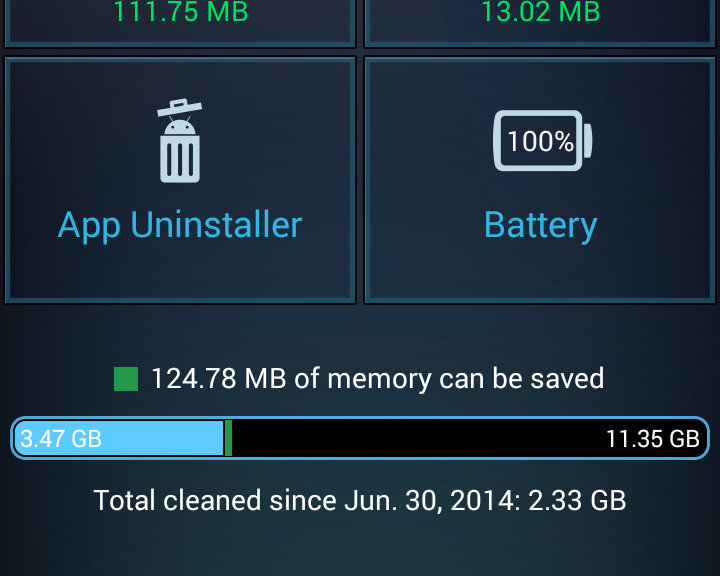
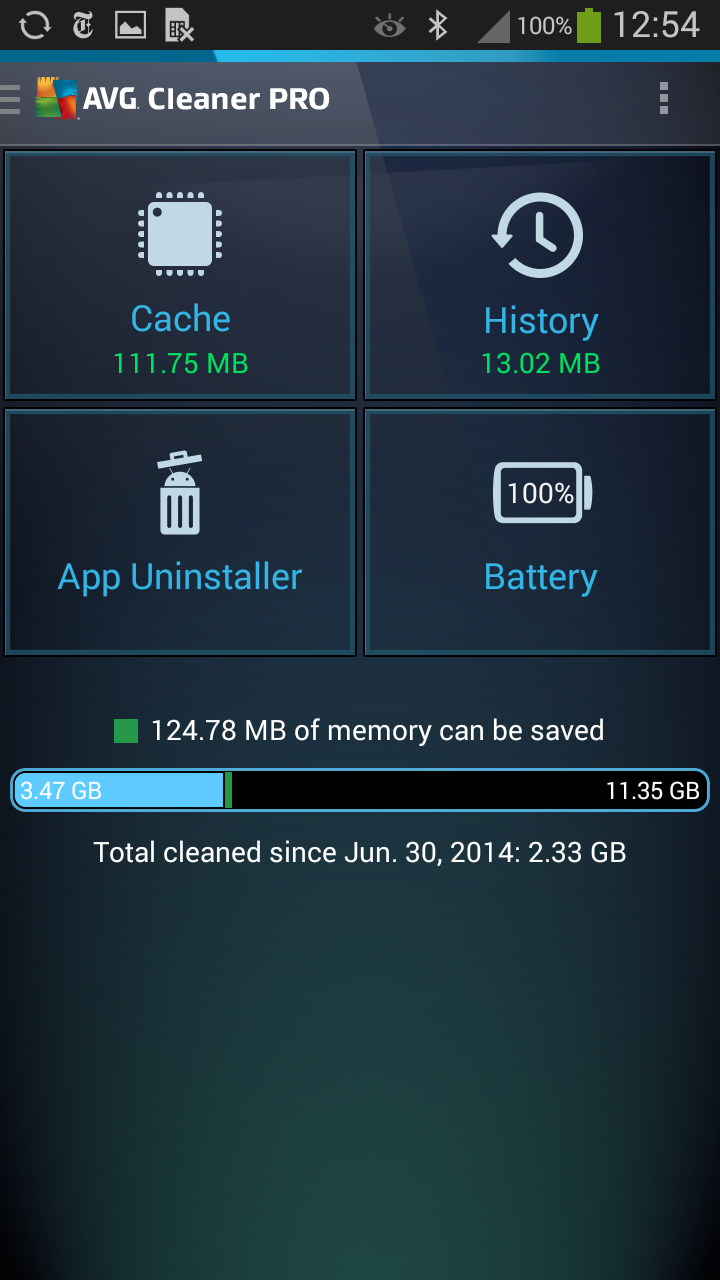
We’ve just released a new update to our AVG Cleaner for Android PRO.

In version 2.2.1 we’ve tweaked one of your favorite features, Battery Profiles, and now support Android L to help you clean up, speed up and especially boost battery life even better than before and on all the bleeding-edge devices out there.


So what’s new?

Despite that it started out as a cleaning app, we’ve made it a super-powerful tool to help you speed up and boost the battery life of your Android and even tell which apps drain your devices mobile data traffic, battery and storage. We’ve continued this tradition in our latest update even more.


Smarter Battery Savings with Battery Profiles

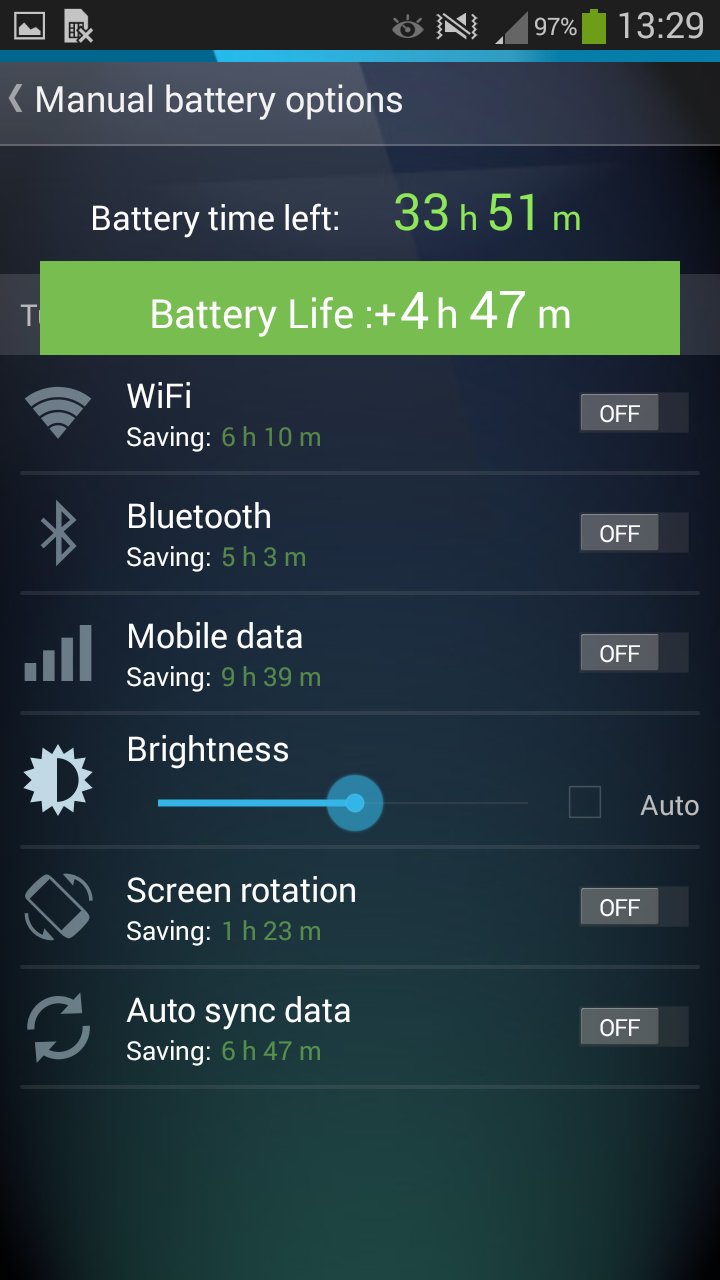
First and foremost, for the folks who love to improve battery life manually, we added a new button called “Choose Manual Settings” which puts you in charge of what features and built-in devices of your Android can drain your battery, such as Wi-Fi, Bluetooth, Mobile Data or the automatic synchronization of your files:

As you can see, we’ve also added new “On/Off” buttons to make it more clear what’s enabled and what’s not – the green indicator now shows you exactly how much battery life you can save with each tweak.

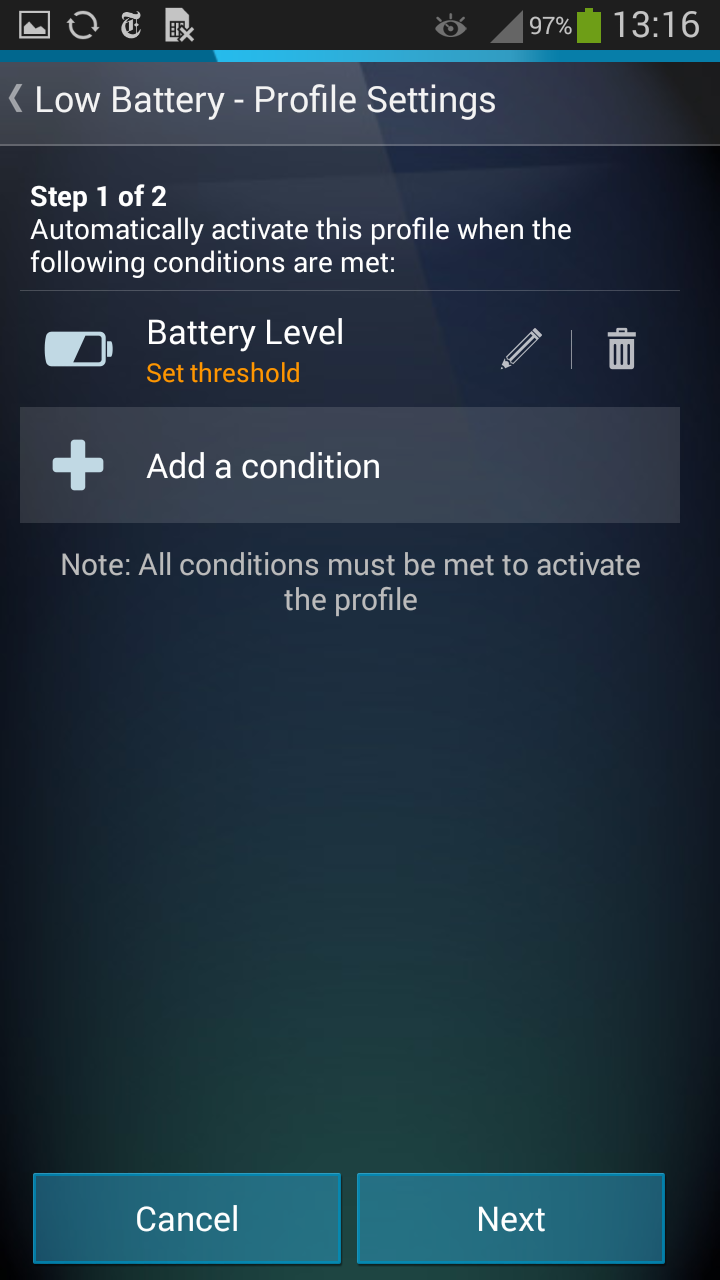
Plus, there’s a new profile called “Low Battery” which is available in the PRO version and kicks in when battery life hits a certain threshold, such as “20%” (you have to run it once and then set it up):

That’s super important when you’re nowhere near a power outlet and the phone is running on fumes. It saved my digital life more than once…

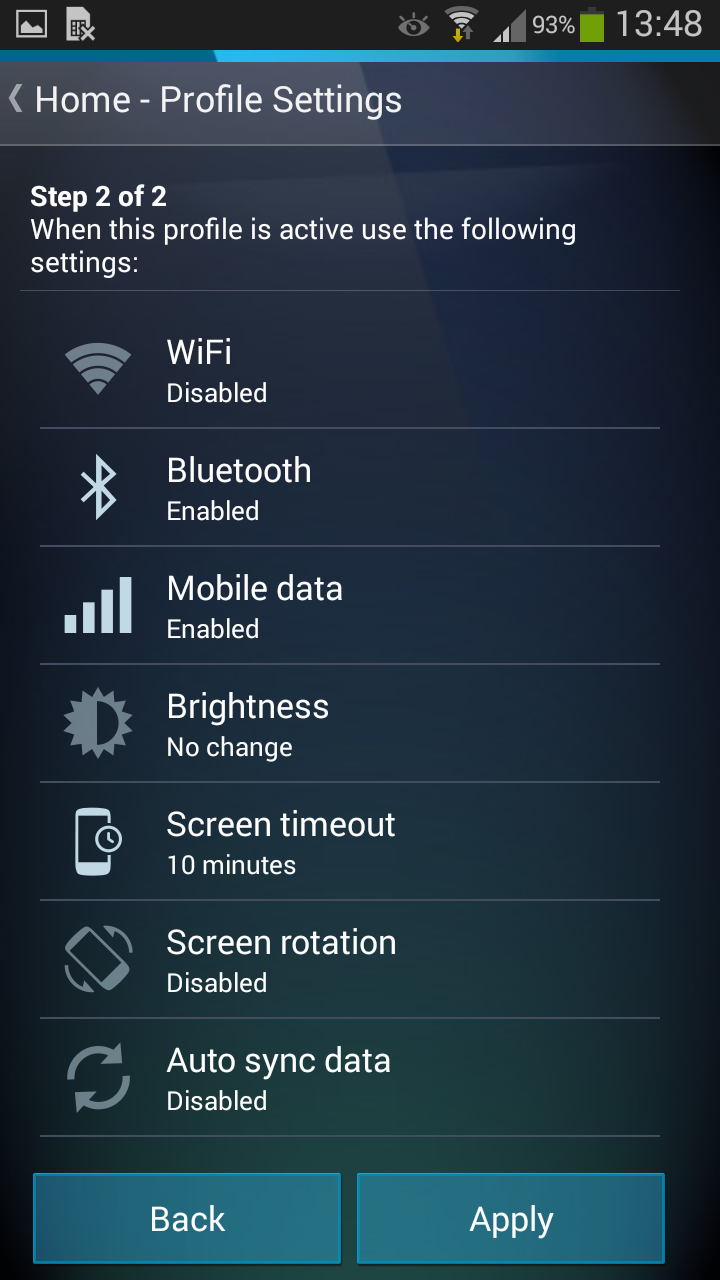
Overall, we’ve also made the “Profiles” easier to set up. Once you select a profile for the first time, such as “Car” (for when you’re on the road), we’ll walk you through what conditions and settings you can set up. In the example of car, I set it up so that AVG Cleaner for Android always disables Wi-Fi, auto-sync, screen rotation and screen time-out whenever it’s connected to the Bluetooth of my car:

That’s because I don’t need any Wi-Fi in my car. Plus, I’m using the phone as my GPS so I don’t want the screen rotating randomly or turning itself off after a while.

Download AVG Cleaner for Android now.

AVG CloudCare wins VB100 antivirus award

AVG CloudCare™ is a platform that simplifies IT management for the small and medium-sized business. It protects devices, data and people with a set of flexible services that you can manage remotely from any web browser. Activate or deactivate services, roll out policies, install software, and simply take care of issues, all in a single platform.

The importance of independent reviews on products designed for the SMB’s is that these businesses do not have the time and resource, nor the inclination in many cases, to research which solution will give them the security and reliability that their business requires.

In large enterprises teams of IT professionals evaluate multiple products and select based on criteria that their business demands. In small organisations the requirement to have a solution that answers the business needs does not change but the ability to research a market does differ.

Most SMB organizations trust their IT security to a partner, a reseller or consulting company that provides them the services and selection of products that an enterprise IT department would. The fact that the purchaser can easily validate the proposal from their IT partner by looking to see what accolades and awards the solution being offered has achieved makes the decision process much simpler.

VB100 is a comparative review conducted by Virus Bulletin, who put antivirus solutions through their paces with rigorous testing. In this case the testing was for servers running Windows Server 2008 R2 SP1.

Try AVG CloudCare free for 30 days


The number of leaked email addresses and passwords has exploded in 2014

The number of leaked email addresses and passwords has exploded in 2014

The statistics speak for themselves: The emails you send and receive every day at work are a time-bomb.

This is not just because they can be an entry point for cyber-crime, such as extortion or malware that can infect your computer, but also because through email, cyber-criminals can steal your account.

In fact, the email account you use in your company is now in more danger than ever before, simply because the number of compromised email accounts has reached astronomical figures.

Just a few months ago, five million Gmail account details were leaked on a Russian cyber-security forum, raising doubts about the security of the Google service, and creating jitters among the service’s millions of users.

However, the scandal of leaked Gmail accounts was barely the tip of the iceberg. Shortly after, Home Depot, the home improvements retails chain, announced a security breach in its payment platform that had compromised the details of no less than 53 million email addresses.  It’s clear then that our details of email addresses can be obtained from anywhere.

As if this weren’t enough, a group of cyber-security experts recently published a study confirming the trend (as if it were really in any doubt): In just three months the details of more than six million accounts have been leaked, along with the corresponding passwords.

 five million Gmail account details leaked

It’s a frightening figure, and more so considering that these are just the confirmed cases.

According to the study, most cases are due to people using company email addresses in private environments and the low levels of security associated with such email accounts.

Trojans infecting poorly protected computers or the use of email accounts with inadequate security are the most probable causes of this increase in the leaking of email addresses and their passwords.

The result of all this is seriously concerning: the use of these passwords by cyber-criminals against the users themselves. Moreover, if millions of account details have been leaked in just the last three months, the amount for the whole of 2014 could be twenty times greater.

Given how this trend underlines that corporate email accounts are not as secure as they should be, it is advisable to implement security measures such as two-step verification or at least frequent changes to email passwords.

The post The number of leaked email addresses and passwords has exploded in 2014 appeared first on MediaCenter Panda Security.
How to disable the WhatsApp blue double check on Android

Android users can now disable the blue double check in WhatsApp. The corresponding update for the app is now available from Google Play.

Do you want to know how to disable it?

How to disable the WhatsApp blue double check on Android

Follow these steps:

  • From the latest version of the app, go to ‘Settings
  • Then go to ‘Account
  • Next ‘Privacy
  • And finally, unselect ‘Read receipts’.

How to disable the WhatsApp blue double check on Android

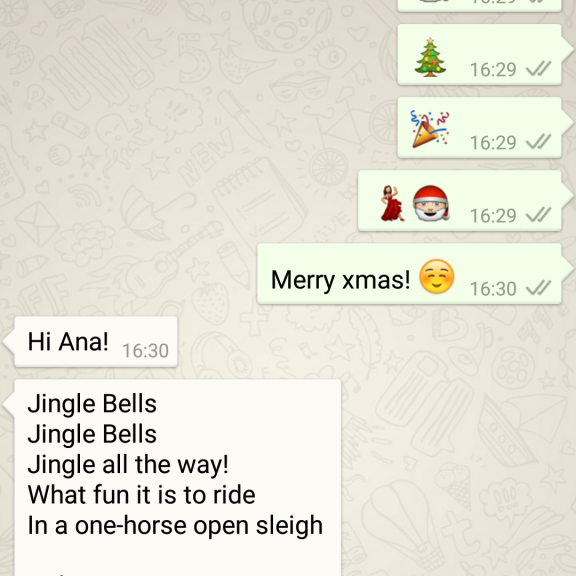
Don’t forget though, that if you disable read receipts, you won’t be able to see when your messages are read either.

What do you prefer?

The post How to disable the WhatsApp blue double check on Android appeared first on MediaCenter Panda Security.