Category Archives: Antivirus Vendors

Antivirus Vendors

Why blocking advertisements matters

What are web advertisements?

One basic premise of an advertisement is that its publisher has an adequate user base to be influential. The advertiser can be trying to get his new product out to the customer. Combine both, put it into the context of modern technology like the WWW, and big new opportunities emerge from the statically dull-looking world of HTMLs.

In most cases, advertisements are delivered through a dedicated server, the ad server. This makes it easy for the publisher to manage. All that needs to be done is to specify where the content is fetched from, the rest is taken care of by the advertising company. The latter is now able to fine-tune ads, for example via copy and design changes, to squeeze out the maximum click and conversion rates possible. Typical options for which ads can be tailored might include:

  • Browser used by the visitor
  • Browser language the visitor has set as default
  • Country, state, city the visitor resides in
  • Operating system the visitor uses
  • Plugins the user has installed (Java, Adobe Flash and Reader, Quicktime and many more)
  • Which page the visitor comes from
  • Screen resolution

This vast potential can take somewhat weird forms. Kogan Technologies, an Australia-based consumer electronics retailer, introduced the “Internet Explorer 7 Tax” which charged online shoppers with an extra 6.8% for using that browser.² Furthermore, Orbitz, an online travel planning website, has chosen to show pricier hotels to Apple Macintosh users.³

Can these ads be malicious?

This also builds the foundation for distributing malicious content. While the method of propagation is the same as with legit ads, content mostly consists of harmful JavaScript snippets. These scripts reload more scripts or simply redirect the visitor to infected web pages without user interaction – meaning: you will not feel a thing until it is too late.

Keeping in mind the options that advertisement agencies have, this opens another door. Phishing sites can be shown in the browser’s native language. Exploits and other malware can be downloaded, depending on the software installed on the victim’s computer. We have seen these types of “malvertising” sites loading malicious code during prime time – directly after the evening news. In the end, it showed that people tend to watch free online movies (often illegally) during prime time rather than during the work day.
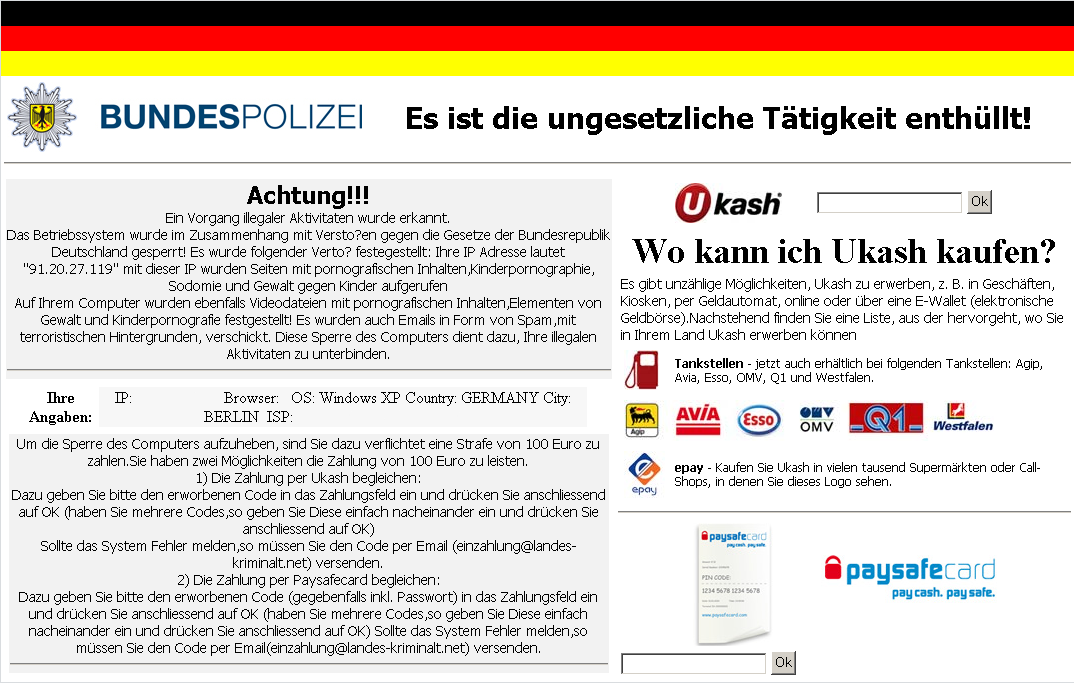
Ransomware Screenshot

Localised ransomware

How so, please give me an example?

So, say it’s a ridiculously hot summer. You look for… an anti-perspirant by your favorite sports brand. You feed the search engine with the right terms and find a promising page on Amazon. Of course, the idea of malware striking at this moment does not even cross your mind – why would it? You click the link; bam! Now, your computer might be infected. Seems unrealistic? Too paranoid? Well, it is not.

Some weeks ago, while I was on my couch and browsing the web, this exact thing happened to me. Analyzing the sample and the signature (HTML/Badsrc.I.1) brought me to the conclusion that this definitely was no false alarm. What happened is that the advertising agency Amazon used for this particular page was delivering malicious content (Note that it is not Amazon themselves delivering the malware). The difference, for an Avira user at least, is this:

Amazon page blocked

Blocked malicious advertisement

So, can your computer be infected by browsing legit and trusted websites? Yes!

How can I protect myself?

The example above shows that being careful on the web and visiting only legit and well-known websites does not mean you cannot get infected with malware. Web advertisements have a right to exist, no doubt. Just to be on the safe side, basic malware protection should always be complemented with sophisticated URL detection and ad tracker blocking. Avira Browser Safety gives the security-concerned user just what is necessary to live free. It is able to detect malicious URLs using Avira’s globally distributed URL Cloud but will also keep pesky and harmful online ads away from you. Why not give it a try?

¹ TechChrunch: Internet Ad Spend To Reach $121B In 2014 […]

² Kogan: New Internet Explorer 7 Tax :)

³ The Wall Street Journal: On Orbitz, Mac Users Steered to Pricier Hotels

The post Why blocking advertisements matters appeared first on Avira Blog.

Protect your blog

Castles have very regular (not to say, boring!) layouts.

Why is that? Why don’t they have any fancy layout ?

fancy layouts If they had a funny shape, they would be much more attractive!

Fancy, but less secure

Castles were built with defense in mind: they intend to reduce the attack surface, and keep control of it. Fancy extras create new openings, and make your defense less secure.

Boring, but more protected


When you create your own blog, you could be tempted to add many extra add-ons to make your blog more attractive: contact forms, slideshow, RSS…

It makes sense from a marketing perspective – who doesn’t want to look more attractive ? – but by doing so, you increase the attack surface. Many attacks have been reported recently, and they show that not all plugins follow the same quality standards when it comes to security.

How

Typically, attacks against blogs are either done by brute-forcing simple passwords or exploiting weak plugins.

Why

The usual goal is to modify a part of your blog, to redirect visitors to malware or to link to other websites to increase their ranking in search engines, and thus generate ads revenues. Another possibility is to take your content hostage, or to take over your server and use it as a relay for malicious content.

Consequences

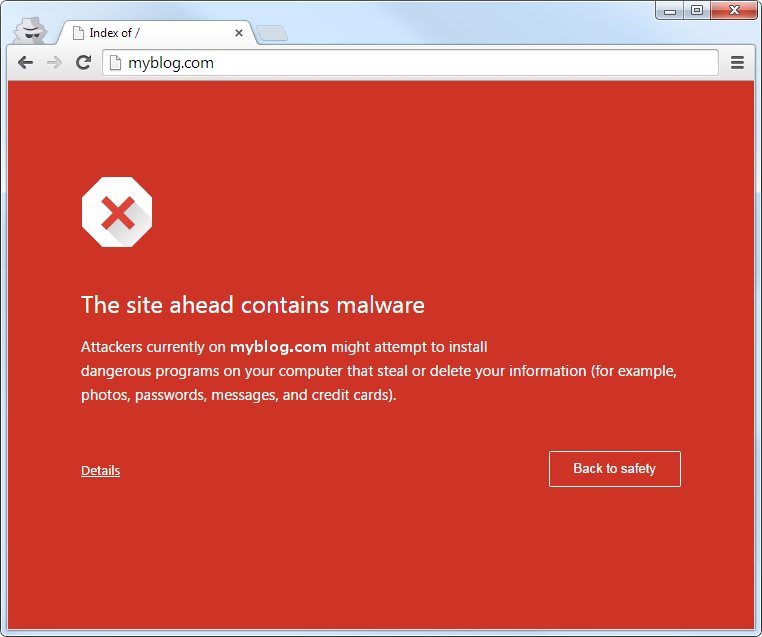
At best, your blog is blacklisted, and your visitors will be prevented to enter, for their own safety:

a browser warningThis is not very attractive.

At worst, your database could be stolen /deleted / ransomed or your server could be taken over, and even worse: you could be liable…

Extra

Since such attacks are done transparently and silently, you may think this is a false positive, as nothing seemed to have changed in appearance: a small URL insertion in one of the PHP script can have big consequences.

What should you do ?

To protect your blog, you should reduce your attack surface, and keep your defense in control:

  • Reduce your weaknesses, by removing unnecessary or insecure plug-ins (Google for a plug-in name, check if it’s widely used, check if there was any security bug reported, and if the authors seemed to care.
  • Generate logs, and check them
  • Backup your blog files: to recover deletion, of course, but also to make post-infection analysis much easier, so that you can easily check what was modified.

The post Protect your blog appeared first on Avira Blog.

Malicious Office macros are not dead

You could think that malicious Office macros are a thing of the past. They are not a major threat anymore, but they still represent a potential risk for unsuspecting users.

Since Microsoft Office enabled documents to embed macros that can even do complex actions such as dropping malicious executables, malicious office macros were used in the malware landscape.

When Office XP was released in 2001, it disabled macros by default: as a consequence, malicious macros were not so efficient to infect users, so their use in the malware landscape rapidly declined afterwards.

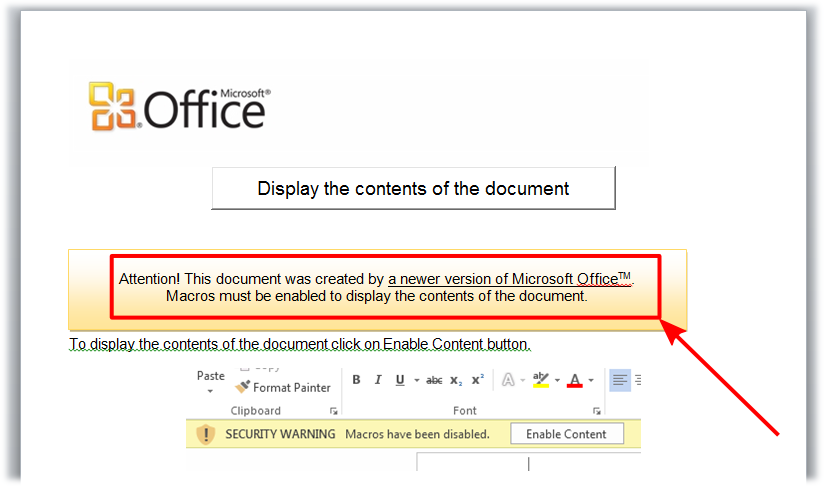
German warning: Macros have been disabled - Enable ContentHowever, it doesn’t mean that the threat is not present anymore, especially in corporate environments where users may leave them activated by default.

And the document can try social engineering to convince you to re-enable them.

a malicious Office document trying to convince the user to enable macros.


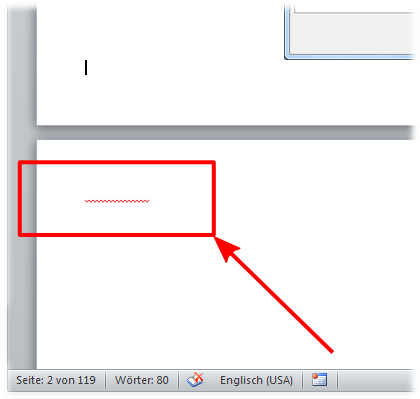
The file also contains something weird:

a suspicious highlighting on invisible textIf you scroll down, you notice something unusual:
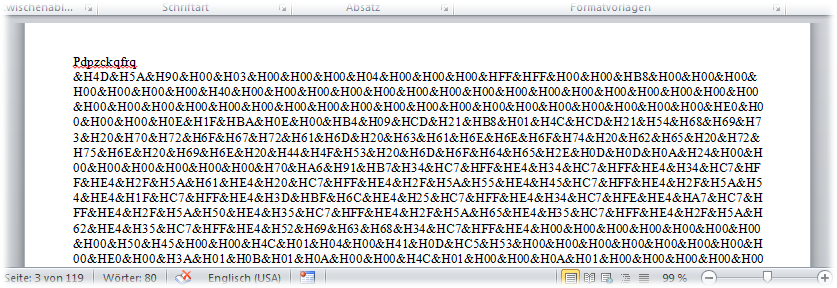
that invisible but underlined text is actually a malware file (4D 5A is the signature of a Portable Executable file), encoded in the document, but in white font on white background.

hidden_executableThis is what it looks like if the text is back in normal color.

On execution, the macros remove this hidden text, to remove traces of maliciousness.

So, be careful: don’t enable macros by default, and don’t enable them for unusual documents.


Analyzing malicious office macros out of a document

Until Office 2007, Microsoft used the OLE Compound File Binary Format. Here is an accurate summary of the format:

"nigthmare", in blood lettersbecause it’s actually a complete filesystem, with multiple FAT formats, sectors, streams, defragmentation…

So for your sanity, we’ll avoid the details here as much as we can…

Starting with Office 2007, the default format was the “XMLs in a ZIP” Office Open XML.

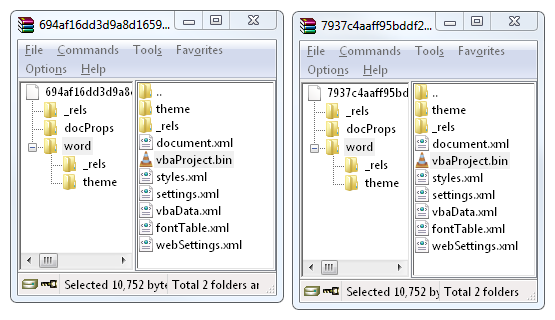
But to store macros, even Office Open XML still uses the OLE format: they are located in the vbaProject.bin file inside the ZIP archive.

macros are located in ZIP/word/vbaProject.binSo in any case, we need to deal with the OLE format to extract macros: either the whole document (< Office 2007), either the vbaProject.bin file (later versions),


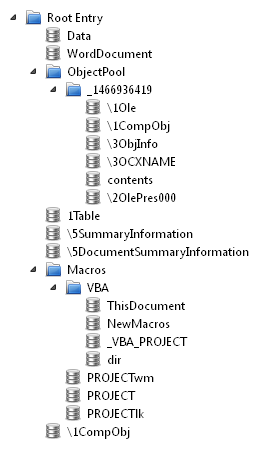
Just for your information, this is what such a OLE file looks like from a high level perspective.

high-level structure of an office file(don’t show that to your kids, they might look away from computers for ever)

If you still want to know more about the OLE format, you may want to watch Bruce Dang’s presentation on the topic.


So first, extract the vbaProject.bin file from the ZIP. Then, ask OfficeParser to extract the macros: luckily, it does all the magic for us.

Extracting macros from an office documentit displays an error, but the file NewMacros is still correctly extracted.

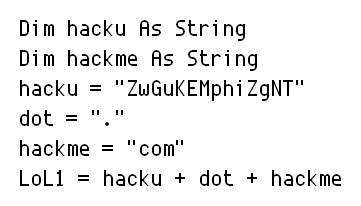
And then, you can clearly tell immediately the intent of the file… it’s pretty obvious (and actually, quite disappointing)…

stupid variable names in the macrosObvious variable names

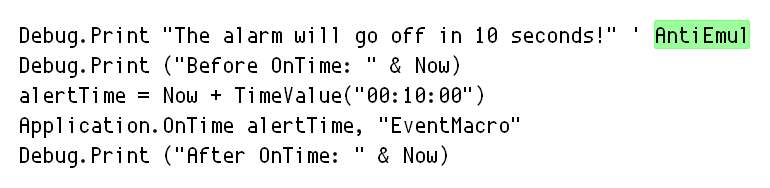
anti-emulation code in the macroCommented “anti-emulation”

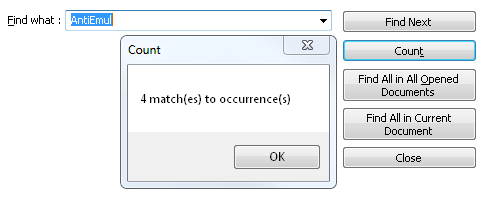
over-using the same anti-emulationThey are so proud of it that they re-used it multiple times…

Ok, let’s stop here. You already get the idea about the intents of this file, and now you know a simple method to analyze malicious Office macros yourself.

Sadly, not much to learn from this threat: excepted that it’s a good thing to practice on a ‘forgotten’ file type, that could still be used today to infect users.

Related tools:

  • OfficeMalScanner: doesn’t parse OLE file, but tries to extract embedded shellcodes and binaries.
  • OleFileIO_PL: a more advanced parsing library than OfficeParser, but with no direct macros extraction ability.

The post Malicious Office macros are not dead appeared first on Avira Blog.